




Your iPhone has a VPN menu in Settings, but no VPN to go with it. Apple’s closest alternative is iCloud Private Relay, which comes with a paid iCloud+ plan: it hides your IP address in Safari, but not in other apps, and offers no location-changing abilities. A quality VPN for iPhone covers every app on your phone, from Safari to Instagram, and lets you choose where you appear to be.
Choosing one takes more care than you'd expect, since even the best VPNs we've tested tend to hold back features on iOS. All five here have a kill switch on iPhone, but split tunneling is down to Surfshark alone – and only for websites – while auto-connect is hit and miss.
I've used all five on my own iPhone, so alongside each service's speed and streaming results, you'll get a sense of what its app is like to live with day to day. If you want the quick version, our top three are summed up below.
The 3 best iPhone VPNs at a glance
How we chose the best iPhone VPNs
Why you can trust Tom's Guide Our writers and editors spend hours analyzing and reviewing products, services, and apps to help find what's best for you. Find out more about how we test, analyze, and rate.
Each app here has been installed on my iPhone, which let me judge how it holds up in everyday use – how quickly you can find the right server, how much the settings ask of you and what's missing compared with the provider's desktop app.
Our streaming results come from separate tests covering the US, the UK, Canada and Japan, plus Australia and New Zealand as one region. We test services ranging from Netflix and Disney Plus to BBC iPlayer and 10 Play. In the US, the list also includes premium YouTube channels such as Formula 1. A service only counts as blocked once it has failed in at least three locations, and we note any that only worked after we changed locations.
For speed, we test each VPN on a Windows cloud PC with a 10 Gbps line, running morning and evening sessions to both a nearby US server and the UK. That leaves plenty of headroom, so a slow result points to the VPN rather than the connection.
Beyond performance, we looked at what keeps your data private, including independent no-logs audits, post-quantum encryption and whether the kill switch works on iOS. We also weighed up extras such as password managers and identity theft insurance, which can make one VPN better value than another.
Read more about how we test VPNs for an in-depth look at our testing process.
The best iPhone VPN overall
What we like:
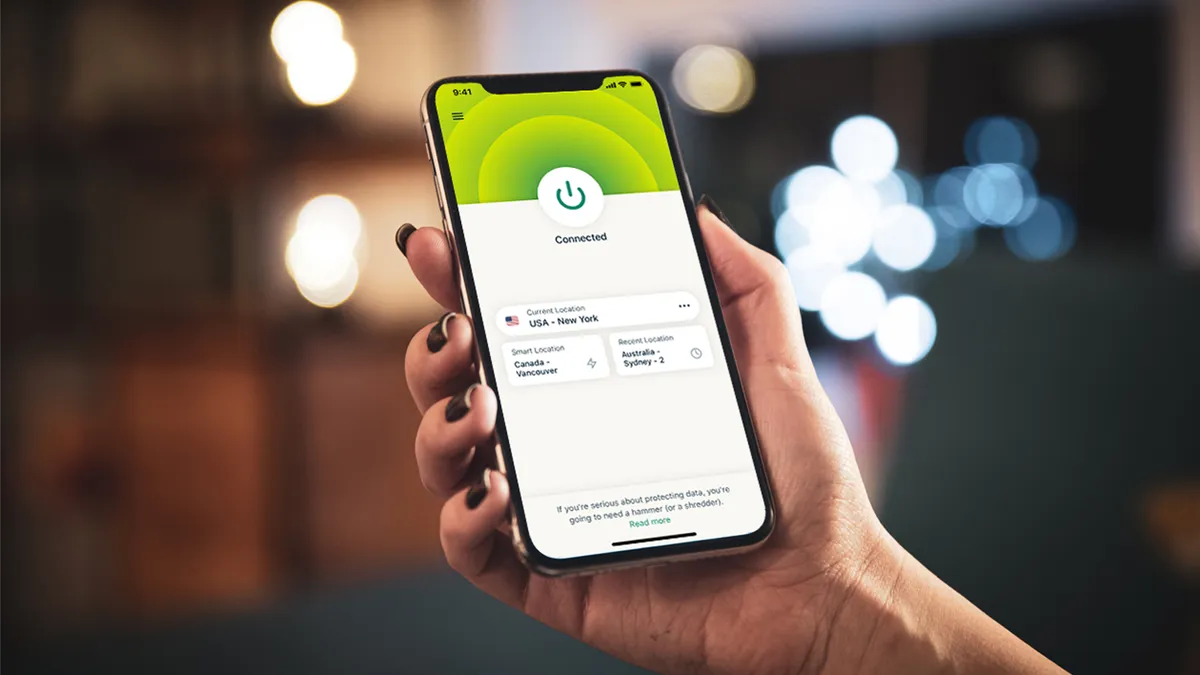
ExpressVPN is about as easy as iPhone VPNs get. I found the layout clean and uncluttered, with the connect button sitting in the middle of the screen where your thumb expects it, so there’s no learning curve, even for a first-time VPN user. Keeping tabs on your connection is just as simple, since Network Insights, a feature exclusive to iOS, shows your speed and data use right on the lock screen.
The app also looks and works the same across platforms, which suits me as someone who switches between an iPhone and a Windows PC – there’s nothing to relearn when you move from one device to the other.
ExpressVPN holds second place among our best Windows VPNs, too. If you’d rather your iPhone app had a look of its own, there are several themes to choose from, including a dark mode called Twilight.
There's a kill switch on iOS, too, and it did its job every time I forced the connection to drop, keeping my traffic blocked until the VPN was back up.
Protocol choice is just as solid, with ExpressVPN’s own Lightway available on iOS alongside OpenVPN and IKEv2, and there’s also WireGuard, a lean protocol built for speed. ExpressVPN added WireGuard in August 2025 with post-quantum encryption built in from launch, putting it level with Lightway. That post-quantum protection is designed to hold up against the code-cracking power of future quantum computers.
KPMG last audited ExpressVPN’s no-logs policy in June 2025, and the company has now completed 27 independent security audits, more than any other VPN we’ve tested.
Streaming in the US and UK is where ExpressVPN shines. It didn't miss once in either country, getting into everything from Disney Plus to Channel 5 on the first server we tried, and it handled 9Now, 10 Play and TVNZ+ in Australia and New Zealand without trouble. It also has a server in every US state, so you can pick the exact state you want rather than settling for the nearest big city.
ExpressVPN’s plans build up in layers. Basic filters out ads and harmful sites at the DNS level, while Advanced adds password management through Keys and Identity Defender, a US-only service backed by up to $1 million in insurance. Pro then tops it off with a dedicated IP address.
What could improve:
The iOS app does leave a couple of gaps. There's no split tunneling and no auto-connect, so you'll have to remember to switch the VPN on yourself whenever you join public Wi-Fi.
iPhone users also miss out on ExpressVPN's fastest connection mode. In our tests, Lightway Turbo hit 1,810 Mbps by running two tunnels at once, but that dual-tunnel mode is only available on Windows. The single-tunnel connection that iOS uses managed 1,119 Mbps within the US – plenty for streaming in 4K, though it puts ExpressVPN behind Surfshark, Proton VPN and NordVPN on this list.
Outside the US and UK, streaming results were patchier. YouTube was blocked in Australia and New Zealand, Canada and Japan. Netflix didn't work in Canada and needed several tries in Japan, while Amazon Prime Video failed in Japan, too. If Netflix is your priority, Surfshark and Proton VPN both unblocked it in all five regions, and our guide to the best Netflix VPNs has more options.
And while Basic covers the essentials, the password manager, identity protection and dedicated IP all sit on pricier tiers.
🔒 Read our in-depth ExpressVPN review for all the details.
Buy ExpressVPN if:
✅ You're new to VPNs. ExpressVPN's iPhone app takes no time to figure out, and the main controls are right where you'd look for them.
✅ You stream US and UK content. It unblocked every service we tested in both countries, including BBC iPlayer and Channel 5.
✅ You want more than a VPN. Advanced adds a password manager and US identity theft protection, and Pro includes a dedicated IP, too.
Don't buy ExpressVPN if:
❌ You want split tunneling or auto-connect. Neither is available in the iOS app, so Surfshark is the better fit.
❌ You want the fastest VPN for iOS. Without the Windows-only dual-tunnel mode, ExpressVPN's iOS app trails three rivals here, and Surfshark is the fastest of our five.
The best iPhone VPN for

What we like:
NordVPN sits at the top of our overall VPN rankings, and on iPhone, it's the pick for anyone who puts security first.
You get NordLynx, NordWhisper and OpenVPN over UDP or TCP on iOS. NordLynx, built on WireGuard, is the one to use for everyday browsing, and it’s the only one of the three with post-quantum encryption. NordWhisper, meanwhile, relies on obfuscation to make VPN traffic harder to spot on networks that try to block it.
For extra cover, specialty servers add a second VPN hop through Double VPN. Onion over VPN routes your traffic into the Tor network instead, while Threat Protection Lite blocks dangerous sites and ads.
Unlike ExpressVPN, NordVPN's iOS app has auto-connect, so you don't need to remember to turn it on, and its kill switch protects you if the VPN disconnects.
Its privacy credentials are strong as well, and NordVPN’s no-logs claims have now been through a sixth independent audit, carried out by Deloitte, with the findings released in February 2026. With servers in 167 countries, it also covers more of the world than any other VPN here, so it’s no surprise it leads our travel VPN rankings.
UK streaming was spotless apart from YouTube, with BBC iPlayer, ITVX, Channel 4 and Channel 5 all working first time, and Amazon Prime Video held up in every region we tested. It also comes second in our streaming VPNs guide.
NordVPN's speeds are solid but don't stand out. NordLynx reached 1,427 Mbps on a US server close by and 939 Mbps to the UK, which puts it behind Surfshark and Proton VPN, but ahead of ExpressVPN's iOS connection and PIA.
What could improve:
I found the map-based home screen, carried over from desktop, hard to work with on a phone-sized display, with settings widgets competing for space around it.
Some features don’t make it to iOS at all. Split tunneling is one of them, so you can’t let apps like your banking app bypass the VPN. Next-Gen Antivirus – formerly Threat Protection Pro – is also desktop-only and reserved for pricier plans.
Streaming also has its blind spots. Premium YouTube channels such as Formula 1 were blocked in the US and YouTube failed in the UK and Australia, while Japan's Netflix library stayed out of reach. Disney Plus was blocked in Canada, too, and only worked in the US after we switched locations.
Price is the other sticking point. At $3.49 per month on a two-year plan, NordVPN costs more than any of our other picks, and the Basic plan renews at $11.59 per month once that first term is up.
🔒 Read our in-depth NordVPN review for all the details.
Buy NordVPN if:
✅ Security comes first. Its specialty servers and built-in threat blocking give you extra layers of protection beyond the VPN itself.
✅ You travel a lot. No rival here has servers in as many countries.
✅ You want protection that runs itself. Auto-connect switches the VPN on for you, and the kill switch keeps you covered if the connection drops.
Don't buy NordVPN if:
❌ You're on a tight budget. NordVPN is the most expensive of our five, and our best cheap VPN guide has lower-cost alternatives.
❌ You want a tidy, simple app. The map-heavy home screen can feel cluttered on a phone, and ExpressVPN is far easier to get to grips with.
The best cheap iPhone VPN

What we like:
Surfshark's case as the best cheap iPhone VPN rests on what you get for the money rather than the lowest price. There's no cap on devices, so the subscription you buy for your iPhone can also cover your partner's phone, the family iPad and every laptop in the house.
Only PIA matches that among our picks, and Surfshark's app is far friendlier – I had no trouble finding my way around it from the first launch, which makes it an easy one to hand to less tech-savvy family members.
It's also the fastest VPN on this list by a clear margin. Over WireGuard, Surfshark reached 2,005 Mbps on a short-distance US connection and 1,739 Mbps across the Atlantic to the UK, topping both of our tests.
The long-distance figure matters most if you stream from abroad, since Surfshark held up far better over that route than NordVPN's 939 Mbps or PIA's 256 Mbps. It can even help at home if your internet provider throttles streaming traffic, since the VPN hides what you’re watching from them.
Surfshark is the only pick that lets you exclude anything from the VPN on iOS, though it works by website rather than by app. That's still handy for sites that block VPN traffic, which you can let through on your regular connection without switching protection off for everything else. With auto-connect and a kill switch on top, the app covers you with very little input on your part.
When it comes to privacy, Surfshark has been steadily building its credentials, and third-party auditors have checked its no-logs policy twice, in 2022 and 2025. SecuRing then ran an infrastructure audit in December 2025, and the results came out in January 2026, the same month post-quantum encryption arrived on its WireGuard connections. Dynamic MultiHop adds another layer if you want it, letting you chain any pair of its servers.
Streaming is another strong point, especially for Netflix, which Surfshark unblocked wherever we tried it, from the US to Japan. Amazon Prime Video proved just as reliable, and BBC iPlayer, Channel 4 and 10 Play all worked without any server switching.
Every plan also includes CleanWeb ad blocking and Alternative ID, which creates a stand-in identity and email address for sign-ups, so you get useful privacy tools without paying extra. One and One+ build on that with antivirus, breach alerts, private search and Incogni's data-broker removal, but most iPhone users will be well served by the base plan.
What could improve:
The trade-off for that low price is a few strings attached. Starting the free trial means handing over payment details, so you’ll want to cancel within the week if Surfshark isn’t for you. Even so, it’s the top pick in our guide to VPN free trials.
The bigger catch comes later: when the introductory period ends, the Starter and One plans more than triple in price. If you plan to stick with Surfshark long term, buying more time before your plan renews is the way to avoid that jump.
Streaming isn't flawless, either, and YouTube is where it shows. Surfshark was blocked in every region we tested outside the US, and even premium YouTube channels such as Formula 1 in the US took several attempts, so it's not the pick if YouTube from abroad is a big part of your viewing. Disney Plus failed in the UK as well, though UK broadcasters from BBC iPlayer to Channel 5 all worked.
The simplicity that makes Surfshark easy to pick up also limits how far you can take it. There aren't many settings to adjust, so if you want granular control over protocols and connection behavior, PIA and Proton VPN give you much more room to experiment.
🔒 Read our in-depth Surfshark review for all the details.
Buy Surfshark if:
✅ Speed is your priority. It beat the other four VPNs here on both short- and long-distance connections.
✅ You want to cover every device you own. Unlimited connections mean your phone, tablet and laptop can all run off the same subscription.
✅ You want to keep certain sites off the VPN. Website-based split tunneling lets you do it on iOS, something no other pick here offers.
Don't buy Surfshark if:
❌ You watch a lot of YouTube abroad. YouTube blocked it in the UK, Canada, Japan and Australia.
❌ You like to tinker with settings. Surfshark's streamlined app leaves little room for customization, so PIA is the better choice.
The best iPhone VPN for security

What we like:
Proton VPN is built for anyone whose main concern is keeping their activity private rather than unlocking extras, and it’s the runner-up among the most secure VPNs we’ve tested.
Its apps are open source, meaning anyone can inspect the code, while Proton owns every server in its network instead of renting hardware. Its no-logs policy has also passed four independent audits, the most recent in September 2025, so its privacy claims can actually be checked.
Secure Core takes that further on iOS by sending your traffic through a server in Switzerland, Iceland or Sweden before it exits in the country you picked, so the server you appear to connect from never sees where your traffic actually started.
Stealth, one of the two protocols on iPhone alongside WireGuard, is designed to get past VPN blocks, which makes it worth keeping in mind for travel. I also never once saw the kill switch fail during testing.
It's quick, too, with 1,783 Mbps on a local US connection and 1,397 Mbps from the US to the UK. Of the connections available on iOS, only Surfshark's were faster. In practice, that means you can use a server overseas and still watch in high definition without the VPN becoming the bottleneck.
If Netflix is what you watch most, Proton VPN is one of the safest bets here, with every regional Netflix library we tested letting it in. UK and Australian broadcasters such as BBC iPlayer and 7 Plus worked straight away as well.
The redesigned iOS app is a big improvement, too. In my previous review, I kept disconnecting by accident because the disconnect button sat where most apps put their home button, and that problem is now gone. Profiles go a step further, storing your preferred server, protocol and Secure Core choice so you can reconnect exactly the way you like with a single tap.
Pricing is refreshingly simple, with one paid plan that includes every VPN feature for $2.99 per month over two years ($71.76 for 24 months). For the same privacy protections across your email and files, Proton Unlimited bundles the VPN with Proton Mail, Calendar, Drive and Pass from $9.99 per month ($119.88 for 12 months).
What could improve:
As with most of our picks, Proton's iPhone app doesn't get everything. Split tunneling stays on desktop and Android, and NetShield, the app's ad and malware filter, is far better at stopping ads than threats – it caught 88% of ads in testing, but only 4% of malware sites and 32% of phishing sites, so it's no substitute for proper antivirus.
Prime Video is the one major service that lets it down. Amazon blocked it everywhere except the US and UK, so if you rely on Prime Video while traveling, NordVPN, which unblocked it in every region, is the stronger choice.
Several other services took a few attempts, including Disney Plus and ITVX in the UK, TVNZ+ in New Zealand and premium YouTube channels such as Formula 1 in the US.
Support and trials are where Proton feels less polished than its rivals. Live chat is only offered through its website and isn’t available 24/7, and there’s no free trial. What it does offer is a free plan, which takes second spot in our best free VPNs guide.
Proton VPN Free is a decent way to test the app, but since it doesn’t support streaming, it won’t tell you how the paid service handles Netflix or BBC iPlayer, so the 30-day money-back guarantee is the more useful safety net.
🔒 Read our in-depth Proton VPN review for all the details.
Buy Proton VPN if:
✅ You want privacy you can verify. Open-source apps, Proton-owned servers and four independent audits mean you don't have to take its word for it.
✅ You mostly stream Netflix. It unblocked Netflix everywhere we tested.
✅ You often connect from abroad. Stealth helps you get online where VPNs are restricted, and Secure Core routes you through a privacy-friendly country first.
Don't buy Proton VPN if:
❌ You stream Prime Video abroad. Amazon only let it through in the US and UK.
❌ You want round-the-clock support. Help is limited to live chat on Proton's website, and it isn't staffed 24/7.
The best iPhone VPN for experts

What we like:
PIA costs at most $2.19 per month on its two-year plan, less than any of its four rivals, but the bigger saving comes later. Renewal prices on its longer plans rise by only 8%, so where NordVPN and Surfshark can cost several times more after the first term, PIA stays affordable well beyond the introductory deal.
It's also the VPN to choose if you like setting things up just how you want them. Automation rules let you decide how PIA behaves on different networks, so it can switch on by itself on unsecured networks, and Siri shortcuts let you connect without opening the app at all. Pair that with a choice of WireGuard, OpenVPN and IKEv2, and you can tune the connection far more than Surfshark allows.
Its privacy record carries real weight, too. PIA's no-logs claims have been put to the test in court and stood firm, the kind of real-world proof an audit can't offer, and Deloitte also checked the policy independently in 2024, with an infrastructure audit following in February 2026.
Add open-source apps and a quarterly transparency report, and there's little PIA asks you to take on trust. You’ll find it in the top five of our most private VPN guide, too.
That privacy extends to how you pay. Alongside card, PayPal and Amazon Pay, PIA accepts cryptocurrency through BitPay, so you can sign up without linking the account to your bank details. You can also try it free for seven days on iPhone, and live chat and email support are available around the clock if anything goes wrong.
One plan covers unlimited devices, and with servers in all 50 US states, PIA is handy if you need an IP address in a particular state, whether that’s for local news, sports or your bank’s website. PIA no longer says how many servers it runs, though reports put the server count above 10,000, and every one of them allows P2P traffic. Our torrenting VPN rankings have PIA in first place.
What could improve:
The biggest compromise is speed. PIA managed 419 Mbps over WireGuard in our domestic US test, around a fifth of Surfshark's result, and 256 Mbps on the transatlantic run to the UK. That's still enough for streaming and browsing on a typical home connection, but if you have fast fiber and want to make the most of it, Surfshark or Proton VPN will feel noticeably quicker.
All that depth also makes the app harder to learn. When I tested it, the quick-settings icons under the connect button had no labels, and tapping them didn't explain what they did, so I had to look them up in the settings menu. PIA has refreshed several screens since, but if this is your first VPN, you'll have an easier start with ExpressVPN or Surfshark.
It also falls short on a few security features. Split tunneling is limited to Windows and Mac, and PIA hasn't adopted post-quantum encryption anywhere yet, which leaves it behind NordVPN, ExpressVPN and Surfshark for future-proofing. MACE, its ad blocker, stopped 87% of ads on desktop but caught just one of the 100 malicious links we tested, so it shouldn't be your only line of defense.
Streaming is the area where PIA struggles most. It handled Netflix in the US, Canada and Australia, along with BBC iPlayer, 9Now and 10 Play, but Amazon Prime Video was blocked in both the US and Canada, with Disney Plus and YouTube also failing in Canada. Netflix in the UK and Japan, ITVX, Channel 4 and US Disney Plus all needed more than one attempt, so if streaming is high on your list, you'll be better served by any of the other four.
🔒 Read our in-depth Private Internet Access review for all the details.
Buy Private Internet Access if:
✅You want a VPN that stays cheap. Its two-year plan undercuts every other pick here, and the renewal increase on longer plans is a modest 8%.
✅ You like full control over your connection. Automation rules, Siri shortcuts and three protocols make it easy to shape the app around how you use your iPhone.
✅ You want privacy with a track record. Its no-logs record has been tested in court, not just in audits.
Don't buy Private Internet Access if:
❌Speed matters to you. It finished last in both of our speed tests by a long way.
❌ You want something simple. Its deeper settings and less intuitive layout make it slower to learn than ExpressVPN or Surfshark.
What is the best iPhone VPN?
Our pick is ExpressVPN, because it gets the balance right for most iPhone users. The app asks almost nothing of beginners and got into every US and UK service on our streaming test list, while its higher tiers add extras like the Keys password manager and Identity Defender if you want them.
The right choice still depends on your priorities, though. Surfshark leads on speed, NordVPN brings the strongest set of security extras and Proton VPN puts privacy above everything else, while PIA is the cheapest of our five. All of them come with a 30-day money-back guarantee, which gives you a month to see how an app fits into your routine before you're committed.
Back to the best iPhone VPNs ^
Should I use a free VPN for iPhone?
It depends on what you need it for. For occasional browsing on public Wi-Fi, a free plan from a trusted paid provider can be enough, though each one comes with a catch: PrivadoVPN Free slows you down once you’ve used 10 GB in a month, and Proton VPN Free won’t work for streaming. We cover the free iPhone VPNs we trust in a separate guide.
Steer clear of free VPNs with no paid plan behind them, as some have been caught selling user data or hiding malware. Others have turned their users’ devices into part of a botnet, passing other people’s traffic through them for fraud and cyberattacks. If you want something you can rely on every day, a paid VPN is the safer choice, and our two cheapest picks both cost less than $2.50 per month.
Back to the best iPhone VPNs ^
Will a VPN mess with my iPhone location?
Only your online location changes. When you connect to a server in another country, websites and apps see that server's IP address, so you appear to be browsing from there – which is how a VPN gets you into streaming libraries from other regions.
Your iPhone's physical location is a different matter. Apps like Apple Maps and Find My use GPS, Wi-Fi and cell signals rather than your IP address, so directions still work as normal, and your carrier won't treat your calls as international.
Back to the best iPhone VPNs ^
Are iPhone VPNs safe?
The ones on this list are, and each of them has passed an independent no-logs audit. The risk lies with the many lesser-known VPNs on the App Store, particularly free ones that promise unlimited data and every streaming service at no cost.
That played out in the UK in 2025, when new age verification checks sent people looking for ways around them. Within days of the law taking effect, several suspect free VPNs had climbed to the top of the UK App Store. If a VPN can’t explain how it pays for its servers, assume it’s paying for them with your data.
Before you install one, look for a recent no-logs audit by a respected firm and a company you can actually identify, and check whether a trusted outlet has reviewed the app.
Back to the best iPhone VPNs ^
How do VPNs work for iPhone?
Once you connect, the VPN app creates an encrypted tunnel between your iPhone and one of the provider's servers, and all your traffic passes through it. Your internet provider, your mobile carrier or whoever runs the Wi-Fi network can see that you're connected to a VPN, but not which sites you visit or what you do on them.
The websites and apps you use see the VPN server's IP address instead of yours, which keeps your real one hidden and makes it look as if you're in whichever country the server is in. All of this runs through a VPN configuration the app adds to your iPhone the first time you connect, so you can also switch it on or off from the VPN toggle in Settings.
Back to the best iPhone VPNs ^
How to choose the right iPhone VPN
Start with what you'll use it for most. If it's streaming, check our results for the services and regions you watch, since even our top picks have gaps – Proton VPN struggled with Amazon outside the US and UK, for example, while Surfshark couldn't get into YouTube outside the US. If you mainly want protection on public Wi-Fi, look for features that work in the background, like auto-connect on NordVPN and Surfshark or PIA's automation rules.
Then make sure the features you use on your laptop actually exist on iOS, because many don't make the jump. And don't overlook how the app feels to use – a VPN you find awkward is one you'll end up switching off.
Back to the best iPhone VPNs ^
The experts that test VPNs at Tom's Guide

Olivia joined Tom's Guide in October 2023, and is currently VPN Commissioning Editor. She regularly uses VPNs to make sure they deliver what they promise, and specializes in testing VPNs with streaming sites. For this guide, they tested all the VPNs listed on an iPhone in order to evaluate their ease of use, streaming support and speed.

Mo has written about VPNs for Tom's Guide, day-in, day-out, for five years. He's an expert when it comes to what makes a VPN truly usable, and loves it when a VPN makes staying safe online as easy as possible. He is also a contributor to TechRadar, T3, and What Hi-Fi?.
We test and review VPN services in the context of legal recreational uses. For example: 1. Accessing a service from another country (subject to the terms and conditions of that service). 2. Protecting your online security and strengthening your online privacy when abroad. We do not support or condone the illegal or malicious use of VPN services. Consuming pirated content that is paid-for is neither endorsed nor approved by Future Publishing.
