Tom's Guide Verdict
The iPhone Duo is the best designed foldable phone I’ve ever tested, with a sturdy and premium build and a nano-texture display that hides the crease. I also like the multiple usage modes and split-screen multitasking. However, while fully updated apps for the Duo look great, non-optimized apps do not. And the lack of a telephoto zoom is a bummer for a $2,000 phone.
Reasons to buy
- +
Striking and durable design
- +
Nano-texture display hides the crease
- +
Multiple modes
- +
Intuitive split-screen multitasking
- +
Strong performance
- +
Optimized apps look great
Reasons to avoid
- -
No telephoto camera or Face ID
- -
Non-optimized apps look bad
- -
Nano-texture display mutes colors
- -
A bit heavy
Why you can trust Tom's Guide Our writers and editors spend hours analyzing and reviewing products, services, and apps to help find what's best for you. Find out more about how we test, analyze, and rate.
I honestly haven’t been this excited about a new iPhone since the iPhone X nearly a decade ago. The iPhone Duo finally gives Apple fans a foldable phone, and there’s something really cool about having a 5.4-inch iPhone that transforms into a 7.6-inch mini tablet in your pocket, complete with dual-app multitasking. Finally!
Apple’s first foldable phone doesn’t look or feel like a first attempt, either, because of the sheer attention to detail. The way the friction hinge holds nearly any angle. The seamless switching between the cover and main display with the same aspect ratio. And the nano-texture coating, which minimizes glare and the dreaded crease. I also like how the hardware and software play together, giving you several different modes. It feels like I’m playing with a $2,000 Transformer.
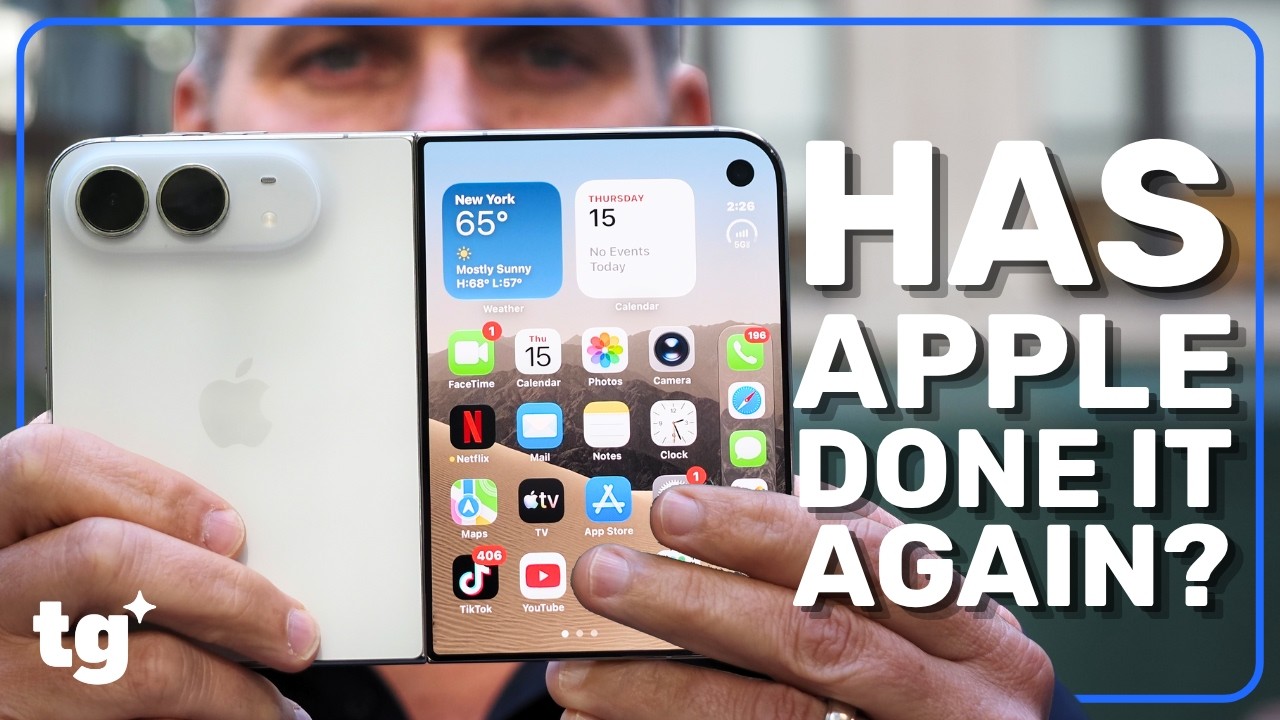
On the other hand, the Duo name is apt because I’m of two minds about it. While the first wave of iPhone Duo apps look great, many third-party apps aren’t optimized for this form factor (yet).
And then there’s the trade-offs versus the iPhone 18 Pro Max, such as the lack of a telephoto zoom and Face ID. I’ve spent the past week living with this $2,000 device as my daily driver. From the nano-texture display and battery life to real-world performance and software quirks, I’m going to answer all your most pressing questions in my full iPhone Duo review.
Who is the iPhone Duo for?
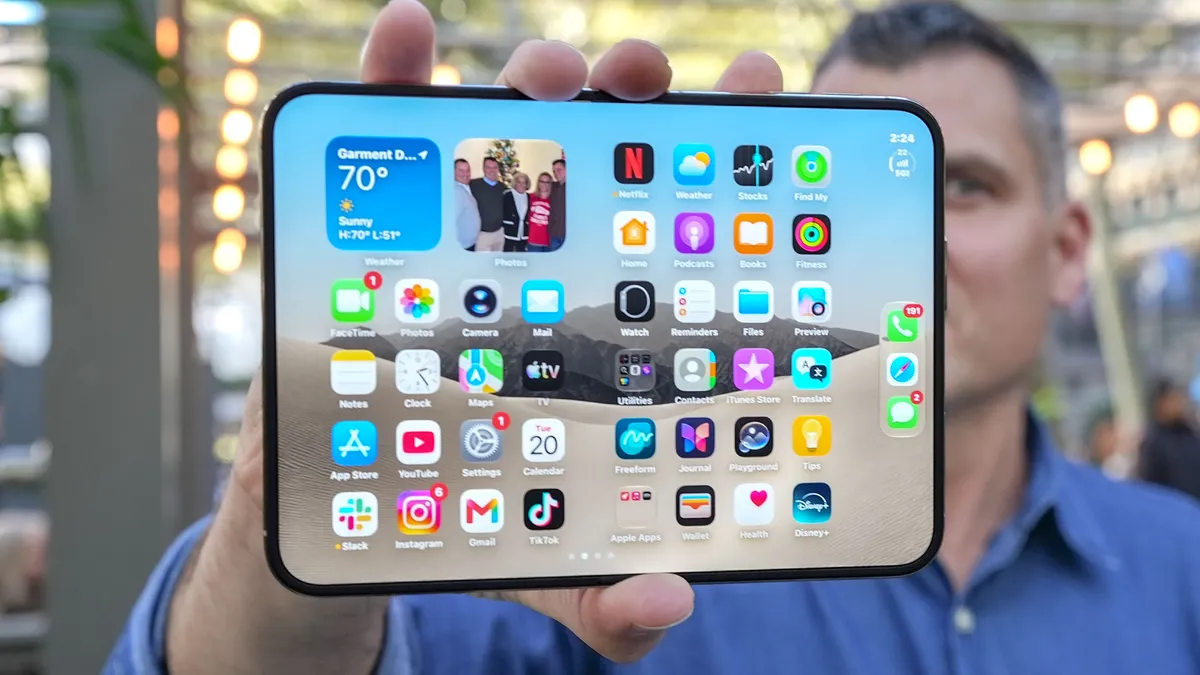
The iPhone Duo is for people who want a big screen on the go for watching videos and playing games, as well as for heavy multitaskers who want to run two apps at once. It’s for people who want a compact phone and tablet in a single device — and are willing to pay a hefty premium to get it.
For example, I used the iPhone Duo a lot during my commute to get caught up on Slack while watching “First Take” on YouTube TV in another window. And I could open spreadsheets without having to endlessly scroll. I think business travelers in particular are going to love this foldable.
Design
How does it feel and how is the weight?
My colleague Tony Polanco may have said it best when he picked up the iPhone Duo for the first time. He said “It feels like an iPhone.” And that’s a good way to sum up the build quality of this foldable.
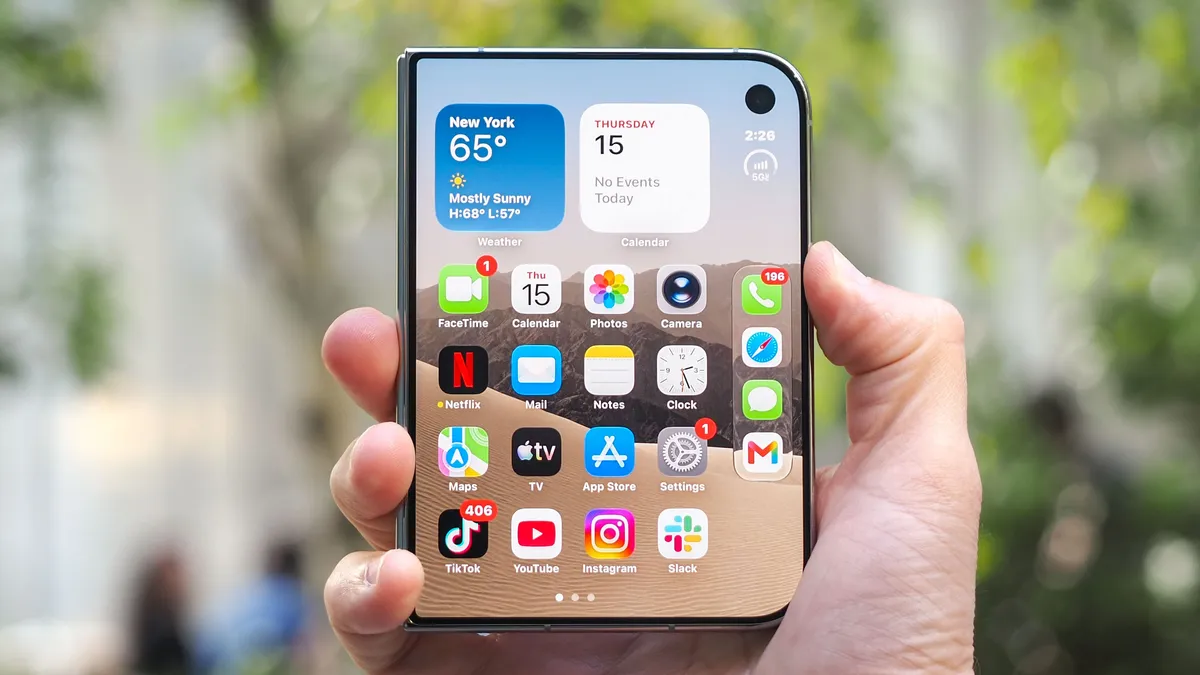
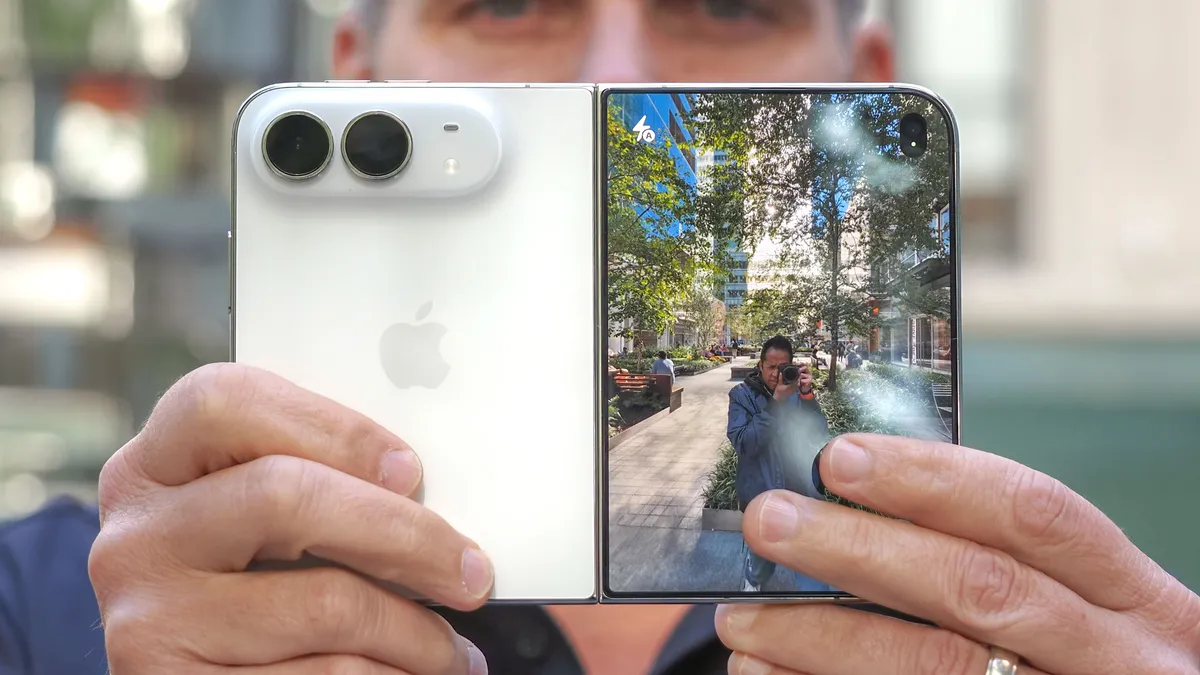
The passport design has already been done by Samsung with the Galaxy Z Fold 8, but to me, Apple’s Duo feels a notch above. The asymmetrical design looks a bit weird at first, with the flat left side and rounded corners on the right, but it allowed Apple to offer identical 1.4:1 aspect ratios on both the cover and main display. And I think this makes the Duo feel more polished.
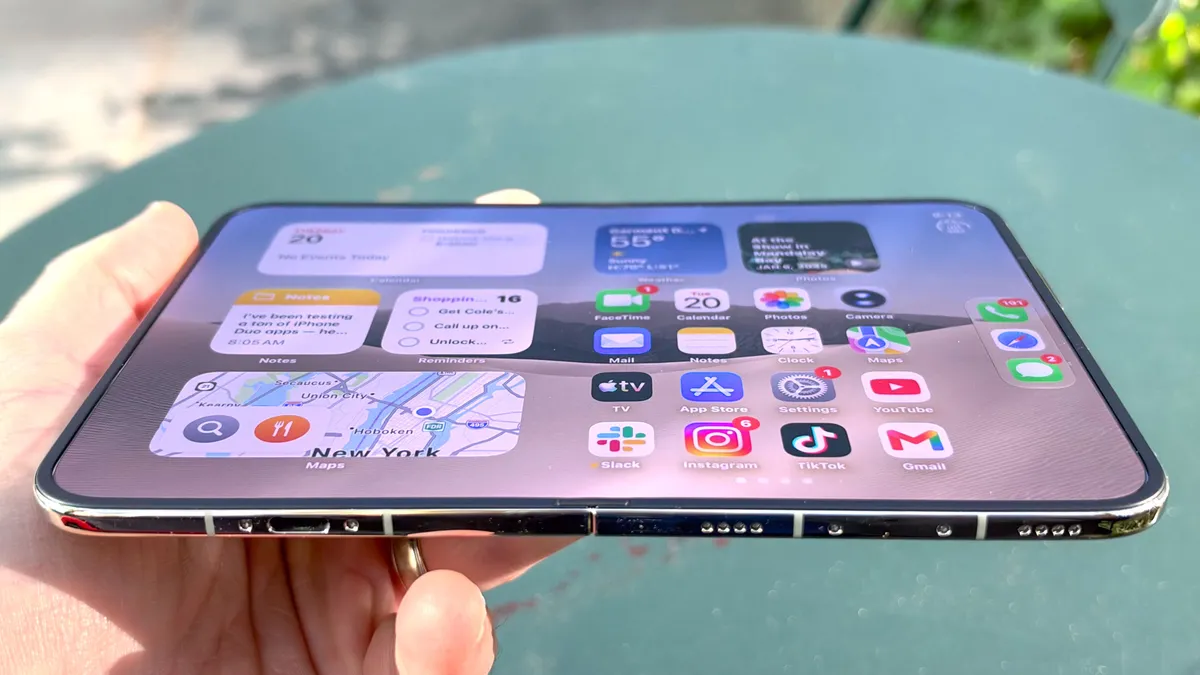
Speaking of which, the iPhone Duo’s polished titanium frame looks premium while being tougher than aluminum. This might sound minor but I also like that the Duo doesn’t wobble as much when placed on a table.
And I really dig the reassuring and satisfying clasping sound the Duo makes when you close it, thanks to the help of magnets.
Device |
Folded Dimensions |
Unfolded Dimensions |
Weight |
iPhone Duo |
4.64 × 3.31 × 0.44 in (117.8 × 84.1 × 11.3 mm) |
4.64 × 6.48 × 0.21 in (117.8 × 164.6 × 5.2 mm) |
8.96 oz (254 g) |
Galaxy Z Fold 8 |
4.88 × 3.22 × 0.38 in (123.9 × 81.9 × 9.7 mm) |
4.88 × 6.35 × 0.18 in (123.9 × 161.4 × 4.5 mm) |
7.09 oz (201 g) |

On the other hand, the Duo is pretty chunky compared to the Fold 8. The iPhone Duo is the world’s thinnest iPhone when opened at 5.2mm thin, but it’s thicker than Samsung’s 4.5mm. And when closed the Duo is 16.5% thicker than the Fold 8.
I also felt the additional heft of the Duo when picking up both foldables. Still, the Duo slipped easily into my front jeans pocket without weighing me down.
What can you do with the hinge? What are all the modes?

The iPhone Duo’s hinge is super flexible yet rigid, thanks to a variable torque profile. There’s just the right amount of friction. And you can position the hinge at almost any angle you like for optimal viewing.
Even better, the iPhone Duo is smart enough to know how you’ve positioned the device and the software adapts (if the app is optimized). For example, when watching “Man of Steel” for the hundredth time on the Apple TV app, I could put the Duo in tabletop mode like a laptop, and it showed the video up top and the playback controls down below.

And when watching Ohio State vs Indiana on YouTube TV while writing this review, I put the Duo in tent mode on my desk so I could keep one eye on the action.
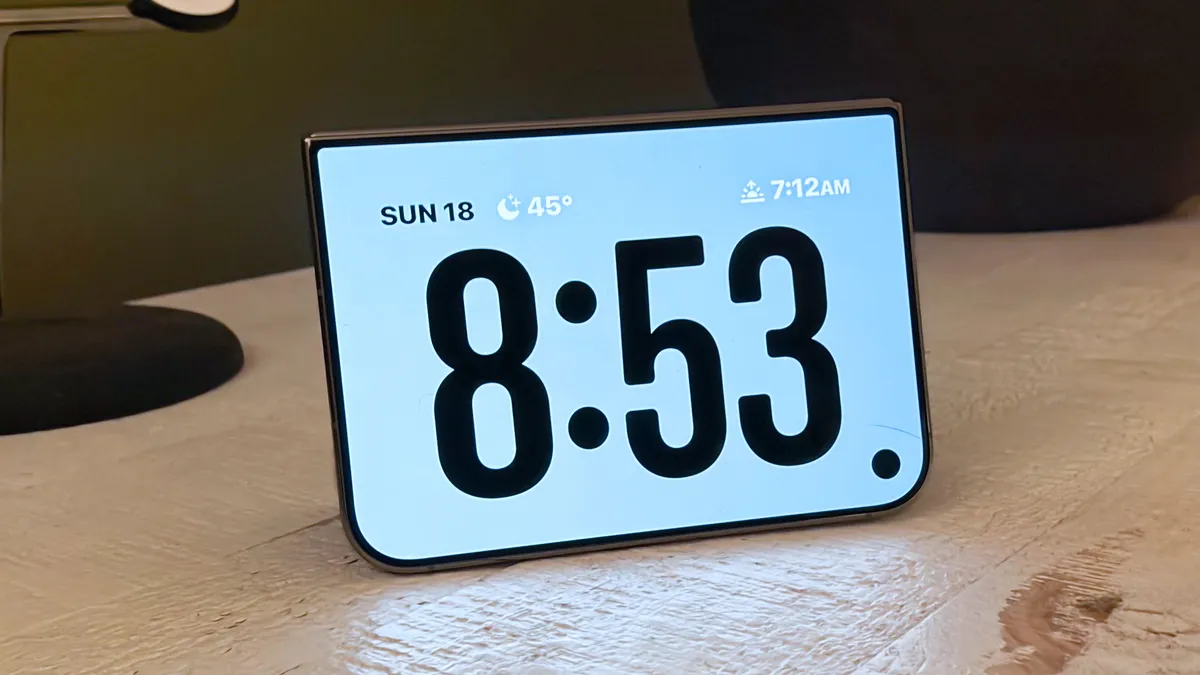
Apple also gives you a couple of Standby modes with the Duo. I turned this phone into an alarm clock at night in tent mode. And while I was working I half folded the phone in portrait mode to transform the Duo into a clock and digital photo frame.

You can even literally use the iPhone Duo as a mini laptop in apps like Notes where the keyboard takes up the bottom half of the display. And if you’re in Safari and half fold the screen in landscape mode the keyboard will automatically split, though I don’t find typing this way comfy.
How durable is it?

The iPhone Duo makes up for some of its girth with the fact that it has an IP68 rating. That means it's resistant to both dust and water. That’s better than the Fold 8’s water-only IP48 rating.
In addition to the Grade 5 Titanium frame, you also get a titanium hinge cover. And Ceramic Shield 2 protects the outer display while regular Ceramic Shield protects the back on the phone.
Apple employed a nano-texture cover layer on the main display using an advanced polymer that’s up to 40% stiffer than what competing foldables use, which is designed to prevent scratches and dents. This will come in handy for the Apple Pencil, whose support is coming with a software update.
Display
How good is the matte nano-texture display? And does it mute the colors?

I’m going to be honest. I’m torn about the iPhone Duo’s nano-texture display. Yes, I like this matte panel seriously reduces glare. And the paper-like texture feels especially nice when you’re reading ebooks. It almost feels like you’re flipping a real page.
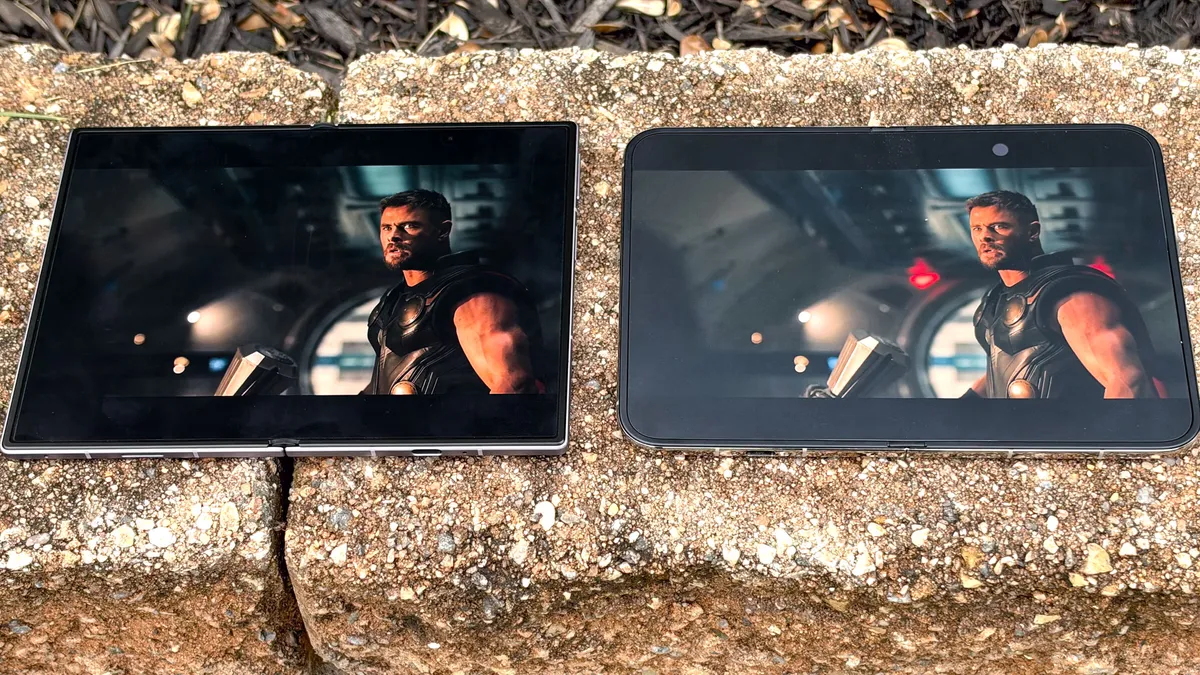
But while the iPhone Duo’s main display gets plenty bright, it doesn’t offer the perfect blacks or vibrant hues I normally associate with OLED. When I played the “Avengers: Doomsday” trailer on the Duo and Fold 8, I preferred Samsung’s screen because of those inky blacks and richer colors, even though I could make out more details in the shadows on the Duo. Sometimes, glossy is better. The front 5.4-inch display on the Duo is a more traditional glossy OLED panel, and I prefer the color saturation there. But it’s too small for me to watch a movie.
| Row 0 - Cell 0 | iPhone Duo |
Galaxy Z Fold 8 |
Brightness Nits (SDR) |
1,986 |
1,328 |
Brightness Nits (HDR) |
2,558 |
2,649 |
Color Gamut (DCI-P3) |
83.5% |
82% (Natural) / 95.4% (Vivid) |
Delta-E Color Accuracy (Lower is better) |
0.27 |
0.25 |
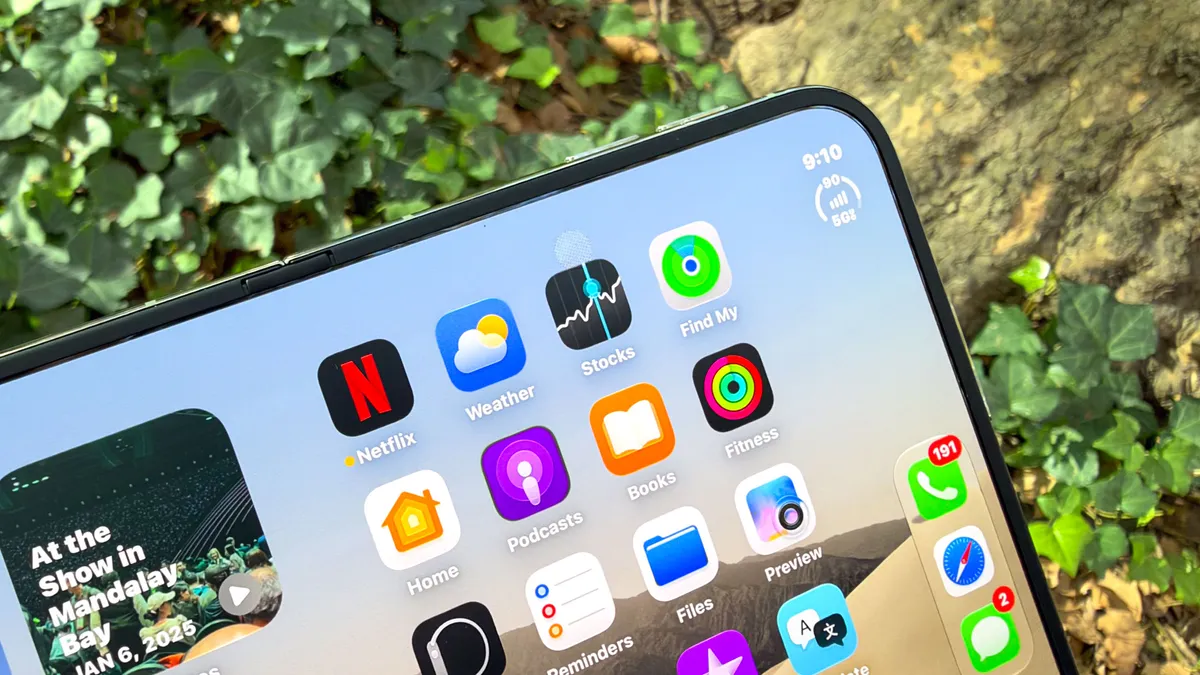
I do have to give a shout-out to the iPhone Duo’s designers for the under-display camera. They did a fantastic job hiding it when not in use. That’s thanks in part to the A20 Pro’s new display engine that blends the pixels around the area.
The iPhone Duo’s display fared well in our lab testing, reaching nearly 2,600 nits of brightness with HDR content. That’s slightly behind the Fold 8. The Fold 8’s panel offered comparable color reproduction and color accuracy.
Is there a visible crease?

This is where the nano-texture finish shines. I had a hard time making out the crease on the iPhone Duo while viewing content even when outside. It’s there, but you have to angle the display just right to see it.

On the Fold 8, Samsung Flex Titanium tech also does a great job minimizing the crease, but it’s more prominent. Though, to be fair, we’ve been opening and closing this foldable for over three months while the Duo is still fresh.
Is the front screen big enough for running apps? And how about typing?

The 5.4-inch cover display on the iPhone Duo is plenty bright, colorful and sharp, but its squatter dimensions means I could see less info at once in Gmail and Safari.
Still, the aspect ratio is great for scrolling through TikTok and Instagram. I easily got lost when watching a student in a Spider-Man outfit kick a $3 million field goal before the Notre Dame game.

And when it comes to cranking out quick replies to Slack messages or emails, the cover display is plenty wide for typing with two thumbs.
However, reaching the left side of the front screen can be a challenge. I had to stretch my thumb to reach those app icons.
Audio
How good are the speakers?

Surprisingly good! Apple positioned the speakers on the iPhone Duo so that when open they’re on the top left and bottom right. That means you get more balanced sound versus the Galaxy Fold 8, whose speakers are on the top and bottom left when open.
I played Batille’s “Save My Soul” on the iPhone Duo via Spotify and then switched to the Fold 8, and Apple’s foldable provided better bass and more well-round audio. Samsung’s sound was loud but tinny by comparison.
Touch ID
Is it a big deal that Face ID is gone?
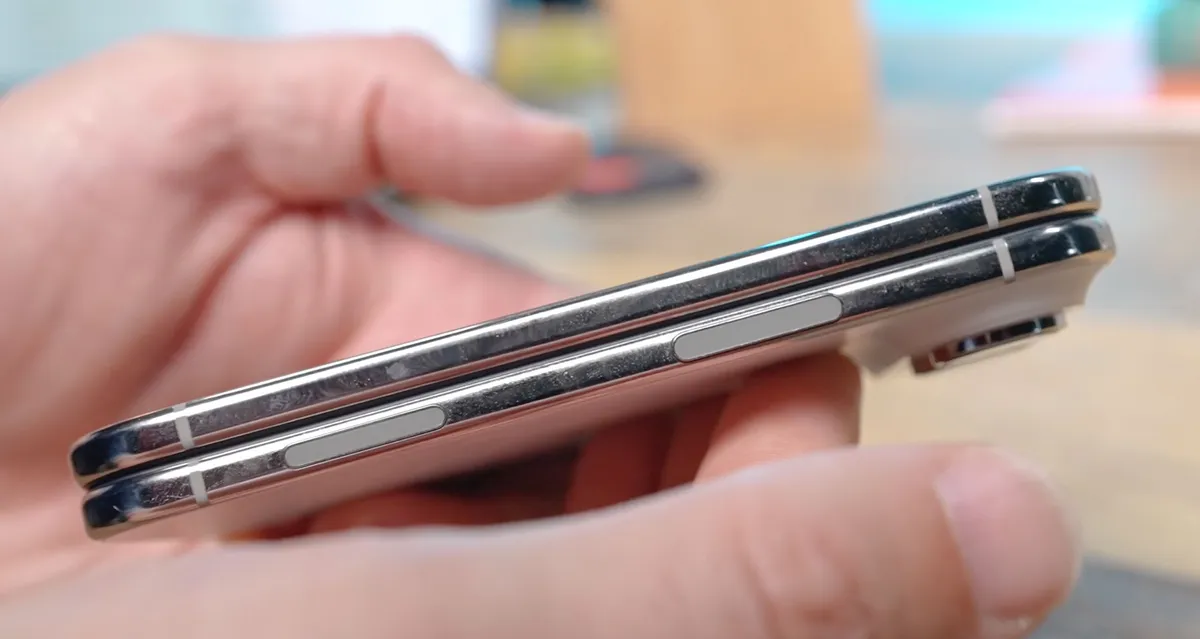
I’ve already engaged some commenters in a debate on this and I haven’t changed my mind. Replacing Face ID with Touch ID on the iPhone Duo is a downgrade. The Touch ID sensor works perfectly fine, which is embedded in the oversized side button.
However, Touch ID introduces lag versus Face ID when unlocking your phone. Not a lot, just enough to be annoying. If you own an Apple Watch, you can unlock your iPhone Duo just by swiping up, but even that’s slower than Face ID. Come at me, bruh.
Software and Multitasking
Did Apple make the right call with redesigning iOS 27, and are lefties screwed?

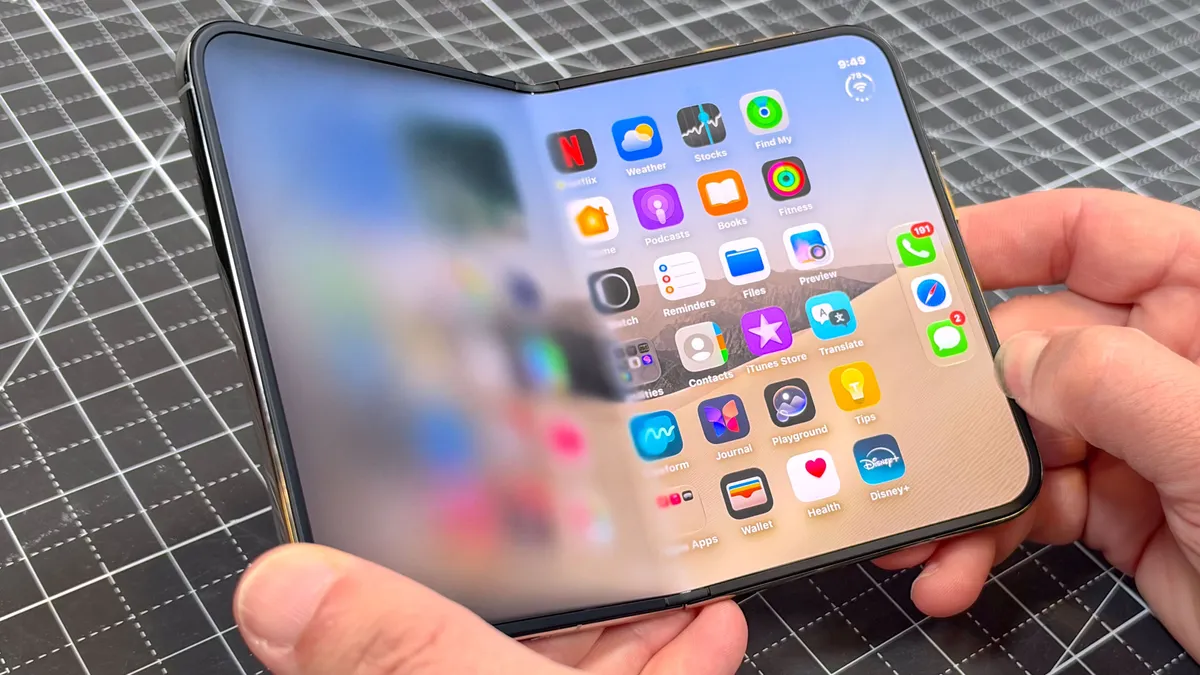
The iPhone Duo runs a custom version of iOS 27 as opposed to iPadOS. This includes combining key status bar elements like battery life and signal strength into a circle in the top right corner. And the Dynamic Island pops out of the top right corner on both the cover display and big screen.
It took me time getting used to the dock on the right side of the display. The controls and menu items in your apps move to the right, too.
The bad news is that you can’t move the dock or app controls to the left side, which is a bummer if you’re lefty. And it’s clear Apple could do this if they wanted to. When you’re multitasking I noticed that the dock moves to the left on the left home screen view.
Apple is going to be rolling out a software update that improves reachability overall, but southpaws are generally still out of luck.
What is Split View multitasking like? Any downsides?
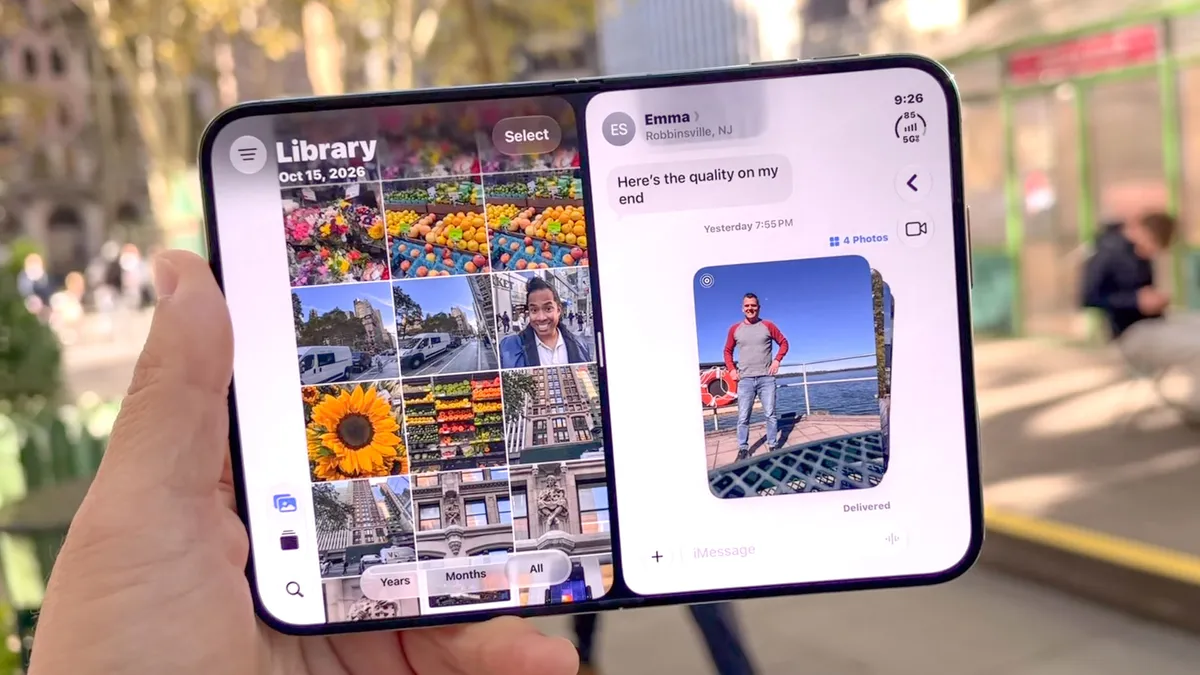
The iPhone Duo introduces dual-app multitasking for the first time on an iPhone, and it’s super intuitive. I just swiped up on an app I was using, like Messages, and then you see that you can dock it to the left or right side of the display.
From there, the iPhone home screen automatically appears on the other side of the screen. It’s like having two distinct desktops. As you’d expect, dragging and dropping items like photos works seamlessly.
I also like how easy Apple makes it to create app pairs. Simply tap the center of the bar in the middle of the main display. When you go back to the app switcher it will automatically show up.
However, I was annoyed to discover that turning the iPhone Duo to portrait mode temporarily breaks the Split View, leaving you with just a single app. The Galaxy Z Fold 8 gives you two skinny versions of the same app, which is better than nothing. At least when you turn the Duo back to landscape the app pair returns.
You can do a form of multitasking on the iPhone Duo in portrait mode. You can park a video player up top while running another app down below. But entering this mode requires hitting a tiny button rather than dragging and dropping the window. It’s a weird UI inconsistency.
Apps
What are the best iPhone Duo apps so far?

As you might expect, Apple’s own apps look fantastic on the Duo. For example, I love being able to quickly move between multiple tabs in Safari, and Notes and Messages have handy two-column layouts. Apple Music looks slick, too, with Liquid Glass menu items that persist on the right as you scroll.
But I was more intrigued to try third-party apps optimized for the iPhone Duo, and there are plenty of standouts so far. For example, the new Slack app gives you a dual-pane layout on the 7.6-inch display with your contacts and rooms on the left and messages on the right. The Fold 8’s version is a stretched out phone app with wasted space.

Netflix lets you scroll through mobile clips on the cover display. But the cooler effect is in the tabletop mode. The content in the top screen reflects on the bottom portion, complete with touch controls.

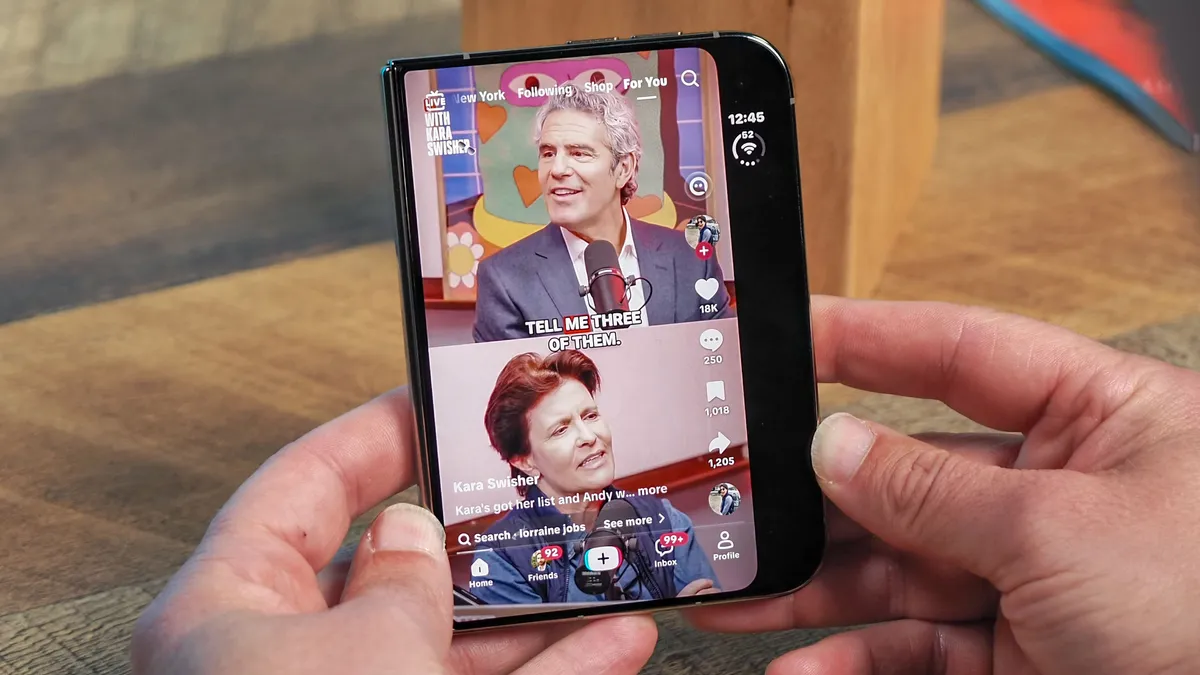


Instagram and TikTok have also been updated for the iPhone Duo. Scrolling videos in portrait mode on the main display is supper immersive, and if you flip the phone sideways you can load comments on the right.
Other iPhone Duo apps that take full advantage of the 7.6-inch display include Carrot Weather, Sonos, Gemini and OpenTable.

Another standout is Battlefleet. It’s just like playing Battleship, where you put the Duo in tabletop mode and launch missiles at the enemy on the top part of the display and position your own ships on the bottom half.
The Deck-Man app is nostalgic fun. It turns the Duo into a 80's-style Walkman, complete with all the buttons on the cover display.
How bad do non-optimized apps look?
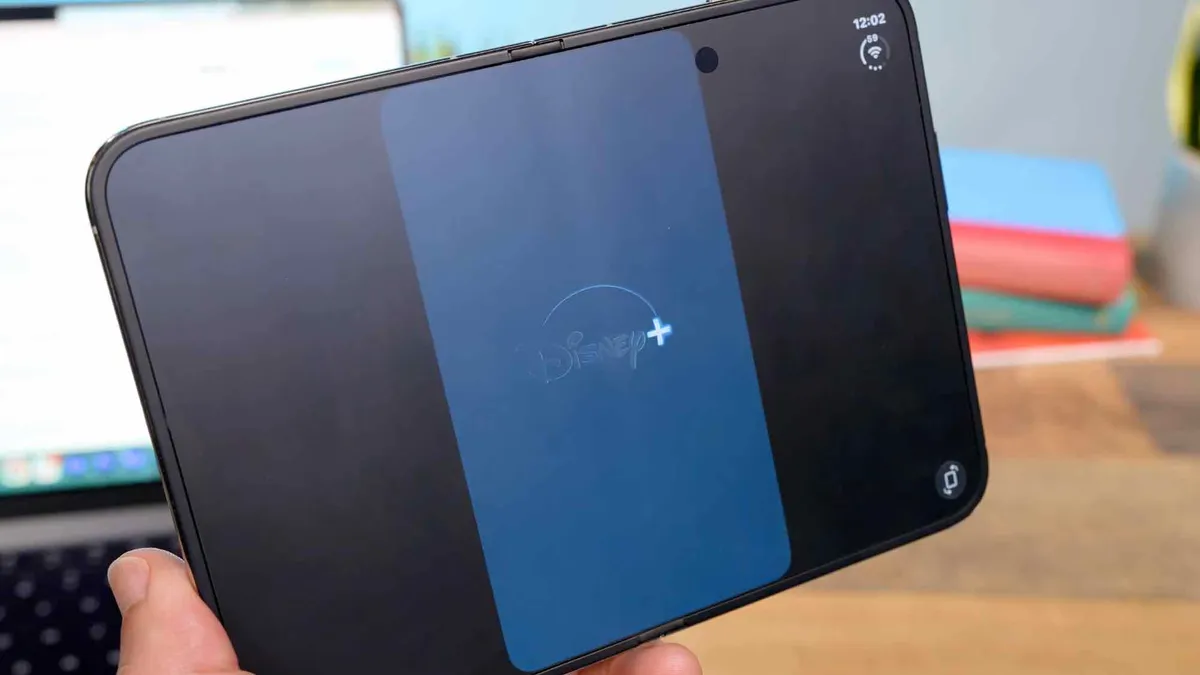
Non-optimized apps for the iPhone Duo can range from looking a bit off to horrible.
Keeping in mind that many top apps will be updated by the Duo’s release date, I noticed that certain apps had huge black bars on the left and right side of the display, like Disney Plus and The Weather Channel.
Unoptimized games look pretty terrible, too, filling up only three quarters of the screen.
Other apps have been updated for iOS 27 but not for the Duo. So they will go close to full screen but still have a narrow black bar on the right side. This includes YouTube, though I appreciate that comments pop up on the right side during playback.
Gemini has a sleek dual-pane layout, as does Spotify, so you can see the player on the right and your stations on the left.
I just hope developers update their wares. Quickly. And I expect they will out of fear of sheer embarrassment.
Cameras

Do you really miss not having a telephoto zoom?
I think it’s a big deal that the iPhone Duo doesn’t have a telephoto lens. You get just a 48MP main and 48MP Ultrawide, which take great shots. But if you’re zooming in you’re going to miss the level of detail a dedicated optical can provide.
Check out this photo of a hot dog stand. The Sabrett sign is much sharper through the iPhone 18 Pro Max at 10x zoom, while the iPhone Duo’s image looks like a blurry water color. Same thing goes for this No Smoking sign at the same 10x. You can’t even make out smaller text on the Duo.
I also took a series of photos between the iPhone Duo and iPhone 18 Pro Max of this dock at 2x, 4x, 8x and 10x. The Duo holds its own up until 8x and then things start to get fuzzy, like the text on the boat and engine.



Is the image quality good enough from the dual 48MP cameras?
The iPhone Duo’s main camera is quite capable, capturing bright and vibrant flowers in this shot. The Galaxy Fold 8’s image is brighter but looks a bit washed out and less crisp when I zoom in.
The Duo also does a good job with this shot of fruit inside Whole Foods. The oranges pop more on the iPhone versus the Fold 8’s image, but Samsung’s image has better focus on the lemons to the left.
I’m kind of torn on this portrait, as my face is brighter through the Fold 8. But I prefer the bokeh effect through the Duo, and my shirt and jacket have a lot more detail. It gets pretty fuzzy on Samsung zoomed in.
The 48MP ultrawide on the iPhone Duo impressed in my testing, too. It struggles a bit with the darkness of the fountain in the foreground, but the Fold 8 pumps up the brightness so much it blows out the buildings, and the trees look more natural through the iPhone.
I give the edge to the Fold 8 in this macro shot of a bright orange Zinnia. There’s more contrast and the Duo looks a bit flat.
In low light, the iPhone Duo wins hands-down. Check out this shot of Halloween decorations. The mystical hand and the fuzzy eyes and plant all look sharper versus the Fold 8.
How is the under-display FaceTime camera for selfies and video calls?
Lots of people have been asking me if the under-display FaceTime camera on the iPhone Duo is trash. And I’m happy to report that it’s not. It wouldn’t be my first pick for selfies, but it captures reasonably sharp images as you can see in this comparison with the Fold 8.



I calculated the resolution, since Apple doesn’t tell you the megapixels, and it’s 4.4MP. The Fold 8’s shot was 5.7MP.
I also used the FaceTime camera to have a call with my daughter. She said I looked fine but a bit grainy. I did like that I could prop up the Duo like a laptop so I didn’t have to hold the phone.

Just as with portraits, I found the iPhone Duo produced more detailed selfies with its 12MP Center Stage camera. But when taking selfies with the main 48MP camera I thought the Duo was neck and neck with Samsung.

However, it’s more intuitive to take selfies with the main camera on the Duo. You just flip the phone around with the camera on and swipe on the cover display. With the Fold 8 you have to press a button on the main screen first.
Is Smart Take worth it and what about the other camera modes?

I had the most fun testing the Smart Take feature on the iPhone Duo. I propped the foldable up, activated the Smart Take mode and then the Duo was smart enough to snap photos automatically as I struck different poses. It’s ideal for group shots where you want everyone in the frame — and don’t want to have to deal with a timer.

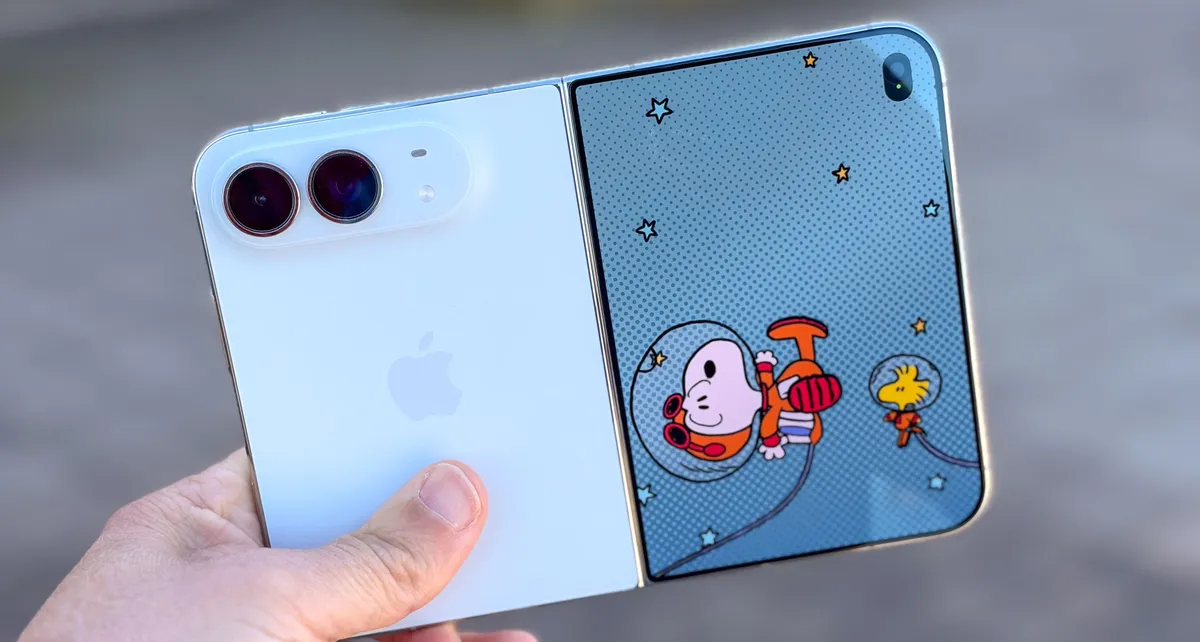
There’s also Duo Preview, which lets subjects see themselves on the cover display as you snap pics, and Kid Cue, which takes a page from Google’s Pixel Fold by displaying a cute Snoopy animation on the outer display, giving you a better chance of a smile.
Performance
Is there a foldable power penalty for the Duo?
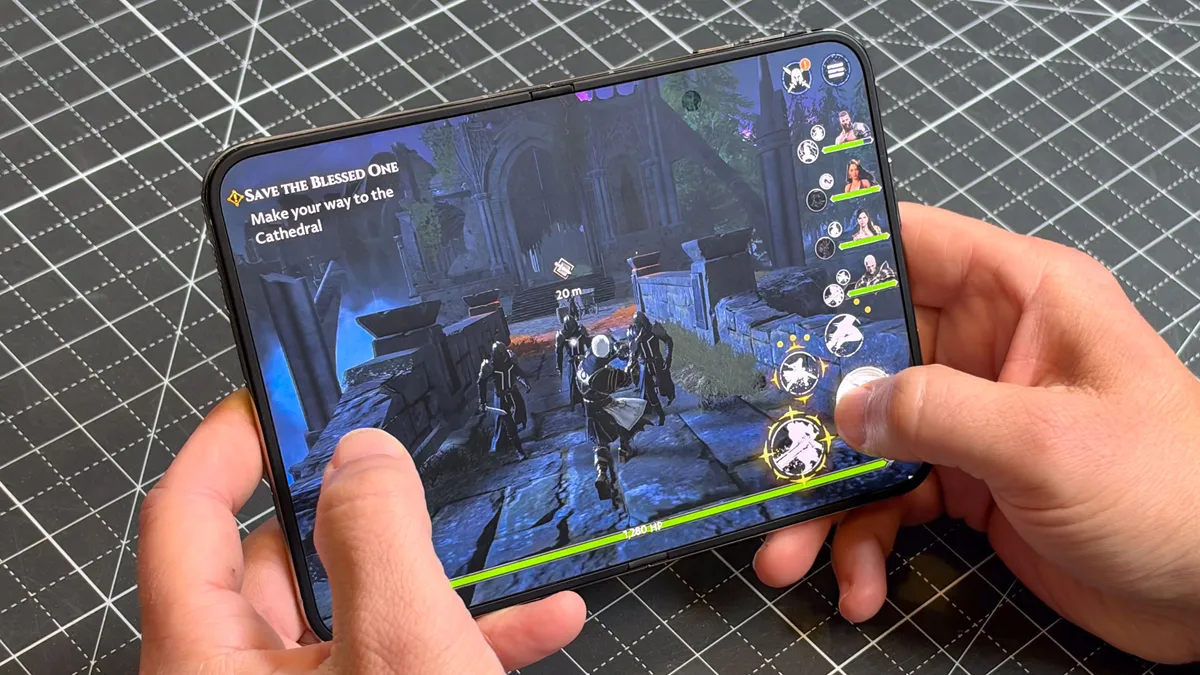
The best thing I can say about the iPhone Duo is that it’s just about as fast as the iPhone 18 Pro Max, even though it has a larger screen to power and less thermal headroom.
When playing the UnGodly game on the Duo’s 7.6-inch display, the action was immersive and the graphics top-notch, complete with reflections and captivating special attacks like lightning strikes. I noticed a hint of slowdown at times, but not enough to ruin the fun.
The iPhone Duo also didn’t lag when running two apps side by side. I loaded several stories on ESPN.com on the left while playing Spotify on the right and pages still loaded quickly.
| Row 0 - Cell 0 | Geekbench 7 (single, multi-core) |
3DMark Solar Bay Unlimited |
Geekbench AI 1.7 |
iPhone Duo |
4,007 / 11,363 |
62.3 fps / 16,496 |
69,438 |
Galaxy Z Fold 8 |
2,978 / 9,811 |
47.35 fps / 12,454 |
72,242 |
iPhone 18 Pro |
4,022 / 11,543 |
61.93 fps / 16,288 |
69,245 |
iPhone 18 Pro Max |
4,025 / 11,525 |
67.9 fps / 17,850 |
71,974 |
How much does the vapor chamber help with sustained performance?
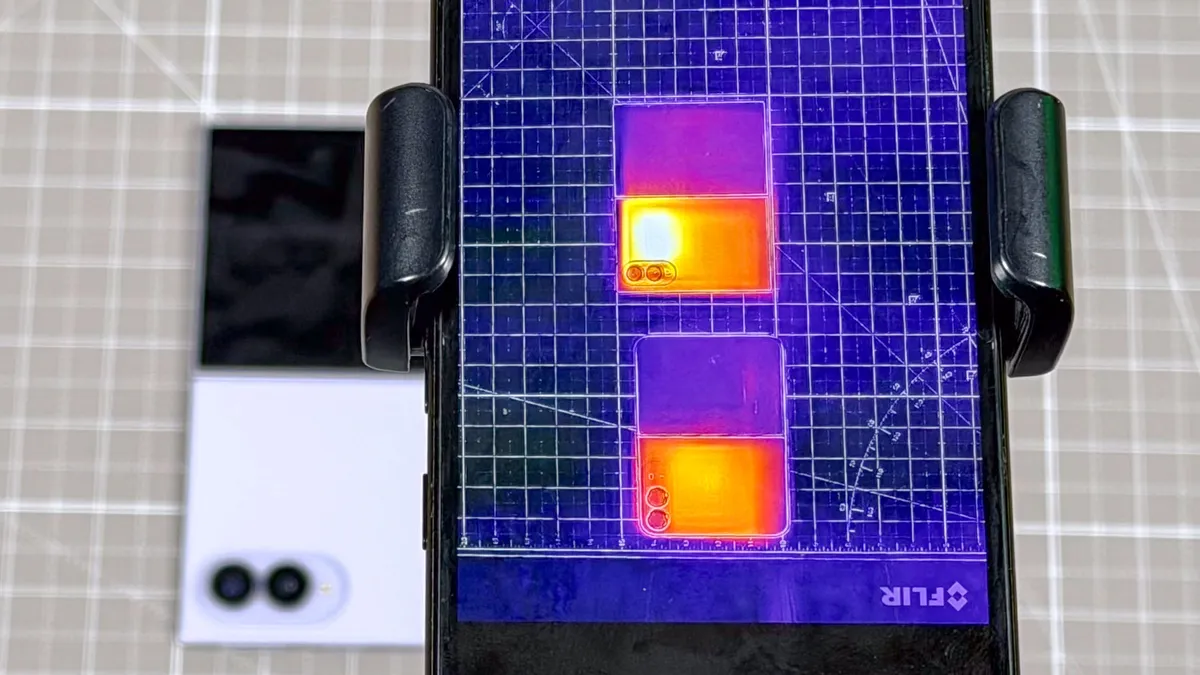
Apple has made a big deal about offering vapor chamber cooling in the iPhone Duo, something the Galaxy Z Fold 8 lacks. But how does that translate to sustained performance?
To find out, we ran the 3D Mark Wild Life Extreme tests, which loops the same graphics benchmark 20 times before returning a stability score. The iPhone Duo hit 75.9%, compared to 72% for the Fold 8. The iPhone 18 Pro Max notched 79%, which makes sense because it has a thicker design and more room to dissipate heat.
We then geeked out with a thermal camera to see how well each foldable performed, and the iPhone Duo did a better job spreading out the heat evenly across the design. The Fold 8 had a hot spot to the right of the camera.
To be fair, though, the iPhone Duo hit a few degrees higher when measured with our laser thermometer on the back than the Fold 8.
Battery life and charging
Full disclosure: We had to redesign our battery test so that it filled the whole screen on the iPhone Duo. The Tom’s Guide Battery test surfs the web at 150 nits of brightness over 5G until the battery dies.
The iPhone Duo turned in a solid result, lasting 13 hours and 20 minutes. That’s over 3 hours longer than the Galaxy Fold 8, which we tested in the same room at the same time. But keep in mind that the iPhone 18 Pro Max lasted 17.5 hours under the same conditions.
| Row 0 - Cell 0 | Hrs:Mins |
iPhone Duo |
13:20 |
Galaxy Z Fold 8 |
10:06 (12:19 on original test) |
Razr Fold |
14:44 |
iPhone 18 Pro Max |
17:31 |
The Galaxy Z Fold 8 did last over 12 hours when we first received the device, so I’d say fresh out of the box the iPhone Duo is at worst an hour better. But since our test uses the live web, that’s not an apples-to-apples comparison.
Note that we ran this test with the iPhone Duo’s larger display.
In my anecdotal testing, which involved using the iPhone Duo for most of the day in mixed usage — including taking photos, gaming, downloading apps, playing music and checking Slack — the phone was down to 40% at the end of my day. That’s pretty solid endurance.
The iPhone Duo charges fairly quickly with Apple’s 40W charger (sold separately). It got to 42% in 15 minutes and 66% in 30 minutes. That’s good but not quite as good as the Fold 8’s 70% in half an hour.
Verdict
Is the iPhone Duo worth $2,000?

Do I think the iPhone Duo is worth two grand? Yes, as it’s only $100 more than the Galaxy Z Fold 8. And you get a more durable design, faster performance, longer battery life and smarter software. However, the Fold 8 is thinner and lighter, and it lets you run three or more apps compared to just two for the Duo.
I like the iPhone Duo’s nano texture display in that it greatly reduces glare outdoors and minimizes the crease better than any foldable I’ve tested. But you give up perfect blacks with this matte panel and more saturated colors versus the iPhone 18 Pro Max. You also sacrifice a telephoto lens and Face ID. I can live with those trade-offs, but that doesn’t mean I like them.
In a way it’s a good thing that the iPhone Duo is backordered for many until December or January. That will give developers plenty of time to update their offerings for this foldable. I don’t think it will take that long, though, based on the high demand.
Overall, though, I think the iPhone Duo is the best designed foldable yet with the most polished, intuitive and fun software experience.