As a TV reviewer, a big part of my job is to dive deep into the digital nooks and crannies of every TV I cover. But when I’m done for the day and ready to catch up on my shows from the comfort of my living room, I don’t want to explore software anymore — I just want to stream in peace. I yearn for a frictionless experience, and unfortunately, my LG TV’s built-in webOS smart platform wasn’t cutting it as my daily driver.
Now sure, LG OLED TVs are some of the best TVs you can buy, but in recent years, I’ve found webOS to be a frustrating software suite for everyday streaming. Recently, I made the jump to a dedicated streaming device: the Roku Ultra. I’m now a certified Roku enthusiast, and I’ll never go back to webOS.
Roku isn’t inundated with ads and recommendations
As is the case with all streaming platforms, there are ads nestled into the Roku interface. Unlike the vast majority of its competitors, however, Roku’s ad output is downright minimal.
LG’s webOS is a different story. By default, webOS plasters a gigantic banner ad that takes up about a third of the real estate across its home screen. An entire section of the home screen is dedicated to recommended content.

By comparison, Roku is a breath of fresh air. Typically, there’s a rectangular ad on its home screen, and while it does take up a big chunk of the Roku home screen, you don’t have to scroll through it in order to reach certain menu items. Roku also lets you turn off all of its recommended content, leaving you with just the apps you need across its only screen.
The general vibe of webOS is that of a pushy person prodding you into pressing buttons.
On webOS, some of the sponsored and recommended elements can be hidden or shuffled around by disabling Home Promotion and Content Recommendation via the Home Settings. Unfortunately, the UI still stretches unimportant content across the places where ads and recommendations would be.
Even with a highly customized home screen, the general vibe of webOS is that of a pushy person prodding you into pressing buttons. I don’t need shortcuts to LG’s Home Hub or the User Guide at my fingertips at all times, but webOS seems to think I do.
That brings me to my favorite aspect of Roku: its clean, zippy UI.
A fast and easy interface that makes streaming simple

By setting my LG TV’s Power On Screen setting to Recent Input rather than Home, it brings me straight to Roku’s HDMI input when I turn on the TV. I skip the garish, neon-colored clutter of webOS’s home screen, and instead, I’m treated to the clean, simplistic grid of tiles I’ve come to love about Roku.
On the left of this grid of apps is a straightforward menu with settings and customization options. Everything is laid out where I expect it to be, and the main focus is my curated list of apps.
Now that I’ve turned to a Roku Ultra for every-day use, I probably stream more movies and shows than I did before. I’m willing to chalk that up to the approachability of Roku.
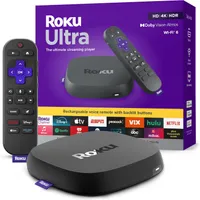
But it’s not just the big tiles and simplistic navigational experience that makes Roku so easy to pick up and learn. It’s also super speedy.
I find most TV operating systems to have somewhat of a chunky feel to them. There are stutters between screens, buttons often require repeated inputs, and sometimes, apps take a while to load. I’ve seen this on webOS, Samsung smart TVs and across Fire TV-based products, too.
Roku, meanwhile, almost never misses a beat. Apps boot up quickly. I’m in and out of menus lickety-split.
When you combine a simple, uncluttered interface with zippy performance, you end up with that flowy, frictionless experience I yearn for when all I want to do is just watch some TV.
Useful (not superfluous) features
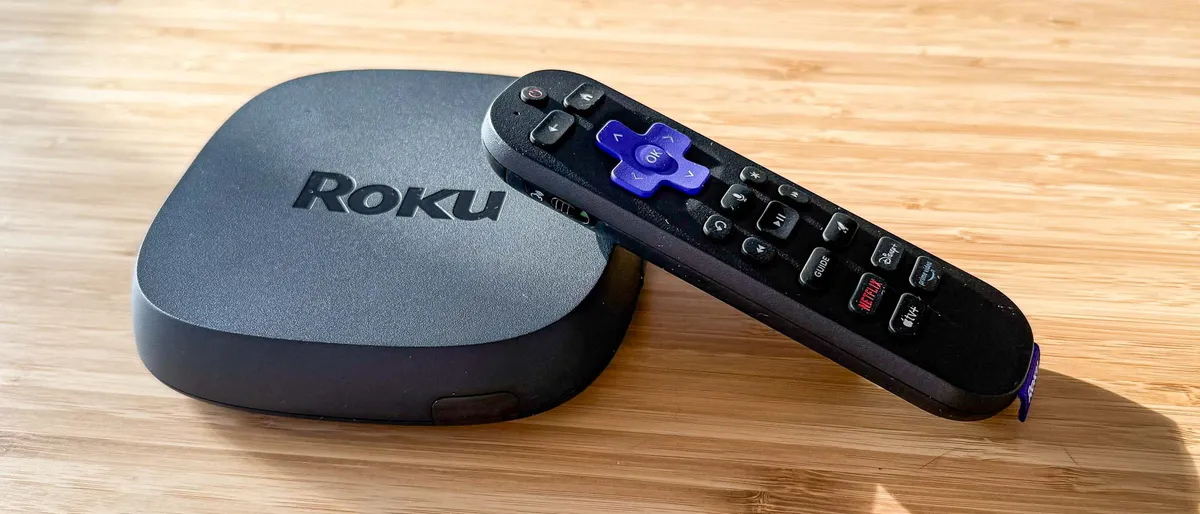
Another secret ingredient in this satisfying formula are a handful of Roku features I suddenly can’t live without.
For example, did you know that there’s a physical button on top of the Roku Ultra that, when pressed, prompts the remote control to call out with an unmistakable whistle sound? It’s helped me locate my lost remote on, frankly, an embarrassing number of occasions.
If I’m watching a loud action movie past my partner’s bedtime, I simply jam a pair of wired headphones into the Roku remote’s 3.5mm headphone jack and voila: a private soundscape without the need to fumble with Bluetooth.
Roku’s Universal Watch List feature lets me collect all of my favorite shows into one easy-to-access menu — regardless of which streaming service hosts them.
Roku isn't perfect, but it's the best-oiled machine for streaming movies and shows in 2026.
A few of Roku's best features exist in some capacity on rival operating systems, but none of them blend their usefulness with Roku's simple approach. Meanwhile, many new smart TVs — particularly LG's and Samsung's — are shipping with features I have no use for.
I don't need to make a viewing profile on webOS in order for it to learn my preferences and shove TV show recommendations into my face; I watch "Jeopardy!" every night at 7:30 and baseball games during the spring and summer. I know when a new season of "The White Lotus" is about to start.
I'll be the first to admit that Roku isn't perfect, but it's the best-oiled machine for streaming movies and shows in 2026. Other brands should take note.

Follow Tom's Guide on Google News and add us as a preferred source to get our up-to-date news, analysis, and reviews in your feeds.
More from Tom's Guide