Tom's Guide Verdict
The Galaxy S26 Ultra is the best Android phone yet with a truly innovative and useful Privacy Display. You also get promising ‘agentic AI’ features like Now Nudge, a thinner and lighter design and better photos in low-light. But the camera bump is a bit much, and there’s still no silicon carbon battery. Here’s the pros and cons in my full review.
Reasons to buy
- +
Innovative Privacy Display
- +
Helpful agentic AI features
- +
Strong battery life
- +
Improved low-light cameras
- +
Horizontal Lock in video is amazing
- +
Faster charging
Reasons to avoid
- -
Camera bump is ginormous
- -
Narrower viewing angles than S25 Ultra
- -
Still no Qi2 magnets built in
Why you can trust Tom's Guide Our writers and editors spend hours analyzing and reviewing products, services, and apps to help find what's best for you. Find out more about how we test, analyze, and rate.
The Galaxy S26 Ultra is supposed to herald the age of ‘agentic AI phones,’ but that doesn’t mean much to the average person wondering if it’s the best phone they can buy or if they should upgrade. The gist is that the AI inside this flagship should now be able to anticipate your needs better and help get stuff done for you.
For example, the Now Brief feature surfaces recommendations based on the context of your texts. So if someone asks you what time you want to go to lunch, a little calendar button shortcut will show up. And soon with Automated App Actions, you’ll be able to use your voice to do things like book an Uber or create a DoorDash order in the background via Gemini. In other words, apps are about to become a lot less relevant.
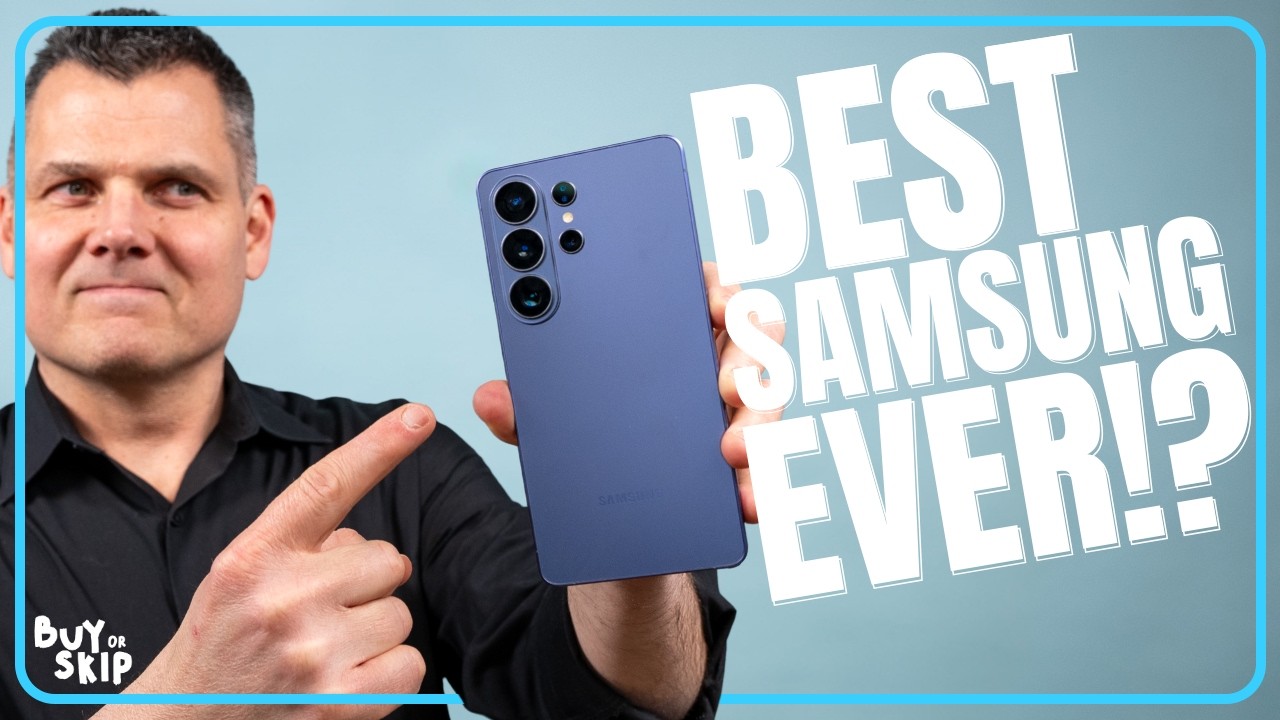
Personally, I’m more impressed with the S26 Ultra’s hardware + software innovations. Things like Privacy Display, which obscures private info from onlookers and can do so on an app-by-app basis. And the new Horizon Lock for shooting video, keeping your footage super steady no matter how shaky your hands.
The Galaxy S26 Ultra is also lighter and thinner than its predecessor, and its camera system is noticeably improved in low-light conditions. However, there’s some things I don’t like about the S26 Ultra, including its oversized camera bump and that its screen is dimmer than the previous S25 Ultra.
Despite some trade-offs, the S26 Ultra is easily the best Android phone you can buy. Here’s the pros and cons in my full Galaxy S26 Ultra review.
Galaxy S26 Ultra review: Release date and price
Samsung’s Galaxy S26 Ultra is available for pre-order now and has a release date of March 11.
The Galaxy S26 Ultra remains a steep $1,299 / £1,279 / AU$2,199, but at least Samsung didn’t give this flagship a $100 price hike like the regular Galaxy S26 and S26 Plus. You can also get up to $900 off with an instant trade-in credit.
Just like before the S26 Ultra starts with 256GB of storage, but you can upgrade to 512GB for $1,499 / £1,449 / AU$2,499 and 1TB for $1,799 / £1,699 / AU$2,949.
Galaxy S26 Ultra review: Design
- Way lighter than iPhone 17 Pro Max
- Camera bump makes phone wobbly
- I got a scratch already

You notice the biggest difference between the Galaxy S26 Ultra and iPhone 17 Pro Max as soon as you pick these phones up. The S26 Ultra weighs just 7.55 ounces (214 grams) compared to 8.22 ounces (233 grams) for Apple’s big-screen flagship. The S26 Ultra is also thinner and lighter than the S25 Ultra but also a smidge taller and wider.
| Row 0 - Cell 0 | Galaxy S26 Ultra |
iPhone 17 Pro Max |
Galaxy S25 Ultra |
Dimensions |
6.44 x 3.07 x 0.31 in (163.6 x 78.1 x 7.9 mm) |
6.43 x 3.07 x 0.34 in (163.4 x 78.0 x 8.75 mm) |
6.41 x 3.06 x 0.32 in (162.8 x 77.6 x 8.2 mm) |
Weight |
7.55 oz (214 g) |
8.22 oz (233 g) |
7.69 oz (218 g) |

Samsung was able to achieve this weight loss partially because it ditched the titanium frame for aluminum, and I don’t think it’s a huge loss. The S26 Ultra also has more rounded corners versus the S25 Ultra, which helps make the look more unified with the rest of Samsung’s new lineup. But it also makes it look more like an iPhone at a glance.
I’d actually rather my $1,300 phone visually stand out compared to Samsung’s other phones, but then again I’m a phone snob.

My bigger issue is with the S26 Ultra’s huge camera bump. The translucent pill-shaped glass plateau looks sleek compared to the “floating lenses” on the S25 Ultra, but the thickness of the bump itself causes the newer phone to wobble a lot more when placed flat on a table. And while the camera plateau on the iPhone 17 Pro Max is even bigger, it stretches across the back of the phone and therefore doesn’t result in wobble.

The other bummer about the S26 Ultra is that it lacks Qi2 magnets for MagSafe-like charging. You’ll need to use a case once more to get that functionality. Samsung purposely left off these magnets in order to create a thinner and lighter design while also making the vapor chamber for cooling bigger.
Samsung says that 98% of its customers get a case anyway, and that’s probably a good idea. The back of my Cobalt Violet model picked up a noticeable scratch on the back in just a few days. I do like this color the best, though you can also pick from Black, White and Sky Blue, and you can order Silver Shadow and Pink Gold exclusively on Samsung.com.
Samsung Galaxy S26 Ultra review: S-Pen
- Thinner than before
- Great for sketching AI generated images

The S Pen on the Galaxy S26 Ultra for me is a bit more valuable than it used to be. Sure, you can use it to take notes or make fine edits on photos, but it really comes in handy when using AI apps like Creative Studio.
I draw a very crude (and sad-looking) rabbit, and the app turned it into a sharp and fun illustration I could then share or use as stickers. And within the Gallery app, I could draw things to add them to my photos.
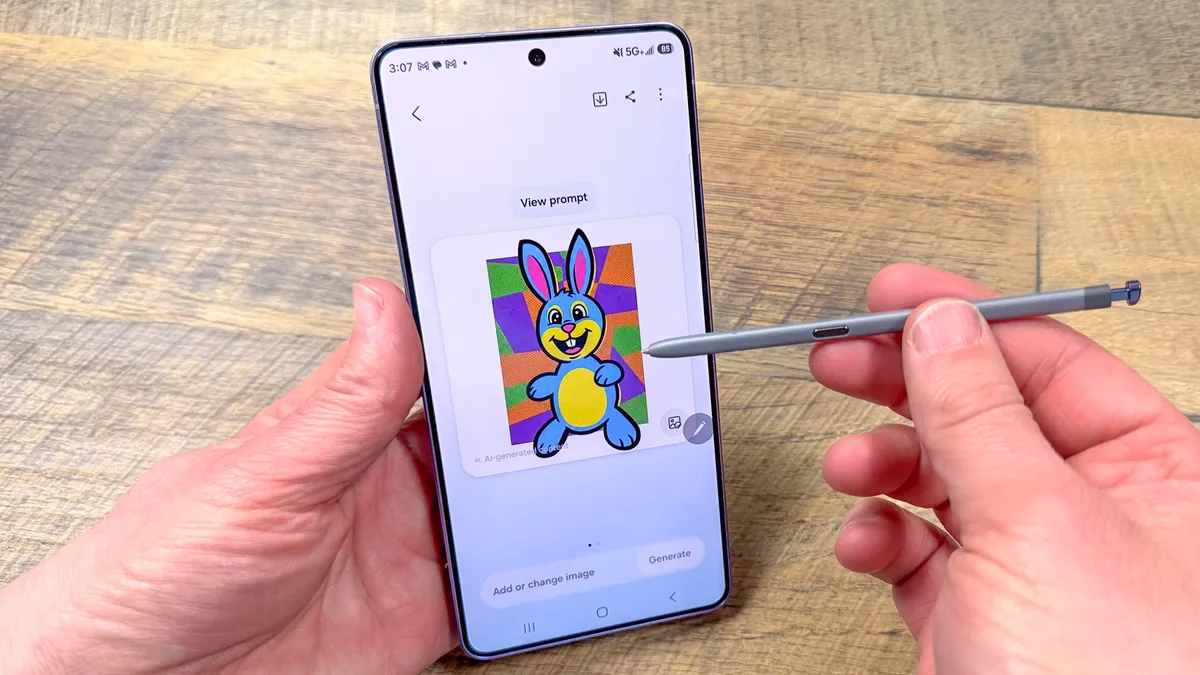
While the S Pen looks similar to the one on the S25 Ultra, it's a bit slimmer, and back is now curved to match the look of the S26 Ultra's more curved chassis.
Samsung Galaxy S26 Ultra review: Privacy Display
- Privacy Display is truly helpful and innovative
- ProScaler makes photos and images richer, sharper
- Display is dimmer than S25 Ultra, especially off angle

Now this is a clever idea — so clever I could see Apple stealing it. The Privacy Display on the Galaxy S26 Ultra uses a combination of hardware and software to keep “shoulder surfers” from gawking at your screen. This tech blows away third-party privacy screen protectors you peel and stick onto your phone, because you can turn the feature on and off at will.

The S26 Ultra has dedicated narrow pixels that only shows you what you want to see when Privacy Display is enabled, and it works like magic. Just turn on Privacy Display from the Quick Settings menu, turn your phone, and your screen suddenly becomes blank.
It gets better. I really appreciate that you can customize which apps automatically turn Privacy Display mode on, whether it’s Gmail or your banking app. The Galaxy S26 Ultra can even obscure just particular parts of the display, such as notifications pop-ups as they come in. I tested this out with message notifications and it worked well.
| Row 0 - Cell 0 | Brightness HDR (nits) |
Brightness SDR (nits) |
Color (DCI-P3) |
Accuracy (Delta-E) |
Galaxy S26 Ultra |
1,806 |
1,209 |
90.6% (Natural) |
0.22 |
iPhone 17 Pro Max |
1,899 |
999 |
77.6% |
0.26 |
Galaxy S25 Ultra |
1,860 |
1,231 |
90.8% (Natural) |
0.24 |
Google Pixel 10 XL |
2,555 |
2,111 |
89% |
0.21 |
Based on our testing, the Galaxy S26 Ultra’s display is slightly dimmer than the S25 Ultra’s panel — even with Privacy Display mode turned off. For example, the Galaxy S26 Ultra reached a max of 1,806 nits of brightness with HDR content, compared to 1,860 for the S25 Ultra.
We shared our results with Samsung and they shared their testing results. And the S26 Ultra turned in slightly higher numbers. We will retest and report back.

When viewed head-on,I could tell that the S25 Ultra’s screen was brighter when viewing Tom’s Guide and ESPN on Chrome, even though it was not dramatic. But you really notice a difference when you view the screen off-angle. That’s the price you pay for Privacy Display, and I personally think it’s worth paying if you really care about privacy.

Don’t get me wrong. This is a fantastic OLED display on the S26 Ultra. It also benefits from an improved ProScaler that makes photos and videos appear sharper. And you get more life-like colors, thanks to Samsung’s mobile Digital Natural Image engine. When I watched a video of a helmeted chameleon side by side on the S26 Ultra and S25 Ultra, the older phone’s screen was indeed brighter, but the chameleon looked sharper with more contrast through the S26 Ultra.
Outdoors, the Galaxy S26 Ultra’s display was brighter than the iPhone 17 Pro Max in direct sunlight, even though the iPhone turned in slightly better results in our lab testing.
Samsung Galaxy S26 Ultra review: Cameras
- Better low-light performance
- Still behind iPhone on macro and color
- Still way ahead of iPhone on zoom
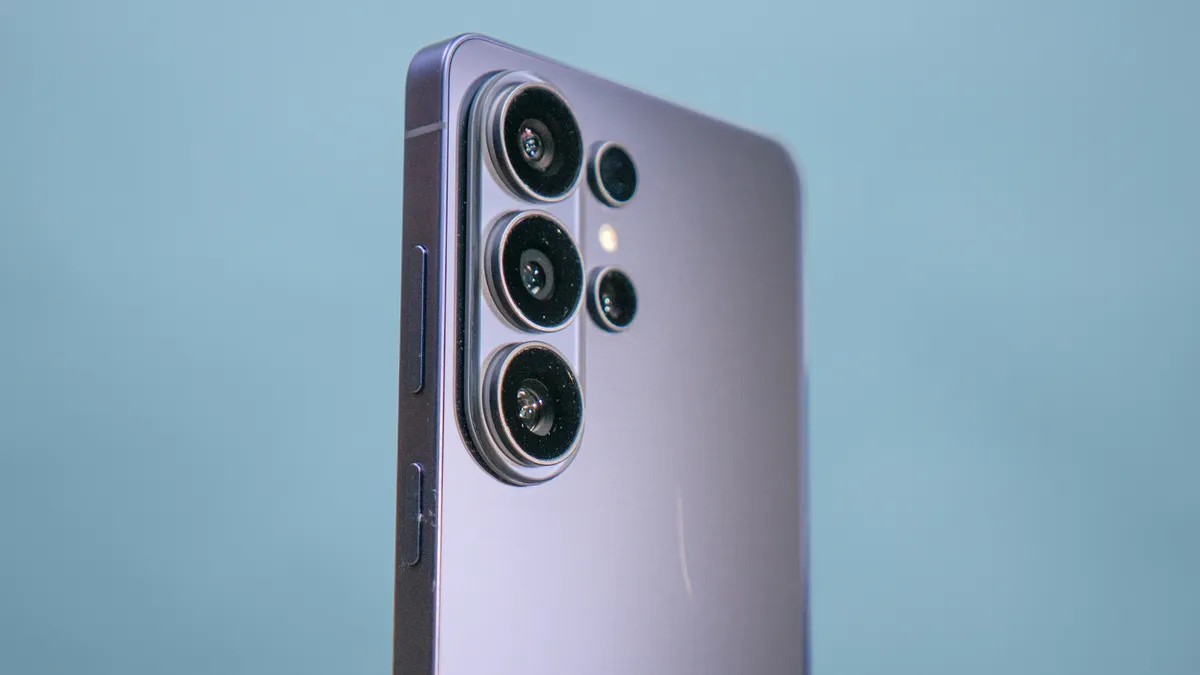
In our previous iPhone 17 Pro Max vs. Galaxy S25 Ultra camera shoot-out, Samsung lost points for mediocre low-light performance, but Samsung is firing back with a wider aperture on its main 200MP camera and 50MP telephoto lens. The result should be up to 47% and 37% brighter images through these two cameras.
So I put that to the test in a series of shots with the S25 Ultra and Apple’s flagship. Check out this zoom shot of a clock tower. The Galaxy S26 Ultra’s image is noticeably clearer, while the S25 Ultra’s shot is fuzzy and chock full of noise.
So how about colors? In this shot of tinted daisies, I prefer the brighter image from the iPhone 17 Pro Max, but the Galaxy S26 Ultra delivers a bit more detail in the petals and more contrast. So it comes down to personal preference.


The S26 Ultra fared better indoors, too. In this nearly dark room, it shot a brighter image of these decorative flowers and vase. You can make out more detail in the petals and the lamp in the background. The iPhone 17 Pro Max captures an even brighter shot, though.
In macro shots, the Galaxy S26 Ultra fell behind the iPhone 17 Pro Max, such as in this flower close-up. The center of the daisy has a lot more definition in the iPhone’s pic.
Sometimes the Galaxy S26 Ultra oversaturates colors to the point that the image vibrates and you lose detail. That’s the case here with this photo of peppers. The red and yellow peppers don’t just look natural.
The S26 Ultra does a nice job rendering my skin tone in this selfie, and it captures the vibrant blue in my sweatshirt and a good amount of detail in the drawstrings. I’d give it the edge over the iPhone in terms of sharpness. But my face is slightly blown out by the sun.
Samsung continues to have a major advantage in zoom performance. You still get dual 5x and 3x optical zoom lenses, and up to 100x digital zoom. I compared the S26 Ultra vs. iPhone 17 Pro Max with this park sign at 10x and 40x zoom, and it’s no contest.
Everything from the letters on the sign to the no swimming icon and even the wood itself has a lot more detail through the S26 Ultra. At 40x Apple falls further behind.
Last but not least, the S26 Ultra wins with this ultrawide photo of the Manasquan Reservoir. I like how the blue sky pops more, and you can make out more details in the dock and surrounding snow.
Samsung Galaxy S26 Ultra review: Video & Horizon Lock
- Better low-light performance with less noise
- Horizontal Lock is insanely stable
- Support for APV for pros
The Galaxy S26 Ultra has a couple of major video upgrades, and the one that stands out to me most is Horizon Lock. Building on Samsung’s Super Steady mode, this clickable option in the camera menu locks the horizon no matter how you hold the camera.


I tested this side-by-side with the iPhone 17 Pro Max, and no matter how much I flipped the S26 Ultra around, the footage looked smooth and stable as I walked down a park path. I thought I might puke looking at the seesaw-like video from the iPhone.
Another plus is that the Galaxy S26 Ultra’s footage now looks better when shooting at night or in low light, thanks to a combination of the wider aperture in the camera as well as improved signal processing. The result is brighter video with less noise.


As I pan around this restaurant with string lights and then up towards the clock tower, the panels in the tower are considerably brighter and it’s easier to make out the numbers in the clock. In this same scenario, the iPhone’s footage was warmer but not quite as bright or sharp.


In daylight, the iPhone 17 Pro Max pulled ahead with the 4K definition in this video. The rippling water and the dock just look better, but the S26 Ultra’s footage is certainly more vibrant.
Professional video editors will appreciate the S26 Ultra’s support for APV, which ensures virtually lossless video quality even after repeated edits.
Samsung Galaxy S26 Ultra review: AI features and software
- Agentic AI features like Now Nudge and Automated App Actions
- Fun new Photo Assist features
- Perplexity comes to Bixby

The Galaxy S26 Ultra has a dizzying array of AI features, so I tested them out to see which ones are worth your time. There's a handful that stand out.
Now Nudge
The new Now Nudge feature can surface suggestions on the fly based on the context of your texting conversations.
When I got a message asking if I was free for lunch on Tuesday at 1 p.m., I pulled up the keyboard and Now Nudge automatically showed me a Calendar button so I could jump right over to the app. It also displayed right in the messaging app what was on my calendar at 11:30 though not 1 p.m.
Similarly, when I received a message that asked about the photos I took of flowers yesterday, a Share Photos button appeared. When I clicked that, I saw only pics of flowers from the day before. However, this feature didn’t always work as promised; with more general queries, I received dead-end results.
Automated App Actions
The more ambitious ‘agentic AI feature’ is coming at launch for the S26 Ultra, which is called Automated App Actions. The idea is that you’ll be able to book an Uber, build a grocery cart in Instacart, or order meals in DoorDash via Gemini using just your voice. The S26 Ultra will do the work in the background and see your progress, but you’ll still need to confirm any purchases. I’m both excited by this feature and a bit skeptical, but I suppose that’s why it will be in the live testing phase at first; Samsung and Google will want to gather feedback from users.
Circle to Search

Another nifty AI feature on the S26 Ultra is an improved Circle to Search. It’s now smart enough so that when you circle someone with a look you like, it will search everything that they’re wearing at once so you can look up all the pieces, from the shirt and pants to the sneakers.
Photo Assist
On the photo front, there’s a new Photo Assist feature in the Samsung Gallery app that lets you use natural language to improve or transform your images. For example, you can put a chewed up cupcake back together with a prompt or change the time or day or season. I tweaked an image by saying ‘make it daytime and put the sun and clouds in the sky,’ and the result was pretty convincing.
You can even combine images by adding other photos from your gallery into a picture and you can describe how you want them combined. I had fun putting my puppy in various shots, for example.
Bixby
Believe it or not, Bixby is also still a thing, and it’s now supercharged with Perplexity. Bixby comes in handy for quickly tweaking device settings or learning how to do things on your S26 Ultra, but Perplexity integration now adds an extra layer of intelligence.
Beyond just summarizing webpages (or several tabs at once), you can get quick answers to questions. In my case, I asked about the five biggest upgrades between the S26 Ultra and S25 Ultra and the answer was solid.
My main complaint with all of these AI features is that it can be hard to know what is available where. Google Photos has different AI functions than the Samsung Gallery app, for example, and a long-press of the power button brings up Gemini by default, but you can say “Hey, Bixby” to bring up that assistant. I’m all for choice, but it can get confusing for me and I’m a nerd.
Samsung Galaxy S26 Ultra review: Performance
- Snapdragon 8 Gen 5 Elite is powerful
- Runs fairly cool due to redesign vapor chamber cooling
- Higher AI performance than iPhone

The best thing I can say about the S26 Ultra’s performance is that it’s fast and remains pretty cool even during intense gaming sessions. This is thanks to a combination of the Snapdragon 8 Gen 5 Elite chip for Galaxy and a larger vapor chamber for heat dissipation.
I played the graphically demanding Wuthering Waves for over an hour and the S26 Ultra remained fairly cool to the touch. Only the bottom left side of the phone got slightly warm. And the graphics are indeed amazing. Everything from the characters in the game to lighting and water effects look console-quality.
| Row 0 - Cell 0 | Geekbench |
3DMark Solar Bay Unlimited |
Geekbench AI 1.5 |
Galaxy S26 Ultra |
3,785 / 11,563 |
49.37 / 12,984 |
83047 (TensorFlow Lite QNN) |
iPhone 17 Pro Max |
3,871 / 9,968 |
46.6 / 12,260 |
48549 (Quantitized Core ML/Neural Engine) |
In the 3DMark Solar Bay Unlimited test, the Galaxy S26 Ultra turned in a higher frame rate than the iPhone 17 Pro Max and a higher overall score.
In Geekbench, which measures processing power, the Galaxy S26 Ultra scored slightly lower than the iPhone in single-core but delivered a much higher multi-core score. Even with dozens of apps open I had no problem multitasking.
When measuring AI performance with Geekbench AI 1.5, the Galaxy S26 Ultra turned in a much higher score when comparing the NPU and Neural engine of both chips. That’s a 71% gap.
Samsung Galaxy S26 Ultra review: Battery life and charging

I wish Samsung would push the envelope by adopting silicon carbon batteries, which allow you to cram higher capacity batteries into phones, but for now it’s sticking with a 5,000 mAh Li-ion battery. And there’s good news and bad news here.
The good news is that the S26 Ultra lasted nearly 2 hours longer than the S25 Ultra in the Tom’s Guide Battery test, which involves surfing the web over 5G at 150 nits of screen brightness. This could be due to the efficiency of the new Snapdragon chip or better cooling.
| Row 0 - Cell 0 | Hours : Minutes |
Charging % in 30 minutes |
Galaxy S26 Ultra |
16:10 |
77% |
iPhone 17 Pro Max |
17:54 |
64% |
OnePlus 15 |
25:13 |
81% |
Galaxy S25 Ultra |
14:27 |
71% |
The bad news is that the iPhone 17 Pro Max is nearly 2 hours ahead. And the OnePlus 15 with its 7,300 mAh silicon carbon battery endured for over 25 hours. That’s why it tops our best phone battery life list. Samsung told us it is still “investigating” this new technology, so maybe we’ll see it on the S27 Ultra.
When it comes to charging, the Galaxy S26 Ultra makes the jump to 60W wired charging. And the results were quite good, with the phone reaching 77% charge in just 30 minutes. That’s 6% better than the S25 Ultra’s 45W charging and well ahead of the iPhone 17 Pro Max. The OnePlus 15 charges even faster via its 80W charger.
Wireless charging has jumped to 25W from 15W, but again you’ll need a case to take advantage of magnetic chargers and accessories.
Samsung Galaxy S26 Ultra review: Verdict

The Galaxy S26 Ultra is one of those phones that should get better and smarter over time. The agentic AI features are good now, but should become more useful as the phone gets to know your patterns. And automated app actions seem to have a lot of potential, assuming the integrations with Uber, DoorDash and other apps works as promised.
The reasons to get the S26 Ultra right now and upgrade your phone are features like Privacy Display. At a time phone makers are being criticized for iterative updates, this is a truly innovative feature that solves a problem and it is completely customizable. I’m also very impressed with the Horizon Lock feature when shooting video (I challenge you to get shaky footage) and the improved low-light photos and videos.
I’d like to see a design that doesn’t wobble on your desk with a revamped camera bump, and I’m a bit worried that I got a scratch on the back of the phone after just a week of testing (though it could just be me). And while the battery life is solid, the iPhone 17 Pro Max is still ahead on endurance, and Samsung could surge ahead if it embraces silicon carbon tech.
Overall, I highly recommend the S26 Ultra. It’s super smart, sleek and fast.