Building excellent performance and a great operating system into one package, the best Roku TVs bring streaming to your living room without extra devices. Roku is actually our favorite way to control a smart TV — we'd often rather use it than some of the other established options.
There are plenty of options out there, but which should you be spending your money on? Our pick of the bunch is the Roku Pro Series, which offers impressive picture quality and, as you'd hope, the top-notch Roku TV platform. The Plus Series is also worth consideration, bringing similarly great features for a lower price.
We've been testing TVs for decades, so we know what to consider when choosing your next Roku TV. So sit back, relax, and we'll do all the shopping for you — all you need to do is add it to your shopping basket.
The best Roku TVs available right now
Why you can trust Tom's Guide Our writers and editors spend hours analyzing and reviewing products, services, and apps to help find what's best for you. Find out more about how we test, analyze, and rate.
Best Roku TV overall

With its mini-LED screen, the Roku Pro Series is a very solid option if you want your dollars to stretch as far as possible. We’re big fans of the great picture quality, for one, along with the obvious benefits of the Roku platform that keeps everything running smoothly.
For a TV that costs as little as the Pro Series, it's impressive just how many features Roku has packed in. There’s plenty for gamers to dig their teeth into, like a 120Hz refresh rate and FreeSync Premium support. The handsome, slim chassis will easily slip into any living room without sticking out like a sore thumb, and there’s a full gamut of ports on the back so you can connect everything from one of the best soundbars to your PS5 — and more.
While picture quality is, on the whole, very good, the viewing angles are a little off, and the glass display invites many unwanted reflections in brighter rooms. It would be nice to have a couple more HDMI 2.1 ports as well, but given there’s no 144Hz support its no great loss. You’ll want to make sure the HDMI eARC is filled with a soundbar as well; the built-in speakers are not fabulous.
Still, thanks to the impressive HDR format support (AKA everything — Dolby Vision, HDR10+, and HLG) and its price that undercuts the competition, this is our pick for the best Roku TV you can buy right now.
- Read our full Roku Pro Series Mini-LED TV review
Best budget Roku TV


When we first evaluated the Plus Series in 2024, it scored very highly, but as it's added a couple of years under its belt, it's landed in the second place spot on the list. Still, thanks to its age, it means that you can grab it for a generally much lower price.
We love the features packed into the TV, despite its lower price. The Mini-LED backlight is bright and clear, and while not quite as bright as the top pick, it's great for a lovely picture that doesn’t cost loads of money. Even the speakers impressed us, surprising for an entry-level model. We also like the premium feeling design and the speedy built-in Roku interface.
There are some drawbacks, as you might expect from something that costs a little less. There’s only a 60Hz refresh rate on offer here, so you won’t get a premium gaming experience. There are, in fact, no HMDI 2.1 ports at all, which is a shame.
If you want something that makes your TV shows, movies and other content look great, though, the Plus Series is a great TV that doesn’t break the bank.
- Read our full Roku Plus Series 4K QLED TV review
What is Roku?
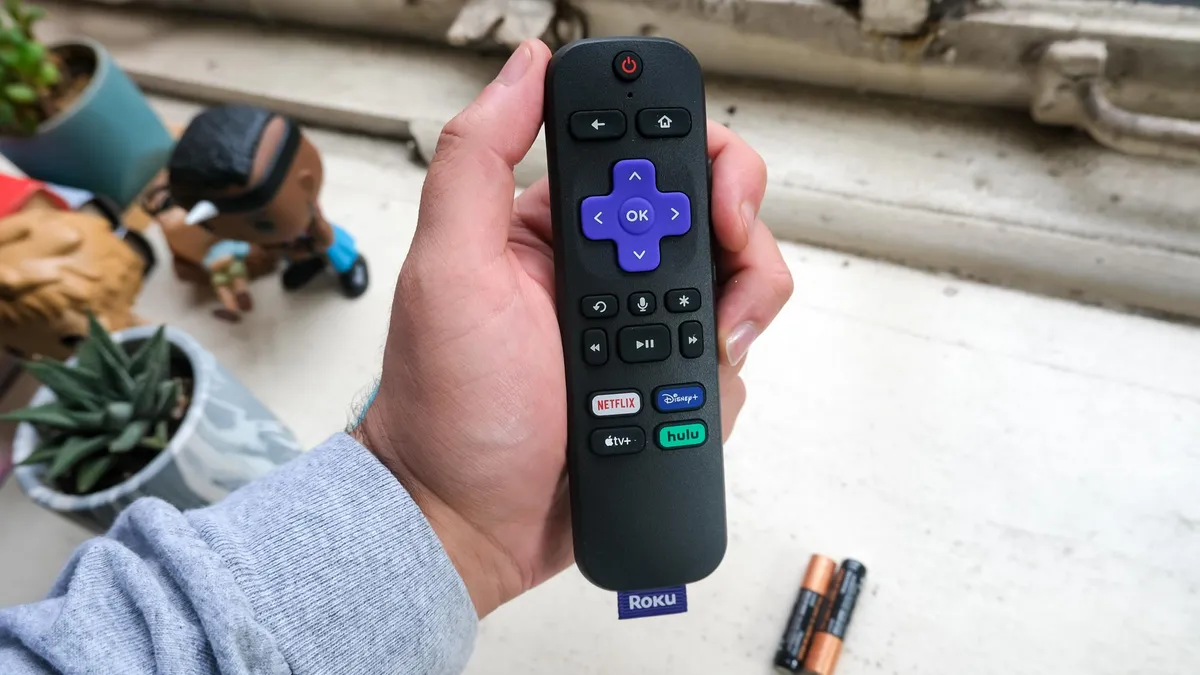
The Roku name applies to both smart TVs using the Roku operating system, as well as a range of standalone streaming devices, such as the best Roku devices. While smart TVs using Roku software are all manufactured by other companies, the streaming devices are made by Roku itself. But the thing they have in common across both TVs and streaming sticks is that they all use the same Roku interface and app store.
We've been big fans of Roku for years, as it emerged early on as a full-featured smart TV platform that wasn't tied to a specific manufacturer. We also appreciate the ease of use that Roku offers, with a simple interface that lays out all of your apps in a basic tiled layout. When so many smart TVs rely on crowded menus with multiple rows of scrolling apps and shows, Roku keeps things simple and offers easy customization.
We also like that Roku offers such a wide range of content and apps, which Roku calls "channels", just to make traditional TV users a little more comfortable. This includes major streaming services such as Netflix, Hulu, Apple TV, Disney Plus and HBO Max. (See our collection of the best Roku Channels to learn more.)
It also includes dozens, if not hundreds, of smaller independent streaming services. This includes everything from local channels offering a streaming app for news and weather to genre-specific channels that serve up a steady flow of public domain movie classics, ranging from westerns to horror films.
There are also plenty of free services, such as Pluto TV, Tubi and PBS Kids, not to mention The Roku Channel, Roku's own ad-supported streaming service. (Find out more in our roundup of the best free channels on Roku.)
How much do Roku TVs cost?

You can find a Roku TV set on our lists of the best TVs under $500, with models ranging from budget-friendly to premium home theater systems. When it comes to budget TVs, we find the sweet spot to be $600 and $1,000. In this price range you will find excellent performance with features like QLED displays, support for Dolby Vision HDR and Dolby Atmos sound, and all of the apps you want.
More expensive models will give you a few fine touches and features for the money (see: Roku Pro Series) but the overall experience will still be quite similar.
If you decide to go with a Roku TV from Westinghouse or Onn to save some money, you'll have to make some big sacrifices, such as stepping down to 1080p or 720p resolution, settling for smaller screen sizes, or giving up features like voice search.
How we test the best Roku TVs

Evaluating Roku TVs is about more than just kicking back to watch a movie. That's why every TV we review is put through a rigorous testing process that measures key standards of picture quality and performance. Every TV we test in our lab has its color gamut, color accuracy and brightness measured to objectively see which sets are the best for these aspects.
We also test its input latency — a key detail for gaming — measuring to the millisecond how long it takes an image to travel from an HDMI source to the screen. We use these results to make numbers-based comparisons about color and display quality.
On top of our lab testing, we also spend time with each set for real-world evaluation using the most popular movies and TV shows to see how our lab results translate for day-to-day use.
We also compare sets side by side and view samples from the latest movies, specialized test patterns that highlight strengths and weaknesses of each display, and a range of content across several sources. With that information, we can tell you which Roku TVs look best, sound best and offer the best viewing experience.
Test results
Below you'll find a comparison of these two Roku TVs' performance across four important categories: HDR peak brightness (represented in nits), color error (in Delta-E), HDR color volume (using the BT2020 gamut), and input lag (in milliseconds).
TV |
Peak Brightness (tested) |
Delta-E (tested) |
BT2020 Color Volume (tested) |
Input Lag (tested) |
Roku Pro Series |
1,532 nits |
3.9 |
81.06% |
9.4ms |
Roku Plus Series |
648 nits |
2.6 |
80.54% |
11.5ms |
As you can see, the Roku Pro Series gets significantly brighter than last year's Roku Plus Series. Both TVs offer fantastic color volume for their respective prices, however, and feature fantastic out-of-the-box color accuracy.