These $20 lens filters are a cheat code for cinematic photography — check out the results

Recently I’ve been on a push to take more filmic, cinematic photos. I love the look of old movies and wanted to recreate that (or at least try to) — the desaturated pallets; soft highlights and deep, inky shadows; the massive white balance hues to convey mood.
When making your images more filmic, a lot of the work can be done before you even lift your camera: choosing the right light, subject and framing in the first place. Yet more can be done in-camera without any extra kit: custom film simulations (especially if you’re a Fujifilm shooter like me), shifting white balance tone and tweaking shadow and highlight tones, for example. And even more can be done in mere seconds when you get to post, by cropping to an ultra-wide aspect ratio, for instance.
Having done all that, though, one thing was missing from my photos: bloom. In old cinema using classic film stock and vintage lenses, light was often a lot softer and hazier, bleeding into the surrounding areas to create a dreamlike glow. That's bloom. Without it, light sources just look that bit too sharp and well-defined. You can add bloom in post (to some extent) but a simpler way is just screw on a mist filter!
So I got to looking for some mist filters to use, and of course, the internet told me I needed to spend hundreds on premium quality filters. "Really?" I thought. I get spending more on other filters, where you want images to remain as sharp as possible. But mist filters deliberately make things hazy and soft anyway, so why not use an affordable one?
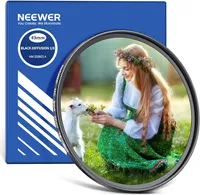
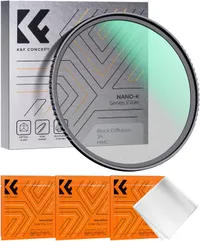
To see how cheaper filters perform, I got myself a couple! I bought a $20 Neewer 1/8 Black Diffusion Mist filter from Amazon, while K&F CONCEPT was kind enough to send me its equally affordable 1/4 Black Mist Filter. Here’s how I got on.

I've been shooting Fuji since 2015 and have either owned or tested almost every recent Fujifilm camera, from the humble X-T30 through to medium format GFX monsters. Follow me on Instagram to see my photography.
The before…
Before we get started, what did my photos look like without a mist filter? Well, I could still achieve a cinematic effect and a bit of bloom with all the techniques I mentioned up top, shooting on my Fujifilm X-E4.


Bloom is a pretty easy effect to add in Adobe Lightroom: using a mask, simply bring up blacks around light sources and add some minus dehaze (A.K.A haze), and you get a pretty good effect. As you can see in the images above, where there are very bright light sources, I’ve been able to add that hazy glow. Notice the light bleeding around the two lamps in the first image, and the yellow haze around the sunlight in the second image.


I also added some haze around the bright light in the background of the images above, particularly noticeable on the stem of the floor lamp in the background of the first shot.
And in the restaurant shots below, I’ve also added a teensy bit of bloom around the strip lighting at the top of the images, plus the light-heavy sections of images, like windows, lit faces and white objects.


The thing is, this method takes more effort than I like (I prefer to spend as little time in post as I can) and is much, much easier to overdo — whiting out areas of the image, which looks unnatural. Hence I've had to keep things fairly pared back and, honestly, not that bloomy at all. They're also lacking that image-wide haze you get from a mist filter, as adding haze globally in post is risky and tends to just make everything look white.
The after...
By comparison, here is the bloom using Neewer’s 1/8 Black Mist Filter (from $20). Without doing any bloom tweaking at all in post, the lights running through the middle of the image looked super soft, with the whole image in general having that light haze.

The light bleed feels more natural, too. When I’m applying bloom in post, it’ll end up wherever my mask is — which might not be perfectly even all around my light source. That’s probably not noticeable to others, but I notice it.
With a mist filter, bloom is uniformly applied around light sources, as you can see in the image of the pizza sign below. Again, combined with that overall haze applied to the entirety of the frame, the filmic look is simply much more cohesive.

I’m really happy with how these images turned out, especially the bloom around the bright light and bokeh in the image of the lanterns below. Best of all, I love how little work I had to do in post to get there (just some tweaks to white balance, shadows and highlights).

As I mentioned above, something I’ve found difficult to replicate in post production is the soft global haze you get from a mist filter across the entire image (not just light sources).
It looks particularly lovely in sunlight, with bright blue skies. When the sun is out, I use a custom Kodak Gold 200 film recipe on my Fujifilm X-E4, and it’s really complemented by a mist filter. With hazy highlights and the archetypal dreamlike mist across the image.


Again, I’m really happy with the images, and think they have that dreamlike cinematic effect I was after. Sure, they aren’t the sharpest images ever shot, but I’m using these filters with an affordable Fujinon XF 35mm F/2 lens on a 26MP X-E4 — I wasn’t trying to win any sharpness awards anyway. I think they look fine.
What strength to use?

It’s important to remember that not all mist filters are the same. Just like ND (neutral density) filters, mist filters come in grades. I tested a Neewer 1/8 Black Mist Filter, which is the weakest grade. It still gives a nice haze and bloom to light sources, but the effect is relatively subtle. You can see some shots taken using the Neewer 1/8 filter in the section above, and in the gallery directly below.


Compare that to the shots below taken on the K&F CONCEPT 1/4 filter, which applies a much stronger effect. It’s not as noticeable in daylight photos, but drop the ambient light and you can see just how much the bloom bleeds around strong light sources, such as the light bulb in the photo of the market stall.


Still, I like the 1/4 filter. It adds a deliberate, stylized effect which, let’s be honest, is what I’m after by shooting deliberately cinematic-style photos. To me, it’s the same as shifting white balance to yellow or blue to add warmth or coolness, or hueing green to change mood. To get a cinematic look, sometimes you have to go big!
So, do you need expensive filters?

If this first test has shown me anything, it’s that I’m perfectly happy with the results from a $20 mist filter. It’s proved a really simple way to get the effect I was after and take the cinematic aura of my photos up a gear.
Admittedly, I probably wouldn’t use the 1/4 filter everyday like I would the 1/8, primarily because of how much bleed the stronger filter adds around lights — it’s a lot, and I think that could be a little distracting. But I love the haziness, and will definitely be keeping the stronger filter in my camera backpack. The 1/8 filter meanwhile, has barely left my camera lens in two months (and when it did, it was only to fit the 1/4).
So, cheap mist filters get the OK from me. And now to get some pricey filters ordered for a direct comparison!

Follow Tom's Guide on Google News and add us as a preferred source to get our up-to-date news, analysis, and reviews in your feeds.
More from Tom's Guide