These days, TVs have more in common with personal computers than ever before. Plus, for most viewers, their TV is pretty much always connected to the internet. As a result, one of the trickiest aspects of owning and maintaining a smart TV is understanding why it might be behaving in an unfamiliar fashion.
As software updates roll in, aspects of the TV's performance may change. This is especially true for the ins and outs of a TV's software, which most people spend a ton of time interacting with on a weekly basis.
Over time, it can be tough to recognize whether your TV's software is degrading due to age. Recently, a Tom’s Guide reader got in touch with me about precisely this issue.
Hi Michael,
I’m in need of some guidance please. I bought two identical LG smart TVs almost 8 years ago. The biggest and most aggravating problem is that the Wi-Fi keeps disconnecting and then the TV freezes. The apps are also a little slow to start up.
I thought the problem might be the Wi-Fi, but I’ve reset the modem so many times with no improvement. I’ve done resets on my TVs with no improvement.
Is it time for new ones?

Do you have any questions you'd like to ask the experts at Tom's Guide? Please email us at helpme@tomsguide.com.
First, let me just say that this is situation is a bummer. When you're settling in to stream your favorite show, the last thing you want to deal with is an inconsistent internet connection or slow-to-boot streaming apps.
That said, if you've already troubleshooted the Wi-Fi situation with nothing to show for your efforts, I suspect that your TV is the culprit — especially since you're creeping up on the eight-year anniversary of buying it.
One thing I frequently tell folks is that, when it comes to the overall health of your TV, its software often plays the role of a proverbial canary in the coal mine. Like any computer, your TV is liable to slow down after years of software updates. Unlike most computers, aging software issues are harder to address on TVs given the relatively closed-off nature of TV software.
In this case, LG's various software updates are essential in keeping your TV secure and up to date. However, after nearly eight years, it seems as though they've taken their toll.
In addition, you’re far likelier to notice that your LG TV has lost a step if you rely on its built-in streaming features, since all of the apps you use are also getting updates on a regular basis. So, the question is, what can be done about it? The way I see it, there are two options.
Option #1: Use an external streaming device

The easiest way out of this mess is to cut ties with your TV's built-in streaming platform and replace it with an external box or streaming stick. You'll still be able to use your TV to watch Netflix, Disney+ or any number of apps you rely upon, but you won't be beholden to your LG TV's crumbling software.
As an LG TV-owner myself, I'm here to tell you that this option is entirely manageable. In fact, I recently made the switch from webOS to Roku and I couldn't be happier with my decision.
I dropped about $100 on a Roku Ultra 4K streaming box. This slim, discrete little gizmo sits just behind my TV screen. Whenever I settle in for some streaming, my TV automatically defaults to the Roku Ultra's HDMI input. In other words, I don't even see my LG TV's streaming software anymore.
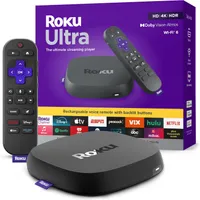
I appreciate what Roku brings to the table because it combines two important elements: a robust library of downloadable apps and an incredibly easy, intuitive user interface. It's very easy to warm up to Roku. I find it to be a much better experience than LG's webOS, and to put that into perspective, my version of webOS was not struggling to maintain a Wi-Fi connection.
Now, you might want to poke around at various options from different brands in order to determine what the best streaming device will be for your needs. There are powerful, HDR-capable streaming boxes like the Roku Ultra, as well as scaled-down streaming sticks that fit in your pocket.
If you'd rather not fuss with more devices (or if you don't have any spare HDMI inputs on your TV), you might need to take more drastic measures.
Option #2: Buy a new TV
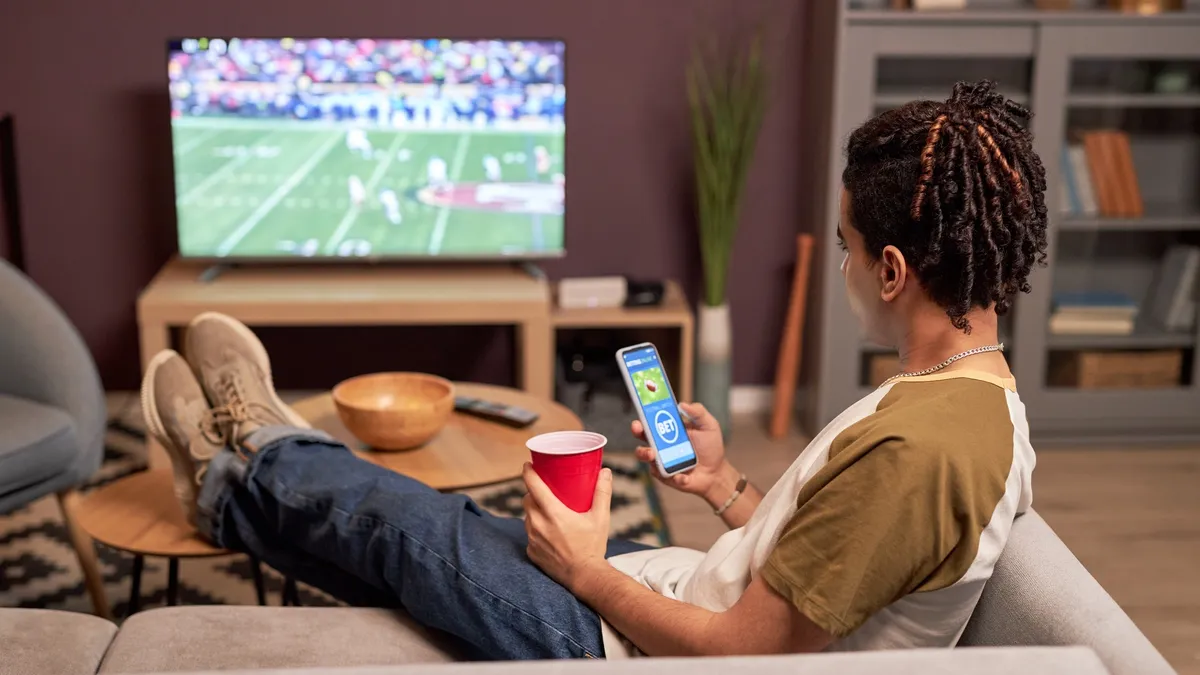
There's never been a better time to buy an affordable smart TV.
I know, I know — this solution isn't as satisfying as solving the case of the slugglish TV software. Even as a TV expert, I shudder at the thought of having to suddenly set aside cash for a big, potentially expensive purchase when I'm not ready to do so.
But think of it this way: You got eight, wonderful years out of your LG TV. You shared some wonderful times together, like when you binge-watched six hours of that show about Stanley Tucci drinking wine. And who could forget that one time when there was a dragon on "Game of Thrones?" (I haven't seen "Game of Thrones.")
For real, though: Eight years is a pretty good run for a TV. I'd wager that most TVs last somewhere between five and ten years, with rare cases on both ends of the bell curve.
And, for what it's worth, there's never been a better time to buy an affordable smart TV, because even the cheapest smart TVs are much better than they were eight years ago. As someone who's obviously loved and cared for your TV for so long, I would imagine that affordability is at the top of your priority list.
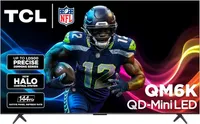
One of my favorite affordable smart TVs right now is the TCL QM6K, an entry-level Mini-LED TV with my second-favorite smart platform (Google TV) built right in. A 55-inch version is well under $500.
However, if you truly see nothing wrong with your eight-year-old LG TV other than the speed of its apps and its Wi-Fi connectivity issues, why not just link up a streaming device and keep on rolling with it?
In the case of our particular reader's letter, it seems as though nothing else is getting in the way of them and shows — no dead pixels, no random shut-offs. From the picture they've painted, it sure seems like their TV is still capable of chugging along, provided they stop relying on its smart platform for streaming.
As someone who's spent their whole life running electronics, appliances and cars into the ground, I would endorse this decision. However, I'm also a TV reviewer who often fantasizes about upgrading my TV almost every week. If, like our reader, the time has come for you to move on, it can be therapeutic to turn the page.

Follow Tom's Guide on Google News and add us as a preferred source to get our up-to-date news, analysis, and reviews in your feeds.
More from Tom's Guide