The phone world may have been shy of ground-breaking innovations in 2025, but that doesn't mean there weren't positive steps forward for a device that most of us keep close at hand throughout the day. And for me, the best trend this year has been a stepped-up focus on making your phone more of a productivity tool.
To be sure, there's always been an effort on the part of phone makers to tout their devices as productivity boosters — something you can use to handle your business whether you're waiting in line, commuting somewhere or just hanging out at a cafe. But often, that aspect of a phone's features seems to play second fiddle to how the phone captures photos or handles games.
That didn't feel like the case to me in 2025. When new phones arrived this year — and believe me, there were plenty — productivity features seemed to be at the forefront of what device makers wanted to highlight.
Hardware's role boosting productivity

Certainly, some of that's been amplified by hardware improvements of recent years. The best phones benefit from faster chipsets that can handle tasks with greater efficiency and jump between apps without pause.
More efficient chips and bigger batteries have also boosted just how long phones can last on a charge, meaning you don't have to choose between handling a task right away or putting something off out of fear you'll run out battery before the end of the day.
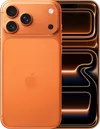
And while I may be a fan of compact phones, even I have to admit the trend toward larger screens on phones has also been a productivity booster. You're more likely to get work done when you've got a more expansive display that lets you see more of that work. I certainly have appreciated my upgrade to the iPhone 17 and its 6.3-inch screen from the 6.1-inch or smaller panels that I've been using previously.
iPhone upgrades that really matter

Hardware changes aside, though, phone makers are including more productivity-focused software tools on their new releases. And that became very noticeable when you look at some of the phones released by the major players in 2025.
The Reminders app benefits from an Apple Intelligence-powered feature that recognizes lists of tasks in emails, notes and web articles like recipes and automatically turns them into a suggested list of to-dos.
Take the iPhone and this year's iOS 26 release. The Liquid Glass interface overhaul gets the attention — for good and for ill — but Apple included some under-the-radar productivity boosters in a lot of its built-in apps.
Reminders gets a feature that lets you mark some to-dos as urgent, with an alarm going off then they're due. The built-in to-do manager also benefits from an Apple Intelligence-powered feature that recognizes lists of tasks in emails, notes and web articles like recipes and automatically turns them into a suggested list of to-dos.
Apple Intelligence additions were scanty in iOS 26, but the best of the bunch focused on productivity as well. Visual Intelligence gained the ability to work with screenshots, pulling information from your screens that can be turned into things like calendar entries.
Even apps that aren't nominally about productivity picked up new skills that help you get things done. The polls feature in the Messages app cuts down on the back-and-forth debates over where to eat or what movie to see by letting group chat participants vote on the matter. And what's more productive than not wasting time on spam calls and text messages now that iOS 26 lets you better screen for both?
Android gets busy with cross-app actions and more

I'm focusing on the iPhone here, because I spent a lot of time testing Apple's latest software for my iOS 26 review and subsequent how-to pieces. But Android phones got their share of productivity improvements as well.
The best of the bunch can be found in Samsung's latest iteration of Galaxy AI, which now supports cross-app actions. You can ask your Gemini Assistant to handle tasks that cut across multiple apps, saving you a lot of time in the process. I also appreciate that Gemini Live lets the on-device assistant see the same things you are via your phone's camera, so that it can provide you with contextual information or guidance.
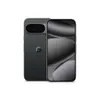
Whether it's features like Magic Cue on the Pixel 10, which promises to surface relevant information like travel itineraries or receipts when you need them, or the impressive multitasking capabilities on the OnePlus 15, examples abound of new Android phone features that are designed to help you get more done without ever having to put down your handset.
Who needs smart glasses?

This focus on productivity is encouraging to me, and not just because I rely on my phone to handle so much of my day-to-day business. The better phones get at handling these essential tasks, the less inclined we're going to be to hand them over when some new piece of technology comes along promising untold productivity gains.
I'm thinking of smart glasses, primarily, which a some people smarter than me (and many tech executives decidedly not smarter than me) think will muscle aside smartphones as the device we rely upon every day. I don't see it happening.
While I'm sure that smart glasses will have their uses, there's something tactile and reassuring about a device that sits in the palm of your hand and handles all your tasks with just a few taps. And with smartphones continuing to expand their capabilities nearly two decades after the category went mainstream, this past year has reminded me that there's still room for phones to grow when it comes to making us more productive.

Follow Tom's Guide on Google News and add us as a preferred source to get our up-to-date news, analysis, and reviews in your feeds.
More from Tom's Guide
- How to manage notification on Android
- 7 iOS Reminders features that will make you more productive
- I use Notes to capture ideas on my iPhone — these 8 tips help me do more with the app