




I’ve used Samsung DeX with every Galaxy flagship release, and while the interface remained largely unchanged for several generations, it's received a slight makeover with the Galaxy S26. One of the biggest incentives for me to use DeX is the ability to ditch my laptop, since it offers a rich, desktop-like experience that few other phones can match.
While I was hoping for a dedicated standalone DeX mode similar to the one found on the Galaxy Z TriFold, the version running on the Galaxy S26 still cranks up productivity. It makes juggling multiple apps significantly easier than before. I’ve been putting this new version to the test on my S26, so here's what I think about it.
More workspaces for your apps
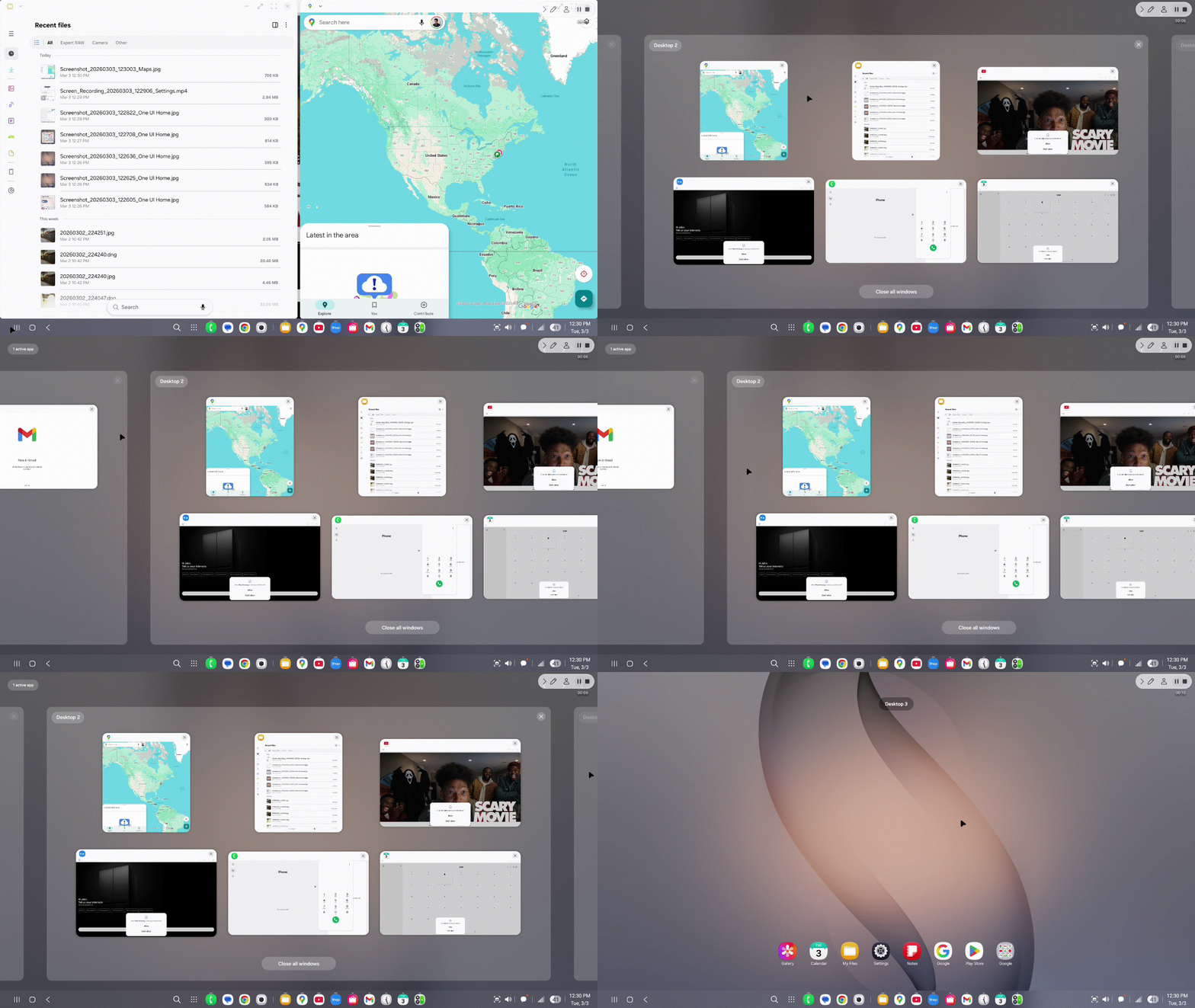
Fundamentally, this version of Samsung DeX continues to excel at running multiple apps simultaneously. Even though the Galaxy S26 offers one of the best multitasking experiences on mobile, it isn't always practical when apps are shrunk down to fit a single phone display.
With Samsung DeX on the Galaxy S26, the interface now supports up to four desktop spaces — with each one capable of running up to five applications. This means you can have upwards of 20 apps running at the same time. Now, that’s what I call serious productivity.


Although that number might seem absurd — after all, who really needs 20 apps open at once? — I view this more as a way to quickly shuffle between different sets of applications. For example, I’ve set one desktop space strictly for social media apps like TikTok, Facebook, Instagram, Threads, and X. In another, I pull up productivity tools like Gmail, Google Drive, and Adobe Acrobat.
Ultimately, this version of Samsung DeX on the Galaxy S26 is much better organized. By clicking the desktop switching icon in the lower-left corner of the interface, I’m able to quickly jump to the exact workspace I need.
Rearranging the extended display
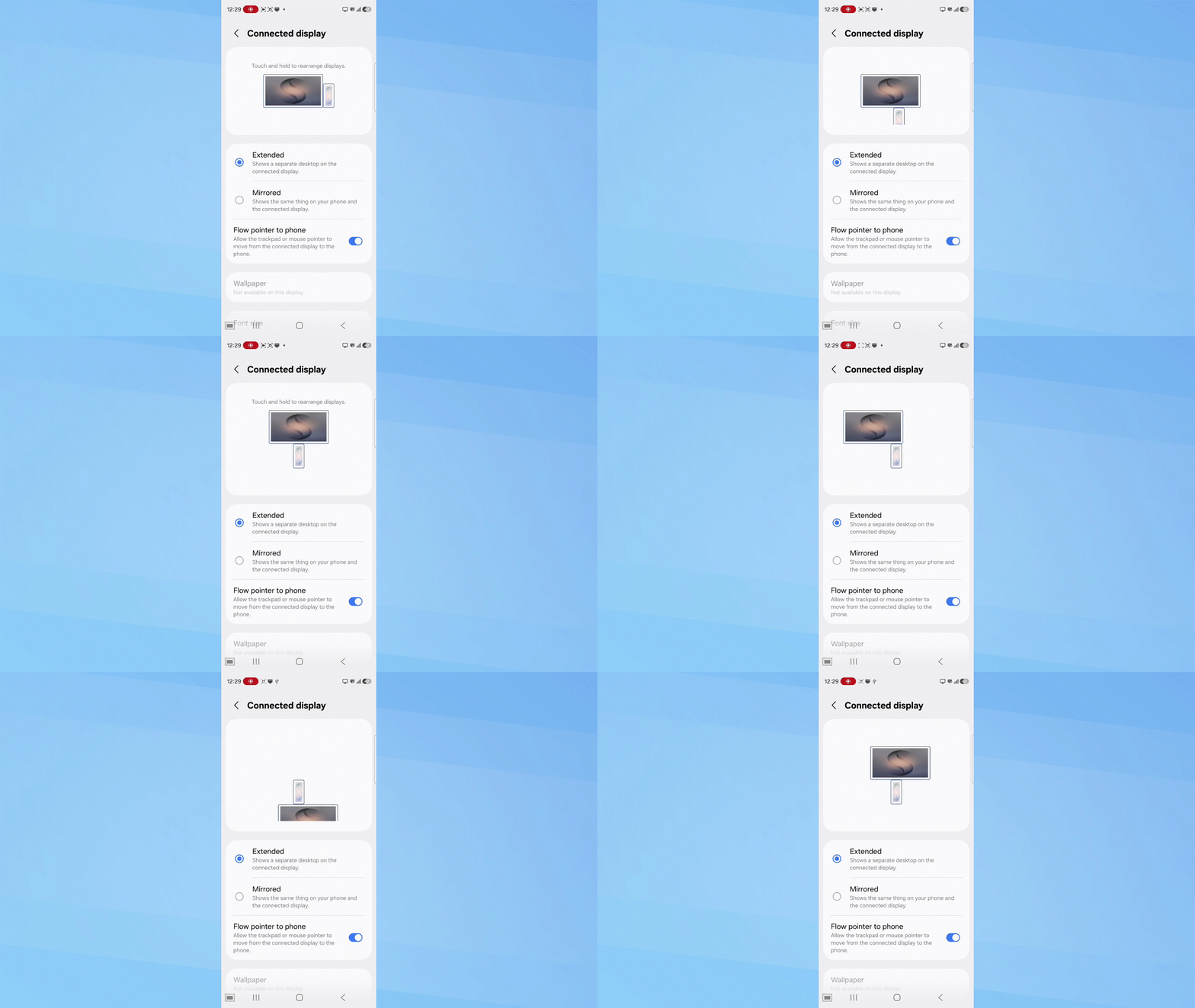
Another change to Samsung DeX I haven’t seen previously is the ability to rearrange the orientation of the connected display. If you already use multiple monitors with a PC or laptop, you’ll be familiar with this feature, as it allows you to set the virtual position of each screen.
As you can see in the animation above, I can place the Galaxy S26’s display below the connected monitor or move it to either side. This allows me to interact with the Galaxy S26’s native apps while simultaneously running DeX on the external monitor. While this setup is likely more suitable for larger devices like tablets, I’ve found it useful for keeping YouTube Music visible on my phone while I work on the big screen.
I also tested connecting to two monitors through a USB-C hub. However, it doesn’t appear that this version of Samsung DeX supports extending the desktop across more than one external display. When I connected the S26 to both monitors, the experience was merely mirrored on both screens. Hopefully, Samsung will roll out true multi-monitor support in a future update, as that would be a huge upgrade.
What I’d like to see next

This latest version of Samsung DeX is exactly the kind of iterative update I’ve wanted to see for years. As someone who leans on DeX as a primary fallback, the ability to have multiple desktop spaces running five apps each is a tremendous productivity boost.
Yet, there are still features I’d love to see in future updates. For starters, I would appreciate it if Samsung brought back support for multiple users. Other manufacturers offer this, but Samsung has omitted the feature for years now. Reintroducing multi-user support would be a massive win for DeX, allowing me to keep my work and personal accounts entirely separate instead of being forced to combine them as I do now.
Secondly, I’d love to see support for more diverse window layouts within each desktop space. Currently, I can snap two app windows side-by-side, but I would welcome more robust snap layout options for managing three or four apps at once. Regardless, Samsung clearly has a secret weapon on its hands that is now more useful than ever.

Follow Tom's Guide on Google News and add us as a preferred source to get our up-to-date news, analysis, and reviews in your feeds.
More from Tom's Guide

