




I wouldn’t say I was a Grinch growing up but with just one Christmas tree in the living room and a few strings of lights outside, I was completely ill-equipped for my current holiday reality. With six trees (three are full-size) and an expectation to go bigger every year, I doubt this would all be possible without my smart home.
My heart didn’t suddenly grow three sizes. Instead, I married a Christmas baby and when your birthday falls on one of the biggest holidays of the year, going all out with the decorations isn’t optional.
I have to admit though, I was reluctant at first. While my Grandma had trees in every room when I was a kid, I just figured that came with the territory. As for getting up on the roof and hanging lights every year, I saw what happened to Clark Griswold in Christmas Vacation and didn’t want to suffer the same fate. Fortunately, the right gadgets meant I didn't have to.
With a few of the best smart plugs and the best smart lights in hand though, I went from being a Scrooge in my wife’s eyes to Martha May Whovier, bringing the holiday to life with my metaphorical Christmas light cannon.
Here’s how I started out small with a few simple smart home tweaks to seriously upping the ante this year and transforming our home into the holiday haven my wife deserves.
A smarter solution for ‘dumb’ lights

If you’ve ever had to get down on your hands and knees to crawl behind a Christmas tree just to unplug it, you know first hand how annoying doing so can be. Personally, I’m not in the ‘just leave your Christmas lights on all the time’ camp, so when I started building out my smart home years ago one of the first things I bought was a smart plug for this very reason.
With a tap on my phone or a shout to Alexa or Google, I’m able to turn on all six of our Christmas trees when the sun starts going down.
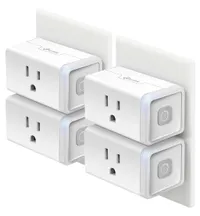
Back then, a single TP-Link Smart Plug Mini cost $30 on its own. Now though, you can get a four-pack for the same price. That single smart plug served us well back when we lived in an apartment and only had one tree. However, when we moved into our house, I did just that and picked up a four-pack.
I liked that smart plug so much that when it was time to outfit our new home with a few of the best home security cameras, I ended up buying several from TP-Link’s Kasa smart home brand. What’s great about this approach is that I now have eyes around my entire home and can control all of my smart plugs in a single app.
If you’re thinking of following suit and using smart plugs for your own holiday decorations, I’d look into whether or not you can get ones from the same company that makes your security cameras first (if you have them).

With a tap on my phone or a shout to Alexa or Google, I’m able to turn on all six of our Christmas trees when the sun starts going down. Then when it’s finally time for bed, I can turn them all off without having to crawl around looking for an outlet. You can also automate all of this and doing so is a lot simpler than messing around with those old-school mechanical timers.
No more trips up the ladder

Remember when I said I was reluctant about going up the ladder and onto the roof to hang holiday lights? Well, to get around that, I eased my way into more versatile outdoor smart lighting that did double duty during the holidays by installing smart string lights in my porch overhang a few years ago.

As you may have guessed, this wasn’t enough for my wife long term but it did keep her at bay for a few years. Not only that though, those smart string lights were my first introduction to Govee after originally going with Philips Hue to make the idea and living in a smart home as Apple-like as possible for her.
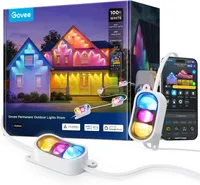
Oddly enough, as I was putting up those outdoor-rated smart string lights, Govee was about to reveal a more permanent solution for year-round holiday lighting. Right after I thought I had finished decorating for the holidays for good, the company revealed its original Govee Permanent Outdoor Lights. Then came the Outdoor Lights Pro, the Outdoor Lights Elite and then the Outdoor Lights 2.

Although I loved the idea of permanent outdoor lighting you never have to take down, I wasn’t completely sold on their adhesive backing actually staying up permanently, especially here in muggy Houston. Fortunately for me, the new Govee Prism lights have screw holes on either end of each fixture. When Govee reached out with a chance to test them out early, I jumped at the opportunity.

You can get all the details in my Govee Permanent Outdoor Lights Prism review but regardless of which model you decide to pick up, these year-round Christmas lights were the missing puzzle piece in my holiday setup. I’ve been using them ever since and I love how I can swap between different scenes for Christmas — or any holiday for that matter.
Instantly adapting to any holiday theme

Unlike dumb lights, the best thing about smart lights is whatever the occasion or even the mood, you can tailor them to your liking. Sure, my smart string lights are a great way to illuminate my porch on summer nights but they work just as well at birthday parties or when your favorite team finally makes it to the playoffs.
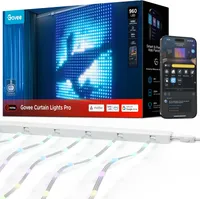
I spent a lot of this year catching up on some of the Govee products I initially missed out on and the company’s curtain lights are no exception. While I skipped the original model and their follow-up, I finally tried out the Govee Curtain Lights Pro just in time for Halloween.

Instead of a smart bulb or a smart lightstrip, Govee’s curtain lights are made up of several strands of bead-like LEDs that all work together to turn any window or blank wall into a massive pixel art display.
Instead of a smart bulb or a smart lightstrip, Govee’s curtain lights are made up of several strands of bead-like LEDs that all work together to turn any window or blank wall into a massive pixel art display.
With this latest model, there are over 250 preset scenes to choose from and sure, I can have an animated Santa going down a chimney or a shining Christmas tree with presents underneath (as if we needed another one). However, you can also create your own or better yet, let an AI chatbot make one for you and that’s exactly what I did.
With a Christmas baby for a mother, my son is as wrapped up in the holidays as I’ve learned to be over the years. As he’s now going on four, this is the first Christmas where he’s really been able to get into the holiday spirit on his own and after watching The Grinch (not the Jim Carrey one), I haven’t heard the Bluey theme song in weeks.
My wife and his Nana have leaned into this hard, too, and we now have Grinch everything, including his own Grinch tree in his playroom next to the window where I installed Govee’s Curtain Lights Pro. Of course, I had to combine some smart home magic with some holiday magic just for him.

In the Govee app, there’s now an AI option next to Color, Scene, Music, etc. and tapping on it brings up the company’s new AI-powered Lighting Bot. In the same way that you prompt Google Gemini or ChatGPT, you just write a few lines and it brings almost any lighting creation you can think of to life.
I asked for a picture of the Grinch and I had the full-sized character on his wall in seconds. It didn’t look quite right though, so I tweaked my prompt and went with just the Grinch’s face which was instantly recognizable to me and my toddler.
My smart home’s time to shine
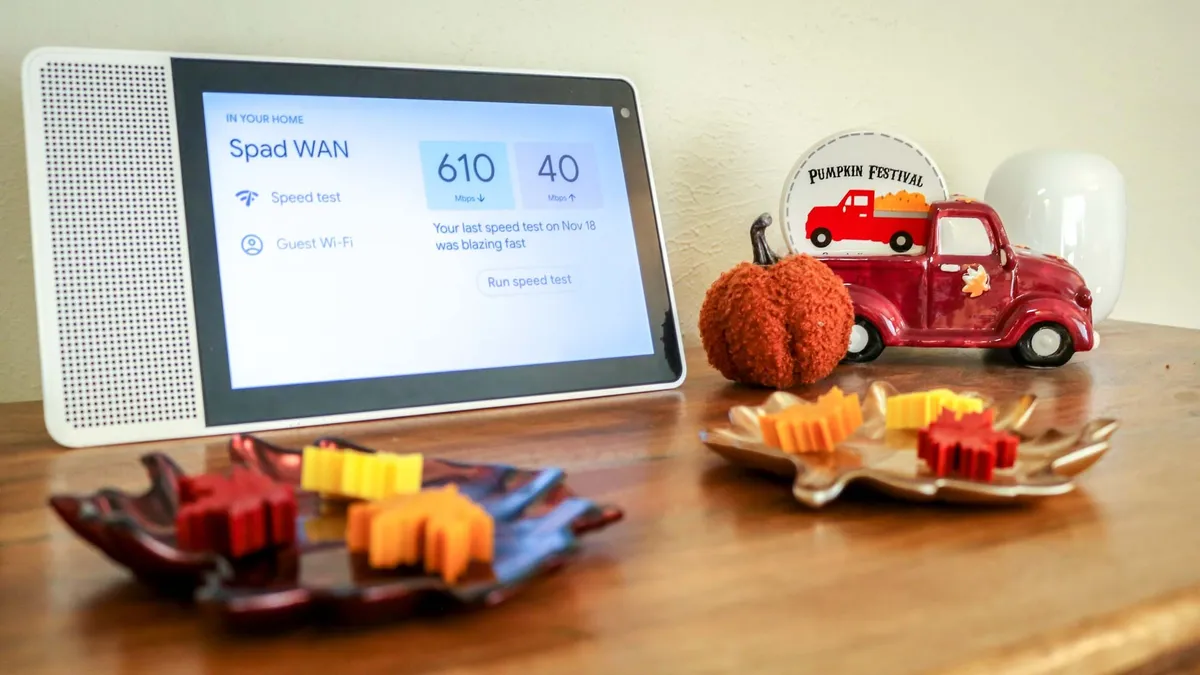
Back when I started building out my smart home, I definitely didn’t have the holidays in mind. Instead, I was and am still blown away by how I no longer have to flip a switch and can just ask Google — or after installing my smart mailbox sensor — Alexa to do it for me.
The whole experience just feels magical but when the holidays come around, it’s like the Super Bowl for my smart home. Not only does everything have to just work but every device is putting in its all nonstop from the day after Thanksgiving until the beginning of the next year.

Oddly enough, what was once a major annoyance for my wife is now the very thing that lets her holiday haven come to life. I didn’t go into every one of the best smart home devices I have set up around the house but rest assured, we’re basking under the glow of a smart space heater while multiple smart speakers play house-wide carols, all while the Echo Show 21 in my kitchen is playing a cozy fireplace video.
Each new smart home device adds its own unique capabilities, but it’s seeing them all working together towards one goal that makes the tech side of Christmas as magical for me as hanging the stockings with care and baking cookies with our son for Santa is for my wife.
Will I ever truly be done decorating for the holidays? I wouldn’t count on it but if I get to test out a few more smart home devices along the way, I’m all here for it.

Follow Tom's Guide on Google News and add us as a preferred source to get our up-to-date news, analysis, and reviews in your feeds.
More from Tom's Guide
- Amazon Echo Show 15 vs Echo Show 21: which wall-mountable smart display should you buy?
- 5 things you should never do when hanging Christmas lights
- I used this smart light strip to transform my living room and it's been a game changer for my home

