




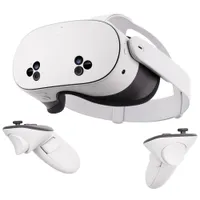
I'm setting up to move to my very own home. I'm delighted, excited and absolutely dreading planning and designing a place I can call my own. But a Meta Quest 3 mixed reality app just gave me a creative way to escape that dread.
I'll be honest, when it comes to anything artistic in a practical sense, my mind automatically decides to give up. Is there enough space for a couch to fit here? Will this paint color match the rest of the furnishings? Where the heck will this 55-inch TV fit? To these questions, my brain decides to, quite simply, nope out — much to the dismay of my partner.
Needless to say, I'm useless at home decoration. It's a shame, because moving into a whole new space should be a delight. Designing rooms from the ground up is thrilling, but all the technicalities of measurements and placements before even getting furniture or home accessories can be a real pain.
That's when I stumbled across the Meta Quest Layout app. In mixed reality, I can map out a space, place adjustable true-to-size 3D virtual objects like a table, TV or bed, and get proper measurements of real-life objects. Since using it, my brain stopped waving its white flag.
It helped me out once before when learning to draw in VR, and now, the Meta Quest VR headset is lending a hand to plan out my dream space (my partner will thank this app in advance).
The (mixed) reality of home design

The Layout app is right in the App library on all Quest 3 and Quest 3S headsets, and it's completely free to use. Open it up, and this utility tool will let you measure, visualize and arrange virtual furniture in a physical space, no matter the size of a room.
For me, and the very limited space you'll find in London properties, using the VR headset to map out a room in mixed reality didn't take long (because, you know, rooms are small). As it does when creating a virtual layout for playing VR games, the Quest analyzes the room and creates a room-scale layout, becoming an interior design playground.
Once set up, I was free to get my otherwise non-existent creative juices flowing. Thankfully, it's an easy-to-use app with simple yet highly flexible tools, and I was planning out my desired setup in no time.
My first order of business for this new place is to set up my office, where I'd have a desk, shelves for storage, a table for photoshoots of products (but realistically dumping random items on) and picture frames to place on walls. And you know what? Maybe even a TV!

So that's exactly what I tried out first. Layout offers a bunch of preset 3D objects for everyday objects in homes, including tables, chairs, beds and even doors. What's more, they each come in different preset sizes that are common in homes. For example, when choosing to place a virtual TV, you can choose between 43- to 85-inch screens. But you can resize them to your liking, too.
Instead of getting tape and having to measure out what size TV I could fit on a wall, I was able to place a virtual layout of the screen and see how much space I could play around with. As it turns out, a 50-inch screen could snuggly fit on the wall nicely.
What's great about the Layout app is that you can see what a room could be used for. As an example, I was wondering if I could use this particular space as more of a lounge area, rather than an office. That requires a couch, of course, and as you can see below, that wouldn't exactly work...


But a shelf works instead, as you'll find in the next image. Regardless, having the tools to place, readjust and resize objects to put in a space has been hugely beneficial in giving me an idea of how to design each room. I'm also a huge fan of being able to pick up these virtual objects physically and place them where I want, as it just makes designing the layout of a room all the more realistic.
But that's not the only perk I've found using the Layout app, as it also comes in handy to get precise measurements on what I already own.
Measure away

Measuring tape has quickly become my best pal with this move, as there's only so much space to allow all the decorations and furniture I'd like to have, whether they even fit in through the door. But the Quest's Layout app also acts as a go-to measurement tool.
By selecting Measure, the Quest Touch Plus controllers become an impromptu measuring device. With the controllers in hand, I could see the length, width and depth of my desk, picture frame, bed and more with accurate measurements.
Before anyone asks, no, your arm span isn't the maximum distance the tool can measure, as hilarious as that sounds. You can place anchors with a press of a button, meaning you can continue a longer measurement or angle your measurement to, say, get the full length and width of a desk.
It's a simple feature, but with this, I can take these measurements and find out if furniture or other household objects I have will work in my new home, and see if they fit in with the other virtual objects I've set up in this mixed reality space.
My virtual interior designer

It isn't easy designing a room from scratch, let alone a whole home. Well, for me, at least.
There's a multitude of interior design apps like Home AI that make great use of artificial intelligence to quickly fill up a space with furnishings so you can get an idea of what you want. But in reality, it's just for show, as there's a whole lot of measuring and finding the right furniture that will fit in a room (plus, some of the designs AI can whip up look pricey).
With the Meta Quest 3, though, I can visualize a room and design it exactly how I want it — no need for measuring tape (it will always be by my side, though) or hoping a bed, desk or couch will somehow fit in a room.
I'm still tinkering with how my office will look, and I'll be making my way into each room with my Meta Quest 3 on my head. For homeowners or those looking to shake up their space, give the Layout app a try — it's the ultimate interior design hack.

Follow Tom's Guide on Google News and add us as a preferred source to get our up-to-date news, analysis, and reviews in your feeds.
More from Tom's Guide
- I ditched my PC and used Meta Quest 3 to turn every surface into a virtual keyboard — it’s futuristic, and kind of painful
- I wore the most popular Ray-Ban Meta alternatives for a month — and they’re a lot better than I expected
- This app warns you if someone nearby is wearing smart glasses, and I hate that it makes sense

