




When you think of the best smart lights, lightstrips and smart bulbs probably come to mind. However, what if you want to replace an existing fixture with one you can control via your phone or with just your voice using a smart speaker? Well, that’s where hardwired smart lights can help.
Let me guess, you’re probably nervous about working with electric wires? Well, I was too until I stumbled upon Govee’s smart ceiling lights. With their low-profile design and separate, color-changing back light, I knew I needed to add them to my smart home. Fortunately, I had the perfect place to put them: in the hallway between my bedroom and the laundry room.
I was initially mortified to get up on a ladder and start messing with wires. But after finally upgrading my kitchen fixtures on my own, I realized that installing these smart lights would be just as easy — and I’m glad I did.
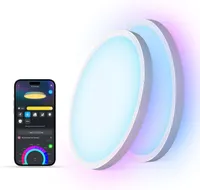
Normally $150 for a two-pack, Govee’s smart ceiling lights are $50 off right now at Amazon in this weekend’s President Day deals. Likewise, if you just have one fixture you want to upgrade, you can get a single light for 38% off.
After buying these smart ceiling lights with my own money and installing them myself over the course of a Saturday morning, now is the perfect time to give your own home a smart upgrade like this one. Here’s everything you need to know about Govee’s smart ceiling lights and why I personally recommend them over your standard smart bulb or lightstrip.
Simplified smart light wiring

From smart curtain lights to permanent outdoor lights and smart bulbs, I’ve tested and reviewed a lot of Govee products over the past four years. However, this was my first time trying out one of the company’s hardwired smart fixtures. Just like with the rest of those lights, its smart ceiling lights had everything I needed for a clean install right in the box.
In the picture above, you can see the back of one of the smart ceiling lights. Instead of wasting space, I really like how all of the necessary parts are stored within the back of the light itself so you don’t risk losing anything when unboxing them. In addition to wall anchors and the rest of the included mounting hardware, you get several wire nuts as well as some Wago-style connectors. This way, you have options as to how you want to wire them.
With my old ceiling fixtures taken down, it was just a matter of getting back up on my ladder and installing the white plastic mounting plate. I apologize for not taking pictures of the actual installation but things got a bit tricky since I was dealing with old drywall with plenty of existing holes. With a bit of jerry rigging though, I got the mounting plates installed and ran the necessary wires through their center.
As someone who’s fairly new to working with electrical wires, instead of using the Wago-style connectors, I opted for the tried and true wire nuts. With the existing wires and the new ones from the Govee smart ceiling light fixtures held next to each other, it just took a few clockwise twists and a wire nut to get everything connected. Then I attached the lights to the mounting plate and switched the breaker back on.

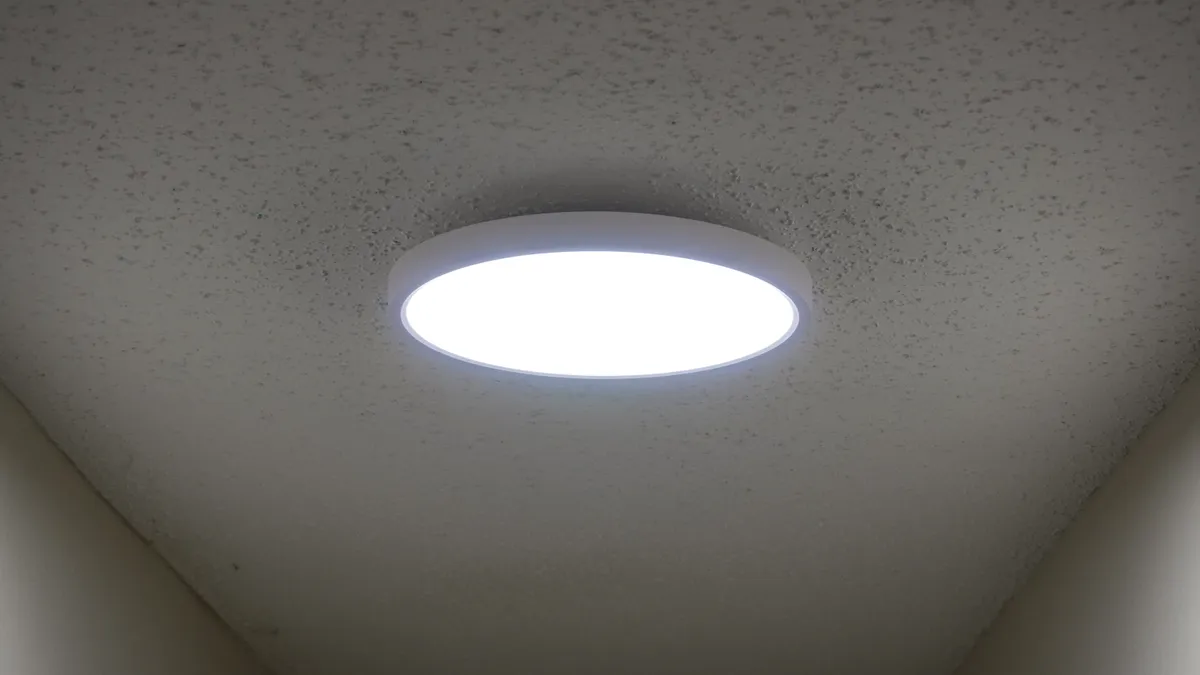
Adding the lights to the Govee app and the rest of my smart home was a cinch. Then after a few firmware updates, it was time to start messing around with them. Even before I did though, I was immediately impressed by how much brighter my hallway now was. You see, before I had standard bulbs with matte white glass enclosures and they didn’t really give off much light at all. With a Govee smart ceiling light installed on either side of the hallway though, the difference was stunning.
Just like with the rest of Govee’s smart lights, there’s all kinds of tweaks you can make from within the app. I had them set to the Illumination tab to start off as I wanted to see just how bright they were. From there, I opened the Scenes tab and applied a few of my favorites to see how something like Aurora would look on these hardwired, ceiling-mounted fixtures compared to the smart string lights on my porch or Govee’s Skyline Light kit in my living room.
Just like with the improved smart string lights I added to the fence in my backyard, what I like about these lights is that they’re actually made up of two different lights. On the front, you have one big light but around back, you have a back light that’s made up of 13 different segments. While you can control each one individually, I really like how it looks when they’re all the same color and the main light is a different color. This gives the lights a nice back glow which is perfect for ambiance.
After installing these two hardwired, smart ceiling lights, I just couldn’t stop myself and went and picked up a pair of Govee’s Outdoor Wall Lights. Even though they’re made to withstand the elements, installing them was just as easy. Although the two-pack isn’t currently on sale, you can get a single light ($79, Amazon) at a discount right now too.
As bright as they are versatile
If you too have considered going with hardwired smart lights but are worried about dealing with wires, you shouldn’t be. As long as you shut off the breaker and test for any live connections before getting started, installing ones like the Govee smart ceiling lights is a lot simpler than you might think.
I swapped out those old, 70s-style light fixtures in my hallway — the popcorn ceiling is a project for another day or more likely a week — back in October and they’ve been going strong ever since. Sure, my wife still flips the switch at the end of the hallway like she used to but even then, they’re a lot brighter and their low-profile design has given our hallway a much more modern look.
What I really like about them is that thanks to the Govee app, I have options. If I want them at 1% while doing laundry after everyone else is asleep, I can do that with a few taps. Likewise, if I want my hallway to be as bright as possible while cleaning, I just turn them up to 100%.
Just like with my other Govee smart lights though, it’s on holidays and at parties where they really shine (no pun intended). For instance, when we had our Grinch-themed Christmas party, I just asked Govee’s AI bot to design a theme for me and it applied them instantly to each light. They were also fantastic at Halloween as I could create some spooky ambiance right outside of my son’s room just by using one of the preset scenes.
These aren’t the only smart ceiling lights Govee makes and some new models just got announced back at CES. However, these ones frequently go on sale, are super easy to install and you can’t beat their unique look. Now what style of hardwired smart lights should I install next? Let me know in the comments below.

Follow Tom's Guide on Google News and add us as a preferred source to get our up-to-date news, analysis, and reviews in your feeds.
More from Tom's Guide
- I took my gameplay to the next level with AI-synced lighting — and it's just what my desk setup was missing
- I picked up this $20 gadget to control my smart lights, but it can do so much more
- I switched my smart lights to this more affordable Philips Hue alternative years ago — and I just found a hidden trick that finally speeds up its app

