




If I had my way, my living room would have a full system of speakers and subwoofers connected to one of the best home theater receivers. Unfortunately, I, like many others, have "the council of people I live with" to get past before I can enjoy surround sound movies at their very best.
So I turned to the Sonos soundbar that lives on our TV stand. The Sonos Arc Ultra is one of the best soundbars, and it connects to other Sonos speakers for a true surround experience. Speakers I already own. So getting it past the council of elders was a whole lot easier than buying an amp, buckets of speakers, and wall mounting a whole new setup. My experience hasn't been smooth sailing — but it's definitely here to stay. Let me tell you why.
How does it work?

The Sonos Arc Ultra is already a very proficient surround sound device before you've connected all your extra speakers. There are 9.1.4 channels already built in for some impressive virtual Atmos surround, creating a fairly convincing Dolby Atmos bubble around you when you're watching movies and cinematic TV shows.

But it's not quite enough. See, you can link up other Sonos speakers for a "true surround" system (note: not a virtual one). In my case, that's a pair of Sonos Era 300 speakers and a Sonos Sub 4 to add some extra bass to the mix.
That actually places some of the sound behind you, as opposed to the soundbar bouncing the soundtrack off the walls and into your ears.
It all connects using Wi-Fi. The Sonos Arc Ultra makes its own mini-network within your home Wi-Fi, sending the audio signal through a high-quality, and most importantly, lag-free wireless connection to each speaker.
Sound complicated? Well, that's because it is complicated. And, as much as Sonos might tell you otherwise, it's also a massive pain to set up.
My surround setup nightmare
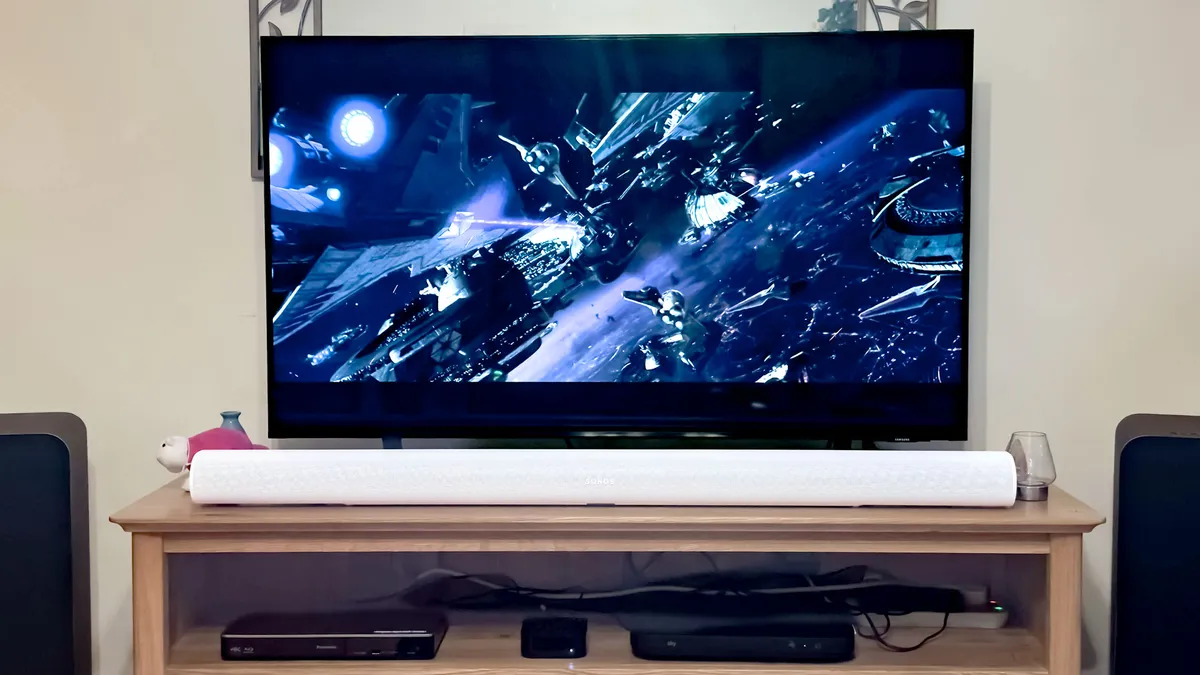
I'd hoped that my Sonos setup would be much easier than it proved to be. After all, previous devices have hooked up without complaint, despite the difficulties that the app has seen over the last, like, year.
Alas, it was not to be. Connecting everything was to be a Sisyphean task, with numerous unpluggings, disconnectings, and even uninstallations to get everything working.
It should be easy. Just a couple of taps in the Sonos app, and you're away. That's how I started. I put the speakers in their spots and pressed the "add as surrounds" button. A quick loading screen later, and I was off to the races — or so I thought.
The surround speakers didn't work. When I tried out some spatial music or watched a Dolby Atmos movie, there was no surround sound. My Era 300s were completely silent. The TruePlay tuning in the app stopped halfway, never to get to the surround speaker part.

I tried everything I could think of. I power cycled the Era 300s, the soundbar, and the sub. I tried uninstalling the application and then re-logging in again. I tried each device separately to make sure they were working. They were — so why on earth would they not connect together so that I can watch Star Wars: Episode III in glorious Dolby Atmos?
For a time, I gave up. The Era 300s sat in their surround spots, ready for me to make the effort to try again. And then — a revelation. Why not start afresh?
So I started fresh. I disconnected all the Sonos speakers from the power, and reset my internet router. I uninstalled the app and restarted my phone. I was ready to get it all started, from square one.

I reinstalled the Sonos app and signed in. "No Sonos network found" — just what I was hoping for. I started with the Arc Ultra. I factory reset the speaker by holding the Bluetooth button while I plugged it in, waiting for the orange light on the front to pulse green.
A drop of sweat drips from my brow as I watch the connection status bar reach completion. It felt like an eternity, watching it connect everything.
It appeared in the app like a brand new device, and I hooked it up. I did an initial TruePlay tuning, and everything seemed ok. Now for the Subwoofer. Hold down the pairing button, connect the power, and wait for the orange light to turn green. Connect it to the system in the app, and run TruePlay for the soundbar again.
So far, so good.
Now for the bit that gave me issues the first (few) times around. I moved onto the rear surrounds, starting with what would be the rear right. I held the Bluetooth button and connected the power to factory reset it. It appeared in the app, and I set it up like a normal speaker. A quick TruePlay tuning later, and it's working as a smart speaker.
But not like a surround. Not yet.

Things so far are looking good, but until Anakin is wheeling around my head in his Jedi Starfighter, we're not done. I applied the same process to the final speaker in the system — hold the Bluetooth button, and plug it in. Wait for that green light, and set up the speaker in the app.
I ran TruePlay on the second Era 300. I'm getting ever more nervous as I am excited. I've been at it for hours, days even, and I'm nearly there. It might work.
Now for the crucial part: adding the speakers as surrounds. There's a quick button in the app labelled "add Sonos Era 300 as surrounds." I tap it. I select the speaker making noise to tell the system which speaker is left and which is right. I've been here before, but things feel different now.
A drop of sweat drips from my brow as I watch the connection status bar reach completion. It could have been hours, days, weeks, or even years before that bar finalized. It felt like an eternity, watching it connect everything.

And then — success. "Surrounds connected," the app tells me. But it's the power on/confirmation/triumphant jingle that rings from every speaker in the room that says my gambit has paid off.
It works. One nerve wracking TruePlay setup later, and we're away. Was it one of the most painful setups I've ever dragged myself through? 100%. Was it worth the effort (and massive expense)? Absolutely.
Worth every drop of sweat (and dollar)

There's very little like a decent Dolby Atmos setup at home. And the full Sonos surround system is, indeed, a decent Dolby Atmos setup. It might not have the ceiling mounted speakers of something even more premium, but it's a great option if you've got a council of deciders to get through.
When tuned with TruePlay properly, the surround sound is epic. Noises that almost came from behind you and around you before now actually sound like they come from all around, immersing you in your favorite movies like little else.
Star Wars Episode III might not be my favorite Star Wars movie, but it's one of my favorite ways to listen to a surround sound setup. That opening scene as Anakin and Obi-Wan plummet through enormous capital ships — you almost have to duck your head as the hot-headed young Jedi almost buries his fighter in the back of your skull.
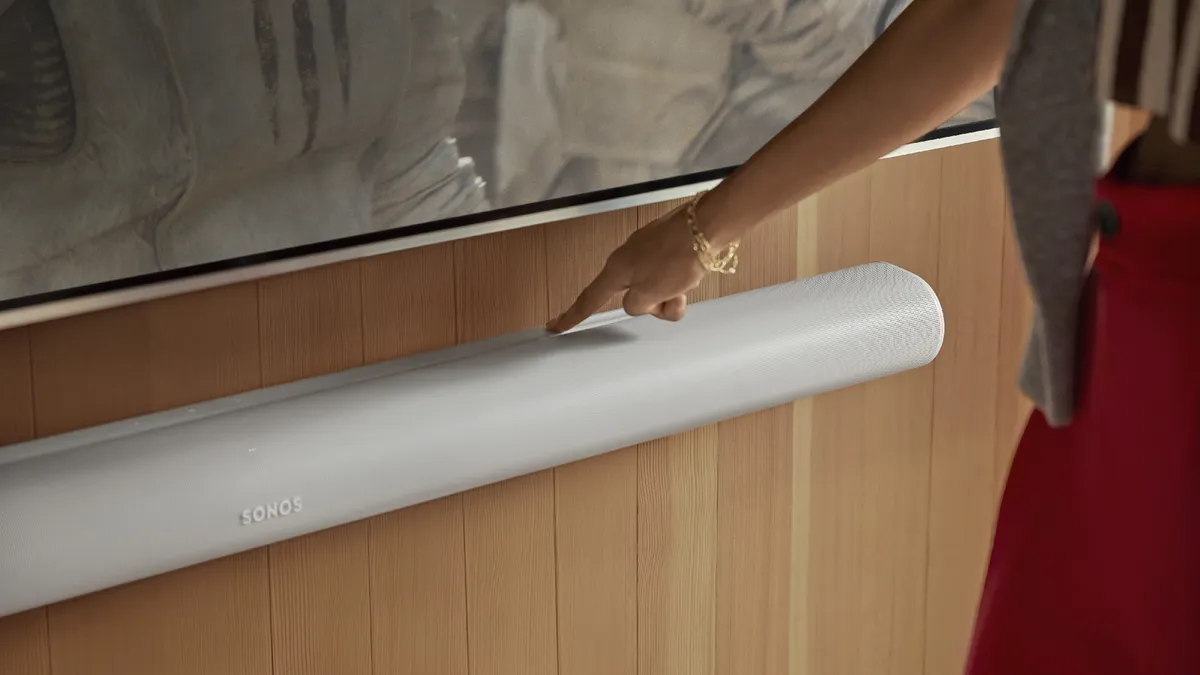
But it's not just surround sound that the setup helps. The speakers taking on some of the load means that there's less for the soundbar at the front to do, so it can focus on the stuff it's really good at. That means the dialogue is noticeably clearer, and movie soundtracks are more immersive.
Explosions feel far more impressive as the whole room is filled with the noise, and bits fly off behind you. Car chases are more immersive as vehicles pass by. It's remarkable just how much of a difference some surround speakers make to the experience.
Look, it's expensive and connecting it all was a massive pain — but the result is the perfect compromise between space used and Dolby Atmos experience. It's well worth it if you've got the dollar — and the time to reset everything in the house.
More from Tom's Guide
- OnePlus 15 vs. OnePlus 15R: All the expected differences
- 3 top new shows I'd stream this week on Netflix and Prime Video (Dec. 15-21)
- ‘It: Welcome to Derry’ finale cements the show as my favorite of 2025 — here are the 5 best things about episode 8

Follow Tom's Guide on Google News and add us as a preferred source to get our up-to-date news, analysis, and reviews in your feeds.

