







The good thing about the best TVs under $1,000 is they're not really a compromise anymore. That kind of money sounds like a lot, but in TV terms, it's about mid-range, as most sets from the larger brands can cost upwards of several thousand dollars.
But not many manufacturers actually launch TVs for under $1,000. Instead, they release premium models which drop in price as new versions get released. That's why so many of the best TVs under $1,000 are actually last year's sets.
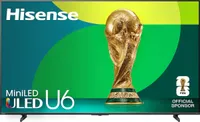
And if you look at my favorite one right now, the Hisense U75QG, it's a fantastic TV. It's impressively bright, is great for gamers with four HDMI 2.1 slots and 165Hz refresh rate, and runs Google TV, which is easy to use, quick to navigate and has loads of apps.
Though, like I said earlier, I know $1,000 isn't exactly cheap, so if you want to bring the cost down even more, the Hisense QD7 is just over $500 for the 65-inch model yet is a versatile all-rounder that can handle colors, dark scenes, and gaming.
Best TVs under $1,000 available right now
Why you can trust Tom's Guide Our writers and editors spend hours analyzing and reviewing products, services, and apps to help find what's best for you. Find out more about how we test, analyze, and rate.
Best TV under $1,000 overall


The Hisense U75QG is easily the best TV under $1,000 right now. Even at its launch price ($1,500) it was great value, but even better now the cost has almost halved. There's a lot to like about the price, but even if you don't factor that in, this is an impressive TV that outshines (in every sense) the competition.
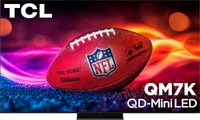
Our lab testing showed that its four times brighter than the TCL QM7K in HDR, and more than four times brighter than the Hisense QD7 in SDR. It's not that those TVs aren't bright, but more that the U75QG achieves levels that punch well above what you'd expect at this price.
Which makes this model a great choice for brighter rooms or those bathed in sunlight. It does have an anti-glare coating, which also helps deal with well-lit spaces, but while testing the TV at home, we did find it struggled a bit in direct light. It's not necessarily a problem, but worth considering depending on where you want to put the TV.
Plus, the U75QG really makes colors pop and all the various shades of black seem like staring into the abyss. This was particularly noticeable in films like "The Batman" and "Blade Runner 2049." The latter movie also has plenty of color, which looked vibrant in all the right places. As did pretty much everything in “The Super Mario Bros Movie."
What surprised us most was the fun we had gaming on this TV. It's increasingly common to find cheaper TVs that work well for gamers, but rarely are they as well-equipped as the U75QG, with its four HDMI 2.1 ports, 165Hz refresh rate for console and PC gaming and 9.8ms input latency for fast-paced games.
And unlike many TVs in this price range (looking at you, Hisense QD7), it doesn't run Amazon's Fire TV software. Instead, Hisense loaded this model with Google TV, which is fast, easy to navigate and offers greater flexibility and customisation. When the only downside is that the screen can be slightly reflective, you know you're onto a winner.
- Read our full Hisense U75QG review
Best TV under $500


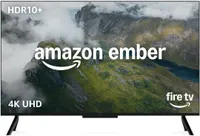
The Hisense QD7 isn't just one of the best TVs under $1,000, it's also the best TV under $500 right now. It's an incredibly affordable option and with so few compromises, that it's almost too easy for me to recommend. The only thing holding it back is that, unlike the Hisense U75QG, it comes with Amazon's Fire TV interface.
What we liked the most about the QD7 is how it handles colors. The TV uses quantum dot crystals to absorb some of the backlight and emit it as green and red light to improve the picture's vibrancy, and it does a very good job of this. The LEDs are individually controllable too, which means the TV can dim the image in specific areas.
This local dimming helped a lot when we tried watching "Stranger Things" and "Dune" which both have dark and shadowy moments and still looked vibrantly detailed and meant you could actually see what was going on in these scenes. This ability to handle shadows and contrast makes the TV a good option for sport too.
We did find that it struggled a bit with fast-paced action, but after switching on motion smoothing, it did a pretty good job of keeping up with everything going on in the game. So if you need a budget-friendly option to watch this fall's sporting events, the QD7 is a good choice.
The only downside is that Hisense installed our least favorite software, Amazon Fire TV. It's slow, hard to navigate and forces Amazon's products and ads to the forefront. But this is a frustration, and shouldn't put you off this otherwise fantastic TV. After all, once you've installed your streaming apps, you'll barely need the Fire TV interface.
- Read our full Hisense QD7 review
Also tested
How we test the best TVs under $1,000
We test the best TVs under $1,000 the same way we review all TVs, by using them. But the process is split in two parts; lab testing and real-world use at home. Each model we review is delivered to our lab first for objective, consistent testing to industry standards.
The reason we test TVs like this is because it makes it easier to compare between models when we have data to go on, but also it helps us check whether the TV really holds up to what the manufacturers claim in areas light brightness and input lag.
Once we have all the data we can fit in a spreadsheet, we send the TVs to our homes and set it up just like you would. This is where we get to see what the set is like in the real world in bright rooms with glare, dark spaces at night and when watching TV shows, movies or playing games.
We also check to see how the TV handles bright spaces and sunny rooms. We have lab data for peak brightness, but that only tells part of the story. The way the set uses dimming, quantum dots, panel technologies and anti-glare coatings can all make the real-world experience a lot different than the data might suggest.
How to choose the best TV under $1,000
To put together this list of the best TVs under $1,000, I focused on 65-inch models. This is the size we generally test and they're also the most popular. But before you start to dig into which set to buy, you should be thinking about choosing the perfect TV size for your room.
This way, if it looks like you could use a smaller model in your space, then you can save more money on one of the sets I've recommended, or pick up a model that's usually above $1,000 for the 65-inch version, but under for the 55-inch.
It's also a good idea to look primarily at last year's models. Generally, TVs are launched at much higher prices and quite quickly come down in price. Like other areas of consumer tech, each annual upgrade is iterative, so the 2025 roster has very similar performance to the 2026 range, but for a lot less money.
Once you're settled on a size and era, then you want to work out what you want to use your new TV for. If it's movies, then you need a model that'll handle dark blacks (those favored by modern filmmakers) and contrast well. Often at this price, that'll be a set with quantum dots to improve color performance.
For gaming, focus on the refresh rate (above 120Hz, ideally 144Hz) and a TV with two or more HDMI 2.1 ports for low-lag console and PC gaming. And for those into sports, a higher refresh rate is also better as it means the TV can handle the fast-paced action without blurring or choppiness.
If you plan to put your TV in a bright room, then factor in how the TV handles brightness. We lab test each set, so our reviews have independent brightness results, and features like local dimming and individually controllable LEDs make a big difference too, since the TV can adjust the brightness in specific areas as needed.

