




Don't settle for your laptop's camera for video calls or recordings any longer! The best webcams today are here to save your look from a shady, grainy mess, and they can do a whole lot more than make you look your finest.
From 4K shooters to PTZ (pan-tilt-zoom) cameras that can automatically track you on the go, my team of experts and I have tested hundreds of webcams over the years, and we've seen the huge benefits they bring to important work meetings, content creation and more.
After reviewing all the major players, we're major fans of the Insta360 Link 2C, with its super-crisp 4K resolution, features and decent pricing. But there's plenty more from Logitech, Anker, Obsbot and more that may suit your setup even better. So, let's dive in to help you find a webcam that ticks all the right boxes for you.

After traveling the world and needing to check in with my team via Google Meet, Zoom and everything in between, I knew having a suitable webcam was a priority. That's why my team and I (check us all out in our webcam selfies) have done the testing to find the finest shooters for your setup. Having good image quality goes a long way, but I've found the best webcams go the extra mile.
The best webcams you can buy today
Why you can trust Tom's Guide Our writers and editors spend hours analyzing and reviewing products, services, and apps to help find what's best for you. Find out more about how we test, analyze, and rate.
The best webcam overall
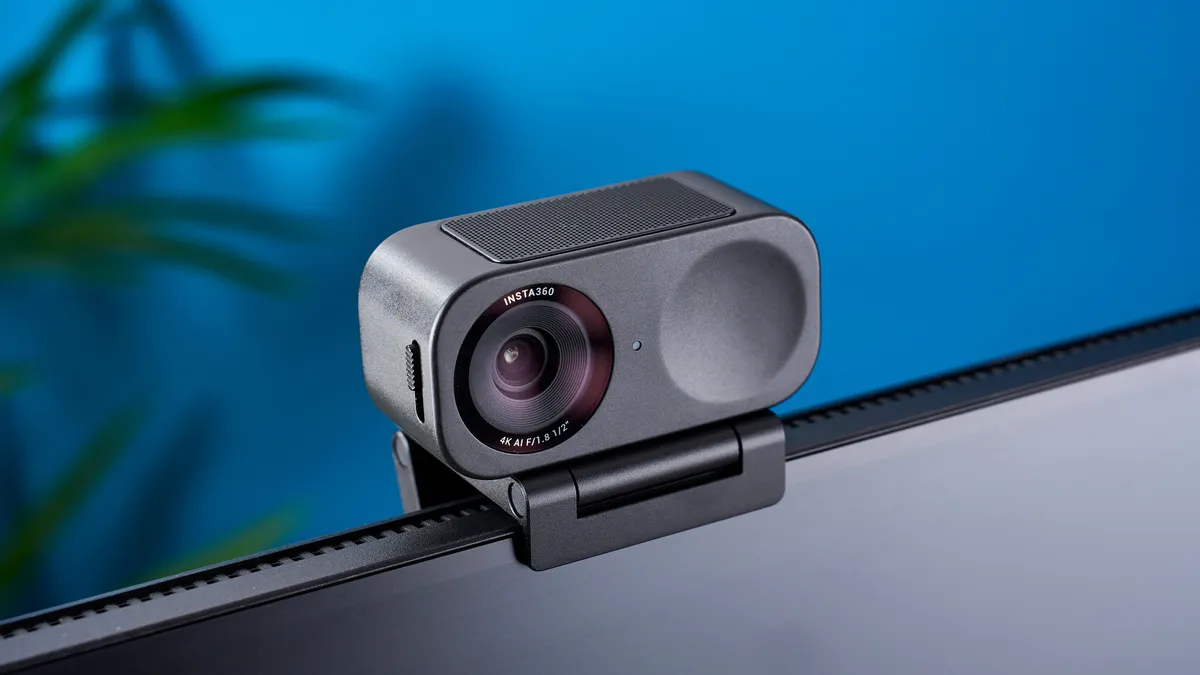


Who is the Insta360 Link 2C for?
If you're in serious need of upgrading your picture quality without breaking the bank, this is one of the best value 4K webcams you can get — perfect for streamers and professionals alike.
Why is this the best overall webcam?
A 4K webcam at $150 would have just been a bit of a joke not that long ago. But here we are in 2024, with incredible picture quality at a supremely good price. Pair that with in depth companion software to tweak that image, and you've got a winner.
What do we like about the Insta360 Link 2C?
👍 Incredible 4K picture: If clarity is the name of the game, than the 4k 30 fps picture the Insta360 Link 2C produces tops the charts. It's phenomenally clear with great color reproduction and solid low light performance too.
👍 In-depth control: Plug and play is a cinch on this camera, but for those who want to make some additional adjustments, the controller software is easy to use with plenty of in-depth options. Plus being able to control the webcam with hand gestures is a nice addition.
👍 Excellent value for money: And even better is that you get all of this capability for $149! It's a compact, lightweight camera you can take anywhere with you — sporting 4K HDR picture quality and plenty of smart capabilities — and it costs a lot less than you'd expect.
What don’t we like about the Insta360 Link 2C?
👎 Use an external microphone: Whether it's a solid external mic for streaming or the mic in your AirPods, the built-in one on here isn't the greatest. It can pick up your voice well, but it can sound a little too compressed.
Insta360 Link 2C: Bottom line
With a sleek, durable and extra-portable build holding the best image quality we've ever seen in a webcam, it's no wonder than Insta360 Link 2C tops our list as the best overall webcam. It's an amazing option whatever your demands are.
- Read our full Insta360 Link 2C review
The best budget webcam


Who is the Anker PowerConf C200 for?
The Anker PowerConf C200 is for those who need to improve their camera quality on a shoestring budget. Usually retailing at around $60, this is quite the bargain when you take into account what it can do!
Why is this the best budget webcam?
There are cheaper webcams that are pretty bad! But the Anker PowerConf C200 gives you an impressive feature set at a super cheap price — a 2K picture quality with great low light performance, an integrated privacy shutter and a tiny design. And even better, it all comes in at just shy of $60.
What do we like about the Anker PowerConf C200?
👍 Solid 2K picture with adjustability: This resolution may not be 4K, but it's still impressively crispy on Zoom calls. Combine that with the adjustable field of view and excellent low-light performance, and you'll see the PowerConf C200 is adaptable to any circumstances.
👍 Integrated privacy shutter: With some websites and apps having odd approaches to privacy settings in terms of when it will and will not use your webcam, an integrated shutter is important. Anker delivers on this in the PowerConf C200.
👍 Amazing price: It's only $60, and even more affordable thanks to sales events and deals (we've seen it go for less than $50).
What don’t we like about the Anker PowerConf C200?
👎 No swiveling: When it comes to angling your webcam correctly, it's good to have a swivel integrated on the mount. The PowerConf C200 doesn't have this, so it can be a little awkward to find the right framing.
Anker PowerConf C200: Bottom line
Dirt cheap, but not bad because of it. The Anker PowerConf C200 is an impressive webcam with strong 2K picture quality and a sleek construction — all at an impressively low price. This is the best cheap webcam for your money.
- Read our full Anker PowerConf C200 review
The best premium webcam


Who is the Obsbot Tiny 3 for?
If you've got the cash and you're after premium picture and video quality, reliable body and object tracking, an extremely portable design and a wealth of customization options, then put the Obsbot Tiny 3 at the top of your wishlist.
Why is this the best premium webcam?
For $349 / £299, the Obsbot Tiny 3 is one pricey 4K PTZ (pan-tilt-zoom) webcam, but you're getting what you pay for. Whether it's clear, 4K video at 30 fps for streaming or shooting content, or fast 1080p at 120 fps for quick video meetings, this shooter will help you look your best for any setting. Oh, and its built-in three-mic system brings clear audio capture.
What do we like about the Obsbot Tiny 3?
👍 The best picture quality in a webcam: Just like its predecessor, the Obsbot Tiny 2, the Tiny 3 offers truly superb 4K image quality, no matter how bright or dim the environment is. Color is accurate, too, but you can even adjust this to what you want in settings.
👍 Like a hawk: Thanks to its AI 2.0 tracking system, the Tiny 3 will automatically pan, tilt and follow you around with perfect accuracy. You can even zoom in, auto-track and more from voice control or with hand gestures.
👍 Tiny and mighty: In such a lightweight, compact design, the Tiny 3 still manages to pack premium features, along with a huge list of customization options to tinker with. For your desk, laptop or to carry around with you, place this tiny webcam anywhere.
What don’t we like about the Obsbot Tiny 3?
👎 Expensive: The Tiny 2 was already expensive at $299, but for $349? That's a lot of cash, and one of the most expensive webcams we've ever tested. At the very least, the camera does come with a lot of benefits.
Obsbot Tiny 3: Bottom line
The Obsbot Tiny 3 continues the company's legacy of delivering stunning image quality, plenty of smart features for tracking and a lengthy list of customization for streamers, content creators and even simple video calls. If you're prepared to spend, you've found yourself a winner.
- Read our full Obsbot Tiny 3 review
The best webcam for streaming


Who is the Razer Kiyo V2 for?
For streamers of all kinds, the Razer Kiyo V2 will capture your content in outstanding 4K quality, with the tools to fine-tune your setup the way you want it. It may be on the pricier side at $149, but the included lifetime license to Camo Studio Pro, a $100 suite of features for professional video tweaking, makes it well worth the price.
Why is this the best streaming webcam?
The Razer Kiyo V2 not only corrects the flaws of the first Razer Kiyo, but also makes this 4K webcam far more versatile. With its Sony STARVIS 1/2.8 sensor providing sharp, highly detailed picture quality, a wider 93-degree field of view that can easily capture your space, quick access to its twistable privacy shutter and universal mounting clip to place it anywhere on your monitor, laptop or desk, this webcam can help you stream your content the way you want. Oh, and it also comes in a fun light pink for a splash of color.
What do we like about the Razer Kiyo V2?
👍 Sharp 4K quality: Thanks to the Sony STARVIS 1/2.8 sensor it boasts, the Kiyo V2 will record clean, detailed video at 30 fps with standout color accuracy. Even better, whether it's in natural light, low-light or no-light settings (with only the glare from a monitor), this webcam will keep you seen.
👍 Multitude of AI features: Streamers will love Razer Synapse and the included Camo Studio Pro, letting you change custom backgrounds on the fly, adjust lighting, apply filters and plenty more. Expect pro-grade configurations to record content for gaming, productivity and anything in between.
👍 Mount anywhere: This time around, the Kiyo V2 comes attached to an adjustable clip that can be mounted on virtually anything, including monitors or laptops, along with a standard universal camera thread that can be used with virtually any camera stand.
What don’t we like about the Razer Kiyo V2?
👎 4K without the speeds: Even at its $149 price, the Kiyo V2 only features 4K resolution at 30 fps, rather than 60 fps like its competitors. You'll have to drop to 1080p quality if you're after speedier 60 fps.
👎 Autofocus is finicky: When testing it out, our reviewer noticed the autofocus function struggled to keep him in focus, which isn't ideal. That said, Razer has rolled out firmware updates that have fixed the issue (for the most part).
Razer Kiyo V2: Bottom line
The Razer Kiyo V2 is the glowing upgrade the first model needed, making this 4K webcam a fine fit for any type of streamer, whether that be for professionals, gamers or other hobbies. It's a shame you're stuck with 30 fps at 4K for its price, but its other streamer-ready features more than make up for it.
- Read our full Razer Kiyo V2 review
The best webcam for professionals


Who is the Insta360 Link 2C Pro for?
The Insta360 Link 2C Pro is the go-to pick for professionals who want to look sharp and stay confident on every video call, whether you're leading client meetings, presenting to a team or hopping on a daily meet.
Why is this the best webcam for professionals?
Yes, that price may sting a little, but the Insta360 Link 2C Pro is more than worth the investment. It nails the basics with crisp 4K resolution at 30fps and dual native ISO, so even when the lighting isn't perfect, your image stays clear and detailed. Essentially, you don't have to think twice about grain or awkward shadows undermining what's important: you and your all-important presentation! Plus, smart modes like AI framing, Smart Whiteboard, DeskView, and Virtual Background make it easy to adapt on the fly, so you can move, point, or switch between face and desk views without fussing over camera settings.
What do we like about the Insta360 Link 2C Pro?
👍 Exceptional 4K image quality: The Link 2C Pro delivers crisp 4K/30fps video (along with other handy options like 1080p/60fps and lower), plus dual native ISO for low-light reliability, which translates to you always looking professional, no matter your lighting setup.
👍 Actually helpful AI modes: Smart modes like AI framing, DeskView and Virtual Background make it easy to switch between face, desk and presentation views without fiddling with settings.
👍 Dead-simple setup and security: The adjustable magnetic mount snaps onto any monitor or laptop securely, and the manual privacy switch means you can block the lens in seconds.
What don’t we like about the Insta360 Link 2C Pro?
👎 No gimbal here: While still great for framing, the 2C Pro lacks the motorized gimbal of pricier models, and that can limit its tracking versatility for presenters who walk or move around a lot.
Insta360 Link 2C Pro: Bottom line
If you need a webcam that keeps you looking and sounding polished, with smart features designed for real working pros, the Insta360 Link 2C Pro is easily the best all-around tool for the job. Workers at home or in the office, this is the webcam for you.
- Read our full Insta360 Link 2C Pro review
The best webcam for game streaming
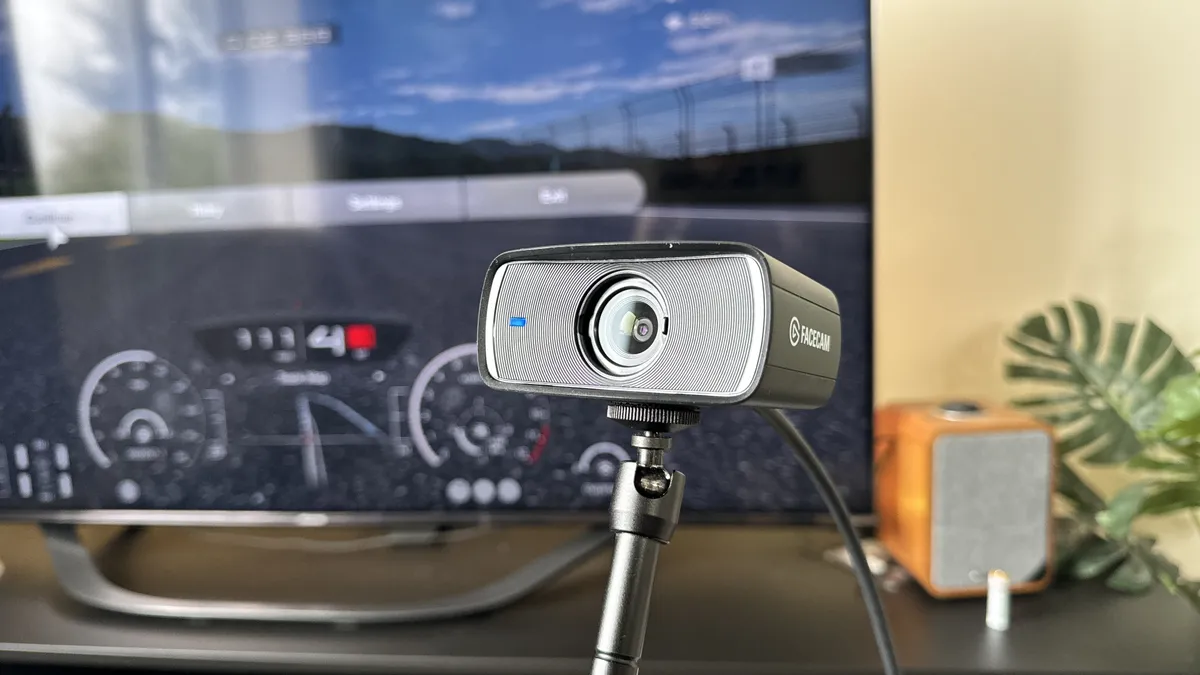


Who is the Elgato Facecam MK.2 for?
This is for the streaming enthusiasts. As an all-in-one suite for providing a crispy and smooth picture, this is a great option for boosting your stream quality.
Why is this the best game streaming webcam?
The Facecam MK.2 is an amazing webcam for game streamers — packing a 1080p picture with up to 120 fps fluidity, a comprehensive editing suite with built-in storage to save your settings directly to the camera, and a versatile hardware construction to be fitted into your setup.
What do we like about the Elgato Facecam MK.2?
👍 Crispy and smooth picture quality: 1080p may sound lower in quality than the other options above, but its what Elgato does with this that matters. A wide open 1/ 2.5" Sony STARVIS CMOS sensor with Elgato's Prime Lens optics makes for an impeccable crispiness and color — even in low light. And on top of that, you can get up to 120 fps for some slow motion fun.
👍 Integrated privacy shutter: Once again, for those conscious about privacy, the FaceCam has a privacy shutter. Instead of it being a simple detachable cover you'd probably lose, this one is integrated into the sleek design.
👍 DSLR levels of customization: Provided you know what you're doing, and you know your apertures from your f-stops, you can use the super in-depth settings to really boost that image quality based on your surroundings and lighting.
What don’t we like about the Elgato Facecam MK.2?
👎 No built-in microphone: As a streamer, I know you're going to be bringing your own microphone to the party anyway. But for those clutch moments where you need to take a quick call, there's no built-in mic on the FaceCam.
Elgato Facecam MK.2: Bottom line
For enthusiasts and pros alike, the Elgato FaceCam MK.2 is a seriously impressive piece of kit for upgrading how you look on stream — fluid enough to keep up in real-time with 60 fps gameplay with plenty of customization.
- Read our full Elgato Facecam MK.2 review
The best webcam for laptops


Who is the Obsbot Meet Flip for?
One of the tiniest webcams we've tested is the perfect solution to give laptop users 4K camera quality instead of looking like a grainy potato. The Obsbot Meet Flip is all about portability and simplicity. It's highly portable and, in our hands-on testing, setting it up was as painless as plugging it in and getting on with your day.
Why is this the best laptop webcam?
Image quality is where the Obsbot Meet Flip pulls ahead of any built-in cam on laptops. It shoots in 4K at 30 frames per second, and our reviewer, Ashley, immediately noticed the jump: calls looked crisp, smooth and professional, even in less-than-ideal lighting. Plus, it's so light (at just 1.3 ounces) and small, it doesn't weigh down the screen at all, and you simply need to flip it down for privacy. If you're after a webcam that actually makes you look good on the move, this is it.
What do we like about the Obsbot Meet Flip?
👍 A seamless portable webcam upgrade: The Obsbot Meet Flip comes in at 1.8 x 1.6 x 0.7 inches and weighs 1.3 ounces, and that's just perfect for tossing in your laptop bag and taking anywhere you work.
👍 Looking sharp in 4K: Its 4K at 30 fps image is a clear upgrade from your built-in webcam. So, expect crisp, professional visuals.
👍 Just flip it: The flip-to-privacy lens lets you instantly shut off the camera by folding it down — no menu-diving required. That also makes it easy to adjust angles, and you'll find plenty of special effects and more in the companion software app.
What don’t we like about the Obsbot Meet Flip?
👎 Microphone could be better: It doesn't surprise us with a webcam this size, but the built-in microphone left us disappointed despite its many audio modes. But it's still decent enough to be clear on video calls.
👎 Tracking isn't on point: While you can enable auto-tracking, you need to be in its field of view, so don't expect it to follow you around the room if you're moving around.
Obsbot Meet Flip: Bottom line
If you're a laptop-first worker who wants a portable, hassle-free 4K upgrade with real privacy controls, the Obsbot Meet Flip is the best fit we’ve tested. For just over $100, it delivers pro-level clarity with the convenience and portability laptop users need. It may not have the best microphone, but for everyday work calls, this does the trick.
- Read our full Obsbot Meet Flip review
The best Logitech webcam


Who is the Logitech MX Brio 705 for?
Anyone who needs to improve their camera quality for an at-home work setup or in the office. We just wouldn’t recommend this for people on the go with their webcam, as it is a little heavy.
Why is this the best Logitech webcam?
The $199 price tag sounds steep, but for a 4K camera that is not only customizable but can also use AI to ensure a perfect picture throughout calls is totally ideal.
What do we like about the Logitech MX Brio 705?
👍 It's easy to set up: It looks sleek with a premium feel and is super easy to set up, and the companion app makes the whole experience even easier to manage. All you have to do is plug it in via a USB-C cable, and you are good to go.
👍 AI-enhanced images: The webcam does a great job of making sure all aspects of the field are evenly lit, and it uses AI to do this. The auto-white balance, noise reduction and autofocus all mean that you don’t have to mess around to get the perfect setup. But if you did want to, you can use the companion app,
What don’t we like about the Logitech MX Brio 705?
👎 Heats up with extended use: While it didn’t hinder the performance of the camera, it became warm to the touch after 30 minutes, so when most online meetings exceed 60 minutes, it’s something to take into consideration.
👎 Heavy: It comes with the territory of a premium build, but at 174 grams, the Logitech MX BRIO 705 is on the heavier side. It is supported well by the mount, but it’s not very easily transportable if you are a hybrid worker.
Logitech MX Brio 705: Bottom line
If you need something for an at-home office set up that is going to be sturdy and reliable, then this is the webcam for you. Just be mindful that if you’re using it for extended periods, it will start to heat up.
- Read our full Logitech MX Brio 705 review
The best 4K webcam


Who is the Obsbot Meet 4K for?
If your primary concern is a 4K picture, this is the webcam to get — a tiny product with big implications on crispy, smooth imagery.
Why is this the best 4K webcam?
No frills and no gimmicks, the Obsbot Meet 4K webcam is a stellar option for seriously upping your image quality during meetings. With compatibility in OBS and video call apps, a versatile magnet attachment and head tracking, this brings a lot to the table.
What do we like about the Obsbot Meet 4K?
👍 Amazing picture in a small package: At just 2 x 1 inches in size, you'd be surprised at the gorgeous 4K picture this can produce. It's crystal clear, can do auto framing via the gimbal, and you can do some touching up including custom backgrounds.
👍 Magnetic attachment brings a lot to the table: The magnetic attachment clip means that rather than being limited to just a clip fixed to the frame, you can pop it off and stick it on the quarter-inch tripod attachment with ease.
What don’t we like about the Obsbot Meet 4K?
👎 AI features can be gimmicky: AI in cameras can either be quietly useful in the background, or loud and a little gimmicky. In here, we're not entirely sure what the AI is doing with head-tracking, but it can sometimes be slow on the tracking.
Obsbot Meet 4K: Bottom line
With it now coming down in price (around $100), the Obsbot Meet 4K is a great choice with adaptability and a solid picture quality. With customization deep in its software, a magnetic attachment that makes it very versatile and fps settings to alter it just right, you can get a lot done here.
- Read our full Obsbot Meet 4K review
The best webcam for conference calls


Who is the Insta360 Connect for?
If you find yourself video conferencing more often than not and want to include all other coworkers on your team in meeting rooms or lecture theaters, then the Insta360 Connect is the webcam for you.
Why is this the best webcam for conference calls?
The Insta360 Connect sports a high-quality 4K resolution at 30 frames per second, 14 mics with a 33-foot range, AI auto-tracking with a 3x digital zoom and a massive 110-degree horizontal field of view. All of this is primed for meetings, briefings and more, making this the go-to cam for video conferences.
What do we like about the Insta360 Connect?
👍 Excellent 4K video quality: With its sharp 4K video at 30 frames per second, expect rich details and colors on anything this cam captures. Forget any grainy images, as this cam will make anyone look their sharpest.
👍 Fantastic mics: There are an impressive 14 beamforming microphones on the Insta360 Connect, and you bet it does a fantastic job at picking up everyone’s voice and minimizing ambient sound. Plus, speaker tracking is on point.
👍 Always a whiteboard: If it recognizes a whiteboard, this cam will always make sure it's in view, even if it gets blocked. It actually makes the person blocking the whiteboard transparent, all to make sure notes aren't missed.
What don’t we like about the Insta360 Connect?
👎 Very expensive: At $2,000 / £2,000, the Insta360 Connect clearly isn't aimed at everyone, especially for those who often head into meetings by themselves. That's understandable, but even just for video conferencing, it's a pricey product.
Insta360 Connect: Bottom line
The Insta360 Connect offers impressive 4K video quality, mics and AI auto-tracking that's second to none, easily making it one of the best webcams around, but only if you intend to use it for video conferencing in office spaces or similar settings.
- Read our full Insta360 Connect review
Also tested
The webcams above represent the cream of the crop in their respective categories, but they're far from the only snappers we've tested here at Tom's Guide. There are many quality cams we've reviewed that are still well worth considering, and you can check out others we've recently tested to see if they fit your needs instead.
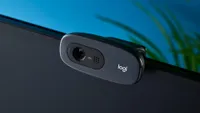
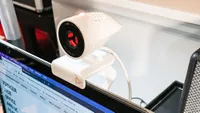
Webcam image quality compared
The most important feature of any webcam is image quality. Whether it be 4K, 1080p or less, if a camera doesn't capture what you want to show in fine detail and good lighting, then it's not worth it. No one wants to look like a pixelated potato, after all.
To give you a brief look at the image quality of each webcam we've picked, check out the selfies of all of Tom's Guide's esteemed team of reviewers below, taken on each webcam. Slide through to see each image.


How to choose the best webcam for you
As you can see, there are many webcams for different needs. If all you need is a decent shooter for video calls, you won't have to spend much on a webcam. However, for higher visual quality and features that are specific to streaming and content creation, it's best to keep these factors in mind:
- Video Resolution: This comes down to four main resolutions: 720p, 1080p, 1440p and 4K. Most budget webcams can stream at 720p, but be warned, you'll look very grainy. So we recommend the next step up, 1080p cameras like the Elgato Facecam MK.2. These are usually best for consumers as they hit the sweet spot, but for high-quality video, grab a 4K webcam like the Insta360 Link 2C or Obsbot Tiny 3. Expect to pay over $100 for these, though.
- Field of View: If you only need a webcam to stream video of yourself, then you can get away with a webcam that has a fairly narrow field of view; most models have about an 80-degree FOV. If you need a webcam for a group setting, you'll want one with a wider FOV, such as the Insta360 Connect, which has a 110-degree FOV.
- Microphones: One microphone on a webcam will do most people just fine. However, if you work in a noisier environment, you'll want a webcam with two or more microphones, as well as software that can help isolate your voice from the sounds all around you. Otherwise, invest in one of the best microphones.
- Extra features: It’s also worth considering any special features a webcam has. For example, some will have a built-in ring light, making it ideal for folks who are recording in low-light rooms and don’t have one of the best ring lights handy.
Best Webcams: Frequently Asked Questions
What is a good webcam brand?
There are several, quite frankly. As you can plainly see from the way the list above has been compiled, Logitech is on fire when it comes to consistently producing some of the very best webcams around. That doesn't mean you have to go the Logi route, though. Insta360, Anker and Dell all make excellent webcams that are well worth considering, too.

Do I need a 4K webcam?
The short answer? Probably not. 4K webcams are generally a lot more expensive than their 1080p equivalents, and unless you find yourself in scenarios where you regularly need to view yourself in 4K, you're better off saving your money and going with a lower resolution cam. Of course, if you're a content creator on YouTube or Twitch and regularly stream the best PS5 games that often output at 2160p, their Quality modes, then a 4K cam could be worth considering.

Can I use my phone as a webcam?
You sure can! There are multiple ways to use your phone as a webcam, thanks to third-party software that syncs your smartphone to your PC. Here's how to use your phone as a webcam when you're really in a pinch.
How we tested these webcams

To find out which are the best webcams, we put them through a series of tests in our home office:
- First, we see how easy they are to set up and how well they sit on top of our laptop and monitors.
- Next, we evaluate the performance of their cameras in varying lighting conditions; after all, not everyone has the best ring lights in their home office. We look to see how well the camera captures our face, how detailed the image is, and how it reacts if we move around the room.
- Audio is just as important, so we test the camera's microphone by talking with others while we have background noise, be it a TV or music.
- We also look at the software that comes with the camera (if any). How intuitive is it, and what sort of things does it let us do with the camera?
- After that, we take the camera's price into consideration to see if its performance and features are a good value.
Today's best webcam deals
For an easy way to save on your webcam purchase, check out our guides on the best Anker discount codes, Logitech promo codes, and Elgato coupon codes.
