




Hackers may get all the headlines but real world scammers can be just as dangerous — if not more so — especially when the end result is the same. After spending the last decade writing about cyberattacks, data breaches, spyware and malware, I now find myself looking over my shoulder in the real world just as much as I do online.
Cybersecurity is something most people take for granted until after an attack. However, I wouldn’t be writing this story now if I hadn’t fully immersed myself in it back when I was first starting out. I too was ignorant about all of the ways hackers can get their foot in the door, from carefully crafted phishing emails to malicious browser extensions. By writing about the latest online scams and every other way hackers try to con you out of your hard-earned cash, I was able to quickly educate myself on the matter.
After all these years covering cybersecurity, I’ve developed what I like to call an appropriate sense of paranoia online. However, what I wasn’t expecting was for this newfound knowledge to bleed over into the real world the way it has. Here are the three real-world threats that concern me the most along with the steps I take each day to avoid them.
The (almost) invisible hack

Unless you’re shopping on Amazon or another major online retailer, you probably carefully look over everything at an online store before inputting your credit card information. And if you don’t, you absolutely should.
Since smaller online stores can still look suspicious even when they’re not, I often use PayPal to buy things from them or if that’s not an option, my credit card. The reason being is that both payment methods make it easy to get a refund if something is off.
Now in the real world, I doubt others are this careful when swiping, inserting or tapping their card. Let’s say you’re in a rush and pop into a gas station to quickly buy something. You probably just pay with your card and go without the same checks you’d run through if you were buying something online.
Well, you definitely want to be careful when paying with your card or going to an ATM in the real world. The reason? Credit card skimmers. These small electronic devices are molded to look like part of the machine, overlaid on top of a legitimate card reader to steal your data. They are designed to be forgotten the moment you walk away.
Sure, you may notice suspicious charges on your statement later, but by then the damage is done. While these devices were once the hallmark of "sketchy" gas stations, they’ve become sophisticated enough to hide in plain sight at even the busiest terminals.
To avoid this threat entirely, I always fill up my tank at the same place: Costco. Not only do they have cameras everywhere but there are also attendants on hand that would easily recognize and stop someone trying to tamper with one of their credit card readers.
I’m fortunate enough to live 10 minutes away from a Costco but if you don’t, I’d recommend getting your gas at Sam’s Club or other big chains instead of going to a random gas station. You will need to be a bit more methodical about when and where you fill up your gas tank but this extra planning sure beats having your card info stolen and misused.
Losing it all for a charge

In the same way that you should plan out how you’re going to fill up your gas tank before it’s empty, you should absolutely do something similar with your smartphone and laptop. Although it’s a much newer threat, juice jacking is used to steal the data on your devices in a similar way to how a credit card skimmer steals your card details.
Unlike with older barrel port-style charging connectors, when charging devices using modern USB cables, that cord is capable of carrying both power and data. Although you’ll likely use your own charging cable, the same can’t be said for the port you’re plugging it into.
These days, malls, airports and other public places often have free charging stations available but I wouldn’t risk using one. Like a credit card reader, the ports on these charging stations can be compromised which allows them to pair with your device. From there, the person who set up this bad port can do all sorts of malicious things like stealing sensitive data such as photos, contacts and messages from your phone or laptop or they could even install a keylogger to constantly monitor exactly what you’re typing.
Just as hackers instill a sense of urgency in their phishing emails, real-world attackers use the fact that your phone with 2% battery left will be enough to make you take risks you normally wouldn’t otherwise. For this reason, if I know I’ll be far from a wall outlet for a long time, I bring one of the best power banks with me.
Lugging around a power bank might seem inconvenient but if you can recharge your devices without the data on them potentially being stolen, it’s absolutely worth it. This isn’t just for your phone though as there are now larger power banks that can charge both your phone and your laptop simultaneously. If you don’t have one yet, they’re a great investment, both for situations like this and for power outages.
The network anyone can join
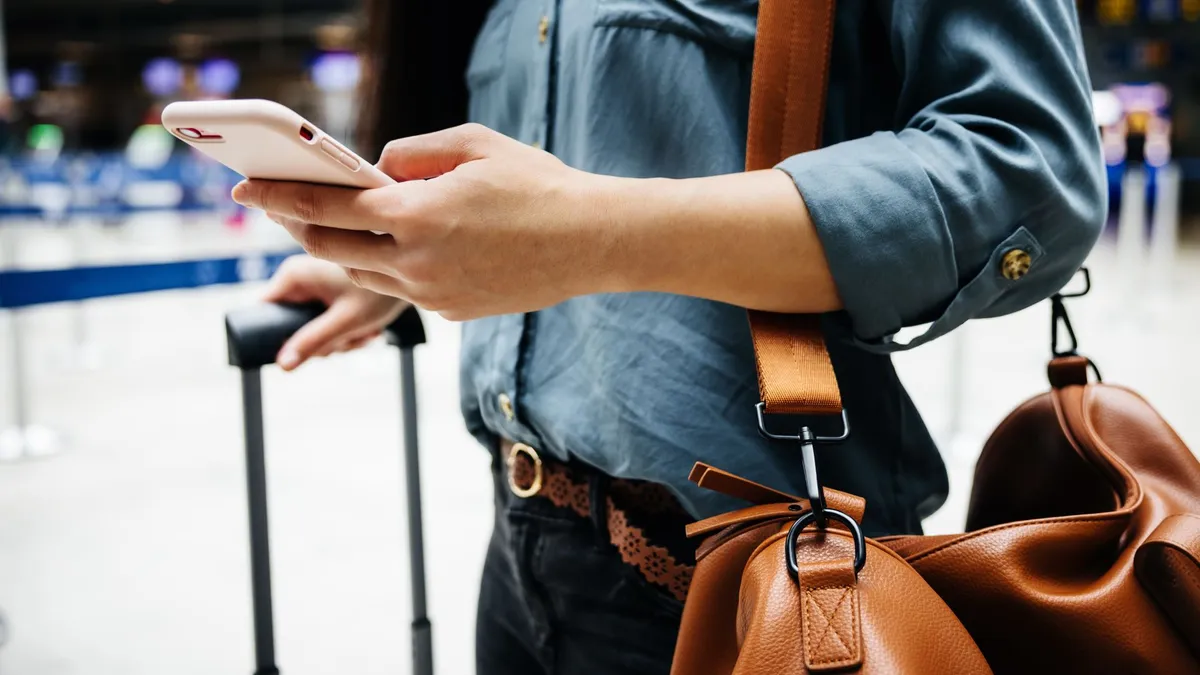
When someone comes over to your house, do you immediately get them connected to your Wi-Fi network? Probably not, and if you do let them get online, the best way to do so is by creating a separate guest network. While people are protective about their home networks, they often don’t apply this same level of critical thinking when connecting to Wi-Fi networks when they’re out and about.
Joining a public Wi-Fi network at the mall or the airport likely won’t cost you a thing. However, you do end up paying in the form of unnecessary risk. When you connect to one, you’re putting the data you send and receive on your smartphone or laptop in jeopodardy.
One of the most common ways hackers can get you on public Wi-Fi is through Man-in-the-Middle attacks where they intercept the traffic passing between your device and the gateway you’re connected to. Likewise, enterprising attackers can also set up what’s known as evil twin hotspots. These have the same or similar names as legitimate public Wi-Fi networks but are designed to steal your data.
Now I know the age-old advice: just use one of the best VPNs to encrypt your data when connected to public Wi-Fi. However, I like to take things a step further by not using these kinds of networks at all. Instead, I just rely on my mobile data. Even if I do end up going over my data allowance for the month, paying extra is far better than potentially getting hacked.
When I do need to get online quickly and don’t have mobile data to fall back on, I avoid opening banking apps or sending anything too sensitive. One trick I always use when traveling is just to buy a country-specific SIM card the moment I step off the plane — or better yet, getting one before I even head to the airport. This is also one of the reasons I make sure to pick up one of the best phones with dual SIM slots. That way, I can have both my regular SIM card and one for traveling installed in my phone at the same time.
Blurring the line between hackers and scammers
Major data breaches and cyberattacks will always get the most attention online and rightfully so. However, by being overly focused on the next big attack, you could potentially miss one happening right before your eyes in the real world.
When I cover cybersecurity news, I always make it a point to stress that everyone should be working to improve their cyber hygiene. This means educating yourself about the latest attacks and scams while also taking steps to lock down your digital security. From using one of the best password managers to ensuring you have the best antivirus software installed and up to date on all of your devices, there’s a lot you can do. However, physical security and the risks you take in the real world are just as important.
I have to admit that if I hadn’t started writing about hackers all those years ago, I probably wouldn’t know nearly as much as I do about credit card skimmers, juice jacking and the dangers of public Wi-Fi. Learning how cybercriminals carry out their attacks or pull off their online scams has opened my eyes to the fact that there are just as many dangers in the physical world as there are in the digital one.
I doubt you’ll follow my advice word for word and copy everything I do to stay safe in both worlds, but if you spend a few extra seconds examining the next credit card reader you use, that’s a start.

Follow Tom's Guide on Google News and add us as a preferred source to get our up-to-date news, analysis, and reviews in your feeds.
More from Tom's Guide
- 22.6 million hit in massive Aflac data breach with IDs, SSNs, healthcare info and more exposed
- 5 steps to safer social media in 2026: The settings you should enable right now
- That mystery gift might be a scam: What brushing scams are and what to do about them

