
 Club Benefits





If there's one thing I always recommend to my fellow drivers, it's a dashcam. While it might not do much to prevent accidents in the first place, it does act as a secondary insurance policy should things get a little more drawn out and annoying. After all, there's not much you can say in the face of a video with evidence of your misdeeds — or indeed, the lack thereof.
Any dash cam is better than no dash cam, but there are some features you'll want to make sure you get the most out of it. Clear, high-definition footage is important so you can make out license plates and the like. Something easy to fit is always a bonus. There are other features out there, but they are by no means necessary. Some have cameras for the car interior, and some even feature voice control.

Best overall


If you're looking for a dash cam packed with smart features that still delivers incredible video footage, look no further than the Nextbase iQ. This all-in-one solution has just about everything you'd need to protect yourself and your car from whatever happens when you're out on the road.
Advanced features include a proximity radar that powers advanced parking mode and can detect intrusions or people hanging around near your parked car. Witness Mode is also capable of contacting a nominated contact, so they can see a live video feed of whatever is happening after an incident. There are also voice commands, automatic incident recording, emergency SOS and a feature that watches out for obstructions in the road ahead.
The Nextbase iQ is expensive, and the optional subscriptions can push up that price even further. Thankfully, you're not locked into a single model, since Nextbase offers 1080p, 2K and 4K options at various price points.
- Read our full Nextbase iQ dash cam review
Best affordable dash cam
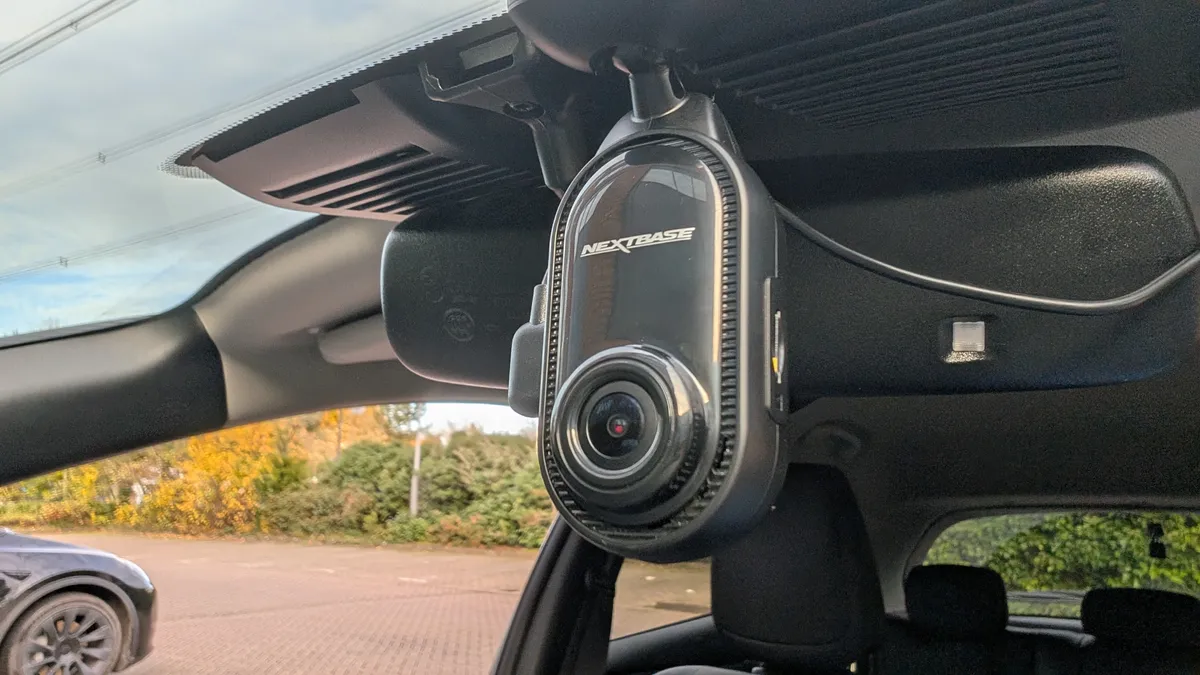

The Nextbase Piqo isn't as feature-rich as the Nextbase iQ, but it certainly takes a lot of inspiration from the flagship dash cam — at a fraction of the cost. There's no LTE connection, but it does offer impressive features like live streaming incidents to trusted contacts and reporting accidents to emergency services if you're incapacitated.
Personally, I was a little disappointed with the video quality at 1080p resolution, and the night vision is far from perfect. But the 2K models offer some impressive video quality that should prove more than enough to cover all the driving you do. Plus, there are voice commands that help you switch smarter features on and off with a single command
But really, the biggest strength is its design. The Nextbase Piqo is small and sleek enough that you probably won't even notice it on your windscreen. Which means you can forget about it and focus on what really matters — driving.
- Read our full Nextbase Piqo review
Best multi-view dash cam

Anyone wanting maximum visibility who isn't bothered as much about video quality should head straight for the Vantrue N5S. It levels up the three-camera system of the N4 Pro to a four-camera system by adding an additional cabin camera, giving you two cabin cameras, a front, and a rear camera. All can record simultaneously for a near-360-degree view.
The drawback here is that the extra camera comes at the expense of video quality. There's no option for 4K/60fps recording (although an N5S Pro model could change that) and the front unit is quite bulky and tricky to install. But if you can overlook those niggles you'll find a solid package with plenty of bells and whistles. There's voice control and the N5S is one of the few dash cams to include Wide Dynamic Range (WDR), which improves overall image contrast.
Naturally, the N5S carries a G-sensor, which detects impacts, saving a recording of around 40 seconds before and 20 seconds after an incident. There's also a parking mode that will help you with motion and collision detection. Vantrue doesn't include a microSD card or polarising filters, which is a shame. But the four-camera system does what it promises and eliminates blind spots in its coverage, whether from chunky A-pillars, headrests, or other passengers.
- Read our full Vantrue N5S review
Best compact dash cam

The Garmin Dash Cam Mini 3 is the perfect camera if you need something simple, without any features that might distract you from the road ahead. As the name suggests, this is a positively tiny dash cam, designed to hide away where you're not going to see it. In fact, you may even forget that it's there.
Video resolution is limited to 1080p, and you're missing out on the advanced features that Garmin dash cams are typically known for. But considering how high-tech modern cars are becoming, there's less and less need for a dash cam that's overly complicated.
The Garmin Dash Cam Mini performs where it counts, though, offering fantastic video and image performance on day and nighttime drives. Which is all you really need from a new dash cam, frankly.
- Read our full Garmin Dash Cam Mini 3 review
Best dash cam for safety
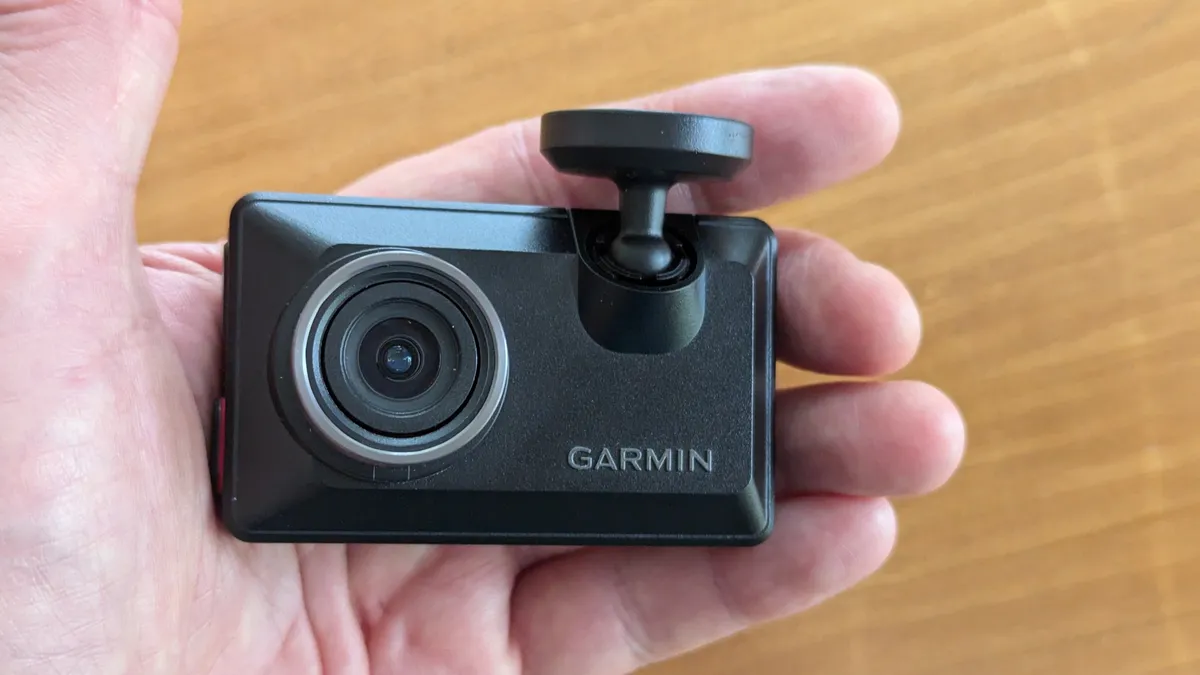
The Garmin X310 dash cam makes a name for itself with its compact design and the ability to record high-quality video without the usual lens glare that can affect some of its rivals. However, it's also capable of offering some incredibly useful safety features, which may be useful for those of you who don't have modern cars.
Like many Garmin dash cams, the X310 offers lane departure warnings, early collision alerts, plus an alert for upcoming red lights. and safety cameras. The downside is that a lot of the X310's power comes from the Garmin Drive app, which requires a $10 a month subscription to get the most out of your camera. But this does come with cloud video storage and a live view mode, which a lot of less expensive dash cams lack.
But subscription or not, the X310 proved easy to install, and produced some excellent videos — aided by the built-in polarizing filter to reduce glare. Our reviewer Brian Nadel found the video he recorded was excellent, with sharp, clear video that lacked irritating pixelization. Not to mention the lifelike colors, which are impressive for such a small camera.
- Read our full Garmin X310 Dash Cam review
Best affordable 4K

If you're on the lookout for a 4K dash cam, you'll find that the models on sale are extremely cheap or extortionately expensive. Cheap models perform ok, but tend to come with compromises that affect video quality. Expensive models offer great video, but the excess of high-tech features means sky-high prices.
Thankfully, the Vantrue E1 Pro manages to offer good quality video without all the fluff — while maintaining an affordable sub-$200 price tag.
The E1 Pro is small enough to hide behind your rear-view mirror and has all the features you'd expect from a modern dash cam. Wi-Fi for speedy video downloads, voice control, GPS, parking mode, and collision detection with adjustable sensitivity. There's also an optional LTE module (this costs extra), and a specialist feature called PlatePix, which analyzes and upscales license plates — one of the hardest things to capture accurately on a dash cam.
Video quality during the day is excellent, and while night recording isn't perfect, the extra contrast from HDR mode really helped bolster the overall quality.
- Read our full Vantrue E1 Pro review
Also tested

Why do you need a dash cam?

Think of a dash cam as a little extra insurance. It's not going to make you a safer driver, although it will encourage safer road habits — those videos can be used against you as much as in your favor. The most important part of their usefulness comes down to helping insurers work out who was at fault during an accident.
To that end, some insurers even offer lower rates if you've got a dash cam fitted. That's a big bonus as the world becomes ever more expensive.
Some of the more expensive options even act like security cameras for your car, tracking who comes and goes from your vehicle.
What to look for in a dash cam

Dash cams come in countless different shapes and sizes, with each model offering different hardware specs, features and price tags. Before you commit to buying a specific dash cam, you should first figure out what you want it for.
At their most basic level, dash cams record everything that happens while you're driving. But at the other end of that spectrum, dash cams also offer useful driver safety features. Those aren't necessary, but they could potentially be very useful.
Camera & video quality
By far the most important thing to consider when buying a dash cam is the camera quality. This goes way beyond picking up a model with the best resolution; it's about that camera being able to pick up important details in a variety of conditions.
It's no good having a dash cam that only picks up license plate numbers in conditions you may only get for an hour or so each day. Your dash cam needs to be able to pick up and record those details, no matter what, day or night, rain or shine.
Better resolution can help, but it isn't guaranteed, so you also want to be on the lookout for dash cams that support features like HDR and offer better low-light performance. A higher field of view is also beneficial if it's on offer, since it allows the camera to see more. But generally speaking, most dash cams are designed to cover everything that happens on the other side of your windshield.

Storage
Something you probably didn't really think about, storage is especially important for dash cams. Continuously recording footage takes up a lot of space, and the 32GB microSD card that came with that cheap dash cam isn't going to last long. Assuming it even came with one.
There are two things you need to know first. Dash cams will overwrite old footage as new stuff is recorded, and that means you need to be aware that those saved recordings are not permanent. However, a lot of dash cams do have features that automatically preserve recordings whenever it thinks there's been an accident. These features aren't foolproof, though.
So you need to make sure that any dash cam you buy either has high storage capacity or microSD expansion. That way, you don't need to worry about preserving every last bit of important footage. Just remember that you will need a higher-end card with faster read/write speeds.

Features
You'll be hard-pressed to find a dash cam that doesn't include GPS these days. The benefit of this is that the camera can record exactly where a piece of video was recorded, and in many instances, how fast you were going at the time.
Some dash cams also feature parking features, designed to record what happens if someone hits your car when the engine is switched off. These generally mean hardwiring your camera into the car, either through the fuse box or the OBD port, and that requires a little more effort than simply plugging into your cigarette lighter.
Other notable features available include additional reversible camera lenses, the ability to connect to other cameras, cloud storage and, of course, voice controls. These can typically be found on a variety of dash cams at different price points.
Safety & connectivity
The most high-end dash cams also come with features you won't find elsewhere, relating to safety and connectivity. These are especially useful in older cars that don't offer these kinds of features.
In some cases, these features include low-level advanced driver assistance systems (ADAS) like lane departure warnings and alerts if there's a stationary vehicle ahead. Other companies offer emergency SOS systems, livestreaming capabilities, or geolocation options that alert you if your car leaves a specific area.
How we test dash cams
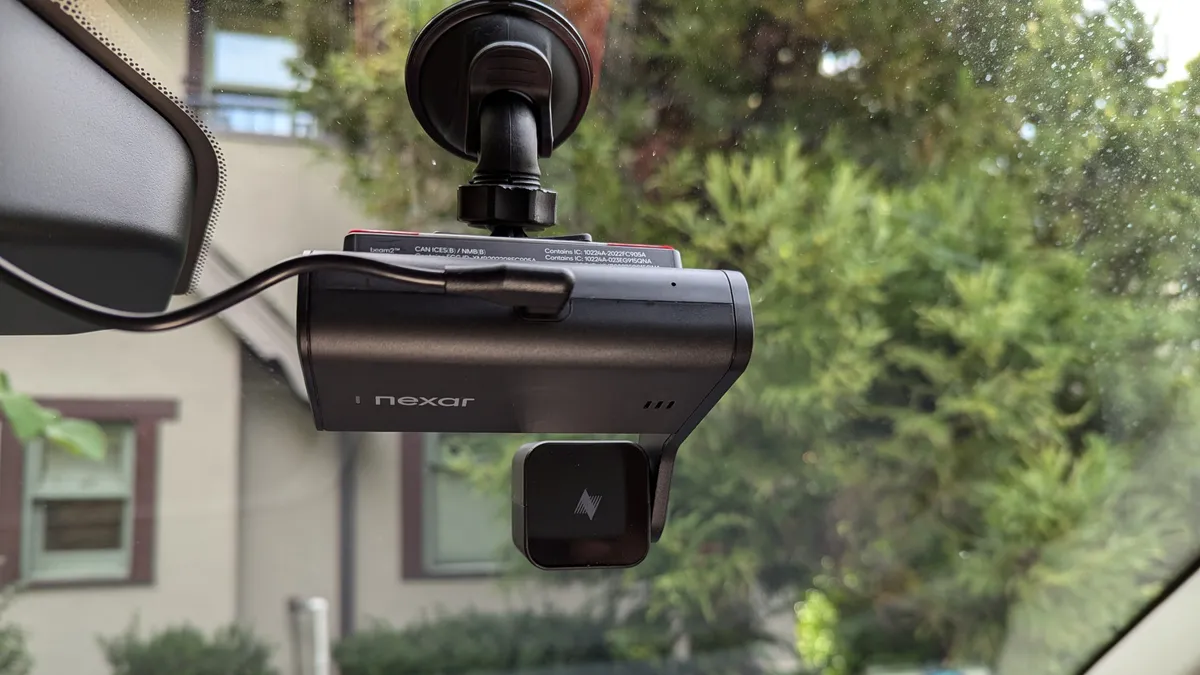
Every dash cam you see in this list has been tested and reviewed to ensure that the best dash cams really are the best. We look at every step involved in owning a dash cam, from setting up all the way to actually having to pull your footage from the memory card.
The testing begins by setting up the camera, and judging it depending on how easy or difficult the whole process is. We also spend extensive time on the road, day and night, to collect footage and make an informed judgment on how each camera performs in a variety of real-world conditions.
We also assess each camera's design and companion software (if it has any) throughout this process, and assess what impact it has on day-to-day use. Finally, we collect the footage from the camera, which can be via a companion app or by manually transferring the microSD card to a different machine. The ease or difficulty with which this happens also factors into our final score, as do any additional features the camera may or may not have.

