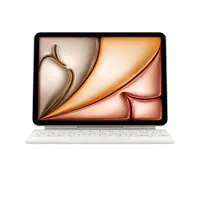
If you’re looking for the best iPad, we have your back. We’ve reviewed all the latest models, from the entry-level $349 iPad 11 to the $1,299 13-inch iPad Pro M5. We test each iPad in the lab — including performance, display and battery — and evaluate real-world performance using each model as our everyday tablet.
Based on our in-depth reviews, I recommend the 11-inch iPad Air M4 as the best iPad for most people since it hits the sweet spot for price and performance, and gives you many features of the powerful iPad Pro for hundreds of dollars less. For those on a budget, I recommend the aforementioned iPad 11.
The iPad mini 7 is the perfect tablet for those who want the iPad experience but in a more portable size. Power users should opt for the iPad Pro M5, which sports a gorgeous tandem OLED display, a powerful M5 chip, and comes in 11- and 13-inch variants.
Recently, Apple launched the new iPadOS 27 software in beta. By installing that beta, you can check out Siri AI, updated parental controls and improvements to the Liquid Glass interface design. And since new iPads have had their prices increased by $100 - $200 depending on the model, you may think twice about upgrading and look to update your existing model's OS instead.
Now, let's dive into all the best iPads you can buy right now.

Tony Polanco is a Senior Writer for Tom's Guide and a lifelong techy. Though he likes all tablets (even Android ones), iPads hold a special place in his transistor-filled heart. Tony likes watching video podcasts on a 13-inch iPad Pro M5 while eating dinner and reading manga on an iPad mini 7 just before bed. Tony couldn't imagine life without iPads.
The best iPads you can buy today
Why you can trust Tom's Guide Our writers and editors spend hours analyzing and reviewing products, services, and apps to help find what's best for you. Find out more about how we test, analyze, and rate.
The best iPad overall


The 11-inch iPad Air M4 easily pushes its way to the top spot as the best iPad for most, considering it now delivers speedy M4 power, upgraded 12GB RAM and Wi-Fi 7 connectivity for the same $599 price as the previous M3 model. Whether it's for browsing the web and watching shows, for some on-the-go work or some gaming, this tablet finds the right balance between affordability and performance.
Now with the might of M4, the iPad Air offers a notable performance boost, making it the most powerful Air to date. With 12GB of memory onboard, that also makes it even better for video editing and gaming, as it can better handle multitasking without breaking much of a sweat (this is a MacBook chip, after all).
Otherwise, expect the same features we loved from past Air models carried over: the same sharp, vivid visuals with its Liquid Retina display, along with that slim and lightweight design that is comfortable to hold for hours. Oh, and the 12MP cameras are always a nice bonus.
Sure, it's more of a spec bump as we've come to know, but that doesn't take away from how far the iPad Air has come in sheer performance. We would have loved to see Face ID make an appearance, along with a boost in battery life and a more affordable Magic keyboard, but this is still the best iPad (and tablet) for most.
Read our full iPad Air M4 review.
The best budget iPad


The latest iPad 11 may not be a huge departure from the previous iPad 10, nor does it come with the premium features you’ll find on the iPad Air or iPad Pro with Mac-level performance. But it’s hard to deny the value you can get from Apple’s cheapest tablet.
Boasting the same sleek and slim lightweight design as its predecessor's exciting refresh, this portable tablet pushes its entry-level roots further with significantly improved performance thanks to its A16 upgrade. From juggling windows in iPadOS 26 to playing impressive titles like Destiny: Rising, the iPad 11 can handle the demands of most.
Throw in its longer-lasting battery life (it even beats the iPad Air M3 and iPad mini 7), fantastic 11-inch Liquid Retina (2360 x 1640) display for smooth, detailed visuals and larger 128GB base storage space, and the iPad 11 makes for a worthy tablet for most. Just take note, it’s not compatible with Apple Intelligence, and only supports Apple Pencil (USB-C) — no Apple Pencil Pro support, disappointingly. Still, not bad for its $349 starting price.
But if all you need from a portable tablet is to browse through websites, watch videos or shows on the best streaming services and play some mobile-friendly games, the base iPad achieves all that and more for less.
Read our full iPad 11 review.
The best iPad for performance

Conversations about whether or not the iPad Pro can replace your laptop have been going on for years, but the iPad Pro 2025 might finally end such discussions. If you’re looking for an absolute powerhouse tablet that can rival a laptop’s performance, battery life and display quality, this is the slate for you.
This is now my favorite iPad. The main draw is still the stunning 13-inch tandem OLED panel, with its inky blacks, vivid color, bright whites and overall sharp 2752 x 2064 resolution. I’m not being hyperbolic when I say this tablet’s display is every bit as good or better than many of the OLED laptops I’ve reviewed. It’s truly a sight to behold.
The Apple M5 processor might be overkill for a tablet, but that laptop-like performance is what makes this worth considering as a laptop replacement. Whether it’s something demanding like exporting large video files or simpler tasks like web browsing, the iPad Pro M5 can handle just about anything you throw at it, even gaming.
To use the iPad Pro M5 as a laptop replacement, you’ll need the Magic Keyboard. Unfortunately, that peripheral costs a hefty $349 for the model compatible with the 13-inch iPad Pro. And if you want the Apple Pencil Pro, that’s an additional $129. Considering how this 13-inch tablet starts at $1,299, the costly peripherals will put a bigger dent in your wallet.
Though expensive, the iPad Pro M5 is worth it if you want a device that functions as both a laptop and a tablet. And even if you don’t, that gorgeous screen could be worth the asking price.
Read our full iPad Pro M5 review
The best small iPad
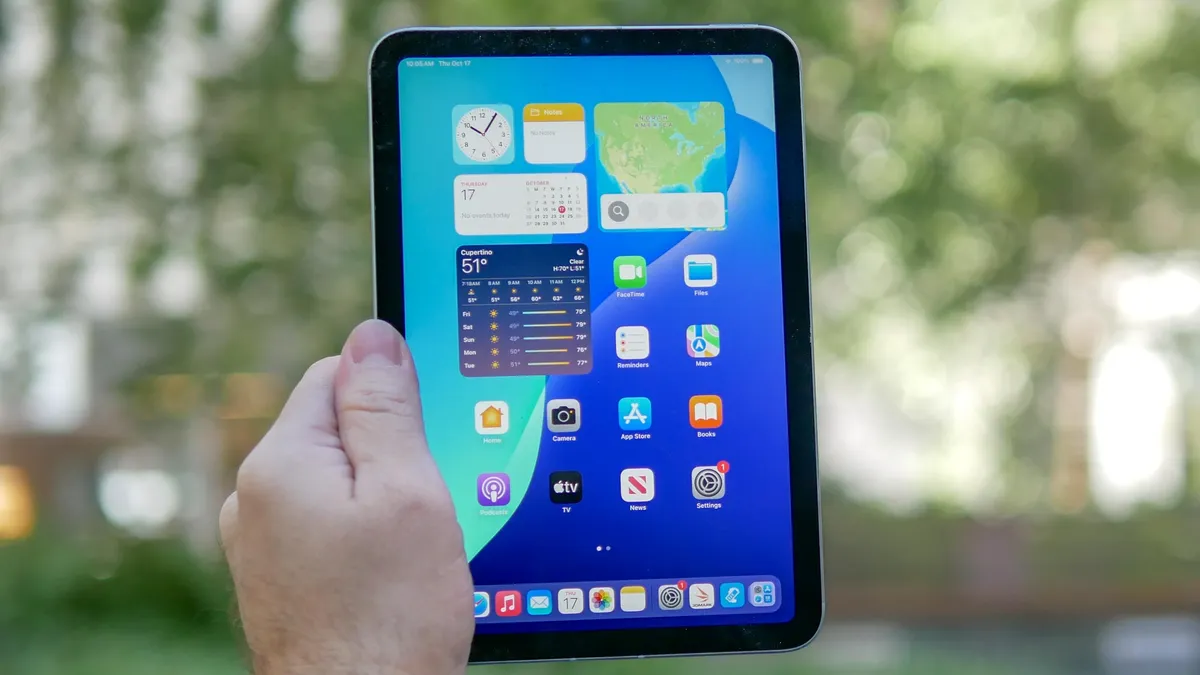
All iPads are relatively easy to travel with but the iPad mini 7 is the ideal tablet for when you're out and about due to its small size, light weight and durable design. In my opinion, it's the best iPad for reading novels and manga.
This is the most portable and lightweight iPad available, offering many of the same features as its bigger and stronger siblings. It has the iPad Air's thin bezels, flat-edged design, and support for the Apple Pencil Pro and Apple Pencil USB-C. Its A17 Pro CPU is blazing-fast and its battery life is shockingly good for a small tablet. This tablet is a small wonder, to be sure.
Thanks to that A17 Pro chip, the new iPad mini is nearly 25% faster than its predecessor. You can have multiple tabs open and have a video running and this tablet will keep on chugging. It’s also capable of playing graphically demanding games like Resident Evil 4 and Assassin’s Creed Mirage at steady frame rates. And with iPadOS 18 installed, you can take advantage of powerful Apple Intelligence features like Writing Tools.
Though I’m a big fan of the previous model, the new iPad mini 7 improves on it in meaningful ways. Sure, I wish the front camera was landscape-oriented and that the tablet supported Apple Pencil 2, but these flaws don’t detract from what is an otherwise fantastic device. Considering it has the same starting price as its predecessor, the iPad mini 7 is a no-brainer for those who want the iPad experience in a smaller form.
Read our full iPad mini 7 review.
How to choose the best iPad for you
I hope the choices above have helped you decide which iPad to get. But if you want more to consider, there are a few key questions you can ask yourself to further hone in on the best iPad for you.
How do you plan to use this iPad? Is it mostly going to stay within easy reach of the couch and be used primarily for light entertainment like browsing Wikipedia, watching YouTube videos, or reading comics? Then you don’t need something as powerful as an iPad Pro. You’ll be perfectly happy with either model of the iPad Air. Heck, even the base iPad will suffice.
However, if you need a tablet for creative purposes or even to act as a laptop replacement (which requires the pricey Magic Keyboard), you should consider the premium-priced iPad Pro with M5. Both the current 11-inch and 13-inch models are incredibly performant due to packing Apple's top-of-the-line processor. And if money is no object, the 13-inch model gives you extra screen space.
How much storage do you need? You can’t upgrade an iPad’s storage after you’ve purchased it, so it’s good to know how much you’ll need beforehand. If you plan to store a good amount of high-res videos and apps on your iPad, then the 128GB of storage the base iPad starts with might not be enough, though you can upgrade to 512GB. The iPad Air and iPad Pro start with 128GB and 256GB (respectively) and you can upgrade to as much as 1TB to 2TB (respectively). The iPad mini 7 starts with 128GB and you can upgrade up to 512GB.
Do you want cellular connectivity? Having an iPad that can access cellular data networks really improves your quality of life by letting you use Internet-reliant apps wherever you can get a signal. However, if you're not planning on taking your iPad on the go, you'll probably be just fine with a simple Wi-Fi-only model.
How we test iPads
We put the iPads we review through the same lab tests as the best iPhones, the best laptops—focusing on overall performance, display quality and battery life. Below is a quick summary of what each test is for:
- Performance: We use benchmarks such as Geekbench to test overall CPU performance, 3D Mark for 3D graphics, and Adobe Premiere Rush for video editing.
- Display: We use colorimeters and light meters to measure how colorful and bright these tablets’ screens can get. We measure both SDR and HDR brightness in nits, color representation in sRGB and DCI-P3 color gamuts (closer to 100% is best), and Delta-E for color accuracy (closer to 0 is best).
- Battery test: Our in-house battery test, which times how long it takes — while surfing the web with brightness at 150 nits — to drain a tablet of a charge.
After that, we do the same things you do — browse the web, watch YouTube, play games, compose emails — and then a lot more. We try and write some (or all) of our tablet reviews on the tablets we're testing, on an attachable keyboard if possible. Nobody wants to write a magnum opus on a glass screen, after all (though no judgment if you do!).
iPad benchmarks compared
Knowing how our tests work and what we test for, here’s a table summarizing how the iPads on this list compare to one another in performance, display quality and battery life. Obviously, numbers don’t tell the entire tale, but they give you a good assessment of what these iPads can do in key performance areas.
Performance
| Header Cell - Column 0 | Geekbench (single/multi-core) |
3D Mark Wild Life Extreme Unlimited (score / fps) |
|---|---|---|
iPad 11 |
2,589 / 6,176 |
2623 / 15 |
iPad mini 7 |
2883 / 7213 |
2446 / 14.6 |
iPad Air M4 |
3745 / 13342 |
6730 / 40.3 |
iPad Pro M5 |
4155 / 1617 |
9934 / 59 |
Display benchmarks
| Header Cell - Column 0 | iPad 11 |
iPad mini 7 |
iPad Air M4 |
iPad Pro M5 |
|---|---|---|---|---|
Nits (brightness) |
506 |
490 |
489 |
561 (SDR) | 965 (HDR) |
sRGB |
108.8% |
107.7% |
116.2% |
116% |
DCI-P3 |
77.1% |
76.3% |
82.3% |
82.1% |
Delta-E |
0.30 |
0.21 |
0.28 |
0.27 |
Battery life
| Header Cell - Column 0 | Time (hours:mins) |
|---|---|
iPad 11 |
11:26 |
iPad mini 7 |
10:36 |
iPad Air M4 |
9:44 |
iPad Pro M4 |
13:18 |
Best iPad apps
The best iPad apps can also make your iPad more useful. There are literally thousands of apps you can try out, which can make searching for apps daunting. But if you know what you intend to use the tablet for, such as for writing, drawing, and editing videos, you’ll have a good place to start.
I’ve listed some iPad apps I personally can’t live without below, but I encourage you to browse the Apple App Store for apps that suit your specific needs.
- Kindle for iPad (for reading books and comics purchased on Amazon)
- YouTube for iPad (for watching YouTube videos, naturally)
- Spotify (for music and podcasts)
- Google Chrome for iPad (for web-browsing)
- Alexa (to control my Alexa-supporting devices
Best iPad accessories
iPads work well on their own, but you can get even more use out of them with some handy accessories.
The best iPad cases are a good place to start since you’ll want to protect your iPad against accidents. If you want to use your iPad as a laptop replacement, you’ll definitely need an Apple Magic Keyboard. Lastly, you should get an Apple Pencil — or one of the best Apple Pencil alternatives if you want to write or draw on your iPad. And, if you really want to use your iPad as a laptop replacement, you’ll need one of the best iPad keyboards.
Here are some iPad accessories worth investing in, both from Apple and from trusted third-party retailers.