Tom's Guide Verdict
The Google Nest Doorbell is an excellent smart video doorbell with 2K resolution and handy AI tools. However you’ll have to pay to access most of its best new features.
Pros
- +
Sleek design
- +
Good video quality
- +
App works well
- +
Helpful AI features
Cons
- -
Subscription necessary
- -
Wired only for now
- -
No battery backup
Why you can trust Tom's Guide Our writers and editors spend hours analyzing and reviewing products, services, and apps to help find what's best for you. Find out more about how we test, analyze, and rate.
Size: 5.2 x 1.7 x 1.1 inches
Video resolution: 2048 x 2048, 30 FPS
Field of view: 166º diagonal
Aspect ratio: 3:4
Night vision: Up to 10 feet/ 6 four 850 nm infrared LEDs
Wireless: 802.11ac (2.4 GHz and 5 GHz) Wi-Fi, Bluetooth Low Energy
Power: 16–24VAC, 10–40VA, 50/60Hz
We all knew it was coming, but Google is finally giving its smart home devices the AI treatment. One of the first is the 3rd-gen Google Nest Doorbell that Google says has been designed for the new AI-based Gemini for Home platform. These new smarts allow it to better recognize who or what is at the door, and make it easier for you to find the footage you’re looking for.
On top of the AI features, however, the new Nest Doorbell offers a range of other improvements, including a higher 2K resolution camera with a wider field of view. Does it solidify its status as the best video doorbell out there right now, or should you go for one of the increasing number of competitors that also offer AI-enhanced capabilities?
Nest Doorbell (wired, 3rd gen): Price & availability
As mentioned, only the wired model of the Google Nest Doorbell has been refreshed. The Google Nest Doorbell (wired, 3rd gen) costs $179.99. It's available right now from Google directly or from participating third-party retailers. It comes in three colors, including Snow, Hazel, and Linen.
Nest Doorbell (wired, 3rd gen) review: Design & setup
The newest Nest Doorbell may not look all that different from its predecessors, but that’s not a bad thing. The design of the device is modern and premium, without being over the top.

The device features a large camera module at the top of the front, and a large button below. I've been testing the Linen colorway which, despite its bland name, actually looks quite sophisticated against most home exteriors.
The construction of the device feels mostly solid too, despite the fact that it's largely made from plastic. And, it has an IP65 rating that ensures it should be able to withstand most weather conditions, including heavy rain.

As the name suggests, this is a wired model (Google hasn't updated its wireless model with the new sensor and features), and installation requires a 16-24VAC, 10-40VA transformer. If you're comfortable with wiring low-voltage doorbell wires the process is simple, but if not you should probably get an electrician to help you. The entire installation process took me about 10 minutes, which included screwing the baseplate to the exterior wall and connecting the wires. Google includes an angled mounting wedge in the box for situations where you need to adjust the viewing angle.
After physically installing the device, you'll add it to the Google Home app, which was also simple and quick. All you'll really need to do is scan the QR code on the device itself or on the quick start guide in the box, then follow the on-screen instructions to connect the device to your Wi-Fi network and wider Google Home setup. This will include setting up a subscription, if you want one, though you don't have to set one up.

The doorbell doesn't include a separate chime unit, instead relying on your existing mechanical doorbell chime or Google smart speakers throughout your home. This keeps the package simple but means you'll need alternative solutions if you don't have existing chimes or smart speakers.
Nest Doorbell (wired, 3rd gen): Video & audio quality
Overall, the video and audio quality from the Google Nest Doorbell is very good. Sure, there are competitors that offer a higher resolution than 2K (such as the 4K Ring Wired Doorbell Pro), but as a whole, I found the video to look detailed and sharp.

In the Google Home app you can pinch to zoom to up to 6x digital zoom, and while footage zoomed at 6x is obviously less detailed, it could come in handy for getting a better look at far-away objects. You can set your preferred zoom level as the default video view too, which is a handy feature for when you want to cut out, for example, a wall near your door that you don't need to monitor.
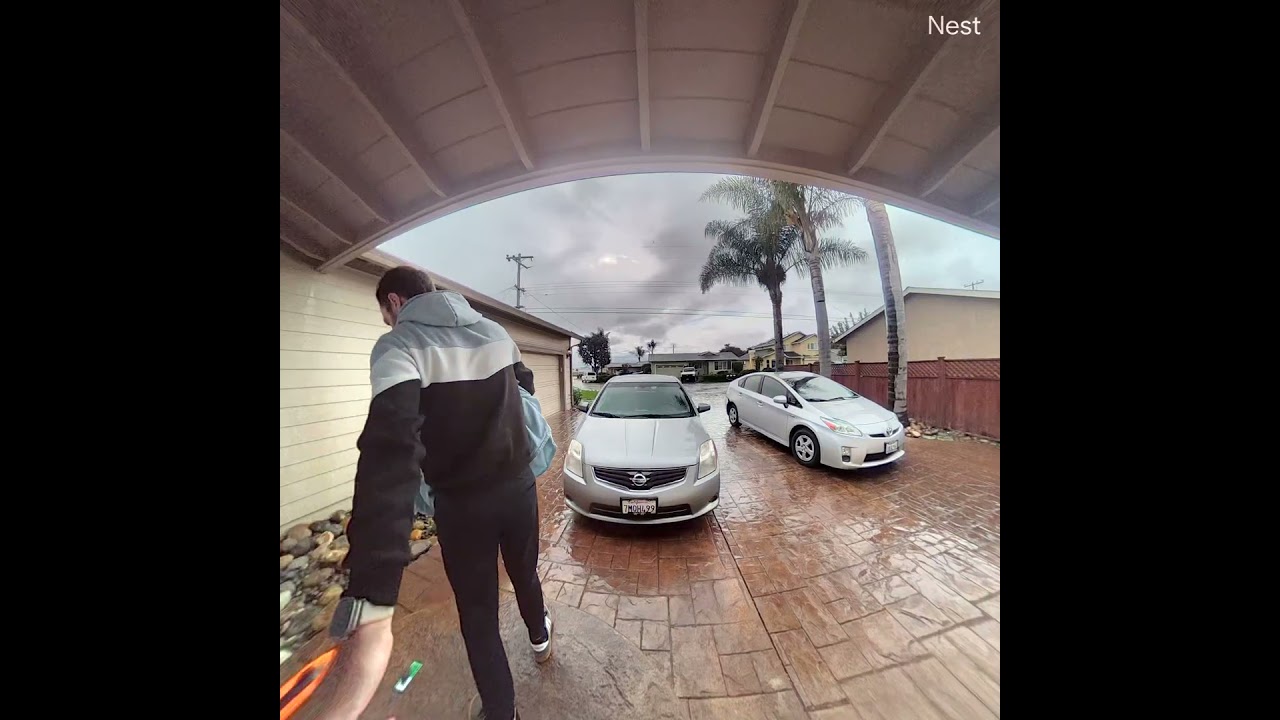
The doorbell has a 166-degree diagonal field of view, and with its square sensor, it's wide enough to see things like packages, even if they're directly below it. It's not without a trade-off though -- there's a noticeable fisheye look to footage. I don't mind this -- and I find it easily worth it for the ability to get package detection and have a better view of your entryway.
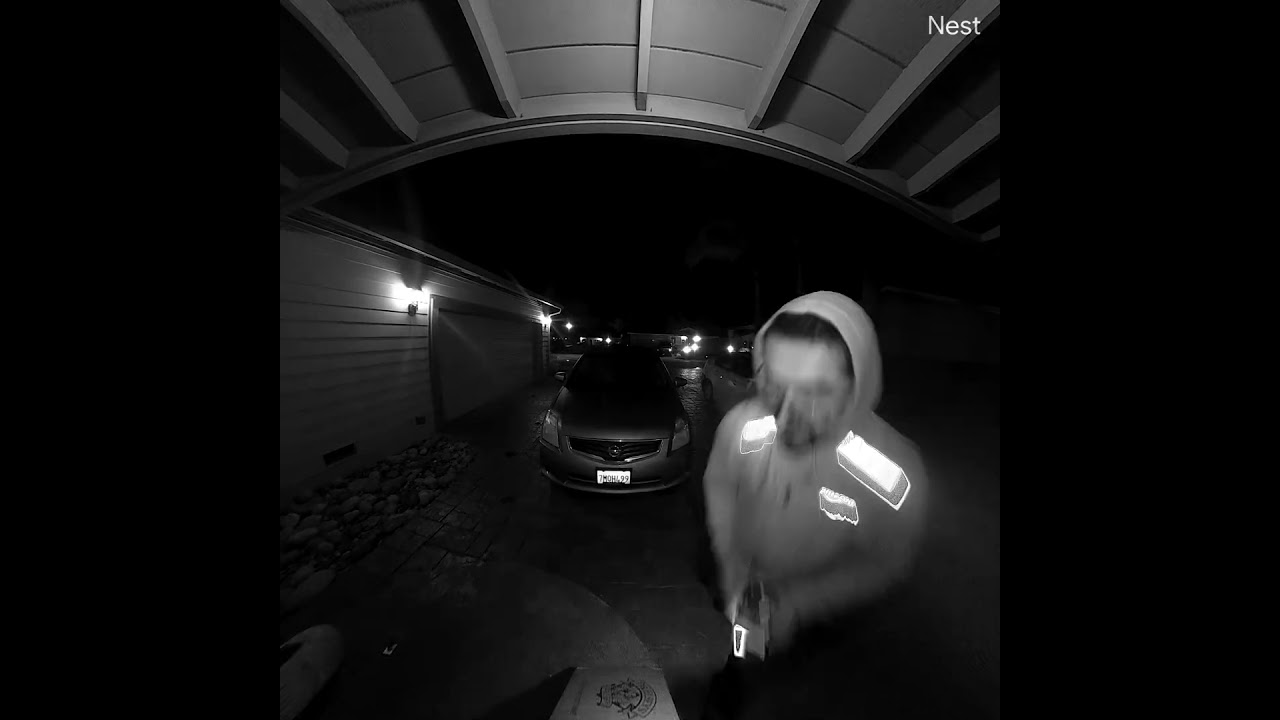
HDR performance was quite good, even in more challenging lighting conditions. With bright driveway lights at night, the camera managed to maintain detail in both the illuminated areas and shadows without excessive blow-out, and without switching over to infrared. When lighting is low enough, it will leverage its infrared LEDs to capture footage (there's no built-in light for color night vision), and this can provide black and white visibility up to 10 feet. Despite the lack of color night vision, the black-and-white footage generally looked crisp.
The full-duplex two-way audio with noise cancellation works reliably well too. The microphone picked up visitor voices clearly, and the speaker projected my voice loud enough for easy conversation. Wind noise is effectively minimized, which isn't always the case on outdoor cameras.
Nest Doorbell (wired, 3rd gen): App & AI features
The Google Home app, which recently underwent a significant redesign, serves as the control center for the doorbell and generally works well. The interface is clean and intuitive, making it easy to view live footage, review recorded events, and adjust settings.

The headline new features, however, come through the new AI integration, which is powered by Gemini. I've found these features to be genuinely quite helpful. Gemini will create natural language descriptions of captured events, and you can then use it to search through videos more easily, without having to scroll endlessly through footage. It can also create a daily "Home Brief," which gives you an overview of happenings from the day before, using data from all your connected devices that can work with Gemini. These briefs may not be all that useful unless something happens that you weren't aware of, but they were still kind of cool to look at. Maybe the novelty will wear off over time.
Gemini wasn't always accurate. It sometimes failed to recognize me or other people in my home, despite having been told who I or they were earlier. This isn't a huge issue — you can always simply look at footage to see who was at the door.

Notifications for both motion detection and doorbell presses arrived almost instantly during testing. When someone rings the doorbell, you can enter two-way audio or you can respond with one of three pre-recorded messages: "You can just leave it," "We'll be right there," or "No one can come to the door." Unfortunately, you can't create custom messages — which seems like an obvious feature with Gemini's text-to-speech capabilities. The ability to message text-to-speech to someone seems like it would be handy too. Maybe I'm just too socially anxious, but I'd prefer to message someone rather than speak if I'm in a quiet waiting room.
Other more traditional smart camera features are present too. You can set motion zones, detection sensitivity, and notification preferences. You can fine-tune exactly what triggers alerts and when you receive them, including when the doorbell sees people, packages, animals, vehicles, or all motion.
Nest Doorbell (wired, 3rd gen): Smart home compatibility
The doorbell integrates seamlessly with Google Home, and to take advantage of all of the main features, you'll need to use Google's platform. This is to be expected. Even when camera support rolls out to the Matter spec, you won't suddenly be able to access Gemini-powered features in Apple Home.
It does support Alexa for basic use though. Through Alexa, you can do things like view a live feed from the doorbell and get notifications when the button is pressed. You can't do too much more, and frankly, if you're in the Alexa ecosystem you should probably stick with something from someone like Ring. There's no other smart home support, so if you use Apple HomeKit or another platform you'll need to look elsewhere.
Nest Doorbell (wired, 3rd gen): Storage & subscription plans
Unlike some competitors, the Nest Doorbell offers no local storage option. However, the free tier of cloud storage is more generous than most, offering six hours of event video history stored as 10-second clips. You also get person and package detection for free, too. This is actually probably enough for many basic users, though you'll lose out on access to other features.

To unlock the doorbell's full potential, including many AI features, you'll need a Google Home Premium subscription. The Premium Standard plan, which costs $10/month or $100/year, includes an unlimited number of cameras at a single location, and provides 30 days of event video history, and alerts for familiar faces, garage door detection, and smoke & CO alarms, and glass breaking.
The Premium Advanced plan ($20/month or $200/year) extends this to 60 days of event history plus 10 days of continuous 24/7 recording, as well as the ability to ask Gemini to search your videos, get detailed summaries of events, and daily summaries.
If you subscribe to the Google AI Pro plan ($20/month), you’ll get the Google Home Premium Standard subscription included as part of the deal. If you have the Google AI Ultra Plan ($249/month), the Google Home Premium Advanced plan is included at no extra charge.
These subscription costs aren't cheap, especially considering many of the doorbell's most compelling features are locked behind them. That said, if you're buying this doorbell, you might be doing so for the AI-powered features in the first place, so you might feel like you need to pony up.
Nest Doorbell (wired, 3rd gen): Verdict
The Google Nest Doorbell (wired, 3rd gen) is an excellent, complete package of a smart doorbell. It's well-designed, offers good video quality, and has a range of helpful, unique features. I suspect Google is likely to continue to rely on its investment in Gemini to give its products an edge over the competition.
The main drawback is the subscription dependency for accessing the doorbell's best features. While the free tier is more generous than many competitors, you'll miss out on facial recognition and extended video history without paying monthly fees.
The most comparable competitor is the 2nd-gen Ring Wired Doorbell Plus, which also has a 2K camera resolution. However, it does not offer person or package detection for free, nor do you get any sort of video storage without a subscription. Similar to Google, you’ll need to subscribe to a Ring Home Premium plan ($20/month) if you want to use all of its camera’s AI capabilities, such as detailed video descriptions and history. However, Ring does provide up to 180 days of video history.
For users already invested in the Google ecosystem or those who value the AI features enough to justify the ongoing costs, the Google Nest Doorbell represents an excellent choice that combines reliable hardware with intelligent software.