




When it comes to your office chair, the more adjustment points the better. From your standard seat height to the more advanced seat pan depth and adjustable lumbar support, an ergonomic office chair will let you configure everything down to the position of its armrests so you can lock in the right fit for your body type and workflow.
As someone who tests and reviews the best office chairs for a living, I can’t even count how many hours I’ve spent fiddling with knobs and levers as I move from chair to chair. While I’ve gotten used to adjusting all the different parts of an office chair, the novelty has definitely worn off. Fortunately, though, with the chair I’m currently testing, I haven’t had to adjust a thing besides the position of its headrest.
Just like the X-Chair X3 and the LiberNovo Omni I reviewed, Hbada’s new X7 office chair is a lot more high-tech than even the best budget office chairs. It also has a battery and plenty of moving parts, but the X7 does something I’ve never seen in a chair before: it automatically adjusts itself for you. That’s right, no more messing with knobs and levers for me (at least for now).
I’ve been using the world’s first AI-powered, smart lumbar-tracking chair for a few weeks now. While the Hbada X7’s all-mesh design and built-in footrest are great features, the real surprise is the smart adjustments — I didn't expect them to work this well, or be this useful.
High-powered ergonomics
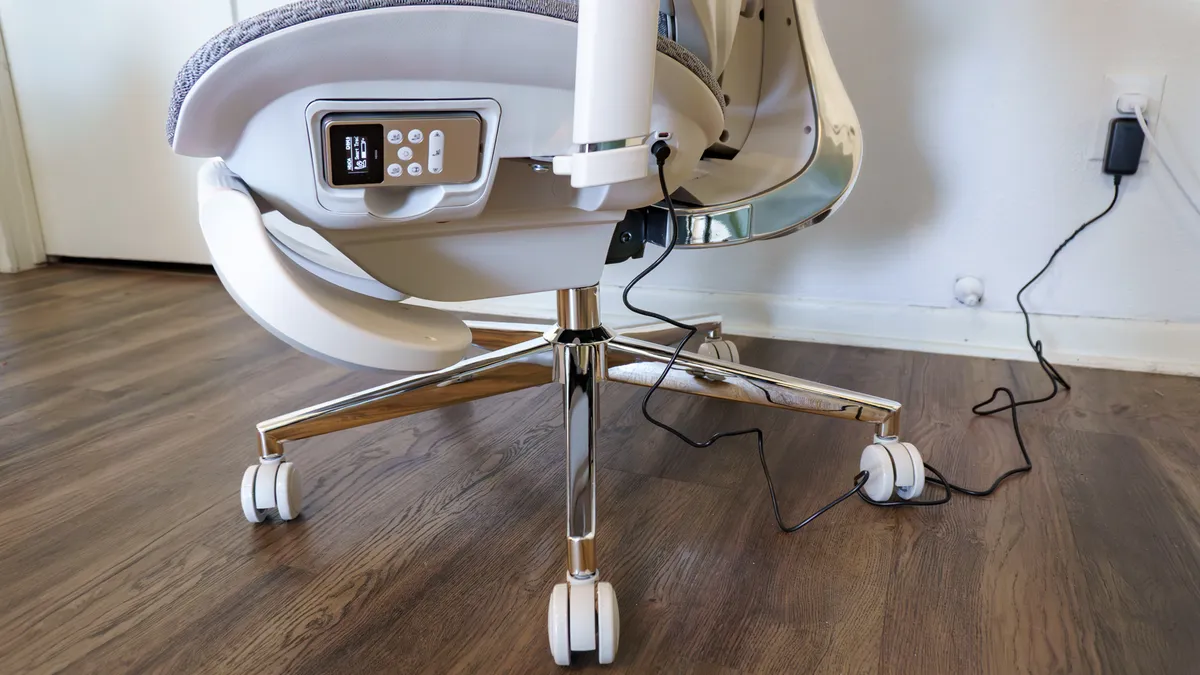
After unboxing and putting the Hbada X7 together, I was so excited to try out its smart features that I didn’t even read the instructions. Instead, I plugged in the power adapter that came with a cable and a magnetic tip, assuming I was charging the battery.
As it turns out, that black power cable is actually for powering the chair directly, not charging it. Still, doing so did give me a chance to do my preliminary adjustments and testing, which involved trying out the X7’s built-in heating, cooling, and even a massager.
Although you can buy the Hbada X7 without a battery for slightly cheaper, if you want to use the smart features and all those extras without being tethered to the wall, I’d recommend spending slightly more for the battery. You're investing in a premium office chair that's specifically designed to help deal with back pain after all.
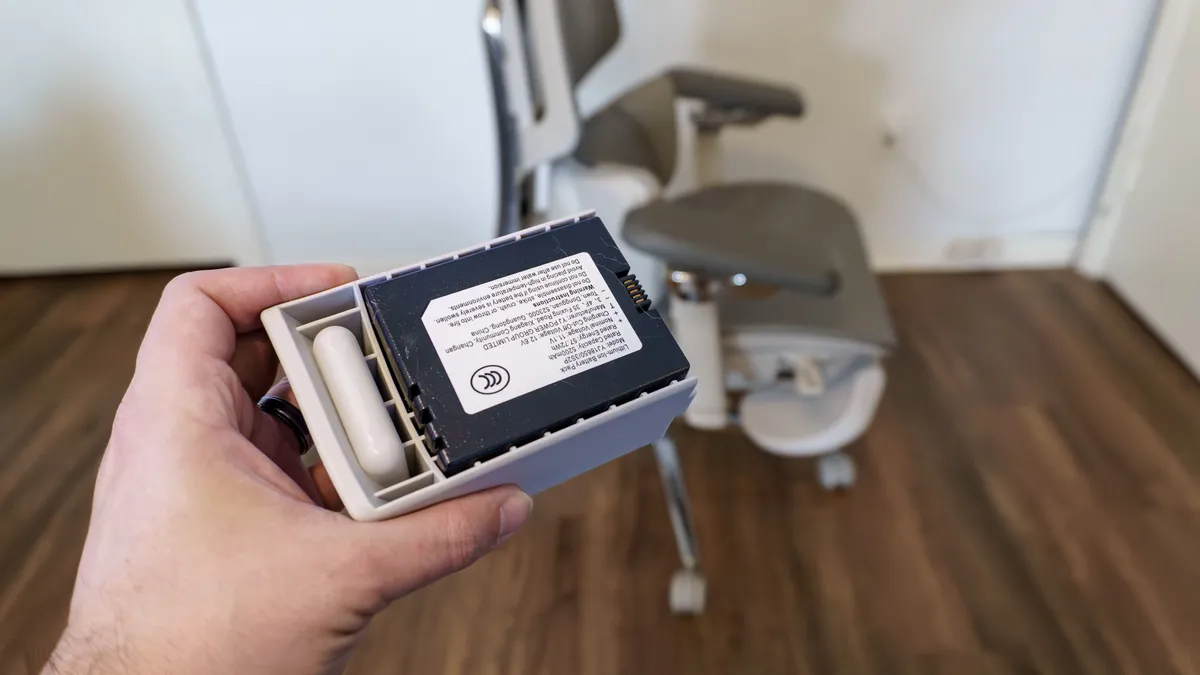
Compared to the much slimmer 2,200 mAh battery that comes with the LiberNovo Omni, the X7’s battery is absolutely massive at 5,200 mAh — with more than double the capacity. Like on the Omni, the X7’s battery slots in on the side of the chair. However, you first have to put this one into a custom plastic holster before you slide it in.
While you can use the USB-C port on the left side of the X7 underneath that magnetic power port to charge it, there’s also a USB-C port on the battery itself. Once I realized the error of my ways, I took the battery out and plugged it into one of the USB-C ports on my Uplift V3 standing desk. By the time I got out of my first meeting, the battery was fully charged and ready to go.
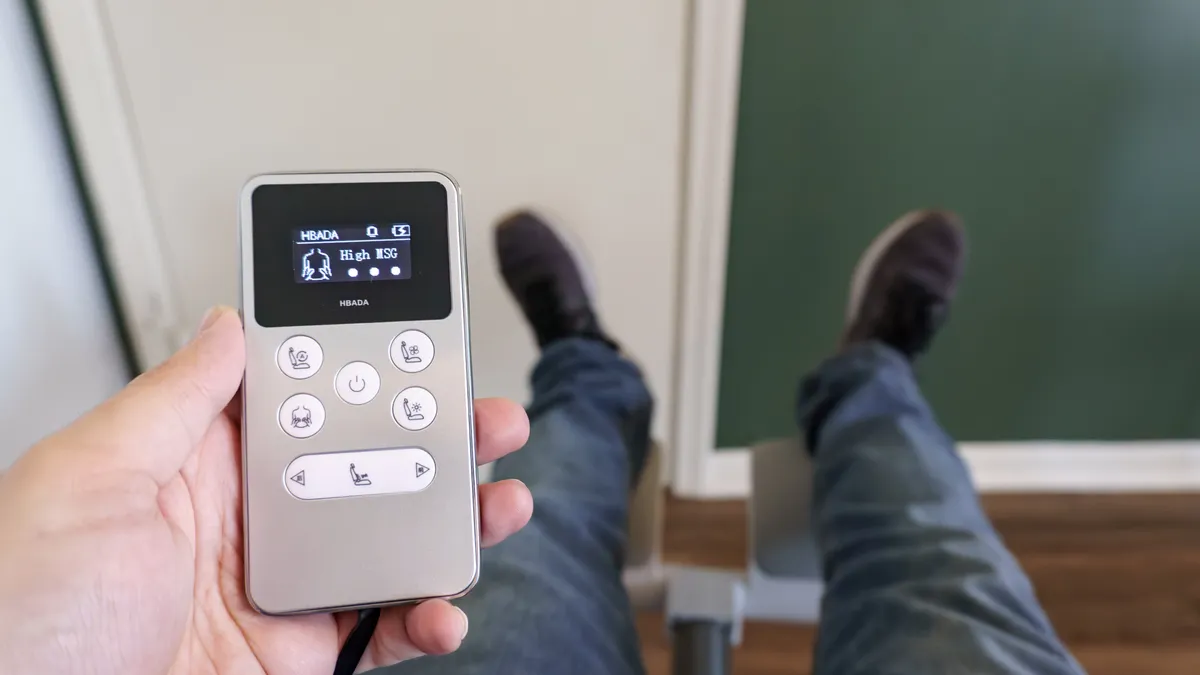
One thing that instantly sets the X7 apart from the Omni and X-Chair, with its optional Elemax heating, cooling, and massage add-ons, is the inclusion of a remote. With those others, their controls are on the chair itself. On the X7, there’s a handy silver remote with a black and white OLED screen on the bottom left side of the chair. It isn’t wireless; instead, it’s hardwired to the X7 via a retractable flat cable that zips back into place when you’re done.
On the remote itself, there are buttons to bring the chair’s lumbar support system closer or farther away from you as well as controls to enable and turn up the intensity of its heating, cooling, and massage features. My favorite, though, is the button in the top left corner because once you press it, you don’t have to worry about making any more adjustments to the chair.
Posture on autopilot
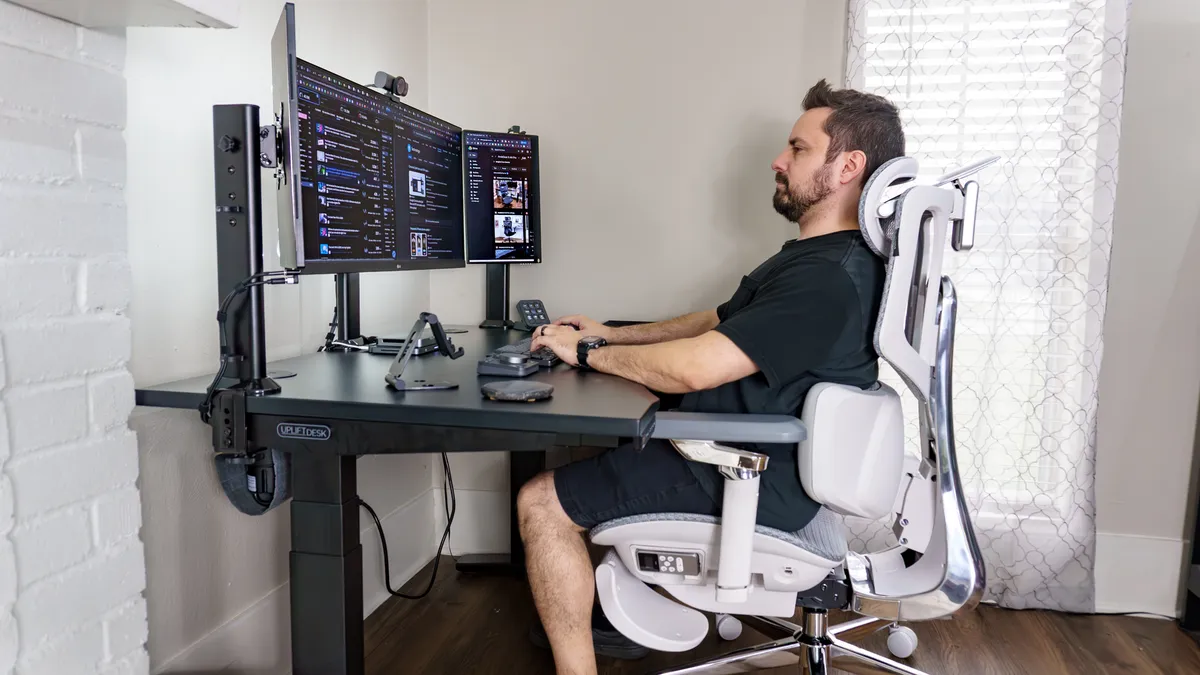
Even without its AI-powered smart features, the X7 is a very comfortable and highly adjustable ergonomic chair. One thing that really sets this and Hbada’s other office chairs apart is their 3-zone, floating wing-style lumbar support. What’s great about this approach is that even when you lean over to the side or shift throughout the day, your back is always supported.
Given that its AI lumbar-tracking is the star of the show, I turned it on immediately. Powered by an automotive-grade chip, the X7 uses magnetic Hall Effect sensors — like the ones found in many of the best PC game controllers — to detect your position and how you’re sitting in the chair. As you move, the X7 responds by bringing its lumbar support closer or farther from the small of your back. It’s essentially putting your posture on autopilot so you’re always supported without having to think about it.
If you’re worried about constantly having to recharge the battery, don’t be. The chair uses its built-in pressure sensors to know when you’ve gotten up; after 10 minutes of inactivity, it automatically shuts off its smart features to preserve power.
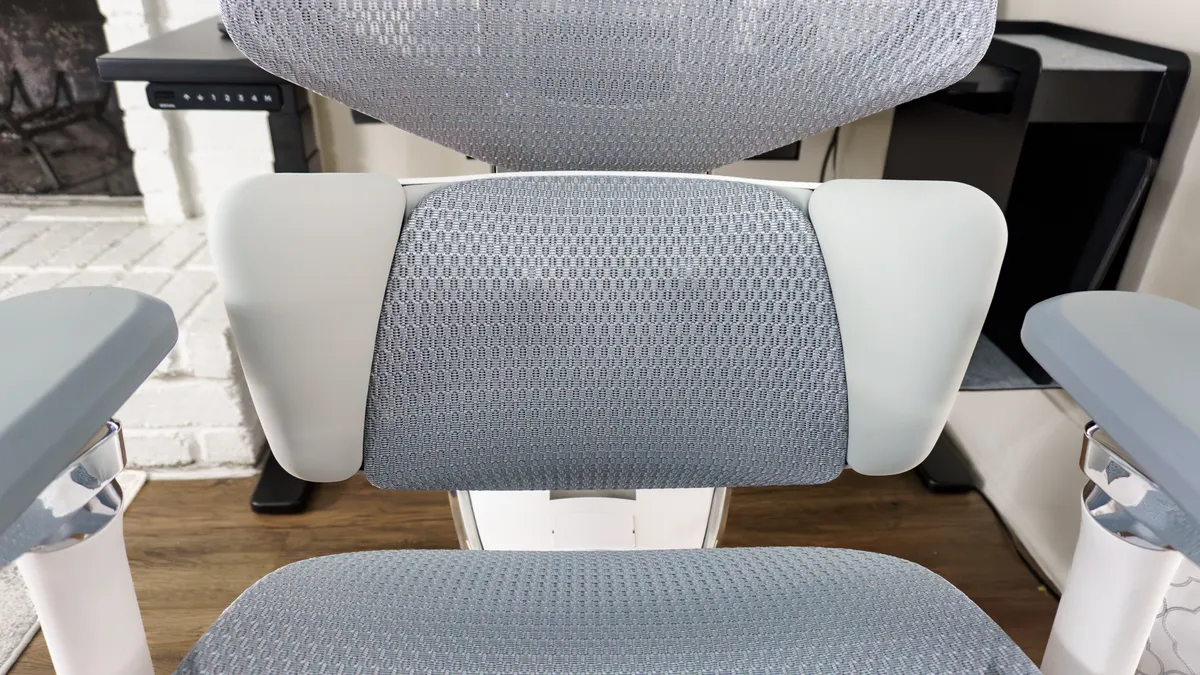
The X7 also has a built-in, 8D dual-core massager tucked into that lumbar mechanism. In the photo above, you can just make out the rollers doing their thing — which Hbada calls "bionic hands"— mimicking a real kneading motion. Like with the heating and cooling features, there are three levels of intensity depending on how deep a massage you want.
Since I work from home and spend a lot of time seated when I’m not testing the best standing desks, the X7 helped me keep going for longer than I normally would. One night while working late, I felt the massager kick on automatically — part of its 45-minute sedentary reminder — to give my lower back a bit of relief. Likewise, when my posture started to slip towards the end of the day, the X7 sensed the change and pushed the lumbar support forward to straighten me back out.
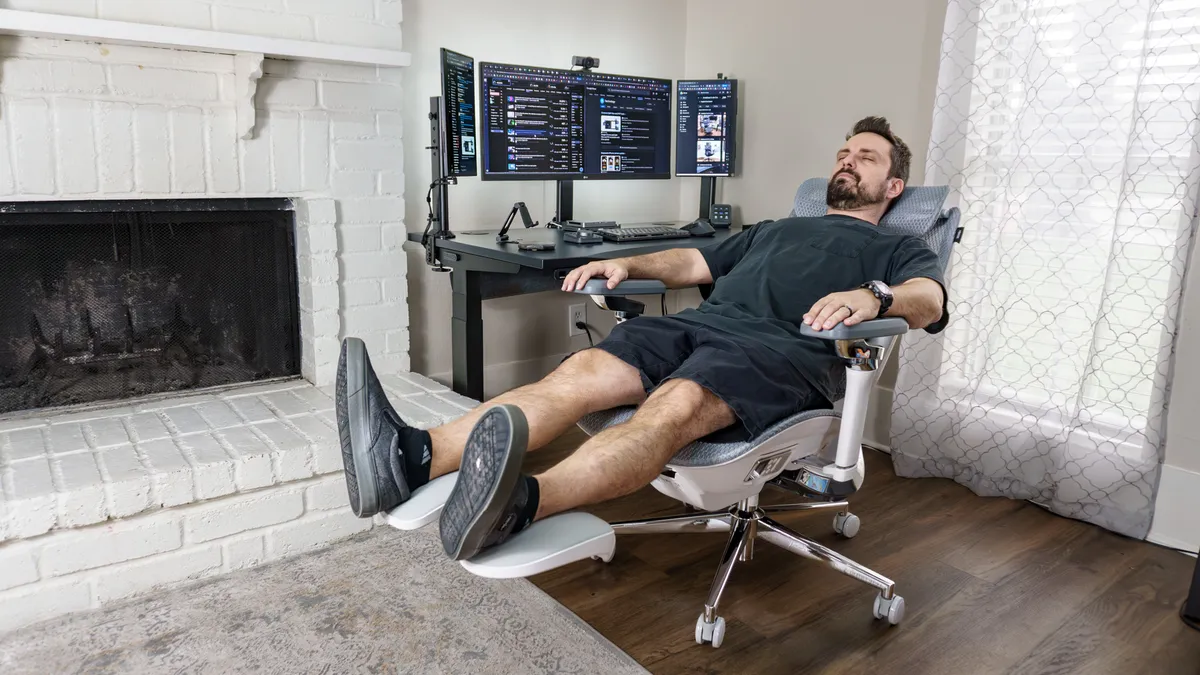
During those times when I wanted to take a much-needed break, like the Hinomi X1 chair I reviewed, the X7 has a pull-out footrest. Using the footrest while reclining all the way back to 140 degrees is quite comfortable on its own. However, when you do so with its heating and massage features enabled, you and your back get a nice pick-me-up.
One interesting thing about reclining in the X7 is that even when you do so, those magnetic Hall Effect sensors are still tracking the pressure in your lower back. This is done to ensure that there isn’t a gap between the lumbar support and the chair’s backrest so that your back remains straight and well supported.
More cockpit than chair
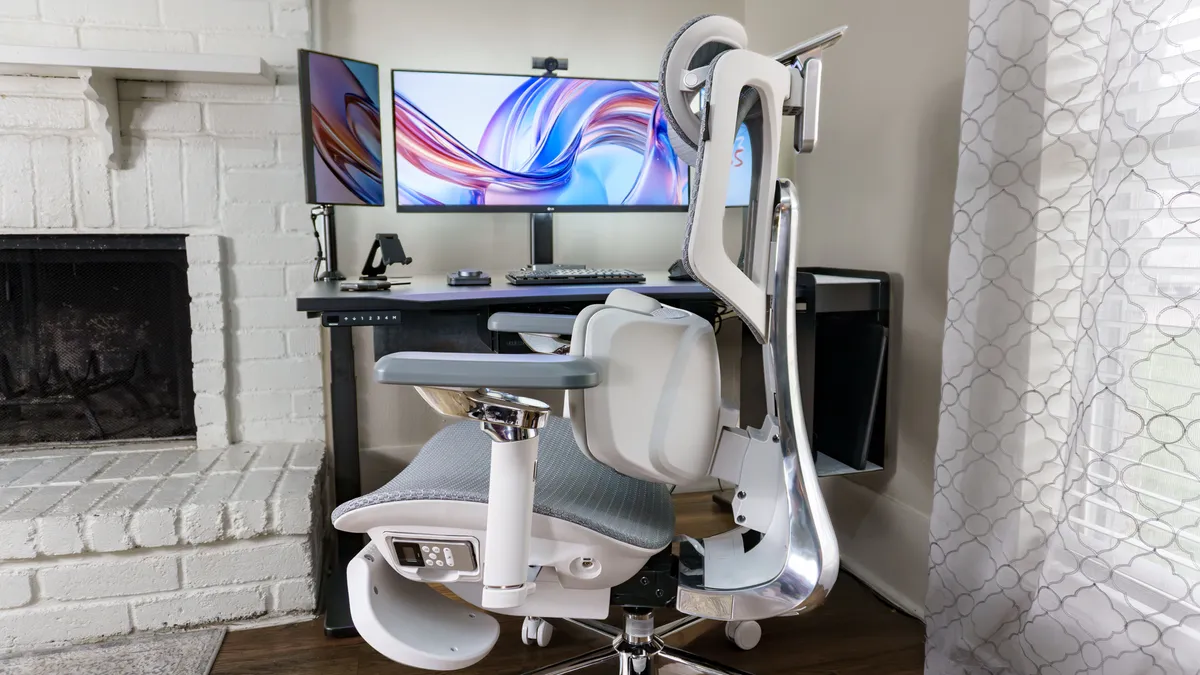
Now for the elephant in the room. The Hbada X7 is both a very hefty office chair at 75 pounds, as well as a very premium one with a list price of $1,500. Fortunately, you can shave $200 off its price right now, and while I wouldn’t recommend it, you could opt for the version without a battery included to bring the cost down even further.
Is $1,300 a lot for an office chair? For most people, the answer is undoubtedly yes. However, in the world of high-end, premium chairs, the X7 is actually slightly less than the Herman Miller Aeron or the Steelcase Karman High Back. Those are both excellent ergonomic chairs, but they’re not smart, nor do they have built-in heating, cooling, and massage features. They are a lot lighter, too, at 41 and 31 pounds respectively.
If you work from home and suffer from back pain, you could buy a mid-range office chair and an entry-level recliner with a built-in massager. However, then you’re looking at paying almost the same price for two chairs that take up a lot more space as opposed to one. If you spend 8+ hours a day in your office chair and don’t want to be bothered fiddling with knobs and levers, the X7 could be a great investment in your ergonomic health and your productivity.
I still have to put the X7 through its paces a bit more ahead of its full review, but for now, I’m sitting comfortably with good postur,e and I didn’t have to lift a finger to get this chair adjusted perfectly.

Follow Tom's Guide on Google News and add us as a preferred source to get our up-to-date news, analysis, and reviews in your feeds.
More from Tom's Guide
- I tested the world's most futuristic office chair and realized I’ve been sitting wrong my whole life
- I went ‘all-in’ on Logitech’s MX Master Series for my new desk setup and this accessory was the real game changer
- I added this $30 accessory to my desk setup and it finally let me use dual monitors comfortably for video calls

