




After missing the Swedish home furnishing giant’s debut at CES 2026, I decided to pop over to my local IKEA for a quick trip. Although I mainly wanted a chance to see its new smart home devices in person, the home office enthusiast in me couldn’t help but find a few key accessories that could be the perfect upgrade for my workspace on a budget.
From a very affordable clip-on ring light to a sleek metal monitor stand and even a light-up tray with a built-in wireless charger, it’s easy to find home office accessories at IKEA that can actually elevate your workspace. The best part though, all combined, you’re looking at just over $100 to give your home office a much-needed makeover.
While I still prefer sitting in one of the best office chairs and working from one of the best standing desks, every home office still needs useful accessories to help you work more comfortably and it’s always good to add some extra light and a pop of color during these darker winter months. Here are the five accessories I found during my recent trip to IKEA and how I’d use them in my own home office.
1. RUNDHULT USB-C cable

It’s easy to end up with a mess of cables from all of the various devices and gadgets in your home office. The problem though — even with USB-C cables — is that you never know exactly what each one is capable of. With IKEA’s RUNDHULT USB-C to USB-C cable, not only are you getting a durable, braided cord, but you’re also getting up to 100W fast charging. Whether you’re plugging in your phone or one of the best laptops, your devices will be charged in no time at all. I also really like how its tri-colored yellow, blue and white pattern adds a nice pop of color to an otherwise boring home office.
2. STÄNKREGN ring light

There’s nothing worse than jumping on a video call in a dimly lit room when all of your co-workers have perfectly lit setups. That’s why I was intrigued by the STÄNKREGN ring light. It easily sits on top of your laptop’s screen and connects via USB-C, making it a great travel companion. You get a choice between four color temperatures (ranging from 2700K to 5000K) and three different light intensities. There’s a built-in touch dimmer, a small cutout so it won’t block your camera, and a soft cushion on its mount to ensure it won’t leave any marks on your laptop.
3. VÄSTMÄRKE wireless charger with lighting

Putting your phone away and emptying your pockets is a great way to stay focused when you first sit down at your desk. With the VÄSTMÄRKE, you can wirelessly charge your phone while adding a bit of mood lighting to your workspace too. It took me a second to figure out the controls, but you actually push down on the central puck used for charging to turn the light on and off. Thanks to its bowl-shaped design, you also have plenty of room to store flash drives, cables, or other small items you want to keep within reach.
4. ÖVNING footrest

Whether you want to prevent your feet from hanging or need extra support while typing, this ergonomic footrest is surprisingly versatile. Although the ÖVNING is technically part of IKEA’s children’s collection, it’s the perfect size for adults, too. It features an anti-slip surface to stay in place, and because it’s bound to get a bit dusty on the floor, the cover is easily removable and machine washable. Beyond your feet, you can even use it for extra back support if your office chair lacks dedicated lumbar cushioning.
5. LÅNESPELARE monitor stand

We already put plenty of extra stress on our necks looking down at our phones, so why do the same with your monitor? Although IKEA sells several monitor stands, what I like about the LÅNESPELARE is its clean, all-metal design. Adding this to your setup can help eliminate desk clutter since you can slide your keyboard, mouse, or even your laptop underneath it. I also really like the perforated top; the holes give it a unique look and provide enough airflow that you could safely place one of the best mini PCs on it right next to your monitor.
Worth the trip
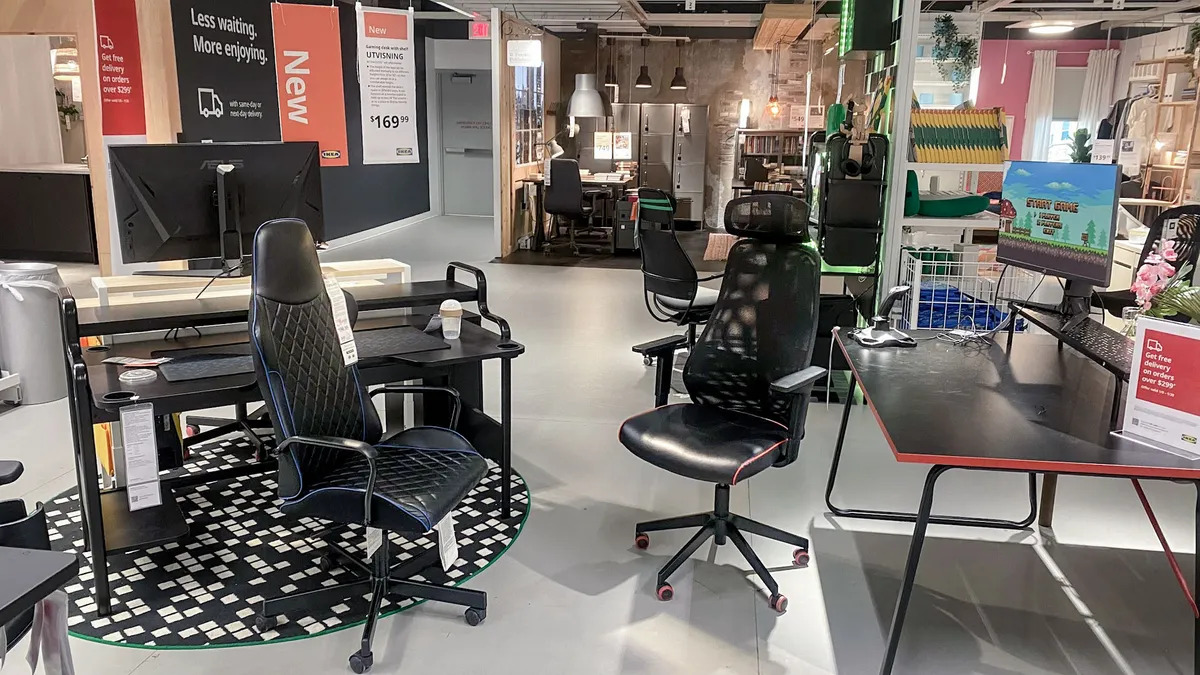
Reading about the latest IKEA accessories online is one thing but if you live close enough like I do, I highly recommend going in person. That way, you can see and feel everything for yourself instead of ordering something online only to realize that it doesn’t quite match the rest of your home office decor.
For this particular trip, I did have a set goal in mind as I really want to try out IKEA’s new Matter-compatible, BILRESA smart buttons. However, as I wandered the show floor on my own, it gave me time to think about which home office accessories I’d pick up on a budget. If you like what I picked out, let me know in the comments below as I’d love an excuse to take another trip to IKEA, especially during the week when practically no one else is there.

Follow Tom's Guide on Google News and add us as a preferred source to get our up-to-date news, analysis, and reviews in your feeds.
More from Tom's Guide
- I just tried an office chair with a built-in massager and working from home will never be the same
- 12 ergonomic home office upgrades: Here's my top picks for the best desk, chair, laptop and more for a strain-free workstation
- I switched my smart lights to this more affordable Philips Hue alternative years ago and I just found a hidden trick that finally speeds up its app

