
18 accessories I swear by for my desk setup: Content creation, productivity and gaming all in one place
The gadgets that helped bring my 2026 desk setup to life
Here at Tom’s Guide our expert editors are committed to bringing you the best news, reviews and guides to help you stay informed and ahead of the curve!
You are now subscribed
Your newsletter sign-up was successful
Want to add more newsletters?
Daily (Mon-Sun)
Tom's Guide Daily
Sign up to get the latest updates on all of your favorite content! From cutting-edge tech news and the hottest streaming buzz to unbeatable deals on the best products and in-depth reviews, we’ve got you covered.
Weekly on Thursday
Tom's AI Guide
Be AI savvy with your weekly newsletter summing up all the biggest AI news you need to know. Plus, analysis from our AI editor and tips on how to use the latest AI tools!
Weekly on Friday
Tom's iGuide
Unlock the vast world of Apple news straight to your inbox. With coverage on everything from exciting product launches to essential software updates, this is your go-to source for the latest updates on all the best Apple content.
Weekly on Monday
Tom's Streaming Guide
Our weekly newsletter is expertly crafted to immerse you in the world of streaming. Stay updated on the latest releases and our top recommendations across your favorite streaming platforms.
Join the club
Get full access to premium articles, exclusive features and a growing list of member rewards.
Welcome to my 2026 desk setup for productivity and gaming. The goal was to create one space where I could edit videos, record high quality audio and unwind by playing games.
From my 49” ultra-wide monitor for ultimate productivity and Mac/Windows combo, my ergonomic office chair that massages my back, and all the accessories in between, everything here has improved my setup's workflow, comfort, and added a bit of personality too.
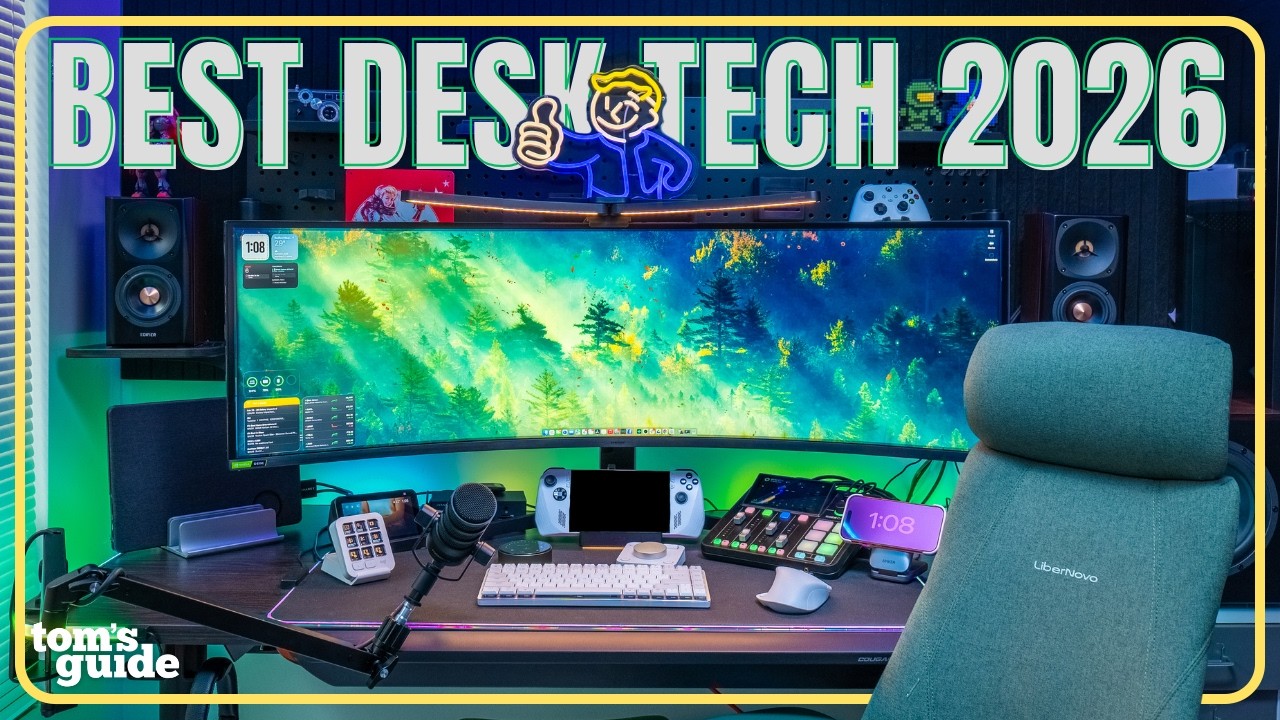
As someone who often works from home editing videos and photos and as an avid gamer, the right desk setup can make all the difference. Not only can I do my best work here but I can also kick back and play games comfortably at the end of the day.
Check out my full desk setup video above and if anything here stands out and gives you inspiration on how to improve your own setup, you can find it all linked below!

Get instant access to breaking news, the hottest reviews, great deals and helpful tips.

Paul Antill is a Video Producer and Content Creator at Tom's Guide, specializing in video/audio recording, smart home technology, and laptops. His passion lies in making tech coverage not just informative but also fun and accessible to everyone answering the question “Why does this new product or feature matter to me?” Paul has been a tech host and video producer since 2019 where he has also covered major tech and gaming events. His love for tech and video began on his YouTube channel where for the low price of one subscription he shares head-to-head comparisons and clever ways to make the most of your gear. You can also see the behind-the-scenes and the magic that goes into our Tom’s Guide videos over on his Instagram. Paul graduated from the Mason School of Business at William & Mary, Williamsburg, VA, with a degree in Marketing and Business Analytics. When he's not on camera, you’ll probably still spot him behind one doing street photography and videography. Back home he’s probably in a heated Overwatch 2 match with his friends.
You must confirm your public display name before commenting
Please logout and then login again, you will then be prompted to enter your display name.
