




Craft lovers and DIY experts, get ready! Cricut has just announced its latest iteration of die-cutting machines, set to reinvigorate and simplify the crafting process.
For the uninformed, Cricut machines are precision-based cutting devices that you can use to create and customize almost anything your heart desires. As a hobbyist crafter, I have always yearned to be in the Cricut-crafting cult, and my dreams came true with my Cricut Maker 4 review last year.
However, there were a couple of factors I wasn't particularly keen on — including the sometimes buggy software and added costs for materials and tools on top of an already expensive machine. That said, Cricut has announced two new device bundles and a complete overhaul to its Design Space software — both of which I'm particularly pleased about.
Launching in the UK and US on February 27, and in AU on March 6, the Cricut Explore 5 and the Cricut Joy 2 mark the start of a new era for the brand, with sleeker, modern machine designs, a guided software experience, and all the tools and materials needed to get crafting straight out of the box.
As per Cricut's CEO, Ashish Arora, the brand's fanbase has asked for products that are easier to use and more affordable. "We listened and simplified the entire experience end-to-end. From the moment they open the box, everything required to be successful is included."
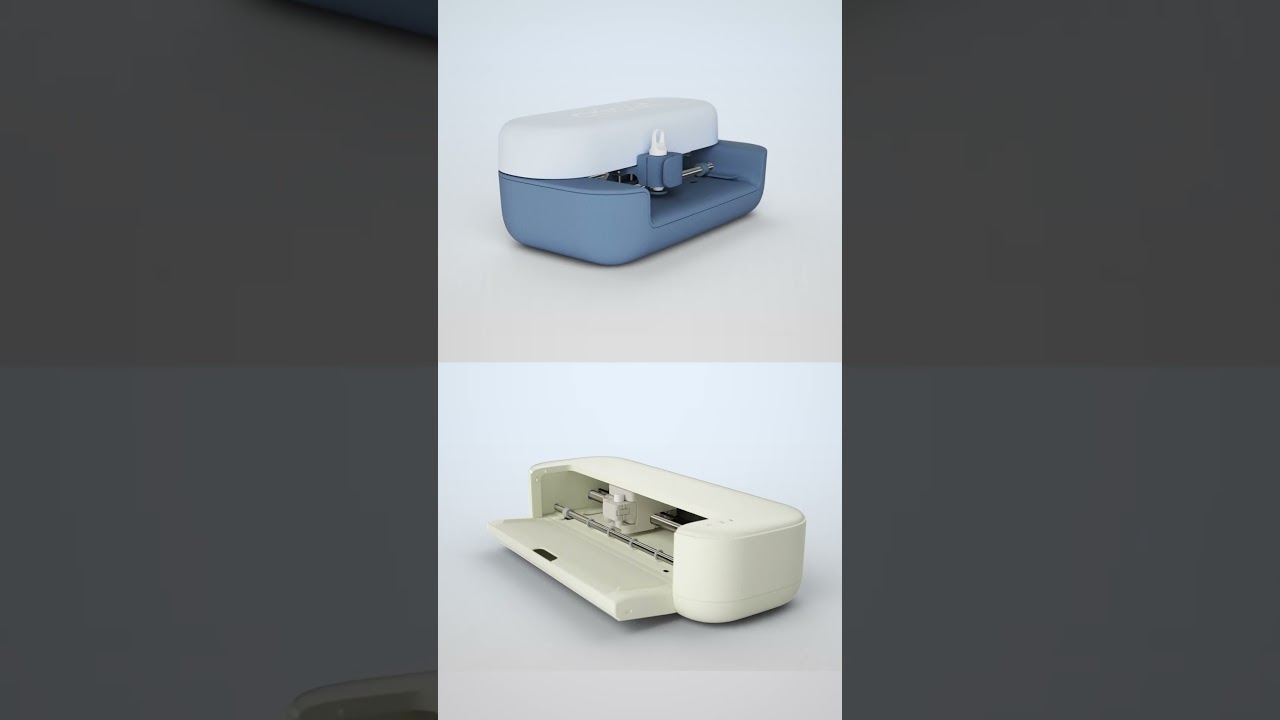
The Cricut Explore 5 enters as the newest mid-range machine, priced at $249 / £249.99 / AU$449. The machine can make precision cuts on over 100 materials, and is 30% more compact than the previous Explore 4 model, all while featuring the same dependable 12-inch cutting performance. Alongside the Explore 5 comes a bundle of select materials and tools, including vinyl, cardstock and a cutting mat, which can be used to create up to 65 projects immediately after opening.
The Cricut Joy 2, on the other hand, is priced at $139 / £129.99 / AU$249 and comes with a similar bundle that lets you create any of 35 projects within minutes of opening the box. The Joy 2 has a smaller footprint than its predecessors, the Cricut Joy and the Cricut Joy Xtra. That said, the Joy 2 packs a mighty punch, now with an upgraded cutting precision for over 75 materials.
The Joy 2 also comes with a new print-then-cut sensor for sticker making — optical sensor tech previously exclusive to the Maker and Explore models. This means you can print your sticker designs with Cricut-branded sticker paper and cut them to size with the smaller machine, instead of forking out for a larger model. (And no spoilers, but after having some hands-on time for my upcoming review, the Joy 2 is shaping up to be a good'un for everyday beginner-friendly crafting.)
Both machines sport new streamlined looks, with the Explore 5 available in a neutral taupe colorway and the Joy 2 available in an adorable two-toned blue colorway. In a slight redesign, the machines have lost their lids, which previous models had to support using a tablet on top of the device.
New and improved Design Space software

Despite having all the correct tools, materials and power adaptor, Cricut machines are all solely dependent on one factor — and that's the companion design software, Cricut Design Space.
The only caveat we've found in our reviews here at Tom's Guide — including my own Cricut Maker 4 review — is that Design Space isn't very user-friendly. That said, Cricut has integrated new features in a conscious effort to improve the software's accessibility.
Cricut has now introduced "Guided Flows", designed to understand what the user wants to make and provide step-by-step instructions from start to finish. Guided Flows show users only what's needed at each stage of the design process and help them understand exactly which materials and tools are required for their chosen project.
Alongside Guided Flows, Design Space's canvas can now preview projects and allow users to see their designs while creating them. Be it a T-shirt, mug, sticker or phone case, you now have the option of clicking on the sidebar preview, and watch it change as you edit or update your design — and IMO, it's pretty neat.
Cricut has also welcomed "Create AI" for paid Design Space subscribers, which allows them to generate custom single-layer AI designs. It might not be the most essential new tool, given the thousands of Cricut Community designs, but it does offer powerful customization for those niche projects you have in mind.
Personally, I'm ready to get stuck into my next big DIY — and these new Cricut machines might help me do just that.

Follow Tom's Guide on Google News and add us as a preferred source to get our up-to-date news, analysis, and reviews in your feeds.
More from Tom's Guide

