







Upgrading to the Nintendo Switch 2 finally let me play all of the best Nintendo Switch games in crisp 4K along with a ton of great new releases like Mario Kart World, Donkey Kong Bananza and Kirby Air Riders. However, there was just one problem: I now only had one dock.
Don’t get me wrong, playing the Switch 2 in handheld mode or even with a pair of AR glasses is fantastic. However, when possible, I like to play on a larger display, whether that be the TV in my game room or on my 32-inch monitor at my desk.
Over the original Switch’s lifespan, I ended up with several official docks from Nintendo and quite a few unofficial ones from Genki. Besides its absolutely tiny size, what I love about the Genki Covert Dock Mini is how I can play my Switch on a TV or monitor with just a single USB-C cable. Likewise, as it wasn’t one of the first unofficial Switch docks, I wasn’t worried about bricking my console when using it.
I’ve been waiting for almost a year now, but Genki finally released the latest version of its Covert Dock for the Switch 2. After using it for a month now, it’s certainly lived up to the hype as just like with the original, I can dock my Switch using a single cable. However, while testing it out, I realized it actually beats the official Nintendo Switch 2 Dock in one big way that makes it perfect for households with multiple Switch consoles and even PC handhelds like the Steam Deck.
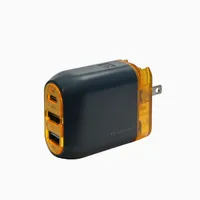
Now with more power (and personality)

Right off the bat, Genki’s new Covert Dock 3 immediately stands out thanks to its atomic orange accents. It features a similar design to the company’s previous Covert Dock and unlike the Mini, you also get a USB-A port for connecting wired controllers, USB adapters and other accessories.
In the box, you get the dock itself along with a braided USB-C to USB-C cable. However, this new cable is rated for up to 65W of power output (as is the dock itself) whereas the previous one topped off at 45W. This is one of my favorite USB-C cables overall and I also like to use it when connecting a portable monitor to my laptop or PC too.

On the front of the Covert Dock 3, you have easy access to all of its ports. The USB-C one at the top is used for connecting your Switch 2, Asus ROG Xbox Ally X or any of the best handheld gaming consoles for that matter. At the same time, you can also connect your smartphone or your laptop which comes in handy when traveling, especially if you want to watch YouTube or Netflix on the TV in your hotel room from your own devices.
The HDMI 2.1 port underneath the USB-C one connects to your TV or monitor and like I mentioned, the USB-A port on the bottom is for connecting extra wired accessories or for 2.4 GHz USB dongles when you don’t want to use Bluetooth.

Then around back, the Covert Dock 3’s plug folds out to make the 2.4 x 1.7 x 1.3-inch dock even more compact. Another nice touch for international travelers is that Genki also sells a set of Covert Dock Global adapters that slide on in the back so you don’t have to worry about plugging the device into a separate universal travel adapter. With the Covert Dock 2, Genki included these adapters in the box but now they’re only available as an optional add-on for $10 which isn’t that expensive if you plan on using this dock abroad.
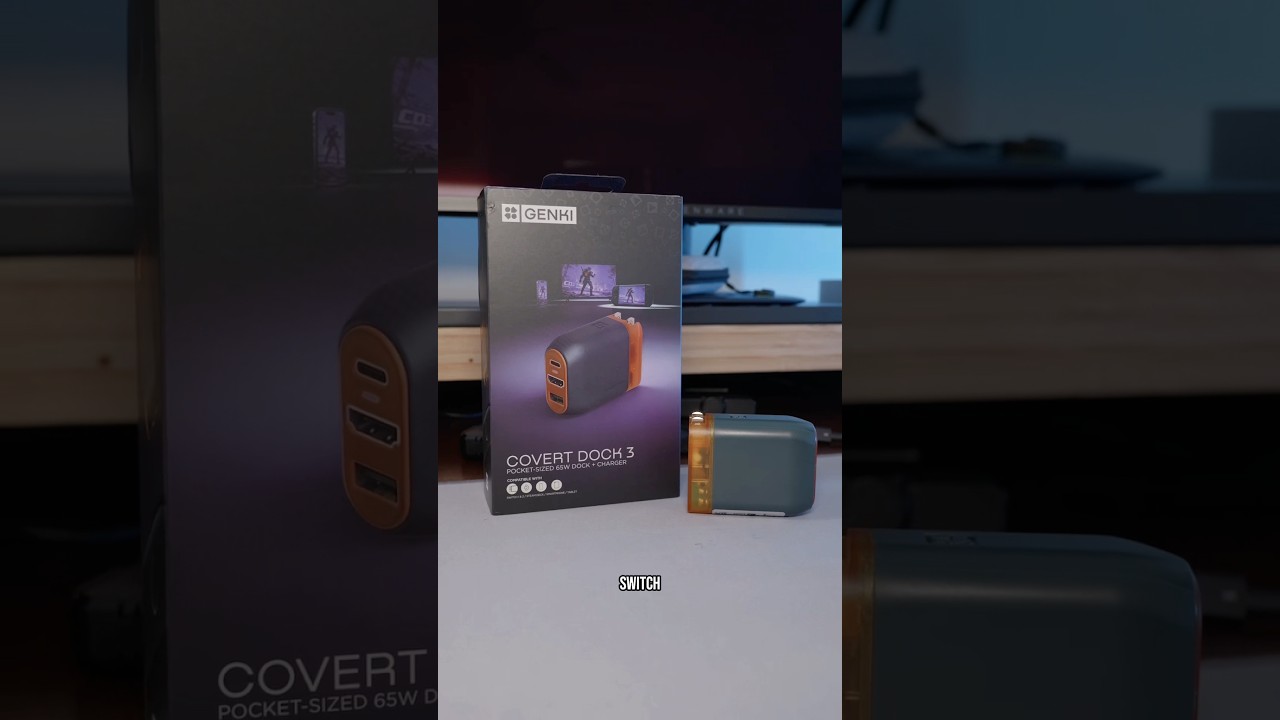
Finally, a one-cable Switch 2 dock that works

To get the Covert Dock 3 set up, I plugged it into the outlet under my TV, connected it to an Ultra High Speed HDMI cable and ran the included USB-C to USB-C cable up to my entertainment center. One other nice thing about that braided cable is that the end you plug into the dock is straight while the one you plug into your Switch 2 or other devices is angled to prevent any unnecessary strain on your device’s USB-C port.

With that done, I turned on my TV, booted up my Switch 2 and much to my surprise, everything worked on the first try. To test it out, I played a bit of the recently released Super Mario Galaxy as well as the new Nintendo Switch 2 Edition of Super Mario Bros. Wonder. When I checked my TV’s settings, my Switch 2 games were running in 4K at a smooth 60Hz with HDR enabled.
Now I’ve been meaning to upgrade to one of the best TVs with a higher refresh rate for a while now. Once I do though, on more powerful devices like a high-specced gaming laptop, the Lenovo Legion Go 2 or the ROG Xbox Ally X, you can actually push the Genki Covert Dock 3 all the way up to 4K at 120Hz. It also officially supports VRR or Variable Refresh Rate so you can enable AMD’s FreeSync or Nvidia’s G-Sync for incredibly smooth, tear-free gameplay.

As I’m the early adopter at home, I upgraded to the Switch 2 on launch day but my wife is still playing Animal Crossing: New Horizons on her original Switch. Previously, I had the official Switch 2 dock set up for myself and a Genki Covert Dock Mini set up alongside it for when she wanted to play her Switch on the big screen. Now though, I only need one dock for both Switch consoles because when I plugged my wife’s Switch into the Covert Dock 3, it worked perfectly.
A truly covert Switch 2 dock

Since I first set up my Switch 2 after picking one up at a midnight launch, I’ve been eagerly awaiting Genki’s next third-party dock. I did have to wait nine months to get my hands on it but it’s delivered and even exceeded my expectations thanks to the fact that it still works with the original Switch.
Unlike Nintendo’s official Switch 2 Dock which launched at $90 and recently went up in price to $124, the Genki Covert Dock 3 now looks like a steal at $69 without those optional global adapters. If you want to play on an iPad or even your laptop’s screen and be able to stream your game sessions, Genki also recently released its new ShadowCast 3 Pro capture card too.
One of my favorite things about the Switch and now the Switch 2 is being able to bring the console from room to room or even house to house and still be able to play on a larger display. I considered picking up a second official dock at launch just to do this but since I knew Genki definitely had a new dock in the works, I decided to wait and I’m glad I did.
While I haven’t travelled with it yet, I’m definitely packing my new Covert Dock 3 when we head out on our family trip this summer. From Computex in Taiwan to CES in Las Vegas, Genki’s previous docks have been a mainstay in my tech travel bag for years now. Here’s hoping Genki follows up this release with a new smaller and hopefully, slightly cheaper Covert Dock Mini 2 with Switch 2 support later on.
For now though, I plan to use the official Switch 2 Dock at my desk where I’m the only one playing and keep the Covert Dock 3 plugged in underneath my TV so both myself and my wife or anyone that stops by with a Steam Deck can play on the big screen with it too.

Follow Tom's Guide on Google News and add us as a preferred source to get our up-to-date news, analysis, and reviews in your feeds.
More from Tom's Guide

