







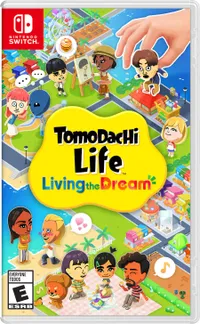
Playing Tomodachi Life: Living the Dream for the past few weeks has made me feel as if I’m right back in the spring of 2020. Except this time, instead of being in debt to Tom Nook hunting for gold nuggets, my island is actually thriving. And the best part, I barely had to do a thing.
I too picked up Animal Crossing: New Horizons on release day but, unlike with my wife who’s sunk hundreds of hours into the game, it just didn’t come naturally to me. While she crafted with glee and had new residents moving in almost every day, I struggled with what to do next. Sure, I loved the game’s graphics and art style and watched her play for longer than I’d like to admit, but I just couldn’t make that island my home.
With the latest entry in Nintendo's Tomodachi series though, I’m picking up my Switch 2 on a daily basis just to see what happened on my island while I was away. I didn’t play the original Tomodachi Life on 3DS either, so I’ve gone into this new island-building experience blind and I’m glad I did.
Whether or not Tomodachi Life: Living the Dream will help scratch that itch you didn’t know you had too is entirely up to you. For me though, it’s been one of the best Nintendo Switch games yet and an entirely new experience that only Nintendo could deliver.
From chores to chaos
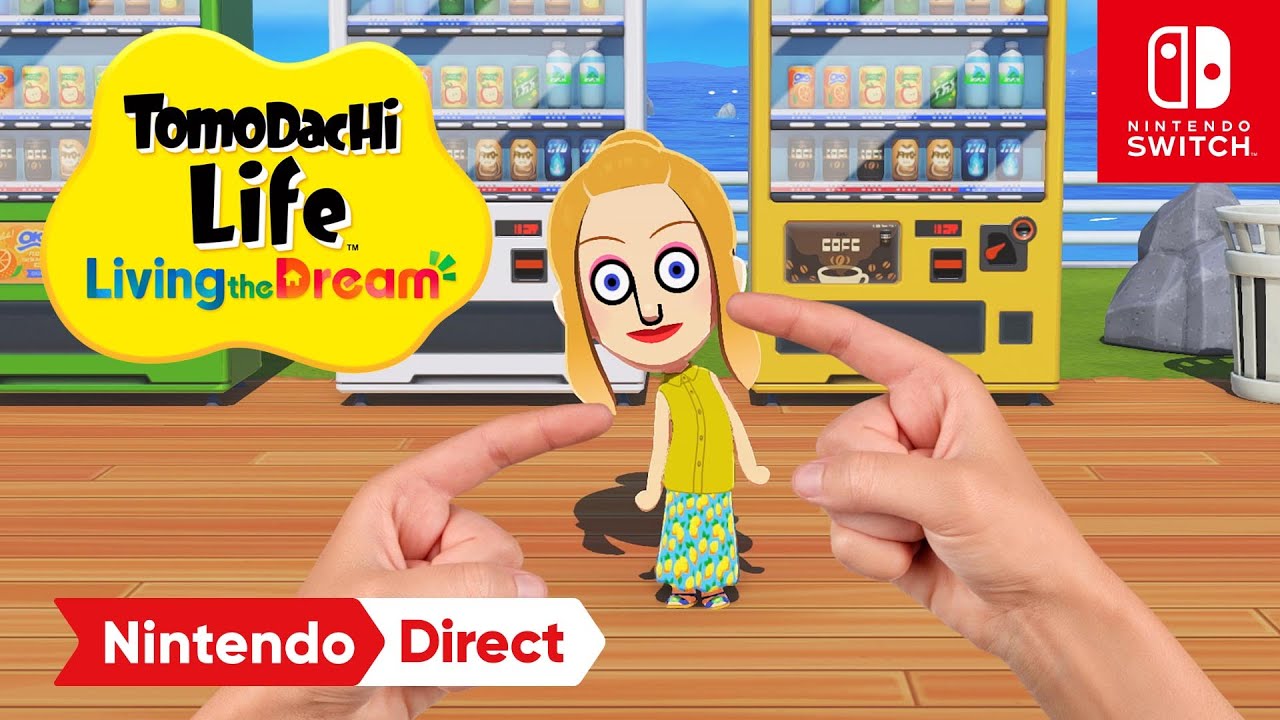
Tomodachi Life: Living the Dream is entirely what you make of it, for better or worse. Instead of waiting for residents to randomly move onto your island, you’re creating them from scratch — the same way you designed Miis on the Wii. From their facial features to their names and even the specific pitch of their voice, every choice is in your hands the moment you boot up the game.
Rather than hitting trees to knock branches loose for crafting, Living the Dream rewards you with cold, hard cash just for checking in on your Miis. You start with a single resident, but as the game opens up, you’re able to add more and more of them to your island. From there, you spend your earnings at local stores to buy food, clothes, and items to give to your Miis, with the end goal of improving their happiness — and, as a result, the happiness of the entire island.

It’s fun, and unlike with Animal Crossing: New Horizons, I haven’t felt stuck or unsure of what to craft next. As an outside observer rather than just another resident, the game provides subtle suggestions in the form of floating bubbles above my Miis' heads, nudging me to check in.
Beyond the lack of resource gathering, I really came to appreciate the "point and click" nature of the experience. I didn’t have to run across my island to get to a different store or a Mii’s house; in lieu of 3D traversal, I could move my pointing finger across the map to instantly check up on things. However, even when I didn’t, life kept on going.
The ants go marching

When I came back to my island in Animal Crossing: New Horizons after not playing for some time, life went on without me — but not in a good way. Instead of returning to a thriving community, I’d find a town overgrown with weeds and a carefully crafted home infested with cockroaches. In Tomodachi Life: Living the Dream, this couldn’t be further from the truth.
Though you still get more done while actively playing, your island keeps moving even when you’re away. Your Miis develop new relationships, get into altercations with one another, and your island even physically changes with the passage of time. It’s a rewarding reason to boot up the game at various hours of the day just to see how the island's mood has shifted.
For instance, after loading back into the game, I found a few of my Miis sitting in the grass, talking amongst themselves with no interaction on my part. This prompted me to zoom in and find out what they were discussing; like with a lot of the game’s dialogue, the discovery gave me a genuine chuckle.
Over time, your island develops its own lingo. Beyond seeing your ideas for new residents come to life, entering your own custom answers is a huge part of the fun.
After making myself and my wife, I created two Miis based on our dogs. The newest addition to our pack, Zelda, recently broke her toe. Since my wife is always stubbing hers, I decided to have the two talk about “hurting our toes.” To my surprise, it was a hit topic. Other Miis on the island wanted in on the action and, instead of being painful like in real life, everyone seemed to get a kick out of it (no pun intended).

I have to admit, seeing my realistic, virtual hands floating above the island was a bit disconcerting at first. However, once I got used to the idea of being an outside observer with a hands-on approach, it became a lot of fun. I didn't have to wait for my Miis to cross paths; I could literally reach into the scene, pluck a resident off the ground, and drag them across the island to hang out with a potential friend.
Watching my Miis dangling from my hand like pieces on a chessboard hasn’t lost its appeal yet. It’s even better when you pluck a Mii out of their house and drop them into someone else’s home in the middle of the night. On that note, with my busy schedule, I mostly played late at night—but even with half the island sleeping soundly, there were always things to do.

Just like actual people, Miis get lost in their thoughts, experience a ‘fuzzy’ brain when overwhelmed, or fall down and need help getting back up. Poking one of my Miis with my virtual hands while my real ones moved the joysticks on my Switch 2 Pro Controller instantly made me like the game a whole lot more. It wasn’t until later that I realized a hands-off approach could be just as rewarding, and that I could also send another Mii to check on a struggling friend in my stead.
Hearing your Miis say the names of other residents or discuss custom topics you’ve added — combined with this high level of interaction — is what really won me over. While Living the Dream can be cute, it’s the sheer wackiness of it all that kept me coming back night after night to check on my island and its completely customized populace.
My daily dose of disorder

Whether or not Tomodachi Life: Living the Dream will be as good a fit for you as it’s been for me is easy to find out. Unlike with Animal Crossing: New Horizons, there’s a playable demo you can download right now from the eShop. While you could watch gameplay videos on YouTube, I wouldn’t recommend it; this is an experience that needs to be felt first-hand.
You’re not constrained by waiting for specific residents to show up, either. Instead, it’s entirely up to you to create and name them. If you’re worried about getting lost in the Mii Maker, don't be — you can simply answer a few questions and the game will generate a custom resident for you on the spot. Looking back, if I had known just how hooked I’d get, I might have planned out my island’s population a bit more before getting started. Then again, that’s half the fun with a game like this.
I started by making myself and my family, and I just kept going from there. Since I usually play at night after everyone has gone to bed, it’s been a blast showing my son the highlights the next morning. Even with our actual dogs, Mario and Zelda, sitting right there on the couch with us, he still got a huge kick out of seeing their digital counterparts becoming best friends on the TV.
Although I’ve been playing for weeks now, my total play time isn’t as high as I expected it to be. I attribute this to just how much you can get done in a short amount of time, which makes this the perfect game to check in on every day. It’s high-density fun that doesn’t demand your entire afternoon.
I know I’ve only scratched the surface, but without Tom Nook breathing down my neck for his next payment, I can’t wait to boot up my Switch 2 tomorrow to see exactly what’s changed while I was gone.

Follow Tom's Guide on Google News and add us as a preferred source to get our up-to-date news, analysis, and reviews in your feeds. Subscribe to Tom's Guide on YouTube and follow us on TikTok.
More from Tom's Guide

