





Tom's Guide Verdict
The Steam Controller is a nearly perfect PC game controller thanks to its fantastic design, solid performance, simple pairing and charging, and extreme level of customization. Though it’s only compatible with SteamOS, dedicated Steam users will find a lot to love here.
Pros
- +
Ergonomic design
- +
Responsive buttons
- +
Easy pairing and charging
- +
High customization
Cons
- -
-Only works with SteamOS
Why you can trust Tom's Guide Our writers and editors spend hours analyzing and reviewing products, services, and apps to help find what's best for you. Find out more about how we test, analyze, and rate.
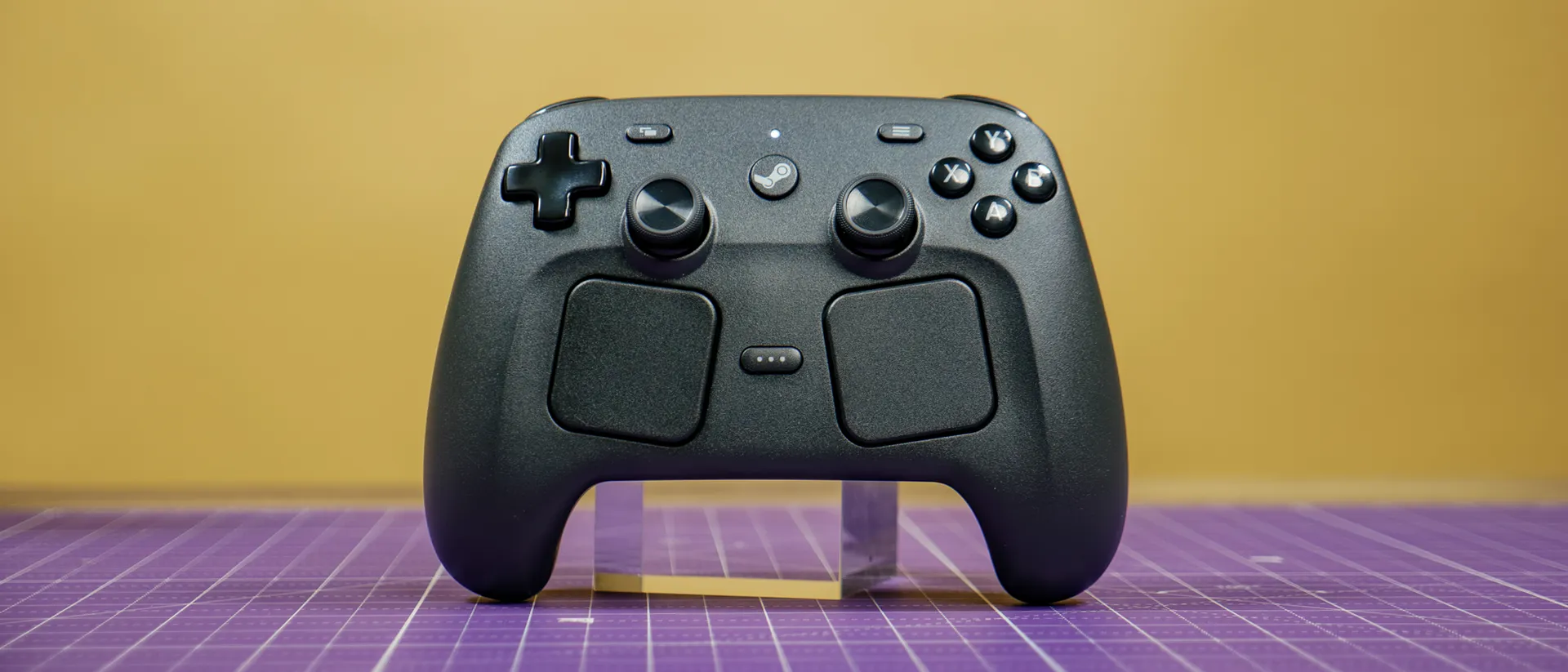
The new Steam Controller ($99 / AU$149) is arguably the best peripheral for playing Steam games on PC and on the Steam Deck. While we don’t yet have the Steam Machine this controller was supposed to ship with, having it available right now isn’t a bad compromise. Even without its parent console/PC hybrid, this is a brilliant controller that’s a major improvement over the controversial original that launched 11 years ago.
Don’t let pictures fool you, as the Steam Controller is only slightly bigger than an Xbox controller. Because of that, it feels natural to hold. Except for the large touchpads under the thumbsticks and four back buttons, the controller has the same basic layout you’re familiar with from other game pads.
Since this is a Steam device, pairing it with any machine running SteamOS or the Steam App is seamless. It’s also fun, as you can charge and pair the controller to your PC or handheld via an included puck. Though the puck makes charging and pairing simple, you can always connect via a USB cable or Bluetooth connection.
Though it’s pricier than a standard controller and isn’t compatible with gaming consoles, there’s no denying that Valve knocked it out of the park with the Steam Controller. As a dedicated Steam user, I might dabble with other controllers, but this will be my go-to from now on. Find out more in my full review.
Steam Controller review: Cheat sheet
- What is it? It’s an update of the original Steam Controller, with a more ergonomic and practical design.
- Who is it for? This controller is for dedicated Steam users who want a controller that works seamlessly with Valve’s ecosystem.
- What does it cost? The Steam Controller costs $99 / AU$149 and is available only on the Steam Store.
- What do we like? We like the comfortable design, easy pairing with SteamOS, smooth performance, and high customization.
- What don’t we like? We don’t like that it doesn’t support other PC launchers or consoles.
Steam Controller review: Specs
| Row 0 - Cell 0 | Steam Controller |
Price |
$99 / AU$149 |
Compatibility |
SteamOS |
Connectivity |
Steam Controller Puck (2.4GHz Wireless), Bluetooth, USB-C |
Thumbsticks |
TMR |
Dimensions |
4.37 x 6.26 x 2.24 inches / 111mm x 159mm x 57mm |
Weight |
0.64 pounds / 292 grams |
Steam Controller review: The ups
The Steam Controller is the perfect controller for Steam users thanks to its comfortable build, intuitive control layout, extensive customization options, and simple pairing and charging.
Ergonomic design
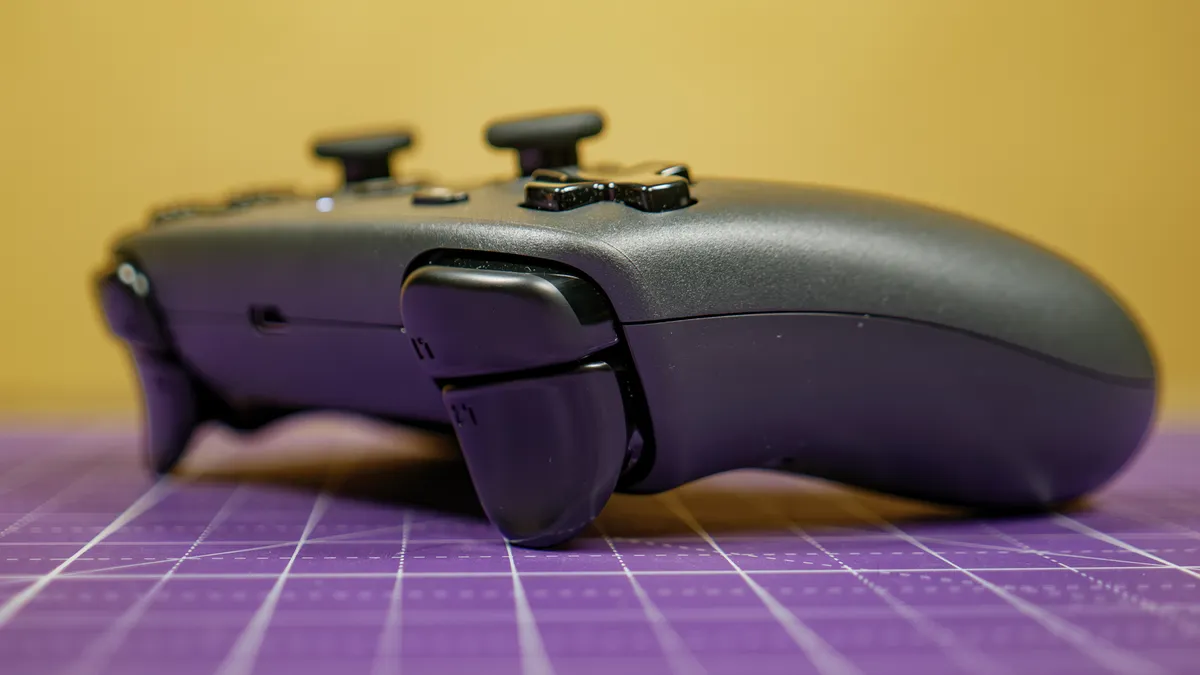
Design-wise, the Steam Controller is both traditional and unique. The top half has a layout similar to an Xbox controller, with a d-pad, face buttons, thumbsticks, and shoulder buttons. The bottom half is where things get interesting, as it’s rather large to accommodate the touchpads. This also gives your hands more room for a better grip.
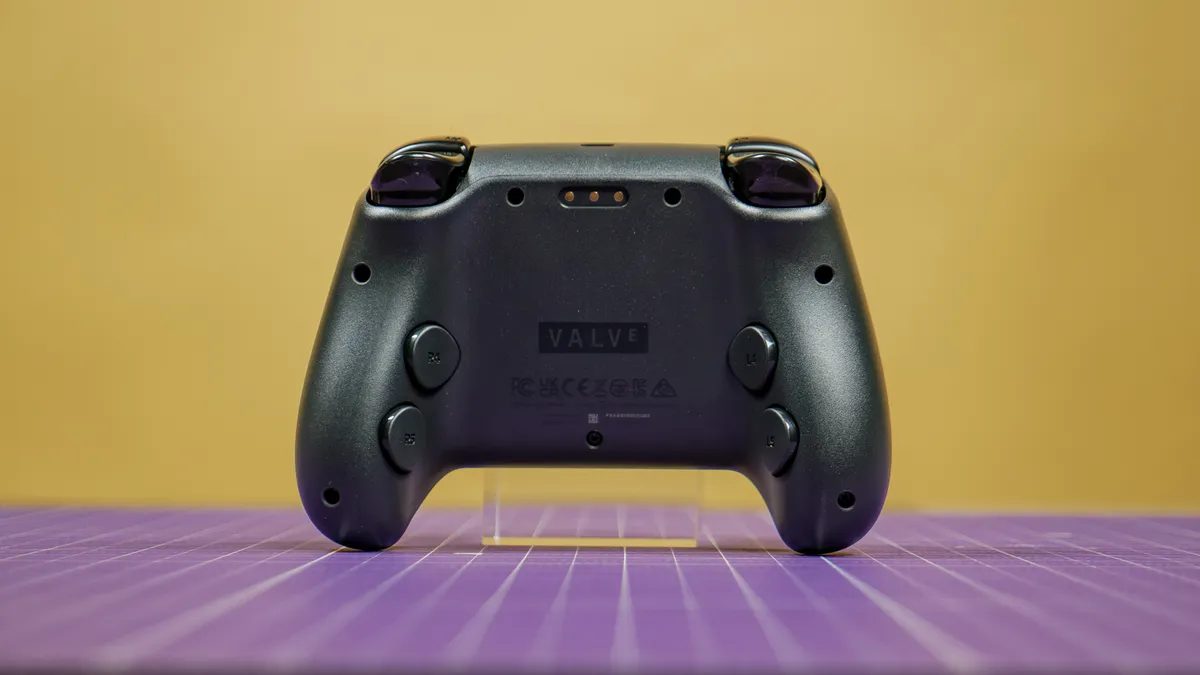
The large back buttons are strategically placed right where your middle and ring fingers naturally rest. Since they’re pretty unintrusive, you can ignore them if you’re not a fan of back buttons. Like the back buttons, the shoulder buttons are also smartly placed where your fingers rest.
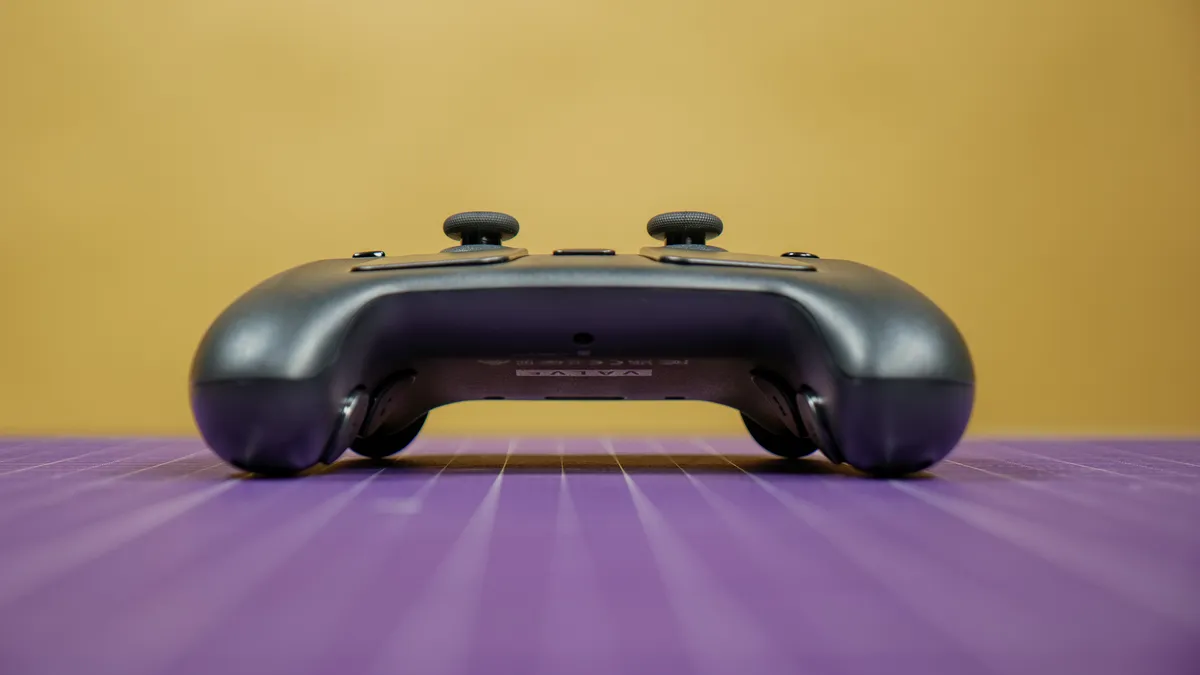
The controller has the same matte finish as the Steam Deck, which means it not only feels nice to hold, but it’s also very grippy.
Responsive controls
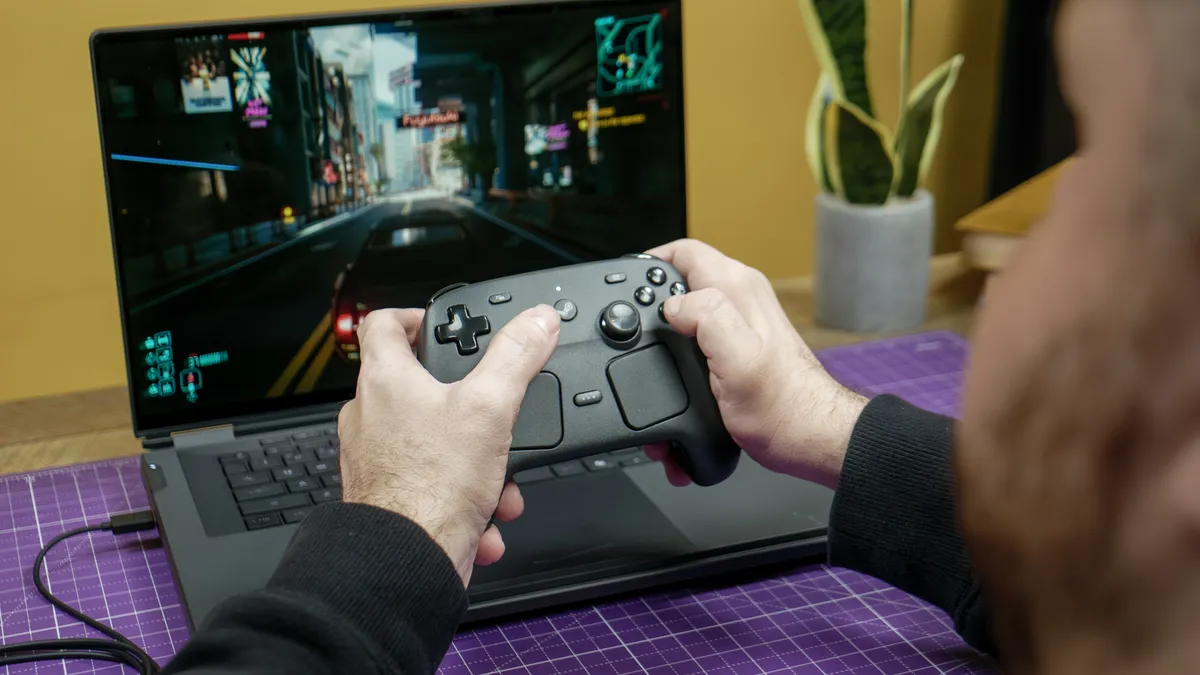
The Steam Controller is not only fun to hold, but it’s also extremely responsive. Valve could have easily just used the Steam Deck’s components, but the company went a step further by including some features you’d only find on pricier pro controllers.
First up are the new TMR thumbsticks, which are designed to be even more responsive and less prone to stick drift than Hall-effect sensors. I’ll spare you the details on how these magnetic technologies differ from one another, but suffice it to say that the TMR sticks on the Steam Deck feel amazing and allowed me to make small and large movements seamlessly.
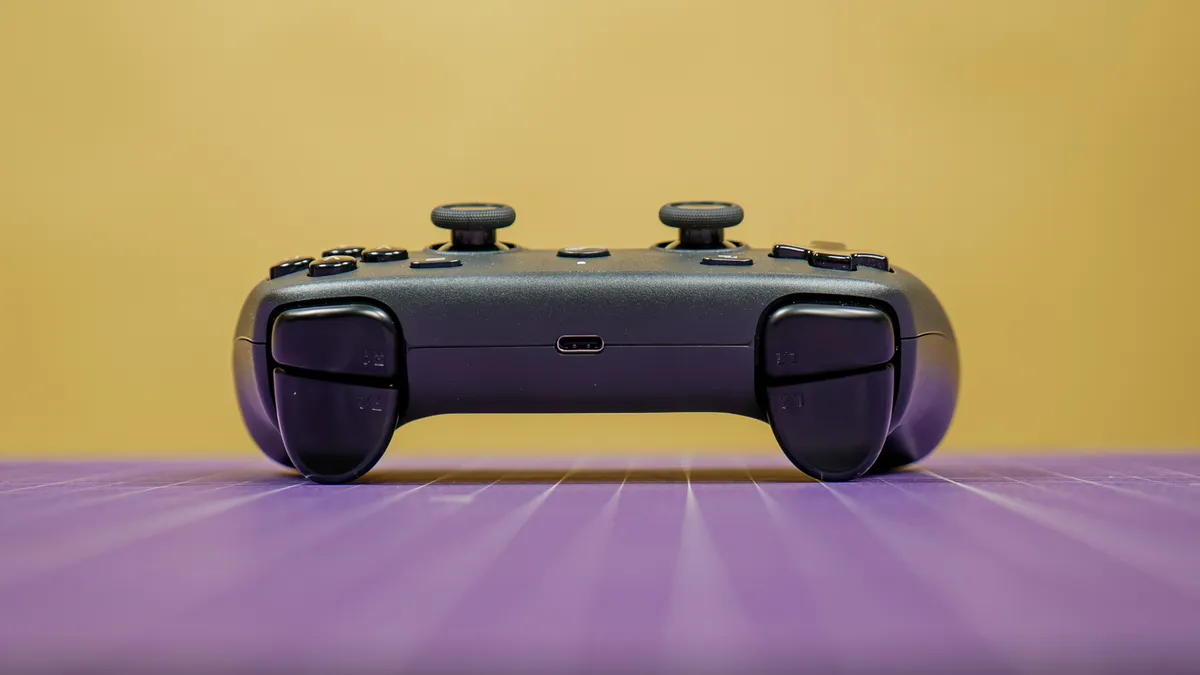
Then we have the haptic touchpads beneath the thumbsticks. Every click and thumb movement makes them vibrate. Thanks to their large size, you can use them in place of thumbsticks, which isn’t just a gimmick, since it makes playing point-and-click games much more intuitive. The original Steam Controller had super huge touchpads instead of traditional thumbsticks, so I’m glad Valve shrunk them without sacrificing performance.
The other inputs are just as great to use. While I wish the ABXY face buttons were a tad clickier, they work as well as you’d expect. The left and right bumpers are also relatively quiet and have a satisfying travel distance. This also applies to the trigger buttons, though they don’t have trigger locks to cut down the actuation point.
Unique pairing and charging
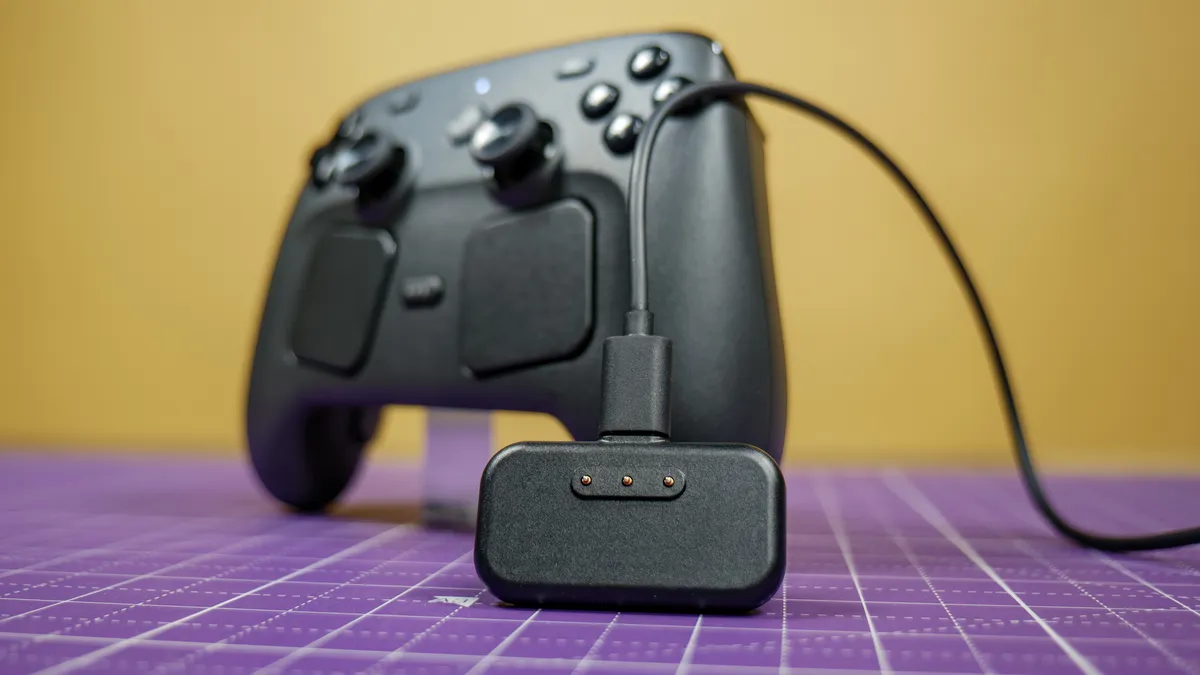
One of the coolest features is the included Steam Controller Puck. It's a 2.4GHz USB-C transmitter that can also charge the controller and pair it with the device you’re playing on.
Speaking of pairing, you can connect up to four Steam Controllers to the puck in case you want to play games with friends locally. It also magnetically attaches to the controller with a satisfying click.
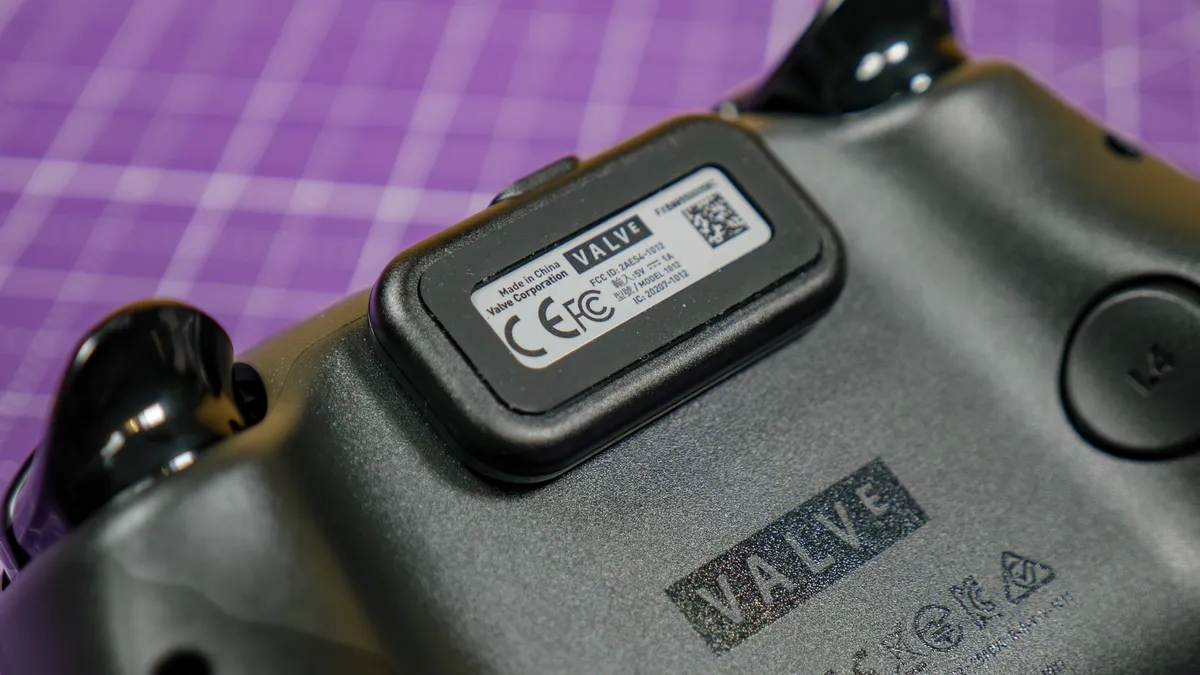
You connect the puck to your PC using the included USB-C to USB-A cable, though you can theoretically use any cable with power delivery. I like that you can keep the controller connected, easily snap it off to play wirelessly, and snap it back on when you’re done.
Valve claims the controller can last over 35 hours on a single charge. I haven’t had the controller long enough to fully drain it, but it has already lasted significantly longer than the PS5 DualSense. Based on what other reviewers have said about battery life, it appears Valve’s claims aren’t just baseless boasting.
Highly customizable
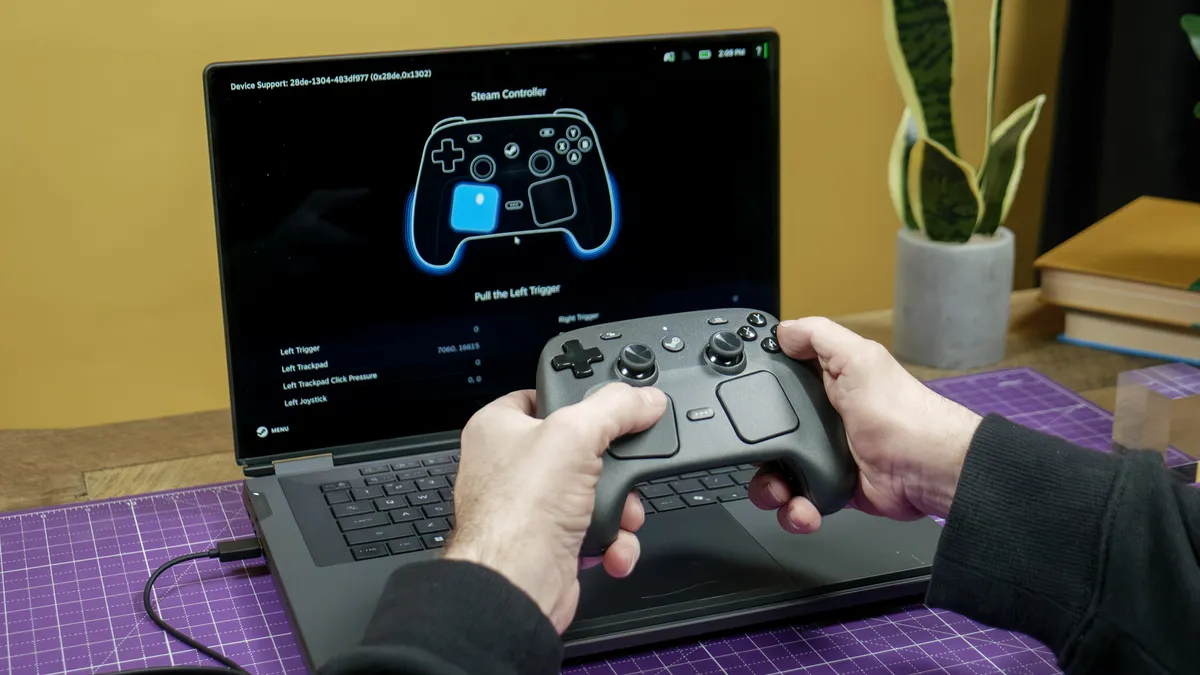
The Steam Controller offers a slew of customization options. For instance, you can program the dual touchpads to act as a mouse for shooters, a traditional D-Pad for 2D games, or even a scroll wheel for navigating menus. Other features also enable more fine-tuning for specific game genres, effectively giving you multiple controllers in a single device.
Naturally, you can remap all the buttons as you see fit. Beyond that, you can add visual overlays like Radial Menus to your screen to handle dozens of keyboard shortcuts with a quick thumb swipe. You can also make the haptic feedback provide clicks and notches to help guide your movements. These types of controls are perfect for games traditionally played with a mouse and keyboard.
There’s more I could detail, but let’s just say you could spend hours tinkering with all the customization options. And if you don’t, you can always download popular, pre-made configurations that players from the Steam community have created.
Steam Controller review: The downs
The Steam Controller is a brilliant peripheral for dedicated Steam users. However, it has one major flaw for those who play outside of Steam.
For SteamOS only
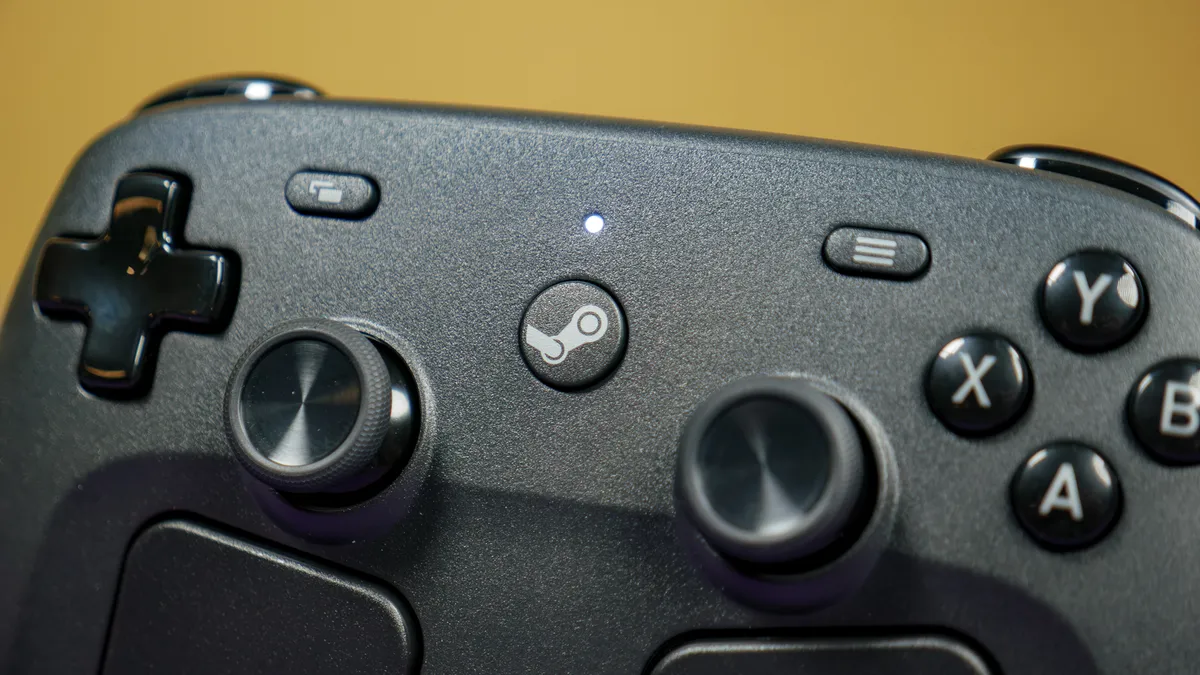
The Steam Controller works seamlessly with SteamOS. That’s certainly a strength, but it’s also its main weakness. If you hoped to easily use Valve’s controller on other PC game launchers like the Epic Games Store or the Xbox App for PC, you’re going to be out of luck. This also applies to gaming consoles.
If you’re like me and rarely leave Steam when PC gaming, then this likely won’t be an issue. And given how clever the PC gaming community is, I’m sure someone will find a workaround before I finish this sentence. Again, this won’t be the end of the world for most players given Steam’s ubiquity, but it’s worth keeping in mind.
Steam Controller review: Verdict
Some believe that $99 / AU$149 is too much for the Steam Controller, but I say the price is more than justified for dedicated Steam users. Sure, Valve’s peripheral costs $20 to $30 more than a standard console controller, but it packs pro controller-like features for $50-$100 less than you’d pay for those premium devices. In that way, you’re actually getting a fantastic deal.
Though it’s admittedly strange to have the Steam Controller without the platform it was designed for, I’m glad that Valve decided to launch this peripheral now so we can get acclimated to it before the Steam Machine’s arrival. Like I said before, switching to another PC controller won’t be easy, since this one gives me everything I need. If you live in the Steam ecosystem, I’m sure you’ll feel the same way.

Follow Tom's Guide on Google News and add us as a preferred source to get our up-to-date news, analysis, and reviews in your feeds. Subscribe to Tom's Guide on YouTube and follow us on TikTok.

