




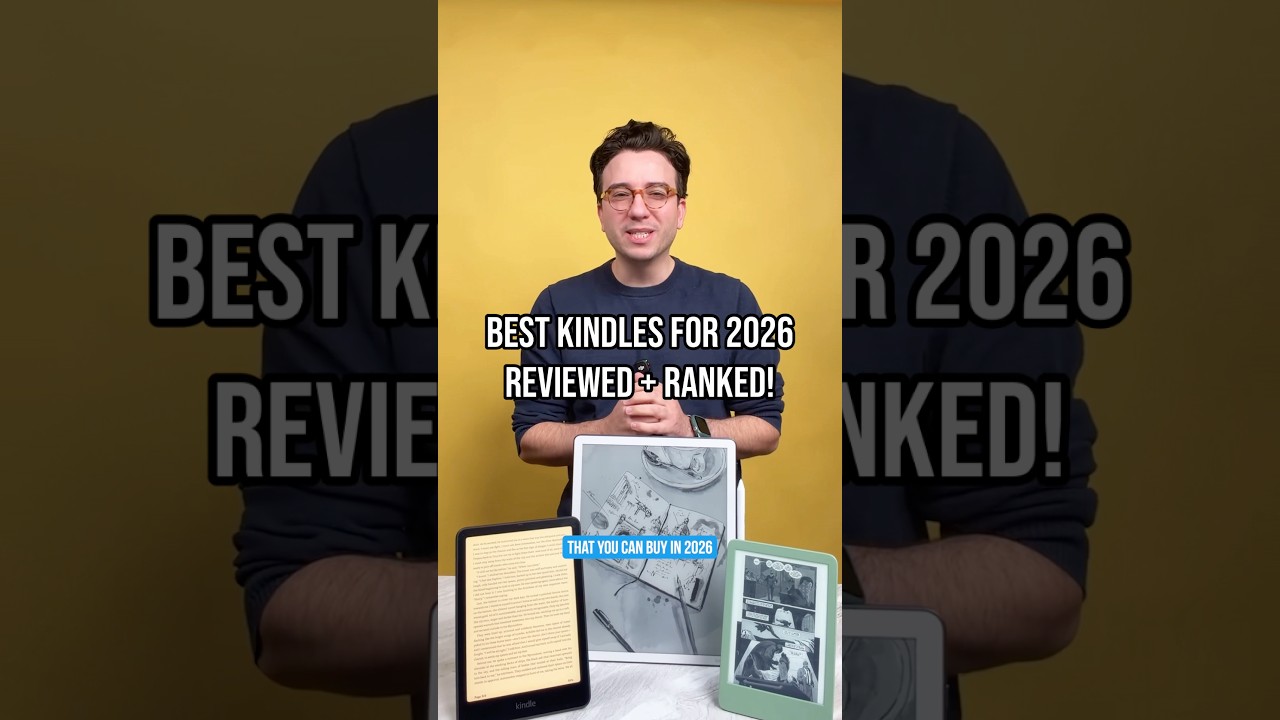
An e-reader can make a whole library of books easier to carry, but the right one depends on whether you simply want to read, prefer comics in colour or need a device for notes and documents, too. Whether it's Amazon's Kindle or the latest ReMarkable, this guide will help you find the e-reader worth buying with our hands-on reviews and expert advice.
Not sure which is the best Kindle or e-reader, and which model you should be spending your money on? We've created a quiz to help you find the model that's going to fulfil your needs, whether you're a book addict or if you devour a new comic book every day.
Just answer the questions and get a tailored recommendation that tells you what you need to know. It's all crafted by our human hands, so you know you can trust it to find what you need.
We've tested all the Kindles we can lay our hands on, so we know what to look for and all the strengths and weaknesses of every model. So take our quiz, and then read more about each model with our lengthier mini reviews below.
As a quick note, all-new e-readers are on the way, as Amazon launched a lineup of Kindles redesigned with thinner builds, speedier page turns and there's even a new Kindle Click remote! We went hands-on with these Kindles, and we'll update this guide to let you know if the upgrades are worth it once our reviews are in, So, stay tuned.
The best Kindle and e-readers you can buy today
Why you can trust Tom's Guide Our writers and editors spend hours analyzing and reviewing products, services, and apps to help find what's best for you. Find out more about how we test, analyze, and rate.
The best Kindle overall


The latest Kindle Paperwhite is a study in understated competence. The latest model sports the same basic look as previous Kindles and Kindle Paperwhite models, including the matte black shell and an e-ink screen, but the latest Paperwhite has a bigger-than-ever 7-inch screen that makes it easier to focus on what you're reading. I also love that the bezels are small and thin, so you tend to forget they're there when engrossed in a good book.
The Kindle Paperwhite's sharp 300-ppi display is supported by an array of 17 LED backlights, which affords you the small luxury of incredibly even lighting. Plus, it offers a robust level of waterproofing (IPX8-rated) protection. So while you probably don't want to take it in the pool, a quick drop in a puddle or bathtub might not spell the end.
The latest model is worth buying because it offers faster performance and smoother page-flipping than earlier Kindles. Flipping through pages is 25% faster than before, and black text on white backgrounds appears clearer and more defined. Though we wish the power button had been moved to the top, we like this e-reader's premium design and appearance.
The only shortcoming? The latest Paperwhite costs $10 more than the previous model. While that's a bummer, there are regular sales on Amazon that should help lower the cost if you wait for a good opportunity. But even if you pay full price, I think the Kindle Paperwhite is the best e-reader for most people thanks to its elegant design, premium features and robust library.
- Read our full Amazon Kindle Paperwhite (2024) review
The best Kindle for value


The Amazon Kindle is a great e-reader that meets every need by being bright, long-lasting and comfortable to carry on long trips. The fact that you're locked into Amazon’s ecosystem is a drag, but you can’t knock the Kindle itself for Amazon's customer-unfriendly business practices.
That's not to say it's perfect, of course. There's room for improvement, like the fact that it's still not waterproof. So while I recommend it as a great Kindle at a killer price, it's key that you don't take it in the bath with you. This remains the biggest differentiator between it and the more expensive Paperwhite, and it feels like a slightly arbitrary difference intended to justify charging more for the Paperwhite.
Also, I missed having the option to adjust the warmth of the display light, another minor but meaningful Paperwhite feature — though if you’re fine with using dark mode, it’s easy to move past that shortcoming. Admittedly, if Amazon fixed those things, there would be no reason to get the Paperwhite, so while we're disappointed, we aren't shocked that the base Kindle doesn't get these useful features.
Ultimately, this Kindle is probably the best Kindle for the money. It’s lightweight and comfortable to hold, the display is bright and crisp — a massive improvement over earlier models — and the battery lasts for ages. Unless you really need a waterproof Kindle, the Amazon Kindle is your best bet.
- Read our full Amazon Kindle (2024) review
The best premium Kindle

If you have money to burn and want the absolute best Kindle you can get, you want the Kindle Scribe Colorsoft.
When I reviewed this extra-large e-paper slate I called it the Cadillac of Kindles because it has (almost) all the fancy features you could want in an e-reader: a crisp 11-inch screen that's capable of displaying your books and documents in black and white or color, a packed-in stylus with a built-in eraser tool and extensions to let you easily move documents back and forth from your Kindle to cloud services like OneDrive.
And after using one for a few weeks, I'm pleased to report that it's a great device. Colors look nice and bright on the Kindle Scribe Colorsoft, although black and white looks even better since the display effectively halves its resolution when displaying colors (you get 300 PPI in black and white, but just 150 PPI when displaying color). And writing on the 11" e-paper display with the included Kindle Premium Pen feels pretty good (although not as good as it feels to write on the ReMarkable Paper Pro).
I'm not the biggest fan of the way you annotate documents on Kindle devices because you have two choices: either write your notes in an expandable margin that pops out of the side of the screen, or write/doodle your annotations directly "on" your document or text using the Active Canvas.
My issue is that the Active Canvas tech basically anchors your annotations between the text, so your annotations stay in the same place if you scroll or change text size, but are fundamentally disconnected from the text. That's a stark contrast from what it feels like to annotate documents on ReMarkable tablets, where you can simply write directly onto the text and count on your marks staying put no matter how you scroll or adjust the document.
I also need to let you know that the Kindle Scribe Colorsoft doesn't have any meaningful waterproofing to speak of, so you'll want to keep this pricey e-paper slate away from the surf. And frankly, since you'll pay basically the same amount for the ReMarkable Paper Pro, I personally would go with the Paper Pro over the Scribe Colorsoft.
But I've used both, and I will say that colors (and the screen in general) do appear brighter on the Kindle Scribe Colorsoft than they do on the ReMarkable Paper Pro. So if you want to read and write in color, both are great choices!
- Read our full Kindle Scribe Colorsoft (2025) review
The best color Kindle

The latest Kindle Colorsoft brings everything readers expect from a Kindle, just in full color. Its 7-inch color e-ink screen is crisp and, in our experience, remains readable even in direct sunlight — so comics and illustrated books finally look as engaging on an e-reader as on paper.
What really tips the balance for color fans is the Kindle library itself. You get access to the largest e-book and magazine collection around, which means no hunting for obscure formats or worrying about limited selection for color content.
In terms of day-to-day use, the Colorsoft holds its own: battery life stretches up to 8 weeks, and the IPX8 water resistance means you don’t have to panic if it gets splashed. These are practical essentials for readers who want to enjoy graphic novels at the pool or on the go, without sacrificing reliability.
The only real catch is price: the Colorsoft costs noticeably more than the entry-level Kindle or Paperwhite models. Still, I thoroughly enjoyed my time testing this device. If color is your top priority and you want a Kindle that goes beyond black and white, this is the most balanced option Amazon offers right now.
- Read our full Kindle Colorsoft (2026) review
The best for e-reader for writers

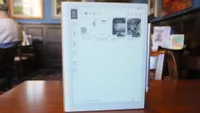
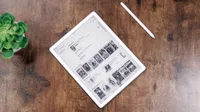
While the new Kindle Scribe is available and offers the option of writing on its e-reader display, the high price of the Scribe makes it hard to recommend. Because of that, I think the ReMarkable Paper Pro is a better choice for those who want an e-reader they can write on.
I say that because it's an e-reader designed for writers and note-takers. The ReMarkable Paper Pro is built for writing, to the extent that you can't buy one without a ReMarkable Marker or Marker Plus (which has an eraser tool on the back) stylus bundled in.
And while you can read your favorite e-books just fine on this slate, you should only buy a ReMarkable tablet if you also want to write on it or jot down your own notes as you go. This tablet is designed to mimic the feeling of putting pen to paper, and I genuinely enjoy the feeling of jotting down notes or editing manuscripts on the 11.8-inch e-paper display in action.
This is the first ReMarkable tablet to support color, too, which is fun if not vital to the tablet's mission. It supports fewer than ten colors, but you can still get a pretty good range of colors popping up both in books and under your stylus as you play with the suite of art tools included.
But you should know that this tablet is as slow to update as any other e-reader on this list, due to its e-paper nature. In my testing, I found that I would often notice a delay between when I drew a line or flipped a page and when the action actually happened on-screen.
So while this is a unique device that offers standout value for writers who want a tablet that mimics the feel of a pen on paper while you're reading or marking up PDFs, everyone else should go with a more affordable, more durable Kindle for their e-reading habits.
If you'd prefer something smaller than a full-size slate, the ReMarkable Paper Pro Move is basically a smaller 7.3-inch version of the Paper Pro that's about the size of a big airport paperback.
- Read our full ReMarkable Paper Pro review
Also tested
We test and review lots of e-readers every year, and just because they don't all make this list doesn't mean they aren't good devices.
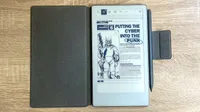
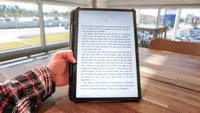
Below we've gathered all the e-readers we've tested that don't quite make this list, but are still good alternatives well worth considering if they meet your unique needs, or if you can't find your first choice on sale.
Battery life claims compared
E-readers are built to go weeks between charges, a clear advantage these pint-sized slates offer over bigger, brighter, more capable tablets like the best iPads. Sure, you can read e-books on any tablet with the right apps, but an e-reader will last a week-long vacation in your bag without needing to be plugged in—can your iPad do that?
In fact, the lengthy battery life of these slates makes them challenging for us to test, because we have to use them for months at a time to see if the battery claims are accurate. We have done that on occasion, and we've found that, in general, manufacturer claims are pretty close to what we actually see in real-world use.
Since battery life is a key data point that can help some people choose between e-readers, we've compared the advertised battery life of all the tablets on this page below so you can quickly see which last the longest.
E-reader |
Battery life (tested) |
Amazon Kindle |
Up to 6 weeks |
Amazon Kindle Colorsoft |
Up to 8 weeks |
Amazon Kindle Paperwhite |
Up to 10 weeks |
Amazon Kindle Scribe Colorsoft |
Up to 8 weeks (reading), up to 2 weeks (writing) |
ReMarkable Paper Pro |
Up to 2 weeks |
As you can see, the Kindle Paperwhite is the clear leader of the pack with an advertised battery life of up to ten weeks.
Note that Amazon typically couches these recommendations with the caveat that it's based on you using the tablet to read for about 30 minutes per day, with the brightness set a few pegs lower than max. If you tend to read more often, you'll likely need to charge more often too.
Best Kindle and E-Reader: Frequently Asked Questions
Are new Amazon Kindles releasing?
During Amazon's October Prime Day celebration, Amazon announced new Kindles. These come with fresh upgrades, including thinner builds, 30% faster page turning, an optional aluminum chassis design and even a repositioned power button.
The new lineup includes the following:
- 6" Kindle (16GB, $169)
- 7" Kindle Paperwhite (16GB, $199)
- 7" Kindle Paperwhite Signature Edition (32GB, $249)
- 7" Kindle Colorsoft (16GB, $289)
- 7" Kindle Colorsoft Signature Edition (32GB, $319)
- 6" Kids Kindle (16GB, $179)
Sadly, the Kindle, Kindle Paperwhite and Kindle Colorsoft are now pricier than their predecessors, but they do come with plenty of useful upgrades. Currently, the basic Kindle and Kids Kindle are now available to purchase, while the Kindle Paperwhite and Kindle Colorsoft won't ship till October 28.
How to download e-books on an e-reader?
Once you have a good e-reader, you need a good library to fill it.
First and foremost, you should check out our guide on how to get free e-books from sources like Amazon, public libraries, the public domain and more. If you have a Kindle, you can send files in a range of formats (including .doc, .epub and .pdf) to your e-reader via Amazon's Send to Kindle feature, though that may not always be the case.
I say that because Amazon has a history of subtly changing its services over time to make them less useful. In early 2025, for example, Amazon stopped allowing you to download your Kindle e-books as backups. You can still redownload books you've purchased on Amazon as many times as you want, but you can no longer back up your library and retain access in the event Amazon decides to stop letting you download a specific book.
If you don't own a Kindle, you have to deal with the hassle of not having easy access to Amazon's DRM-ridden Kindle e-book store. I've found a few great places on the web to buy books even if you don't use the Kindle store, so check out our list of the 5 best places to buy DRM-free e-books and keep an eye out for deals!
To keep reading even when your e-reader is charging, I recommend you also download the best e-book reader apps for your smartphone or tablet.
Should I buy a Kindle or Kindle Paperwhite?
Choose the standard Kindle if you want the lowest-cost, lightest route into Amazon’s e-book ecosystem; choose the Kindle Paperwhite if waterproofing, a larger screen and more comfortable reading in varied light matter to you. The guide recommends the Paperwhite as its best overall Kindle because its 7-inch, 300-ppi display, warm lighting and IPX8 water resistance make it the more versatile everyday reader.
The base Kindle remains a strong value pick with a sharp screen and long battery life, but it is not waterproof and lacks the Paperwhite’s adjustable warm light. Either will suit ordinary text reading, so the upgrade is most worthwhile for frequent readers, travellers and anyone who reads near water.
Is a color e-reader worth it?
A color e-reader is worth paying for if you regularly read comics, graphic novels, illustrated books or color documents. If you're just reading in black and white, then you won't need a color e-reader.
The trade-off is cost: colour models are typically more expensive than entry-level Kindles and Paperwhites. Color e-ink displays also aren't as bright as, say, the best tablets, so readers who mainly want crisp text and the best value may be happier with a monochrome model.
Can I borrow library books on a Kindle or other e-reader?
Yes, but the process and availability depend on your e-reader, library service and country. In the U.S., many public libraries let you borrow eligible e-books through Libby and send them to a Kindle by choosing “Read With Kindle” for a loan. You will need a library card and an Amazon account.
Your local public library is a great place to get free e-books. You can check out our in-depth guide to how to read library books for free on your Kindle or other e-reader (including Kobos), but here's a quick rundown of how to get free e-books from your library to your Kindle.
- Visit your local library and get a library card for free
- Download the Libby app on Android/iOS and plug in your library card info
- Borrow whatever book(s) you like via Libby
- Select your book from the Libby list and tap "Manage Loan," then tap the "Read With…" option.
- Choose "Kindle" to connect to your Amazon account and send the library book to your Kindle!
How to choose the best e-reader for you

Let's start with your budget, as that's the easiest way to make this call. If you're running tight right now, the entry-level Kindle is a solid recommendation. Its lighting is good enough for a handful of situations and its battery life is nothing to sneeze at. Frankly, as long as you're careful about keeping it out of the water I think the basic Kindle is just as good an e-reader as anything on this list.
But hey, if money is no option then you should probably be choosing between the Kindle Paperwhite and the Kindle Scribe family, and this is sort of tough. If you prefer your devices to be built with a harder plastic, that still feels reliable, then I recommend the Paperwhite because it's more sturdy and also offers waterproofing.
But if you want to be able to jot notes on what you're reading you'll probably want to choose between the Kindle Scribe, the Kindle Scribe Colorsoft or the ReMarkable Paper Pro.
The Kindle Scribe is the cheapest, but if you really love the look and feel of handwriting I recommend you at least try to check out ReMarkable's Paper Pro because, while it's more expensive, it also has a far more advanced stylus and screen that make it almost feel like you're writing on paper. It's a niche experience, but I've never felt anything like it on any other tablet. The Paper Pro can also display a limited color palette, while the Kindle Scribe cannot.
For that you need to pay for the Kindle Scribe Colorsoft, which costs as much as the ReMarkable Paper Pro and lets you read and write in color. I personally prefer the experience of writing on ReMarkable's tablets more, but the Kindle Scribe Colorsoft does appear brighter and more colorful than the Paper Pro in person!
How we test e-readers

To start, we read a lot on these Kindles. We don't just do that to see how much battery life is drained in a set of time (and to then compare against the estimations these manufacturers provide), but to discover what we like and don't like about a given Kindle. We then keep reading. At home, on the bus, in the park and anywhere else where the lighting changes.
In addition to evaluating e-readers' size, weight, claimed battery life and design choices, we test their brightness using our light meter. The experience of reading on the device also plays a huge role in these reviews. For instance, we look at the intuitiveness of the interface, the size of the available library and how well the special features (such as web browsers or dictionaries) work.
We've also tried alternatives to the Kindle, such as the ReMarkable Paper Pro and Kobo Nia. And while Kobo's slates are not currently among our best picks, their interface is great for those who want to stay focused on books, and isn't as focused on supplementary content as Amazon's Kindles are.
We even drop water-proof Kindles into our makeshift dunk tank, and watch as they survive — the first time it was surprising, and now it's become something we expect. Lastly, we try and see if Amazon's changed anything about how Kindles work with public libraries. It's the one thing we prefer about competitors.

