
Google’s Veo 3 AI video model is a league above any of its competitors for one key reason — sound. You can prompt not just what you see on screen, but also what you hear.
Built by Google's DeepMind lab, the first Veo model debuted in May 2024, and each new generation has added more functionality. It has always excelled in motion accuracy and physics understanding compared to competitors, but the addition of sound was a game-changer.
You can use it to prompt a short commercial, a scene from a movie you’re writing, or even a music video. But there’s one use I’ve seen more than any other — ASMR (autonomous sensory meridian response): those gentle tapping, whispering, and ambient sounds that trigger a tingling sensation for some people.
To see just how far this could go, I created a series of ASMR food prompts — each designed to generate a matching video and sound around something culinary.

Prompting Veo 3 in the Gemini app
Veo 3 is now available in the Gemini app. Just select the Video option when starting a new prompt, type what you want, and an 8-second clip is generated.
While Gemini isn’t necessarily the best way to access Veo 3 — I’d recommend Freepik, Fal, Higgsfield, or Google Flow — it’s easy to use and gets the job done.
A key advantage of using Gemini directly is that it automatically interprets and enhances your prompts. So if you ask for “a cool ASMR video featuring lasagna,” that’s what you’ll get.
You can also be more specific using something called structured prompting — labeling each moment with timestamps and scene descriptions. But unless you need precise control, a simple paragraph (aka narrative prompting) is usually more effective.
Creating the prompts
The first task in any AI project is thinking about your prompt. Models are getting better at interpreting intent, but it’s still better to be specific if you know what you want.
I knew I wanted ASMR food videos, so I started with a test: “ASMR food video with sound.”
The result? Decent. It essentially gave me the lasagna I had in mind. Then I refined it — outlining specific food types, adding sound descriptions, and even trying a structured prompt for a fizzy drink with ice.
Most of the time, narrative prompts work best. Just describe what you want to see, the flow of the video, and how sound should come through.
1. Lasagna sizzling from the pan
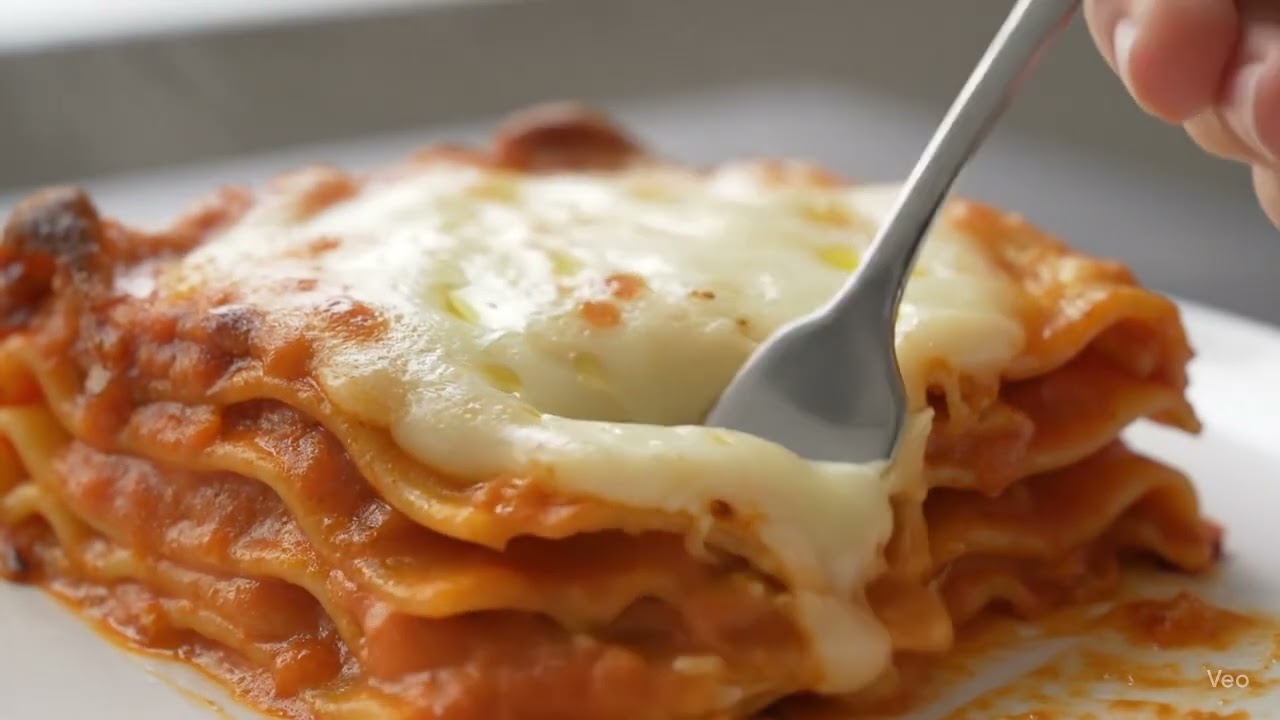
The first prompt, “ASMR food video with sound,” produced a stunning clip of someone sliding a fork into a slice of lasagna. You hear the squish as the fork enters, then the clunk as it hits the plate. This is one case where I wish Veo 3 had an “extend clip” button.
There was no other prompting involved, so I had no way of identifying what the food would be, how the sound would come out or even if the sound would work. This is why it's important to be specific when prompting AI models, even ones in chatbots like Gemini.
2. Cooking and eating
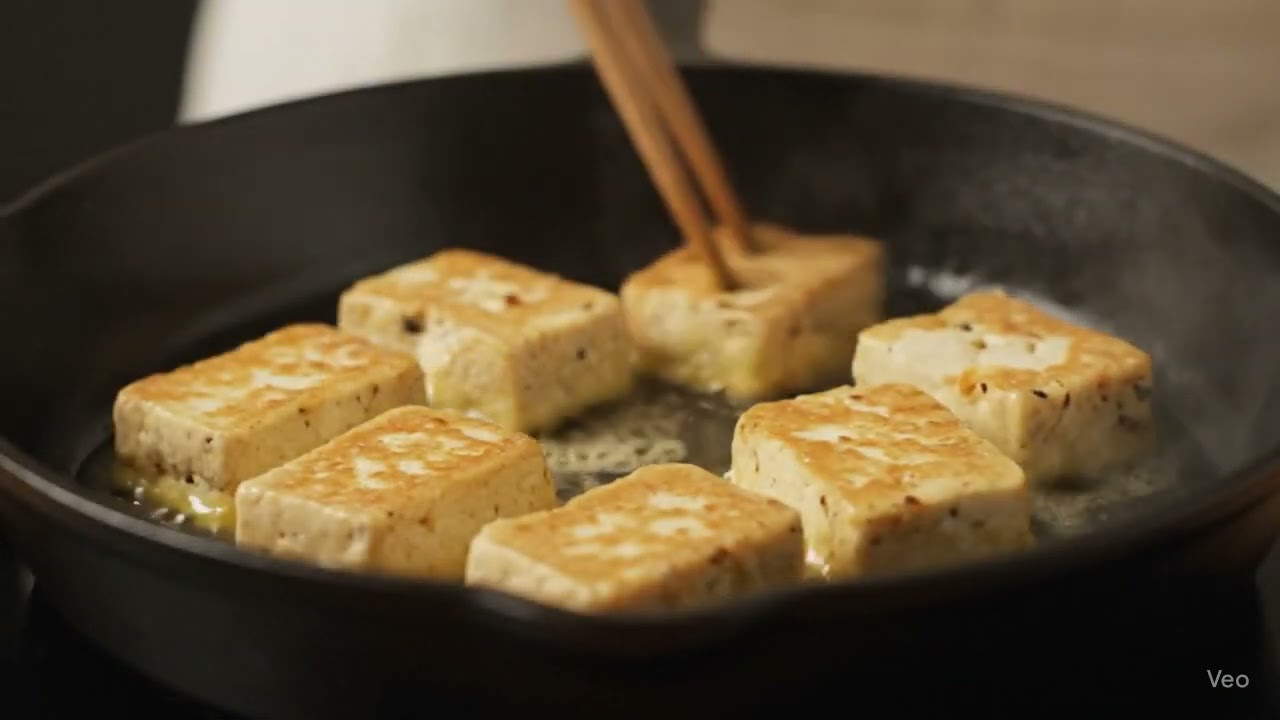
Next, I went more specific — a longer, narrative-style prompt asking Veo 3 to generate a close-up of a chef preparing and eating satisfying food in a well-lit kitchen.
I asked for slow-motion visuals of ingredients being chopped, the sizzling sound of butter melting in a pan, and a crunch as the chef takes a bite.
I also added this line: “Emphasize audio quality: clean, layered ASMR soundscape without music” to direct not just the sound, but to the style of sound and what I don’t want to hear.
3. Popcorn popping

For the final prompt I started with an image. I used Midjourney v7 to create a picture of a woman looking at rainbow popcorn, then added the prompt “ASMR food” in Gemini.
Visually, the result was stunning — but for some reason, the woman says in a voiceover, “This is delicious, this rainbow popcorn.” That’s on me — I didn’t specify whether she should speak, or what she should say.
A simple fix: put any speech you want in quotes. For example, I could have prompted her to say “I love to watch popcorn pop,” and emphasized the word pop. I also could’ve specified that she was speaking on camera — and Veo 3 would have synced the lip movement to match.
Conclusion
Overall, Veo 3 delivers impressive results, especially when it comes to generating high-quality sound that accurately reflects the visuals. While there are a few quirks to navigate, like unintended voiceovers or slightly underbaked looking lasagna — these are easily addressed with more specific prompting.
More from Tom's Guide
- I tried these 5 ChatGPT prompts that can level up your hobbies — here's the results
- New study reveals ChatGPT is changing how we talk, text and write — here's how
- Claude can now connect to Google Drive, Canva, Slack and more — here’s how to try it