







A VPN is an essential tool for those looking to stay private and anonymous online, and this is as true for a Linux user as it is for any other device. As an increasing number of users switch to Linux for its security benefits, only the best Linux VPNs are ensuring that they support the platform.
At Tom's Guide, we test the best VPNs regularly, and we've been doing so for over a decade now. Here, I've rounded up the top 5 VPNs for Linux after comparing dozens of providers for privacy, speed, ease of use, unblocking capabilities, and whether or not there's a GUI.
Read on to know everything about the best VPNs for Linux to protect your device, but if you're in a hurry, here are my top 3 picks right now – NordVPN, ExpressVPN, and Windscribe.
The 3 best Linux VPNs at a glance

How we chose the best Linux VPNs
Why you can trust Tom's Guide Our writers and editors spend hours analyzing and reviewing products, services, and apps to help find what's best for you. Find out more about how we test, analyze, and rate.
When testing the VPNs for this guide, we started off by combing through the provider's website, where we take a close look at its privacy policy, headline features such as how many servers it handles globally, where they are, support options, and if it uses tracking cookies on its site.
Next, we downloaded the VPN's apps on various device types, including Linux, and tested them rigorously. We evaluated all key features, such as the kill switch, split tunneling, port forwarding, and double encryption, as well as the app's ease of use – we made sure that the GUI on Linux (if there is one) is as functional as it should be.
Then we shifted our attention to the provider's unblocking capabilities. For this, we tried to unblock different streaming sites, such as Netflix, Prime Video, Disney Plus, and BBC iPlayer, from different locations around the world.
Speed is another important testing criteria for us, and we tested the VPN's speed at least 120 times from two location (a US location and a UK data center) for accurate results. An important part of our VPN testing process at Tom's Guide is re-reviewing and testing the top VPNs every six months or so to ensure we only recommend the best products.
What did you add? What did you change? You can be specific and say things like "We updated IPVanish's server count to reflect recent changes."
The best Linux VPN overall
What we like:
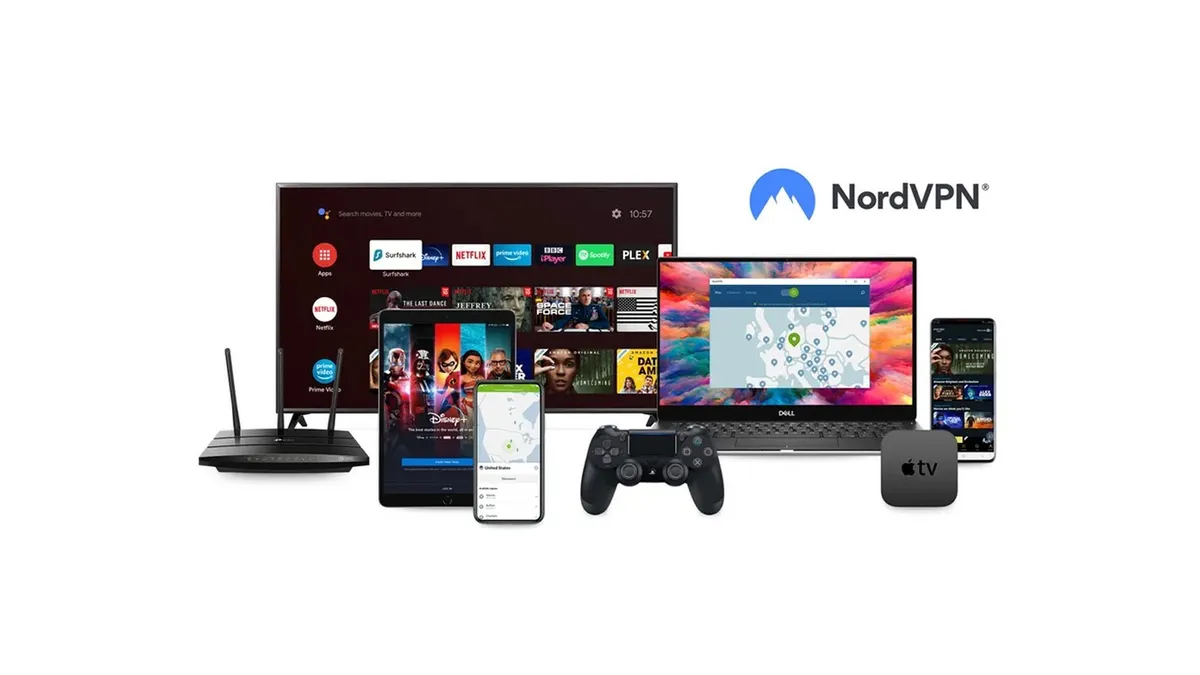
NordVPN was one of the first mainstream VPN providers to support Linux, and it is good to see that it has replaced its Terminal interface with a desktop (GUI) app.
NordVPN has a great reputation built on its range of servers, over 8,000 across 168 countries, as well as its performance as one of the best streaming VPNs (unbllocking streaming sites such as Netflix, Disney+, and BBC iPlayer), and access to P2P networks.
It's also well-known for its security features, including Double VPN (which encrypts your connection twice), Onion over VPN to browse the Tor network, and Meshnet, a private ad-hoc network for sharing files and accessing devices with friends and family anywhere in the world.
NordVPN is examined regularly by external auditors, which test its no-logs policy and the resilience of the apps and servers. Its claims and promises are generally validated by these audits, although it has made improvements when warranted.
It's also incredibly fast, with its proprietary NordLYnx protocol achieving speeds of over 1,200 Mbps on a 10 GB line during our latest round of testing.
NordVPN doesn't only prioritise speed, however. Not only does NordLynx offer post-quantum encryption, but its other proprietary protocol NordWhisper effectively hides VPN traffic, keeping your internet browsing history and VPN use completely hidden.
What could improve:
While the NordVPN GUI client was welcomed upon release, it still isn’t quite as responsive or slick as the desktop and mobile versions. For example, it isn’t verbose enough to tell you that switching to NordWhisper will disable the Specialty Servers.)
Feature-wise, NordVPN could improve its Double VPN feature by allowing users to choose where the servers used for it are located. While its an undoutedly useful feature for those looking to boost their privacy, competing providers like Surfshark offer the ability to set the two VPN servers in their versions of this multihop technology, NordVPN does not.
Additionally, at around $3.40 per month for a two-year subscription, NordVPN isn't necessarily bad value for money, but it certainly isn't the cheapest either. Plus, its price hikes upon renewal are pretty steep.
🔒 Read our in-depth NordVPN review for all the details.
Buy NordVPN if:
✅ You want added security features. NordVPN offers a comprehensive suite of VPN and privacy tools, suitable for all eventualities.
✅ You want a VPN with a verified no-logs policy. NordVPN has completed numerous tird-party audits, proving it doesn't store, log or collect your data.
✅ You want to use the best VPN on the market. NordVPN is the best VPN available based on our testing.
Don't buy NordVPN if:
❌ You need an intuitive and developed desktop app. The NordVPN Linux desktop client isn’t quite as verbose as the Windows and Mac version.
❌ You don’t like big renewal bills. While NordVPN might offer good discounts for sign-ups, the renewal price is typically much higher.
The easiest to use Linux VPN

What we like:
The first VPN I ever used with a dedicated Linux GUI was ExpressVPN, and I’m pleased to find that the app continues to impress.
There's virtually no difference in its appearance and functionality on other operating systems, which is a huge plus.
ExpressVPN is also one of the few VPNs that includes local LAN access (for using printers or casting while the VPN is enabled), and this is included in the Linux client.
Functionally, ExpressVPN is suited to streaming overseas libraries, P2P activities, and has advanced protection “add ons” for blocking trackers, adult content, malware, and ads.
Like NordVPN, ExpressVPN is a key player in the industry, and has contributed to the wider privacy cause with an open-source protocol, Lightway (which is based on Wireguard). In 2025, this was enhanced with quantum protection (using the Kyber encryption standard).
Its Lightway Turbo protocol is incredibly fast, too, clocking in at over 1,400 Mbps on 10 GB connection during our speed tests. Plus, if you want to see what speeds you're getting yourself, you can always use its speed test feature, which is built into the app.
What could improve:
While P2P is supported by ExpressVPN, this isn’t listed as a prominent feature. We’ve found that all servers are suitable for torrenting, but you won’t find any actual support for the feature.
Additionally, while its Lightway Turbo protocol is incredibly fast, it's only available on Windows. Users on other platforms will have to use Lightway, which only achieved speeds of 359 Mbps in our latest speed tests.
Finally, while ExpressVPN has slashed its prices via its new pricing tiers, this does mean that it no longer includes some of the features it was known for as standard. If you want to get your hands on its more advanced security features, like a password manager, you'll have to pay more for one o fits upgraded tiers.
🔒 Read our in-depth ExpressVPN review for all the details.
Buy ExpressVPN if:
✅ You want a serious VPN. Some competing VPNs are targeted at users who just want encryption for streaming, while ExpressVPN, is more suited to the serious privacy advocate demanding all-round protection.
✅ You need a simple VPN. ExpressVPN has a bunch of additional features, but if you just want to get online quickly via a specific server, this is a one-click process.
✅ You’re looking for excellent privacy. ExpressVPN leads the pack with privacy options, making it a good choice for anyone demanding the latest privacy and encryption protections.
Don't buy ExpressVPN if:
❌ You want the absolute cheapest VPN. There are a few cheaper VPNs that give ExpressVPN a good run for its money – Surfshark and Private Internet Access are two more affordable alternatives.
❌ You want the fastest speeds. ExpressVPN's Lightway Turbo is super fast, but it's only available on Windows.
The [xyz] Linux VPN

What we like:
I can honestly say that I was impressed with Windscribe's Linux client. There is no Terminal element, so everything is in a GUI-based tool, which is compact and versatile, growing and shinking as required.
Features include the option to select WSTunnel, a protocol that uses web sockets, and is intended for regions with heavy internet censorship. WireGuard and the (Proton VPN-developed) Stealth VPN protocol are also included. Windscribe also recently introduced post-quantum encryption, utilising a pre-shared key (PSK) and "a post-quantum-resistant encryption algorithm."
Unlike some other VPNs, Windscribe also includes a LAN connection option. This feature – ideal for casting streamed video to a TV – is very useful, and for me is often a deal-breaker when omitted.
Along with the R.O.B.E.R.T. collection of malware and ad-blockers, this is an encouraging inclusion. Windscribe has also gone a step further and recently announced a privacy alliance with a number of other companies in order to provide its users with advanced security tools.
Windscribe also offers one of the best free VPNs, so you can get a Linux VP without spending a dollar.
What could improve:
The only real concern with Windscribe is its list of server locations. While most VPN providers have a good selection of servers distributed across the globe, largely focused around population centers, Windscribe is comparatively weak in Asia.
Compared with ExpressVPN, NordVPN and Surfshark, which all have over 30 servers, Windscribe has just 17 in Asia.
While Windscribe’s free version is very easy to use, if you run into problems, the available support has room for improvement. Most solutions can be found via the its AI-powered chatbot, Garry AI, but having access to a real person is always an advantage.
Additionally, while Windscribe hasa great free tier, if you want to go for the paid option, it will set you back around $6 per month. This is significantly more expensive than the other VPNs on this list.
🔒 Read our in-depth Windscribe review for all the details.
Buy Windscribe if:
✅ You want a VPN with a slick Linux desktop GUI. Windscribe’s user interface really surprised me, it is as impressive on Linux as on Windows and Mac. It’s probably faster on Linux than on Windows (your mileage may vary).
✅ You want a VPN with plenty of options. This has one of the best collections of features available in the VPN market, including P2P support.
✅ You’re looking for a VPN with a free option. Windscribe has a decent free tier, as well as customizable payment plans.
Don't buy Windscribe if:
❌ You need a simple app. If you’re using Linux, this probably isn’t the case, but Windscribe’s depth of features may intimidate anyone used to the streamlined apps of ExpressVPN or Surfshark.
❌ You need access to responsive customer support. Windscribe isn’t geared towards quick solutions, which is disappointing.
The cheapest Linux VPN

What we like:
Surfshark’s Linux desktop app is a straightforward, easy-to-use tool, and essentially replaces the previous Terminal-based interface for Surfshark on Linux.
Surfshark is a great option for those looking for a Linux VPN that won't break the bank. At just under $2 per month for a 24-month contract, it is the cheapest VPN on this list.
While PIA offers a similar price point, Surfshark edges ahead with the features it offers. For example, even its lowest subscription tier comes with Alternative ID. This handy feature allows you to create spoof email addresses so you can keep your identity private when signing up to services or for newsletter discounts.
Surfshark’s Dynamic Multihop feature is easy to use and front-and-center in the app, should you need it. Streaming-wise, it handles overseas libraries from Disney and Netflix, with enough locations and virtual locations to handle most VPN eventualities.
Incidentally, Surfshark explicitly highlights which servers are virtual (that is, not physically located in the corresponding country), which several other VPNs do not. While this is a nice-to-have rather than a need-to-have, it's good to see this amount of transparency from a VPN provider.
It's one of the fastest VPNs on the market, too, with speeds of over 1,600 Mbps on a 10 GB line during our latest round of testing. This was almost double its previous result of 848 Mbps, which was an excellent result to see.
What could improve:
Surfshark's Linux client appears good but is limited compared with Windows, and its NoBorders mode is not available. As one of Surfshark’s key features, it seems odd that it isn't included.
Surfshark also doesn’t offer a local LAN mode for allowing connection to devices (e.g. printers) in your home. So, if you’re using Surfshark on your Linux laptop, you’ll need to disable it before printing.
Surfshark’s reliance on static IP addresses for its servers can result in destination sites being able to track user activity, which isn’t ideal, and isn’t completely private.
Additionally, the ad blocker on its CleanWeb feature can be detected by some services (for example, ITVX and C4 apps in the UK), and these won’t allow you to stream content until the feature is disabled.
🔒 Read our in-depth Surfshark review for all the details.
Buy Surfshark if:
✅ You have very fast internet. As one of the fastest provider in our last round of speed testing, Surfshark will protect you without slowing you down.
✅ You need a straightforward Linux app. The Surfshark app is surprisingly good, but some functional sacrifices are required.
✅ You’re looking for an affordable VPN over several years. Surfshark starts at under $2 per mo over two years, which is an incredible deal.
Don't buy Surfshark if:
❌ You want more functionality and features. Surfshark doesn’t have its own protocol and doesn’t allow access to your local network devices.
❌ You expect the VPN’s NoBorders mode. Surfshark on Linux doesn’t appear to have an option to toggle this feature.
The best Linux VPN for experts
What we like:
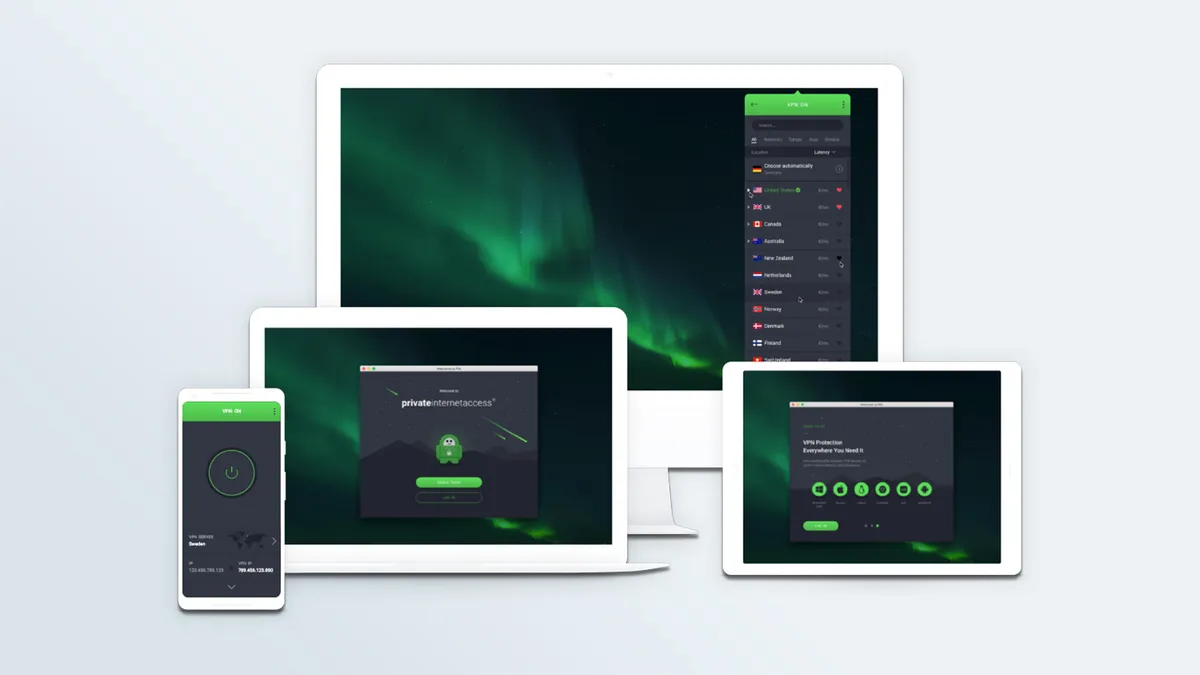
Like Windscribe, Private Internet Access (PIA) is particularly interesting to Linux users as it offers a strong GUI-based app.
It's also great for those who like to get under the hood of their VPN, with various different settings and features for users to play around in. This includes a performance meter and various menus, providing options for LAN traffic, malware and tracker blocking via its MACE feature, and protocol selection, as well as automated connection settings.
PIA is a versatile VPN service, offering not only excellent privacy but decent support for streaming, as well as being one of the best torrenting VPNs. Plus, with 152 server locations, you should be able to access content from across the world.
As one of the best US VPNs, PIA has servers in every US state. This can be handy if you're looking to access US-specific content.
Speaking of privacy, it's proven its no-logs policy in court, twice, and also publishes quarterly transparency reports to show that they do not and have not been retaining or sharing users' data.
It's decent value for money, too, with prices starting from just $2 per month. This is just slightly more expensive than Surfshark, and significantly cheaper than NordVPN and Windscribe.
With so many other VPNs available, Private Internet Access performs well in all metrics, and is only fifth in this list because the other four are marginally better. As a Linux VPN with a functional GUI app (that installs along with the terminal app), it is strongly recommended – particularly if you’ve already tried the alternatives.
What could improve:
In terms of the service itself and the software, you might find the client is a little too complicated if you value a simple VPN experience.
As with Windscribe, that might not be the case if you’re on Linux, but it’s worth keeping in mind. Also, PIA is not the fastest VPN, so if you need speed, look elsewhere.
Additionally, its speeds were unimpressive when compared to many of the other VPNs on this list. At around 600 Mbps, it should be more than fast enough for any activities you want to get up to, but it is still significantly slower than the other VPNs on this list.
🔒 Read our in-depth Private Internet Access review for all the details.
Buy Private Internet Access if:
✅ You want US servers. PIA has servers across every US state, which can help with overcoming streaming blocks.
✅ You want a configurable VPN. PIA offers users a lot of settings so you can customize your VPN connection to be exactly how you want it.
✅ You need a trustworthy no-logs policy. PIA has proven its no-logs policy in court, twice, and published quarterly transparency reports.
Don't buy Private Internet Access if:
❌ You want a fast connection. PIA’s peak speeds have been found to be around 600 Mbps in our tests, and while good, these are noticeably slower than competitors
❌ You like simple apps. PIA doesn’t just market itself at privacy experts and enthusiasts, it also has quite a complex app, with plenty of settings.
How to pick a Linux VPN
Deciding on the right VPN for Linux that fits your needs can be a little trickier than it's on some other operating systems due to the fact that there's quite significant variation in products.
The biggest factor on Linux will be whether you absolutely require a graphical user interface (GUI). In short, a GUI is what most other computer users would call an app – it's the face of the program that you use to control it. Without a GUI, you'll have to use the command line, which can take longer, and prove difficult for the uninitiated.
If you need a GUI, that rules out a lot of providers. However, top-rated VPNs like Surfshark and PIA do offer a GUI on Linux, so these should be you top considerations. Beyond that, it's worth considering other factors like:
- Privacy: the VPN you choose must be super-secure and come with a clear-cut no-logs policy, a reliable kill switch, leak protection, and support for the most secure protocols, even on Linux.
- Speed: fast connection speeds will help you stream, game, and/or torrent without any buffering, glitches, or lag. If you’re after the fastest of the pack, consider getting Surfshark or NordVPN. Even Proton VPN (has a GUI) is speedy enough.
- Streaming: a good streaming VPN has lots of servers and excellent unblocking capabilities. It should effortlessly unblock popular streaming platforms, like Netflix, Prime Video, Disney Plus, and BBC iPlayer, as well as other sites you wish to access.
- Ease of use: simple and similar apps across various device types are highly recommended, especially for beginners. Plus, strong customer support with a comprehensive set of help articles will ensure a smooth experience.
- Cost: the price of the VPN provider plays a crucial role, too. At the same time, it's important to note that you'll be much better off with a cheap VPN rather than a free service that's almost always stripped off important features.
What is the best VPN to use in Linux?
All of the VPNs on this list are great Linux VPNs, but our number one is NordVPN.
This is due to its desktop GUI app, paired with its fast speeds, excellent streaming support and top-of-the-line security and privacy features.
However, if you're looking for the best cheap VPN for Linux, you'll likely want to go for Surfshark or PIA, due to their per-month price of around $2.
Does Linux have a built-in VPN?
No, Linux does not come with a VPN built-in, but some Linux distros do offer support for VPN protocols, such as OpenVPN and WireGuard.
However, the simplest way to set up a VPN on Linux is to find a VPN provider that offers a dedicated Linux VPN app – look for one with a GUI if ease of use is important to you.
Should I use a free VPN on Linux?
If you look hard enough, you’ll stumble upon a VPN service that’ll tempt you with a free offering. However, the risks of using such an offering far outweigh the merits of saving a couple of dollars a month – yep, the best cheap VPN services are that affordable.
For starters, these free services will definitely be a lot slower than any paid service. Forget streaming content too, and you might not even be able to enjoy a pleasant browsing experience with them – think ads and annoying pop-ups.
On top of it, there will almost certainly be a cap on the bandwidth with a no-fee VPN, which will be set to such a low level so as to make the service unusable for any practical purposes.
Another major cause of concern with free services are their privacy policies or lack thereof. They are not free from the goodness of their hearts, and have to make money somehow. Collecting and hawking your private data is one of the most common ploys.
The experts that test VPNs at Tom's Guide

Mo has written about VPNs for Tom's Guide, day-in, day-out, for five years. He's an expert when it comes to what makes a VPN truly usable, and loves it when a VPN makes staying safe online as easy as possible. He is also a contributor to TechRadar, T3, and What Hi-Fi?.

Anthony Spadafora is the Senior Security and Networking Editor at Tom’s Guide where he covers everything from data breaches and malware to password managers. He also undertakes VPN testing for Tom's Guide and TechRadar, which includes running all of our US-based speed tests.
We test and review VPN services in the context of legal recreational uses. For example: 1. Accessing a service from another country (subject to the terms and conditions of that service). 2. Protecting your online security and strengthening your online privacy when abroad. We do not support or condone the illegal or malicious use of VPN services. Consuming pirated content that is paid-for is neither endorsed nor approved by Future Publishing.
