




Looking for a big-screen experience in a smaller space? The best 50-inch TVs can deliver a more immersive picture without taking over the room. The best models we've tested balance strong image quality with the features you’ll actually use, whether that means a lower price, smoother gaming or reliable everyday streaming.
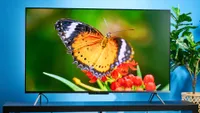
The LG C5 is easily the best 50-inch TV we recommend right now. It's last year's model, so the price has dropped, and it's still one of the most impressive TVs we've ever tested, offering a versatile blend of brightness, contrast and fantastic handling of deep blacks.
However, if keeping costs down is your main goal, the Sony Bravia 3 II is the 50-inch TV you'll want in your shopping cart, as you'll get sharp image quality, decent brightness and plenty of gamer-ready features well worth its price. That said, the Samsung S90F OLED is the one to consider for console gaming. For expert advice and our hands-on testing of all the 50-inch TVs we recommend buying, I'm here to help you choose with this guide.
The best 50-inch TVs available right now
Why you can trust Tom's Guide Our writers and editors spend hours analyzing and reviewing products, services, and apps to help find what's best for you. Find out more about how we test, analyze, and rate.
Best 50-inch TV overall


Despite being the best 50-inch TV, the LG C5 is actually 48 inches (sorry, I know it's confusing — LG makes weird sizes). And it's not even the latest TV in this range — that'd be the LG C6 — and yet I still recommend it over pretty much everything else because, now that the price has dropped, it's the most incredible value TV around.
The thing is, we tested the LG C6 and are really impressed, but it's not a big enough upgrade from the C5 to justify the extra price. Especially because from the moment we turned on the C5, we were startled by how vibrant and colorful everything looked, from films and TV shows, through to games and sports.
Aside from looking fantastic, one of the reasons the LG C5 is so versatile is that it has four HDMI 2.1 ports and a 120Hz refresh rate, which is what you need for console gaming. The high refresh rate also makes it a great option for checking out this summer's sporting events, as you won't get blurring during fast-paced action.
When we review TVs, we generally test the 65-inch version, as we did with the C5. The 43-inch and 48-inch models are pretty much identical, except the smaller size means the pixels are closer together. So to prevent overheating, LG reduced the power, which means these two smaller versions aren't quite as bright as their larger siblings.
Otherwise, the 48-inch model still crams everything we loved about the C5 into the smaller display. Plus, it runs LG's webOS platform, which offers a vast array of customizations and dedicated film, sports and gaming modes. Although the default settings worked well, the Filmmaker Mode really helped movies jump off the screen.
- Read our full LG C5 review
Best budget 50-inch TV


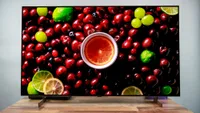
Looking for a cheaper 50-inch TV alternative for entertainment and gaming? The Sony Bravia 3 II is it. At 50 inches, this LED TV comes with a wallet-friendly price for all it offers, including great gaming features (four HDMI 2.1 ports for 120Hz gaming on consoles), a snappy Google TV interface and decent brightness and colors.
Despite its sub-$600 price, the Bravia 3 II surprised us with its detail and punch. In our review, we caught fine details in movies, like the sweat on Tom Cruise’s hands and the glint of sunlight off a jet in "Top Gun." Even for animated shows, you'll find colors popping off the screen in fantastic ways, even compared to some OLEDs.
For anyone who cares about gaming or just wants a set that’s responsive for streaming and movies, input lag is a non-issue here. We measured very low lag, as you'd expect from a gamer-ready Sony TV, and with four HDMI 2.1 ports, you’ll have plenty of room to hook up consoles and other gear.
Now, the Bravia 3 II can’t match the LG C5’s superior brightness and color accuracy, or the Samsung S90F OLED's advanced gaming features, sharp image quality and black levels. But for this price? It does a fantastic job of offering the complete high-quality TV experience for a whole lot less.
Black level depth isn’t OLED-class, and the audio is just okay (you’ll want one of the best soundbars for anything more than TV shows), but for the price, you get a TV that’s sleek and stylish, easy to set up and simply looks better than you’d expect. If you’re after a sharp, reliable and wallet-friendly 50-inch TV, the Sony Bravia 3 II is the set I’d recommend right now.
- Read our full Sony Bravia 3 II review
Best 50-inch TV for gaming

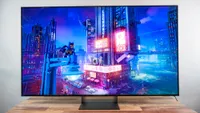
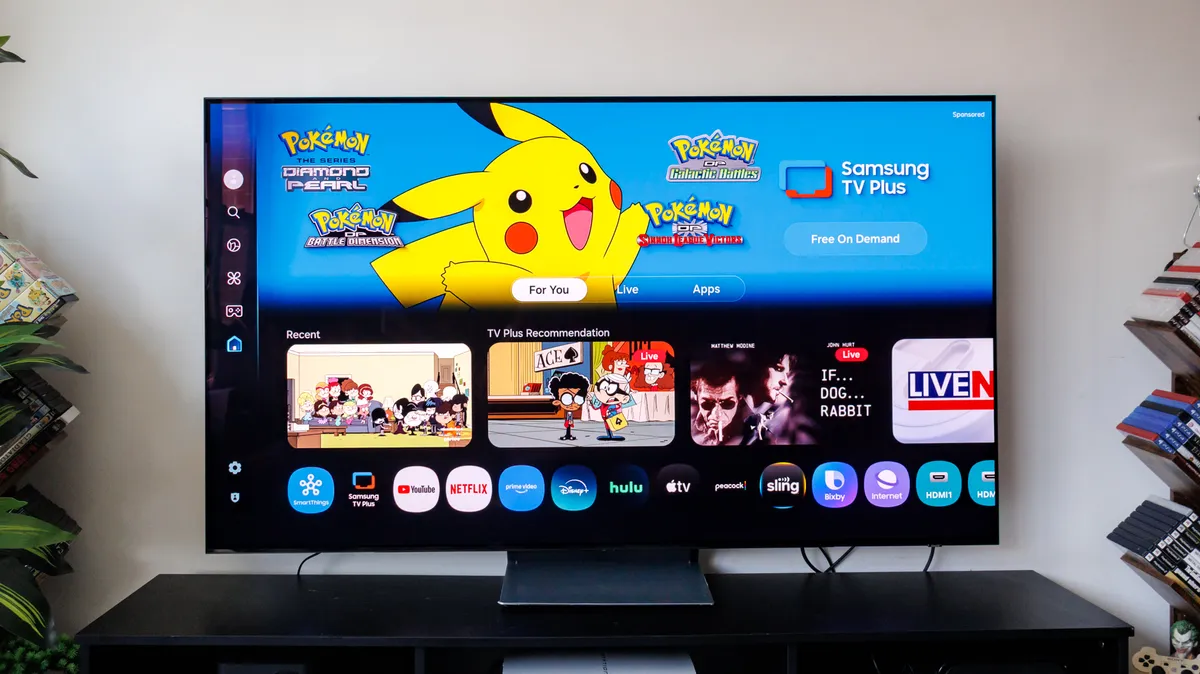
I'm sorry to have to tell you that the best 50-inch TV for gaming is, in fact, a 48-inch TV (again). But while the Samsung S90F may lack two inches, it makes up for it in pretty much every sense, with a great mix of hardware (120Hz refresh rate, four HDMI 2.1 ports) and software (including Samsung's fantastic Gaming Hub).
You can find TVs with higher refresh rates, but the current generation of consoles all output at 120Hz, so if that's what you use, there's no need to pay more for a greater rate. Though, if you're a PC gamer, you might want to check out some of the best gaming TVs instead, as those run up to 165Hz.
Plus, during our lab testing, we measured the input lag to be just 9.1ms. The LG C5 can hit 9.1 while in a boosted mode, but its native lag is 12.9ms. These are fractions of a second, but in particular games, especially competitive online titles, this can make a big difference. And the TV runs Samsung's Tizen software, which has another trick.
There's a dedicated Gaming Hub, which is part cloud gaming service, and part gaming home page. If you connect a console using one of the TV's HDMI 2.1 ports, the hub recognizes it and will even store a quick list of things you were playing recently. So you can launch a game from here, and it'll automatically enable Game Mode.
Of course, all of this would be a bit of a waste if the S90F didn't produce such wonderfully clear and vibrant images. The way it handles contrast is exceptional, which really helps immerse you in the game's world, whether it's something colorful like a Mario game or a dark and shadowy title with lots of deep blacks.
- Read our full Samsung S90F OLED TV review
Also tested
Best 50-inch TVs: Frequently Asked Questions
Is a 50-inch TV good for PS5 and Xbox Series X gaming?
Yes, a 50-inch-class TV can be an excellent match for PS5 and Xbox Series X gaming if it supports the console features you need. For the best chance of 4K gaming at up to 120Hz, look for HDMI 2.1 ports, a 120Hz panel, variable refresh rate support, and low input lag. The Samsung S90F is our top gaming pick due to its combination of a 120Hz refresh rate, four HDMI 2.1 ports and a dedicated Gaming Hub. Now, a 60Hz TV can still work for console play, but is less suited to fast-paced games and the 120Hz modes that consoles can offer.
How far away should you sit from a 50-inch 4K TV?
For a 50-inch 4K TV, a comfortable starting point is roughly 5 to 7 feet away; then adjust for your room and eyesight for a more immersive or relaxed viewing experience. The greater detail of 4K lets you sit closer than you could with an older, lower-resolution TV without making pixels as obvious.
Now, there is no single correct distance. Just make sure you can see the whole screen comfortably and that subtitles, menus and fast-moving action scenes remain easy to follow.
Do you need a 120Hz TV for a 50-inch screen?
No, you do not necessarily need a 120Hz TV, as a 60Hz refresh rate is already the top standard for movies and TV shows. But it is worthwhile for console gaming, sports and viewers who are sensitive to motion blur. In contrast, a 60Hz set is usually adequate for everyday streaming, films, and general TV viewing, and can cost less. For example, the budget-friendly Hisense QD7 uses a 60Hz panel, while the LG C5 and Samsung S90F offer 120Hz. Choose 120Hz when smoother motion and 120Hz console support are priorities.
How to choose the best 50-inch TVs

I know you've landed on a page dedicated to the best 50-inch TVs, but before you make your choice, it's worth thinking about why you want this size specifically.
Maybe you looked over our guide to choosing the perfect TV size for your room and landed on 50 (or 48) inches as the sweet spot for your space. Or it could be that you need something that'll fit into a smaller space like a bedroom or dorm. It might even be because you know smaller sets are generally cheaper.
All of these are good reasons to pick a 50-inch set, or even one of the best 43-inch TVs; I just want you to be sure it's what you actually need before you spend your money. Then, it's good to focus on what you want to use the TV for. What you need from a TV will differ depending on whether you love gaming sessions, movie nights or live sports.
Plus, where you'll put the TV will make a difference. Bright rooms often need bright TVs to stop the picture from being drowned out. Reflective or anti-glare coatings help here, too. But for late-night viewing, you probably don't need it that bright, so a lower brightness would work, especially if the set has a specific dark room mode.
Keep an eye on refresh rates as well. Higher is (generally) better, but you don't need to overpay for a level you won't use. I wouldn't recommend going any lower than 60Hz, but at that rate, you might see some blurring during fast-paced scenes or movements.
You'll need 120Hz for console gaming, and anything over that will only serve you well if you're big into sports or plan to connect a gaming PC (as those can output up to 144Hz or 165Hz). So if you go into your research with a strong sense of which features and specs are most important, you'll quickly find the best 50-inch TV for your home.
How we test the best 50-inch TVs

If you're wondering how we test TVs, we split the process into two. First, we deliver each television to our lab for detailed benchmark testing. Once we have all the data from those measurements, we move the TV into a bright room with a couch and (this is the hard part) watch TV shows, movies and play games on the TV.
Before we get to that, we need to gather objective data on how the TV performs. We have a selection of industry-standard equipment for this, including a spectroradiometer, a colorimeter, a pattern generator and TV calibration software. These measurements make it easier to compare performance between sets.
It's also part of how we make decisions on which TVs are best suited to particular use cases, like gaming, as metrics like input lag are particularly important in competitive games. Plus, gathering measurements means we can compare the TV against the manufacturer's claims and see whether new models really are better.
Once the data is safely locked in our testing spreadsheets, it's time to see how it performs in the real world. Measured brightness is one thing, but we need to find out what the picture is like when faced with bright rooms, direct light and dark ambience, so that's what we check for, and whether any reflective coatings actually work.
We connect consoles, play games and try out any gaming software features, like hubs or optimizers. When we don't have a controller in our hands, we sit back and watch sports, movies and TV shows through a critical eye (of the image and sound, not the material itself).
The aim is to see how the TV draws our color in "The Super Mario Bros. Movie" or handles the darkest abysses of "The Batman" (or pretty much anything by Christopher Nolan). We bundle this subjective, real-world testing with the lab measurements and use it to inform which TVs we think are really worth your money right now.

