





Tom's Guide Verdict
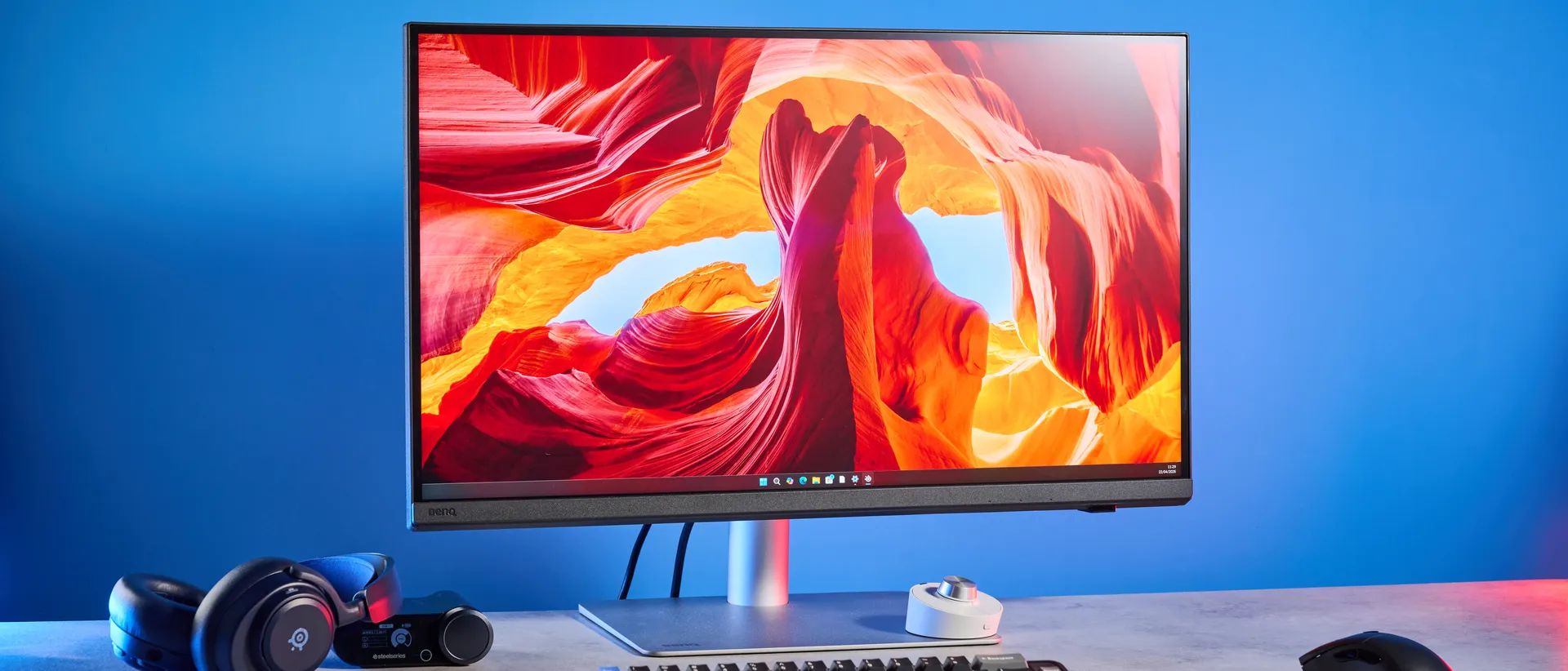
The BenQ Creative Pro PD2730S is another win for the storied manufacturer. It features a stunning and bright 5K panel which is ideal for editing hi-res images and, well, 5K videos. Boasting great color coverage and accuracy, the PD2730S is perfect for graphic and game designers, photographers, editors, and other creatives. Productivity-focused ports and editing features make it a formidable monitor, with not many others coming close. Though there’s no Adobe RGB mode and the price might make you sweat, these are far from dealbreakers.
Reasons to buy
- +
Excellent build quality
- +
Stunning 5K panel
- +
Outstanding for photo editing
- +
Productivity-focused ports
- +
Useful controller pad included
Reasons to avoid
- -
No Adobe RGB mode
- -
A little expensive
Why you can trust Tom's Guide Our writers and editors spend hours analyzing and reviewing products, services, and apps to help find what's best for you. Find out more about how we test, analyze, and rate.
I spend up to eight hours a day, five days a week, staring at a screen, so having one of the best monitors is a non-negotiable for me. I’ve just tested a monitor that puts nearly every other 27-inch screen to shame, and that’s the BenQ Creative Pro PD2730S. This 5K monitor is a sight for sore eyes, offering plenty of editing and productivity-oriented features to streamline your workflow. Whether you’re a professional creative or someone who just wants a nice screen to look at, this is the monitor for you.
The PD2730S boasts excellent color coverage and accuracy, and it’s got a wide array of ports to hook up all your peripherals or quickly transfer data. BenQ happily includes a Hotkey Puck that also helps you make changes on-the-fly and without the need to dig through menus. It is truly marvelous — but not without its flaws.
To find out if this is the right monitor for you, read my full BenQ Creative Pro PD2730S review.
BenQ Creative Pro PD2730S review: Specs
Price |
|
Display |
27-inch |
Resolution |
5120 x 2880 (5K) |
Aspect ratio |
21:9 |
Refresh rate |
60Hz |
Response time |
5ms |
Panel type |
IPS |
Color depth |
10-bit |
DPI |
218 |
Backlight |
LED |
Inputs |
Power, 1x HDMI 2.1, 1x DisplayPort 1.4, 2x USB-C 3.2 Gen 2 (upstream), 3x USB-A 3.2 Gen 1 (downstream), Thunderbolt 4 (upstream), Thunderbolt 4 (daisy-chain), 1x 3.5mm audio out |
Dimensions |
24.17 x 16.83-22.74 x 9.53 inches |
Weight |
18.12lbs (with stand) |
BenQ Creative Pro PD2730S review: Cheat sheet
- What is it? A 27-inch 5K monitor with a 60Hz refresh rate and a plethora of ports and editing features
- Who is it for? Creatives, photographers, videographers, graphic designers, game designers, what-have-you
- How much does it cost? Quite a bit, the BenQ Creative Pro PD2730S is available for $1,199 / £988
- What do we like? The bright panel, outstanding color coverage and accuracy, wide range of ports and editing features, and the included Hotkey Puck
- What don’t we like? The lack of an Adobe RGB mode and the steep price
BenQ Creative Pro PD2730S review: The ups
The BenQ Creative Pro PD2730S is a stunning monitor, packing a lovely 5K display with excellent color coverage and accuracy. For creatives, there’s plenty of productivity-first features and ports to take advantage of, too — as well as a handy Hotkey Puck.
Gorgeous and bright 5K panel
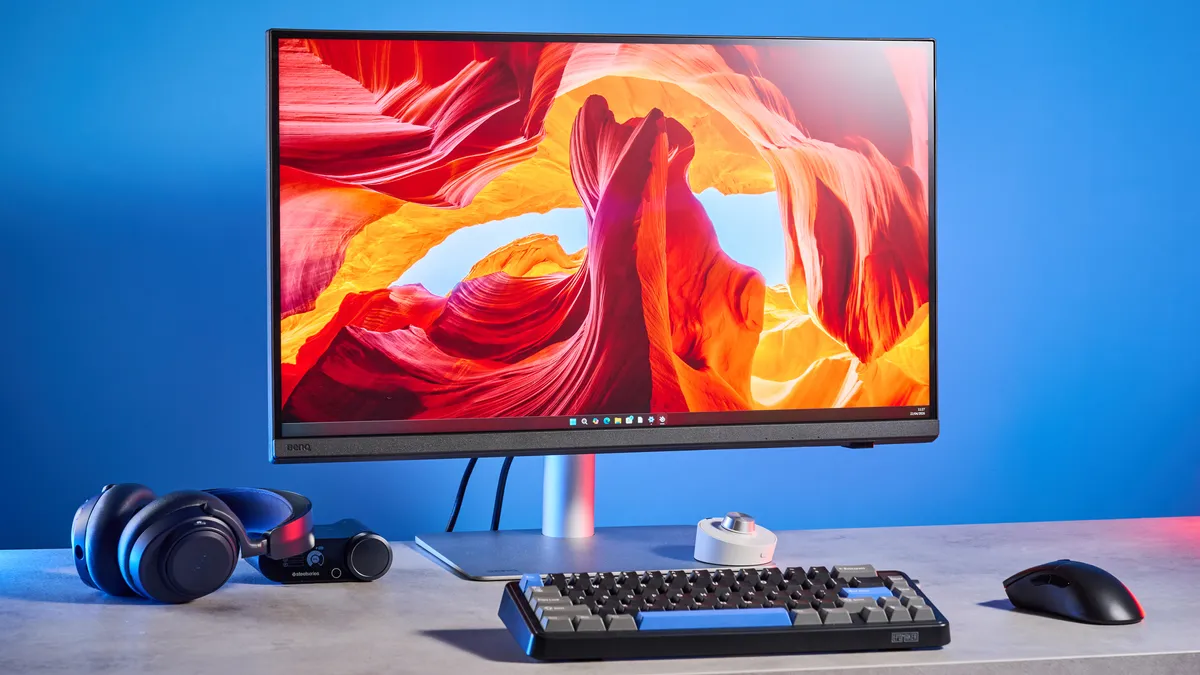
The BenQ Creative Pro PD2730S features one of the most beautiful panels of any monitor I’ve used or tested so far. Fitted with a 27-inch 5K IPS panel with a resolution of 5120 x 2880. A 27-inch panel, for me, is the sweet spot, as it isn’t too big that it takes up all the space on your desk, and it isn’t too small that you can’t see everything that’s displayed properly and in depth.
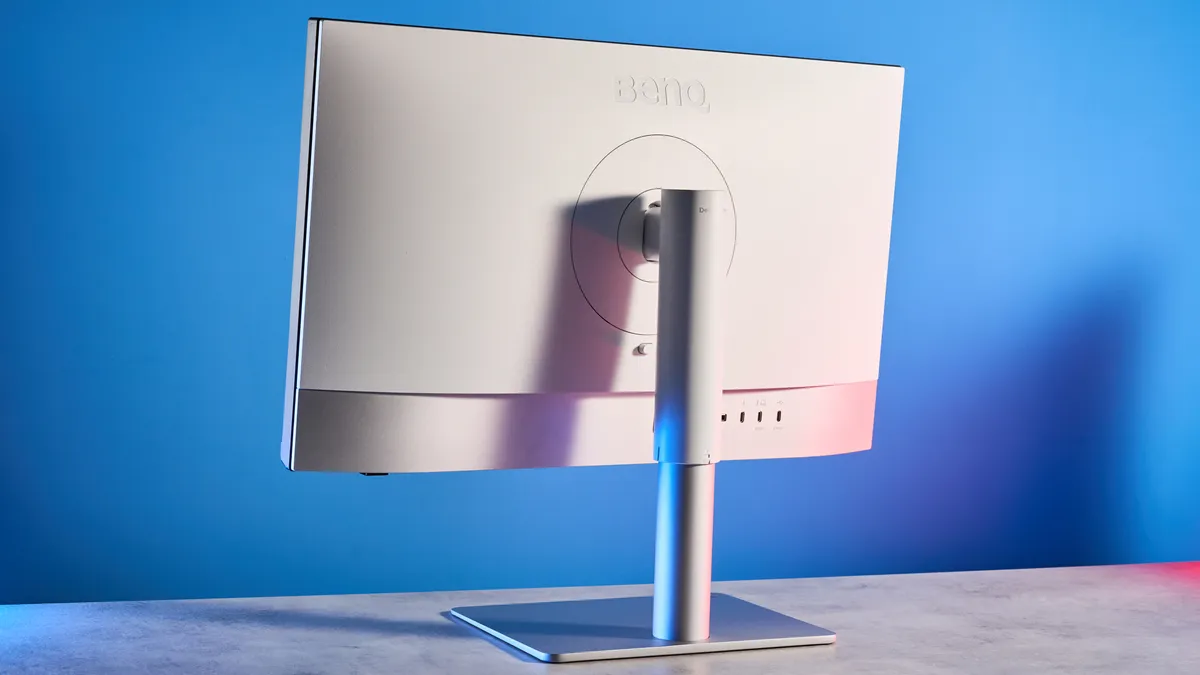
I was able to easily fit the PD2730S on my already-crowded office desk, as I slotted it in perfectly next to another 27-inch monitor and a pair of computer speakers. That’s because the monitor measures 24.17 x 16.83-22.74 x 9.53 inches, and its base isn’t too wide either. The monitor, with the stand, weighs 18.12lbs, so it can be easily moved around.
| Header Cell - Column 0 | Peak brightness (SDR) |
Peak brightness (HDR) |
|---|---|---|
BenQ Creative Pro PD2730S |
382 |
346 |
252.4 |
253 |
|
298 |
N/A |
|
516 |
1727 |
|
Apple Pro Display XDR |
467 |
N/A |
254 |
263 |
Speaking of the panel, the PD2730S is quite bright, as I was able to read it properly under bright office lights as well as when bright sunlight came in through the big windows behind my office chair. My lab testing confirmed the same.
In SDR mode, the PD2730S achieved a peak brightness of 382 nits, and it dropped to 346 in HDR (window size 100%). This monitor is much brighter than the BenQ PD3226G ($1,199), the MSI MPG 272URX ($1,099) and the Dell UltraSharp 40 ($2,500). The PD2730S pales in comparison to the Apple Studio Display XDR ($3,299), but I’ll caveat that by saying the Apple display is three times the price of the BenQ. For the price you’re paying, the PD2730S is plenty bright.
Productivity-focused ports
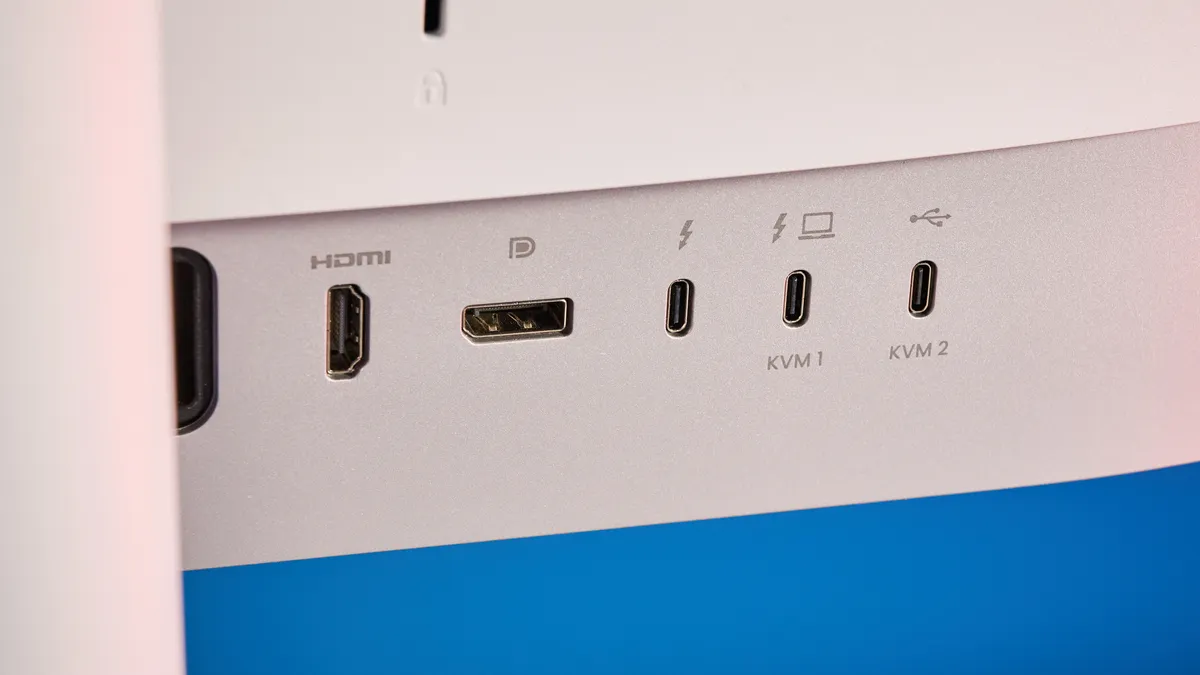
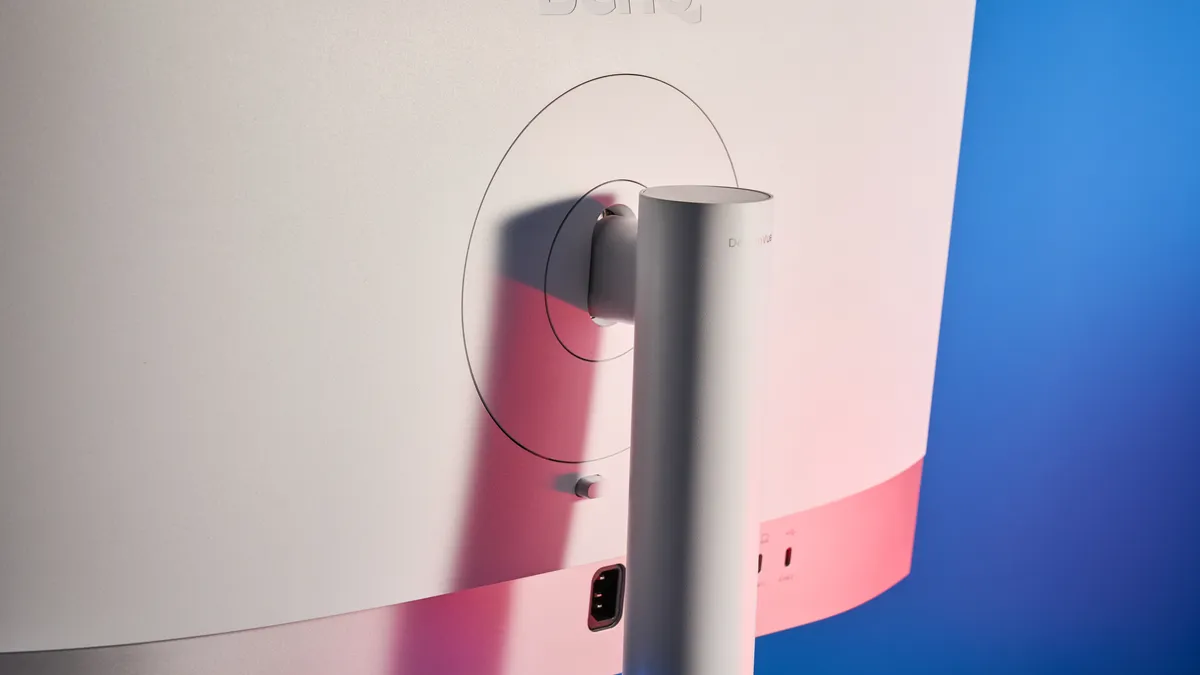
Much like many other BenQ monitors, the BenQ Creative Pro PD2730S is a productivity-oriented monitor, suited to game designers, photographers and videographers. It is, then, not surprising that it packs in loads of productivity-friendly ports. Naturally, there’s a power port, an HDMI 2.1, and a DisplayPort 1.4 around the back for display connection.
Alongside these, there are two Thunderbolt 4 ports. One’s a 90W upstream port for either hooking up to the display or as a power-out for your laptop. The other’s a 15W port for charging and daisy-chaining. You also get two USB-C 3.2 Gen 2: a data-only upstream one and a 7.5W downstream charging port, both with 10Gbps transfer speeds. *takes a deep breath* There’s also three USB-A 3.2 Gen 1 ports, two with 4.5W of power delivery and one with 7.5W. And to top it off, there’s a 3.5mm audio out port too.
That’s a lot of ports, and they cover everything you need for a clean, well-managed desk. If you use a lot of devices and peripherals, the PD2730S is the perfect monitor for you. What more could you ask for, really?
Outstanding color coverage
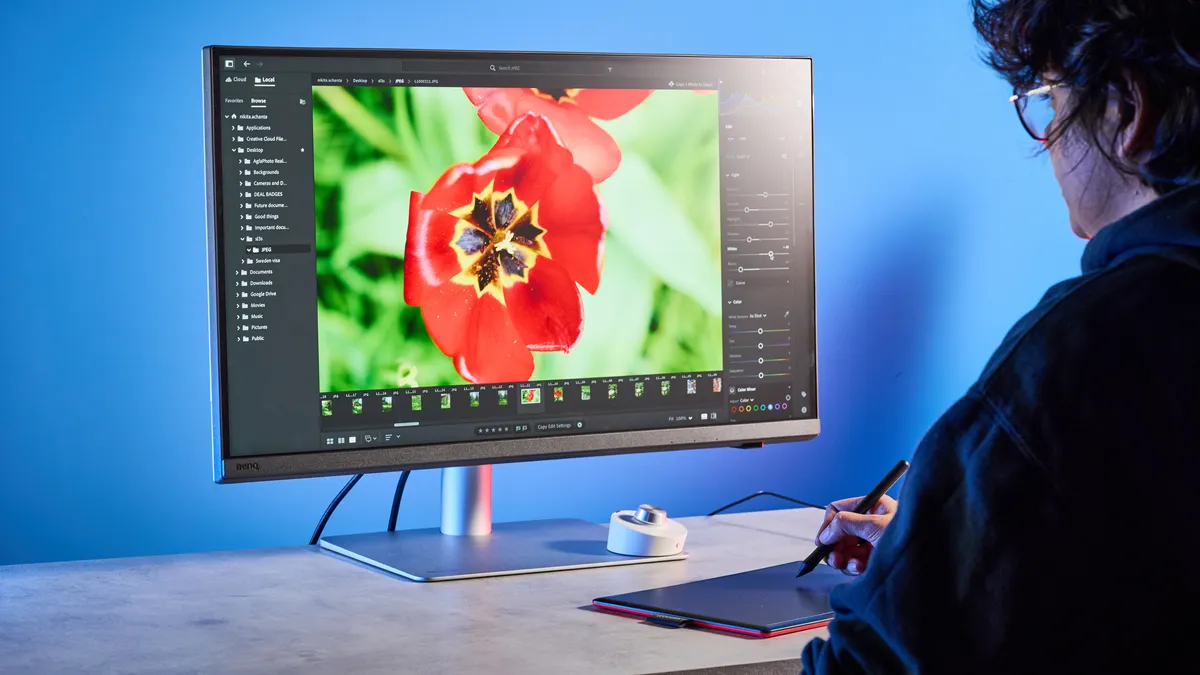
The ports and the 5K panel would be utterly useless if the BenQ Creative Pro PD2730S didn’t feature excellent color coverage. Thankfully, it does! BenQ claims the monitor covers 100% of the sRGB color gamut and 98% of the wider DCI P3 color space. But as I’ve seen with most other monitors I’ve lab-tested, manufacturer claims are usually conservative, so I put the PD2730S through its paces.
| Header Cell - Column 0 | sRGB |
DCI P3 |
|---|---|---|
BenQ Creative Pro PD2730S |
104.90% |
98.30% |
147% |
104.10% |
|
174.8% |
123.8% |
|
121.3% |
89.5% |
|
Apple Pro Display XDR |
106.7% |
75.6% |
131% |
97% |
As you can see in the table above, the PD2730S covered 104.9% of the sRGB gamut and 98.3% of the DCI P3 space — both of which are higher than BenQ’s aforementioned claims. The monitor doesn’t perform as well as the BenQ PD3226G, but all you really need is a percentage more than 100%, which the PD2730S achieves in the sRGB test.
The PD2730S also crushes the much pricier Apple Studio Display XDR and the Apple Pro Display XDR in the DCI P3 color space, surpassing both with ease. The MSI MPG 272URX performs formidably, too, but it’s a gaming monitor and doesn’t have as many productivity features as the PD2730S.
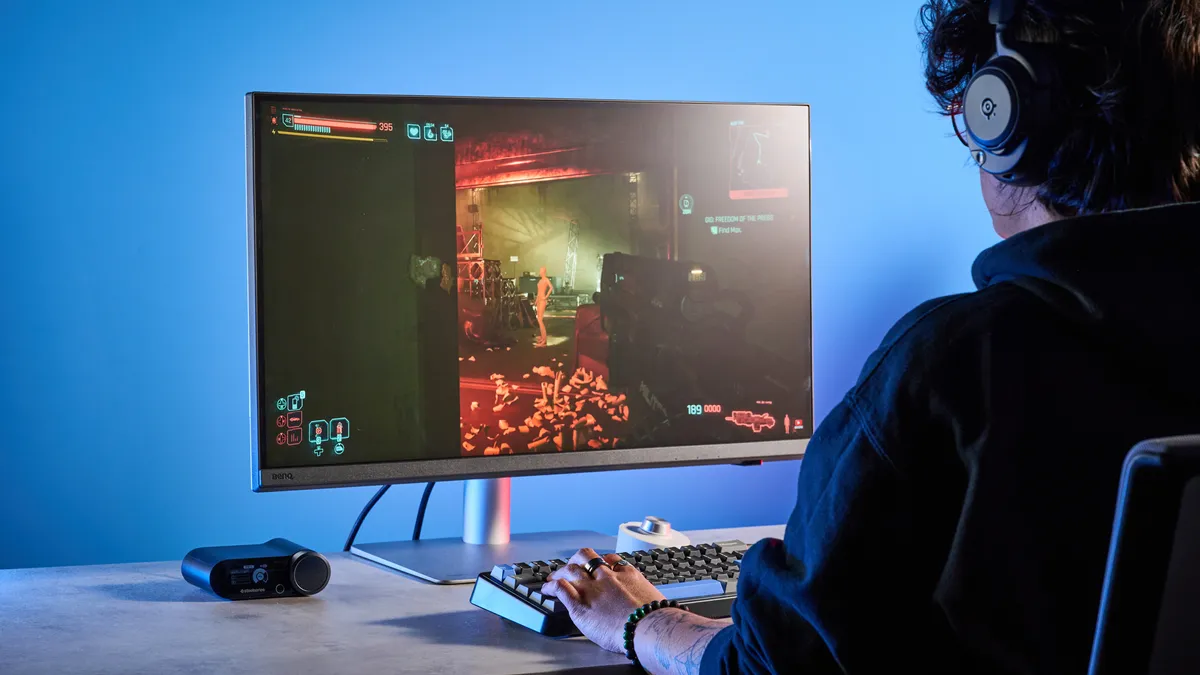
Numbers on paper are one thing, but how does the PD2730S perform in real-world usage? I’ve been thoroughly impressed in my testing. All shades appeared vivid and detailed, and there was plenty of detail to be found and enjoyed in the shadows, too. Highlights never appeared too sharp or peaking, especially while watching 4K videos on YouTube.
I love the 10-bit color depth too, which means that the PD2730S is capable of displaying 1.07 billion individual hues. I found this handy as I usually capture 10-bit 4:2:2 RAW video with the best cameras and the best drones.
Excellent color accuracy
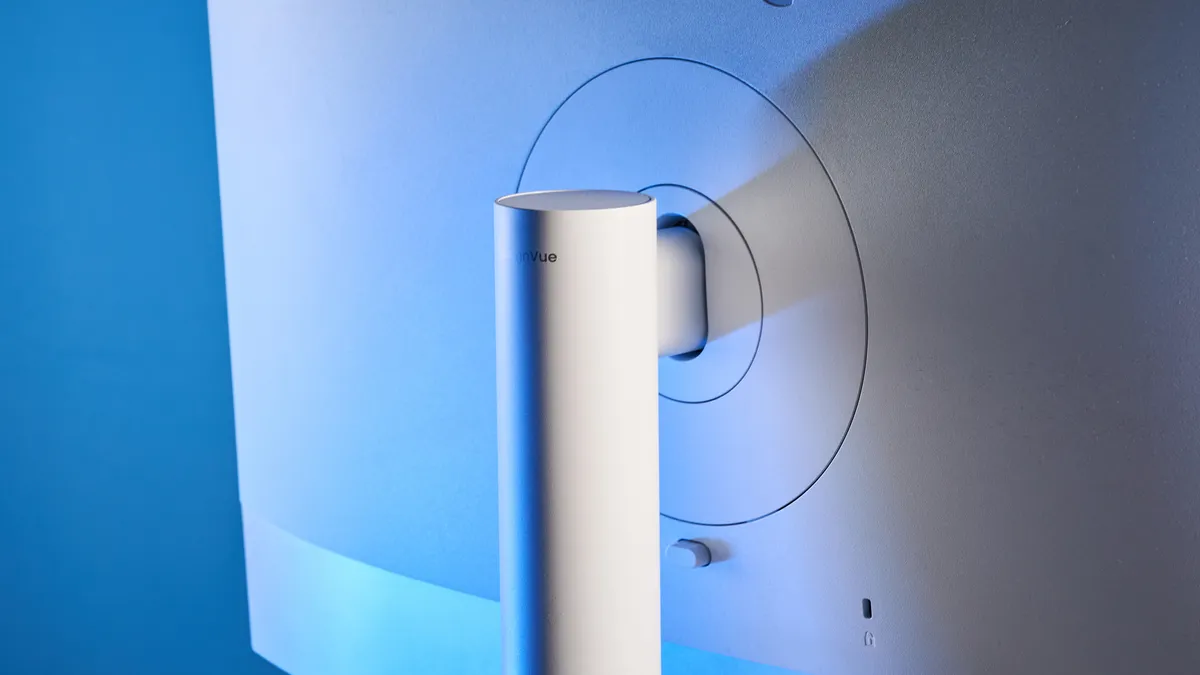
In addition to superb color coverage, the BenQ Creative Pro PD2730S boasts excellent color accuracy, too. BenQ says that the PD2730S should have a Delta-E score of less than or equal to 2. Delta-E is a numerical representation of how much two colors differ, and it gives you an idea of how close the color relayed on screen (i.e. the monitor) is to the color output from the source (i.e. the computer). The closer the score to zero, the better.
| Header Cell - Column 0 | Delta-E |
|---|---|
BenQ Creative Pro PD2730S |
0.1 |
0.16 |
|
0.26 |
|
0.2 |
|
Apple Pro Display XDR |
0.2 |
0.15 |
Naturally, I put this to the test with my own lab-testing, and the monitor achieved a Delta-E score of 0.1. This means that the monitor relays colors extremely accurately, and even more accurately than some of its competitors. As you can see in the table above, all other monitors — including the pricey Apple Studio Display XDR and the Dell UltraSharp 40 — score higher than the PD2730S. This doesn’t mean they’re bad; it simply means that the PD2730S is either on par or better. It’s what we’d expect from a high-end monitor, too.
And indeed, I was seeing colors very well on the PD2730S. The lab tests reassured me that the colors I was seeing on screen were accurate, which helped me edit photos accordingly and confidently for my reviews and my photography Instagram page. The monitor also has a 60Hz refresh rate which feels plenty to watch videos I record at 60fps — but of course, if you want more, you might want to consider the BenQ PD3226G with its 144Hz refresh rate.
Industry’s stamp of approval
The BenQ Creative Pro PD2730S carries a few official accreditations and certifications for added reassurance. It features Pantone and Pantone SkinTone Validation, which are industry-standard color definitions for printing — perfect for creatives who print. With the monitor, you get a 12-month subscription for Pantone Connect Premium, a mobile app for color matching on the go.
This monitor is Calman Verified as well. Calman is well-known for making display calibration software (it’s what we use to test the best TVs!), and the certification ascertains that Calman approves of the monitor’s AQColor technology.
A range of editing features
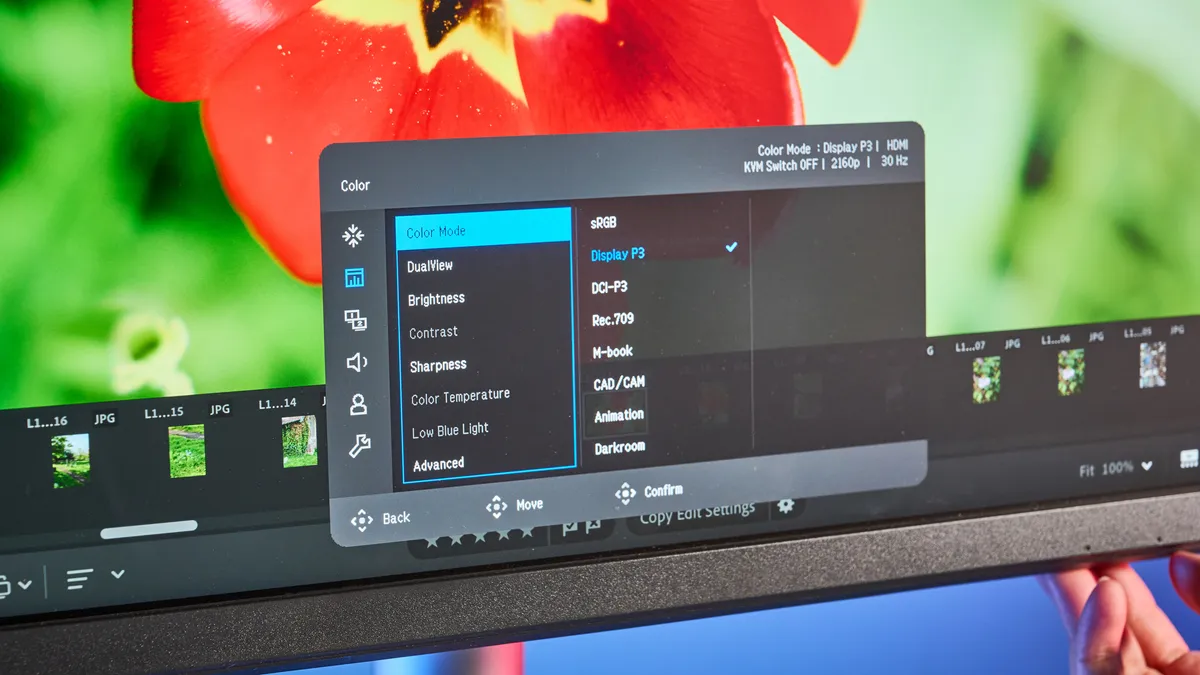
For photo and video editors, the BenQ Creative Pro PD2730S features plenty of editing features. Let’s talk about the color modes first. You get a range of these, including but not limited to: sRGB, Display P3, DCI P3, Rec.709, HDR, and even a Darkroom mode for those who want to mimic the heightened color perception achieved in a darkroom.
Then you’ve got dedicated modes for specific tasks. There’s a CAD/CAM mode for product designers as this mode displays superior contrast between lines and shapes in illustrations. Game designers and animators can take advantage of the Animation mode which enhances the clarity of dark areas without overexposing bright ones. The last is the DualView mode which, as the name suggests, displays designs side-by-side to streamline your workflow.
I also appreciate the anti-reflective coating which reduces glare. The PD2730S’ panel has a TUV-certified reflection-free feature too, which enhances eye comfort during long periods of use. As someone who stares at a screen for up to eight hours, five days a week, this is a blessing.
An accessory that streamlines your workflow
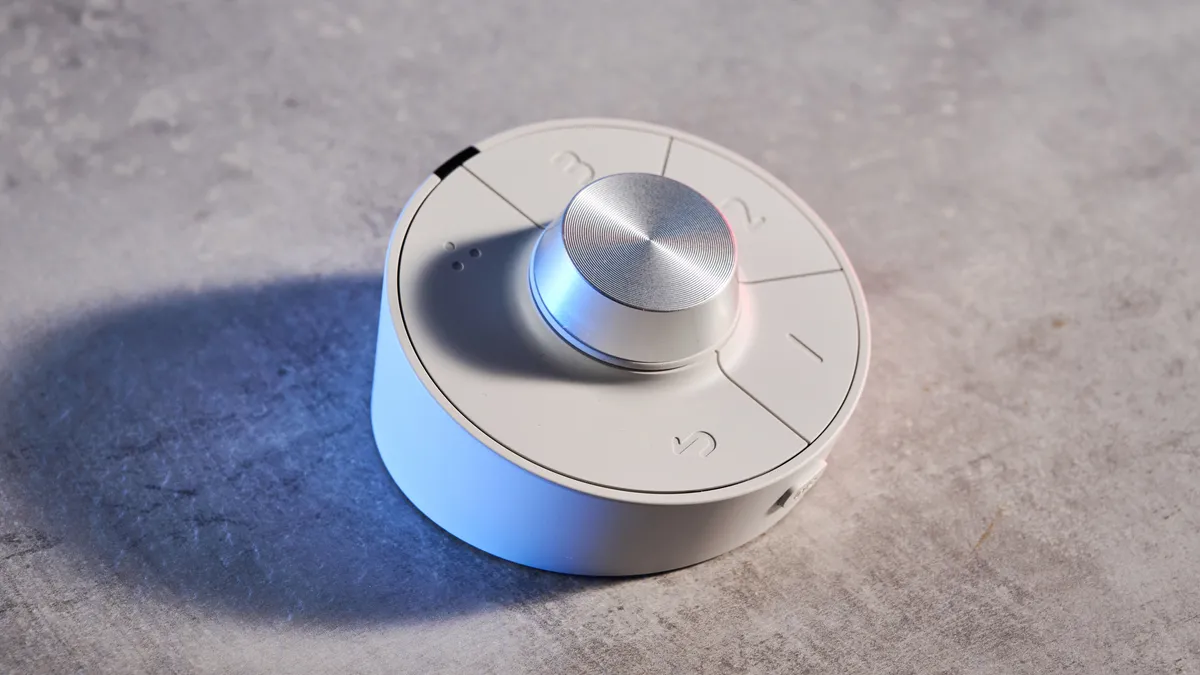
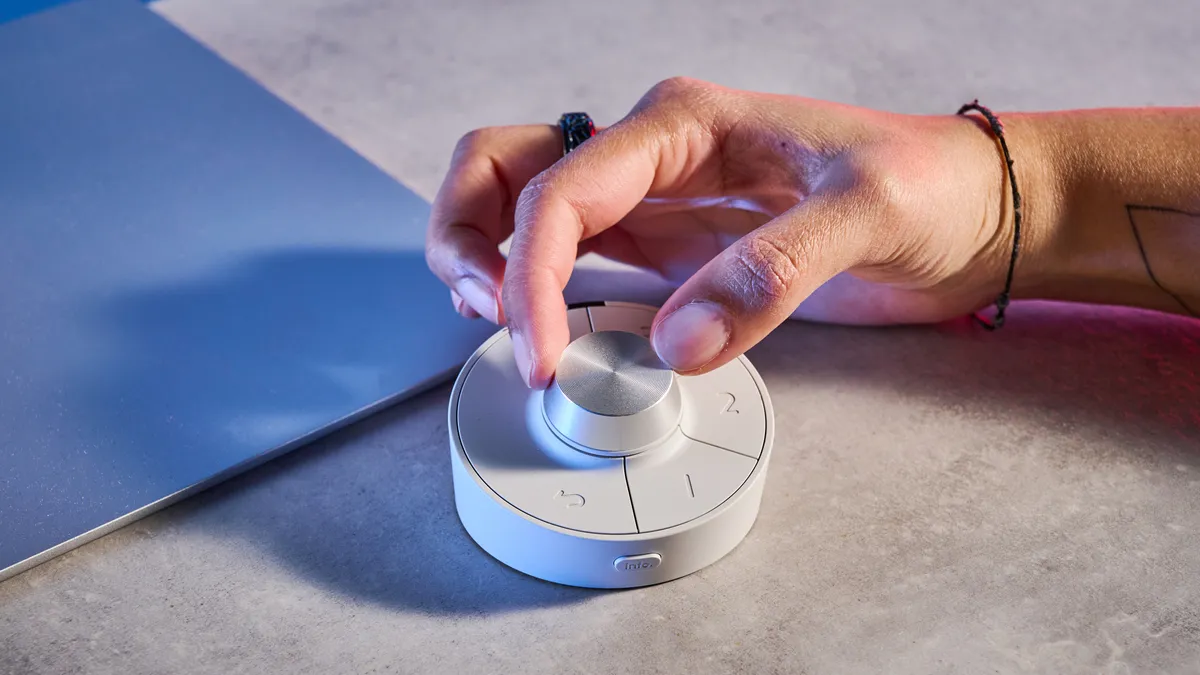
Last but certainly not least, the BenQ Creative Pro PD2730S comes with a controller pad accessory which BenQ calls a Hotkey Puck (get the pun?). It’s the same as the one you get with the BenQ PD3226G: a white circular remote with a scroll wheel and a few buttons. While you can control the monitor via the physical buttons, it’s much easier to use the Puck as you don’t need to extend your arms or get up from your seat.
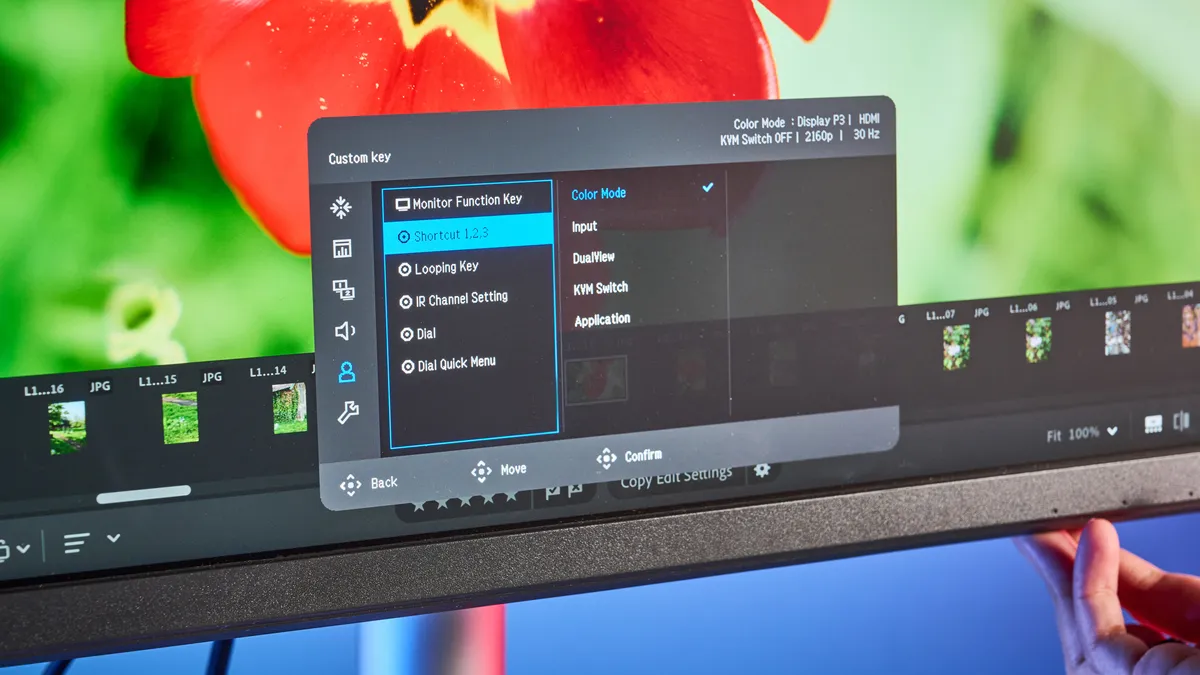
On the Puck, you’ll see three buttons, and these are fully customizable. You can remap these to gain quick access to Color Modes, Input, DualView, KVM or app launch. This speeds up and streamlines your workflow, and it’s especially useful if you frequently swap between color spaces.
The KVM switch is a boon, too, as it enables you to use the same monitor and peripherals with multiple computers — ideal for those working across different machines.
BenQ Creative Pro PD2730S review: The downs
While the BenQ Creative Pro PD2730S is an outstanding monitor, it’s important to note that there’s no dedicated Adobe RGB mode, and that it costs a pretty penny.
No Adobe RGB mode
Similar to the BenQ PD3226G, the BenQ Creative Pro PD2730S lacks a dedicated Adobe RGB mode, which essentially deters its use for photographers who print. Adobe RGB covers a wider range of colors used by CMYK printers versus sRGB. When editing photos for print, small or large, colors may not appear as accurate as you want them to be.
sRGB is perfectly fine for online use, and for photographers or game designers who are making a digital-first product. In my testing, I had no issues ensuring color accuracy while editing photos I’d taken on a range of different cameras. If Adobe RGB is important to you, I’d recommend the Asus ProArt Display PA27JCV ($799) instead.
A little expensive
By now, I’m certain it’s clear that the BenQ Creative Pro PD2730S is an excellent monitor, perfect for game designers, photo editors, productivity power users, and everyone in between. But all of those goodies don’t come cheap. The PD2730S retails for $1,199 / £988 at Amazon, which is quite a bit of dough. Studio displays generally cost a lot of money — let’s not forget that the Apple Studio Display XDR starts at a whopping $3,299.
Of course, if you’re restricted by your budget and don’t want to spend over a grand on the PD2730S, there are other options. The 27-inch version of the Asus ProArt Display PA27JCV costs $799. It’s Calman-verified and comes with similar productivity-oriented ports as the PD2730S. You don’t get BenQ’s hotkey pad with the Asus, naturally, but if that’s a sacrifice you’re willing to make, do so by all means.
BenQ Creative Pro PD2730S review: Verdict
For creatives and professionals, the BenQ Creative Pro PD2730S is a powerhouse, period. With its stunning 5K panel, wide color coverage and accuracy, and comprehensive connectivity, it sets a high bar for productivity displays. It’s a reliable companion for photo and video editing, thanks to its many color modes and settings, and the included Hotkey Puck does well to streamline workflows and save you a few minutes here and there.
But I wish I could say the PD2730S was perfect, as it isn’t. The lack of a dedicated Adobe RGB mode is a notable omission for photographers who work in print, and the $1,199 price tag is a steep investment. However, having tested this monitor extensively, I believe the PD2730S is an exceptional tool that does enough to justify its cost. It’s a premium, purpose-built display that delivers exactly what modern creatives need to succeed.

