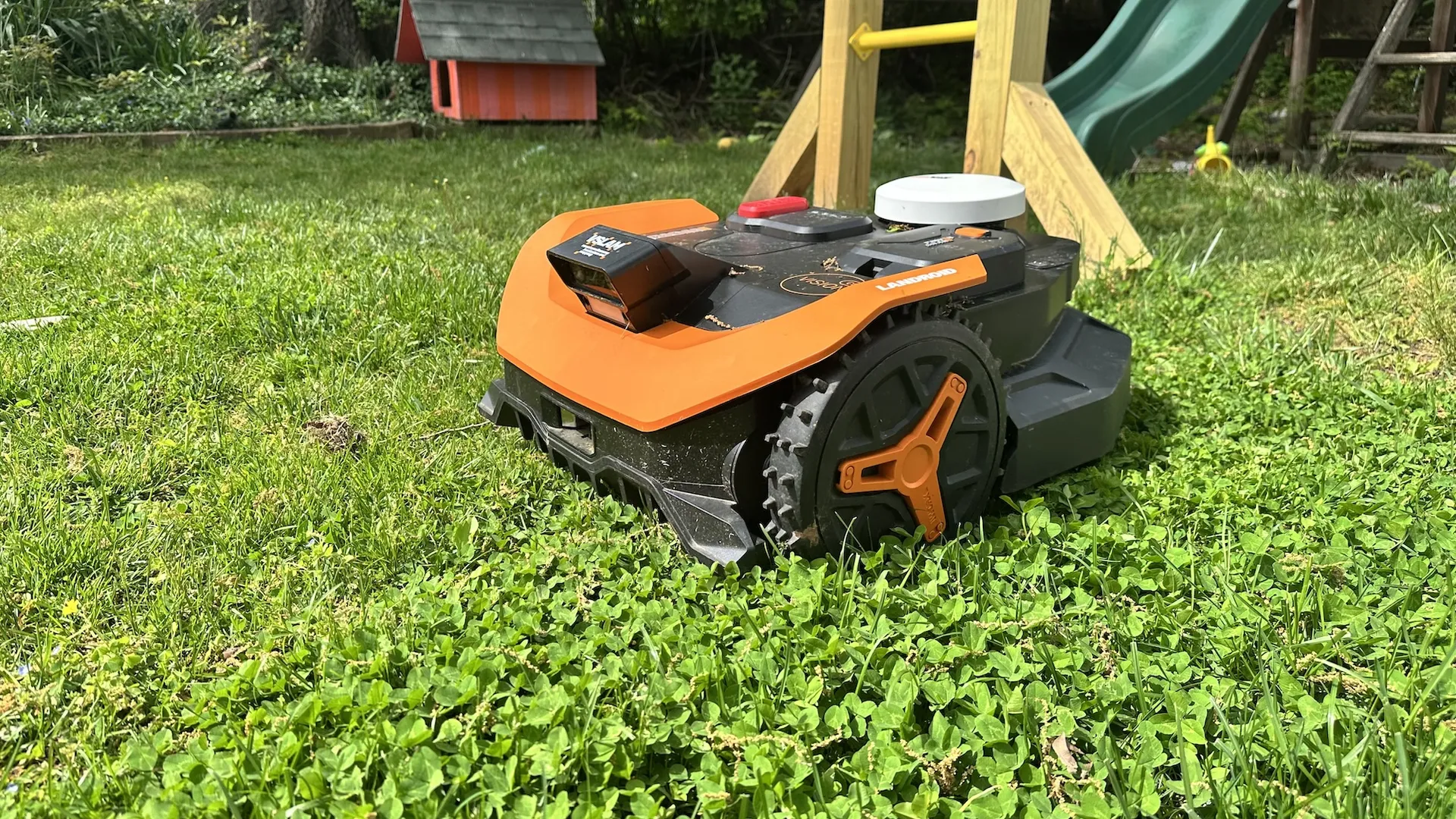
Tom's Guide Verdict
You should check out the Worx Landroid Vision Cloud if you’re ready to dip into the world of robot lawnmowers. It’s not cheap but not overly expensive, and its removable battery can be used with other Worx power tools — something you don’t see with other robot lawnmowers.
Reasons to buy
- +
Affordable
- +
Good at mowing
- +
Strong object recognition
Reasons to avoid
- -
Not the most attractive
Why you can trust Tom's Guide Our writers and editors spend hours analyzing and reviewing products, services, and apps to help find what's best for you. Find out more about how we test, analyze, and rate.
Robot lawnmowers are not only becoming less expensive, but they’re also getting a lot simpler to use. The Worx Landroid Vision Cloud 2WD is a prime example. This model can be found for around $1,000, and was one of the easiest models I’ve yet installed on my lawn.
While you have to temper some expectations in terms of its performance — it’s rated to just 1/4 acre — it does its job well. And, unlike most other robot lawnmowers, you can use the Landroid’s battery with other Worx power tools. I used the Worx Landroid on my yard for several weeks to see how it would perform. Here’s what I liked and didn’t like about this robot lawnmower.
Price and availability
Cutting Width: 8.7 inches
Size: 27.9 x 21.7 x 11.3 inches
Maximum cutting angle: 30% grade (17º slope)
Lawn size: 1/4 acre
Cutting height: 1.5 - 3.5 inches
Battery runtime: 60 minutes
The Worx Landroid Vision Cloud first went on sale in February 2026. Worx makes three versions: the WR310, which can cover up to 1/4 acre, is $1,199; the WR320, which can handle up to 1/2 an acre is $1,799, and the WR340, good for a full acre, is $2,299.
However, I’ve seen all models for sale; for example, the WR310 was available for $999 at the time of this writing.
What I liked
Easy setup
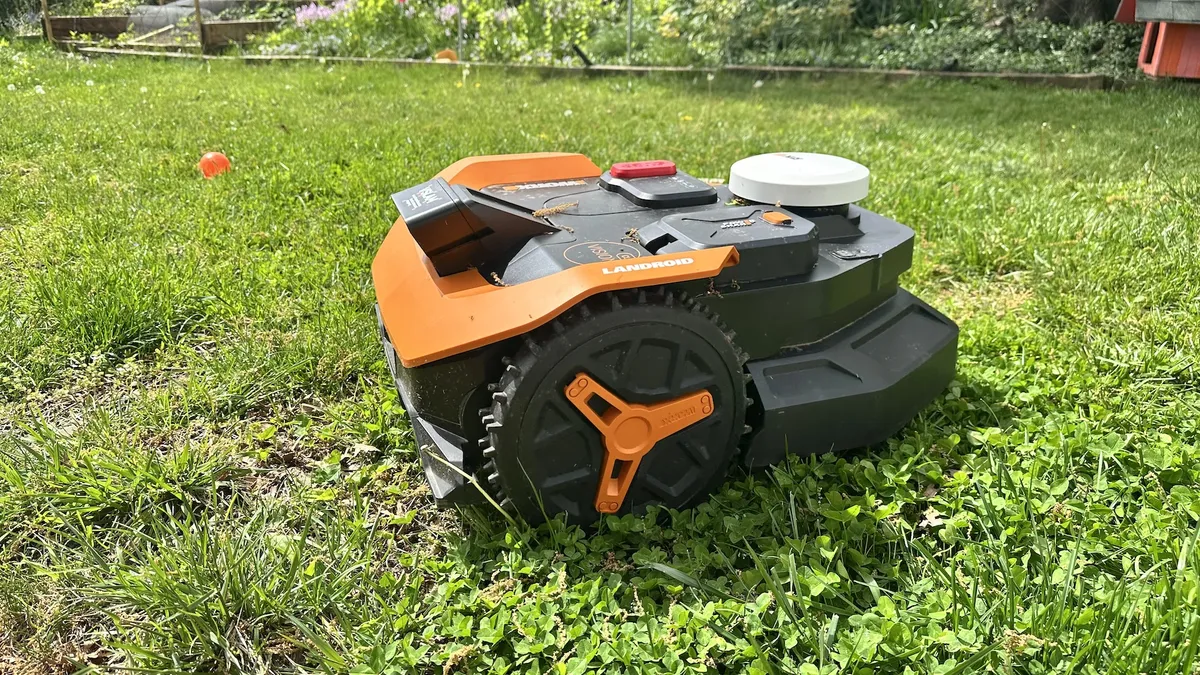
The Worx Landroid Vision Cloud is part of the latest generation of robot lawnmowers, and was the easiest to set up of all the models I tested. No more installing boundary wires, or even a separate tower for the lawnmower to get a GPS signal. Now, everything is contained in the lawnmower itself, so all you need to do is set up its charging station. It’s almost as easy as setting up one of the best robot vacuums.
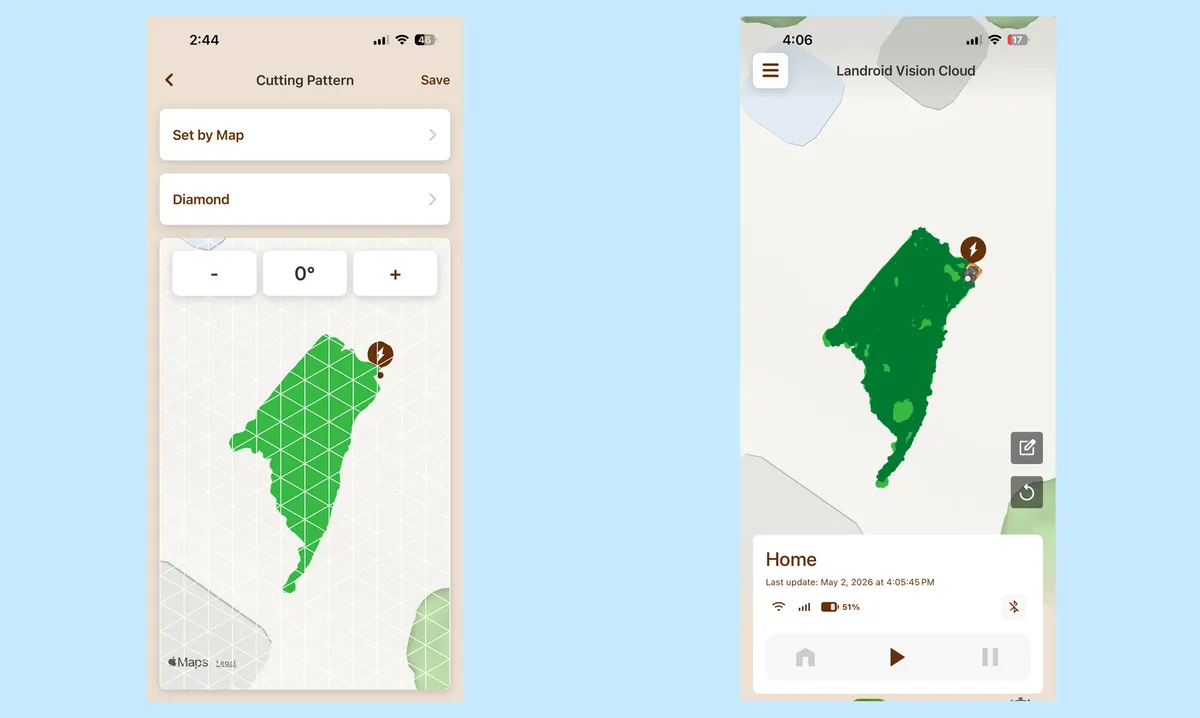
After that (and some firmware updates), I sent the Landroid out into my yard to start mowing. It effortlessly mapped my yard without any intervention on my behalf. The company also provides a small patterned temporary border, which you can set up around flower beds so that the robot knows to avoid them during its initial scan.
It’s a strong mower
Worx says that the model I tested can tackle slopes of up to 17º (a 30% grade). I first tried the Landroid on my front yard, which has about a 20- to 30º slope, and while it did ok in the middle of the lawn, it struggled around the periphery, where it had trouble turning and then getting back up the yard. Its large wheels would just spin in place, digging holes in the dirt. (Worx does make a 4WD mower, which can handle grades of up to 40%.
However, it had no trouble in my much flatter back yard, and easily drove over divots, where the Sunseeker X3 Plus had trouble when I tested it last year. I also created a small ramp, and raised it up to 17º, and the Worx was able to drive up with no problems.
You can also program the Landroid to mow in several patterns, such as diagonal lines, a checkerboard, or a diamond; I also liked that, after mowing the bulk of the yard, it then went and trimmed all of the edges. I still had to go and tidy up things with a string trimmer, but it was nice to see the mower pay attention to this detail.
Good object recognition
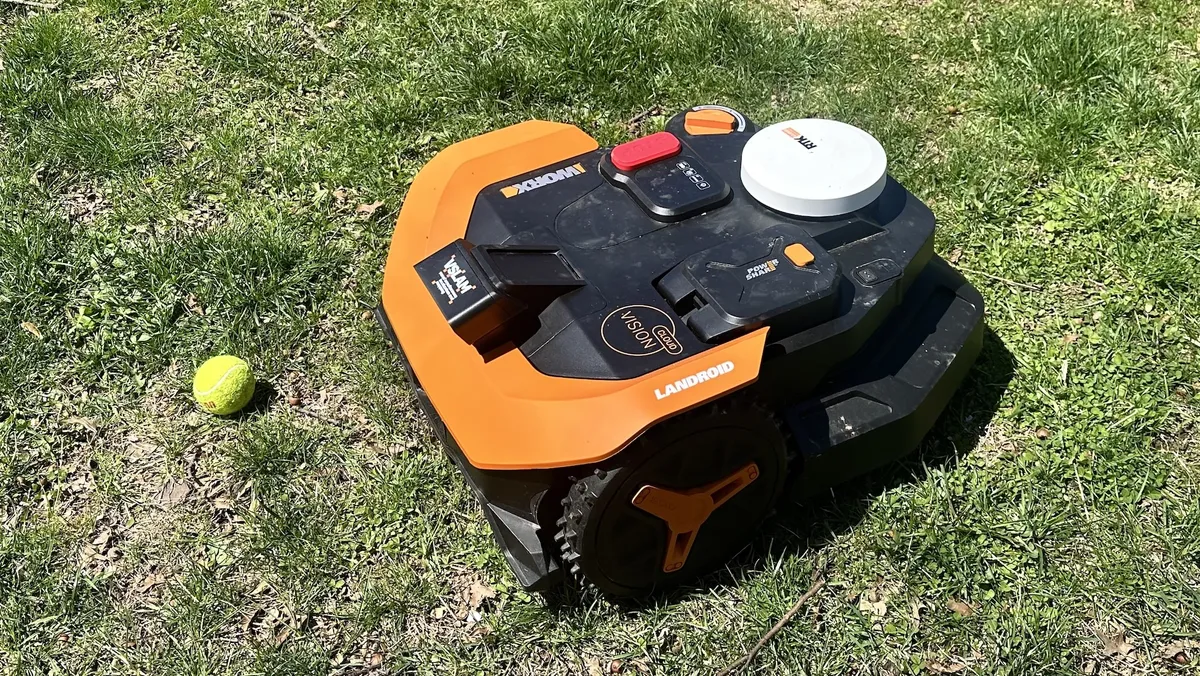
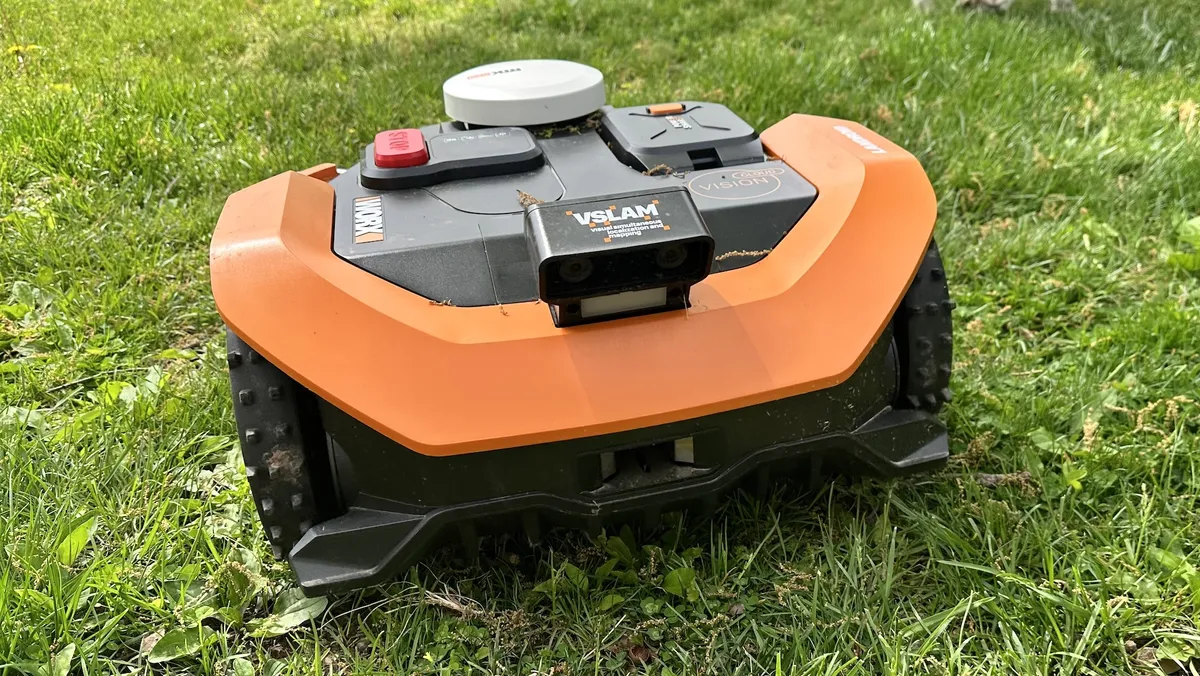
The Landroid’s vision system did an above-average job at navigating obstacles, though it wasn’t entirely consistent. For example, it would deftly maneuver around tennis balls, jump ropes, and other kids' toys left in the yard, but then would drive over my dog's bone without a thought. It also made a nasty grating sound as the mower’s blades whacked it when doing so. It’s a good thing the blades are easy to replace.
Unlike some other robot lawnmowers I tested, such as the Sunseeker X3 Plus I tested last year, the Worx app doesn’t tell you if there’s a particular object in your yard; it just shows up on the map as an unmowed area. It would be nice to be able to see just what it avoided.
What I didn’t like
Polarizing Design
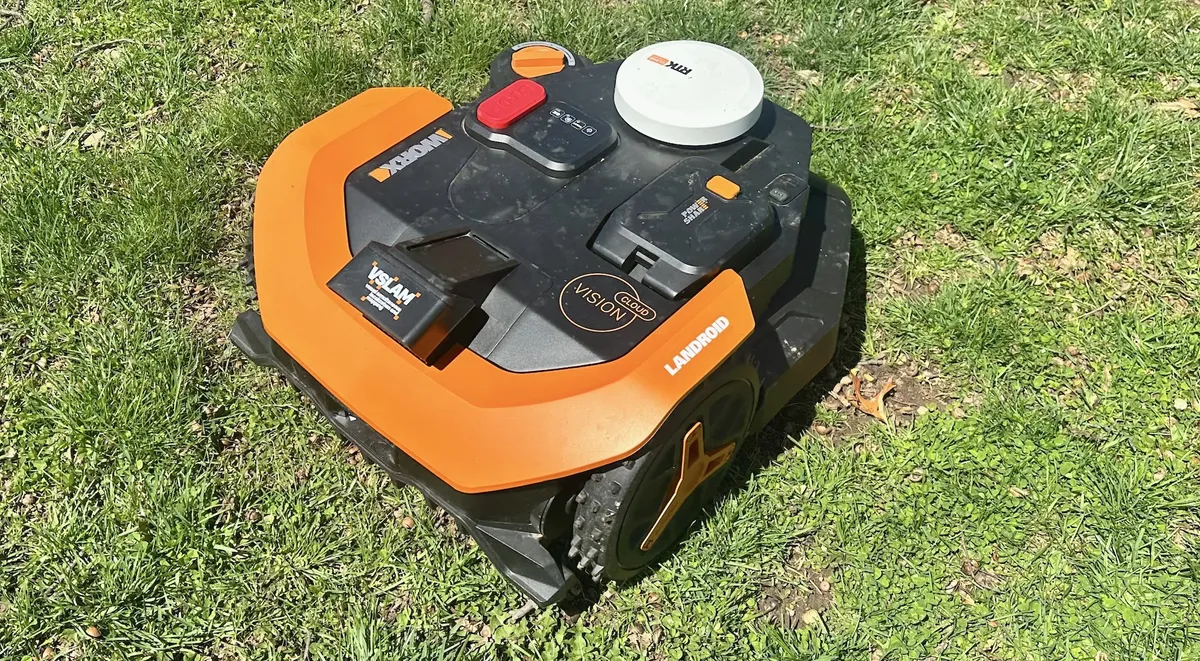
I'll admit, this is a bit of a nitpick, but the Vision Cloud’s design can best be described as utilitarian. It’s very angular, with all sorts of bumps and protrusions for the cutting deck, RTK system, cameras, and battery compartment. The mower’s display is functional — it looks like an old, oversized digital alarm clock, which you control using membrane-style buttons below. It gets the job done, but it’s not going to win any beauty contests.
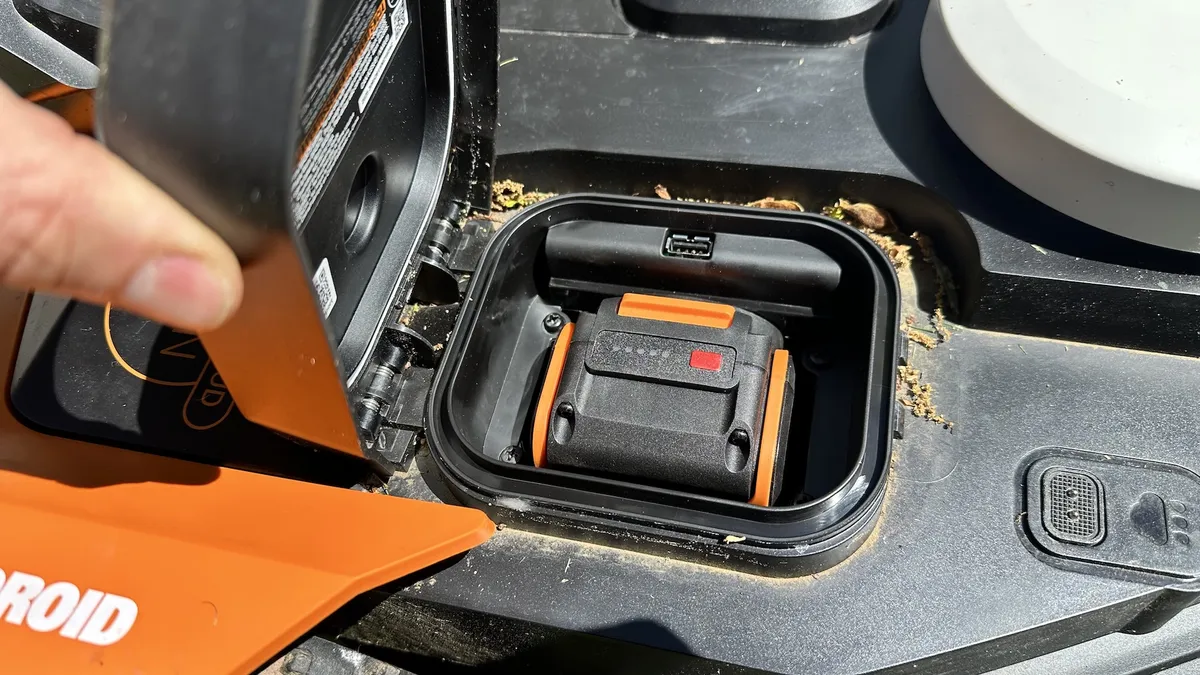
Apart from aesthetics, all of the Landroid’s nooks and crannies are havens for errant bits of pollen, grass clippings, and more — especially around the battery compartment. I had to frequently brush it clear of debris. Fortunately, the compartment's rim is raised, and has a gasket to seal it from the elements.
Limited battery life
One of the unique things about the Landroid is that it has a removable battery, which you can use in other Worx products. If you’re going to buy cordless power tools, it’s best to stick to a single system. So, when you store the mower for the winter, you can still make use of its battery in the Worx power snow shovel, for instance.
However, the capacity of the 4Ah battery is pretty small. After mowing my 0.02-acre yard (about 870 square feet), its battery life had dropped to 36%. So, if you have a larger lawn, it may take the Landroid a few passes to cover everything.
Bottom Line
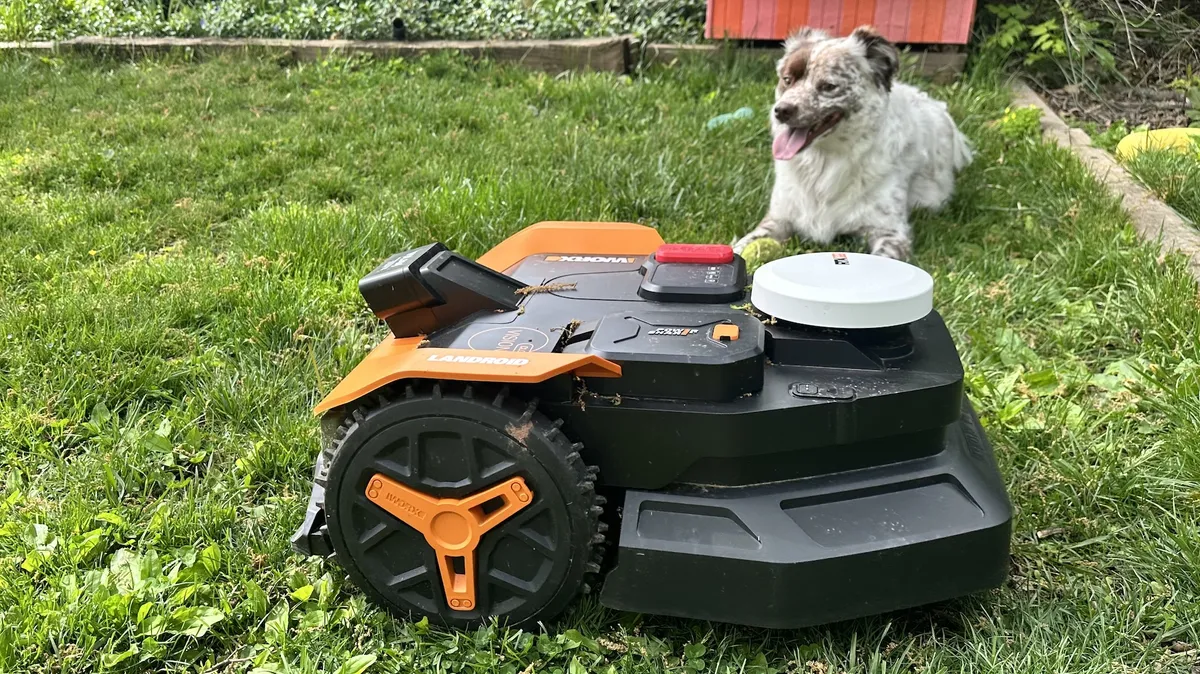
If you have a smallish lawn and don’t want to be hassled with mowing it, the Worx Landroid Vision Cloud 2WD is definitely worth a look, especially if you have other Worx battery-powered products. The mower was easy to set up, did a pretty good job at avoiding objects in the yard, and its battery can be used in other Worx power tools.
We haven’t tested them yet, but in the same price bracket as the Worx is the Mammotion Yuka mini and the Segway Navimow i2 AWD Robotic Lawn Mower. Both offer a similar setup process and can cover the same amount of area, but can theoretically handle steeper grades of 45% (24°).
Robot lawnmowers still aren’t cheap compared to traditional mowers — you can get a battery-powered push mower for a third of the price — but they are becoming more affordable, and more capable than ever.

Follow Tom's Guide on Google News and add us as a preferred source to get our up-to-date news, analysis, and reviews in your feeds. Subscribe to Tom's Guide on YouTube and follow us on TikTok.
More from Tom's Guide
- Don't make a costly mistake: 7 signs your yard isn’t suitable for a robot lawnmower
- I tried the Eufy E15 for my first spring mow — it’s good, but has a serious navigation problem
- Best robot lawnmowers of CES