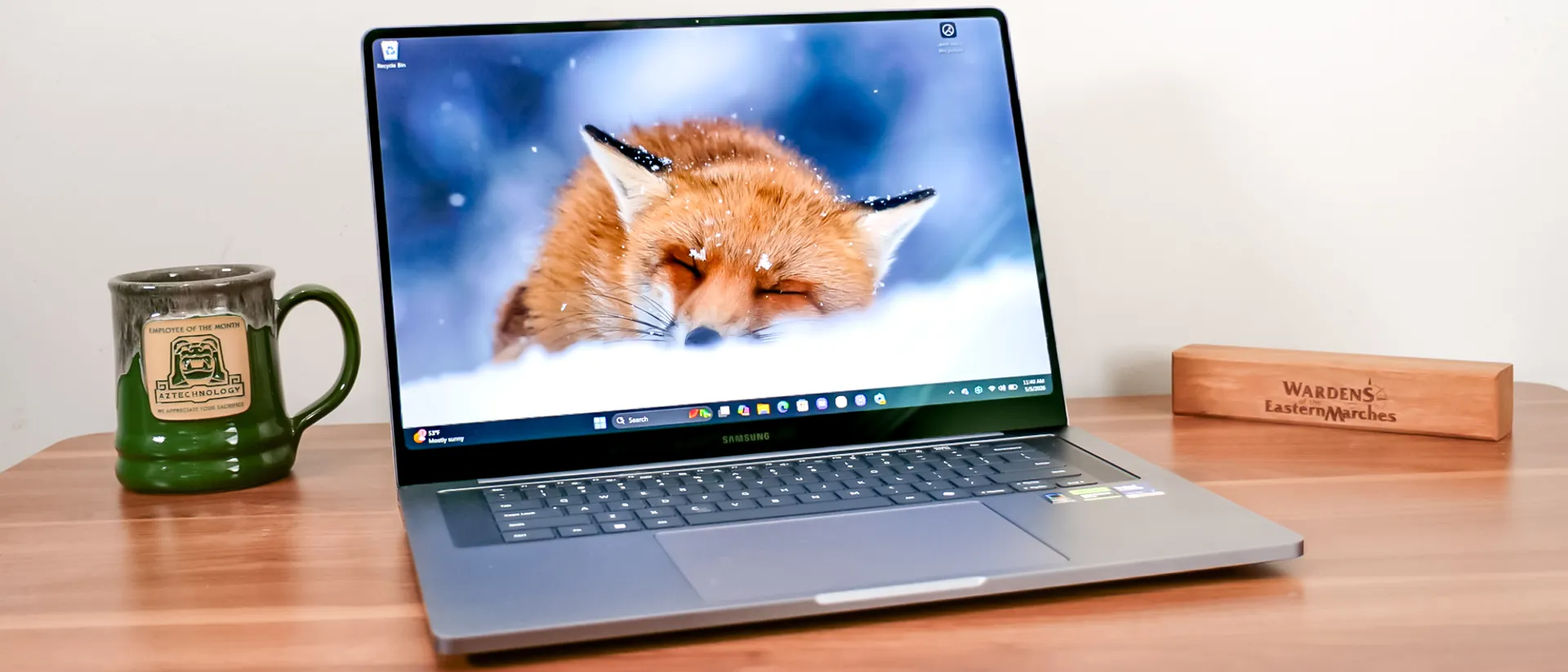
Tom's Guide Verdict
Samsung’s Galaxy Book 6 Ultra delivers on the promise of its predecessor after a year’s hiatus for the flagship laptop. A massive leap in performance, coupled with numerous quality-of-life upgrades to its display, speakers, and battery life, makes it a compelling choice for power users.
Pros
- +
Sleek, minimalist design
- +
Gorgeous anti-reflective OLED display
- +
Strong overall and gaming performance
- +
Over 15 hours of battery life
Cons
- -
Too many Samsung apps
- -
Shallow keyboard
Why you can trust Tom's Guide Our writers and editors spend hours analyzing and reviewing products, services, and apps to help find what's best for you. Find out more about how we test, analyze, and rate.
Samsung’s Galaxy Book 6 Ultra marks the return of the company’s flagship laptop after a year's hiatus. While outwardly things look similar, Samsung made tremendous changes under the hood, making us hopeful for a similar glow-up to its sibling, the Galaxy Book 6 Pro, which earned our Editor’s Choice award earlier this year.
The move to a Panther Lake processor paired with an optional Nvidia RTX 50-series GPU and redesigned fans and vents has turned the svelte 16-inch laptop into a true powerhouse. Samsung’s minimalist design and gorgeous AMOLED displays stood out in previous generations, but this is a much-needed performance leap to compete with rivals like the MacBook Pro 16-inch M5 Pro and Dell XPS 16 (2026).
While content creators and power users are still the clear target for this laptop, I was shocked to see gaming performance level up to the point that it’s no longer just a case of saying, “Sure, you can game on it.” It’s not replacing the best gaming laptops in its price range, but minimal setting changes have it blasting through games like Doom: The Dark Ages or Black Myth: Wukong at over 60 frames per second.
All of that performance doesn’t come with a battery tax either; the Galaxy Book 6 Ultra lasts over 15 hours on a charge in our testing. That’s excellent for a laptop this powerful that weighs just over four pounds; you can toss it in your bag without worrying about the charger, saving yourself some extra weight.
Samsung also made tons of quality-of-life enhancements to this laptop. From the anti-reflective coating on the display to the Dolby Atmos-tuned six-speaker array, and the addition of a full-size SD card slot.
If you’re waiting for the catch, it starts at $2,899, and it has a shallow keyboard. However, if the price doesn’t deter you, the keyboard certainly shouldn’t. While it isn’t the laptop for everyone, it’s a standout Windows notebook that should tick all the boxes for many power users. Read on for my full review.
Samsung Galaxy Book 6 Ultra review: Cheat Sheet
- What is it? The Galaxy Book 6 Ultra is the pinnacle of Samsung’s Windows laptop lineup.
- Who is it for? People who want a top-tier AMOLED display and high-end components for content creation or other intensive tasks, and are willing to pay up for it.
- What does it cost? The Galaxy Book 6 Ultra starts at $2,899 and tops out at $3,799 for the configuration we tested.
- What do we like? We like the sleek design, stunning anti-reflective OLED display, long-lasting battery life, and powerful Panther Lake performance.
- What don’t we like? A couple of high-end features, such as Thunderbolt 5 and a 4K display, are missing, and the shallow keyboard could be improved.
| Row 0 - Cell 0 | Samsung Galaxy Book 6 Ultra (starting) |
Samsung Galaxy Book 6 Ultra (tested) |
Price |
$2,899 |
$3,799 |
Display |
16.0-inch Touch Dynamic AMOLED 2X, Anti-Reflective (2,880 x 1,800) | 120Hz (30Hz~120Hz) |
16.0-inch Touch Dynamic AMOLED 2X, Anti-Reflective (2,880 x 1,800) | 120Hz (30Hz~120Hz) |
CPU |
Intel Core Ultra X7 358H |
Intel Core Ultra 7 356H |
GPU |
Intel Arc Graphics (3rd Gen) |
Nvidia GeForce RTX 5070 |
RAM |
32GB (LPDDR5X) |
32GB (LPDDR5X) |
Storage |
1TB |
1TB |
Ports |
2x Thunderbolt 4, 1x USB-A, 1x HDMI 2.1 (8K@60, 5K@120), 1x 3.5mm jack |
2x Thunderbolt 4, 1x USB-A, 1x HDMI 2.1 (8K@60, 5K@120), 1x 3.5mm jack |
Size |
14.05 x 9.76 x 0.61 inches |
14.05 x 9.76 x 0.61 inches |
Weight |
4.17 pounds |
4.17 pounds |
Samsung Galaxy Book 6 Ultra review: The ups
The Samsung Galaxy Book 6 Ultra features numerous almost invisible changes, but they add up to a massive upgrade. It’s slightly thinner, has a brighter display with an anti-reflective coating, longer battery life, upgraded speakers, and a performance jump worthy of a gold medal.
Sleek design
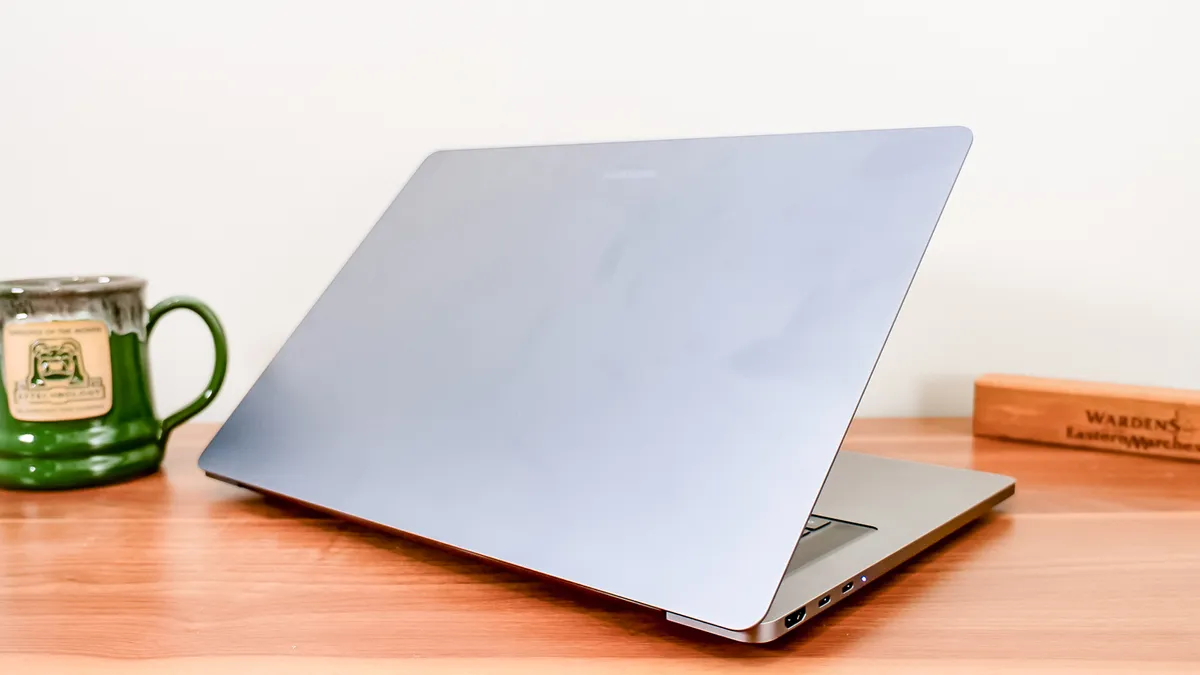
The design of the Galaxy Book 6 Ultra hasn’t changed much since its predecessor launched in 2024, which is to its benefit, as it was already a majestically minimalist design. Not only that, but Samsung fixed one of my complaints.
The Ultra remains thin and light compared to many of its 16-inch competitors, measuring 14.05 x 9.76 x 0.61 inches and weighing 4.17 pounds. It’s an easy laptop to toss in my bag or tote around my house to briefly escape my basement office. The move to a darker gray is appreciated as the aluminum body is no longer awash in fingerprints after a week of the aforementioned toting.
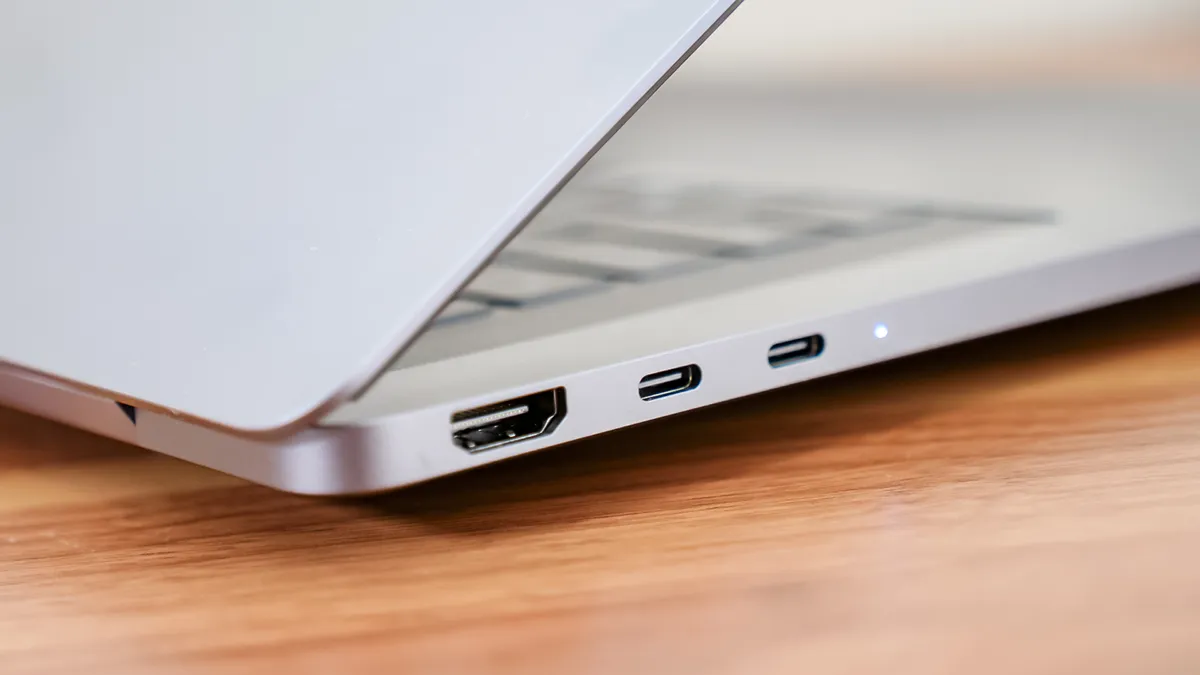
My lone request last time around was that Samsung add a full-size SD card slot, and lo and behold, it is here. Critically, that came without increasing the laptop's size, while retaining the HDMI port, two USB-C ports, a USB-A port, and a headphone jack. I would like to see Thunderbolt 5 support on a laptop in this price range in 2026, but it’s not a dealbreaker.
Samsung’s gigantic haptic touchpad remains responsive and easy to use for gestures and navigation. Finally, the space freed up by dropping the number pad centered the keyboard and trackpad, and made room for additional speakers that I’ll talk about later.
Stunning anti-reflective OLED
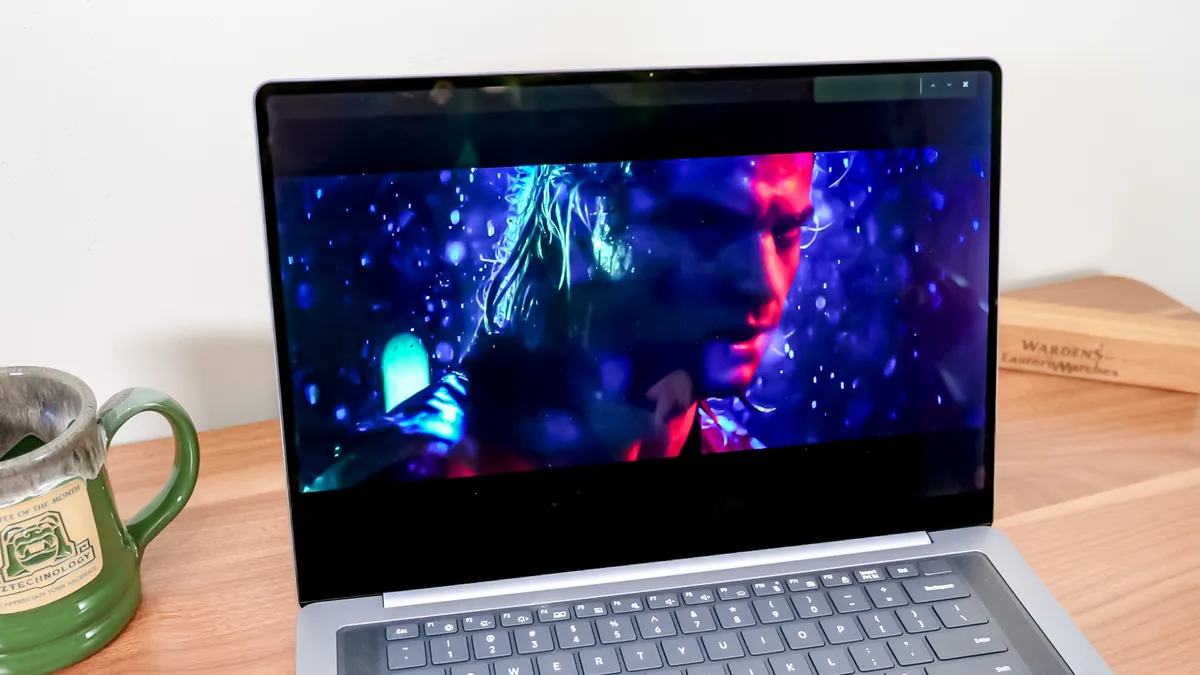
Samsung’s displays are always showstoppers, so it’s no surprise that this 16-inch 2880 x 1800 AMOLED anti-reflective panel delivers a crisp and vibrant image. I watched the new trailer for Street Fighter (2026), and the heavily saturated hyper-reality was a perfect pairing for the display, with Ken’s face awash in neon on a deep black rainy background.
The variable refresh rate scales from 30Hz up to 120Hz, depending on the content on screen, saving energy while ensuring things look smooth, whether scrolling a website or playing a fast-paced FPS.
| Row 0 - Cell 0 | Samsung Galaxy Book 6 Ultra |
MacBook Pro 16-inch M5 Pro |
Dell XPS 16 (2026) |
Nits (brightness) |
451 (SDR) | 564 (HDR) |
558 (SDR) | 1109 (HDR) |
355 (SDR) | 381 (HDR) |
sRGB |
121.2% |
122.1% |
212.5% |
DCI-P3 |
85.8% |
86.5% |
150.5% |
Delta-E |
0.20 |
0.19 |
0.21 |
Put to the test in our labs, it showed strong results across the board. Brightness easily surpasses most Windows laptops but falls short of the MacBook's dominance in this category. Despite the Dell XPS 16’s outlier color gamut scores, the Galaxy Book 6 Ultra's results are excellent, delivering vivid, accurate colors.
Samsung’s anti-reflective coating also gives the display an edge on many of its competitors, as it isn’t immediately overpowered by brighter environments. While I wouldn’t say that it equals the nano-texture on the MacBook Pros, it’s easy to see the impact compared to a standard glossy display, and you aren’t paying an extra $150 for it.
Long-lasting battery life
Samsung boasts that the Galaxy Book 6 Ultra delivers “Our longest battery ever,” and while our testing didn’t quite support that claim, it performed extremely well and only narrowly missed that mark.
| Row 0 - Cell 0 | Time (hours:mins) |
Samsung Galaxy Book 6 Ultra |
15:12 |
MacBook Pro 16-inch M5 Pro |
21:10 |
Dell XPS 16 (2026) |
13:08 |
The Galaxy Book 6 Pro lasted five additional minutes in our battery test earlier this year, which involves web-surfing over Wi-Fi with the display set to 150 nits of brightness. It’s a minor quibble, as both surpassed 15 hours in our testing, which, even accounting for more intensive usage, should get you through a day without hunting for an outlet. On the Windows side, you won’t find a laptop nearly this powerful that delivers more battery life.
Stellar overall performance
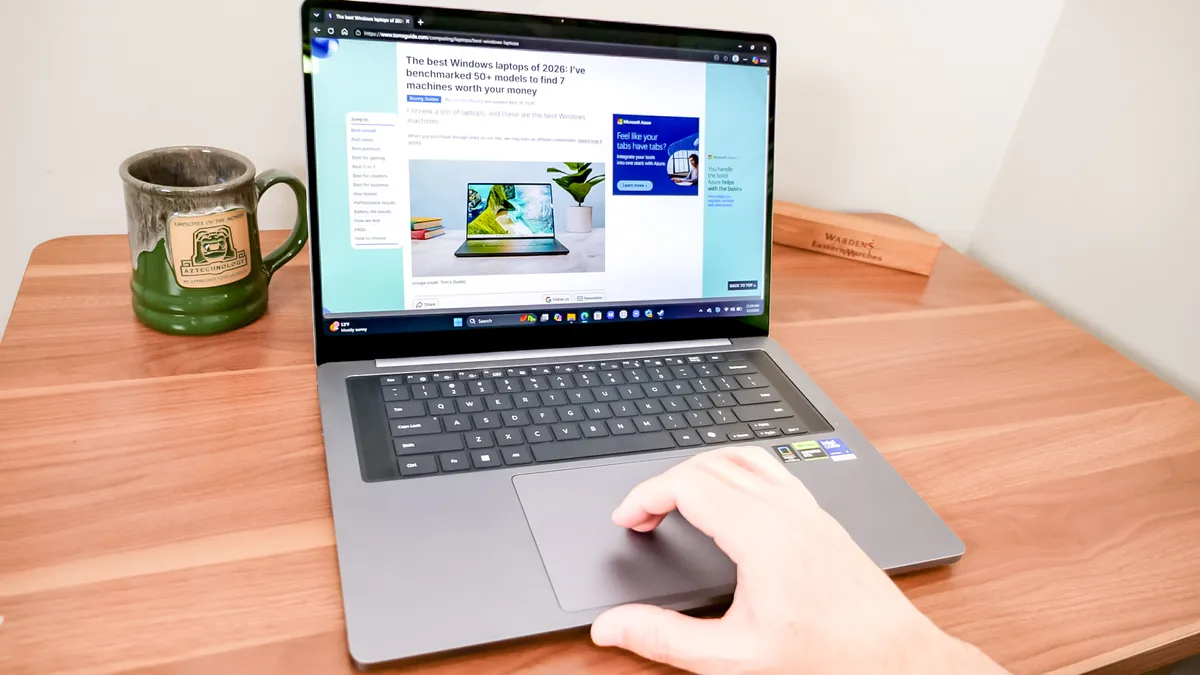
I tested the most expensive Galaxy Book 6 Ultra, which boasts an Intel Core Ultra 7 356H CPU and an Nvidia GeForce RTX 5070 GPU. Paired with 32GB of RAM, even my wanton disregard for Chrome window and tab management failed to slow it down with roughly 45 tabs split across different tasks, including YouTube videos.
It’s worth noting that the least expensive Galaxy Book 6 Ultra actually features a more powerful CPU, the Intel Core Ultra X7 358H. However, that configuration is only available with the Intel Arc B390 integrated graphics, so if you do gaming, photo or video editing, or anything that leverages the GPU, you’ll want to make that tradeoff.
| Row 0 - Cell 0 | Geekbench (single/multi-core) |
Handbrake (Video editing) |
Samsung Galaxy Book 6 Ultra |
2,852 / 16,655 |
3:14 (mins:secs) |
MacBook Pro 16-inch M5 Pro |
4,306 / 16,850 |
1:45 (mins:secs) |
Dell XPS 16 (2026) |
2,839 / 16, 927 |
4:32 (mins:secs) |
Our Geekbench 6 CPU testing illustrates this difference well, with the Dell XPS 16 (2026) using that Intel Core Ultra X7 358H CPU and just narrowly edging out the Book 6 Ultra in single and multi-core performance. However, the tables turn in the Handbrake video editing test, where Samsung shaves over a minute off Dell’s time.
The M5 Pro MacBook Pro remains in a class by itself when it comes to single-core performance, but it’s an even playing field for intensive multitasking.
Get in the game
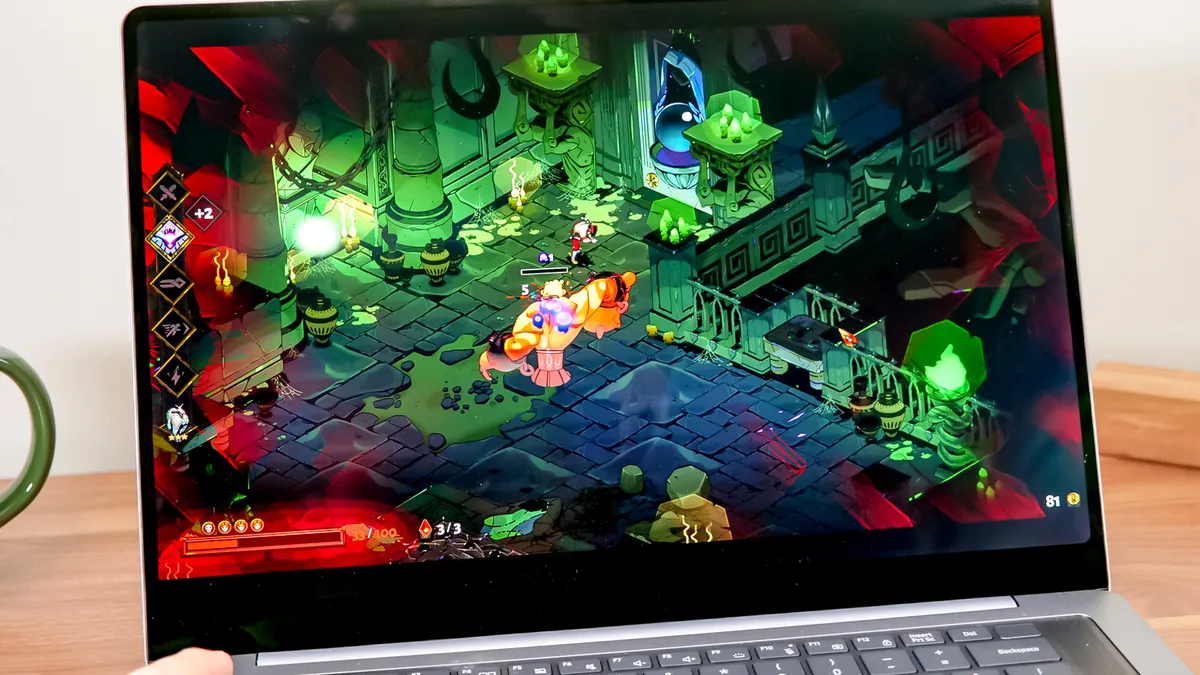
While you aren’t going to take the competitive gaming world by storm with the Galaxy Book 6 Ultra, making just minor tweaks to settings, it will satisfy any weekend warrior and keep you in the game without having to spring for one of the best gaming laptops.
| Row 0 - Cell 0 | Assassin’s Creed Shadows |
Cyberpunk 2077 |
Shadow of the Tomb Raider |
Samsung Galaxy Book 6 Ultra |
54 fps |
36 fps |
115 fps |
MacBook Pro 16-inch M5 Pro |
40 fps |
22 fps |
105TK fps |
Dell XPS 16 (2026) |
30TK fps |
16 fps |
41 fps |
At medium settings and 1080p, the Galaxy Book 6 Ultra stayed above 30 frames per second across the dozen games we tested using their in-game benchmarking tools. If you are willing to turn on DLSS and make some other small changes, you can get Cyberpunk 2077 to 112 fps and Shadow of the Tomb Raider to 164 fps.
While you can leverage XeSS to similarly boost the Dell, we still only saw it hit 67 frames per second in Cyberpunk 2077, so if gaming is important to you, this could be the deciding factor.
Get loud
The upgraded Dolby Atmos-tuned six-speaker system in the Galaxy Book 6 Ultra was an upgrade that I didn’t know I needed, but it’s impressive.
It was overwhelming in my small office at full volume and easily filled my living room with sound. It creates an excellent soundstage, which makes for an even more immersive experience when watching videos on the rich AMOLED display.
Samsung Galaxy Book 6 Ultra review: The downs
There’s a lot to love about the Samsung Galaxy Book 6 Ultra, but it’s not without its flaws, particularly when you consider the price tag.
Rocking the bloat(ware)
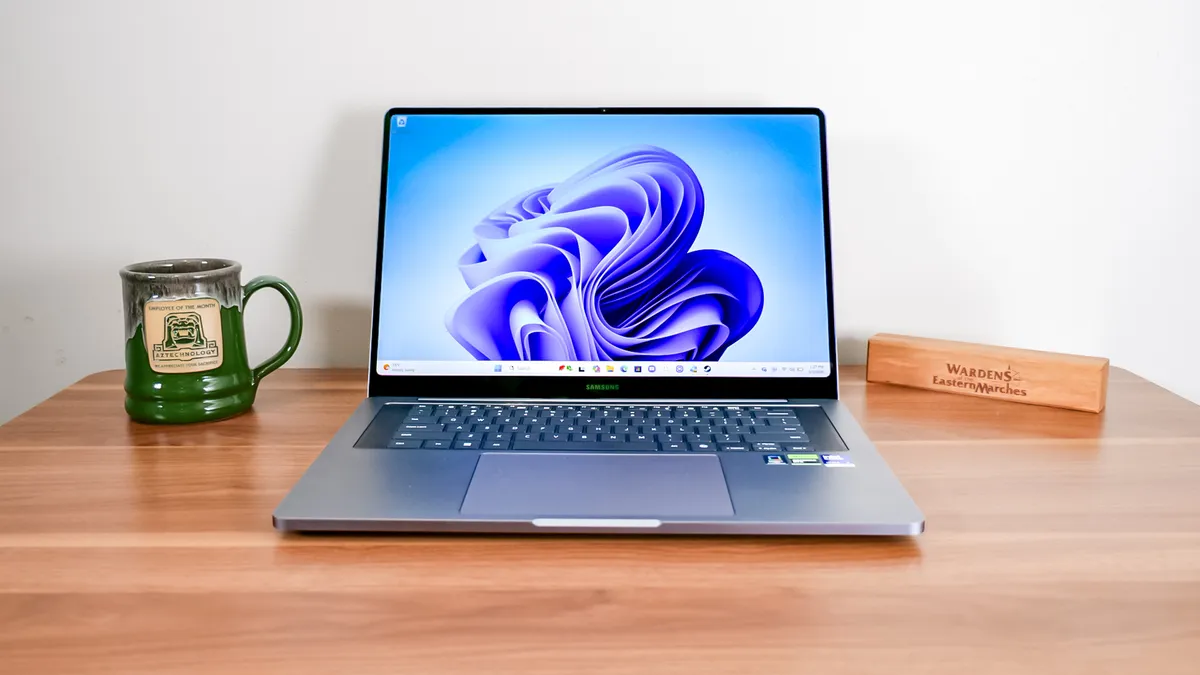
Samsung keeps the traditional bloatware to a minimum, but its own apps leave you feeling like you’re moving into an already-furnished home, and you may not like how they decorated it.
There are about 16 Samsung apps installed when you boot the laptop up for the first time. If you own one of the best Samsung phones or best Samsung tablets and live in that ecosystem, this is not a problem, but if you have other solutions, you should take the time to uninstall these apps.
The ability to uninstall these apps is part of why I consider this only a minor inconvenience, not a true problem with the laptop.
No 4K display option
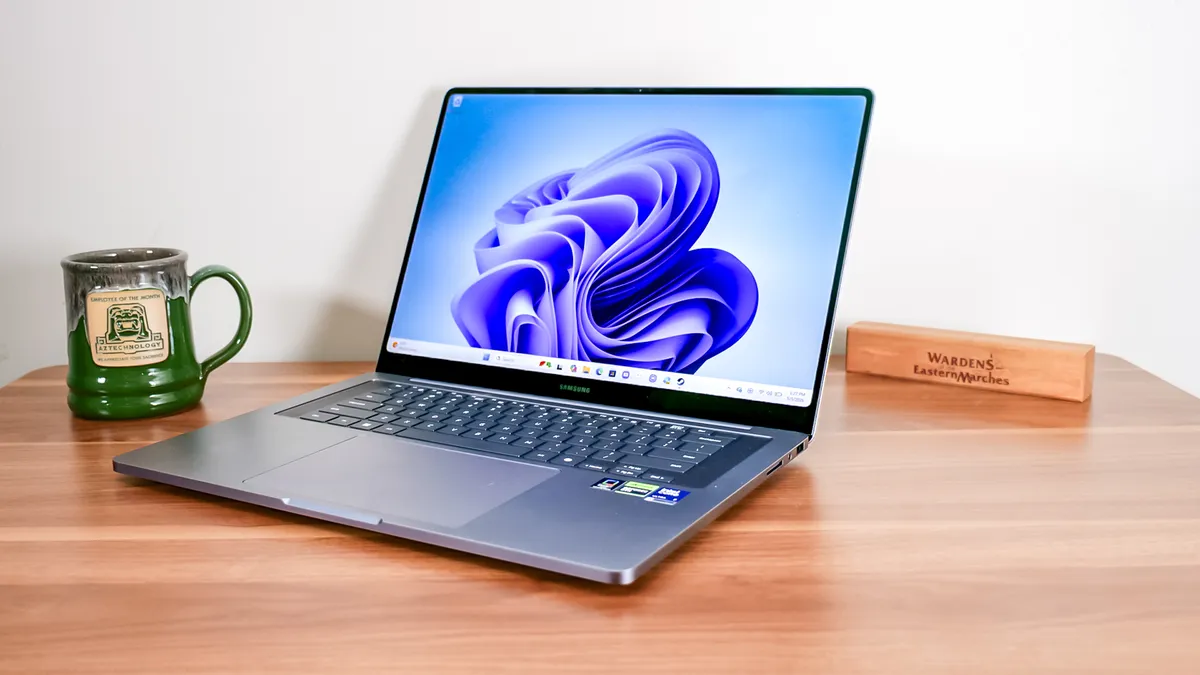
If you are currently thinking to yourself that I said the display is stunning, vivid, and amazing, then you are correct, and thank you for reading this far into the review. However, nothing is so perfect that it couldn’t be at least slightly better. Given that the Galaxy Book 6 Ultra targets content creators who may be editing large photos or videos, a true 4K panel option would be welcome for watching back videos at native resolution.
I would only want to see it as an option, though, not the default. The trade-offs of jumping to 4K would be higher cost and reduced battery life. So I understand why Samsung has not done it, but it’s a logical step for an “Ultra” laptop.
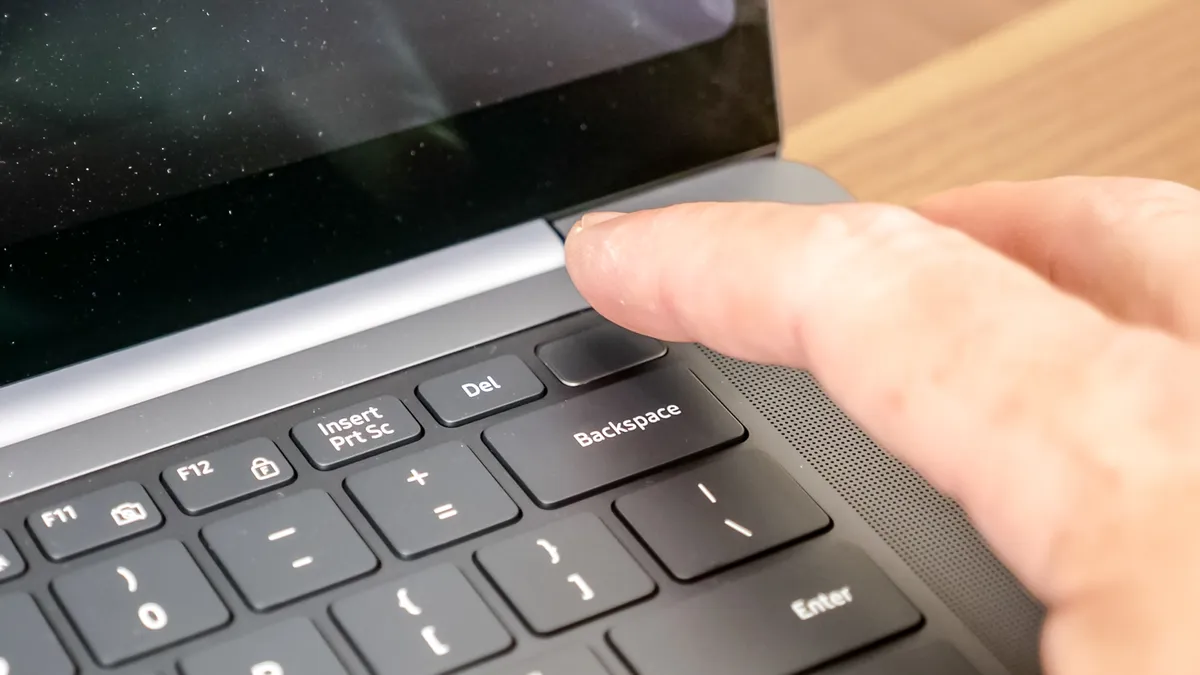
The keyboard is too shallow
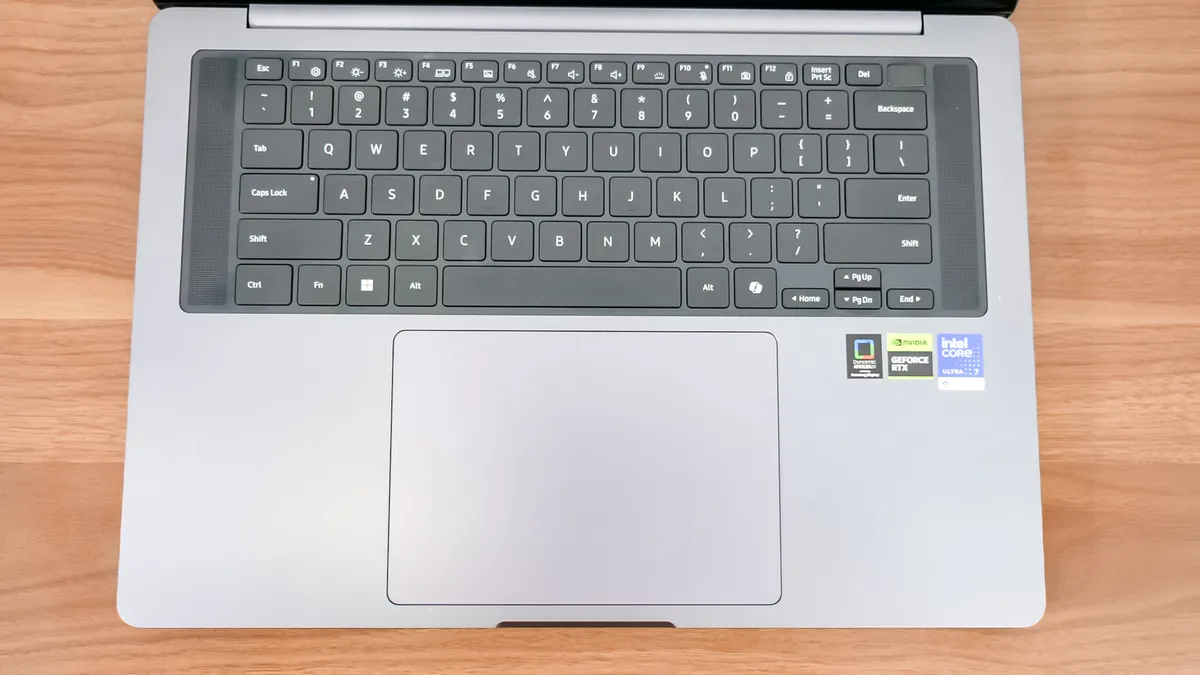
This is another issue where your mileage will vary. If you are a speedy typist who is knocking out thousands of words a day on your laptop, the fact that you are bottoming out the keys with each press may wear on you.
I didn’t personally find myself fatigued after my week of using the Galaxy Book 6 Ultra at roughly my typical 92 words per minute, but there’s no question that a bit more travel would improve the experience.
Samsung Galaxy Book 6 Ultra review: Verdict
Last year, I said the Samsung Galaxy Book 5 Pro was good when it needed to be great, and it feels like Samsung has largely met that challenge with its 2026 lineup. The Galaxy Book 6 Ultra didn’t change the basic recipe for success, but it spiced things up with dramatic performance improvements, upgraded speakers, the new anti-reflective display coating, a full-size SD card slot, and longer battery life.
The areas left for improvement are minimal, with increased key travel as my only complaint that I think would be universally appreciated by users. Pricing is the biggest hurdle for would-be buyers, and that’s largely out of Samsung’s hands, although we have seen positive signs that the RAM crisis is correcting. If that leads to some of the discounts we used to see on Samsung laptops, the great Galaxy Book 6 Ultra could be a great buy.
For now, if you want to keep the price down, consider the Samsung Galaxy Book 6 Pro. It’s one of the best Windows laptops and shares a lot of DNA with the Ultra while starting at a more palatable $1,799.

Follow Tom's Guide on Google News and add us as a preferred source to get our up-to-date news, analysis, and reviews in your feeds. Subscribe to Tom's Guide on YouTube and follow us on TikTok.