







Amazon is making a slew of older Kindle devices obsolete starting in May. This means that you won't be able to download new books unless you find a workaround or purchase a newer model.
As reported by The Verge (and elsewhere), starting on May 20th, 2026 Kindle e-readers and Kindle Fire tablets released in 2012 and before will "no longer be able to purchase, borrow, or download new content via the Kindle Store."
Any books you already have on those devices will still be accessible. And you can still access your accounts and purchases via the Kindle mobile app, Kindle site and newer models. Additionally, if your older Kindle is factory reset or deregistered, you won't be able to re-register after May 20.
Here's the complete list of Kindle devices losing support going back to the original Kindle, which launched in 2007.
- Kindle 1st Generation (2007)
- Kindle DX (2009)
- Kindle DX Graphite (2010)
- Kindle Keyboard (2010)
- Kindle 4 (2011)
- Kindle Touch (2011)
- Kindle 5 (2012)
- Kindle Paperwhite 1st Generation (2012)
- Kindle Fire 1st Gen (2011)
- Kindle Fire 2nd Gen (2012)
- Kindle Fire HD 7 (2012)
- Kindle Fire HD 8.9 (2012)
The youngest devices on that list is 14 years old at this point.
According to the report, Amazon will send out emails to impacted Kindle owners before the deadline which will outline what your devices can and cannot do. The pre-2012 Kindle Fire devices won't be able to download new books, but other Amazon services and apps you have shouldn't be updated.
Amazon is offering a 20% discount on new Kindle devices and a $20 ebook credit that will arrive on your account after the upgrade. The credit only lasts a month valid through June 20, 2026 at 11:59 pm PT.
Up until now, Amazon has largely left owners of older Kindles alone, letting them purchase and download ebooks as desired. There was a 2016 software update that maintained access to the Kindle Store.
Before last February, you could have gotten around this restriction by downloading your books on your computer and transferring them using the USB port. However, Amazon killed that function.
What are your options?
If you insist on keeping your older Kindle, especially if it's still working well, you could consider jailbreaking it. I won't tell you how to do it here, but there are ways.
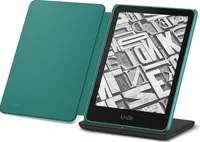
If you want to upgrade, currently, Kindles start at $110 for the entry-level version. The Kindle Paperwhite will set you back $160, while the color-screen Kindle Colorsoft is $250. At the high-end, there is the giant Kindle Scribe writing tablet, which starts at $400 for the non-color version.
If you need help deciding, check out our guide to the best Kindles. We've also included recommendations for some non-Amazon ereaders if you're looking to get out of the Amazon ecosystem.

Follow Tom's Guide on Google News and add us as a preferred source to get our up-to-date news, analysis, and reviews in your feeds. Subscribe to Tom's Guide on YouTube and follow us on TikTok.
More from Tom's Guide

