Google is rolling out changes to its popular Maps platform that will make it easier for anyone to post photos, reviews, videos and other content to help them boost their Local Contributor status.
Most of the changes involve integrating Gemini into Maps to speed up processes. If you’re sick of scrolling endlessly through your photo library or writing complicated captions, you’ll love the updates coming to Google Maps.
And if you don’t care about sharing yourself, the fact that Google's making it easier for other people to post content will still benefit you, as you’ll find more places you’re considering about going to have photos and videos to browse.
What’s new in Google Maps?
There are three core updates coming to Google Maps, and they’re built around user contributions rather than traditional navigation.
The first big change is that Google is making it easier to find the right image for sharing. Rather than endlessly scrolling through images, Google will suggest photos and videos from your recent experiences, highlighted directly in the Contribute tab, saving contributors time and effort. This means it’s just a matter of you tapping and posting the content that works for the place you’re sharing.
This feature is now available globally on Android and will expand to iOS in the coming months.
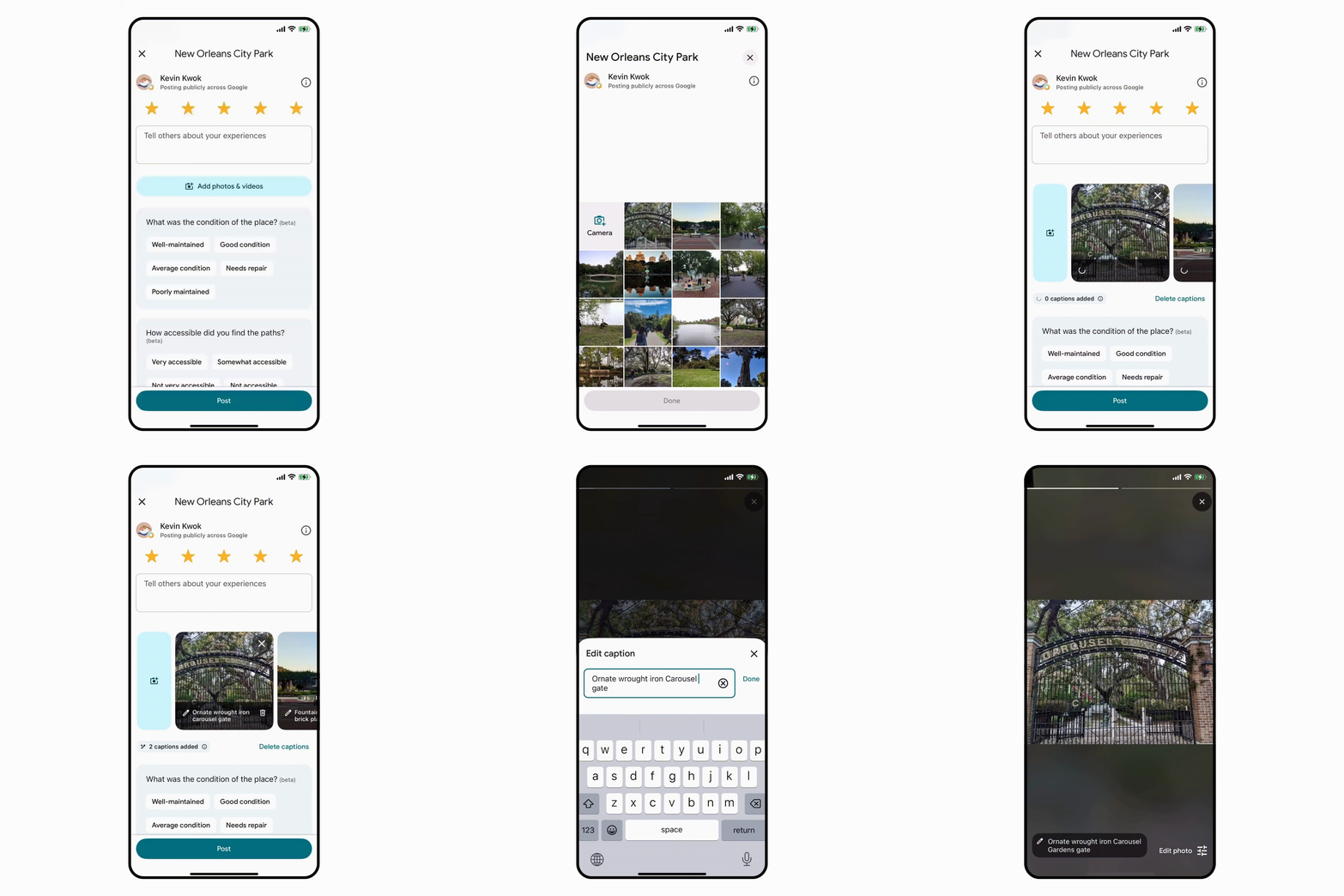
The next update leverages the company’s popular Gemini models to suggest a draft image caption, saving you time. Once you choose the photos, either manually or via the update above, the AI tool will analyze them to generate captions that you can edit or replace with your own words if you don’t like what it spits out. Caption suggestions are now available in English on iOS in the U.S. and will expand globally and to Android in the next few months.
The final update focuses on helping Google Maps contributors to see how they’re doing overall. Now, total points will be displayed directly on the Contribute tab, and Local Guide levels will be more prominently featured on profile pages. Google is also updating its achievement badges so it’s easier to see if you’re an expert fact-finder, a master photographer, or a rising novice.
For people who enjoy writing, posting and generally sharing on Google Maps, these features are now rolling out to Android, iOS and desktop.

Follow Tom's Guide on Google News and add us as a preferred source to get our up-to-date news, analysis, and reviews in your feeds. Subscribe to Tom's Guide on YouTube and follow us on TikTok.
More from Tom's Guide