My Amazon addiction knows no bounds.
A couple of times a month, I end up buying something — graphic novels, video games, autobiographies, art books. It’s almost too easy. Open the app, search, hit “Buy Now,” and I’m done in minutes. That convenience is the problem.
Because every time I check back later, I hear the same thing from friends and family: “You could’ve gotten that cheaper.” Prices drop and deals pop up, but somehow, I always seem to miss them.
The truth is, Amazon isn’t built to help you spend less — it’s built to help you buy faster and keep coming back. Between fluctuating prices, questionable third-party sellers and dozens of nearly identical listings, finding the best deal takes way more effort than it should.
So instead of guessing, I tried something different. I used ChatGPT to help me shop smarter — comparing products, spotting price drops, and filtering out the noise.
Here’s what happened.
Asking the questions that matter

I had three things I wanted to buy on Amazon: wireless earbuds for my iPhone, a PC gaming controller and a carrying case for the Switch 2.
Normally, this is where I get stuck — endlessly scrolling through pages of options, opening tabs and second-guessing everything.
This time, I did something different. Instead of diving straight into Amazon, I asked ChatGPT a few targeted questions first:
- What are the best wireless earbuds under $100 right now?
- Which ones have the best battery life and call quality?
- Are there cheaper alternatives to AirPods that are just as good?
Within seconds, my search went from hundreds of options to just a few that actually made sense. No more endless scrolling, no more second-guessing.
I landed on the JBL Vibe Beam 2 wireless earbuds for just over $30 thanks to a spring deal — something I likely would’ve missed if I’d gone in blind.
Then I tried the same approach with a PC gaming controller.
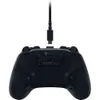
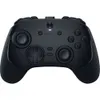
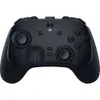
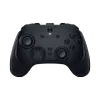
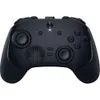
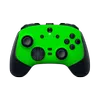
Normally, this is where things get messy — too many tabs, too many specs and no easy way to compare what actually matters. Instead, I dropped three options into ChatGPT — the GameSir G7 Pro Tri-Mode, the Scuf Valor Pro and the Razer Wolverine V3 Pro —
That’s when the process finally started to feel simple.
- Compare these three — which one is actually the best value?
- What’s the catch with the cheapest option?
- Are any of these three products overpriced for what they offer?
By using these prompts, ChatGPT helped me get past the name value of each product and recognize which one offered the best performance.
Plus, it even suggested alternatives for me to consider, such as the 8BitDo Ultimate 2 and Flydigi Apex 4. My chatbot money saver pushed me toward getting the 8BitDo Ultimate 2 with a price unexpectedly lower than $70 due to an ongoing big spring deal sale.
Checking to see if the price and features are worth my time

Once it was time to procure a Switch 2 carrying case, I came up with three more questions aimed at finding out the best price for the option I was considering and figuring out if its advertised features were worth taking the plunge on:
- Is this worth buying at this price?
- What’s a typical price range for this product?
- What features actually matter here?
ChatGPT analyzed the item I was thinking of getting (the Orzly Protective Carry Case, 2025 model) through those three questions. In the end, I decided to make that purchase since ChatGPT assured me the asking price was equal to its promised reliability, its typical price range was within my financial wheelhouse and the features that were advertised for it were definitely worth a purchase. The fact that its final price came in at less than $25 because of the big spring deal discount made my final decision an easy one.
The takeaway
My previous Amazon activities included way too many impulse purchases and a whole bunch of needless scrolling. ChatGPT aided me in that respect by getting rid of those bad habits altogether, steering clear of overpriced products, and feeling a lot more confident in my pricer purchases.
Taking the time to do your proper research through trusted articles, choosing the best options for whatever item you’re considering, and presenting those products alongside the appropriate questions to finalize your pick is worth all the money savings that come with it.
Becoming a smarter and more patient Amazon shopper is just one of the many ways ChatGPT helped me navigate the overwhelming waters of online shopping.

Follow Tom's Guide on Google News and add us as a preferred source to get our up-to-date news, analysis, and reviews in your feeds.
More from Tom’s Guide
- Should I bring a jacket? ChatGPT now uses AccuWeather to give you real-time advice — here’s how to set it up
- I used 3 AI tools to avoid the PS5 Price Hike — here’s what worked and saved me the most money
- I’ve been using ChatGPT as my own personal Spotify DJ — here’s how I did it