






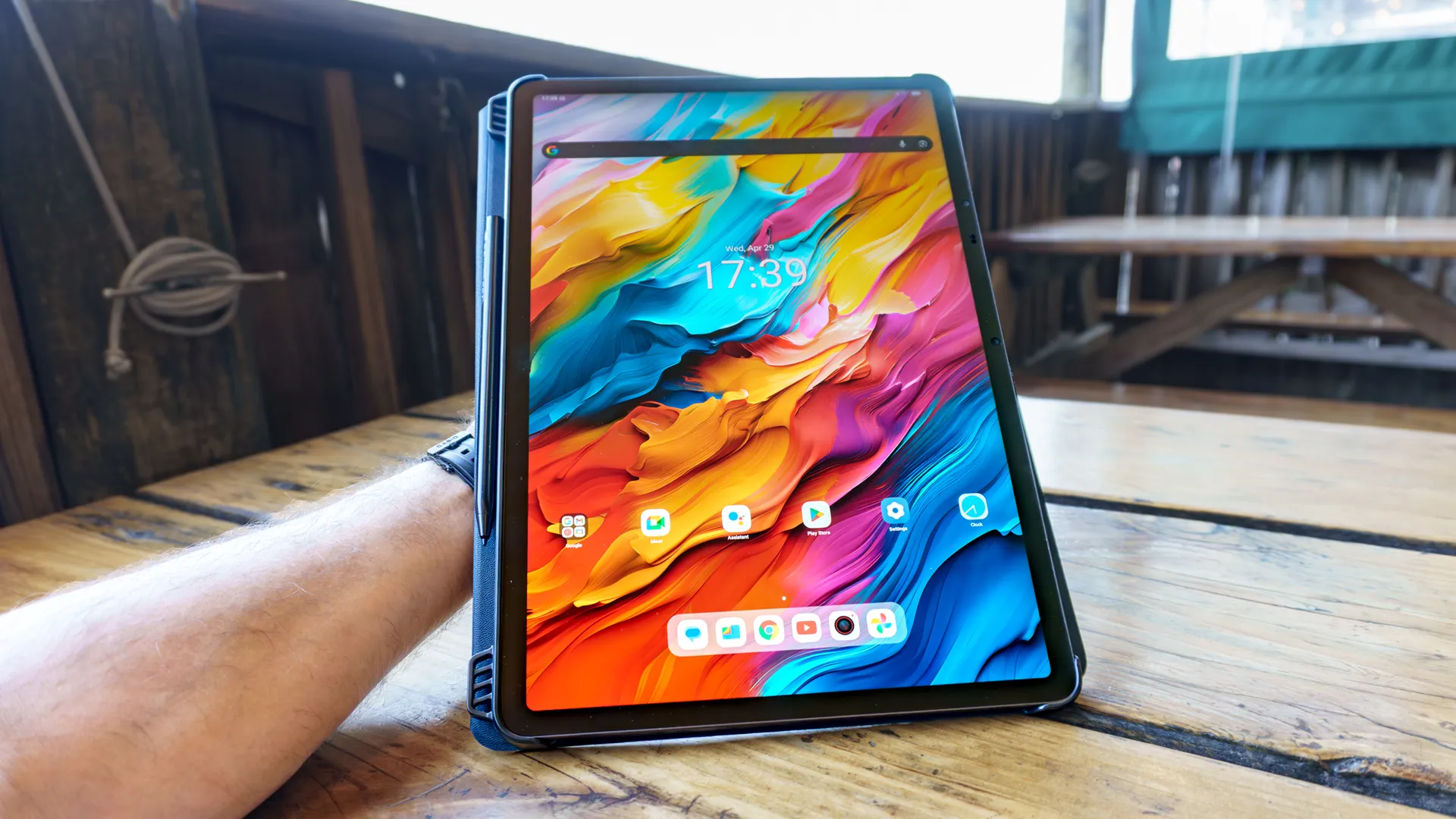
From the Nexus 7 to the iPad mini, I’ve always preferred smaller tablets you can hold in one hand and easily slip into a bag, which is why I was so surprised when I found myself reaching for an absolutely massive 14.3-inch slate instead.
Unlike other tablets where specs and sheer power are the main draw, the screen itself is why you’d choose a device like the TCL NXTPAPER 14 over something more conventional. Its specs are nothing to scoff at either though, with 8GB of RAM, 256GB of storage and a whopping 10,000 mAh battery under the hood. However, the paper-like feel of its matte display and how you can go from a dedicated black and white ink mode to color paper mode with the push of a button is the kind of thing you truly have to see for yourself.
Although I tested out its smaller, more powerful sibling the TCL NXTPAPER 11 Plus, it was the NXTPAPER 14 that first caught my eye. Even under harsh direct lighting, its larger screen remained completely glare and reflection-free. Now, I finally had a chance to use it in the real world and not just at a mall in Taiwan.
I’ve been using the NXTPAPER 14 for the past few months and while it may not end up being my daily driver, there’s certainly a place for larger tablets like this one — especially if you’d rather carry something more substantial under your arm.
From tablet to portfolio
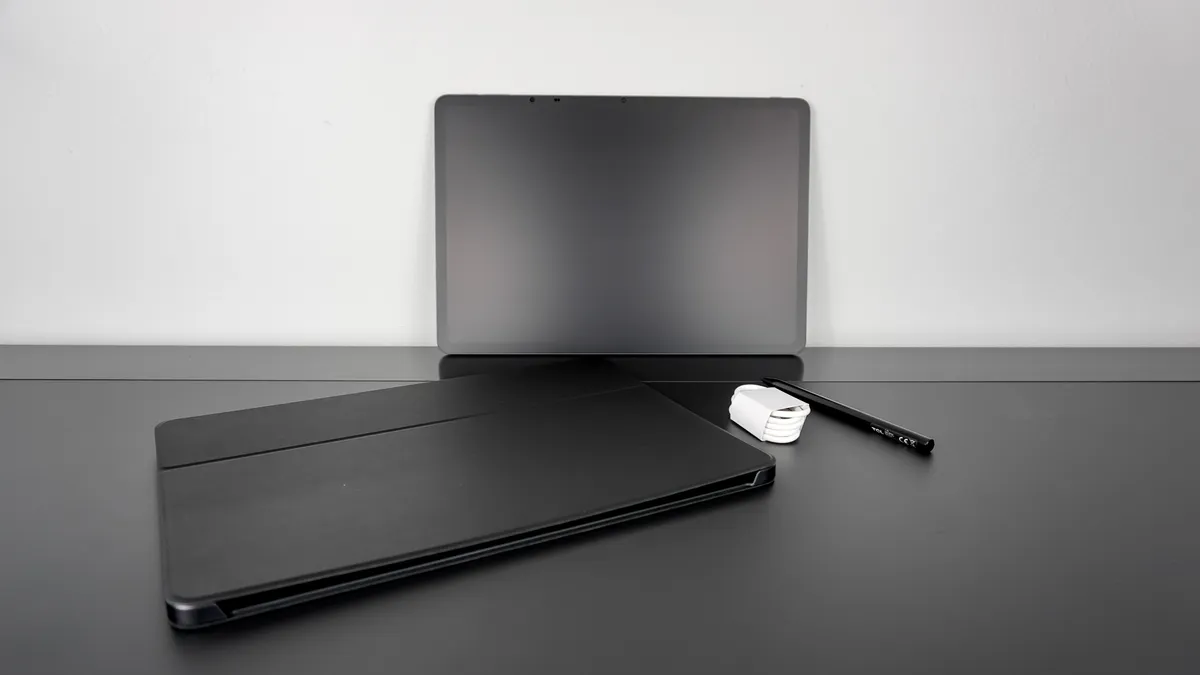
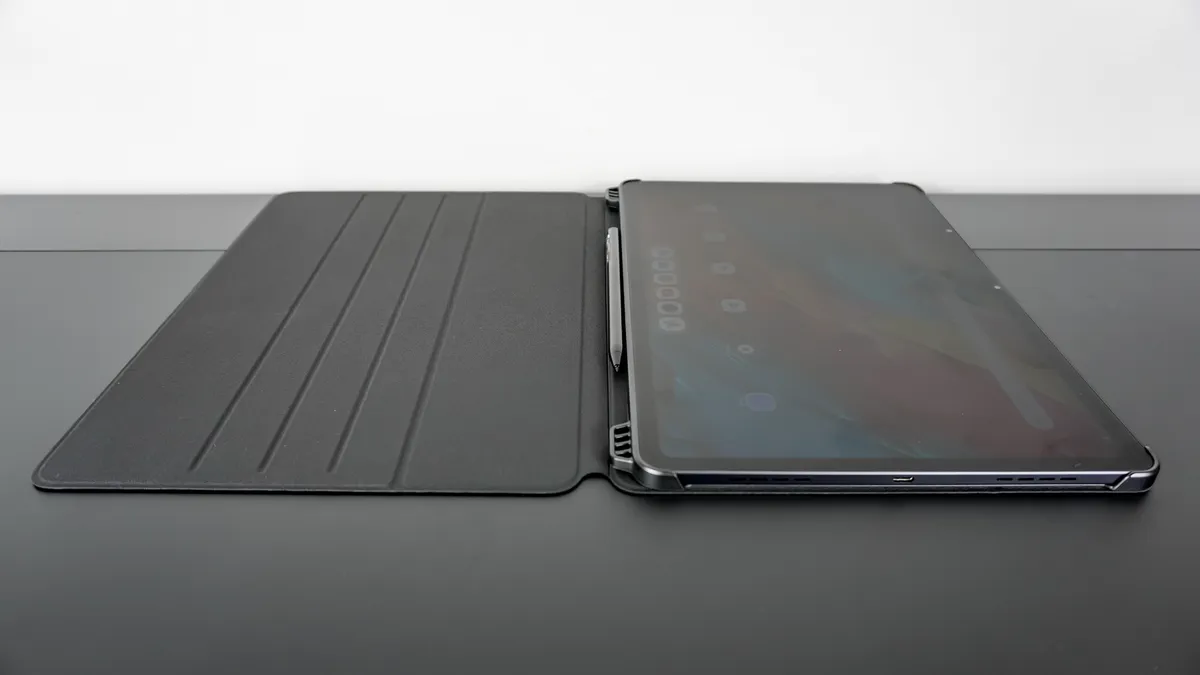
One thing I immediately appreciated about the NXTPAPER 14 is how TCL provides you with everything you need right in the box. You get a folio-style case with a magnetic cover, a lengthy charging cable and more surprisingly, a pressure-sensitive, active stylus with a USB-C port on the side for charging.
Even with many of the best tablets, you often find yourself hunting for accessories like a case or screen protector after the fact. TCL takes the guesswork out of protecting and making full use of its NXTPAPER tablets, so you can instantly go from unboxing to enjoying them. And while there isn’t a screen protector in the box, I wouldn’t recommend using one since that would mean missing out on the paper-like feel of the NXTPAPER 14’s matte display.
I’m no digital artist but I like having a stylus on hand for scrolling and signing the occasional document. TCL’s T-Pen is quite capable too with 4,096 levels of pressure sensitivity and around 100 hours of battery life on a single charge. What I like most about using it though is how the combination of its active tip and the matte texture of the NXTPAPER 14’s display feels. You don’t get that same drag when using a stylus like the Apple Pencil or the Surface Pen on a glass tablet.
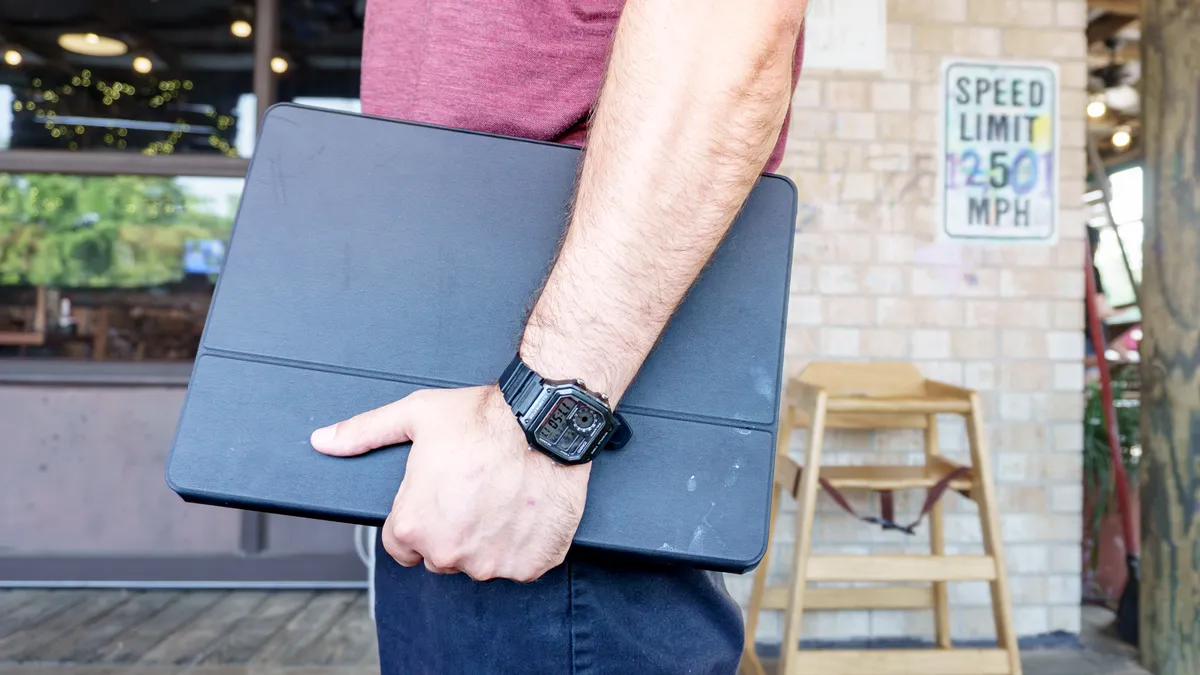
Another thing I really enjoy about the NXTPAPER 14 is how it feels under my arm when carrying it from room to room around my house. With a screen slightly larger than your standard sheet of printer paper and an aluminum back, it really feels like I’m holding a clipboard folio that’s ready for any task.
Made to scroll
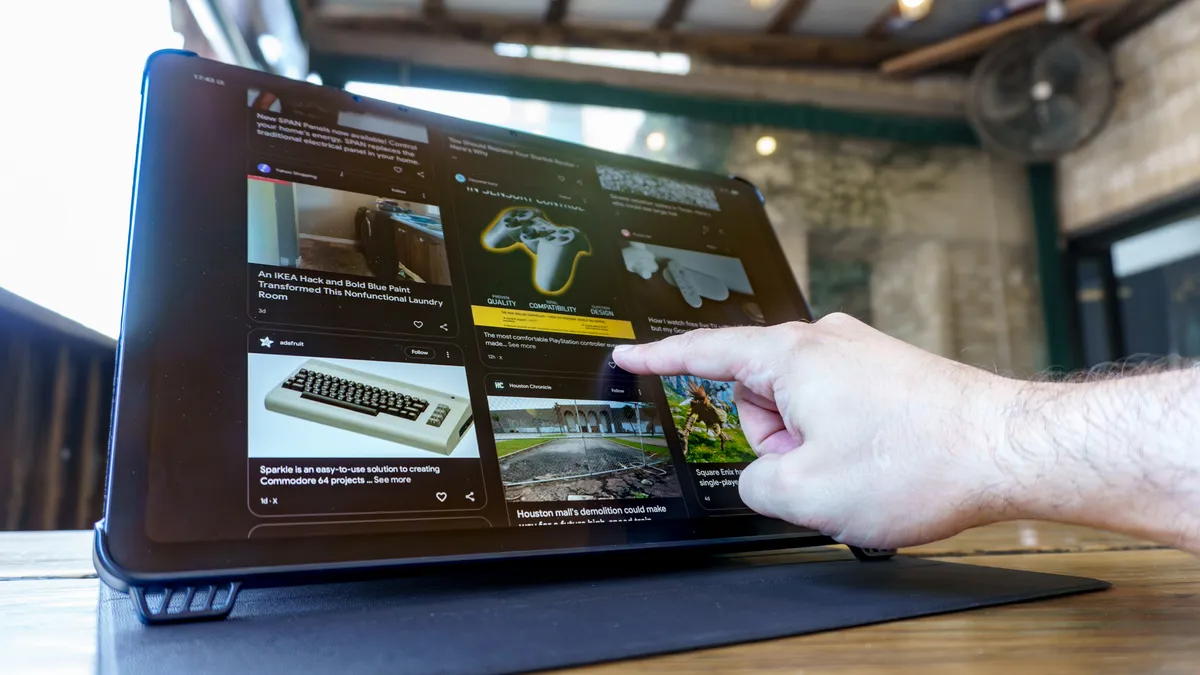
As someone who’s constantly checking the news, it almost feels like I scroll for a living when I’m not hammering away on my keyboard. With 7.9 inches from top to bottom horizontally or an even larger 11.9 inches vertically, the NXTPAPER 14 just feels great for scrolling. It’s almost like going from a budget laptop to one of the best laptops with a much larger trackpad.
TCL doesn’t let the NXTPAPER 14’s extra screen real estate go to waste either. Not only can you have two apps running side by side, but you can also have one app in floating window mode while another runs full-size behind it—great for having a calculator or a quick chat window just a tap away.
Going all the way back to your app drawer can be a hassle on a massive tablet like this one, which is why TCL added its Edge Bar feature. By swiping in from the edge and briefly holding, you bring up a customizable mini dock with useful shortcuts and tools, but you can also add your own apps to the mix.
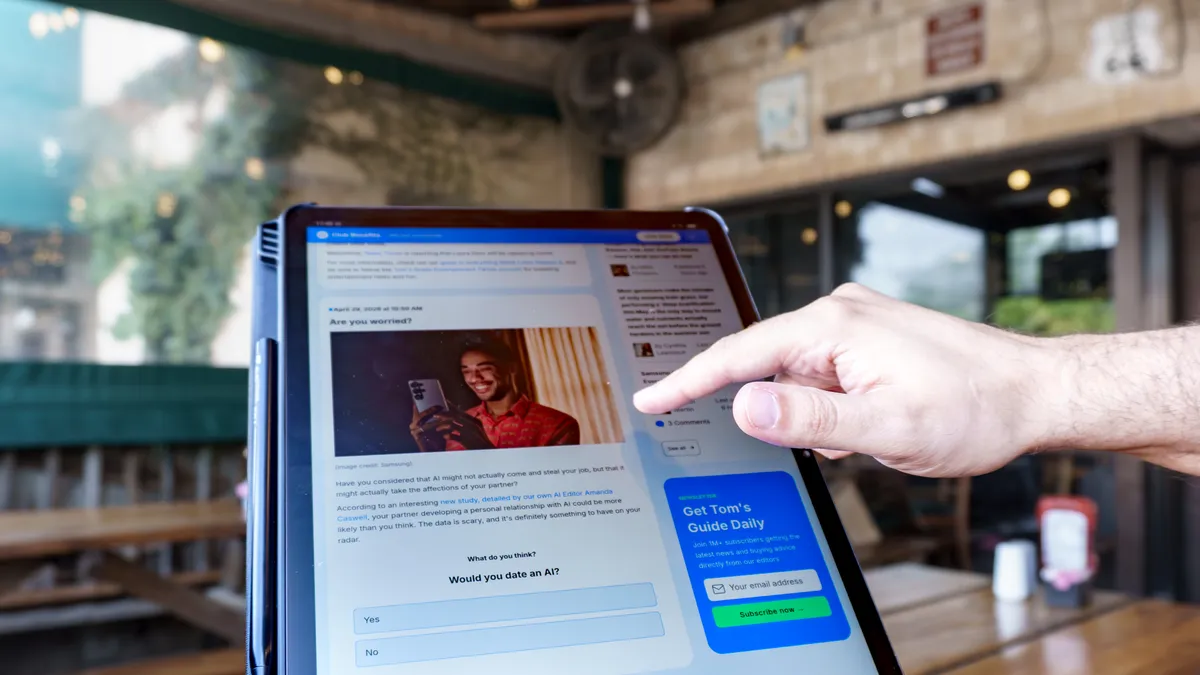
As an avid reader, using the NXTPAPER 14 in portrait mode feels even better, at least for me. Whether I’m scrolling through a Google Doc or even the recently redesigned Tom’s Guide home page, I still can’t get over how much I can see at a time on this tablet’s larger display.
Though I covered this in more depth with the NXTPAPER 11 Plus, don’t forget that you aren’t limited to your standard reading modes here either. With a push of its namesake NXTPAPER Key, you can switch from the default Regular Mode to either Color Paper Mode or Ink Paper Mode. Both have their upsides, but I particularly like how using Ink Paper Mode on the NXTPAPER 14 extends its battery life significantly. There’s just something about seeing your remaining battery estimate jump from double to triple-digit hours with the push of a button.
If reading isn’t your thing, you’re still in luck because at 14.3 inches, the NXTPAPER 14 is around the same size as a portable monitor.
A smarter portable monitor
You won’t have any trouble running the respective apps for any of the best streaming services on the NXTPAPER 14. However, when I first used it to stream video content, I did so a bit differently. I was wrapping Christmas presents in the sitting room where we don’t have a TV and wanted to put on something in the background. Instead of Netflix, I opened the app for the Ugreen NAS I recently added to my home network and watched one of my favorite holiday movies to help deal with the fact that I’m terrible at wrapping presents.
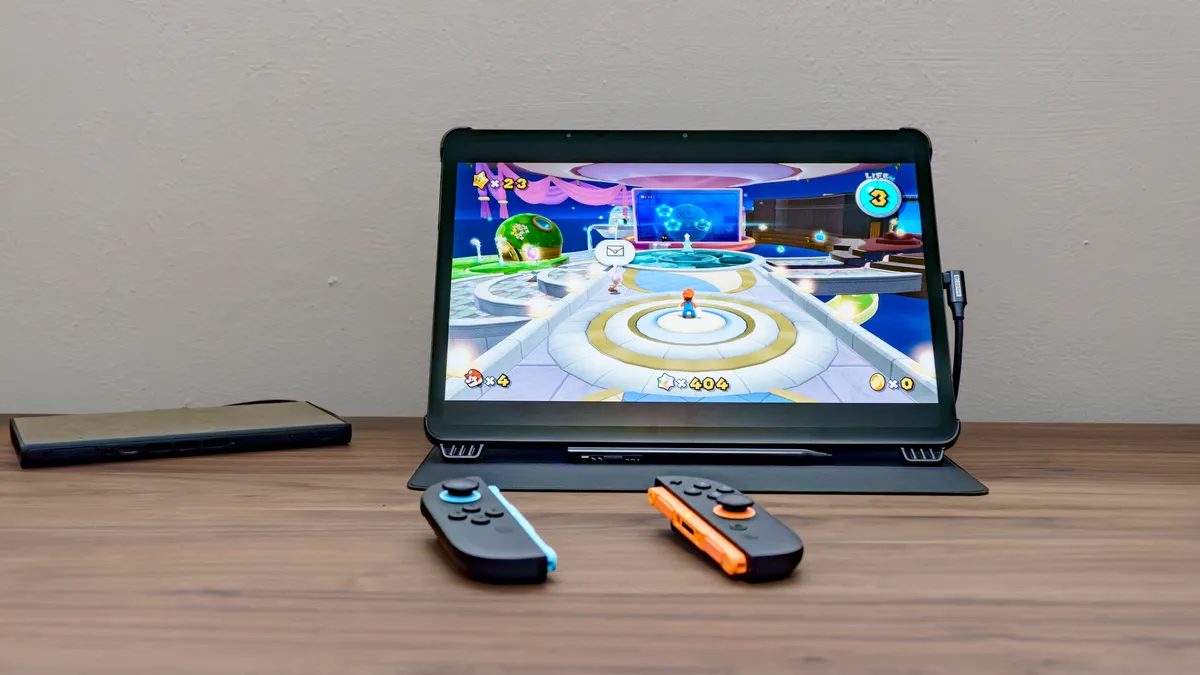
As I recently had a chance to test out Genki’s new Covert Dock 3 with my Switch 2, I wanted to see if I could get some more demanding games running on the NXTPAPER 14. With its octa-core MediaTek MT8781 processor, you can play some simple games, but you won’t be playing the mobile version of Red Dead Redemption anytime soon. That’s where Genki’s ShadowCast 3 Pro comes in.
I hooked up the Covert Dock 3 under my desk, but instead of plugging in an HDMI cable to go out to my TV, I used the ShadowCast 3 Pro to get the video feed from my Switch 2 on the NXTPAPER 14. I did have to buy and download the Noir Pro: USB Camera app for $9, but that’s a small price to pay to play my Switch 2 on a tablet.
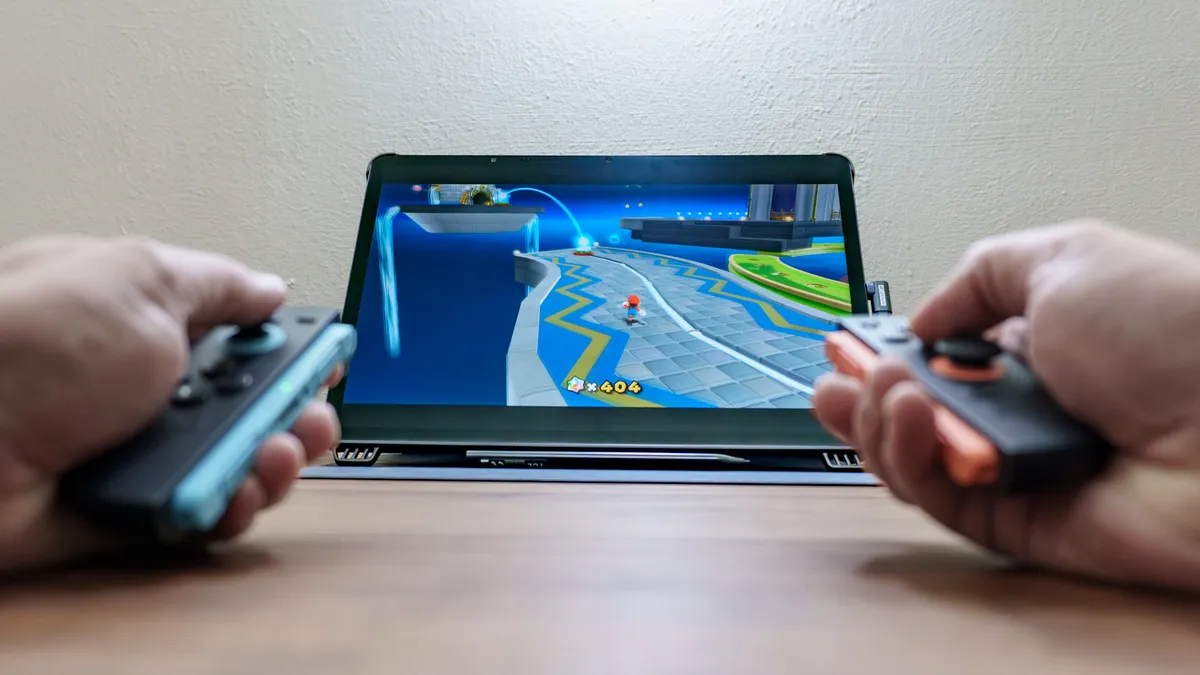
As I recently had a chance to test out Genki’s new Covert Dock 3 with my Switch 2, I wanted to see if I could get some more demanding games running on the NXTPAPER 14. With its octa-core MediaTek MT8781 processor, you can play some simple games, but you won’t be playing the mobile version of Red Dead Redemption anytime soon. That’s where Genki’s ShadowCast 3 Pro comes in.
I hooked up the Covert Dock 3 under my desk, but instead of plugging in an HDMI cable to go out to my TV, I used the ShadowCast 3 Pro to get the video feed from my Switch 2 on the NXTPAPER 14. I did have to buy and download the Noir Pro: USB Camera app for $9, but that’s a small price to pay to play my Switch 2 on a tablet.
Not quite prime real estate
The NXTPAPER 14 remains just as impressive after using it for several months now as it did when it literally stopped me in my tracks while walking through that mall in Taiwan. I always thought smaller was best when it comes to tablets, but after spending some quality time with its massive display, I now appreciate all that extra screen real estate.
Compared to more premium tablets like the Samsung Galaxy Tab S11 Ultra or the iPad Pro, the NXTPAPER 14 does struggle at times with more demanding tasks. However, not only are you paying half or even a third less than those flagship prices, but you also don’t have to budget for the extra cost of accessories like a case or a stylus — TCL gives you the whole "clipboard folio" kit right in the box.
Given that TCL was kind enough to send over both the NXTPAPER 14 and the 11 Plus, I’m going to use the latter when I need portable power and the former when sheer screen size is most important. Still, you can’t go wrong with either of these more affordable tablets, especially as they pack in plenty of unique features you just won’t find anywhere else.
Who knows? Maybe TCL will go even larger with its next NXTPAPER tablet. Even if it doesn’t, though, I’d love to see a second-generation NXTPAPER 14 with just a bit more power under the hood to match its massive potential.

Follow Tom's Guide on Google News and add us as a preferred source to get our up-to-date news, analysis, and reviews in your feeds. Subscribe to Tom's Guide on YouTube and follow us on TikTok.
More from Tom's Guide

