





Tom's Guide Verdict
The Acer Swift 16 AI impresses with its vibrant 16-inch OLED panel, powerful Panther Lake-powered performance, ultraportable design, and long-lasting battery life. While its overly large touchpad isn’t all that useful for most folks, and its speaker quality isn’t the best, this laptop's virtues make it a strong recommendation.
Pros
- +
Vivid 16-inch OLED
- +
Fast Panther Lake performance
- +
Sleek ultraportable design
- +
Long battery life
Cons
- -
Cumbersome oversized touchpad
- -
Poor speaker quality
Why you can trust Tom's Guide Our writers and editors spend hours analyzing and reviewing products, services, and apps to help find what's best for you. Find out more about how we test, analyze, and rate.
The new Acer Swift 16 AI ($1,599) is more than just another Panther Lake laptop. While Intel’s chip certainly gives this model an edge over last year’s in terms of battery life and performance, the most immediate standout feature is the super-sized trackpad. While certainly distinctive, this aspect could be hit-or-miss depending on your needs.
Speaking of big, the Swift 16 AI has an expansive 16-inch OLED panel that delivers vivid colors and excellent HDR brightness. Everything from websites to videos looks fantastic on this screen. And though this is a thin-and-light laptop, it doesn’t skimp on ports, giving you most of what you need to make Acer’s notebook your main at-home work computer.
Thanks to the Intel Core Ultra X7 CPU, you get rock-solid performance for everyday work, which is now a staple of Panther Lake chips. You can even have a good time playing games, so long as you enable Intel’s XeSS frame-boosting tech for a smoother experience. Battery life can also last you for a full workday, though it’s not as long as on similar laptops.
The main drawback here is the trackpad. While it’s plenty large enough for artists to draw on it comfortably with the included stylus, it can make typing feel cumbersome. The underpowered and flat speaker quality is disappointing, especially if you’re trying to enjoy a streaming program.
Though the Acer Swift 16 AI isn't perfect, it’s still a great laptop for what it provides. Find out why in my full review.
Acer Swift 16 AI review: Cheat sheet
- What is it? The Acer Swift 16 AI (2026) is a Panther Lake-powered ultraportable.
- Who is it for? For anyone seeking a laptop for work and creative projects.
- What does it cost? The Acer Swift 16 AI (2026) starts at $1,599 and is available now on Acer’s website.
- What do we like? We like the vivid OLED display, thin-and-light design, strong Panther Lake performance, and long battery life.
- What don’t we like? The large trackpad is only useful for artists, and the speaker quality is thin and flat.
| Row 0 - Cell 0 | Acer Swift 16 AI (starting) |
Acer Swift 16 AI (tested) |
Price |
$1,599 |
$1,799 |
Display |
16" WQXGA+ (2880 x 1800) 16:10 CineCrystal (Glare) 120 Hz Touchscreen |
16" WQXGA+ (2880 x 1800) 16:10 CineCrystal (Glare) 120 Hz Touchscreen |
CPU |
Intel Core Ultra X7 Series 3 Series 358H |
Intel Core Ultra X7 Series 3 Series 358H |
Graphics |
Intel Arc Graphics B390 |
Intel Arc Graphics B390 |
Memory |
16GB |
32GB |
Storage |
1TB |
1TB |
Ports |
2x USB-A, 2x USB-C, 1x HDMI, 1x headphone jack |
2x USB-A, 2x USB-C, 1x HDMI, 1x headphone jack |
Connectivity |
Wi-Fi 7, Bluetooth 6 |
Wi-Fi 7, Bluetooth 6 |
Size |
14 x 9.8 x 0.39 inches |
14 x 9.8 x 0.39 inches |
Weight |
3.37 pounds |
3.37 pounds |
Acer Swift 16 AI review: The ups
The Acer Swift 16 AI has a lot going for it, thanks to its thin and light design, fast Panther Lake performance, gorgeous OLED panel, and long-lasting battery life.
Slim design
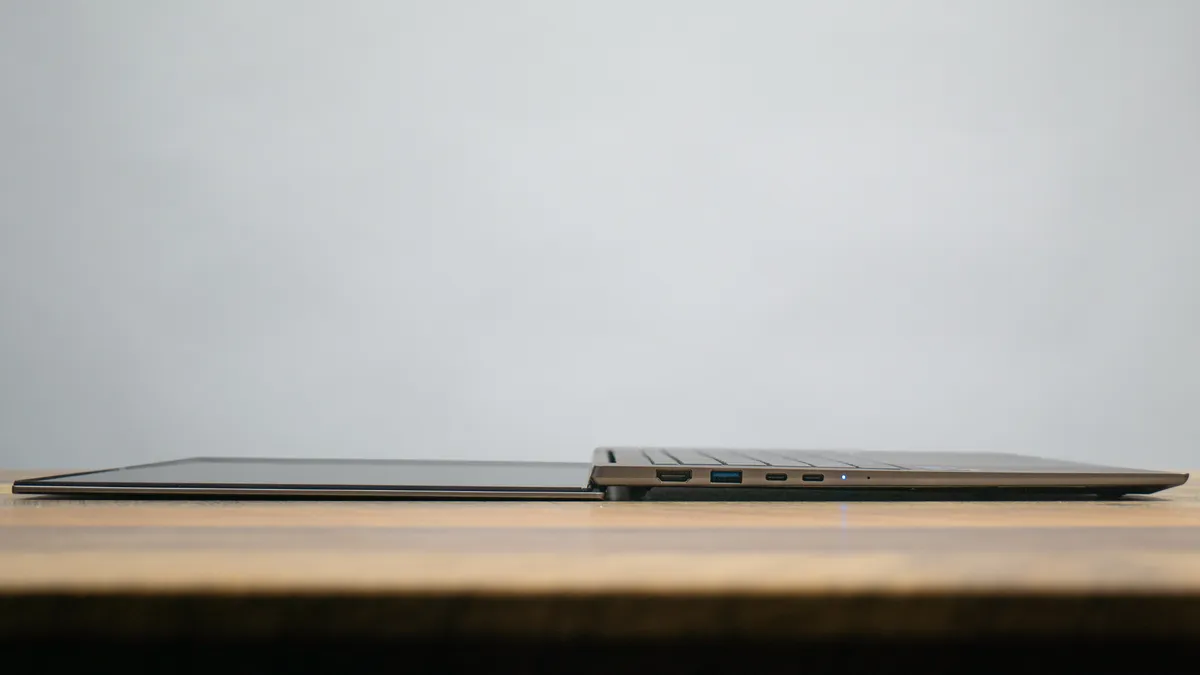
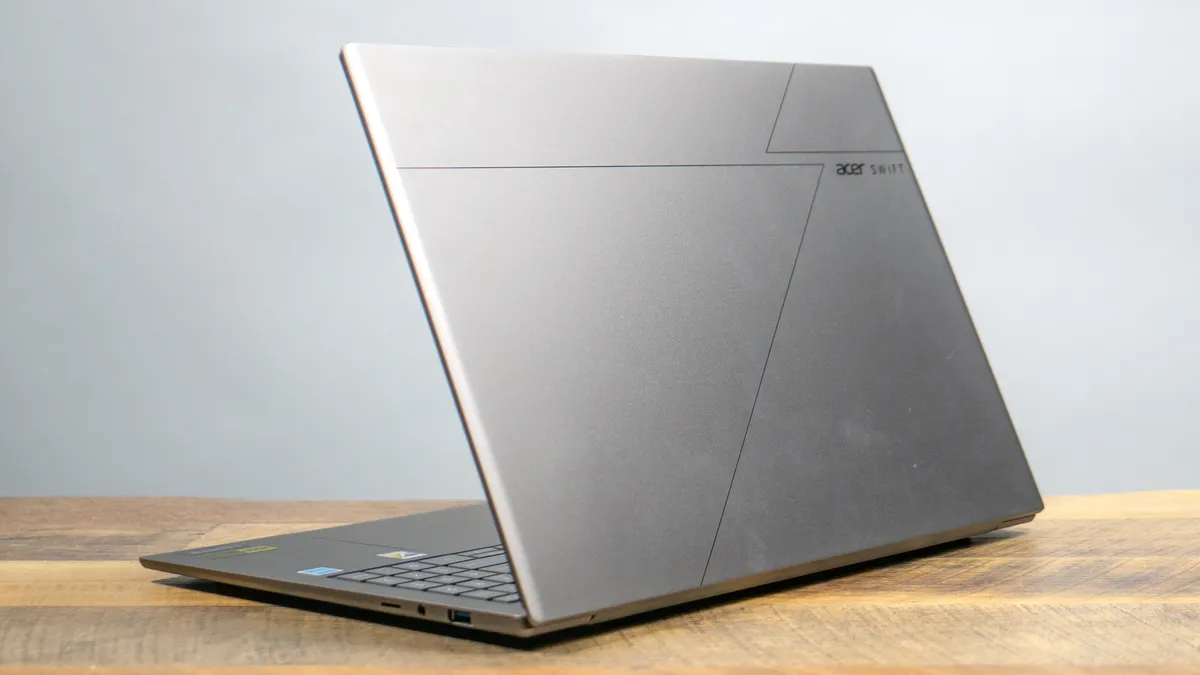
Measuring 14 x 9.8 x 0.39 inches and weighing 3.37 pounds, the Swift 16 AI is a relatively thin and light laptop for its size. It weighs just a tad more than the 3.3-pound 15-inch MacBook Air M5 but feels lighter than Apple’s denser notebook. The magnesium-aluminum chassis not only feels great to hold but is also plenty sturdy.
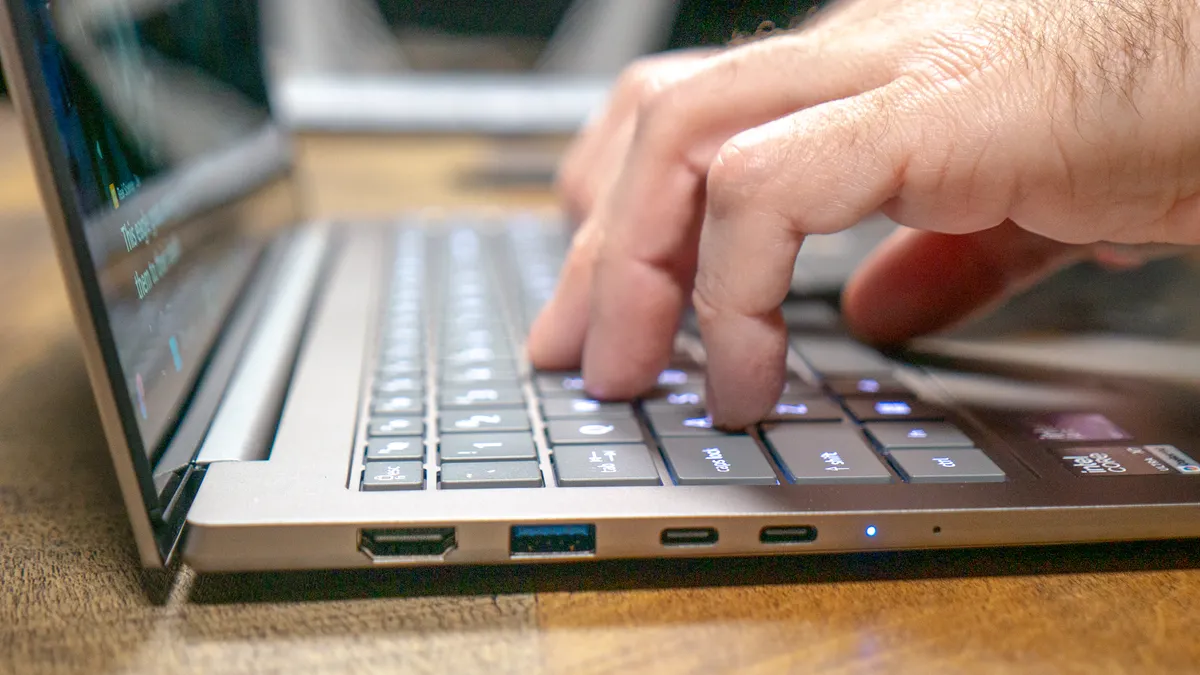
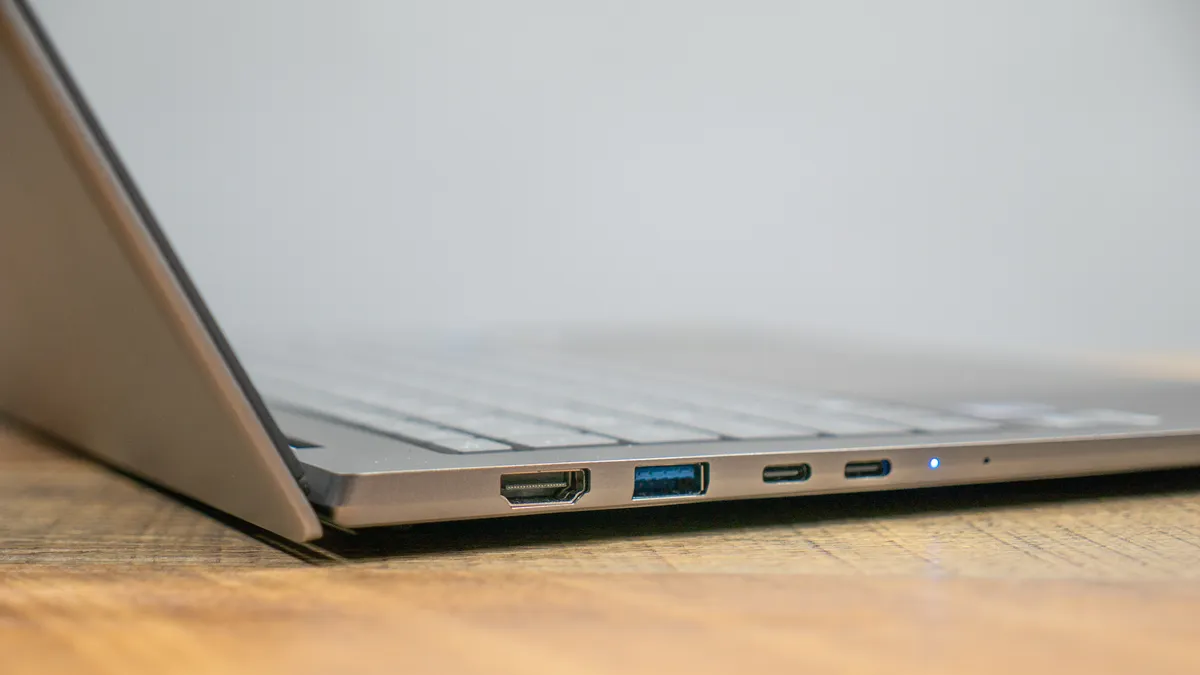
This might be a thin laptop, but it’s not thin on ports. In addition to two USB-C ports and a headphone jack, you also get a pair of USB-A ports for legacy devices and an HDMI port to connect to the best monitors. Ultraportables like this usually have two USB-C ports and an audio jack, so it’s great to see Acer go the extra mile with the generous port selection.
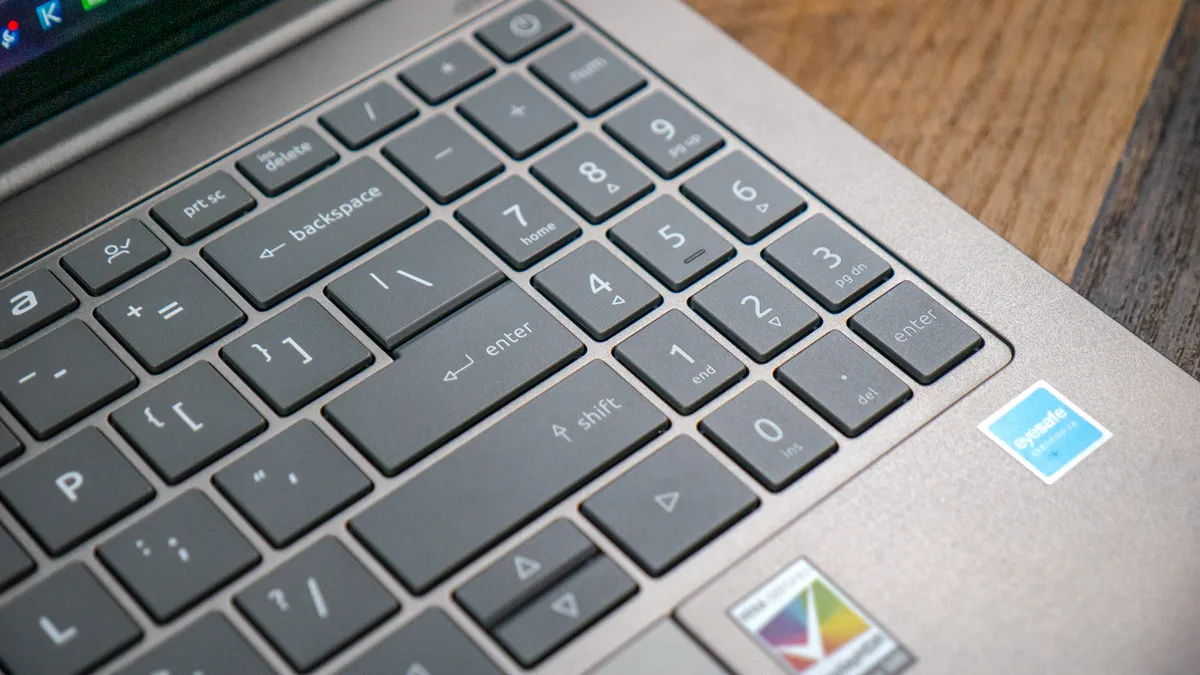
The keyboard is quite nice thanks to its thick, responsive keycaps and satisfying travel. You actually get a full keyboard here, but the number keys are much smaller than most of the other keys. If you rely on number keys, this could be a problem. However, if you’re like me and mostly find them a waste of space, then you’re in luck. There is one drawback to the keyboard, but I’ll get to that soon.
Vibrant display
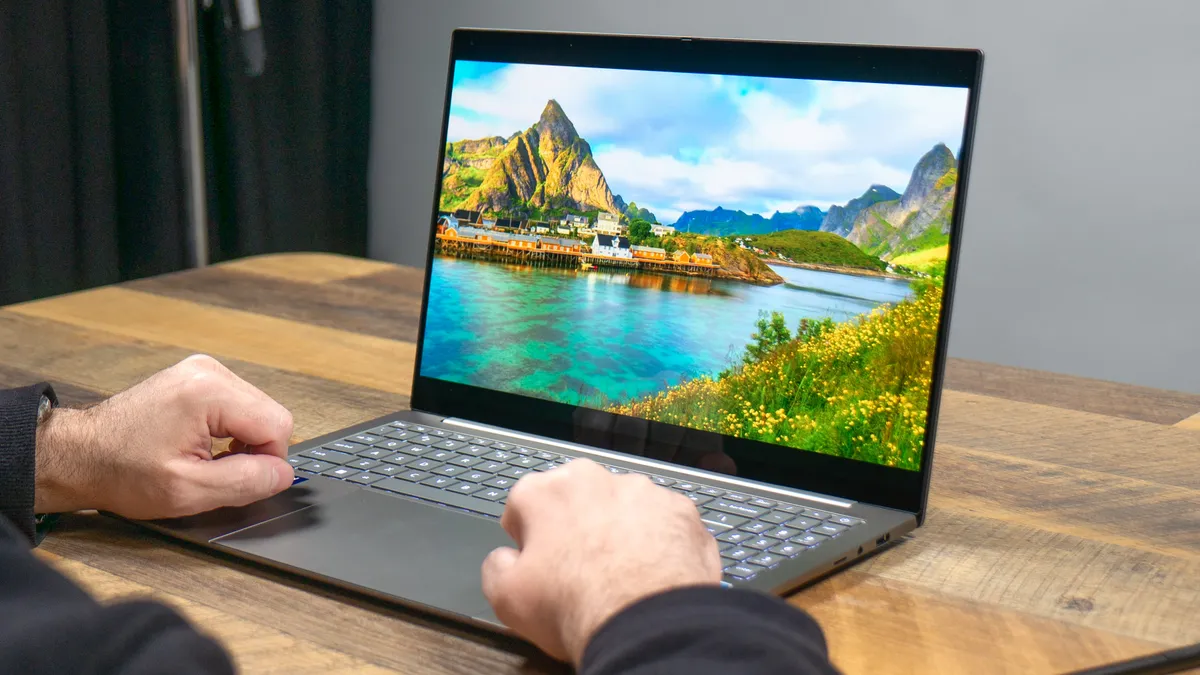
The 16-inch 2880 x 1800 OLED panel is a standout feature. Not only does it provide a large, sharp canvas to work on, but everything also runs smoothly thanks to the 120Hz refresh rate. Since it’s a touchscreen, you can tap or swipe if you don’t feel like using the touchpad.
While watching a video on YouTube, I found the colors oversaturated, with everything appearing more vibrant than in real life. The HDR brightness also contributes to the fantastic picture quality. Regardless of what you’re viewing on the display, your eyes will have little to complain about.
| Row 0 - Cell 0 | Acer Swift 16 AI |
Dell XPS 16 |
MacBook Air 15-inch M5 |
Nits (brightness) |
363.8 (SDR) | 570 (HDR) |
355 (SDR) | 381 (HDR) |
454 (SDR) | 470 (HDR) |
sRGB |
201.2% |
212.5% |
117.2% |
DCI-P3 |
146.7% |
150.5 |
83% |
Delta-E |
0.41 |
0.21 |
0.27 |
Our lab tests corroborate my anecdotal experience. HDR nearly reaches 600 nits of brightness, and color representation (sRGB and DCI-P3) is well above the 100% target. Color accuracy (Delta-E) isn’t as strong as on other laptops (0 is best), but it doesn’t look bad by any means.
The Swift 16 AI has comparable color representation to the Dell XPS 16, though the display on Acer’s notebook can get much brighter with HDR content. Apple’s 15-inch MacBook Air M5 also doesn’t get as bright with HDR, but its color representation and accuracy are truer to life.
Strong performance
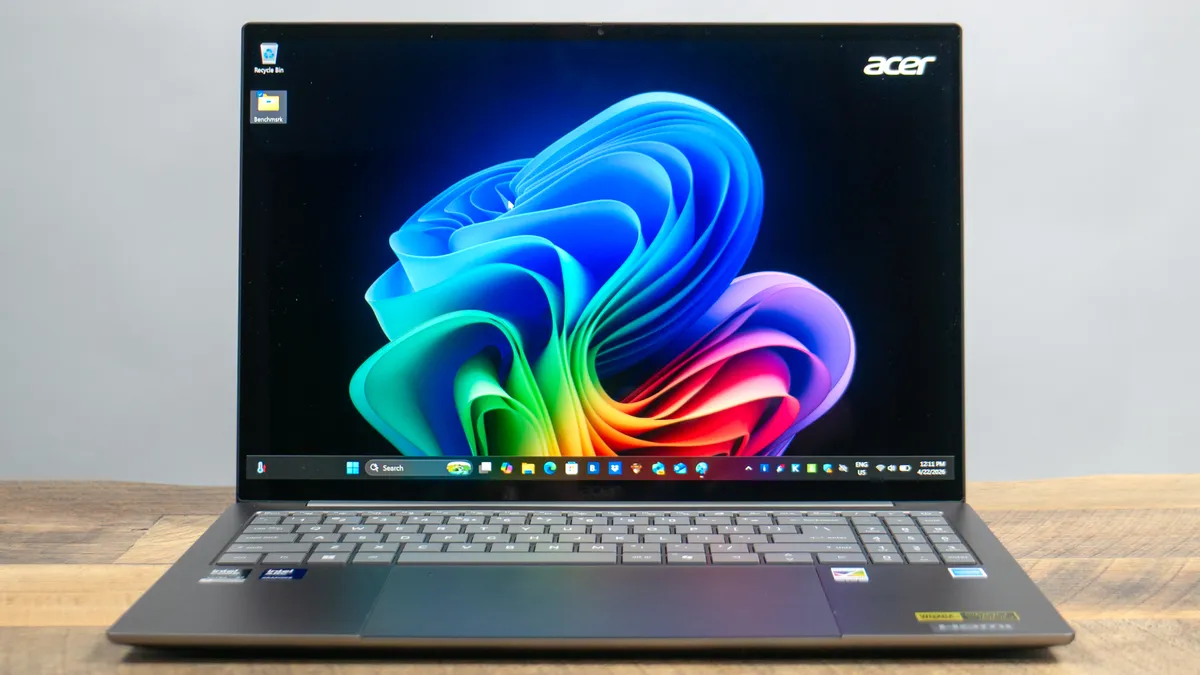
The Acer Swift 16 AI I reviewed packs an Intel Core Ultra X7 358H CPU, 32GB of RAM, and a 1TB SSD. Thanks to those specs, it handled my everyday workload with ease, which usually includes dozens of open Chrome tabs and apps like Slack and GIMP. I purposely opened more tabs than usual, and the laptop didn’t noticeably slow down.
| Row 0 - Cell 0 | Acer Swift 16 AI |
Dell XPS 16 |
MacBook Air 15 M5 |
Geekbench (single/multi-core) |
2789 / 15926 |
2,839 / 16,927 |
4306 / 28586 |
Handbrake (mins:secs) |
4:23 |
4:32 |
1:45 |
Gaming (Borderlands 3) |
46 fps |
43 fps |
40 fps |
On Geekbench 6, which tests overall CPU performance, the Swift 16 AI delivered performance comparable to the XPS 16 with the same Panther Lake chip. Transcoding a 4K video to 1080p in Handbrake was just 10 seconds faster on Acer’s machine. While both Windows laptops were neck and neck, the M5-powered MacBook Air easily lapped them.
Lastly, the Swift 16 AI makes for a surprisingly competent gaming machine. The caveat is that, to get the best results, you’ll want to enable the in-game XeSS upscaler. Still, this is a strong showing for a non-gaming laptop, and it’s something we’re now used to with Panther Lake machines.
Strong battery life
All the Panther Lake notebooks we’ve tested this year have strong battery life for Windows laptops. While the Swift 16 AI doesn’t match MacBook-like endurance, it can last you well over a full workday.
| Row 0 - Cell 0 | Time (hours:mins) |
Acer Swift 16 AI |
12:11 |
Dell XPS 16 |
13:08 |
MacBook Pro 15-inch M5 |
21:25 |
In our battery test, which involves continuous Wi-Fi web surfing with the display set to 150 nits, the Swift 16 AI lasted an impressive 12 hours and 11 minutes. That’s almost an hour less than the XPS 16, but still very good for a laptop with a battery-draining OLED panel. Of course, the MacBook Air M5 is the endurance king in this comparison.
Acer Swift 16 AI review: The downs
The Acer Swift 16 AI has many virtues, but it also has some potentially deal-breaking features.
Overly large touchpad
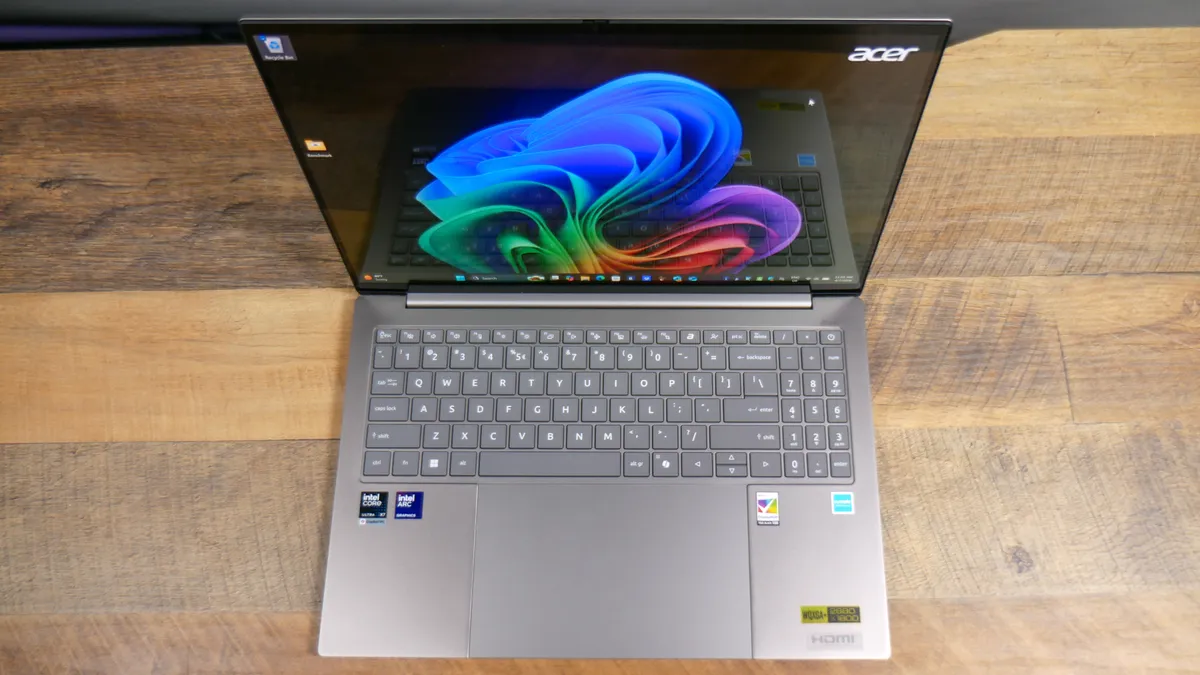
I don’t typically focus much on a laptop’s touchpad since one touchpad is generally the same as another. However, I have to dedicate a section to the Swift 16 AI's because it’s the world’s largest laptop touchpad, according to Acer. Its size is undeniable, but its functionality is certainly in question.
The touchpad is enormous, measuring 6.9 x 4.3 inches. I can lay my iPhone 16 Pro Max (6.4 x 3.0 x 0.32 inches) horizontally on it, leaving room to spare. While large, the touchpad is just as responsive, never failing to register taps and gestures. If you have big hands, as I do, it’s extremely intuitive to use.
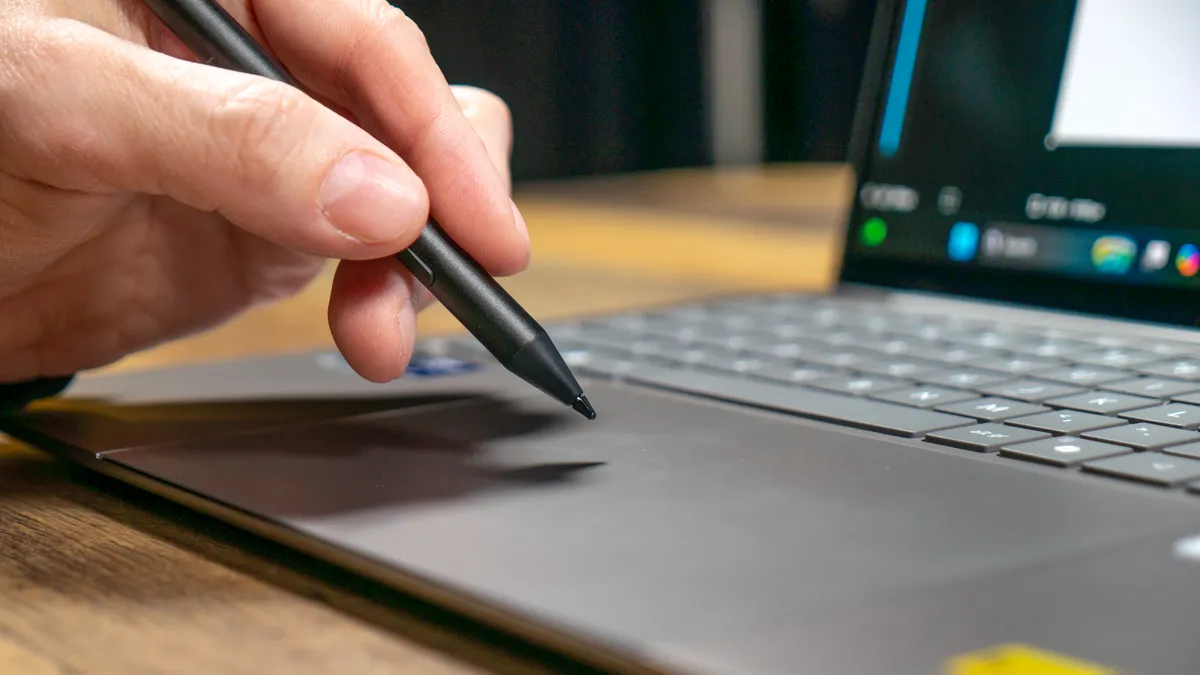
The reason for such a huge touchpad is that you can draw on it with the included stylus. The touchpad even has the same 16:10 aspect ratio as the screen. The stylus works well enough, though it’s not always as precise as using an Apple Pencil on an iPad. One weird thing to note is that the stylus only works on the touchpad, not on the laptop’s touchscreen.
Typing on the Swift 16 AI can be tricky because of the oversized touchpad. No matter how hard I tried, my palms would always make contact with the top of the touchpad. To be fair, palm rejection is pretty good, though I sometimes made accidental gestures if I moved my palm too low when I wasn’t typing.
Though I’m sure some folks can find this large touchpad useful for writing or drawing, its size can be a hindrance for anyone who is just typing.
Poor speaker quality
As I mentioned above, your eyes won’t have anything to complain about when watching videos, thanks to the beautiful OLED panel. Unfortunately, the same isn’t true for the listening experience.
The Swift 16 AI has downward-firing stereo speakers. While they can get quite loud, the sound quality is thin and flat. If you’re looking for bass, you won’t find it here. You can certainly wear the best headphones for richer audio, but it’s disappointing that the speakers don’t sound great.
Acer Swift 16 AI review: Verdict
While the large trackpad isn’t all that useful for most people, there’s no denying the Acer Swift 16 AI is still a fantastic Windows laptop. You rarely get 16-inch notebooks this light, which is a major selling point if you’re always on the move. Toss in the excellent OLED panel, fast Panther Lake performance, and all-day battery life, and you have a winner.
If you want a no-frills yet excellent Windows laptop, you can pay $150 more for the Dell XPS 16. The 15-inch MacBook Air M5 is another great alternative, with a lower $1,299 starting price and stronger performance. However, if you like the Acer Swift 16 AI’s unique features, you’ll find it more than adequate as your primary laptop.

