







I bought my first fitness tracker in 2013, the Fitbit One. It was a small pebble-like device that could track your steps and sleep. So it felt like a very full-circle moment when Google announced the Fitbit Air, a small pebble-like tracker without a display to monitor your steps, sleep and heart rate.
It's the best fitness tracker you can buy right now, because it focuses on the essentials, strips away the smartwatch features and doesn't require a subscription. And without a display, it's never a distraction, as it just passively gathers data about your activity and wellbeing throughout the day.
If you're looking to keep costs down further, then I'm a big fan of the Xiaomi Smart Band 10, which is half the the price of the Air, but with a display and many of the features you'd find on the (more expensive) Fitbit Charge 6. Like the Air, you don't need a subscription either, and the battery lasts for a few weeks between charges.
It's fitness tracker release season! Rest assured that we will be checking out all the new releases brands have to offer — in fact, we've already gotten hands-on with the Google Pixel Watch 5 and the Samsung Galaxy Watch Ultra 2. More reviews will be coming soon, but until we're done with all our testing and reviewing, we recommend just sticking with last year's model for now.
The best fitness trackers you can buy today
Why you can trust Tom's Guide Our writers and editors spend hours analyzing and reviewing products, services, and apps to help find what's best for you. Find out more about how we test, analyze, and rate.
Best fitness tracker overall
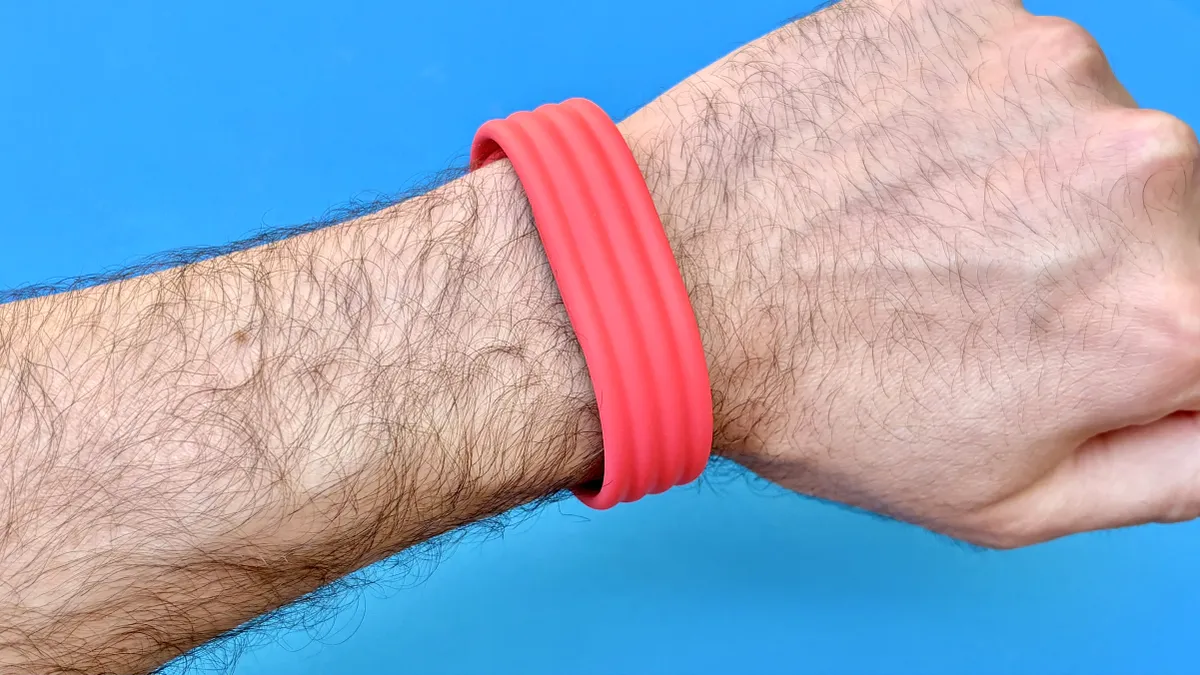

It took three years for Google to follow up the Fitbit Charge 6, but that time away seemed to remind the company of the brand's strengths, and it ended up releasing the best fitness tracker to come from Fitbit in a very long time. And it's an unusual little device, with no screen, no phone notifications and no subscription.
The pebble-sized tracker sits inside a wrist strap (there are lot of options for you to customize the look too), pairs to your iPhone or Android phone and the data syncs to the new Google Health app, which has replaced the Fitbit app. The Air is a return to the core of what make Fitbit a success in the first place; activity tracking.
While it looks a lot like my old Fitbit One from 2013, the Air benefits from years of progress and includes more sensors, so that you can track your steps, activity, heart rate and blood oxygen levels. The only feature you'd miss from higher end trackers is the built-in GPS for recording running or outdoor workouts without your phone.
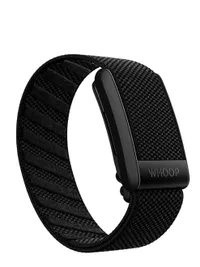
Although it's a great tracker in its own right, the Air may have been at least a little inspired by the recent success of the Whoop 5.0, a screen-less tracker worn inside a wristband. The Air is cheaper and doesn't require a subscription (as you do with Whoop), yet held up well against the Whoop 5.0 in our testing.
We also directly compared the Air against the recently-released Garmin Forerunner 70 for sleep. The numbers didn't quite match, but were pretty close, showing the Air can hold its own against more expensive devices. The only downside we found with the Air is that it takes 15 minutes to begin auto-tracking activities.
- Read our full Fitbit Air review
Best budget fitness tracker

The Xiaomi Smart Band 10 is a great option if you're looking for a capable fitness tracker on a budget. It's not as discreet as the Fitbit Air, but the design isn't awkward either, with a comfortable strap and fairly small color screen for interacting with the menus and starting/stopping activities.
If I was to compare it against a tracker from Fitbit's range, it looks most like the Inspire 3, but it's half the price of that tracker (and the Air) for close to the same experience (admittedly with less Google too, which could be a bonus depending on your thoughts about that Big Tech company).
The Smart Band 10 can track 159 activities, including rogue ones like card and board games. We wore it alongside the Oura Ring and found both reported similar step counts. Plus, the on-screen running metrics like heart rate, pace and distance were clear, even though the display is relatively small.
One of its more...interesting features is how it analyzes sleep. You get all the usual graphs, but after an initial week of sleep, you get an animal to reflect your sleep quality. In our reviewer's case, that animal was a shark. It's a novelty, sure, but why can't some features just be for fun, anyway?
The only thing missing from this affordable fitness tracker is actionable insights. What's on offer here is an extremely competent wearable, but most premium trackers now offer (often AI-based) insights into your data, which you can use to adjust your behaviors to effect how you feel throughout the day.
Compared to something like the Oura Ring 4, which really popularized in-app insights and recommendations, the Smart Band 10 feels of an older generation. But, if what you want from a fitness tracker is to learn more about how you sleep and move throughout the day, there's little better at this price.
- Read our full Xiaomi Smart Band 10 review
Best fitness tracking smart ring
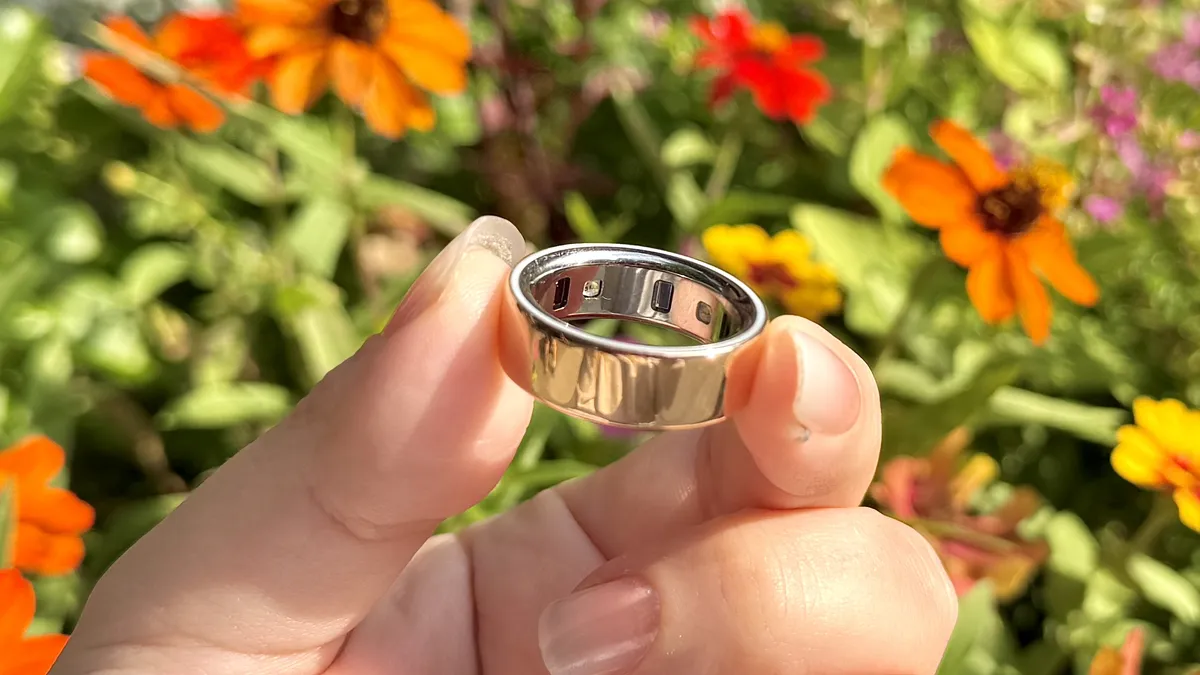
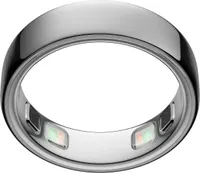
The Oura Ring 5 was released earlier in 2026, but I still believe the Oura Ring 4 is the best smart ring. It also makes for a fantastic and discreet fitness tracker. The Fitbit Air also doesn't look like a bit of tech on your wrist, but the Oura Ring actually looks fashionable, like wearing a bit of jewellery to track your metrics.
I wore the older Oura Ring Gen 3 for a while and found that I mostly forgot I even had it on. The Ring 4 is slimmer than that model and we found it was even more comfortable too, as the sensors on the internal surface are now flush with the ring, so you barely notice you're wearing a smart ring.
We reviewed the Oura Ring 5, and while it is thinner and longer-lasting than its predecessor, it's the Oura app which is actually the most valuable part of the ring, making it hard to recommend spending more on the Ring 5. We've got more used to personalized advice, but Oura was among the first to nail the format.
The data from the ring syncs to your iPhone or Android phone. The app takes all that information and turns it into easy to understand graphs and summaries. So you can just open the app and see a snapshot of your health and activity at a glance. And in 2025, the company launched the AI-powered Oura Advisor.
This in-app feature is designed to make it easier to get actionable insights from your data, so instead of just telling you how you have been, the app can let you know how to improve your sleep, recover from workouts and even suggest when you should take a break if the ring has spotted signs that you might be getting ill.
This kind of insight extends to fertility and cycle tracking. Your Oura Ring can sync temperature data to Natural Cycles for dedicated fertility tracking. And the app was even able to tell that our fitness editor was pregnant, even before she did. It's impressive, but just be sure you're okay with the privacy implications of that.
- Read our full Oura Ring 4 review
Also tested
How we test the best fitness trackers
For each new fitness tracker, we evaluate its hardware design and comfort; you need to be able to wear the device all day, and we’ve found that some larger trackers don’t fit well on smaller wrists.
If the device has a touchscreen, we look to see how readable it is, especially in bright sunlight. We also examine how easy it is to navigate the fitness trackers' menus; you don't want to have to dig through multiple screens to change your music if you're out running.
We also evaluate features such as step counting and sleep monitoring, distance calculations, and when applicable, GPS and heart rate accuracy. And, we see how well a manufacturer's battery life claims hold up in real-world testing.
Finally, we test how well a device pairs with its companion app, and evaluate the experience of using the two together. We also look to see what features the device's app supports, such as coaching and diet tracking, and if it can sync data with third-party apps, such as MyFitnessPal.
How to choose the best fitness tracker
I know you've landed on a page dedicated to the best fitness trackers, but before you dig too deep in your research, it's worth taking a step back and considering why you want a fitness tracker and what you need it to do.
The line between a fitness tracker and a smartwatch has got a bit blurry, but for me, a fitness tracker is a small device that focuses on monitoring your steps, activity, heart rate and sleep. If it's main purpose is to record those, it's a fitness tracker.
I first bought a Fitbit in 2013 because I was going through some medical issues and wanted to have something that could track how much I was moving but also keep me motivated to work toward my step goal, as walking helps manage the symptoms.
So for me, steps and heart rate are the main priorities, and anything else is a bonus. Deciding which elements or metrics are most important to you will help you filter down the list of devices and stop you overpaying for things you don't need.
If monitoring your health or menstrual cycle is the top priority, then a device like the Oura Ring 4 might suit you best, as the device and Oura app are more focused on building a picture of your overall health and wellbeing, more than movement.
You also want to think about whether you need it to work on different platforms. While the Fitbit range are designed for iPhone and Android phones, Google's other fitness tracker-adjacent wearables like the Pixel Watch 4 only work on Android.
And the same is true of the Apple Watch, which only works on iPhone. But the trackers I've included in the main roundup all work on both platforms, so you won't have to change your tracker if you upgraded your phone, for example.
We've defined a fitness tracker as focusing on the core functions of activity, steps, sleep and heart rate. The benefit of this is that keeping things focused generally means you get better battery life too; trackers last a week or more, watches generally a few days.
FAQs
Are fitness trackers private?
Taken in isolation, the amount of steps you take each day might not seem particularly sensitive. But fitness trackers collect data on your steps, activity, heart rate and temperature, and use that to infer things like whether you were exercising, out of the house, feeling unwell or having a medical issue.
When you combine all of these, you can estimate when someone wakes up or falls asleep, when they leave for work, whether they do manual or office work, and whether they've had coffee or other stimulants. It's quite invasive, but even though it looks like health information, wearable data isn't covered by medical privacy laws.
So if it's not protected by the strictest privacy laws, you want to be sure that you can trust the brand's behind these trackers with your sensitive data. The gold standard for security and privacy is end-to-end encryption, where all your data is scrambled, wherever it's stored, except for on your phone or laptop, so that only you can see it.
The only fitness tracker brand to implement this is Apple, with Apple Health. All the data in its Health app (which includes all your Apple Watch tracking and the data from any other apps you've connected to it) is end-to-end encrypted in your iCloud account, any only unscrambled on your phone.
Pretty much every other wearable brand can access your data on their servers, including Google (for Fitbit), Oura, Garmin, Xiaomi and Whoop. This is partly why, as reported by TechCrunch, when hackers attacked smart ring brand Ultrahuman, they were able to get almost 700 users' data.
It also leaves the door open for government requests; if the data is end-to-end encrypted, there's nothing a company can share. Security journalist Zack Whitaker found that Oura does get government requests, but has so far refused to say what data it has or can share.
To build trust, some companies produce transparency reports where they detail the government requests they get and how or if they complied. Security researcher Emily Austin created a tracker which shows the fitness wearable brands that make these reports. Only two do; Apple and Google.
Fitness trackers and smart rings are increasingly adding female health or fertility tracking to their devices — it's one of the main benefits of the Oura Ring, for example. But given the legal situation in certain countries around female health and pregnancy, it's important to consider the implications of these brands owning that data.
I'm not saying you should burn every fitness tracker you own, but do consider where you draw your lines, and choose a device or brand that has the right mix of risk, features and cost that'll satisfy you.
How are fitness trackers different from smartwatches?
When Fitbit pioneered the wrist-worn trackers almost 15 years ago, fitness trackers were screen-less, bulky items you wore that could track your steps and monitor your sleep. Over time, they gained heart rate monitors too and slimmed down.
Around the same time as these advancements, smartwatches were finding their niche as larger devices with color screens, shorter battery life but more useful emergency features, GPS and call handling.
These two categories of wearables have merged now, to the point where you could feasibly call many smartwatches fitness trackers. For our roundup, our guiding principle is that the focus should be on reliable fitness tracking.
But also a fitness tracker shouldn't be overloaded with features that you only need if you're an enthusiast in a particular activity. And the cost is important too; flagship watches are expensive and you can get the same fitness features on cheaper devices, so why wouldn't you?

