







Gaming PCs are powerful machines that let you run the PC games you want to play. They're incredibly versatile, repairable and upgradeable, and for those who prefer buying a prebuilt over building their own, we've done the testing to help you find the right rig for your PC setup.
Right now, price-to-performance is more important than ever. PC components have skyrocketed in price, making it expensive to build your own rig. That's why a prebuilt gaming PC can be a great option, especially if you're looking for a machine offering plenty of value. As we've tested over the years, you'll find amazing, value-worthy PCs with plenty of power for the latest games for 1080p and even 1440p gaming. And for 4K gaming with high refresh rates, there are some mighty machines we recommend.
The iBuyPower RDY Element 9 Pro R07 is our top recommendation as the best gaming PC for most, with its impressive performance across the board and stylish design for any desk setup. However, there are other rigs that can meet your budget that are worth your attention. In this guide, we'll help you find your next gaming PC.

The best gaming sessions I've ever had were on a gaming PC (the Quoted Tech Frontier, to be exact), so I'm always vouching for these mighty machines when it comes to playing the latest titles. Yes, desktops are getting pricey, but you don't need to spend a premium to gain powerful performance. So, with an expert team of reviewers on board, I'm here to guide you to that gaming PC that suits your setup.
As with the best graphics cards today, the RAM crisis is affecting the price of gaming PCs and their components. GPUs and memory are only getting more expensive, to the point where building your own PC is not as cost-effective as buying a prebuilt desktop. That doesn't mean prebuilts are getting any less expensive, though, but we're here to point you towards the gaming PCs that offer the most bang for your buck. We'll continue to update this page with any major price hikes as they happen.
The best gaming PCs you can buy right now
Why you can trust Tom's Guide Our writers and editors spend hours analyzing and reviewing products, services, and apps to help find what's best for you. Find out more about how we test, analyze, and rate.
The best gaming PC overall


The iBuyPower RDY Element 9 Pro R07 hits the sweet spot between respectably powerful performance and all-around value, which is why this prebuilt gaming PC now earns its spot as the best gaming PC for most. Is it pricey at just over $2,000? Yes, but right now, that's still more affordable than building a similarly specced desktop for yourself.
Boasting AMD’s Ryzen 7 7800X3D CPU and Radeon RX 9070 XT GPU, alongside 32GB of DDR5 RAM and 2TB PCIe Gen 4 SSD, the RDY Element 9 Pro R07 offers up stellar 1440p performance, and even enough for 4K gaming. Seeing demanding titles like Black Myth: Wukong at 4K Cinematic settings hit nearly 60 FPS is a triumph, and even beats its Nvidia RTX 5070 competition in the likes of Alienware and HP Omen desktops.
iBuyPower RDY Element 9 Pro R07 Gaming Tests
Slide through to see each benchmark
Cyberpunk 2077 (1080p)
| Product | Value |
|---|---|
| iBuyPower RDY Element 9 Pro R07 (AMD Radeon RX 9070 XT) | 80 |

Turning on AMD's FSR Redstone only bumps up the frame rates and details even higher, even if Nvidia's DLSS is still ahead in that department (but it comes damn close). Regardless, this gaming machine will play the latest PC games in all their glory, and the impressive liquid cooling makes sure performance sustains.
You'll want to find yourself a better keyboard and mouse than the ones that come with this rig, as they feel cheap and plasticky. Either way, these are a nice-to-have. It's also a bonus that this RGB-lit beauty has a three-year warranty. Be warned that installing the GPU yourself is a must (guide included), but that's to keep the risk of damage during transport. Otherwise, as our reviews Jason England notes, this is one of the best prebuilt towers we've ever tested, making the iBuyPower RDY Elemnt 9 Pro R07 well worth the investment.
- Read our full iBuyPower RDY Element 9 Pro R07 review
The best budget gaming PC


The Dell Tower Plus is not only highly customizable but also very affordable. Though it doesn’t look like a gaming PC, it can deliver serious performance, depending on how you configure it.
Some might not appreciate its conservative design, but we think there’s real appeal in having a relatively modest-looking machine that packs powerful components within. We reviewed our Dell Tower Plus like a gaming PC because of how it was configured. This desktop is still versatile, however, with prices ranging from $999 to $3,000-plus. It can fill a wide range of roles.
Dell Tower Plus Gaming Tests
Slide through to see each benchmark
Cyberpunk 2077 (1080p)
| Product | Value |
|---|---|
| Dell Tower Plus (Nvidia GeForce RTX 5070) | 68 |
Though you can configure this PC with beefy specs, keep in mind that it tops out at an Nvidia GeForce RTX 5080 GPU. For some, that’s more than enough to play most games at 4K resolution and at high frame rates (especially with DLSS enabled). However, if you want a machine that can house an RTX 5090, you might want to look elsewhere.
The most appealing part of the Dell Tower Plus is that it can be inexpensive, which is a virtue nowadays as RAM prices continue to skyrocket. Because of that, you can forgive the unassuming looks, given how you won’t be charged an arm and a leg (unless you want to be).
As we said in our review, the Dell Tower Plus is the Millennium Falcon of gaming PCs. It might not look like much, but the Dell Tower Plus has got it where it counts.
- Read our full Dell Tower Plus review
The best premium gaming PC

The Alienware Area-51 is one of the largest gaming PCs we've ever reviewed and certainly the biggest on this list. Its considerable size isn't just for show; it serves as a housing for equally formidable internal components, all encased within a futuristic chassis. This gaming PC delivers uncompromising performance... for those who can afford it.
Our review unit packs high-end components like the powerful Nvidia GeForce RTX 5090 GPU, fast Intel Core Ultra 9 CPU and 64GB of RAM. This combination lets the system easily achieve frame rates well above 60 frames per second across a wide range of graphically demanding game titles. In addition, the innovative positive-pressure cooling system ensures that the machine maintains a low noise profile regardless of the intensity of the gaming load or other demanding tasks.
Alienware Area-51 Gaming Tests
Slide through to see each benchmark
Cyberpunk 2077 (1080p)
| Product | Value |
|---|---|
| Alienware Area-51 (Nvidia GeForce RTX 5090) | 120 |
However, this level of performance comes with a steep cost. With a starting price nearing $4,000, this gaming PC isn't cheap. Beyond the cost, the Alienware Area-51's enormous size and considerable weight can make it difficult to comfortably keep in your workspace. Due to its size and weight, I advise keeping it on the floor to be safe.
Despite its considerable price tag and substantial physical footprint, the Alienware Area-51 delivers an exceptional gaming experience. Its powerful components and efficient cooling work in concert to provide smooth, high-fidelity gaming across a demanding selection of titles. Thanks to its top-tier performance and innovative design, the Alienware Area-51 has earned a place in this guide.
- Read our full Alienware Area-51 review
The best compact gaming PC

The Corsair One i500 might be smaller than a traditional desktop, but it's no mini PC—not in size and certainly not in power. With its wood front panel and fabric sides, this doesn't look like the average gaming rig, but we can assure you it's got what it takes on the inside. This small PC delivers big gaming performance.
Thanks to its Intel Core i9-14900K CPU, Nvidia GeForce RTX 4080 Super GPU and 32GB of RAM, this miniature monster can run your favorite games at max graphical settings without breaking a sweat. And that's impressive considering how the Corsair One i500 remains cool to the touch and runs quietly even if you're playing something graphically demanding like Cyberpunk 2077.
Corsair One i500 Gaming Tests
Slide through to see each benchmark
Cyberpunk 2077 (1080p)
| Product | Value |
|---|---|
| Corsair One i500 (Nvidia GeForce RTX 4080 Super) | 97 |
As great as this machine is, it's not perfect. Right now, there are only two available configurations. Though the price has dropped since our review went live, you'll still have to pay a hefty amount for this rig. Also, while you can swap out its components, doing so isn't easy due to the i500's compact size. And if you want to change the GPU, you'll have to ship this desktop to Corsair so the company can do it.
The Corsair One i500 is expensive and hard to configure, but it’s one of the best gaming PCs I’ve tested. If you're looking for a powerful gaming rig that won't take up a lot of space on your desk (and looks good to boot!), then I can't recommend this one enough.
- Read our full Corsair One i500 review
The best upgradable gaming PC

Need the option to update your PC with the latest parts when your budget allows? The HP Omen 35L is the upgradeable gaming PC we recommend, thanks to its smart, tool-less design that makes swapping parts easier than on almost any rival. You can pop off the side glass panel without tools, giving you direct access to swap in a new GPU, add more RAM, or refresh storage as your needs grow. No proprietary headaches here.
Under the hood, it’s loaded for gaming performance right now. Our review unit paired an AMD Ryzen 7 9800X3D processor with 32GB of DDR5 RAM and an Nvidia RTX 5070 Ti (with configurations up to an RTX 5080). In real-world gaming, we measured frame rates topping 120 fps at 4K with DLSS 4.5 frame generation, and well over 200 fps at lower resolutions, which is plenty of headroom for today’s most demanding games and years of upgrades to come.
HP Omen 35L Gaming Tests
Slide through to see each benchmark for different games
Cyberpunk 2077 (1080p)
| Product | Value |
|---|---|
| HP Omen 35L (Nvidia GeForce RTX 5070 TI) | 91 |
With many different configurations available (including HP Omen 35L models from last year with RTX 40-series), it's up to you where you want to start. That said, I suggest starting with a model closer to the base configuration to save money, since the higher you go, the vastly more expensive it gets. Once you're ready to upgrade? Just grab the part and swap it out. It's as simple as that.
The system stays cool and quiet even under heavy load, so you won’t find yourself battling noisy fans in the middle of a long gaming session. Downsides? It isn’t cheap, and, as with many prebuilt PCs, you’ll want to clear out the bloatware after setup. But if you want a gaming rig you can own — and grow — for years, the Omen 35L is the clear upgradeable choice. If you've got the change and are really willing to spend, you may also want to check out the older sibling, the HP Omen Max 45L.
- Read our full HP Omen 35L review
The best quiet gaming PC

The Corsair Vengeance i8300 might be big and expensive, but it's got the power to justify its lofty asking price. But what's perhaps most remarkable is how quietly it runs. Like the Alienware Area-51 desktop, Corsair's machine can handle the most graphically demanding games without its fans making excessive noise.
This monstrous rig delivers nearly flawless 60+ frames per second performance in some of the latest and most demanding PC games. This is raw performance too, without any upscaling tech like Nvidia DLSS or AMD FSR enabled. When we enabled DLSS on games like Cyberpunk 2077, we enjoyed full path-traced lighting and incredible visual effects while framerates hovered consistently in the 70-90 FPS range.
Corsair Vengeance i8300 Gaming Tests
Slide through to see each benchmark
Cyberpunk 2077 (1080p)
| Product | Value |
|---|---|
| Corsair Vengeance i8300 (Nvidia GeForce RTX 5090) | 149 |
After extensive testing, we're pleased to report that even after hours of playing Cyberpunk 2077 or Doom with all settings cranked to max, the PC's fans never made more than a low hum. While there definitely is some fan noise, especially when sustaining peak performance, it's quiet enough that you barely notice the sound.
Unfortunately, this gaming PC is a hefty beast that's hard to move. That's due to its over 30-pound weight and because its case is roughly two feet tall. This PC is so heavy that it's actually best to leave it on the floor, as a standard desk might not be capable of handling its weight.
While you'll arguably get a better deal out of the Alienware Area-51 since it delivers better performance for thousands less, the latest iteration of the Corsair Vengeance i8300 delivers a phenomenal and quiet gaming experience. It's one of the best gaming PCs we've tested so far.
- Read our full Corsair Vengeance i8300 review
The best mini gaming PC

The Framework Desktop is a powerful, highly adaptable mini PC that’s a great fit for work, gaming, and local AI processing. Like the company's laptops, this machine stays true to the core Framework philosophy — offering a value proposition that goes way beyond your typical mini PC.
Customization and repairability are the stars of the show here. Just like a Framework laptop, this desktop features easily replaceable components that make maintenance and upgrades a breeze. Its modularity is even better thanks to the Expansion Cards for your front ports, and you can even personalize the look with swappable magnetic front panel tiles.
Framework Desktop Gaming Tests
Slide through to see each benchmark
Cyberpunk 2077 (1080p)
| Product | Value |
|---|---|
| Framework Desktop (AMD Radeon 8050S) | 22 |
There is a bit of a catch, though. Because of how these chips are designed, the AMD Ryzen AI Max processor and the soldered LPDDR5x memory aren't replaceable. However, you can still tailor the system to your needs by choosing between three different CPU and memory configurations. Plus, you can buy your storage and OS during checkout or bring your own to keep costs down.
As we noted in our review, the Framework Desktop could be a major step forward for both mini PCs and small form factor desktops in general. While only time will tell for sure, it’s already cemented its place as one of the best mini PCs you can buy right now.
- Read our full Framework Desktop review
The best customizable gaming PC

The Maingear MG-1 is one of the company's most affordable, customizable gaming PCs, at least to start.
One of the big selling points of the MG-1 is its swappable front panels, and we love how they remind us of the old Xbox 360 faceplate days. Even before you plug it in and see how well it performs, you'll be charmed by the (fairly) portable mid-size case and that eye-catching custom panel on the front.
But if looks were the most exciting aspect of this gaming PC, we'd quickly lose interest. It's what's inside that counts, and this PC can be outfitted with the latest Intel or AMD CPU, an RTX 50-series GPU, and enough RAM and storage to deliver a smooth gaming experience.
Maingear MG-1 Gaming Tests
Slide through to see each benchmark
Cyberpunk 2077 (1080p)
| Product | Value |
|---|---|
| Maingear MG-1 (Nvidia GeForce RTX 5090) | 146 |
Like most great gaming PCs, it can get pretty expensive when kitted with higher-end components. But if you can afford it, you're getting a potent powerhouse that's easy to customize, easy to move, and so quiet you'd barely know it was running, even after gaming for hours. And as we said, that swappable faceplate is just too cool.
- Read our full Maingear MG-1 Ultimate review
Gaming PC benchmarks
Here is a look at our testing data for the gaming PCs on this list, including 3DMark graphics benchmarks and frames per second (FPS) in games. This includes Cyberpunk 2077 at 1080p and 4K, along with Red Dead Redemption 2 at 4K in Ultra settings.
For the game benchmarks, these are raw performance numbers without any upscaling tech from DLSS or FSR.
Take note that many of these PCs can come in a wide range of configurations, so changes to the CPU, GPU, RAM and more will affect what your chosen model delivers.
Best Gaming PC Gaming Performance Results
Slide through to see our 3DMark and gaming results
for each PC
3DMark Fire Stirke
| Product | Value |
|---|---|
| iBuyPower RDY Element 9 Pro R07 (AMD Radeon RX 9070 XT) | 47678 |
| Dell Tower Plus (Nvidia GeForce RTX 5070) | 38910 |
| Alienware Area-51 (Nvidia GeForce RTX 5090) | 44342 |
| Corsair One i500 (Nvidia GeForce RTX 4080 Super) | 46408 |
| HP Omen 35L (Nvidia GeForce RTX 5070 TI) | 46428 |
| Corsair Vengeance i8300 (Nvidia GeForce RTX 5090) | 45566 |
| Framework Desktop (AMD Radeon 8050S) | 27920 |
| Maingear MG-1 (Nvidia GeForce RTX 5090) | 63629 |
| N/A |
The table below shows their overall performance, including results from Geekbench, file copy speeds and the Handbrake test (how fast a PC can convert a 4K video to 1080p). This is important since a good gaming PC is also great at other tasks like video editing and rendering.
Best Gaming PC Performance Results
Slide through to see our test results for each gaming PC, including Geekbench, SSD speed and Handbrake
Geekbench 6 (multi-core)
| Product | Value |
|---|---|
| iBuyPower RDY Element 9 Pro R07 (AMD Ryzen 7 7800X3D) | 14788 |
| Dell Tower Plus (Intel Core Ultra 5 255H) | 19181 |
| Alienware Area-51 (Intel Core Ultra 9 285K) | 21786 |
| Corsair One i500 (Intel Core i9-14900K) | 21560 |
| HP Omen 35L (AMD Ryzen 7 9800X3D) | 16386 |
| Corsair Vengeance i8300 (Intel Core Ultra 9 285K) | 23328 |
| Framework Desktop (AMD Ryzen AI Max 385) | 17574 |
| Maingear MG-1 (AMD Ryzen 9 9950X3D) | 23071 |
Also tested
We test and review many gaming PCs every year, and just because they don't all make this list doesn't mean they aren't good machines.
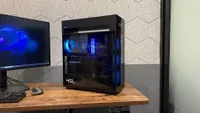
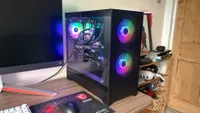
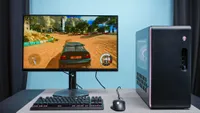
Below, we've gathered all the great gaming PCs we've recently tested that don't quite make this list, but are still good alternatives well worth considering if they meet your unique needs, or if you can't find your first choice on sale.

Best Gaming PCs: Frequently Asked Questions

Is it cheaper to buy a pre-built gaming PC?
Not too long ago, building a PC yourself was the most cost-effective (and satisfying) way to get yourself a gaming PC. These days, due in no small part to RAM and SSD prices exploding, the act of building a desktop is pricier than ever.
For example, this Corsair Vengeance DDR5 16GBx2 RAM used to cost under $100 back in 2025. As of writing, it will now set you back a whopping $449. The same can be said for SSDs, and unfortunately for GPUs, too. Because of this, it's now cheaper to buy a pre-built gaming PC than to build one yourself.
As we replicated, finding similar parts to build a PC via PC Part Picker shows that the pre-built gaming PCs we selected are now slightly cheaper to buy. That says a lot, as pre-built PCs usually cost more due to the added cost of the company building it.
Of course, it's satisfying to research and create a gaming tower that you've put the effort into, but for gamers just looking for a PC to game on without the DIY aspect, you may find that grabbing a pre-built gaming PC is the (slightly) more affordable option.
Is RGB important?
If there's one key design that sets any gaming PC apart from other desktops, it's that it will usually come with RGB lighting. You know, the colorful lights that spark up on cooling fans and the like to show off that gamer aesthetic. Does it set the tone for a gaming PC setup? It can! But is it important? No, but that also depends on whether you enjoy the look of RGB lighting or not.
However, with the RAM crisis in effect, you may find there's better value in getting a PC with a more minimalist approach, one that doesn't come with RGB lighting. For example, the Dell Tower Plus with an RTX 5060 Ti can cost $1,769, and that comes in a subtle-looking case. Alienware Aurora R16, however, will set you back $2,099 (of course, this depends on the specs you want, and whether there's a deal attached).
In some cases, it may not be by much, but it's worth considering getting an RGB-less gaming PC to save your money. Right now, it's better to skip the RGB Tax if you can.
Is a Mac good for gaming?
Apple's Macs are among the best computers and best laptops around, and it's largely due to the powerful performance the latest M-series chips offer. However, PCs like the Mac mini and Mac Studio aren't made for gaming, but that doesn't mean they can't be used to play the latest titles.
While they don't come equipped with a dedicated GPU, the GPU cores in the latest chips, like the M5 or M4 Max, have the horsepower to run games like Cyberpunk 2077 with frame rates going above 100 FPS (albeit at 1200p resolution with the "For this Mac" setting).
These days, Macs have become efficient gaming machines in their own right, with Apple bringing more AAA titles to the App Store and Steam finally running natively on Mac. However, it's still far from what Windows PCs with Nvidia or AMD graphics cards can deliver, especially with the range of games that are compatible. So, while PCs like the Mac Studio or Mac mini can be good for gaming, don't buy one with the specific purpose to game on them.
How to choose the best gaming PC
Price: It can be tricky shopping for a good "cheap" gaming PC since the best systems also tend to cost the most. Nowadays, decent PCs can start at well over $1,000, and that's usually during a sale. If you want to keep costs as low as possible, look for rigs with at least a 12th-generation Intel Core i5 CPU, an Nvidia GeForce RTX 3050 GPU and 16GB of RAM.
Performance: You'll also need to think about the kind of gaming experience you want. The aforementioned specs should allow you to play most games at medium settings and 60 FPS, so long as you keep the resolution to 1080p. However, if you want to play at 4K and higher resolutions, you'll need a beefier rig with hardware like a 13th (or 14th) Gen Intel Core i7 or i9 CPU, an RTX 3080 Ti (or 3090) or an RTX 40-series GPU starting with the RTX 4070 (or an RTX 50-series, if you find one at a great price). You'll also want 32GB of RAM to really get things cranking.
Upgradability: Gaming PC components are always evolving, and the best gaming PCs can be easily upgraded with new parts over time. Machines such as the HP Omen 35L are easy to open up and tinker with, even for the less tech-savvy. Compact machines, such as the Corsair One, can be a bit harder to open up. So if you plan on upgrading your investment over time, keep this in mind.
How we test the best gaming PCs

In our search to find the best gaming PC, we run every model we review through a standardized gauntlet of real-world and benchmark tests, in order to measure how each desktop stacks up as both a gaming machine and as an everyday computer.
As far as hard numbers go, we currently run the framerate benchmark utilities for Shadow of the Tomb Raider, Black Myth: Wukong, Red Dead Redemption 2 and Assassin's Creed Shadows at 1080p with graphics maxed out, as well as at 1440p and 4K if a system allows for it. On top of that, we play tons of graphics-intensive games like Cyberpunk 2077 to give you a sense of how these gaming desktops hold up anecdotally.
In terms of synthetic tests, we run a gamut of benchmarks that include PCMark 10 (for graphics) and Geekbench 6 (for CPU performance). To test a system's hard drive, we measure how fast each PC can copy 4.97GB worth of multimedia files.
For more information, check out our how we test page for Tom's Guide.
