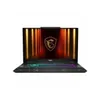
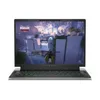
Whenever a friend came to me asking for gaming PC advice, my tip was always the same: build it yourself. Beyond it (normally) being cheaper, there’s just something so therapeutically satisfying about putting it all together yourself and watching it leap into life.
But we’re in a crisis situation for PC components — RAM prices have exploded and SSD costs are following, and for the first time since I can remember, it’s actually cheaper to just get a pre-built PC than it is to build it yourself. Let me talk you through my investigation.
By the numbers

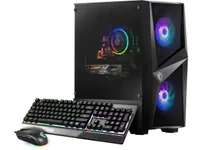
I went to my trusty go-to source whenever I start planning a PC build — PC Part Picker — to figure things out. Let’s start with replicating this modest MSI RTX 5050 system on Newegg, which is currently $829.
Running it through PC Part Picker, matching the exact components where I can, before even adding a power supply and case, we’ve already blown past that price at a total cost of $895.07.
And it’s the same for other systems, too.
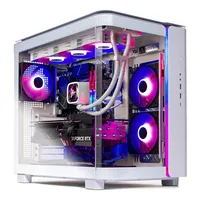
- First, let’s start with this Skytech Azure Gaming desktop — coming with AMD Ryzen 7 7700 CPU, RTX 5060 Ti GPU with 16GB of video memory, 32GB DDR5 RAM and a 1TB PCIe Gen 4.0 SSD. Other things to consider are the 650W Gold-rated power supply and the air cooler. Currently, it’s $1,299 (down from $1,449). The total cost on PC Part Picker for either identical components or as close as I can get is $1,455.63.
- This AMD variant of the Skytech Azure Gaming desktop packs an AMD Ryzen 7 9800X3D CPU, Radeon RX 9070 XT GPU, 32GB DDR5 RAM and a 2TB SSD. On Newegg, it’s $1,899. On PC Part Picker, a near-identical configuration is $1,975.65.
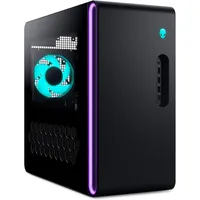
But the one that floored me personally was heading over to the Alienware store. Dell’s pre-builds are cool and all, but they do come with a hefty premium cost. Currently, the company has an RTX 5070 Ti build for $1,529 — packing Intel Core Ultra 7 265F, 16GB DDR5 RAM and a 1TB SSD.
Finding the individual parts (I had to do a little poking around to find the cheapest RTX 5070 Ti on Newegg, as it’s not on PC Part Picker), the DIY cost ended up over $200 more expensive, and that's without a case.
This is accurate as of the time and date of writing: 7 a.m. ET on Friday, December 5. I followed every spec, but there will be some differences in cases, coolers, component brands and power supplies. In these situations, I opted for the cheapest option I could find.
Why are pre-builds cheaper?

It comes down to one key thing: stock. Most retailers and computing brands will have these ready-made and good to go from their warehouses — using the stockpile of RAM and SSDs they already have on their books.
A lot of companies saw this starting to happen and managed to get their orders in early enough to keep themselves sort of protected from what’s happening now, which is why you see the price differential. If you were to buy parts now, you’re buying at the current market price.
Going the DIY route used to be the lower-cost way, because the added cost of the company building it is removed (you build it yourself after all). But the massively rising cost of RAM has brought it to the point where the time to build it yourself is actually more expensive than just getting someone else to do it for you.
But this won’t last long
Price Changes Coming December 7th 2025, Due To Market Conditions 🔔‼️ pic.twitter.com/et0HADhc08November 25, 2025
Stockpiles dry up, and demand is high. While there are some decent pre-builds you can get right now, they won’t be around for long. You’ve already seen this from PC builders like CyberPowerPC and Maingear, who have issued start warnings about price changes coming as early as December 7.
So it’s only a matter of time until bigger retailers start to raise prices, too. As I've said, orders of RAM from the two key fabrication plants still making consumer memory are fully booked throughout 2026. This problem will only get worse.
Rather than dwell, this is Tom’s Guide, and I’m here to give actionable consumer advice. If you were looking for a new gaming PC and you’re bewildered by the insane cost to build one yourself, here are the pre-built PCs I personally recommend to save you a bit of cash — before things get a whole lot pricier.

Follow Tom's Guide on Google News and add us as a preferred source to get our up-to-date news, analysis, and reviews in your feeds.
More from Tom's Guide
- Stop waiting: Buying a GPU in 2026 will cost you more — here are the Nvidia, AMD and Intel deals to grab now
- How to get Xbox Full Screen Experience on any Windows 11 PC — even if you don't have the option in settings
- Think you're a spreadsheet wizard? You ain't seen nothing 'til you've watched the Excel World Championships — here's how