I tested many of the best gaming laptops in 2025. These machines were equipped with the latest CPUs and GPUs, providing them with sufficient power to run the best PC games. Such machines include the sleek Asus ROG Zephyrus G14 and enormous Alienware 18 Area-51. Choosing a favorite was difficult, but there was one that’s still on my mind.
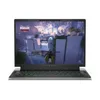
That gaming laptop is the Alienware 16 Area-51. As I said in my Alienware 16 Area-51 review, this laptop makes a bold statement thanks to its (inter)stellar design, powerful RTX 50-series performance and vibrant 16-inch display. Though it’s expensive and heavy to carry, it delivers an out-of-this-world gaming experience.
Read on to find out why the Alienware 16 Area-51 is my favorite gaming laptop of 2025 and why I think you should consider checking it out if you’re looking for a premium gaming experience.
Otherworldly design

Alienware resurrected the “Area-51” moniker for its gaming laptops, which is appropriate given this notebook’s otherworldly design. The Liquid Teal finish and curved edges provide a distinct look that’s unlike other gaming laptops. The chassis’ color shifts under different lighting conditions, and the RGB lighting on the back mimics the motions of the aurora borealis. It all makes for a machine that commands attention.

The unit I reviewed was configured with a Cherry MX ultra-low-profile mechanical keyboard that is a dream to type on. I’m a mechanical keyboard enthusiast (to say the least), so I enjoy the clicky keys and short travel distance. I wish the touchpad was a tad larger, but it works well enough and is very smooth and responsive.
My only complaint is that the Alienware 16 Area-51 is big and heavy at 14.37 x 11.41 x 1.12 inches and 7.92 pounds. Since the laptop is so bulky, you might want to mostly use it at home. This could be a potential deal-breaker, depending on whether you’re looking for a desktop replacement or a portable PC.
Strong gaming performance

The Alienware 16 Area-51 I reviewed packed an Intel Core Ultra 9 275HX CPU, an RTX 5080 GPU and 32GB of RAM. Thanks to those components, I enjoyed a superlative gaming experience.
I got Doom: The Dark Ages to run at 108-120 frames per second with DLSS 4 disabled on Ultra Nightmare graphical settings. With the frame-boosting DLSS, the game ran at 240 fps, which matches the display’s refresh rate. The graphically demanding Cyberpunk 2077 ran at 70fps with DLSS off and a blistering 240 fps with DLSS on.
| Row 0 - Cell 0 | Alienware 16 Area-51 (RTX 5080) |
Lenovo Legion Pro 7i (RTX 5080) |
HP Omen Max 16 (RTX 5090) |
Assassin's Creed: Shadows (Ultra High) |
52 |
45 |
49 |
Black Myth: Wukong (Cinematic) |
58 |
45 |
51 |
Cyberpunk 2077 |
62 |
50 |
58 |
The Alienware 16 Area-51 also performed well in our lab tests, where we run games through their respective built-in benchmarking tools with graphics and resolution cranked to the max. You likely won't be running every game at ultra settings, so you'll certainly get better results than what you see above, even with DLSS off.
As configured, the Alienware 16 Area-51 I reviewed could run games at buttery smooth frame rates with graphical settings cranked to max and with DLSS 4 enabled. That’s a testament to this rig’s power. However, if you get a configuration with an RTX 5070 Ti or lower, DLSS 4 will be crucial for getting higher frame rates.
Vivid 16-inch display

Games look as great as they run, thanks to the Alienware 16 Area-51’s 16-inch display. While there’s no OLED option, the sharp 1600p resolution, aforementioned 240Hz refresh rate, and overall vibrant image quality help draw you into whatever game you’re playing.
| Row 0 - Cell 0 | Alienware 16 Area-51 (RTX 5080) |
Lenovo Legion Pro 7i (RTX 5080) |
HP Omen Max 16 (RTX 5090) |
Nits (brightness) |
515 |
464.4 |
362.8 |
sRGB |
115.2% |
196% |
199.7% |
DCI-P3 |
81.6% |
138.9% |
141.4% |
Delta-E |
0.21 |
0.29 |
0.31 |
As you can see from our display benchmark results above, the Alienware 16 Area-51 doesn’t have oversaturated color reproduction (sRGB and DCI-P3). Color accuracy (Delta-E) is slightly better than on competing laptops like the Lenovo Legion Pro 7i and HP Omen Max 16. The latter two produce bolder colors, but Alienware’s colors are more naturalistic.
I should note that the 3ms response time isn’t as low as on other gaming laptops or gaming monitors I’ve tested. However, unless you’re a professional gamer, you’re probably not going to notice any input lag. I certainly didn’t!
Bottom line
2025 was a very good year for gaming laptops, thanks to the introduction of Nvidia’s 50-series GPUs and Intel’s second-generation Core Ultra CPUs. With CES 2026 happening soon, I’m eager to see the laptops we have in store for next year. Will any of them match or beat the Alienware 16 Area-51? I guess we’ll have to wait and see!

Follow Tom's Guide on Google News and add us as a preferred source to get our up-to-date news, analysis, and reviews in your feeds.
More from Tom's Guide
- Here are 3 gaming laptops I recommend and would buy
- I might ditch my gaming PC for the Steam Machine — here's why
- The ROG Xbox Ally X is not an Xbox