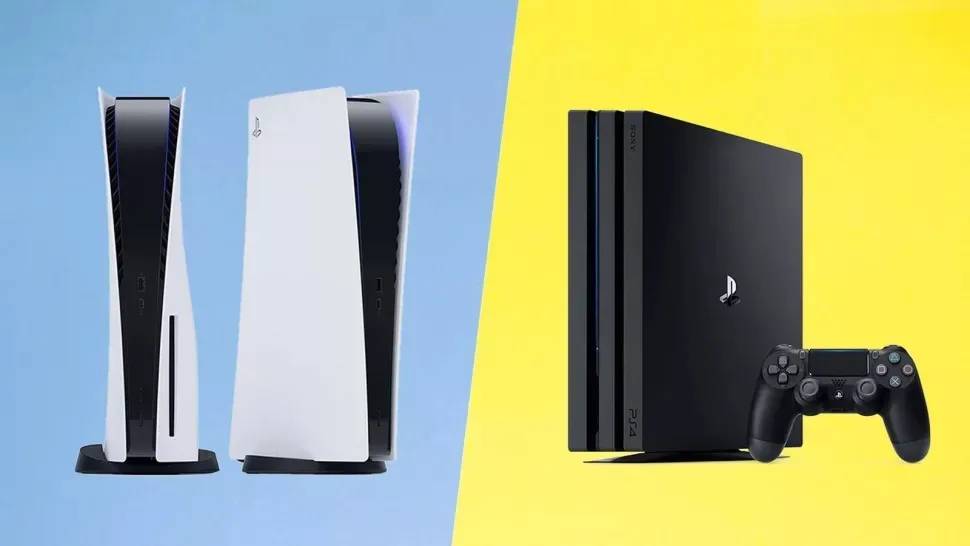
Knowing how to play PS4 games on PS5 can massively expand your gaming options. In fact, one of PS5's best features is its ability to play the huge library of excellent PS4 games.
For the first time, Sony has taken backwards compatibility seriously, and the result is that the vast majority of PS4 games will work without issue on PS5. The company even gives PS Plus subscribers a selection of classics to enjoy on their new console at no additional cost.
So many PS4 games are supported on PS5, in fact, that it’s easier to talk about the games that don’t work. In all, just seven titles are currently labelled as incompatible on the official Sony support site: Afro Samurai 2 Revenge of Kuma Volume One, TT Isle of Man, Ride on the Edge 2 Just Deal With It!, Robinson: The Journey, We Sing, Hitman Go: Definitive Edition and Shadwen.
- The best PS5 games in 2021
- How to update your PS5 controller
- Plus: PS5 software beta quietly fixes one of the console’s most annoying issues
In short, almost all of the best PS4 games work on PS5 — so if you're wondering whether you can play PS4 games on PS5, the answer is a resounding "Yes!" Note, though, that Sony warns some features may not function any more, and you may encounter some “errors or unexpected behavior.”
Here’s how to play PS4 games on PS5.
How to play PS4 games on PS5: Digital games
If you own a large number of digital games, or if you’re a long-standing PS Plus subscriber who's built up a huge library of free PS4 titles, then the simplest way to play PS4 games on PS5 is via the game library.
1. Head to the PS5 Game Library

From the home screen, scroll across to the right until you reach the Game Library. The icon shows six blocks with a gamepad in front.
2. Filter out your PS5 games

This will show all the digital games you own, but to make it a bit simpler you can filter this down to just PS4 titles. Press the icon on the left with a down arrow and three lines.
3. Select “Platform”

From the menu that opens up, select “Platform” and press X.
4. Select "PS4"
Tick the box labeled PS4.
5. Find the game you want, install and play.

Now you’ll only see PS4 games. Just find one you want, download and play it as you would any other title.
How to play PS4 games on PS5: Disk games
Disk-based games are an even simpler process. Just insert your PS4 disk into the PS5 disk drive, and it should start installing as normal. Select the game from the menu, and play as normal.
Of course, this only works if you buy the PS5 rather than the Digital Version. As you might expect, there is no way to play your PS4 disks on the Digital Version — suffice it to say that using an external Blu-Ray drive simply won’t work.
How to play PS4 games on PS5: PSVR games
Playing PSVR games on PS5 works in the same way as the above, but with two important caveats:
1. You need to use the PS4 camera
The PS5 has its own camera accessory, but it won’t work with existing PSVR hardware. That means you need to use the PS4’s existing camera, but it won’t fit the new console without an adapter. PS5 buyers can apply for the adapter to be shipped to them free of charge, they just need to provide the hardware’s serial number.
2. You might need a DualShock 4 pad
While the DualSense controller works on almost every PS4 game, this isn’t the case with PSVR, as it lacks the light strip on the back to be seen by the camera. Not all games use this, but some do, and for that reason you may need to connect a PS4 pad to your PS5. Here's our guide to how to connect PS4 controller to PS5.
More PS5 tips
We want you to get the most from your PS5, so we've pulled together a bunch of guides to help you use it.
On the DualSense front, we can show you how to update your PS5 controller to ensure it's always compatible with the console, or save money by learning how to connect your PS4 controller to PS5. We also have instructions for how to turn off adaptive triggers on your PS5's controller and how to use a PS5 controller on PC.
For those of you upgrading from a PS4, we also have tutorials for how to transfer data from PS4 to PS5.
Finally, we can also tell you how to move PS5 screenshots to your PC or phone, how to delete games on your PS5, how to transfer games to a PS5 external hard drive and how to use the PS5's Remote Play feature.