





Tom's Guide Verdict
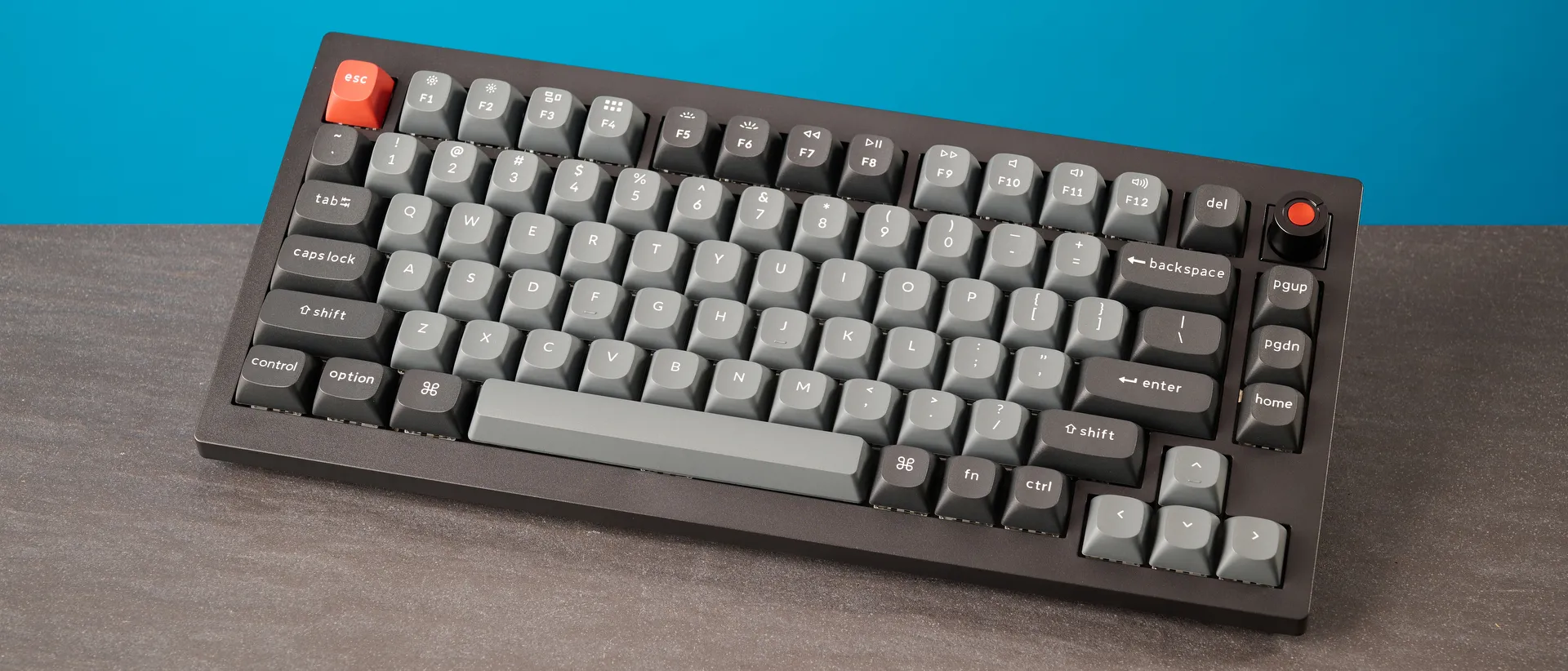
Keychron has upgraded one of its best mechanical keyboards and added 8,000Hz polling and extensive RGB customization to the V1 8K. This deck is an absolute winner. Offering a lovely typing experience and sound profile, as well as great build quality, the V1 8K doesn’t give you much to complain about. Priced at just $74, it sets a new standard for budget mechanical decks. While there’s no wireless version and there’s some slight flex in the body, neither are dealbreakers, especially given how cheap the V1 8K is.
Pros
- +
Top-notch build
- +
Excellent for typing
- +
Now with 8KHz polling
- +
Web-based companion software
- +
Still affordable
Cons
- -
Wired only
- -
Some flex in the body
Why you can trust Tom's Guide Our writers and editors spend hours analyzing and reviewing products, services, and apps to help find what's best for you. Find out more about how we test, analyze, and rate.
Way, way back in May 2024, I reviewed the Keychron V1 and called it a faultless keyboard. Since then, Keychron has launched the Ultra lineup of mechanical keyboards, including the Keychron V1 Ultra 8K, with 8,000Hz polling. And now, Keychron has packed 8KHz polling into my favorite wired keyboard — and the Keychron V1 8K is a delight.
Sporting great build quality and a low-key design, the V1 8K doesn’t feel like a budget keyboard. It looks premium and offers a beautiful typing experience. The combination of per-key and mix RGB lighting adds stunning pops of color to the keyboard, and the web-based Keychron Launcher makes customization a walk in the park.
Is this the best mechanical keyboard for you? Read my full Keychron V1 8K review to find out.
Keychron V1 8K review: Specs
Price |
|
Switches |
Keychron Super Red (linear), Banana (tactile) or Brown (tactile) |
Keycaps |
Double-shot PBT |
Construction |
ABS plastic |
Mount |
Gasket |
Layout |
75%, 82 keys |
Operating system |
macOS, Windows |
Backlighting |
Per-key RGB and Mix RGB |
Polling rate |
8,000Hz |
Paired devices max |
1 |
Connectivity |
Wired |
Measurements |
12.91 x 5.81 x 1.04 inches |
Weight |
2.19lbs |
Colors |
Black |
Keychron V1 8K review: Cheat sheet
- What is it? A 75% mechanical keyboard with 8,000Hz polling, and the successor to the Keychron V1
- Who is it for? Anyone who wants an affordable and lovely keyboard to type on
- How much does it cost? Not a lot! The Keychron V1 8K is available for $74
- What do we like? The great build quality, typing experience, extensive RGB customization, affordable price, and web-based software
- What don’t we like? There’s some flex in the body, and there’s no wireless variant
Keychron V1 8K review: The ups
From its great build quality and the outstanding typing experience it offers, to its web-based software and affordable price tag, the Keychron V1 8K impresses on many fronts.
Top-notch build
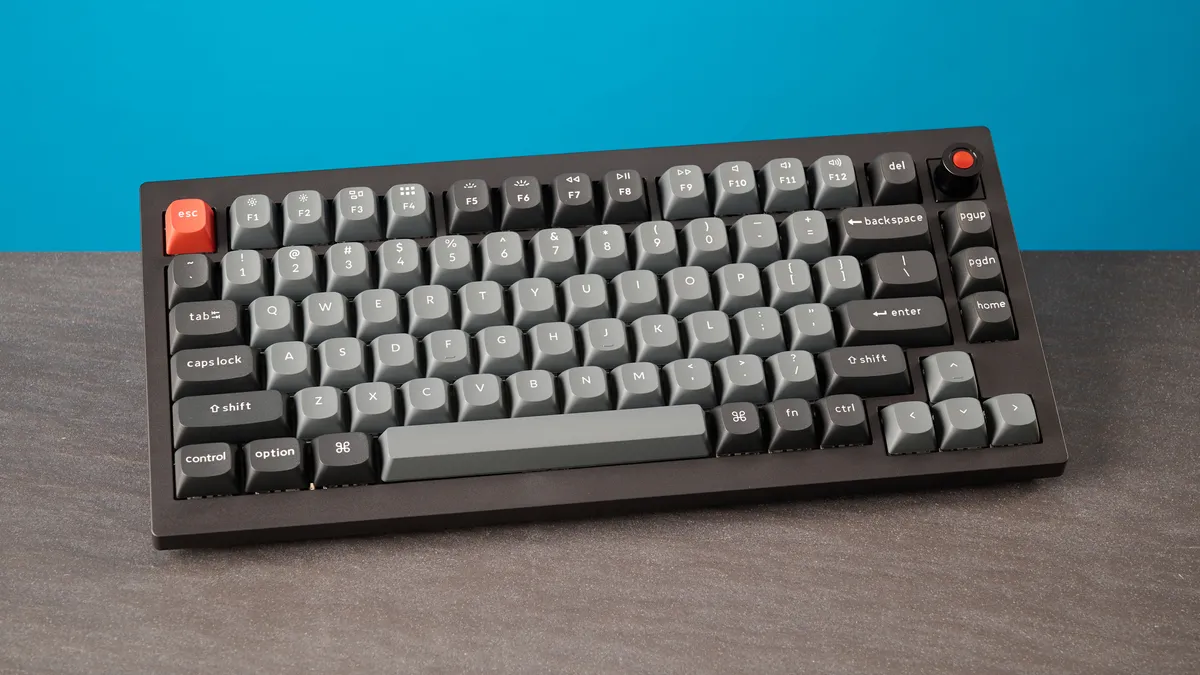
If there’s one thing I’ve learned after having tested many, many Keychron keyboards, it’s that the brand’s decks are usually very well-built. The Keychron V1 8K is no different. Just like its 1KHz counterpart, the V1 8K is made entirely of ABS plastic, but this plastic doesn’t feel cheap or look tacky. It feels high quality and tapping the keyboard with my fingernails didn’t reveal any hollow-sounding parts.
Because the keyboard is made of plastic, it isn’t very heavy either, making it a great choice for those who travel a lot. The V1 8K weighs 2.19lbs, so it’s a little heavier than the V1 (2.13lbs) and the V1 Ultra 8K (1.69lbs) but you can barely tell the difference between the three. I’ve had no issues carrying the V1 8K to and from work in my backpack — even when my bag was already stuffed to the brim with other gadgets.
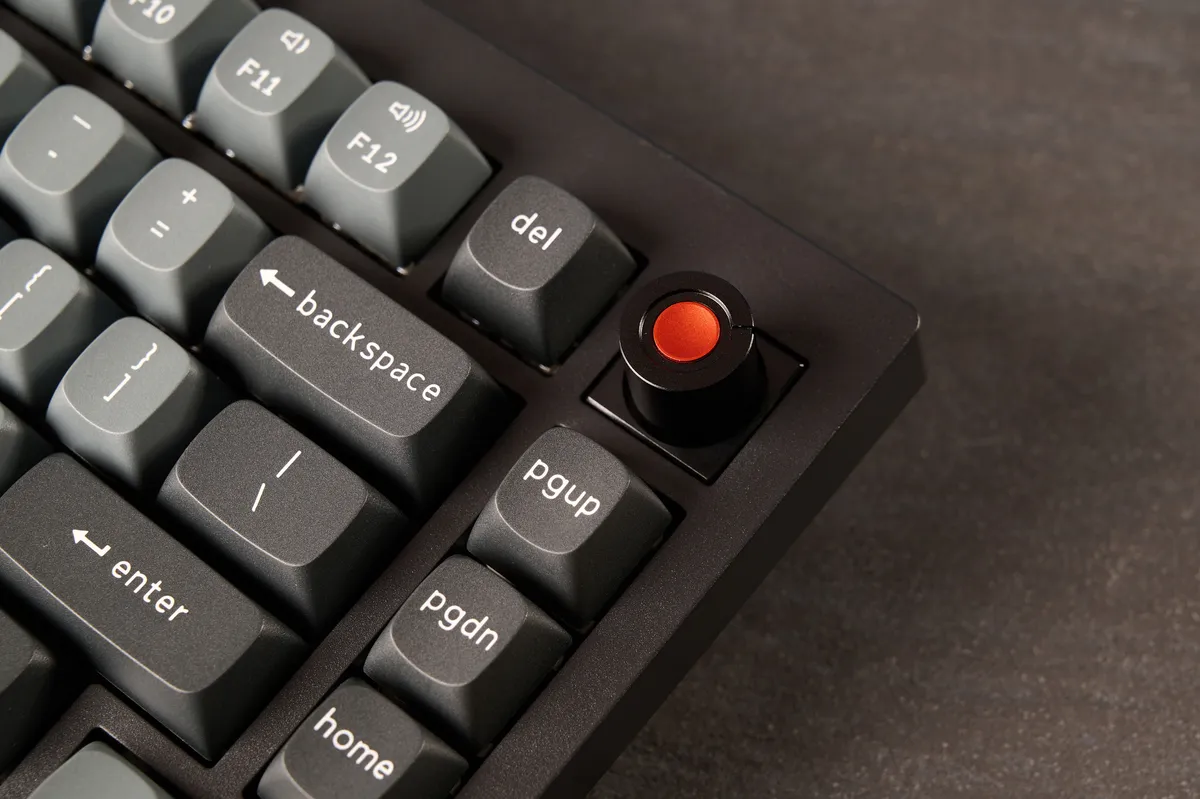
Speaking of, the V1 8K doesn’t take up too much space in bags or on your desk, as it measures 12.91 x 5.81 x 1.04 inches. It sports a 75% layout with 82 keys and a metal knob — which adds to the premium build of the keyboard— and now features an orange dot for a pop of color. Also adding to the V1 8K’s top-notch build is its use of double-shot PBT keycaps, which are more durable and resistant to wear and tear compared to their ABS counterparts.
Aiding the V1 8K’s structural integrity is the gasket-mount design which offers a cushioned typing feel and reduces vibrations from key presses. Furthermore, Keychron has added two extra layers of sound-absorbing foam to the V1 8K — the original used three. These work in conjunction with the gasket mount to deliver a lovely sound profile (more on that shortly).
Beautiful RGB lighting
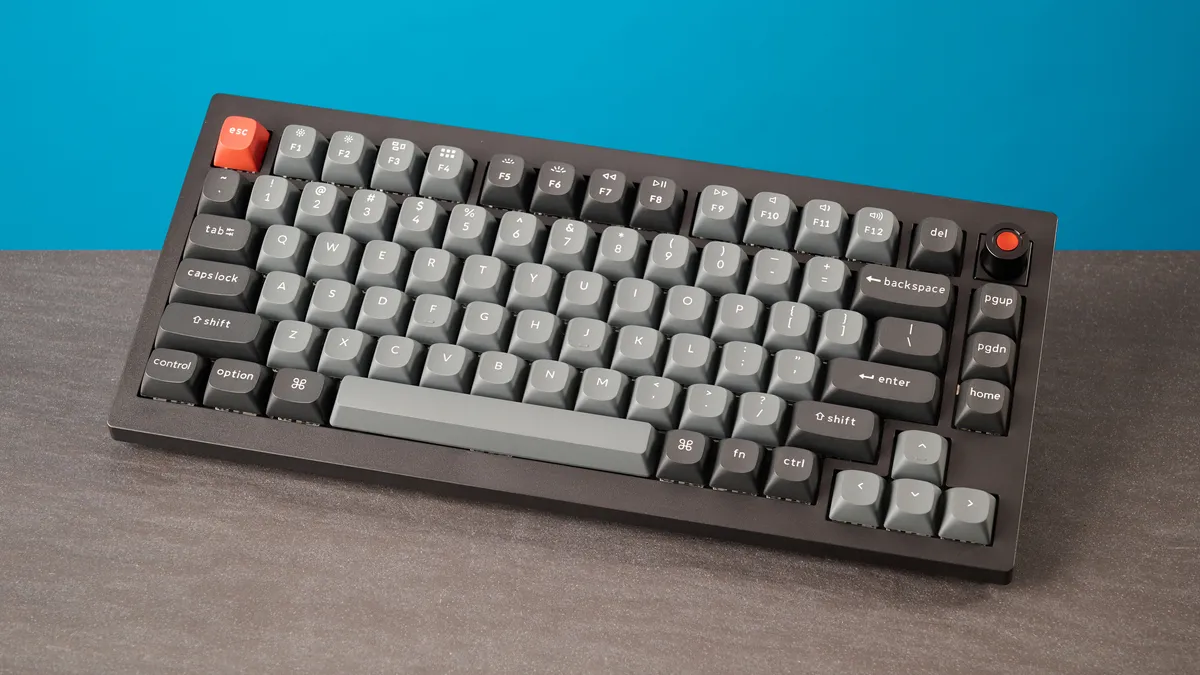
The OG Keychron V1 already looked stunning with its per-key RGB, but Keychron has taken it up a level by adding per-key RGB and “mix RGB” to the Keychron V1 8K. Mix RGB was first introduced on the Keychron V1 Ultra 8K, and it’s nice to see it make an appearance on a much cheaper keyboard. Each key’s lighting can be individually customized, and over 22 effects can be applied, thanks to per-key RGB.
Mix RGB, on the other hand, splits the keyboard into two custom lighting zones, each with its own unique effects. Basically, you can set different lighting effects to different keys via Keychron Launcher. As I did on the V1 Ultra 8K, I set the alphabet keys to reactive lighting so they only light up when pressed, and all other keys to remain lit up all the time in a static effect. If you like colorful keyboards, the V1 8K is the perfect choice for you.
Excellent for typing
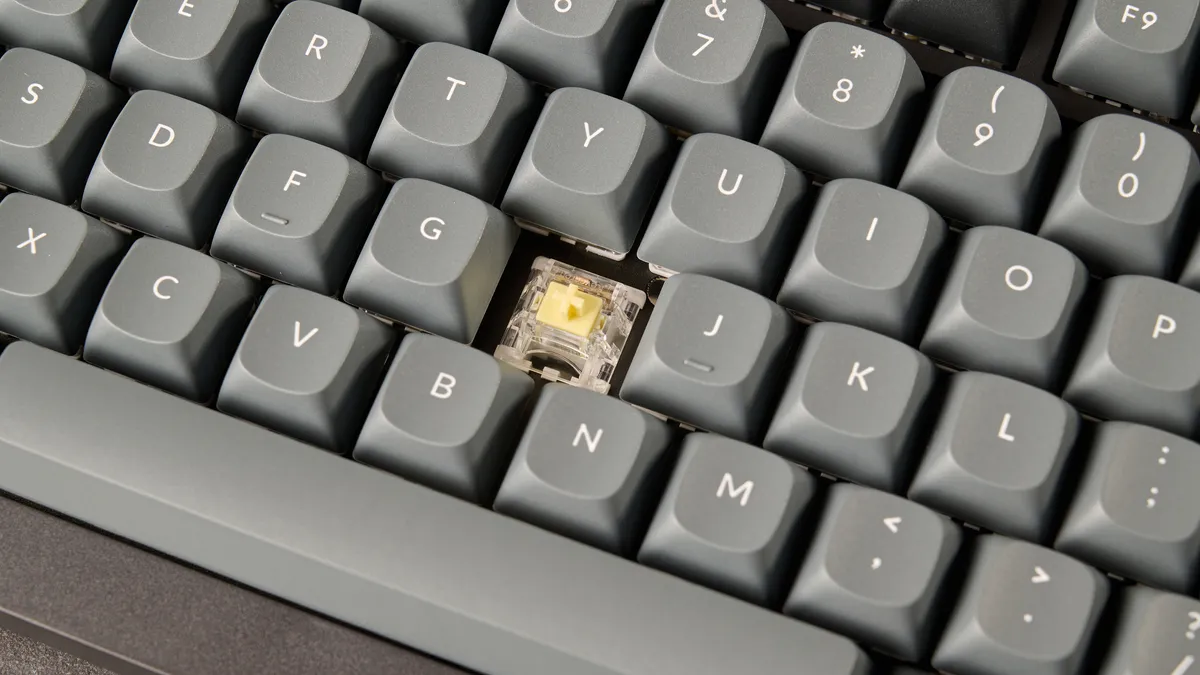
All three keyboards in the V1 lineup utilize different mechanical switches. The OG V1 came with Keychron K Pro switches; the V1 Ultra 8K packs Keychron Silk POM ones; and the V1 8K features Keychron Super switches. The keyboard is hot-swappable, so you can use any compatible 3- or 5-pin switches with it without having to de- and re-solder them to the PCB. As for stock ones, you can choose between Red (linear), Banana (tactile) or Brown (tactile).
I tested the Banana tactiles which are a little on the heavier side of things as they require 57g of force to activate. They have a pre-travel distance of 2mm and a total travel distance of 3.4mm, so you don’t need to press them all the way down to activate them. I personally prefer lighter, linear switches, like the 35g Sea Salts in the Epomaker RT100 ($115) or even the 50g White Rains in the Hexgears Immersion A3 TKL ($129).
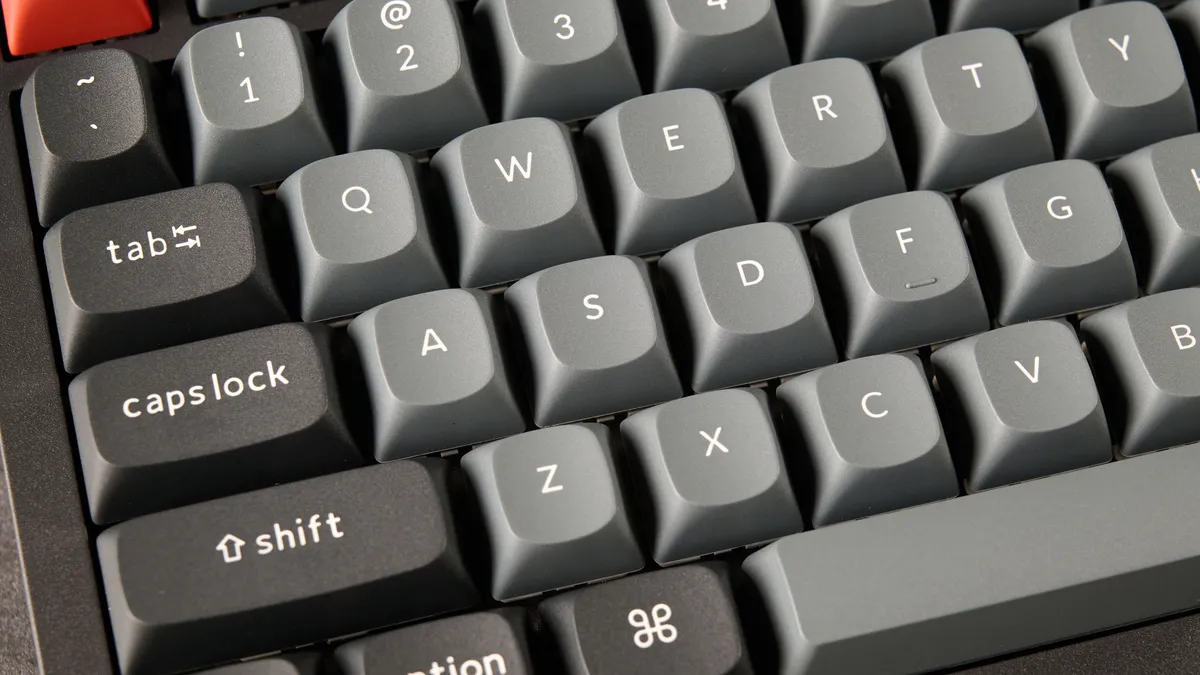
Regardless, I didn’t find the Bananas too fatiguing to type on — I typed on them for seven hours straight without feeling any discomfort! The V1 8K sounds fantastic too, thanks to the aforementioned several layers of sound-dampening foam. The keyboard has a satisfying sound profile, a little clacky but also slightly thocky — enough for you to enjoy it without disturbing others around you.
Keyboard |
Type test speed (WPM) |
Type test accuracy |
|---|---|---|
Keychron V1 8K |
99 |
95.03% |
102 |
94% |
|
99 |
91% |
|
105 |
96.5% |
|
97 |
93.04% |
|
96 |
91.82% |
|
Nikita’s rolling averages (all keyboards) |
92.5 |
91.2% |
As I do with all keyboards I review, I took a typing test at 10fastfingers.com to see how the V1 8K fared against other mech decks I’d tested. As you can see in the table above, I achieved 99WPM with 95.03% accuracy, which brought up my average score. I’m very happy with this.
Now with 8KHz polling
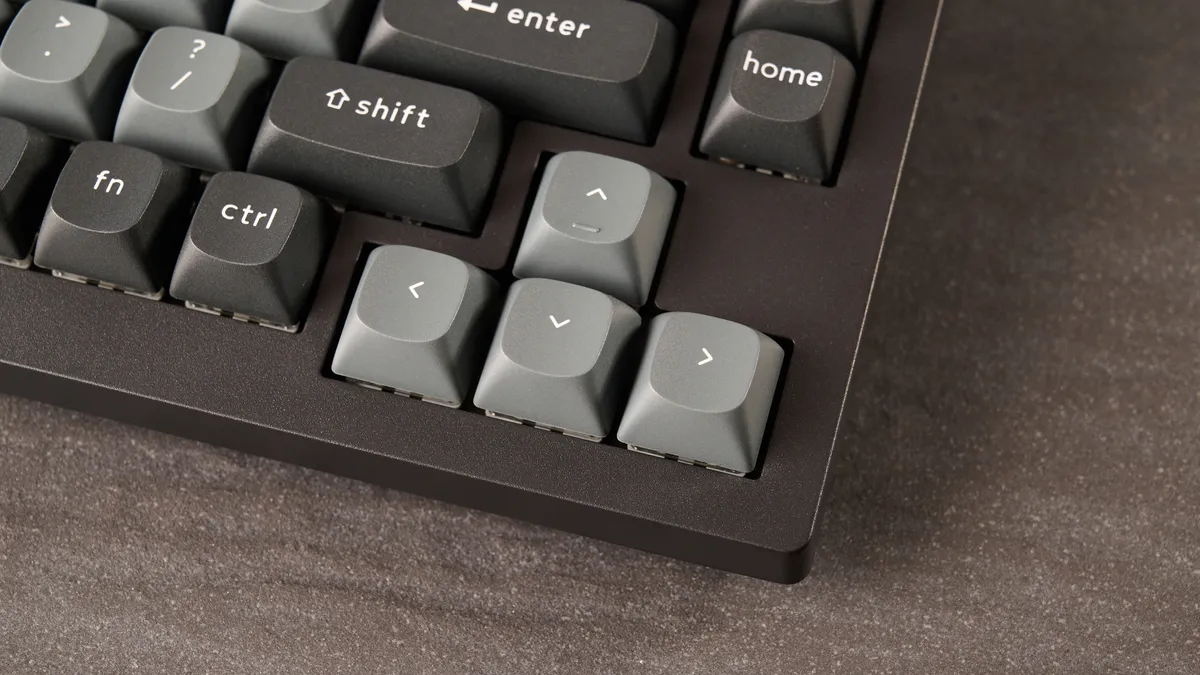
It seems like all keyboard manufacturers like adding 8,000Hz polling to their decks. It’s not surprising, of course, because that’s the buzzword these days, but most players won’t be able to tell the difference between 8,000Hz and 1,000Hz polling. Both polling rates reduce or even negate latency issues and lag, and they ensure that you don’t experience any missed inputs.
Supplied by: MSI | Tom's Guide
CPU: AMD Ryzen 7 7700X | Graphics card: MSI RTX 5070 Ti 16GB Vanguard SOC | Motherboard: MSI B850E Gaming Plus WiFi | RAM: Kingston Fury Renegade DDR5 32GB | Cooler: Noctua NH-U12S | PSU: MSI MEG Ai1300P PCIE5 | Case: MSI MPG GUNGNIR 110R
While the V1 8K is primarily a productivity-first keyboard, I played a bit of Cyberpunk 2077 and Counter-Strike 2 to see how the board fared. Sure enough, I didn’t experience any input lag or unresponsiveness thanks to 8,000Hz polling. But I also didn’t notice any when playing at 1,000Hz polling. 8KHz polling can be a massive drain on system resources, so if you’re worried about that, I’d recommend dropping the polling (it can be adjusted down to 125Hz) via Keychron Launcher.
The V1 8K’s Banana switches are highly responsive too, as all my commands were registered instantaneously. Though if you’re getting this keyboard for gaming, I’d recommend grabbing the Super Red linears instead, as they have an actuation force of 45g, so they’re a little lighter (and less fatiguing). While the V1 8K is suited to casual gaming, it’s worth investing in a Hall Effect keyboard, like the Epomaker HE68 ($59) or the Epomaker HE75 Mag ($99). If you’re a competitive gamer, then magnetic keyboards have other useful features, like adjustable actuation and Last-Key Prioritization.
Web-based companion software
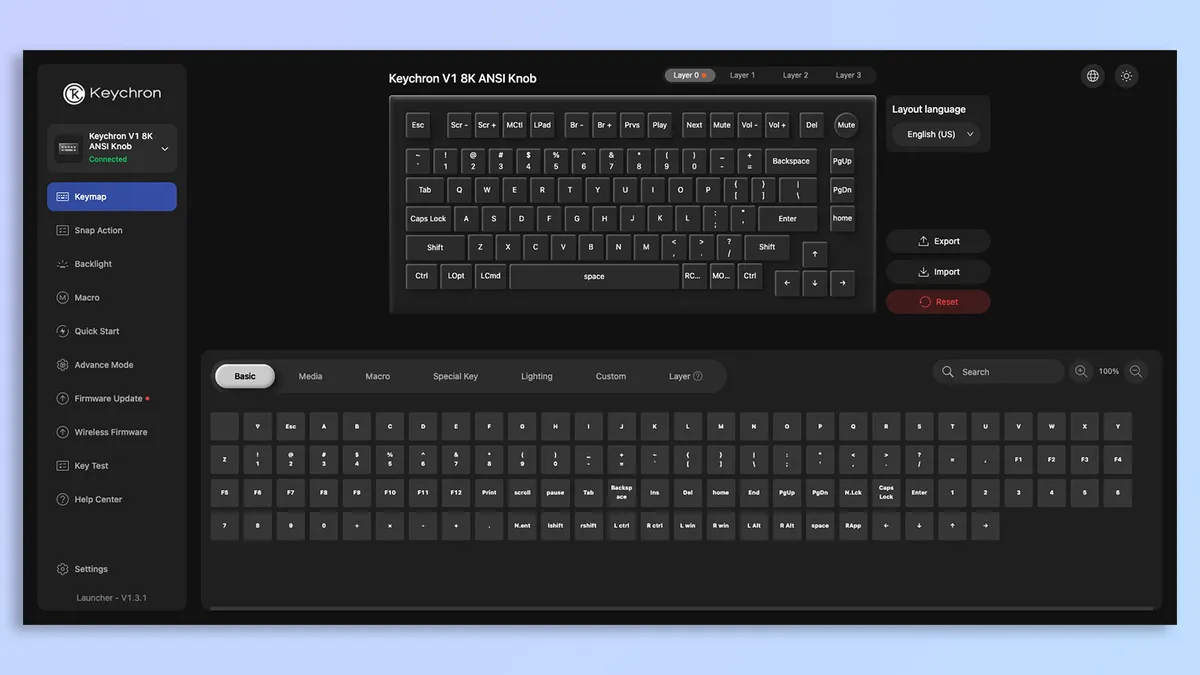
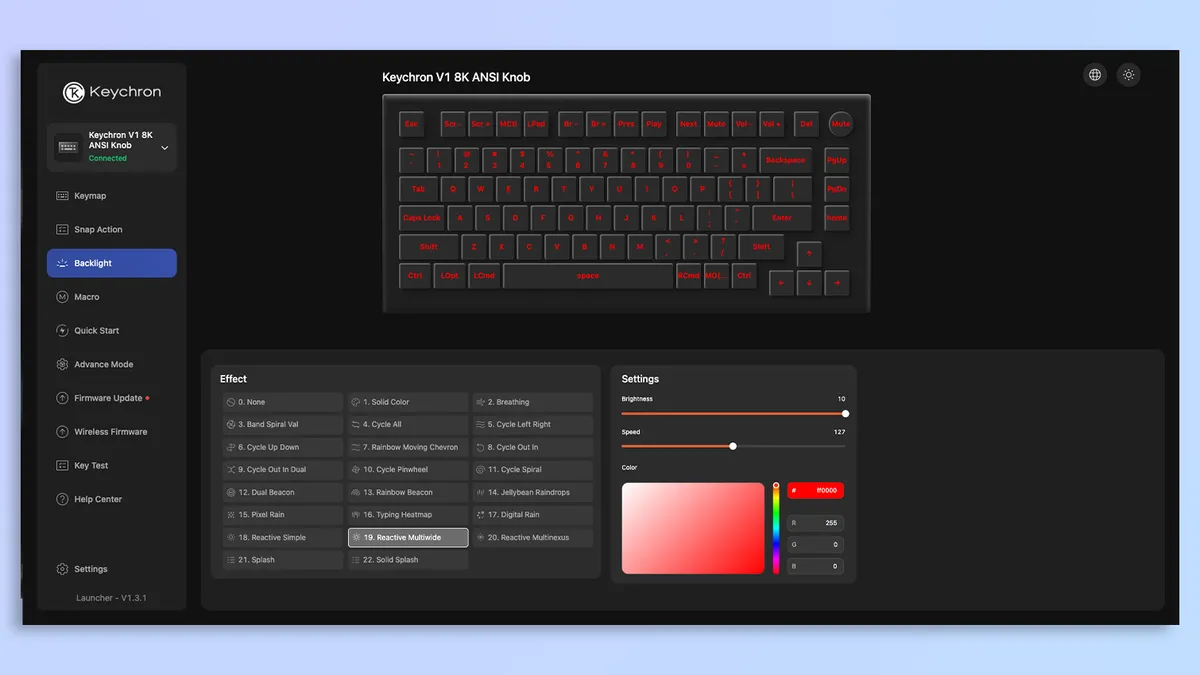
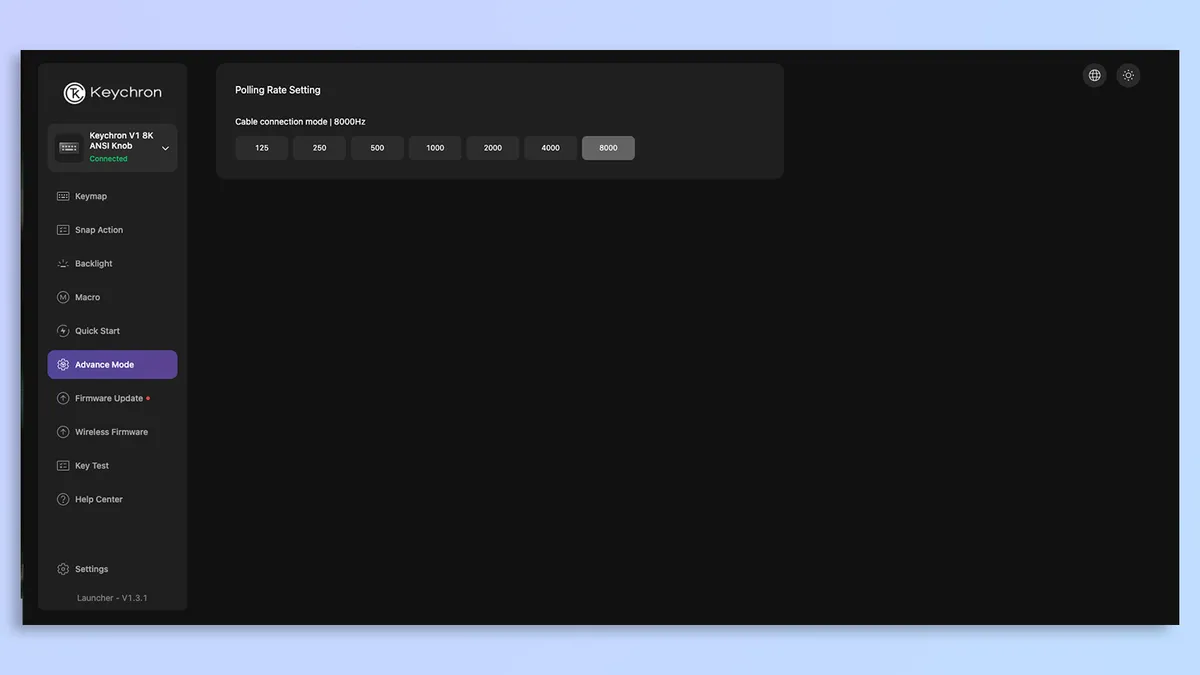


Similar to most other Keychron keyboards, the Keychron V1 8K doesn’t require you to download third-party software or bloatware for customization. Instead, it uses the web-based Keychron Launcher, so all you need to do is plug the keyboard in and open the website in your browser.
Keychron Launcher sports a clean interface and it’s extremely user-friendly, and it gives you quick access to the V1 8K’s settings. You can use Keychron Launcher to remap the V1 8K’s keys, personalize the per-key and mix RGB, record macros, and adjust the polling rate between 125Hz and 8,000Hz. Easy as pie!
Still affordable
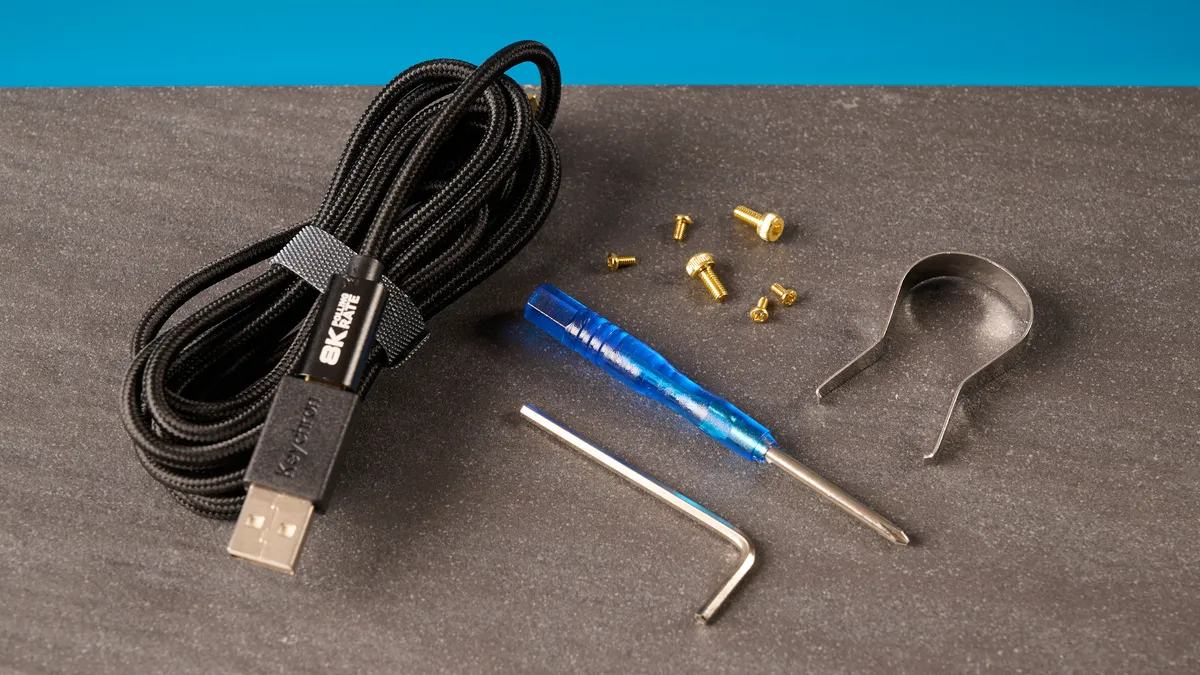
The best thing about the Keychron V1 8K is just how affordable it is. When the OG V1 was launched, it had a retail price of $99 (you can get it for around $70 these days). The V1 Ultra 8K, on the other hand, has a retail price of $114. Priced at just $74, the V1 8K is cheap and very cheerful, and it’s extremely easy to recommend the board at this price.
We’ve seen some excellent mechanical keyboards in this price range, like the Wobkey Rainy75 Lite ($99), the Epomaker DynaTab75 ($89) and the McHose X75 V2 ($89). But none of these are as cheap as the V1 8K — and none offer 8KHz polling either, or extensive RGB customization.
Keychron V1 8K review: The downs
The Keychron V1 8K doesn’t have many flaws, but it’s worth noting that there’s some flex in the body, and it’s a wired-only keyboard.
Wired only
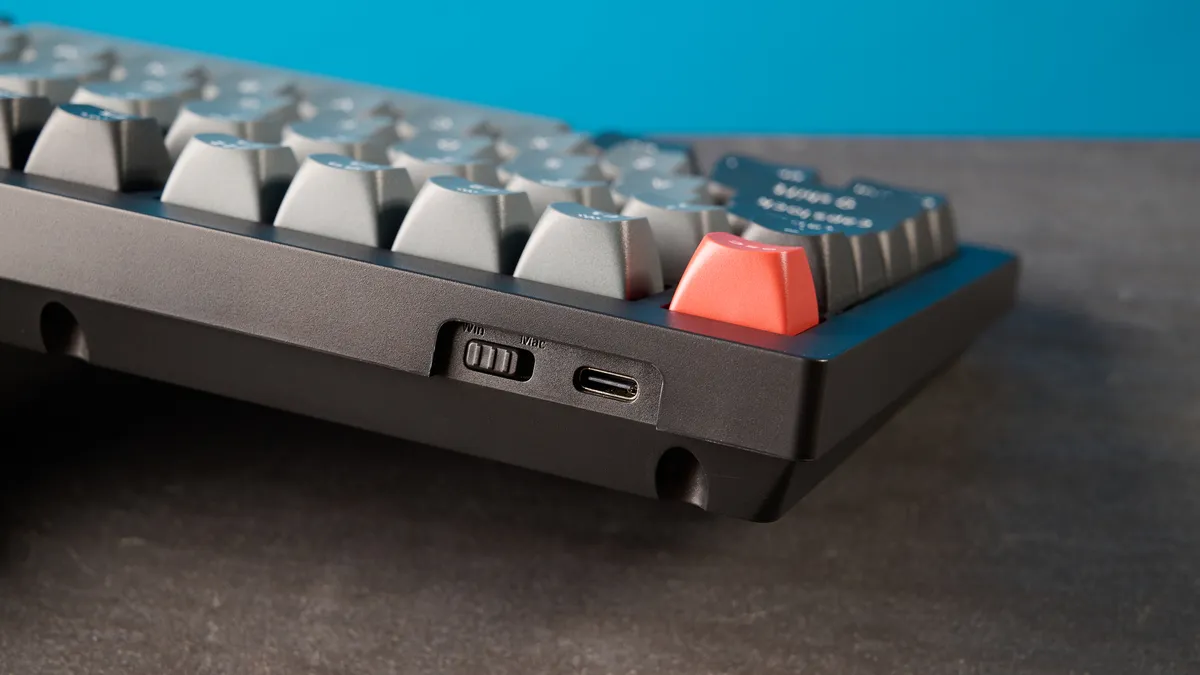
This is more of a pre-purchase condition than an outright flaw, but the Keychron V1 8K is a wired-only keyboard. At the time of writing, there’s no Max (wireless) version, but this might change in the future and if it does, I’ll update this review. The OG Keychron V1 Max is still available, and you can usually find it for around $84 during sales events.
If you want a wireless but affordable keyboard, it’s worth checking out the similarly priced GravaStar Mercury K1 Lite ($89) or the NuPhy Kick75 ($89). You’ll be missing out on 8KHz polling but, as I mentioned earlier, I don’t think it’s a significant loss.
Some flex
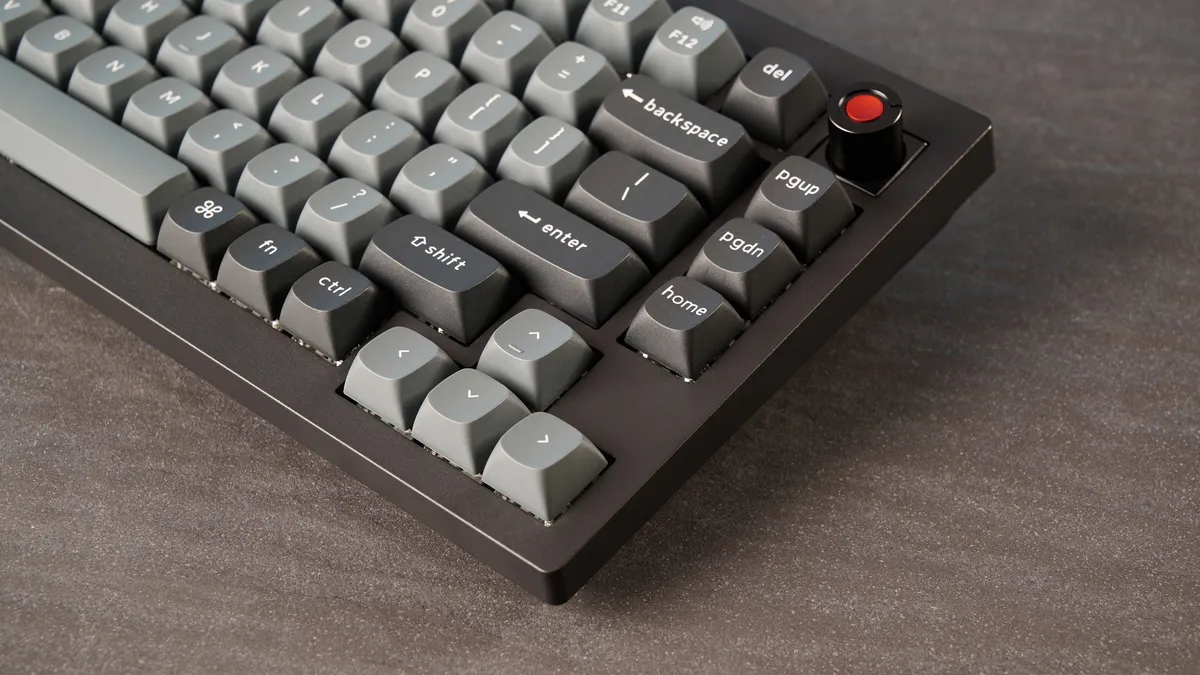
The only real drawback of the Keychron V1 8K is that there is some flex in its body, especially when you hold it by its sides and twist it. This is quite disappointing as other than this, the V1 8K is excellently built. I didn’t experience this with the OG V1, and it’s because the keyboard’s predecessor featured a steel plate. I’m not entirely sure why Keychron decided not to implement a steel plate in the V1 8K — perhaps to keep the costs down.
This is also something I’ve experienced with many other all-plastic keyboards, like the Epomaker TH99 ($82). If this is something that bothers you and you still want a plastic keyboard but don’t mind jumping to an 80% layout, the 8BitDo Retro ($99) is a superb alternative.
Keychron V1 8K review: Verdict
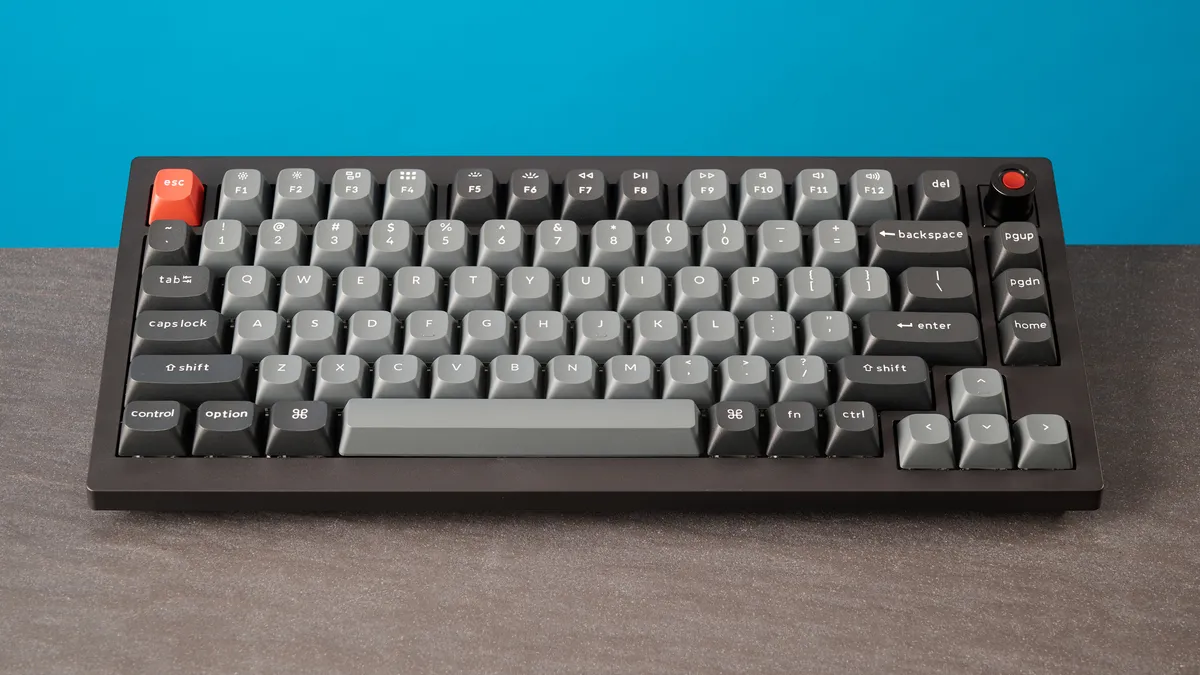
Three things in life are certain: death, taxes, and most Keychron keyboards being outstanding. The Keychron V1 8K is a lovely little mechanical keyboard, packing responsive switches for typing and 8,000Hz polling for gaming. This is a great-looking board, thanks to its combination of per-key and mix RGB, and customizing said lighting is a walk in the park, as the web-based Keychron Launcher is a delight to use.
But there’s no wireless variant of the V1 8K, and the keyboard has some flex in its body. Are either of those dealbreakers? Not even a little bit. The V1 8K costs less than $80, and for that budget price, you’re getting a powerhouse for productivity and 8KHz polling, which you don’t see on many cheap or mechanical keyboards. For budget keyboard enthusiasts and hardcore typists, there are few decks better than the V1 8K.

