





Tom's Guide Verdict
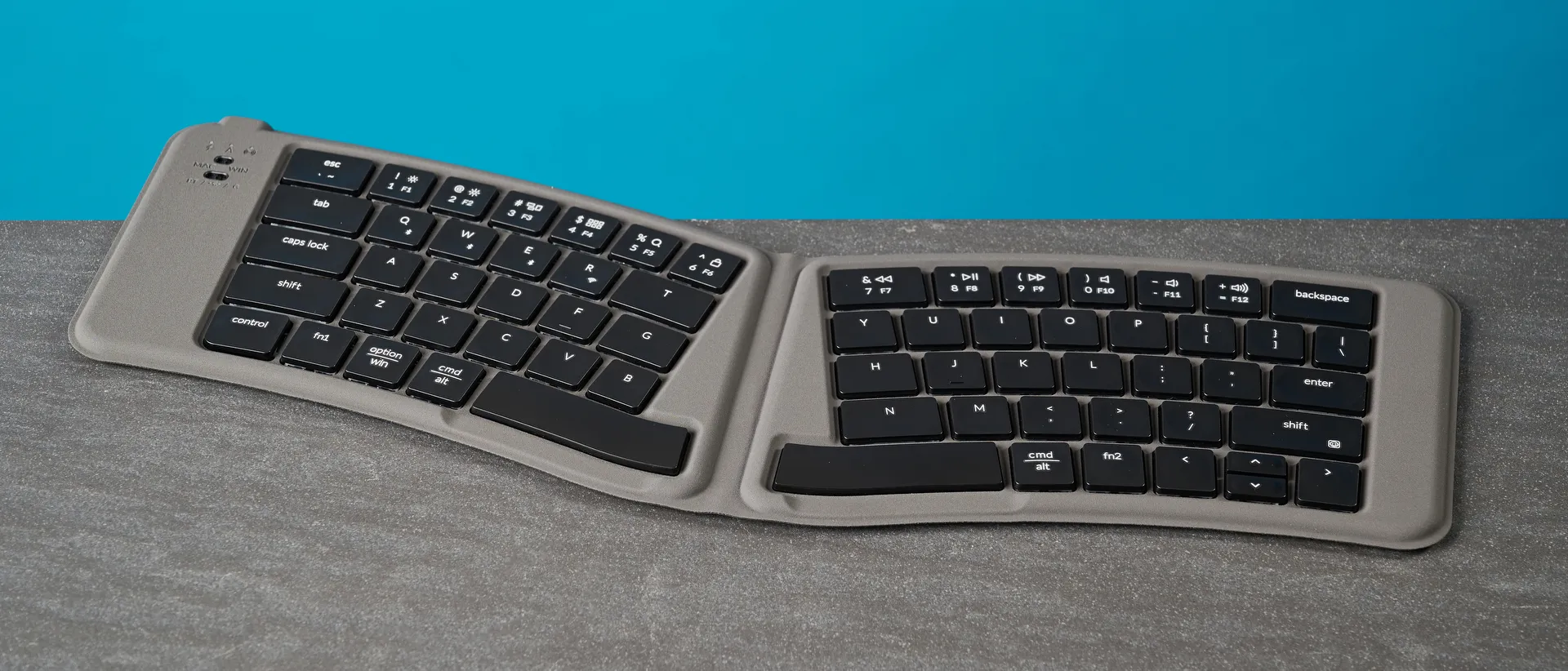
The Keychron B11 Pro is a ridiculously slim keyboard, as it folds down to just 0.2 inches, making it highly portable. This is a fantastic deck for on-the-go typing as its scissor switches are responsive, and its concave keycaps negate the possibility of typos. Web-based software makes customization a walk in the park, too. However, there aren’t many ergonomic benefits to the keyboard (except for its Alice layout), it presents a steep learning curve, and there’s no backlighting.
Pros
- +
So, so slim and portable
- +
Good typing experience
- +
Web-based software
- +
Very affordable
Cons
- -
Not very ergonomic
- -
Can present a steep learning curve
- -
No backlight
Why you can trust Tom's Guide Our writers and editors spend hours analyzing and reviewing products, services, and apps to help find what's best for you. Find out more about how we test, analyze, and rate.
Keychron is no stranger to creating some of the best wireless keyboards out there. In 2026, it decided to do something different and launch its first-ever folding keyboard. I’ve been testing the Keychron B11 Pro, and for the most part, it’s a delight. This is an ultra-slim keyboard that you can take on the go, or even slip into your pocket. Its scissor switches and concave keycaps offer a lovely typing experience, and customizing the keyboard is super easy too, thanks to web-based software.
But it’s far from perfect. Though it’s great to type on and its split Alice layout is comfortable for your wrists, there aren’t many other ergonomic benefits. There’s also a steep learning curve if you’re coming from traditional keyboards, and there’s no backlighting.
For the complete breakdown, read my full Keychron B11 Pro.
Keychron B11 Pro review: Specs
Price |
|
Switches |
Scissor |
Keycaps |
ABS |
Construction |
ABS plastic |
Layout |
65% Alice, 66 keys |
Operating system |
macOS, Windows, Android, iOS, iPadOS |
Backlighting |
No |
Polling rate |
1,000Hz (wired, 2.4GHz) | 125Hz (Bluetooth) |
Paired devices max |
3 |
Connectivity |
Bluetooth, 2.4GHz dongle, wired |
Battery |
250mAh rechargeable Li-polymer |
Measurements |
15.45 x 5.62 x 0.2 inches |
Weight |
9.1oz |
Colors |
Deep Space Gray |
Keychron B11 Pro review: Cheat sheet
- What is it? An ultra-slim and portable productivity keyboard with scissor switches
- Who is it for? Anyone who travels a lot for work, or those on a budget
- How much does it cost? The Keychron B11 Pro is available for $64
- What do we like? The portable design, solid build quality, great typing experience, web-based software, and affordable price point
- What don’t we like? The non-ergonomic design, steep learning curve, and lack of backlighting
Keychron B11 Pro review: The ups
The Keychron B11 Pro is extremely portable, and it offers a lovely typing experience. Oh, and customization is as easy as pie through web-based software, too.
So, so slim and portable
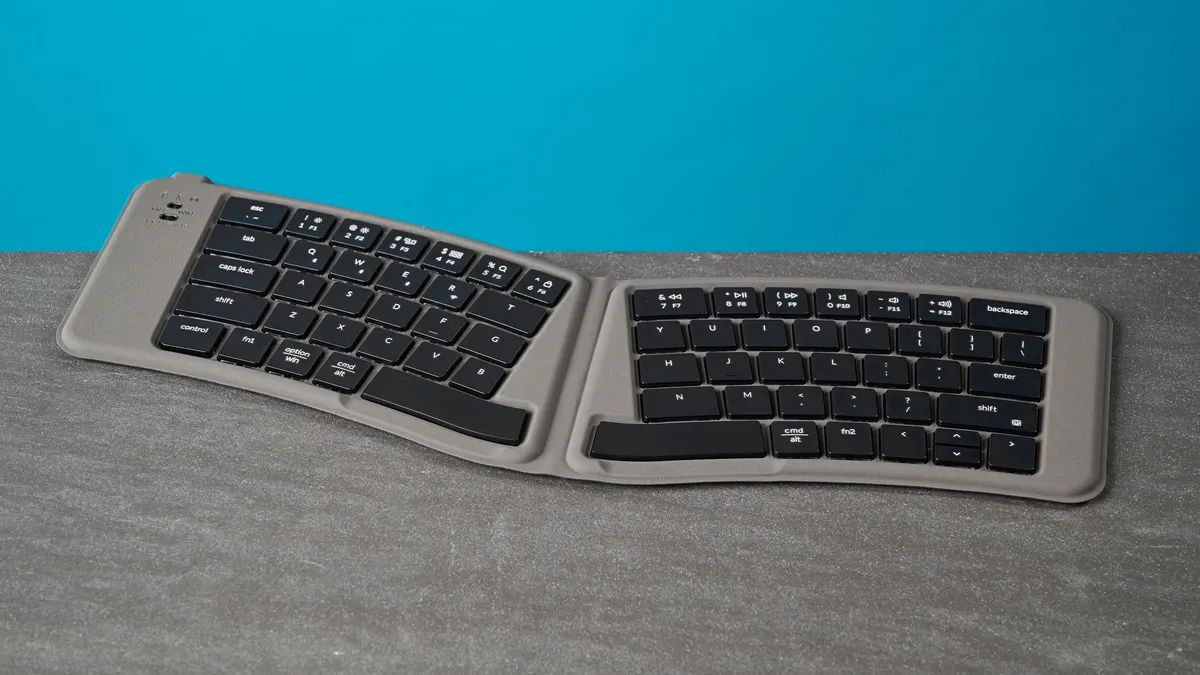
Keychron is no stranger to creating keyboards that are highly portable. Just look at the Keychron B1 Pro ($39) and the B2 Pro ($44). As part of the B-series, the Keychron B11 Pro is no different, but it has a neat trick up its sleeve: it can be folded to cut the size in half, making it the most portable keyboard I’ve tested so far.
When unfolded, the keyboard measures 15.45 x 5.62 x 0.2 inches, so you’re looking at about eight inches of space needed in your bag to stash the B11 Pro. It’s genius, really. The keyboard weighs next to nothing too, at 9.1oz. I’ve had no trouble carrying it in my backpack, which also included two boxed-up pairs of headphones, my MacBook Air M2, and a few other small products. If you have big enough pockets, you’d probably be able to slip in the B11 Pro too. It’s more foldable and pocketable than its primary competition, the Seenda Foldable ($46).
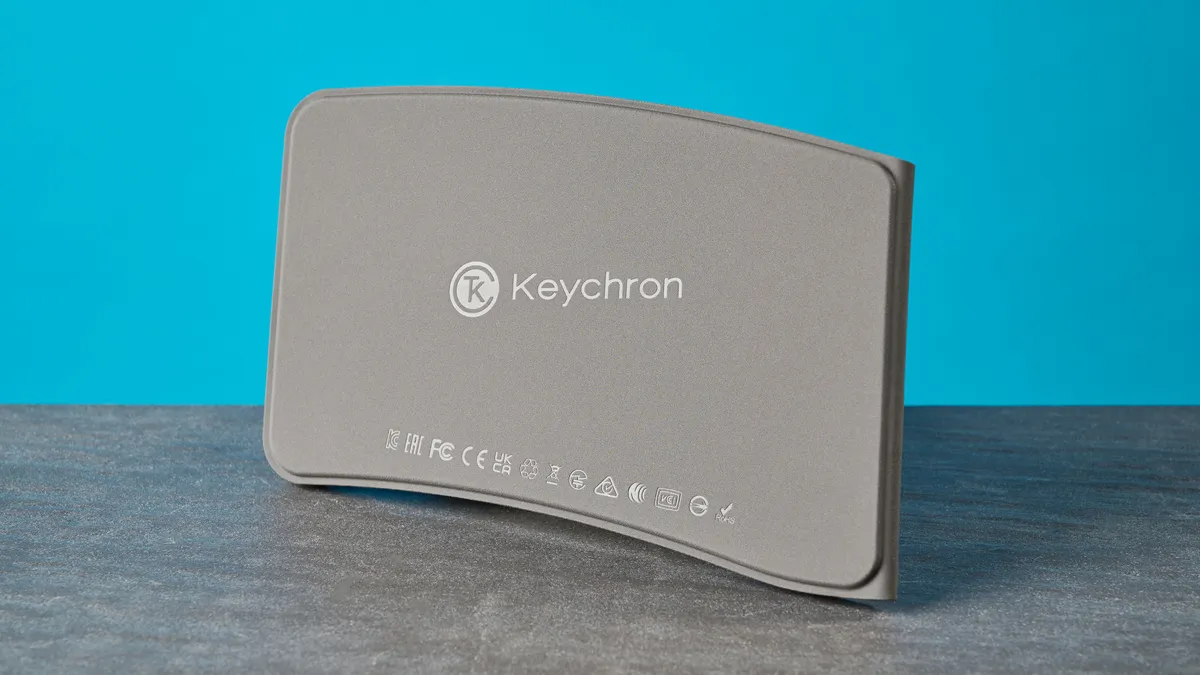
Keychron has also added a Hall Effect sensor to the B11 Pro, which means the keyboard automatically powers off when folded to preserve battery, and it turns back on and instantly reconnects to your laptop or phone when you unfold it. I love this as it negates the need to manually turn the B11 Pro off and back on again, and it worked effortlessly in my testing.
Great build quality
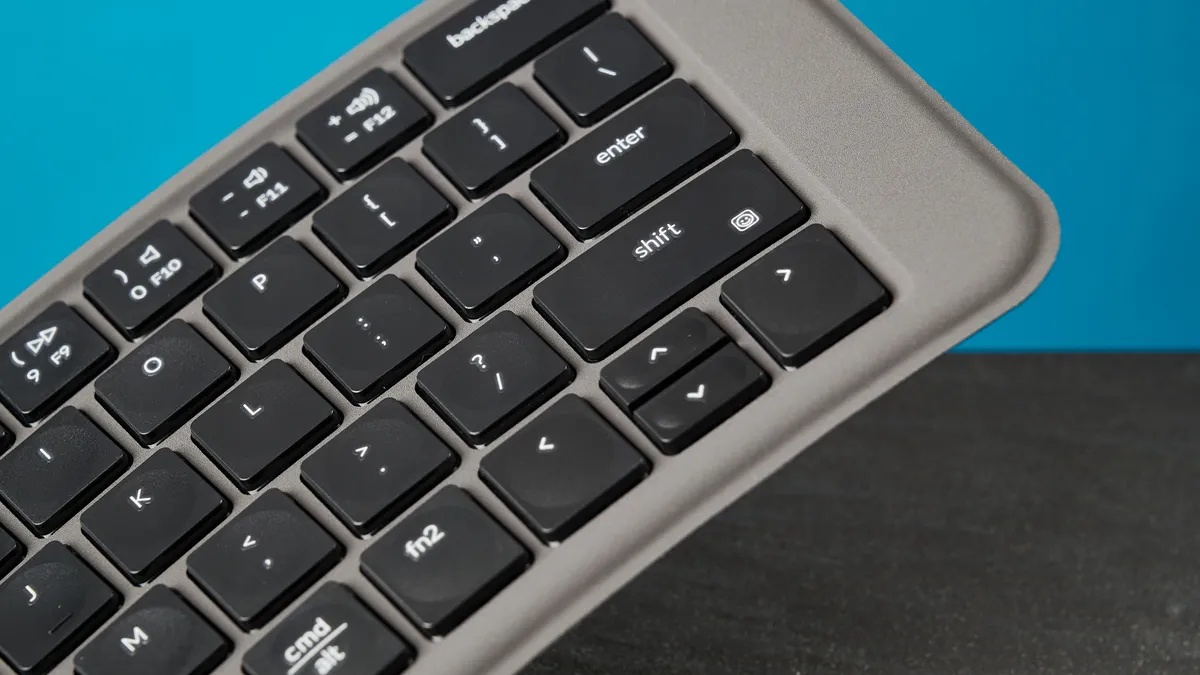
Just because the Keychron B11 Pro doesn’t weigh a lot doesn’t mean you should underestimate the build quality. 95% of the time when I test a Keychron keyboard, I’m always impressed with the build, and that’s how I feel about the B11 Pro too. The keyboard is made entirely of ABS plastic but it doesn’t feel cheap or too plasticky. Tapping the keyboard with my fingernails didn’t reveal any hollow-sounding parts. It’s much, much better than the Seenda Foldable.
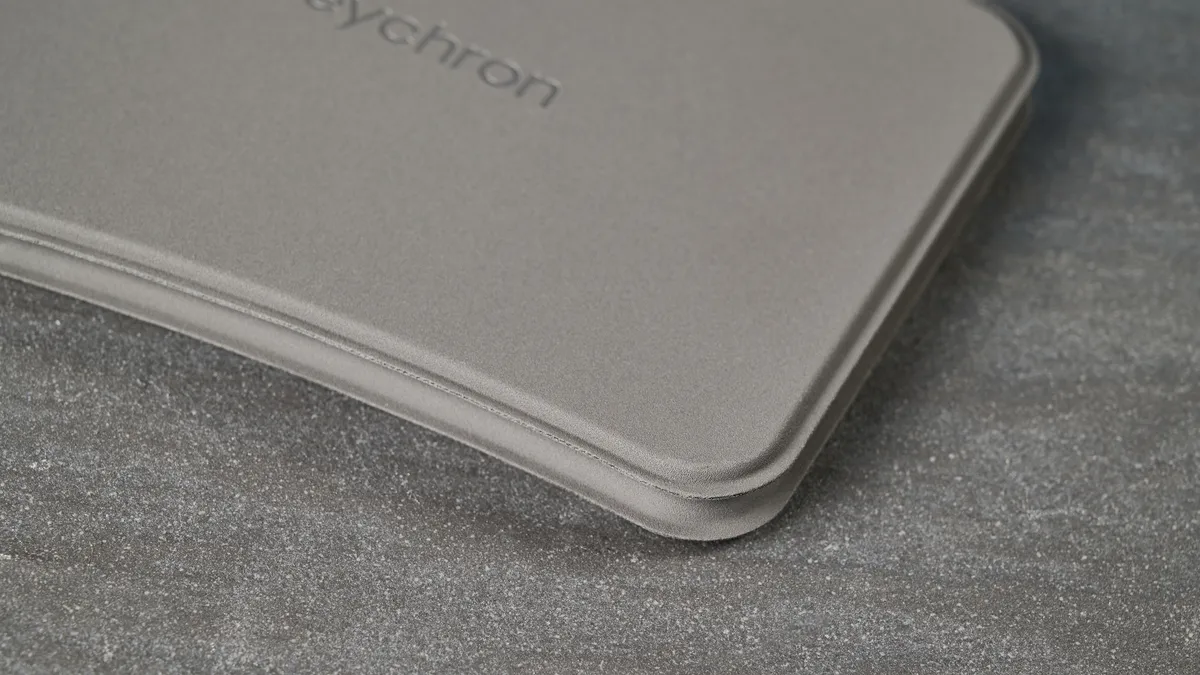
To give the B11 Pro a premium look, Keychron has fitted it with a soft-touch back cover. It’s finished with a matte black PU leather-like material which protects it from scratches, but also adds a touch of class to an otherwise unremarkable design. The construction and the low-key deep space gray design make the B11 Pro inconspicuous, helping it fit into the office and not draw any eyeballs when you’re, say, working on a train.
Good typing experience
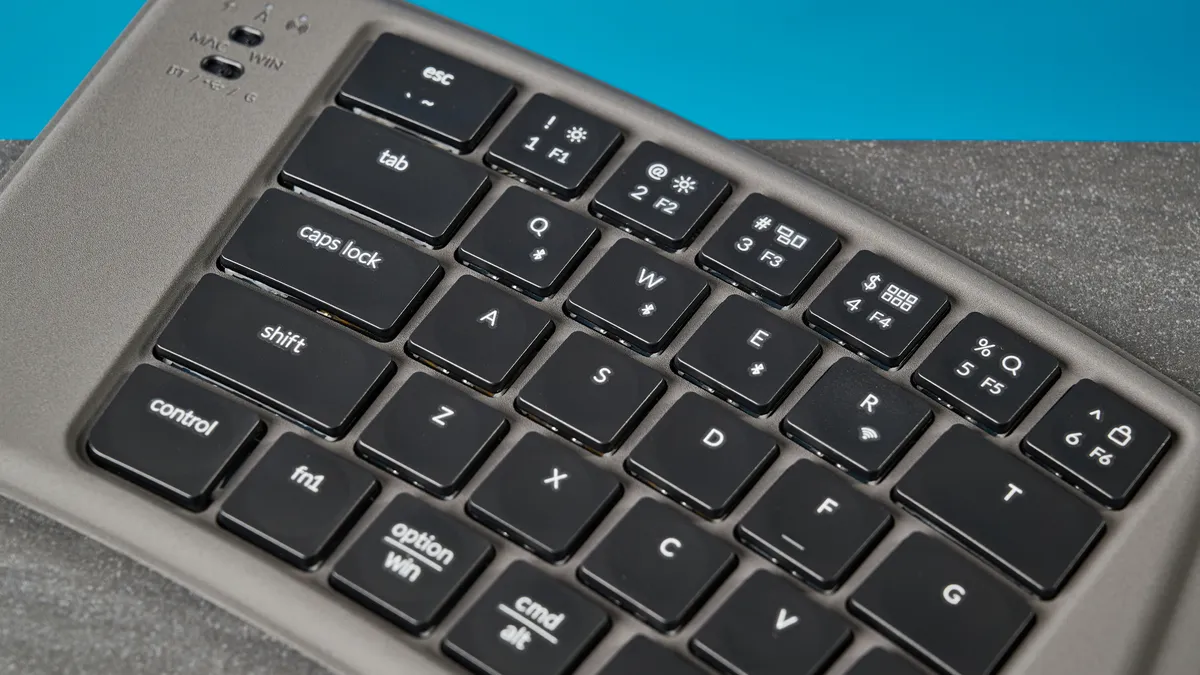
If you’re accustomed to typing on a MacBook keyboard or prefer low-profile decks, the Keychron B11 Pro will surely please you. The B11 Pro features scissor switches with a short travel distance. This means the keyboard will register key presses without you having to apply a lot of force. The B11 Pro packs concave keycaps which feature a dip in the centre, so they cradle your fingertips and reduce typos.
Alongside offering a comfortable typing experience for hardcore typists, the B11 Pro offers a quiet sound profile too. The keys don’t sound thocky or clacky as some of the best mechanical keyboards do, making the B11 Pro fit for the office. You won’t be forcing your coworkers to wear their noise canceling headphones all day long.
Keyboard |
Type test speed (WPM) |
Type test accuracy |
|---|---|---|
Keychron B11 Pro |
96 |
92.01% |
MacBook Air M2 built-in |
91 |
92.06% |
99 |
91% |
|
105 |
96.5% |
|
97 |
93.04% |
|
96 |
91.82% |
|
Nikita’s rolling averages (all keyboards) |
92.42 |
91.14% |
To see how the B11 Pro fared against other keyboards I’ve tested, I took a typing test at 10fastfingers.com, and you can see the results in the table above. I was able to achieve 96WPM with 92.01% accuracy, which is excellent. I will caveat this, though, by saying that this was my score after having used the keyboard for six hours. The B11 Pro poses a steep learning curve, which I’ll talk more about soon.
Web-based software
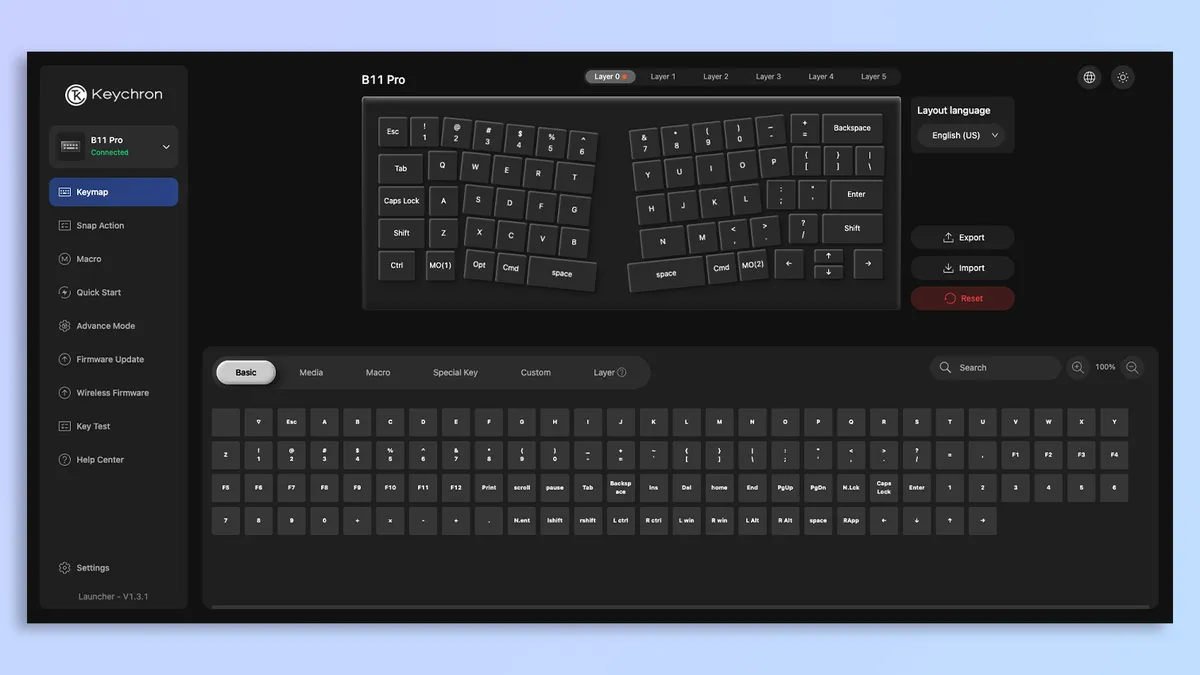
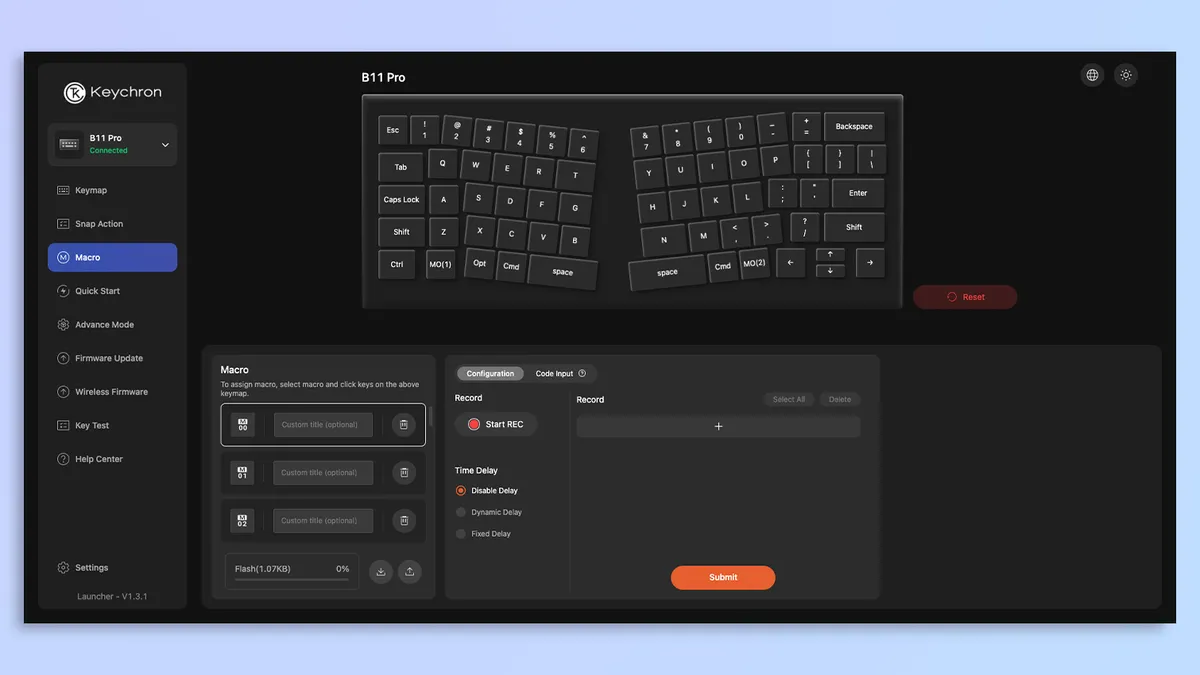


Similar to other Keychron keyboards, the Keychron B11 Pro is customizable via web-based software. You’ll need to access Keychron Launcher in a browser in order to personalize the keyboard. The software is clean, intuitive and user-friendly, and doesn’t feature intrusive pop-ups unlike bloatware (looking at you, Asus Armoury Crate).
Via Keychron Launcher, you can remap the B11 Pro’s keys, update or flash the firmware, change the polling rate (up to 1,000Hz), and even record macros. There’s no backlight customization as, well, the B11 Pro doesn’t feature any backlighting, and I’ll discuss this soon.
Very affordable
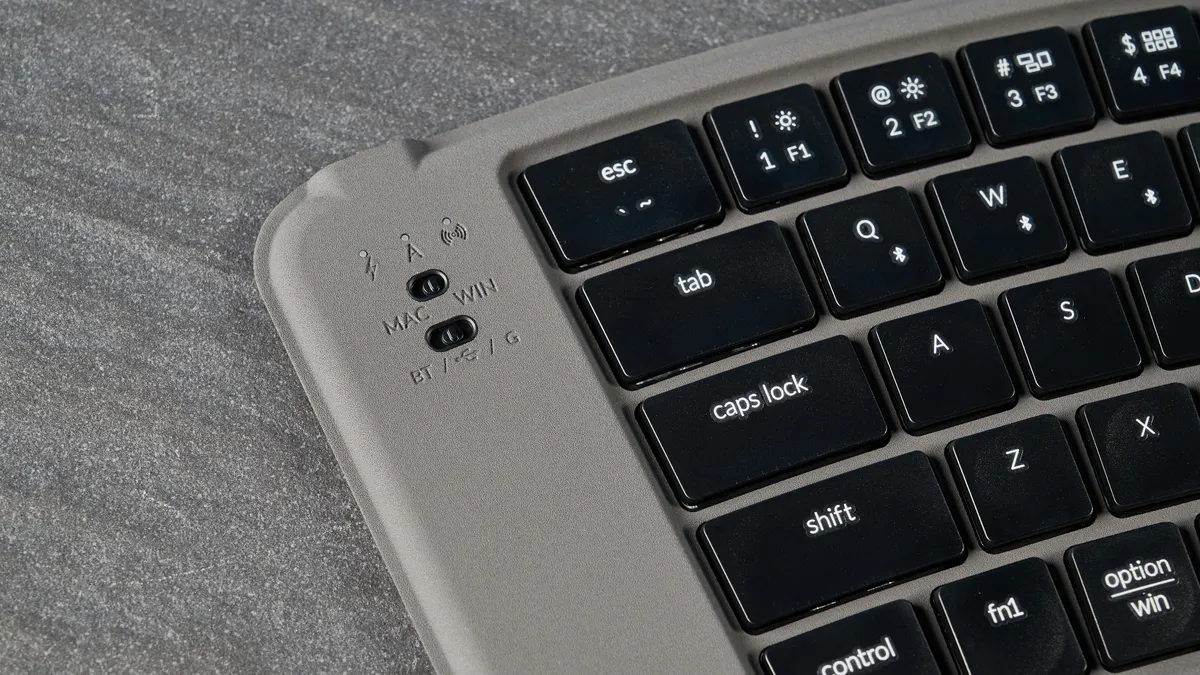
If it’s a cheap but cheerful wireless keyboard you’re after, the Keychron B11 Pro is an excellent choice. Similar to its B-series stablemates, it provides a good typing experience without breaking the bank. The B11 Pro is available for $64 direct through Keychron. While it’s a little pricier than the Seenda Foldable, it’s well worth the extra spend because the B11 Pro is better in nearly every way. It’s also much cheaper than the nimble Logitech MX Keys Mini ($99),
Of course, if you don’t care much about the folding design and still want an ultra-slim keyboard, the Keychron B1 Pro and the B2 Pro are excellent alternatives — and both are about $20 cheaper than the B11 Pro.
Keychron B11 Pro review: The downs
While the Keychron B11 Pro is a great keyboard, it isn’t without its flaws. It isn’t particularly ergonomic, there’s a steep learning curve, and the keyboard doesn’t feature any backlighting.
Not very ergonomic
The Keychron B11 Pro features an Alice layout which is split and slightly tilted for added comfort. This means that you don’t need to bend your wrists too much to type, as your wrists bend pretty much naturally when typing on the B11 Pro. While that’s all well and good, there aren’t many other ergonomic benefits offered by this keyboard. There are no feet to adjust the height, and the arrow keys especially feel too small and placed tightly together, so they’re a little uncomfortable.
I can understand why the B11 Pro doesn’t have any feet, in a way. Keychron clearly wanted to maintain a compact and lightweight form factor, and maybe it didn’t want to put feet into the PU leather cover. But I’d rather have adjustable feet, to be honest. While the Keychron B1 Pro and the B2 Pro don’t have adjustable feet, they have a bump on the top around the back, which props each keyboard up at a bit of an angle. It feels like a missed opportunity and, for me, undoes the ergo benefits of the Alice layout.
Can present a steep learning curve
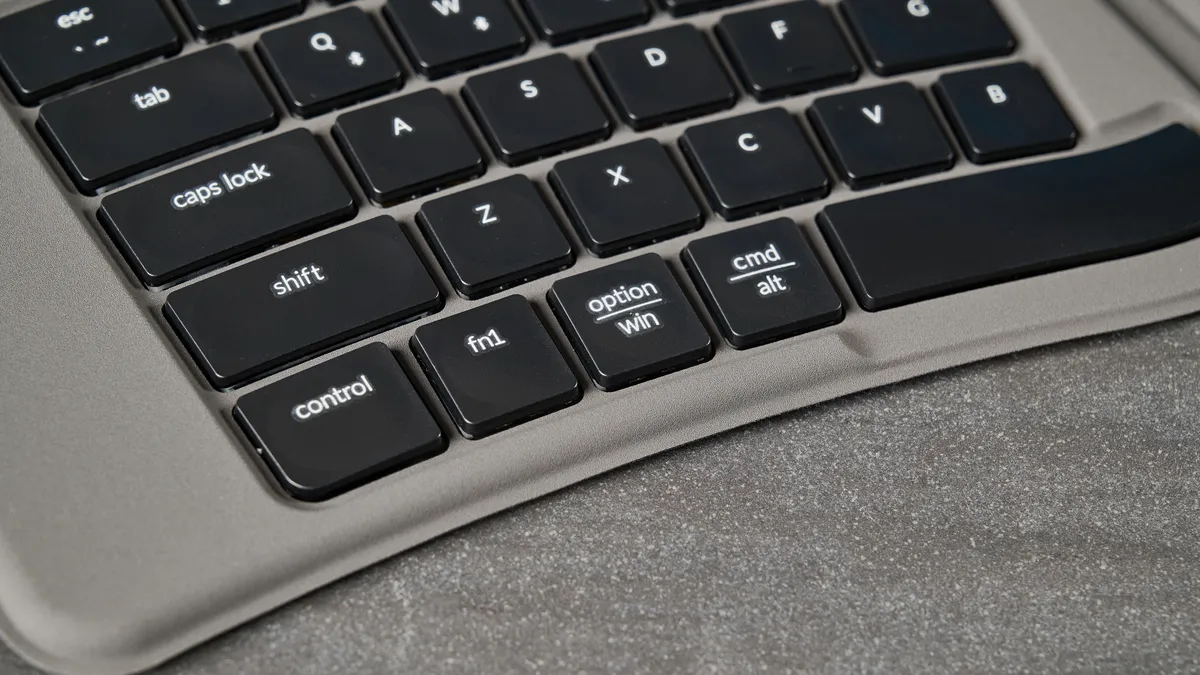
The Keychron B11 Pro is a lovely keyboard to type on, and this is more of a pre-purchase condition than an outright flaw. Because the keyboard features an Alice layout, not every user will be familiar with it. For the first few hours of using the B11 Pro, I found myself looking down at the keyboard a fair amount. For context, here are my 10fastfingers.com typing test results:
Keyboard |
Type test speed (WPM) |
Type test accuracy |
|---|---|---|
Keychron B11 Pro (6 hours) |
96 |
92.01% |
Keychron B11 Pro (4 hours) |
87 |
89.6% |
Keychron B11 Pro (2 hours) |
79 |
88.55% |
Keychron B11 Pro (straight out of box) |
69 |
96.3% |
I got off to a rocky start, as you can see in the table above. Straight out of the box, my type speed was abysmal on the B11 Pro, but my accuracy was the highest it’s been throughout the testing process. That’s because I was actually looking at the keys to type — even though I consider myself an excellent touch typist. My speeds improved as I went on, but my accuracy took a hit and then picked back up.
Don’t let this put you off. If you want a great typing experience, it’s worth powering through the initial lull. But of course, if you want to completely avoid that, I’d recommend grabbing a non-foldable but slim keyboard, like the Keychron B1 Pro, the B2 Pro, or the Logitech MX Keys Mini (if you can extend your budget that far).
No backlighting
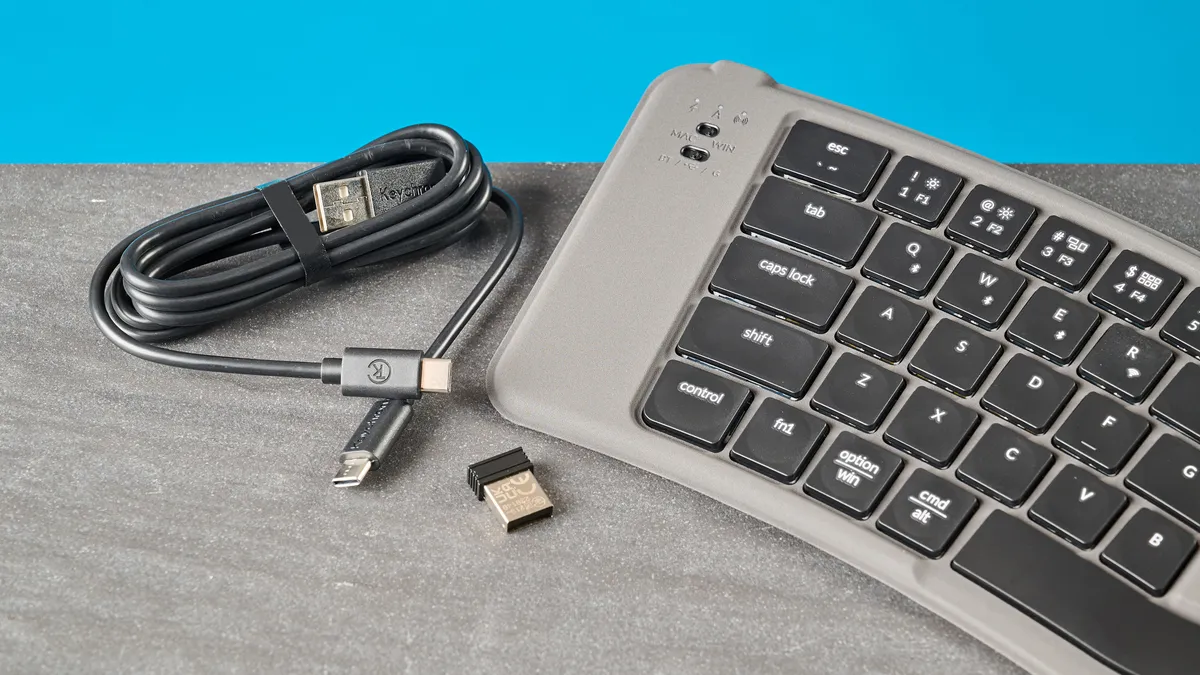
Last but not least, the Keychron B11 Pro doesn’t feature any backlighting, so the keys aren’t lit up. Now, if you’re a touch typist, that shouldn’t be an issue. But if you look at the keyboard when you type, as I did during the first few hours of the testing period, that’s going to be a problem. This is something I’ve seen with other slim keyboards too, such as the Keychron B1 Pro and the Seenda Foldable.
But the fact that the B11 Pro costs more than both those keyboards and still doesn’t feature backlighting is quite disappointing. The Logitech MX Keys Mini features white LED backlighting, if that’s something that matters a lot to you.
Keychron B11 Pro review: Verdict
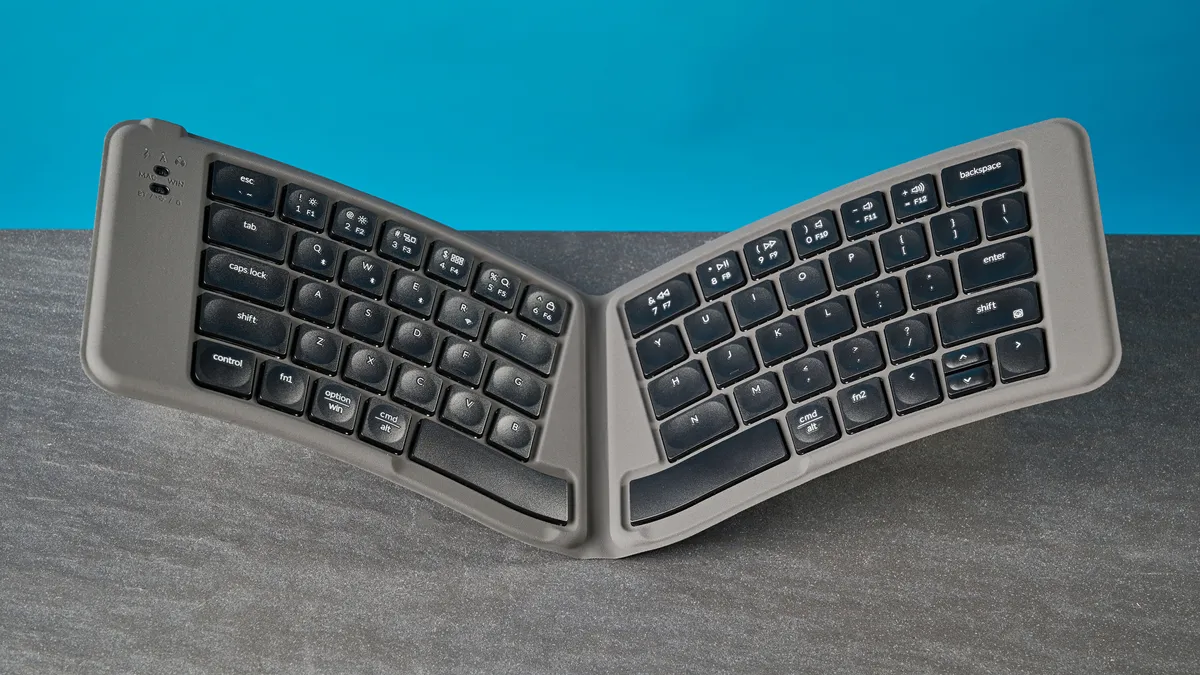
If you’re on the hunt for a ridiculously slim keyboard for traveling and typing on the go, the Keychron B11 Pro should be your port of call. The B11 Pro’s scissor switches and concave keycaps are a joy to type on, and the keyboard isn’t very loud either, so you won’t draw unnecessary attention to yourself. I also love the web-based companion software and the fact that the B11 Pro is so affordable.
But if you aren’t down for getting over the initial learning curve presented by the keyboard’s Alice layout, you may want to consider alternatives. And while the Alice layout proves comfortable for your wrists, there aren’t many other ergonomic benefits the B11 Pro offers. Oh, and there’s no backlighting either, which is a shame.
None of these drawbacks matter to you, you say? Then the B11 Pro is perfect for you. But it also faces fierce competition from its stablemates, the B1 Pro and the B2 Pro, so choose wisely.

