





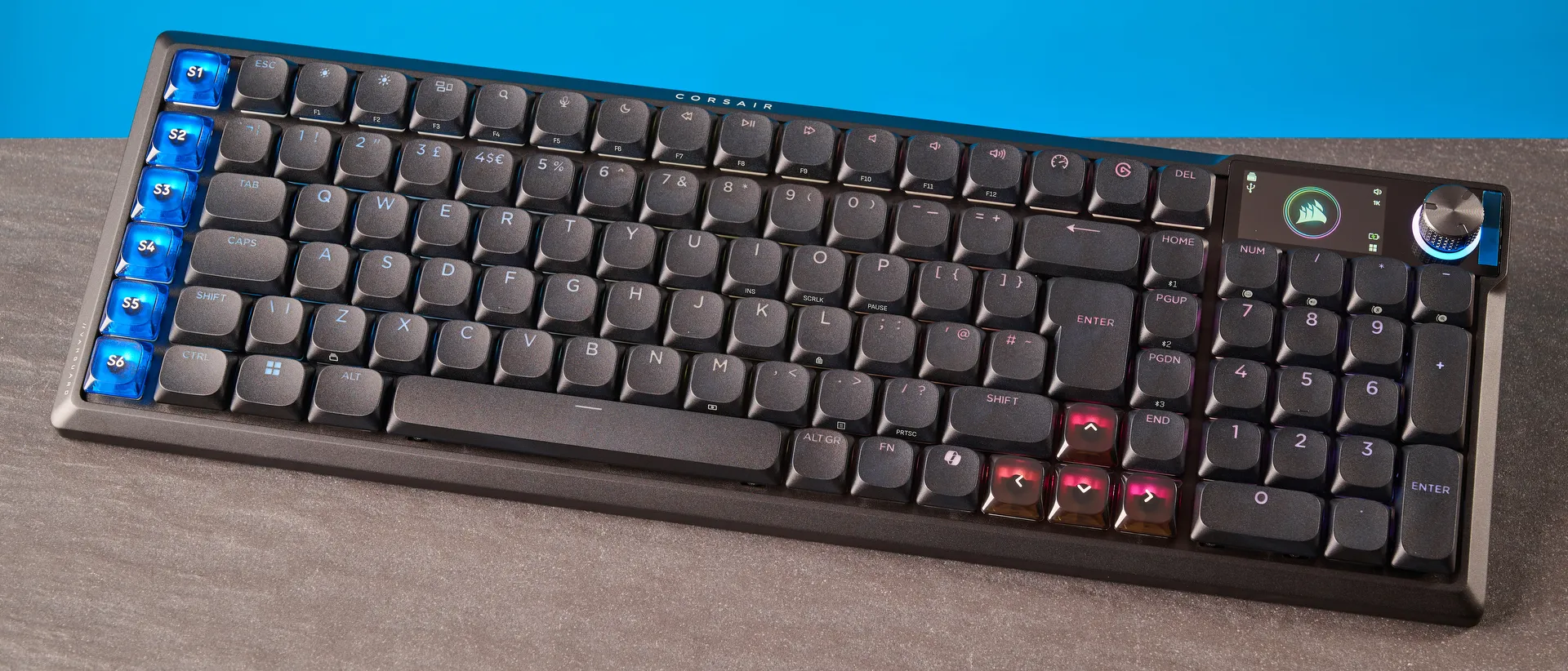
Tom's Guide Verdict
The Corsair Vanguard Air 99 Wireless is fitted with ultra responsive OPX mechanical switches that are a pleasure to type on. Featuring 8,000Hz polling and N-key rollover, the Air 99 Wireless is a gaming powerhouse, and it’s compatible with the PS5 and Xbox too. Intuitive web-based software makes customization super easy too. But the screen could be more useful, the battery life could be better, and Stream Deck compatibility could be more refined. Oh, and let’s not forget about that $259 price tag!
Pros
- +
Stunning design and build
- +
Lovely switches for typing
- +
Excellent gaming performance
- +
PC, macOS and PS5 support
- +
Intuitive web-based software
Cons
- -
Screen could be more useful
- -
Finicky Stream Deck compatibility
- -
Poor battery life
- -
Overpriced
Why you can trust Tom's Guide Our writers and editors spend hours analyzing and reviewing products, services, and apps to help find what's best for you. Find out more about how we test, analyze, and rate.
The best gaming keyboards can take your performance to the next level by lending you a competitive advantage. Corsair is no stranger to making some fine gaming decks, and the Vanguard Air 99 Wireless comes close to being a formidable beast — but it falls just short. The Air 99 Wireless packs ultra responsive low-profile mechanical switches, 8,000Hz polling and N-key rollover, all of which work very well.
It’s a stunning keyboard to type on too, and it's also got the looks. The keyboard is accompanied by intuitive web-based companion software… but that’s about it. Unfortunately, the Air 99 Wireless seriously falters behind the competition due to subpar battery life, finicky Stream Deck compatibility, a lackluster screen, and a frankly outrageous price tag.
For the complete breakdown, read my full Corsair Vanguard Air 99 Wireless review.
Corsair Vanguard Air 99 Wireless review: Specs
Price |
|
Switches |
Corsair OPX Low-Profile |
Keycaps |
Double-shot PBT |
Construction |
Aluminum + ABS |
Mount |
Gasket |
Layout |
99%, 108 keys |
Operating system |
macOS, Windows, PS5, Xbox Series X, Xbox Series S |
Backlighting |
Per-key RGB |
Polling rate |
8,000Hz |
Paired devices max |
3 |
Connectivity |
Bluetooth, 2.4GHz dongle, wired |
Battery |
Rechargeable Lithium-ion polymer |
Measurements |
16.76 x 5.42 x 0.7 inches |
Weight |
1.98lbs |
Colors |
Black, White |
Corsair Vanguard Air 99 Wireless review: Cheat sheet
- What is it? A low-profile mechanical keyboard with dedicated Stream Deck keys and 8,000Hz polling
- Who is it for? For competitive gamers and serious typists… with quite a bit of money
- How much does it cost? The Corsair Vanguard Air 99 Wireless is available for $259 / £239
- What do we like? The stunning design and build, lovely switches for typing and gaming, versatile compatibility, and intuitive web-based software
- What don’t we like? The low-key useless screen, finicky Stream Deck support, poor battery life, and expensive price
Corsair Vanguard Air 99 Wireless review: The ups
The Corsair Vanguard Air 99 Wireless is a very good looking and well-built keyboard, and it boasts excellent gaming performance and a wonderful typing experience.
Stunning design and build
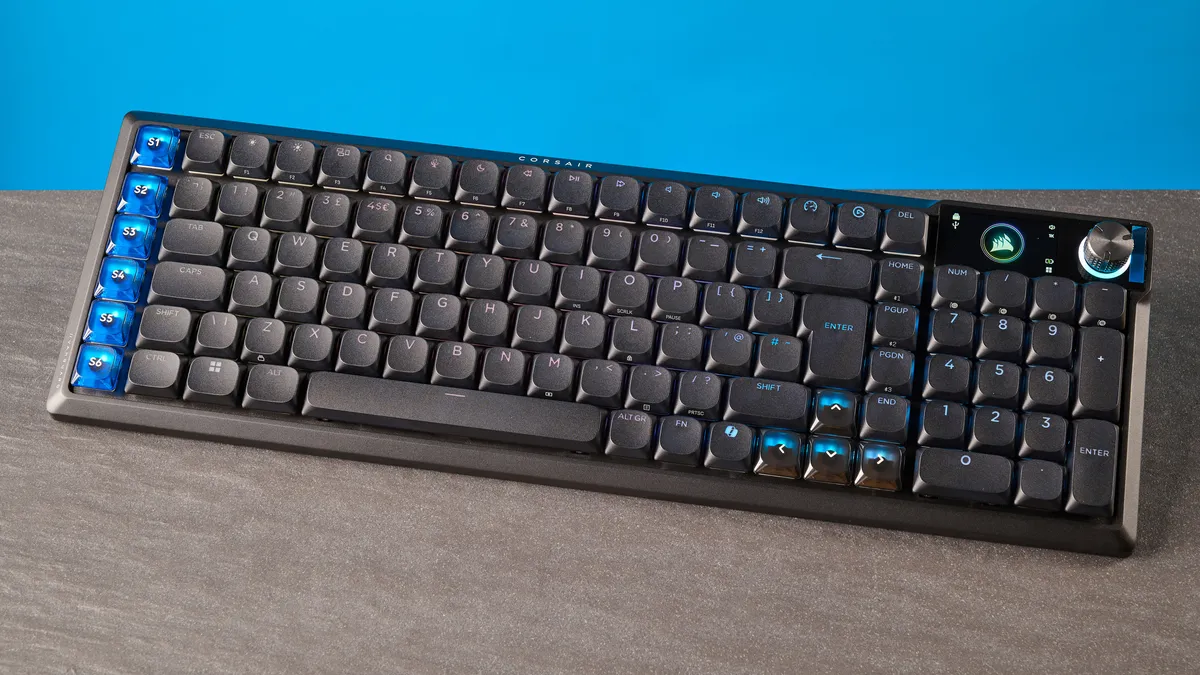
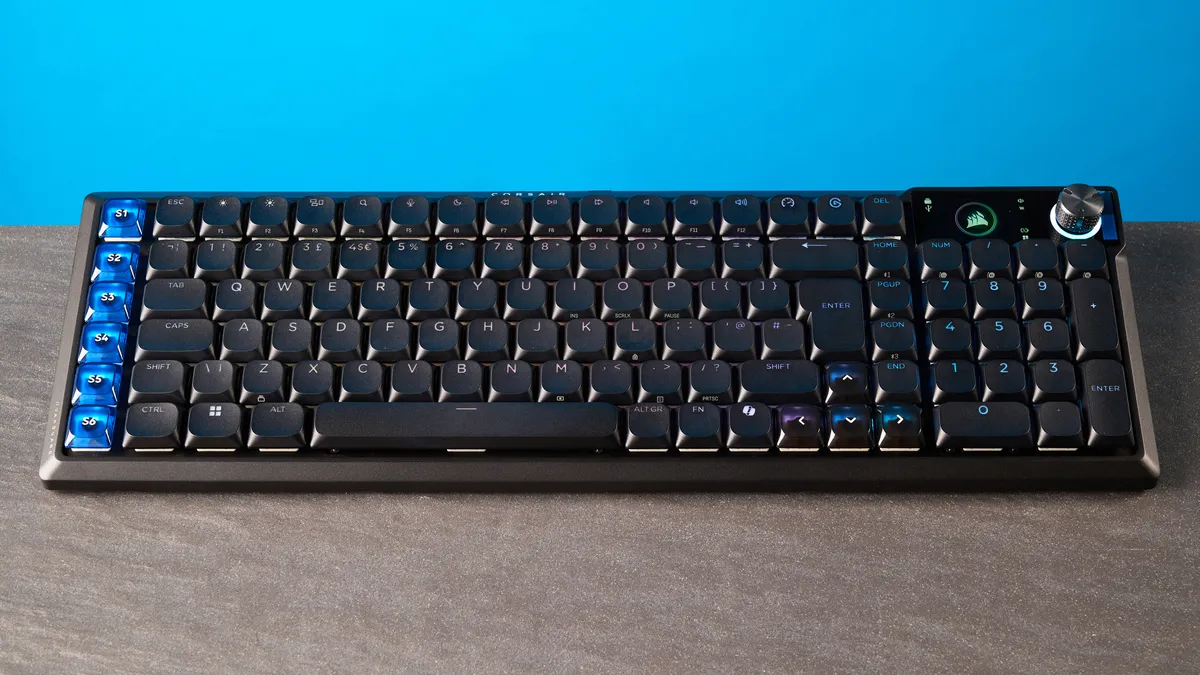
There’s no denying that the Corsair Vanguard Air 99 Wireless is a beautiful keyboard. It’s a sight for sore eyes. Fitted with a robust, well-finished aluminum frame and a plastic chassis, the Air 99 Wireless feels like it would stand the test of time. Twisting the body did not reveal any flex, and I didn’t notice the keys dipping too far into the PCB either — something I’ve experienced with all-plastic keyboards before.
Adding to the Air 99 Wireless’ durability are the double-shot PBT keycaps. These are more resistant to wear and tear than their ABS counterparts. The matte finish on the PBTs feels soft to touch, and I didn’t notice any remnants of oil or fingerprints after a full day’s work. The keycaps are lit up by customizable, per-key RGB lighting, adding a lovely gamer-esque flare to the otherwise inconspicuous board.
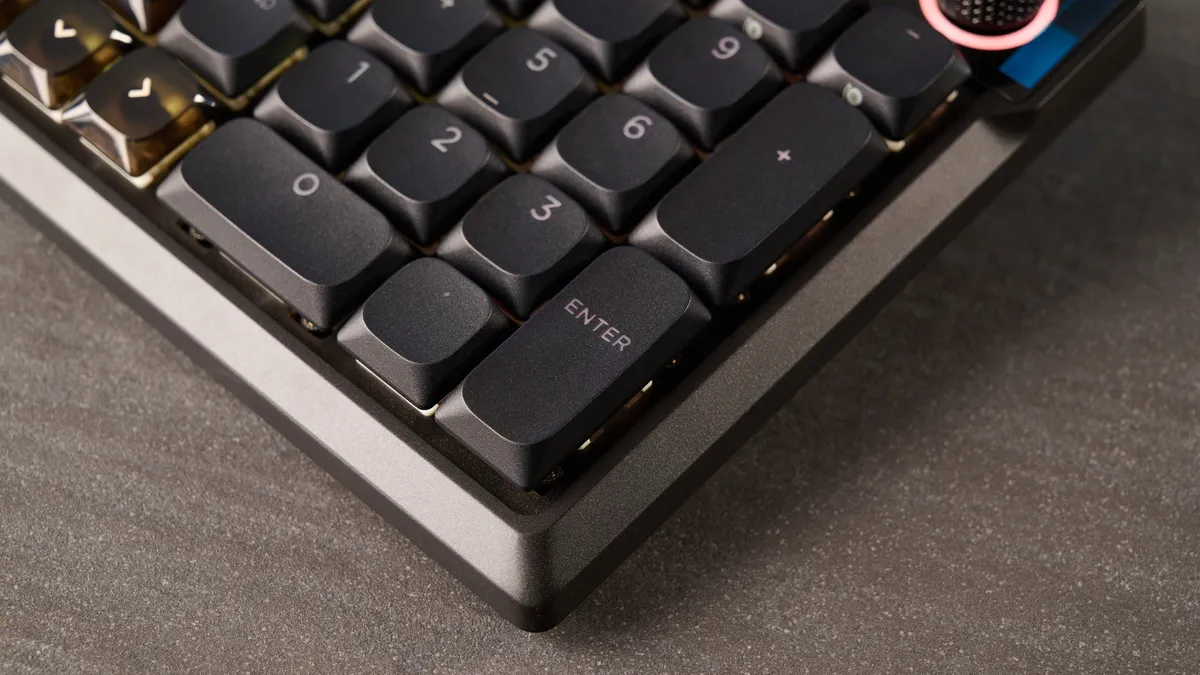
If you’re after a compact, nearly full-size keyboard, the Air 99 Wireless is a superb choice. Though the keyboard uses a fair bit of aluminum in its construction, the Air 99 Wireless is still fairly lightweight at 1.98lbs. It’s even lighter than its main competition, the Cherry XTRFY MX 10.1 Wireless ($249) which weighs 2.43lbs. I’ve had no trouble carrying it around in my already-full backpack. The Air 99 Wireless measures 16.76 x 5.42 x 0.7 inches so it doesn’t take up too much space on your desk either.
PC and consoles support
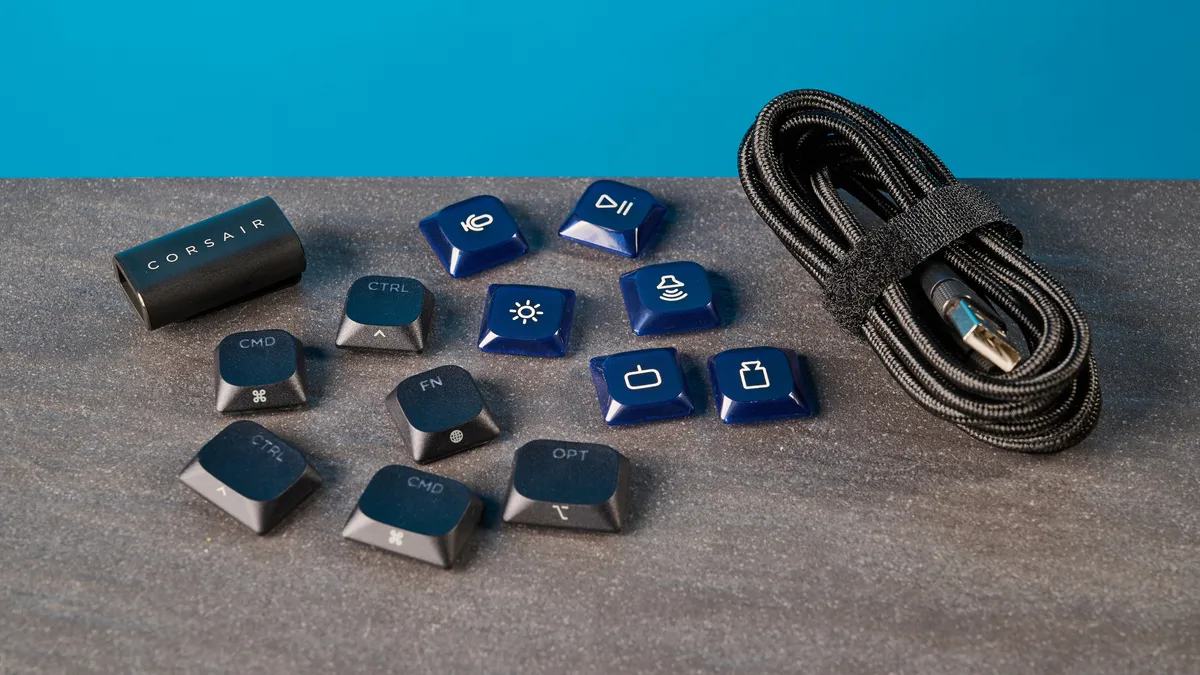
The Corsair Vanguard Air 99 Wireless is quite a versatile keyboard, and it can be used either wired with the included USB-C cable, or wireless over Bluetooth and 2.4GHz. The keyboard comes with macOS and Windows keycaps which can be easily swapped, and there’s a toggle switch at the back that lets you change between keyboard layouts.
What’s more, the Air 99 Wireless is compatible with the PlayStation 5 as well as the Xbox Series X and S consoles. You’ll need to use the USB-A to USB-C cable to connect the keyboard to your Xbox, and you can use the 2.4GHz dongle with your PS5. There’s also a small screen on the Air 99 Wireless (more on that shortly) which you can use to put the keyboard into PS5 mode — this essentially ensures full compatibility by remapping the interface.
Personally, I prefer one of the best controllers for console gaming on my PS5, but it’s good to know that this compatibility exists on the Air 99 Wireless for those who like using a keyboard and mouse. It worked well when I tried it briefly with my PS5 Slim, but I’d recommend doing a quick Google search to see which PS5 games are compatible with keyboards.
Excellent gaming performance
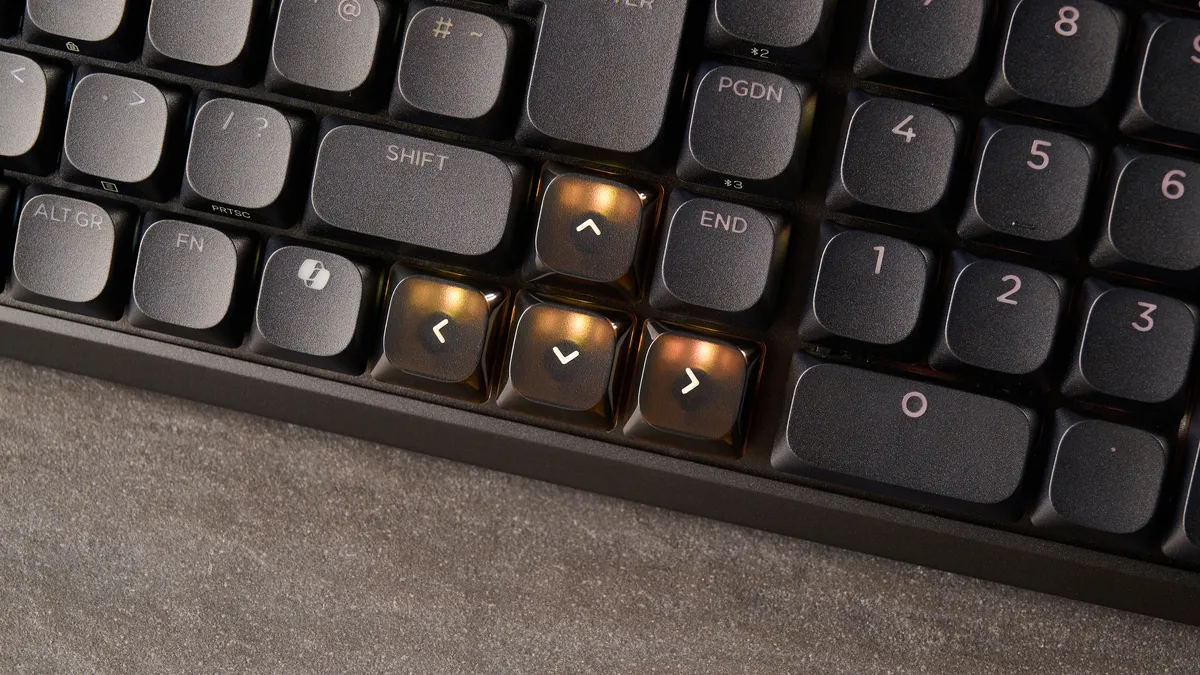
The Corsair Vanguard Air 99 Wireless is a gaming-first keyboard, and it packs performance in spades. It’s fitted with pre-lubed Corsair OPX low-profile switches which have an actuation point of 1.5mm and a total travel distance of 2.5mm. Because the travel distance is quite short, you don’t need to press the switches all the way down for your commands to be registered, which results in a less fatiguing gaming (and typing) experience.
Supplied by: MSI | Tom's Guide
CPU: AMD Ryzen 7 7700X | Graphics card: MSI RTX 5070 Ti 16GB Vanguard SOC | Motherboard: MSI B850E Gaming Plus WiFi | RAM: Kingston Fury Renegade DDR5 32GB | Cooler: Noctua NH-U12S | PSU: MSI MEG Ai1300P PCIE5 | Case: MSI MPG GUNGNIR 110R
These switches require just 45g of force to activate too — the same as the Cherry MX Low Profile 2.0 Reds in the Cherry XTRFY MX 10.1 Wireless, and lighter than the 57g Bananas in the Keychron V1 Ultra 8K ($114). I’ve found the switches to be ultra responsive in my testing, and they won’t give you much to complain about.
The Air 99 Wireless also features N-key rollover (NKRO) with 100% anti-ghosting. NKRO, essentially, enables multiple inputs to be registered at the same time, so you can execute two commands simultaneously. As a simple example, if you press Q, A, S and D together in a document, both Q, A, S and D will appear on the screen at once.

This, combined with the responsive switches, gave me a competitive advantage in games like Counter-Strike 2, where I was able to duck and draw my weapon at the same time. Similarly, in Cyberpunk 2077, I could brake or accelerate while riding my bike and swapping weapons instantaneously. I didn’t have to let go of one or the other to execute another action.
You can also enable FlashTap through the companion software, and it’s an SOCD resolution like Razer’s Snap Tap. It prioritizes the last key pressed so, for instance, you can draw to a complete stop from a sideways strafe by pressing the opposite direction key (A and D or vice versa). It’s useful in single player games, like Cyberpunk 2077, but in Counter-Strike 2 and Valve’s official servers, you’ll get kicked out, so beware.
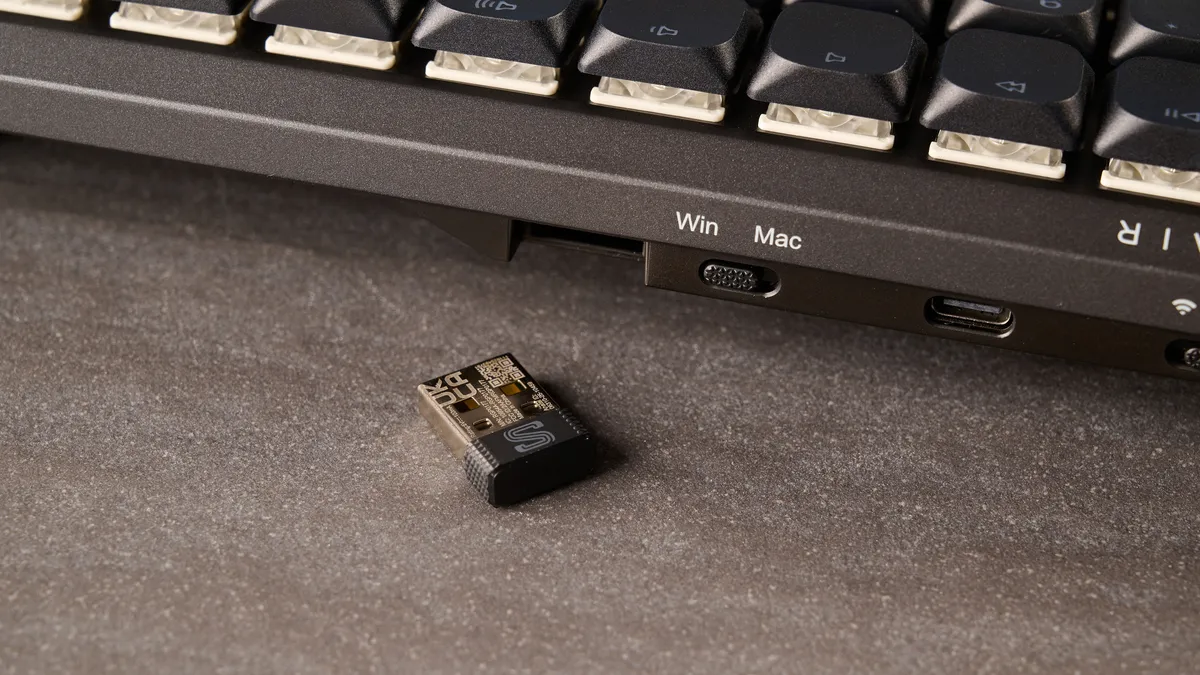
In addition to this, you also get 8,000Hz polling over wired and wireless connections. 8K polling is fine, but it’s mostly a gimmick that every keyboard manufacturer loves adding to their boards. We’ve seen it with the recently updated Keychron Ultra series, and now in the Air 99 Wireless. For 99% of gamers, 1,000Hz polling is good enough, and most players can’t tell the difference between 1KHz and 8KHz.
Both negate input lag, and both ensure your inputs are registered instantaneously. Using 8KHz is a massive drain on system resources and battery life — and the latter is already a troubled area for the Air 99 Wireless (more on that soon). That said, I didn’t notice any input lag or unresponsiveness over both 8,000Hz and 1,000Hz polling.
Lovely switches for typing, too
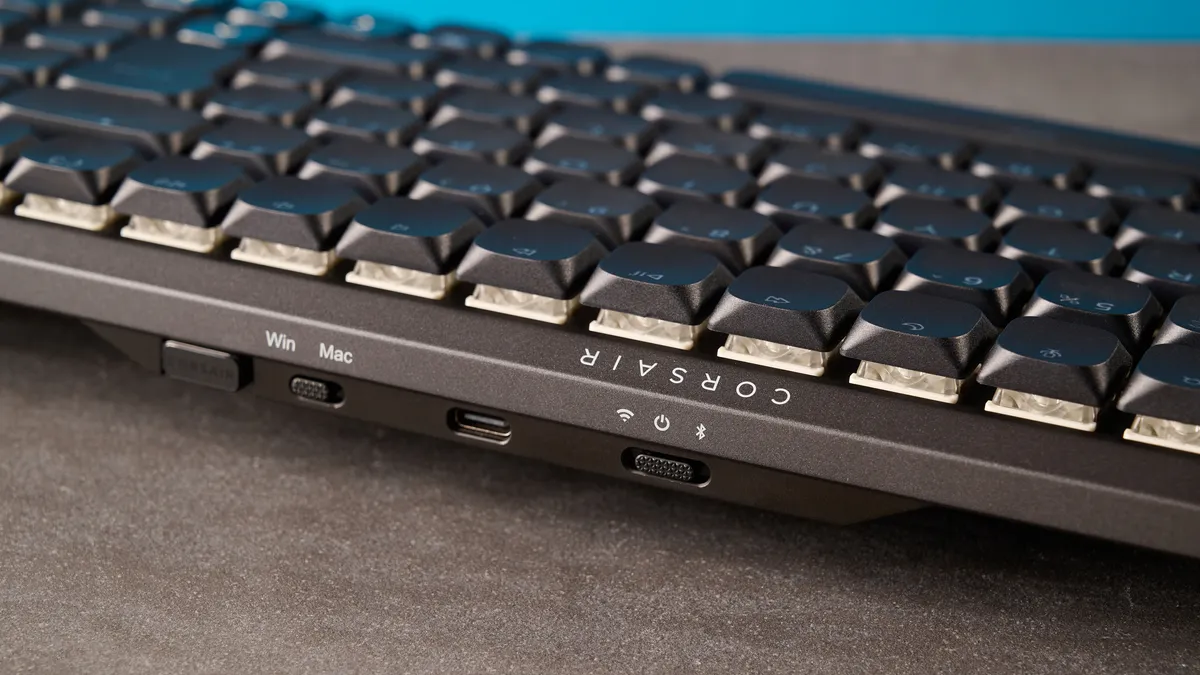
Alongside being a gaming powerhouse, the Corsair Vanguard Air 99 Wireless is a fantastic keyboard for productivity too. Its 99% layout means you’re getting a full row of Function keys as well as a number pad. The low-profile design means the keyboard has a shallow depth, so you don’t need to raise your wrists too much to reach the keys. Your hands also sit closer to the surface of the desk, which eliminates the need for a dedicated wrist rest.
Having used this keyboard for gaming as well as a full day’s worth of typing, I can confirm that it is, in fact, very comfortable. The Air 99 Wireless feels and sounds lovely too, featuring a gasket mount which offers a cushioned feel and reduces vibrations from key presses. There are five layers of sound dampening foam too, which lend the keyboard a muted but creamy sound profile.
Keyboard |
Type test speed (WPM) |
Type test accuracy |
|---|---|---|
Corsair Vanguard Air 99 Wireless |
102 |
94% |
99 |
91% |
|
105 |
96.5% |
|
97 |
93.04% |
|
96 |
91.82% |
|
93 |
91.85% |
|
Nikita’s rolling averages (all keyboards) |
92.51 |
91.17% |
I took a typing test at 10fastfingers.com to see how the Air 99 Wireless fared against other mechanical keyboards I’ve tested recently. As you can see from the table above, I was able to achieve 102WPM with 94% accuracy, and I’m very pleased. It speaks to the Air 99 Wireless’ calibre really well.
Intuitive web-based software
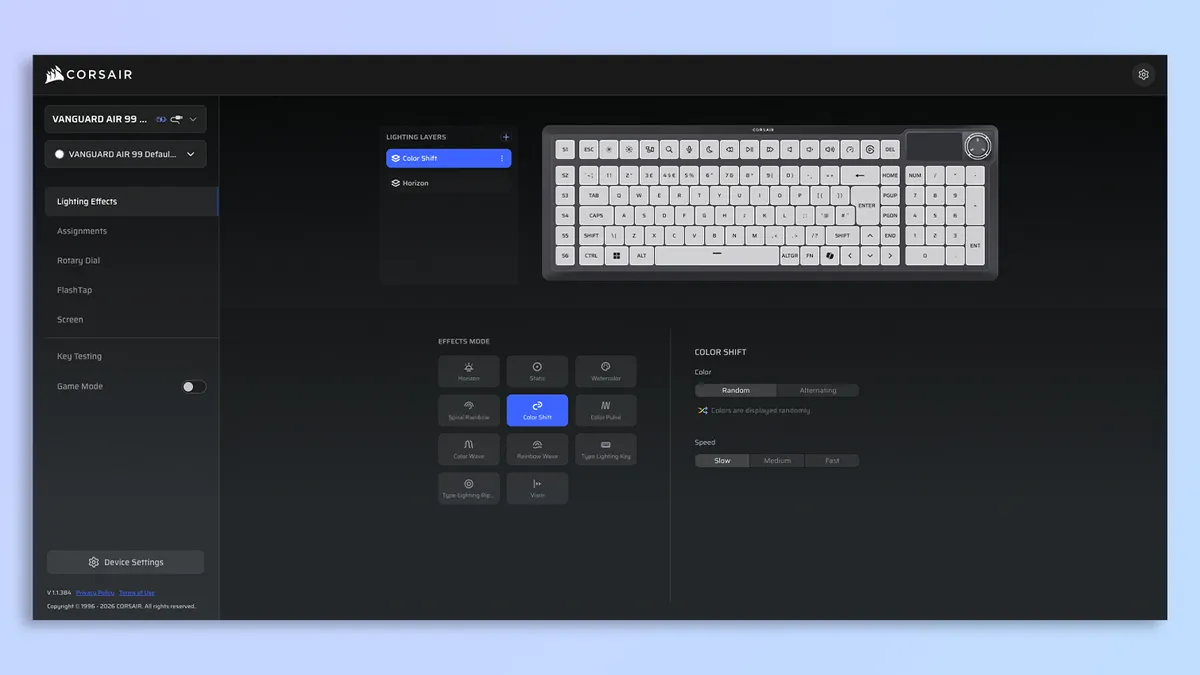
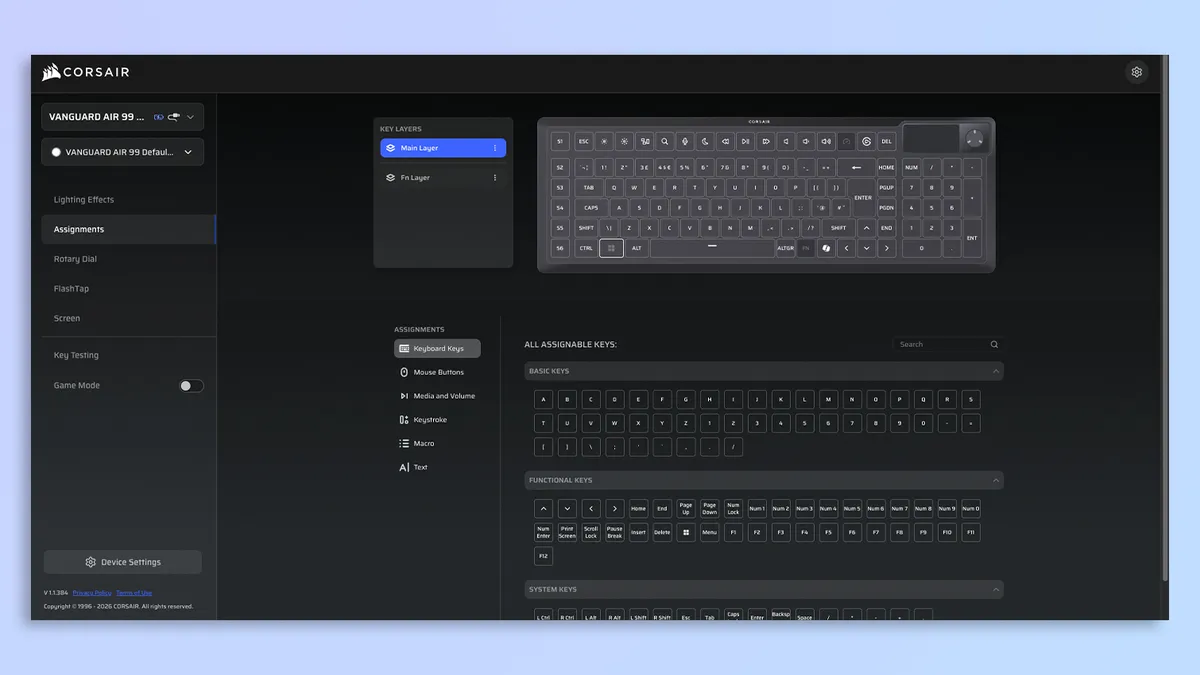
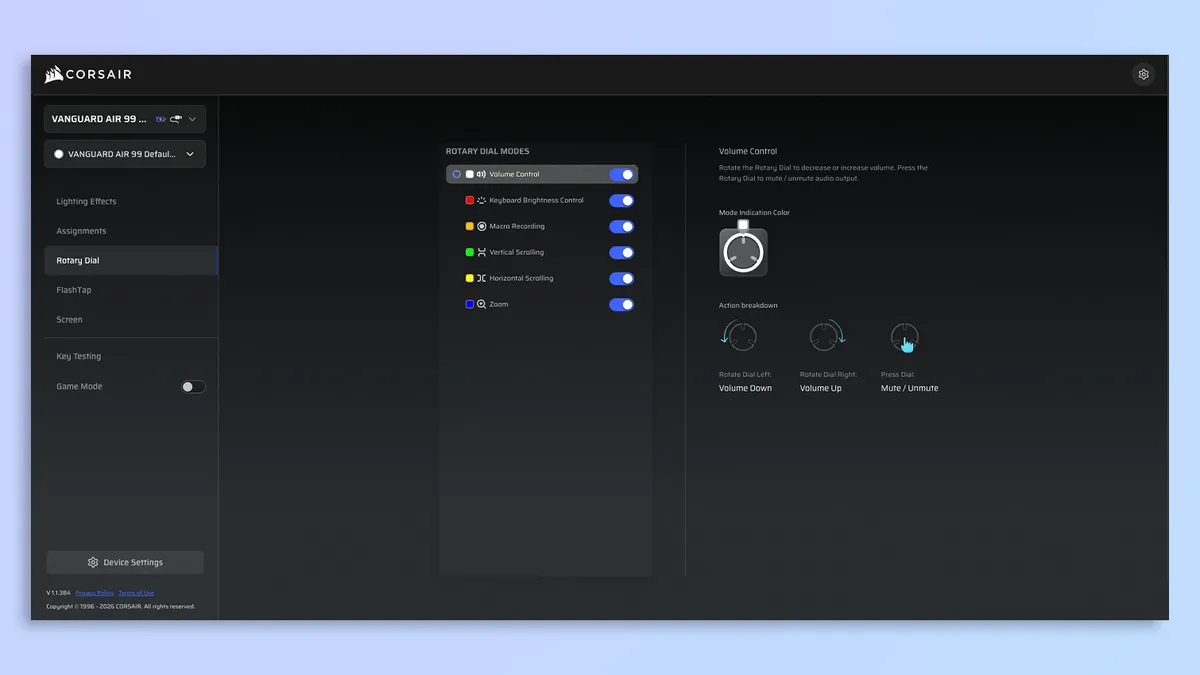
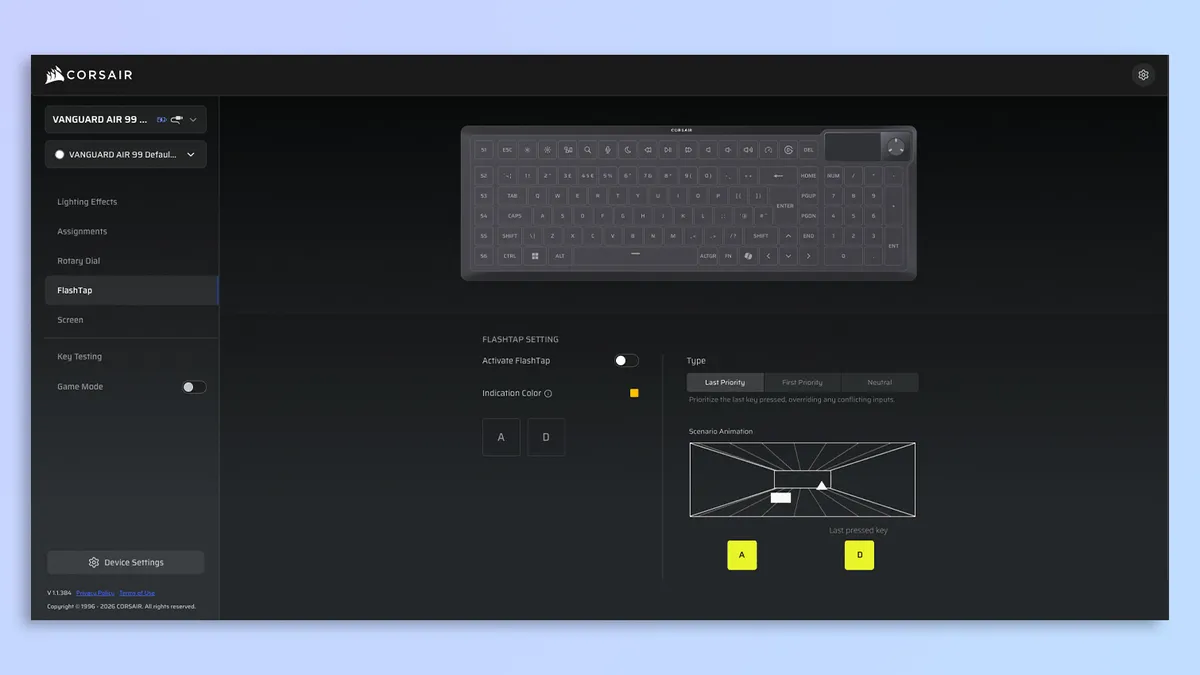


I love it when peripherals, including keyboards and mice, utilize web-based software for customization. It saves me from downloading bloatware and third-party software. The Corsair Vanguard Air 99 Wireless is accompanied by the web-based Corsair Web Hub, and to personalize your keyboard, all you need to do is plug it into your machine and you’re good to go.
Corsair Web Hub features a clean and user-friendly interface, and there are no intrusive pop-ups or obnoxious ads to ruin the user journey — unlike some proprietary software (looking at you, Asus Armoury Crate). With Corsair Web Hub, you can remap the keys, record macros, enable features like FlashTap, update or flash the keyboard’s firmware, and extensively adjust the RGB lighting. You can also upload GIFs (under 2MB) to display on the screen, which I found very easy to do, and within seconds, Kathryn Hahn from Agatha All Along was on the Air 99 Wireless.
Corsair Vanguard Air 99 Wireless review: The downs
Unfortunately, the Corsair Vanguard Air 99 Wireless has considerable flaws, such as the low-key useless screen, underwhelming battery life, finicky Stream Deck support… and that price tag.
Screen could be more useful
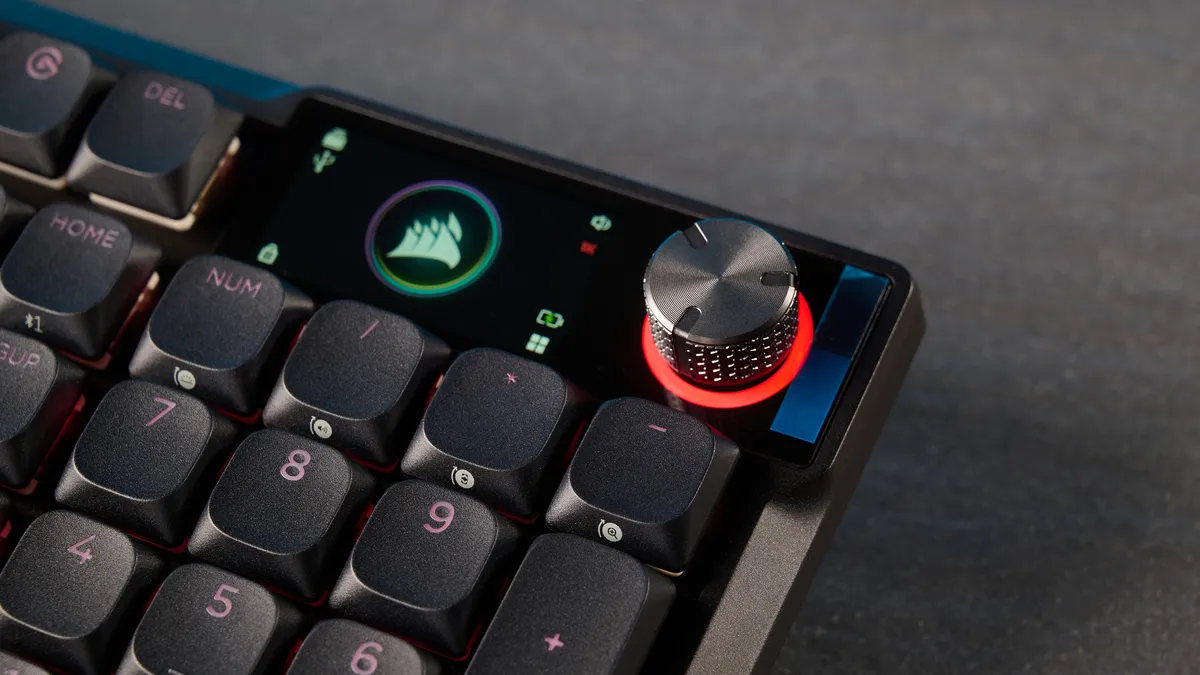
Small TFT, LCD and even OLED screens have become a commonplace occurrence on keyboards. I’ve seen them on the Epomaker RT100 ($115), the Hexgears Immersion A3 TKL ($129) and the Razer BlackWidow V4 Pro 75% ($299), to name a few. It’s then not surprising that Corsair has added a 1.9-inch LCD IPS display to the Vanguard Air 99 Wireless too. Screens on keyboards can be quite useful as they enable you to change certain settings on the fly — which is why it pains me to say that the Air 99 Wireless’ is so user-unfriendly.
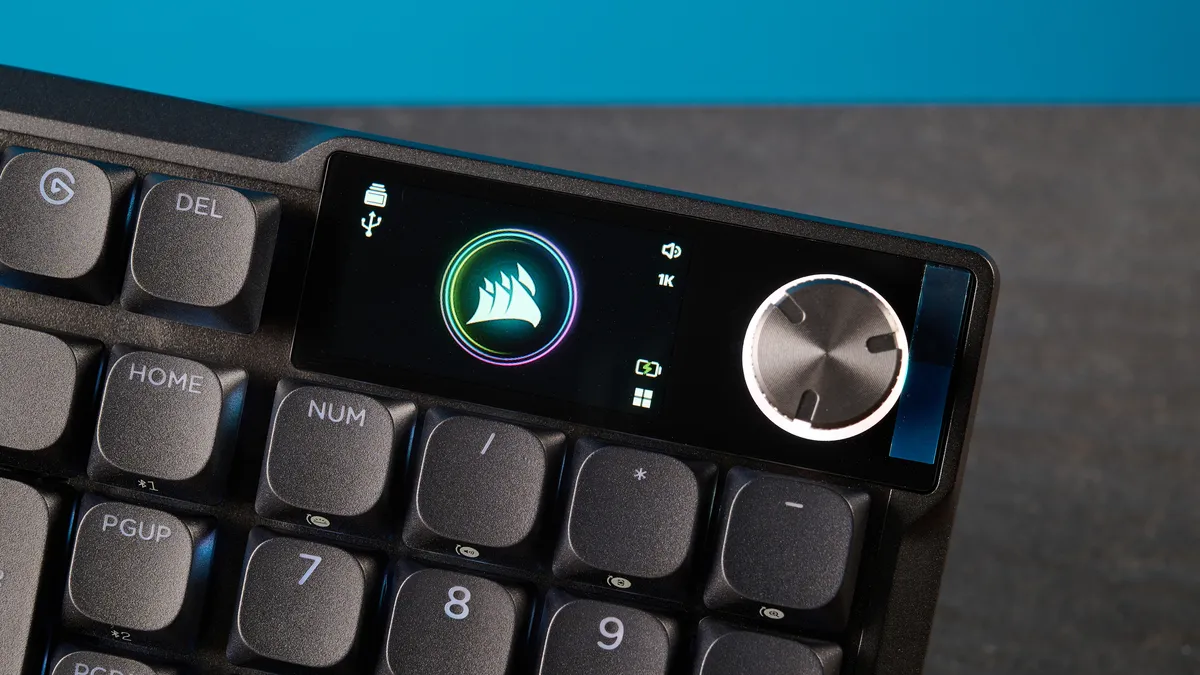
The screen itself is bright and responsive, but I’d be lying if I said it was easy to use. Instead of using the metallic rotary knob to swap between, say, RGB brightness and volume, you have to use a number of key combinations to access different settings. For example, to adjust the backlighting, you need to hold Fn and Num together and then rotate the dial. Why make it so complicated, Corsair?
To give you some context, adjusting settings is much easier to do on a keyboard like the Hexgears Immersion A3 TKL (the one I use when I work from home). All you need to do is push the dial up and down to access different settings. Simple, as it should be. I’ve found the screen only to be useful for seeing how much battery is left, and displaying a GIF, which I spoke about earlier. Other than that, the screen’s fairly pointless, and it’s a massive battery sink.
Poor battery life
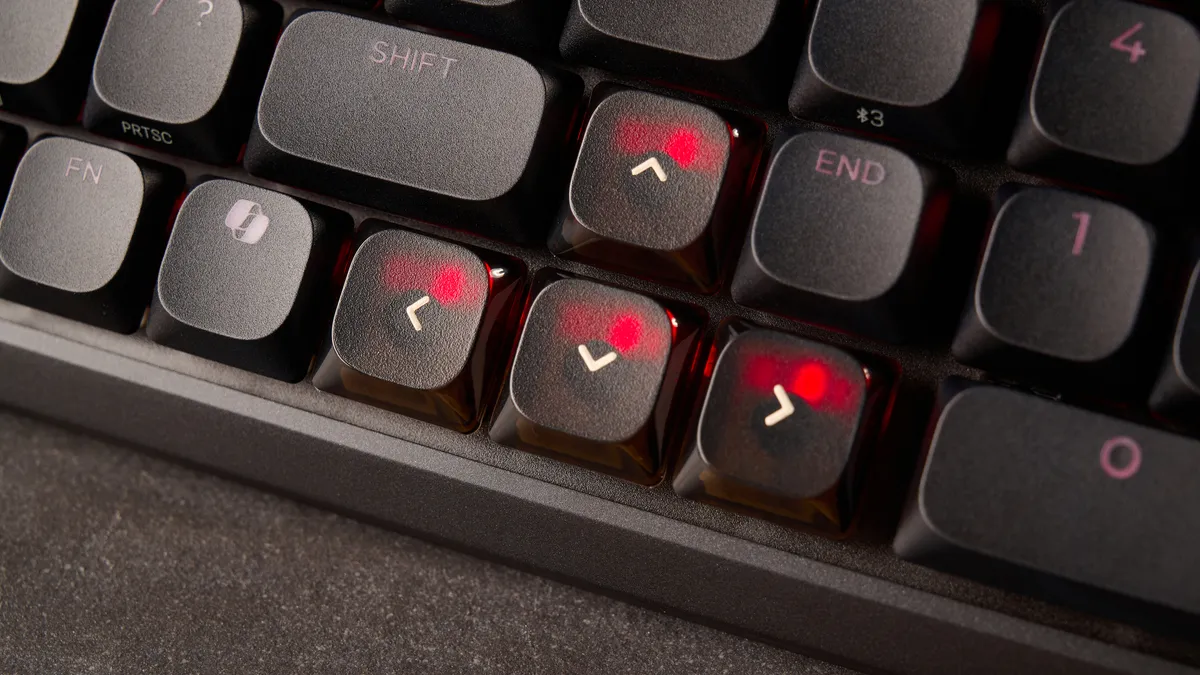
This brings me to my next point: the Corsair Vanguard Air 99 Wireless’ poor battery life. The keyboard is fitted with a rechargeable Lithium-ion polymer battery, and Corsair says that with the LCD screen set to 20% brightness and the RGB lighting off (over Bluetooth), the keyboard can last up to 55 hours. Crank the RGB brightness up and set the LCD brightness to 20% (over 2.4GHz), and you’re looking at a runtime of 29 hours.
In my testing, I set the RGB and LCD brightness to 100% and they chewed up the battery life, and I was able to get just about 20 hours. I won’t sugarcoat it: this is bad. Given how much you’re paying for the Air 99 Wireless, you’d expect more. The Cherry XTRFY MX 10.1 Wireless can last up to 900 hours in total, while the cheaper Keychron V1 Ultra 8K can last up to 660 hours. I’m not angry; I’m just disappointed.
Finicky Stream Deck compatibility
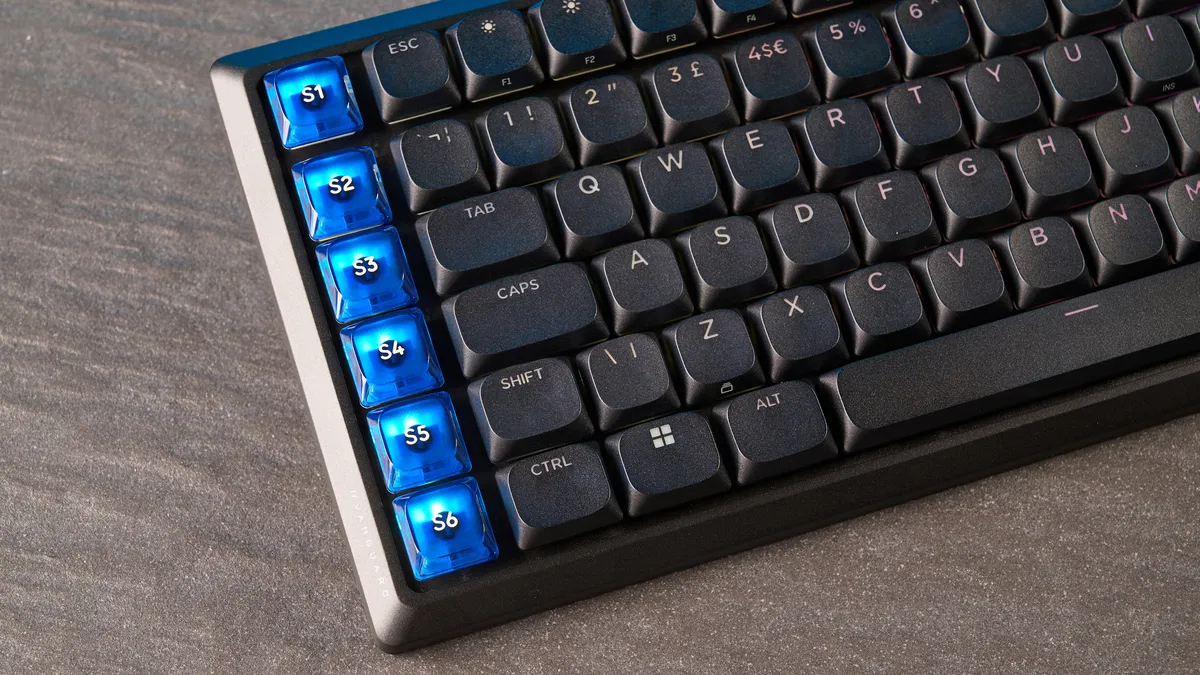
If you look at the left-hand side of the Corsair Vanguard Air 99 Wireless, you’ll find a row of six programmable SD keys powered by the Elgato Stream Deck app. The keyboard packs built-in Stream Deck support, and if you download the software, you can assign specific functions and hotkeys to said row.
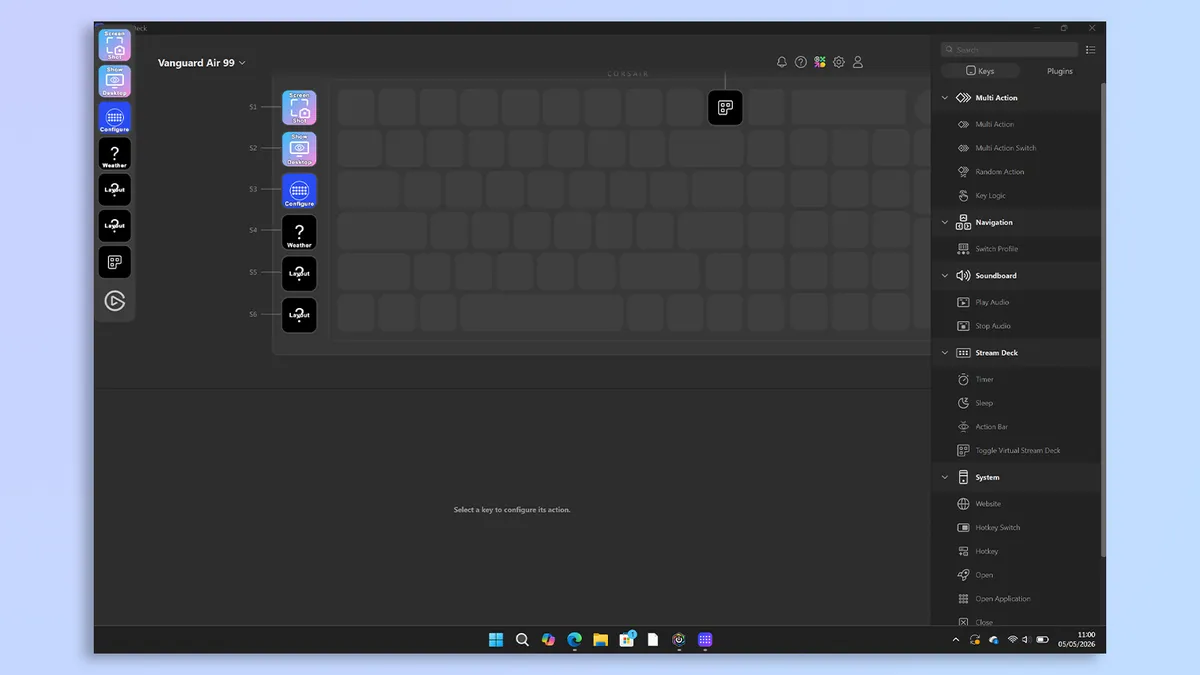
In theory, this sounds useful as you can launch whichever app you like with the tap of a button. In practice, I didn’t find it so straightforward. I was able to program the keys at first, but when I plugged the keyboard in and booted up the software, the Stream Deck had forgotten I’d done this before. This was rather disappointing because it could have really streamlined my workflow, but instead, I was left feeling short-changed and frustrated.
Overpriced
Last but not least, the Corsair Vanguard Air 99 Wireless is expensive, and it’s frankly overpriced, given that you’re getting suboptimal battery life, a not-very-useful screen that eats up said poor battery life, and finicky Stream Deck compatibility. The Air 99 Wireless retails for a whopping $259 / £239 at Amazon.
Yes, it costs either the same or more than more advanced Hall Effect decks today, like the Lemokey P1 HE ($169) or the Keychron Q6 HE 8K ($239). Of course, you might be after a mechanical deck with lovely mech switches, but even so, I don’t think you need to spend more than $200 on a competent one. The Lofree Flow Lite100 ($139) and the NuPhy Node100 ($109) are fantastic, cheap alternatives, and while you’ll be missing out on 8,000Hz polling, 1,000Hz is more than plenty for most games.
Corsair Vanguard Air 99 Wireless review: Verdict
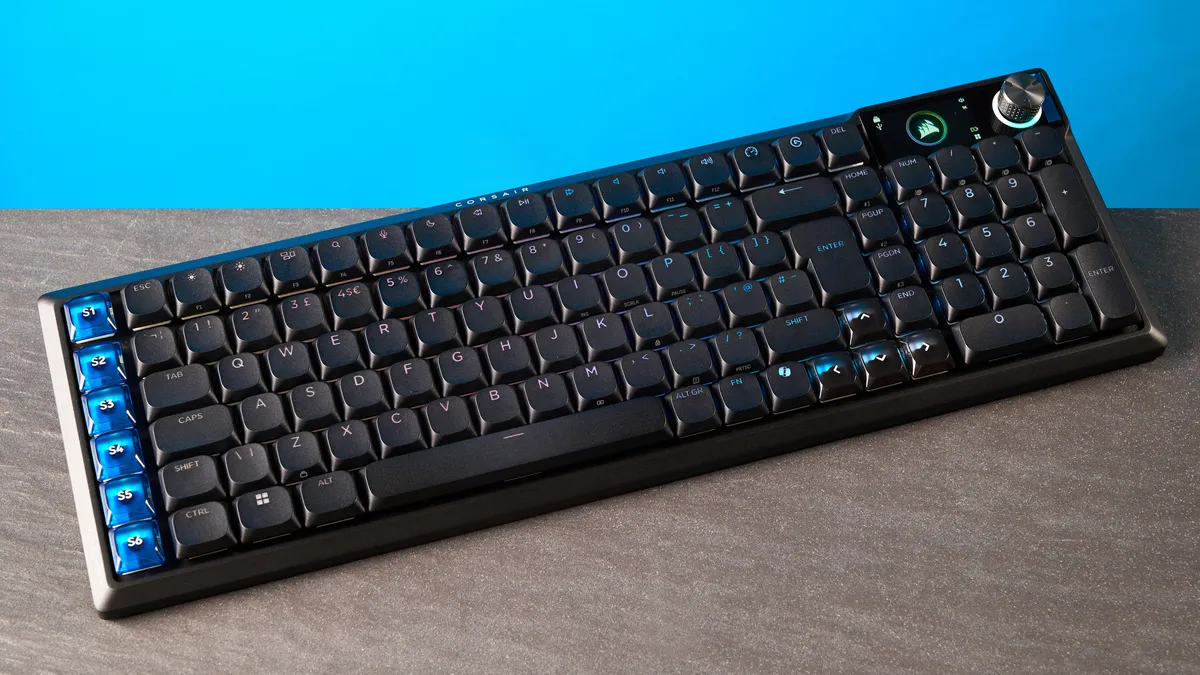
The Corsair Vanguard Air 99 Wireless is a masterpiece of design and performance, unfortunately marred by frustrating functional oversights. Typing and gaming performance are outstanding thanks to the response switches, 8,000Hz polling, and features like FlashTap. Intuitive, bloatware-free web-based software makes customizing the keyboard a walk in the park, too.
But the experience stumbles when you look past the aesthetics. While the integrated screen is bright and fun to display a GIF on, it doesn’t have much utility, and adjusting settings via key combos is frustrating. It also significantly impacts the already-struggling battery life, and the touted Stream Deck integration proved unreliable in my testing.
It’s very difficult to look past these glaring issues when the keyboard costs a whopping $259. If you prioritize raw performance and desk aesthetics above all else, the Air 99 Wireless isn’t a bad choice. But those after a polished, hassle-free daily driver will want to explore other options.

