Tom's Guide Verdict
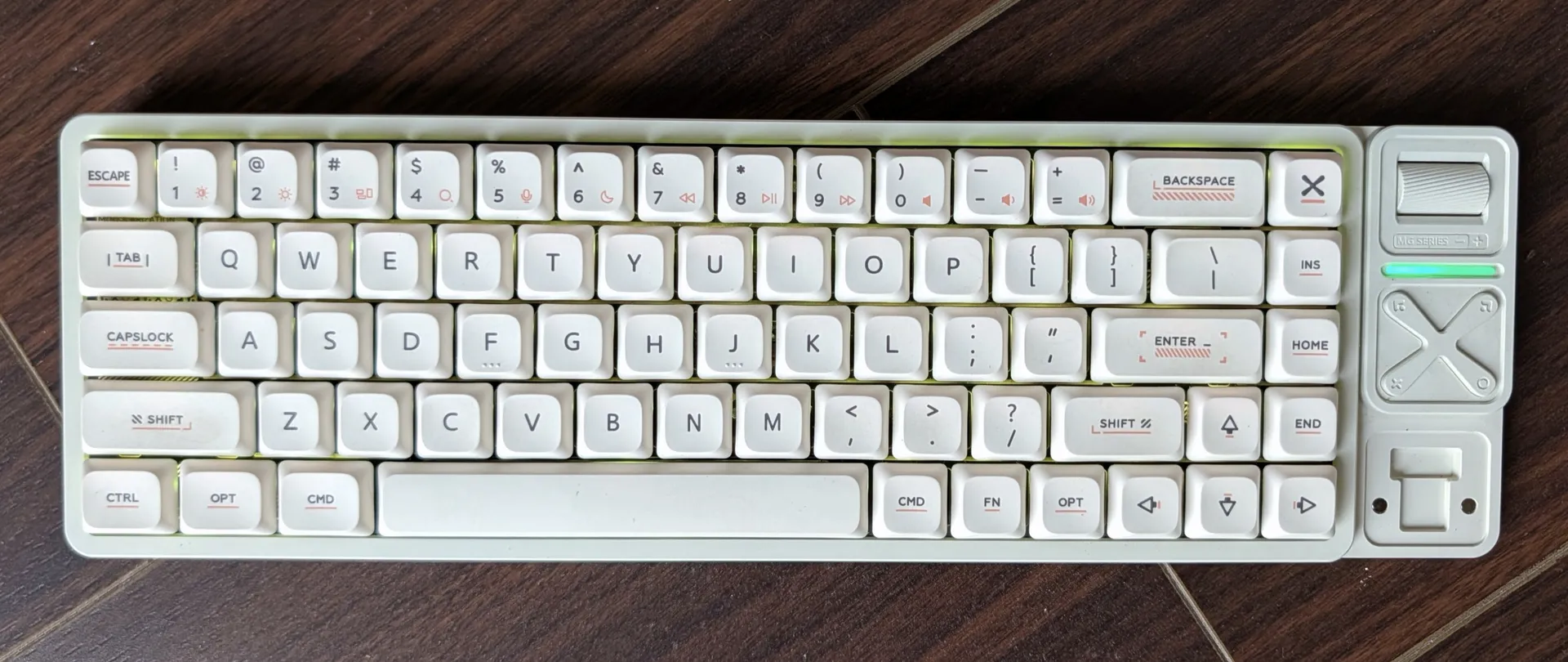
The IQUNIX Magi65 Pro bridges the gap between traditional mechanical heft and low-profile practicality. At $139, its aluminum chassis punches above its weight, paired with a useful media deck and clean acoustics that won't get you glaring looks in an open office. However, you’ll have to make peace with a flat typing angle and a battery life that nosedives as soon as you turn on the RGB lights. But if you want tactile satisfaction without the typical clatter, the Magi65 Pro is a reliable daily driver.
Reasons to buy
- +
A solid, clean aluminium build
- +
Satisfying tactile keys without being too loud
- +
Customizable media pad
Reasons to avoid
- -
Non-adjustable typing angle
- -
Confusing customization and key combos
- -
Poor battery life when RGB lights are on
Why you can trust Tom's Guide Our writers and editors spend hours analyzing and reviewing products, services, and apps to help find what's best for you. Find out more about how we test, analyze, and rate.
Since I switched to mechanical keyboards, my desk is often occupied by a pile of them. You see, I’ve struggled to stick to a mechanical keyboard for more than a few months.
On one hand, traditional, full-size models are loud and slow me down, and on the other, the quiet alternatives feel too soft and just aren’t as satisfying to type on. Over the last few weeks, I’ve been testing IQUNIX's Magi65 Pro, and it may be here to stay.
IQUNIX is a Chinese keyboard maker that has carved out a niche for itself with a variety of standout, high-quality designs. Its Magi Pro line of keyboards is unlike anything I’ve tried before, and pairs together a unique combination of elements for a sleek balance between typing experience and functionality.
Its flat, low-profile keys are quiet, without compromising much on travel, and a panel on the right houses a dedicated volume roller, X-shaped media controls, a magnetic slot for the 2.4GHz dongle, and, surprisingly, a pulsating accent light bar.
At $139, the IQUNIX Magi65 Pro could become the new, default option, especially for first-time mechanical keyboard buyers.
Design and Build
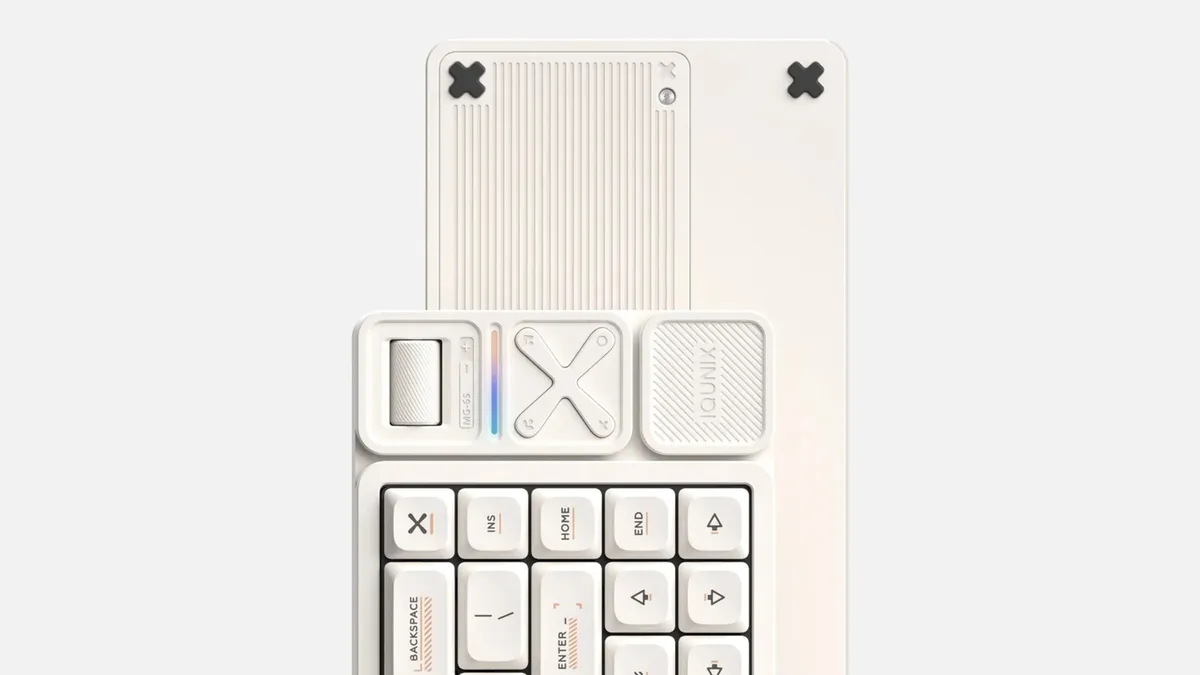
As soon as you unbox the Magi65 Pro, you’re reminded of the onus IQUNIX has on premium materials. Its accessory kit includes additional keycaps for macOS/Windows and a handful of decorative ones, two of which are metallic. You’ll also find in there an aluminium keycap and switch puller and a braided USB-C-to-A cable.
IQUNIX's Magi65 Pro is a 65% low-profile mechanical keyboard, but you can opt for larger sizes, like 75% and 95%. There’s a cheaper, non-Pro version, as well, that omits the media pad altogether for an even more compact form factor.
The Magi65 Pro’s chassis is made out of an aluminium alloy, which not only looks nice and clean, but also has the structural heft that anchors it to surfaces and enables a sturdy and stable base for you to type.
Though it sits on a slightly elevated tray, the Magi65 has a flat typing angle because of the slim 11mm base height. Plus, with no adjustable feet, the design doesn’t, at first, feel conducive to a smooth typing experience.
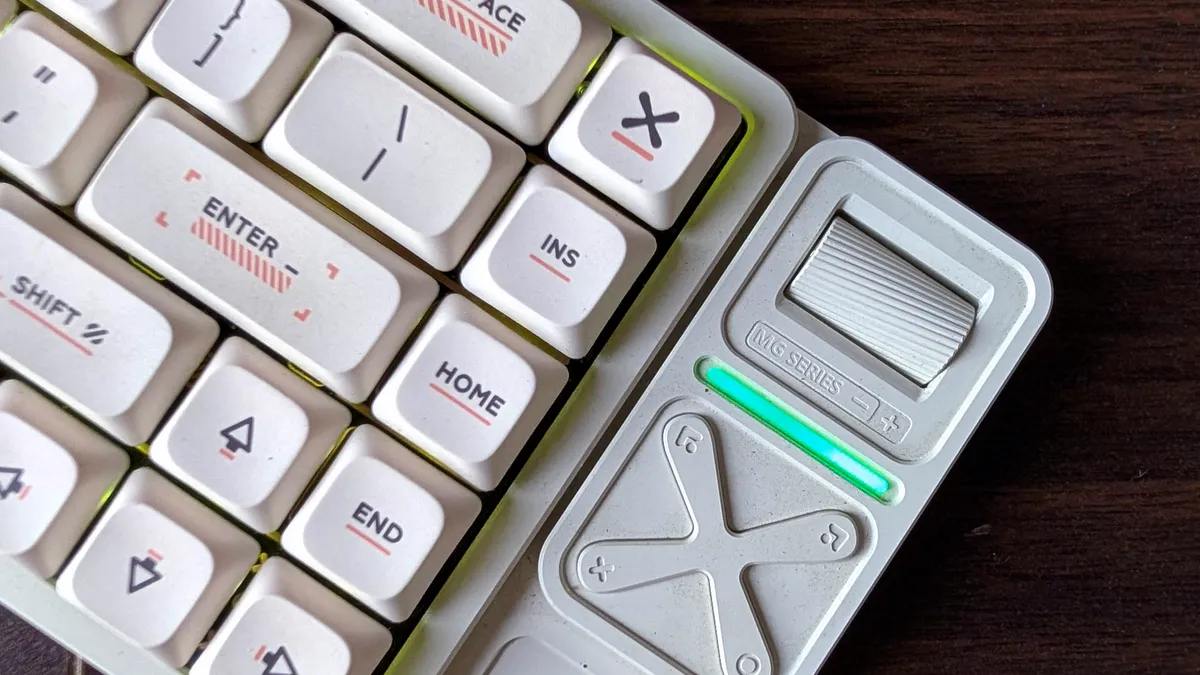
However, I got used to it quickly, thanks in part to the smooth Gold Red switches and the equally flat keycaps. Speaking of which, I liked that the keys have an anti-oil coating, which keeps them clean and resistant to wear and grease, even after prolonged use.
That said, while the raised base worked well for my office desk, a pair of adjustable feet would have made the Magi65 far more versatile in varying conditions. Also missing is a separate on/off toggle, and you instead have to rely on a combination of keys, a design choice particularly annoying when you are new to it.
What sets apart the Magi65 Pro’s design from other keyboards is its media panel. I was surprised to find how thoughtfully each component is made to fit its purpose.
The scroll wheel for volume, for example, has a ridged and grippy texture for more precise control, the four-way pad features firm and tactile buttons, and the housing for the wireless receiver has a magnetic cover you can easily lift and place back on.
Though I largely ended up using these as fidget toys, you can get more value out of them by personalizing their actions and assigning them to custom functions.
Typing experience, sound, and software
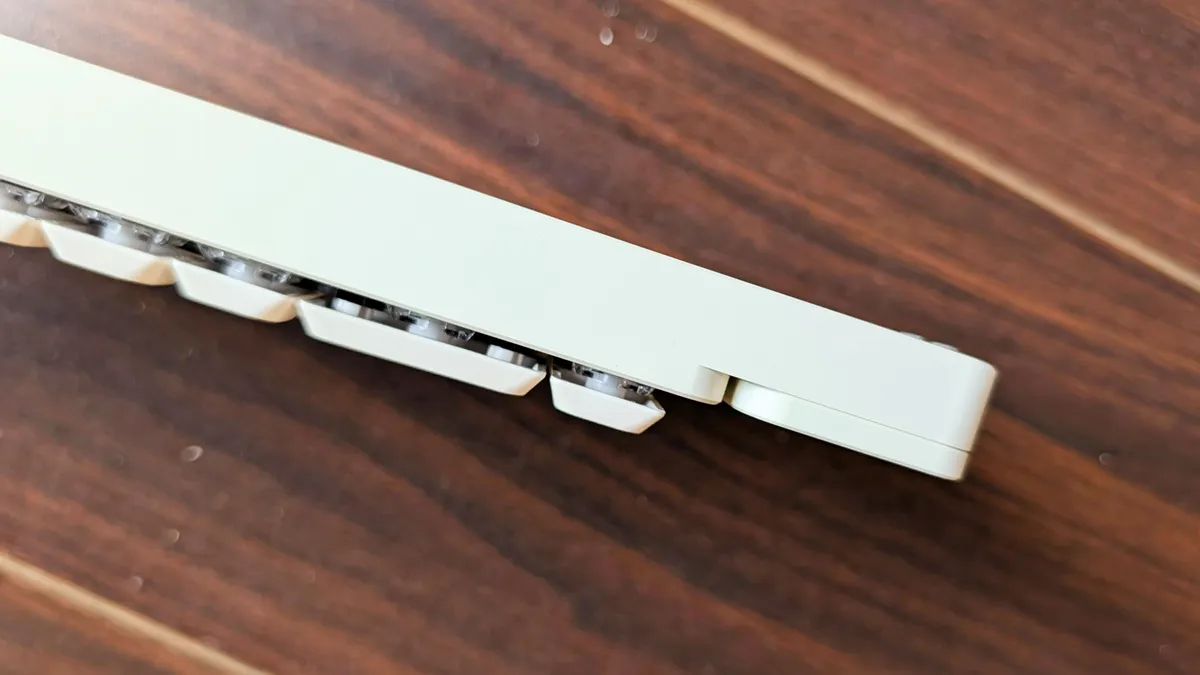
The Magi65 Pro’s low-profile keys offer the best of two worlds: they have a satisfyingly tactile and bouncy response, and since they are not traditional full-height ones, they are not as loud, and I didn’t have to work too hard to hit my best typing speeds.
In the weeks I’ve been testing it, the Magi65 Pro has been a joy to use and will suit those who are looking for a premium mechanical keyboard, minus the typical compromises, especially in workplaces.
For software, IQUNIX has resorted to the open-source, web-based program called VIA. From here, you can tweak the Magi65 Pro as you wish, from switching up what each key does, how intense the RGB lighting is, and the media pad’s functions.
However, for first-time mechanical keyboard owners, VIA can prove frustrating. It often throws technical errors, in which case you’ll have to track down and upload a JSON file that informs VIA exactly how your specific keyboard is laid out.
Once I had that up and running, though, customizing through VIA was a breeze, and much better than learning the key combinations needed for, for example, RGB personalization.
Connectivity and battery life
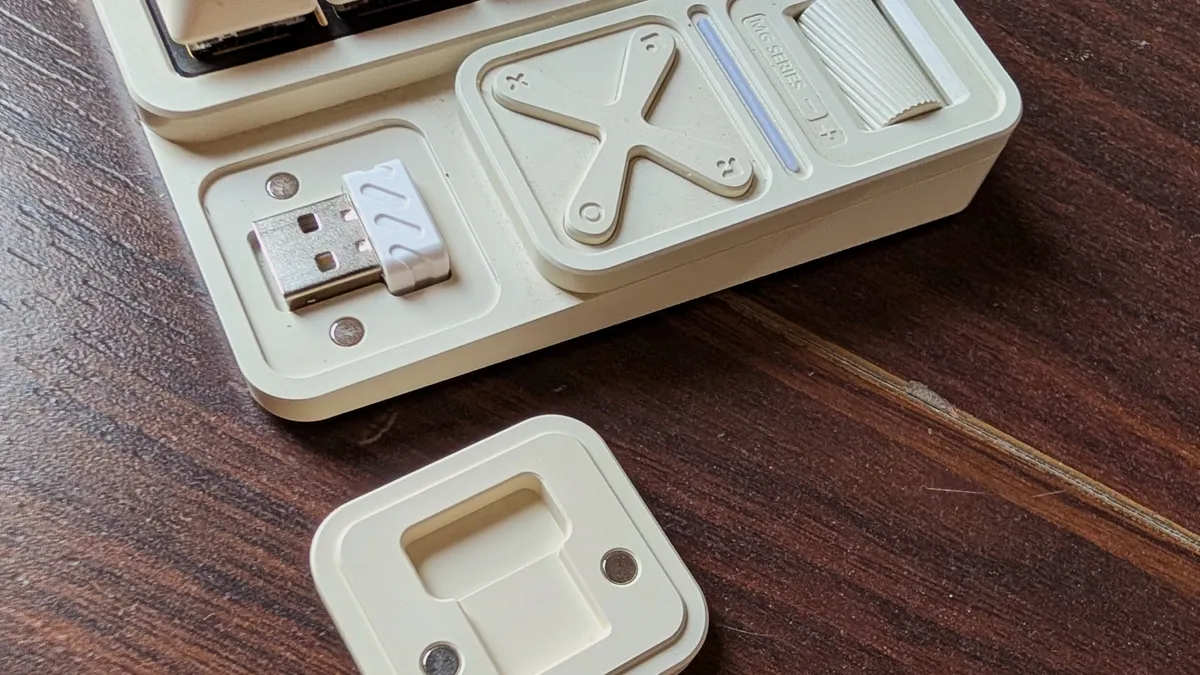
The Magi65 Pro supports wired and wireless connections (both 2.4 GHz and Bluetooth 5.1), and you can have all three active at the same time and switch between them. Connectivity worked as intended, with no noticeable drops or wakeup delays.
Battery life, on the other hand, was a hit and a miss. With RGB lighting on, the keyboard’s 3000mAh pack lasts a workday and no more than 6-7 hours. Switching it off, however, pushes its endurance into triple-digits, about 250-300 hours. While it does aggressively go into standby when not in use, I still found myself charging it every other day when the lights were on.
Verdict
I was apprehensive about the IQUNIX Magi65 Pro, largely due to its low typing angle, and though it wasn’t without its quirks, it didn’t take long for it to occupy a permanent spot on my desk.
It perfectly pairs the convenience of a low-profile board with the tactile satisfaction of a traditional mechanical one. Throw in the added perks, like the customizable media pad and an aluminium chassis, and the $139 IQUNIX Magi65 Pro is hard to fault.