




Forget Apple Studio Display — this monitor is $400 cheaper and delivers a stunning 5K picture, great colors and a killer 'Hotkey Puck'

As someone who uses a MacBook Air M2 for work and a MacBook Pro M1 for personal use, I've always been envious of people with the Apple Studio Display. After all, it looks good and it packs performance in spades. But the more I review monitors, the more I realize, I don't need an Apple Studio Display, especially as it's quite expensive and a little out of my budget. The solution? A third-party monitor with exceptional Mac compatibility, and there are few options better than the BenQ Creative Pro PD2730S.
BenQ is a well-known brand in computing circles, and it's the brains behind some of the best monitors you can buy today, one of them being the PD2730S. I've thoroughly lab-tested it and used it for the better part of two weeks for everyday productivity, and the results are in: it's glorious. Pretty Delightful, really, and no other monitor has streamlined my workflow as much as the PD2730S has.
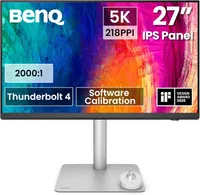
Hosting a plethora of productivity-focused ports, many photo editing features and color modes, as well as being accompanied by a handy control accessory, there are many things to love about the PD2730S. Though it's a little expensive, it's $400 cheaper than the base Apple Studio Display, making it a fantastic alternative for Mac users.
A simply stunning 5K panel
My favorite thing about the BenQ Creative Pro PD2730S is its gorgeous 5K panel. It's bright, colorful, and features an anti-reflective coating to protect your eyes from glare. In my lab tests, the PD2730S achieved a peak brightness of 382 nits, which dropped to 346 in HDR (window size 100%). While that might sound like a lot, in real-world usage, I had no issues seeing everything on the screen in exceptional clarity, even in a brightly lit room.
But color coverage and accuracy is where the PD2730S truly comes into its own. Colors appear extremely accurate, bright, vivid and detailed, which is crucial to me as someone who reviews the best cameras and the best drones. My lab testing further confirmed what I was seeing on screen. You can scroll through the results in the table below.
| Header Cell - Column 0 | sRGB |
DCI P3 |
Delta E |
|---|---|---|---|
BenQ Creative Pro PD2730S |
104.90% |
98.30% |
0.1 |
147% |
104.10% |
0.16 |
|
174.8% |
123.8% |
0.26 |
|
121.3% |
89.5% |
0.2 |
|
Apple Pro Display XDR |
106.7% |
75.6% |
0.2 |
131% |
97% |
0.15 |
As you can see, the PD2730S covers 104.9% of the sRGB gamut and 98.3% of the DCI P3 space, and it even crushes the much pricier Apple Studio Display XDR and the Apple Pro Display XDR in the DCI P3 color space! The PD2730S' Delta E score of 0.1 is also slightly better than both Apple displays, which means that the monitor relays colors extremely accurately (the closer the Delta E score to zero, the better).
Overall, the PD2730S hasn't given me anything to complain about when it comes to how it displays colors — and that's one of the many reasons why it earned 4.5 stars from me in my full review.
Streamline your workflow
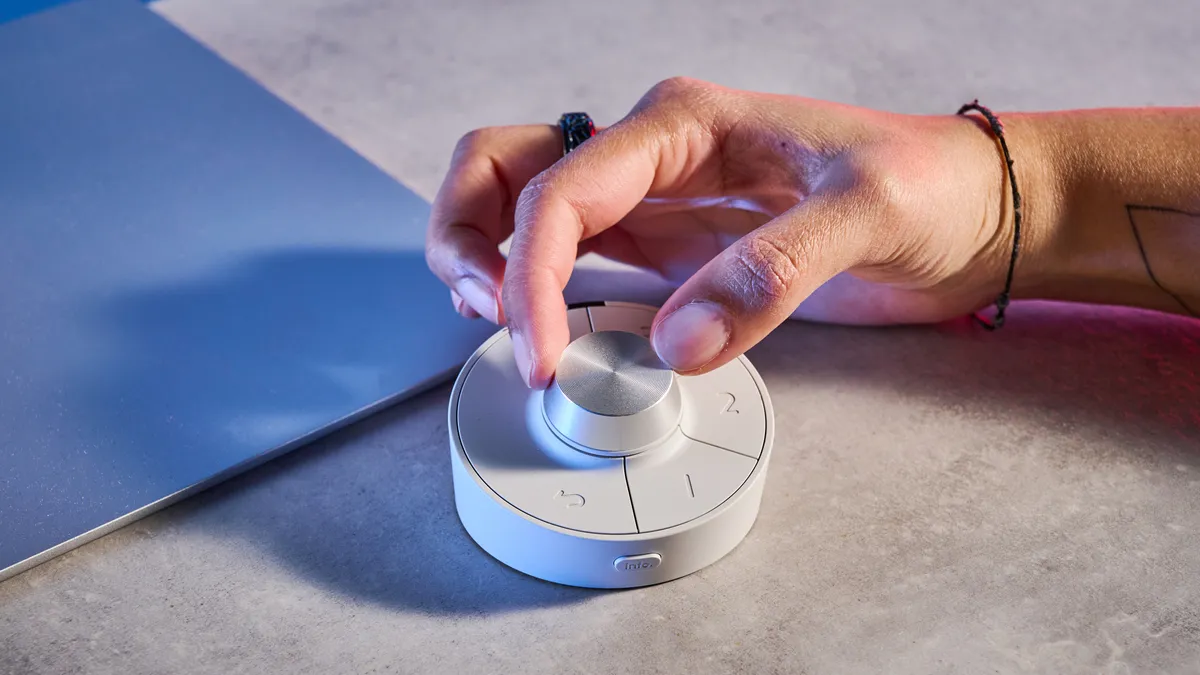
I won't lie: I love a good accessory when it's not just a gimmick and is actually useful. BenQ includes what it calls a Hotkey Puck with the Creative Pro PD2730S, and it's essentially a controller that gives you quick access to the monitor's settings.
There's a scroll wheel and a few buttons which can be customized to access color modes, input, DualView and even app launch. If you frequently swap between color spaces, this accessory would be a boon for you.
Also in the PD2730S' arsenal is its range of photo editing features. You get sRGB, Display P3, DCI P3, Rec.709, HDR, and even a Darkroom mode. Oh, and there's a CAD/CAM mode for product designers; an Animation mode for game designers; and the aforementioned DualView mode which displays designs side-by-side to streamline your workflow.
Having used the Hotkey Puck (and I love that pun) and the monitor extensively, I don't know how I've gone so long without it — and it will be an uphill battle for any other productivity-first monitor to upstage the PD2730S.
You've convinced me: where can I buy it?
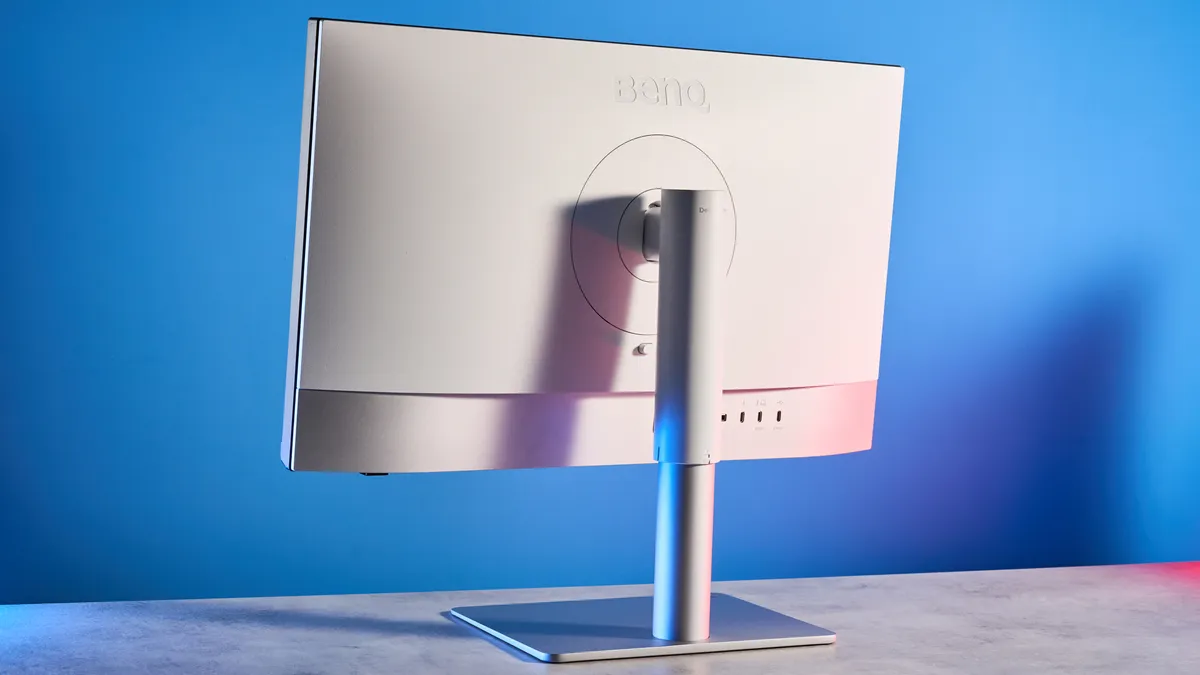
So, you want to buy the BenQ Creative Pro PD2730S: great! The monitor is available for $1,199 / £988 at Amazon, and you even get a 12-month subscription for Pantone Connect Premium, a mobile app for color matching on the go. Given that the Apple Studio Display starts at $1,599, the PD2730S feels like a much cheaper, perhaps even better, investment.
Of course, it won't be for everyone. The monitor's lack of a dedicated Adobe RGB color mode sticks out like a sore thumb, as it limits its use for photographers who print. Adobe RGB covers a wider range of colors used by CMYK printers versus sRGB, so colors may not appear as accurate when you're going to print them.
But in the grand scheme of things, the PD2730S doesn't really have many other flaws, and if you can get over the lack of Adobe RGB, I'm confident you'll be extremely satisfied with all the other goodies the monitor has to offer.

Follow Tom's Guide on Google News and add us as a preferred source to get our up-to-date news, analysis, and reviews in your feeds. Subscribe to Tom's Guide on YouTube and follow us on TikTok.
More from Tom's Guide
- I just tested this 5K Mac monitor that's $400 cheaper than the Apple Studio Display — and it offers vivid colors, excellent accuracy, and streamlines your workflow
- I ditched my dual-monitor setup for a single 40-inch ultrawide — and two screens aren’t better than one
- I've tested 100 monitors and these are the best ones for work, gaming and everyday use

