Early Verdict
The Lofree Hyzen offers dual mechanical/magnetic compatibility, and not just in the socket, but the switches themselves, too! It's currently in Kickstarter, but will retail for an enormous $279 MSRP when it launches fully. Based on my early access sample, I would advise holding off until full production at least. My review samples demonstrated QC issues, janky software and issues with the mechanical switch mode. Sure, it's dashingly pretty, lovely to type on, and excellent for gaming... but you want a board that fully works, right?
Reasons to buy
- +
Dual MX/Magnetic socket
- +
Dual MX/Magnetic switches
- +
Stunning looks
- +
Great to type on
- +
Lots of gaming features
Reasons to avoid
- -
Early QC issues
- -
Janky software
- -
Mechanical switch issues
- -
High MSRP
- -
In Kickstarter
Why you can trust Tom's Guide Our writers and editors spend hours analyzing and reviewing products, services, and apps to help find what's best for you. Find out more about how we test, analyze, and rate.
I admire Lofree for making the Hyzen, the brand’s new dual mechanical/magnetic keyboard. Dual-socket boards are ambitious enough in concept, let alone full scale production. So it’s a brave move from a manufacturer consistently struggling with its firmware, software and reliability.
However… first some context. The Lofree Hyzen isn’t the first gaming keyboard with a dual mechanical/magnetic switch socket. Glorious got there already with the socket on the GMMK 3 HE ($199). Lofree has gone a step further by designing (with Kailh) a dual MX/TMR switch to go in its clever socket.
Thus, claims Lofree, the Hyzen is a huge step forward, bundling into a single package both the typing performance of mechanicals and the gaming performance of magnetic switches. Now, I don’t think it’s as big a step as Lofree thinks it is, but the brand is onto something. And I think the Hyzen could herald some interesting possibilities ahead.
Unfortunately, while this board is in Kickstarter/pre-production, I can’t recommend you pre-order it. Both my Hyzen review samples suffer the usual Lofree problems: janky software and firmware, questionable quality control and a high price (the Hyzen is especially expensive, even for Lofree).
Almost all the other coverage I've seen about this board, especially on YouTube, seems overwhelmingly positive, and that just isn't the experience I've had so far. Find out more in my early Lofree Hyzen review.
April 28th 2026: Many of my issues may be explained by my units being pre-production models, which is why I’ve left this review un-scored for now. I’ve also reached out to Lofree to figure out whether these are known issues and if they’ll be fixed by full production. But when people are being encouraged to invest their money into a Kickstarter campaign, it’s my duty as a tech journalist to tell you all what I actually see in front of me.
Lofree Hyzen review: Cheat sheet
- What is it? A hybrid productivity/gaming keyboard with mechanical and magnetic switch compatibility
- Who is it for? People who love the feel of MX switches but want the gaming performance of magnetic
- What does it cost? It's currently in Kickstarter, but will cost $279 when launched
- What's good? The dual compatibility, styling, typing performance and gaming features
- What isn't? The number of QC issues on our units, the janky software, switch issues and high MSRP.
Lofree Hyzen review: Specs
Price |
Currently in Kickstarter, MSRP will be $279 (Tri-Mode) |
Switches |
Kailh Nexus TMR |
Keycaps |
Doubleshot PBT |
Construction |
Aluminum alloy |
Mount type |
Gasket |
Layout |
65%, 67-key |
Operating system |
Windows, macOS, iOS, iPadOS, Android |
Backlighting |
RGB |
Polling rate |
8,000Hz |
Connectivity |
Wired/USB-C/Bluetooth |
Battery capacity |
10,000mAh |
Measurements |
13 x 5.6 x 1.9 inches |
Weight |
4.1lbs |
Colors |
Silver; Gray |
Lofree Hyzen review: The ups
A dual compatible socket plus an innovative switch; gorgeous design and effortless typing — the Hyzen has a lot going for it.
Dual MX/magnetic compatibility
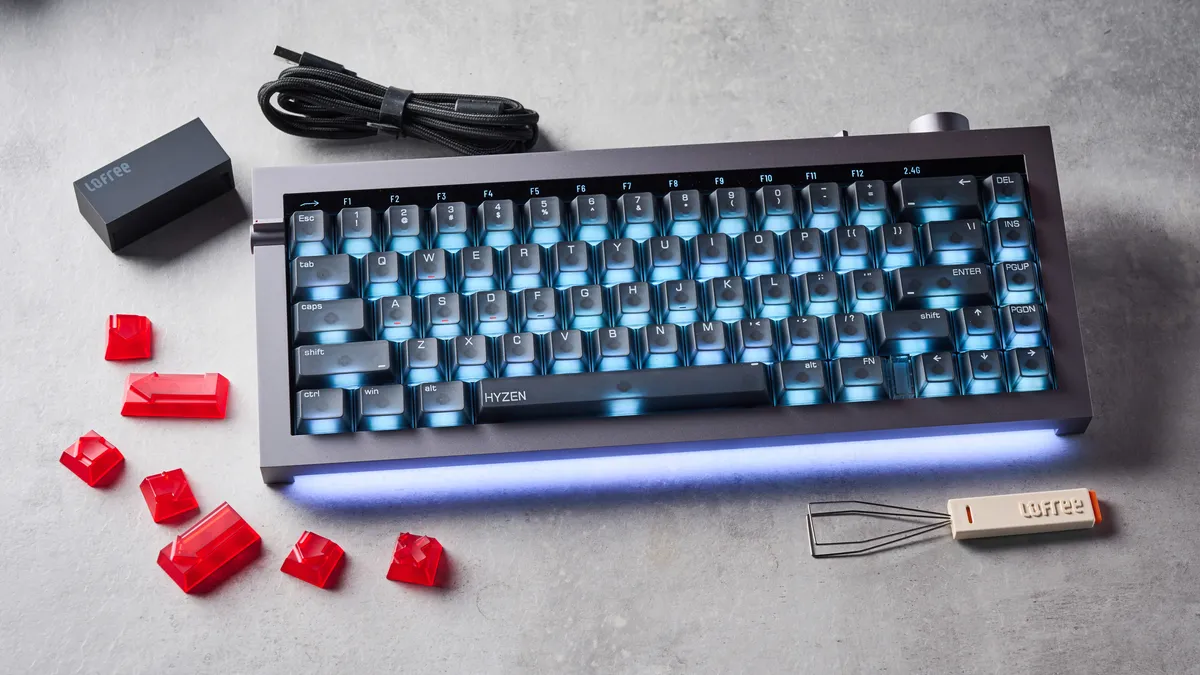
I’ll start off with the obvious: the Hyzen is compatible with both mechanical and magnetic switches. Its socket supports 3- or 5-pin mechanicals, so you can fit your favorite tactile or clicky switches. It also supports magnetic switches, and a decent variety of them, too. The Hyzen is compatible with the stock Kailh Nexus switches; Gateron’s Magnetic, Jade and Jade Pro lines; TTC’s Magneto switches; and more. All you need to do is recalibrate the board once you’ve fitted compatible switches.
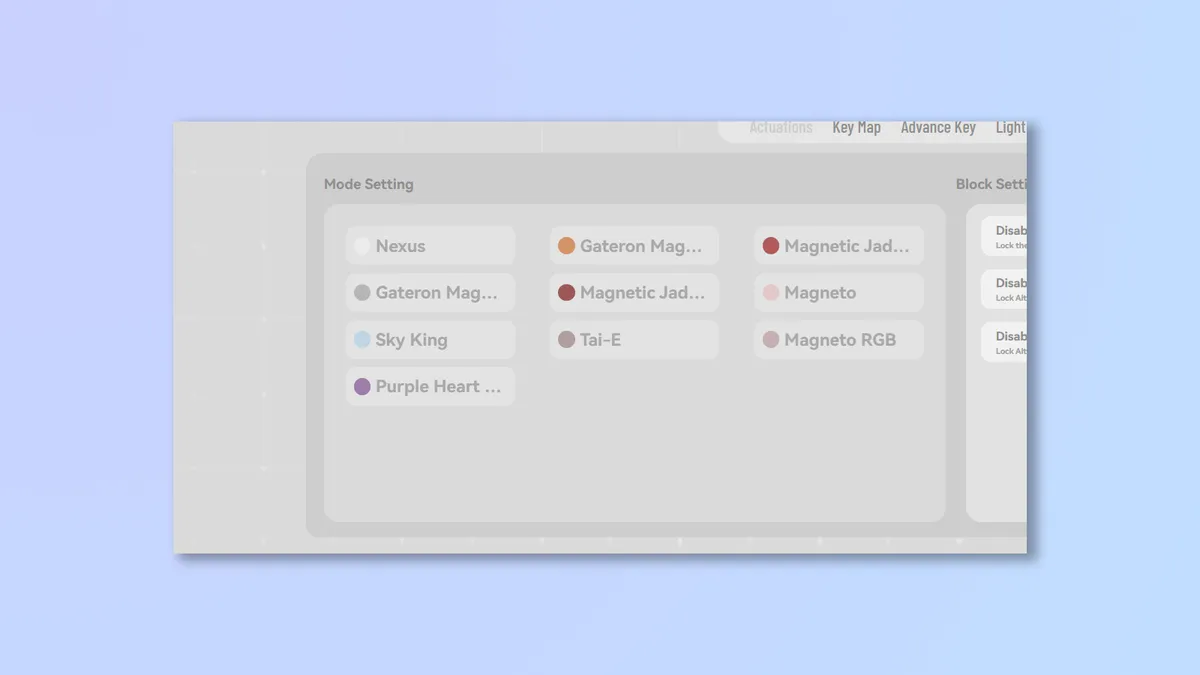
This is one of the most important points for me: many magnetic boards, like the Keychron K2 HE ($130), are compatible only with their stock switches. That means anywhere from 1-3 hot swap choices and little variation between those choices save spring weights. The Hyzen isn’t the first to expand on this, but it’s great to finally see wider compatibility coming to the market.
Innovative Kailh Nexus switch
Lofree didn’t just leave it at the socket, though. The stock Kailh Nexus switch (which Lofree co-designed with Kailh for this deck) is also dual MX/Mag in operation. Set it to mechanical mode in the companion software and the switch behaves like a mechanical switch, using contact-based actuation — you can see the mechanical pins sticking out the bottom of the housing!

Set it to magnetic, and the switch actuates based on magnetic positioning. In theory, this gives you the best of both worlds. The feel of mechanical with the features of magnetic. It’s a little pointless, though. It’s only the actuation detection that changes between the modes. The switches feel the same in either mode, so you might as well always leave them in Magnetic mode and choose the actuation distance you want.
They’re very nice to use, though — thanks to the moving stem and contact plate, they feel just like a traditional linear switch. And with a modest 40g actuation force, they’re fairly light and airy. Still, they don’t feel that different to standard linear magnetic switches.
Most importantly, I'm excited to see how this technology can be used in more switches going forward! So kudos to Lofree and Kailh for doing something new.
Plenty of gaming features
Supplied by: MSI | Tom's Guide
CPU: AMD Ryzen 7 7700X | Graphics card: MSI RTX 5070 Ti 16GB Vanguard SOC | Motherboard: MSI B850E Gaming Plus WiFi | RAM: Kingston Fury Renegade DDR5 32GB | Cooler: Noctua NH-U12S | PSU: MSI MEG Ai1300P PCIE5 | Case: MSI MPG GUNGNIR 110R
In their magnetic mode, the Nexus switches are great for gaming. You'll find plenty of the zeitgeisty magnetic gaming features we’ve come to expect from today's high end gaming boards — although not quite as many as you'll find on boards like the NuPhy Air60 HE ($139) and Field75 HE ($169), or the Lemokey P2 HE ($169) and its gamepad analog mode.
Still, the Hyzen has the big hitters like adjustable actuation, Rapid Trigger, Last Key Prioritization SOCD (A.K.A ‘Snap Tap’), and more. All of this is controlled through the Lofree Web Hub, which I’ll discuss in more detail below.
I lowered the switch actuation down to around 0.5mm for Counter Strike 2 — quick enough to be extremely responsive without running the risk of accidental inputs. I would normally drop lower, to around 0.3mm, but as I’ll cover later, the Hyzen had significant issues with accidental and repeated inputs at the lowest actuation distances. So I needed a decent (0.3mm) dead zone.
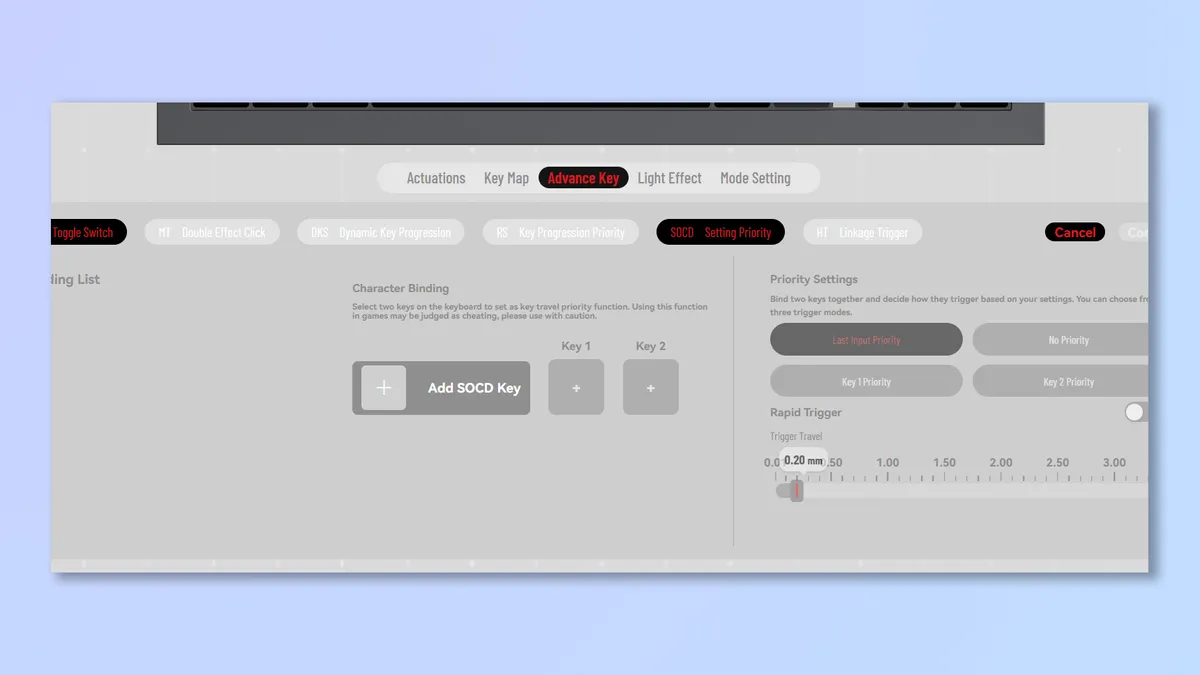
Still, at 0.5mm, the Nexus switches were super snappy and responsive, and a joy to use in FPS titles like CS2 and Isonzo. For less intense games like Kingdom Come Deliverance 2 and Cities: Skylines 2, I scaled the actuation back to my preferred typing distance of 2.6mm.
The Hyzen also polls at 8K, for super low latency. In real terms, you won’t notice a difference between a 1K board and an 8K board in terms of latency — 8K is essentially marketing snake oil. But hey, 8K is technically faster than 1K.
A mean productivity machine
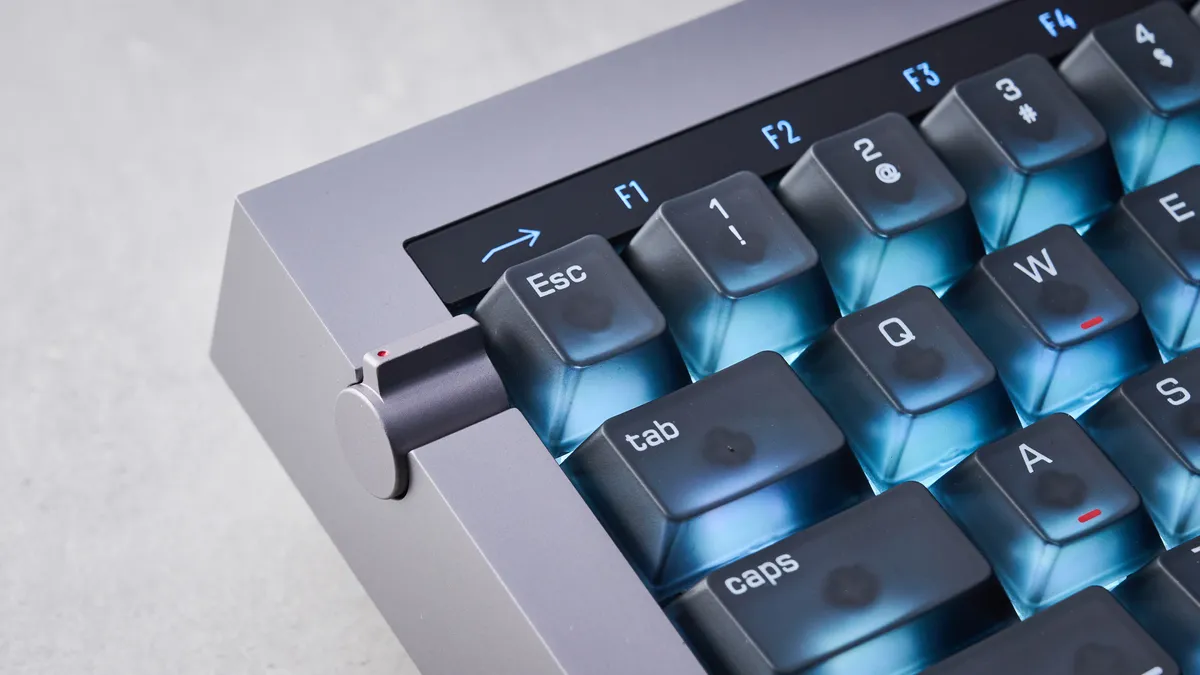
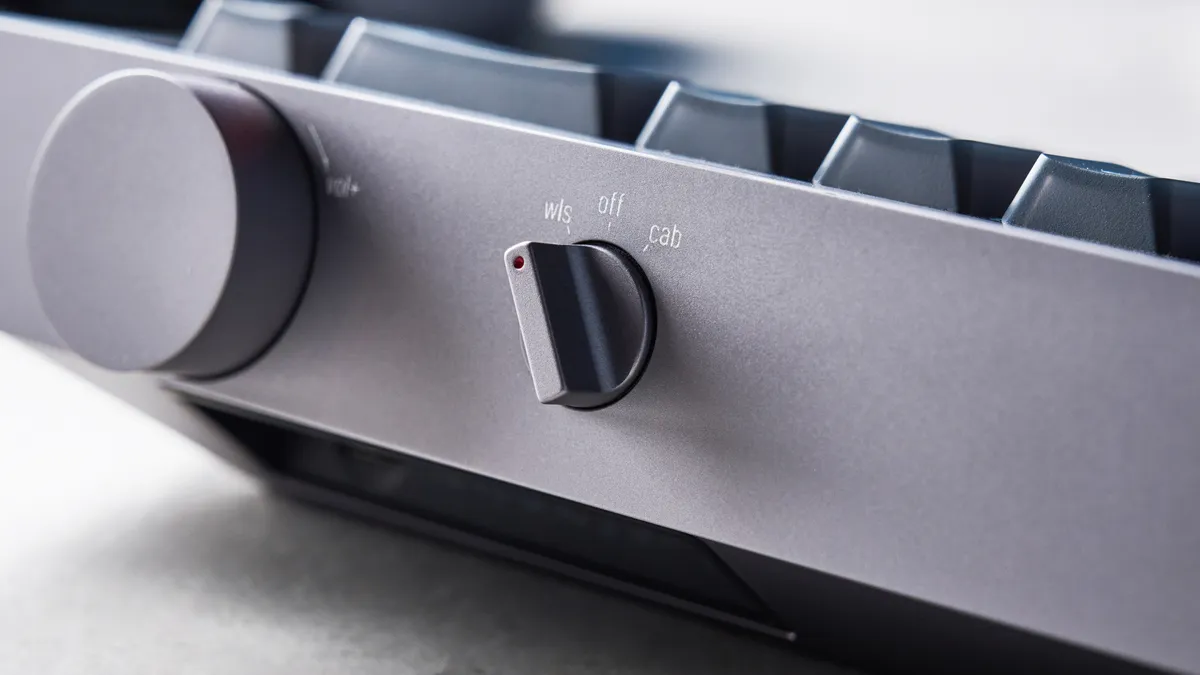
The Hyzen is a serious productivity machine, especially for a 65% board. There’s a neat toggle on the left which turns the number row into Fn buttons, giving you access to productivity shortcuts — which I find especially handy when using macOS at work.
As I’ll cover later, I had some major input registry issues in mechanical switch mode, but in magnetic mode at 2.6mm actuation and with a hefty amount of dead zone dialled in, I was on fire in the type test. I managed to type at 105WPM with 93% accuracy. That’s 10WPM above my average speed at nearly 5 percentage points above my average accuracy.
Keyboard |
Words per minute |
Typing accuracy |
|---|---|---|
Lofree Hyzen |
105 |
93% |
Lemokey P2 HE |
100 |
91% |
99 |
92% |
|
105 |
96% |
|
95 |
87% |
|
104 |
87% |
|
99 |
92% |
|
NuPhy Air60 HE |
101 |
88% |
Keychron K2 HE |
106 |
94% |
Pete's rolling averages (all keyboards) |
95.23 |
88.34% |
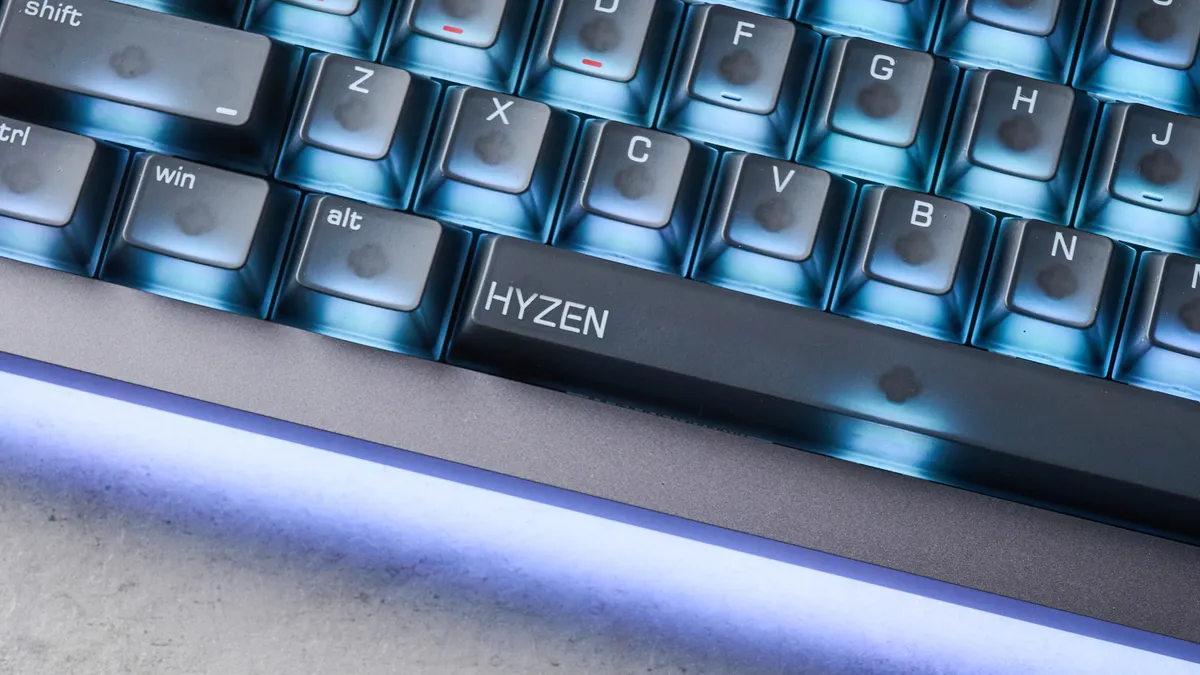
This is all helped by lovely keycaps. They’re Cherry profile — nothing special there — but finished with a beautiful friction-heavy coating that a) feels great, and b) helps reduce slipping and mistypes.
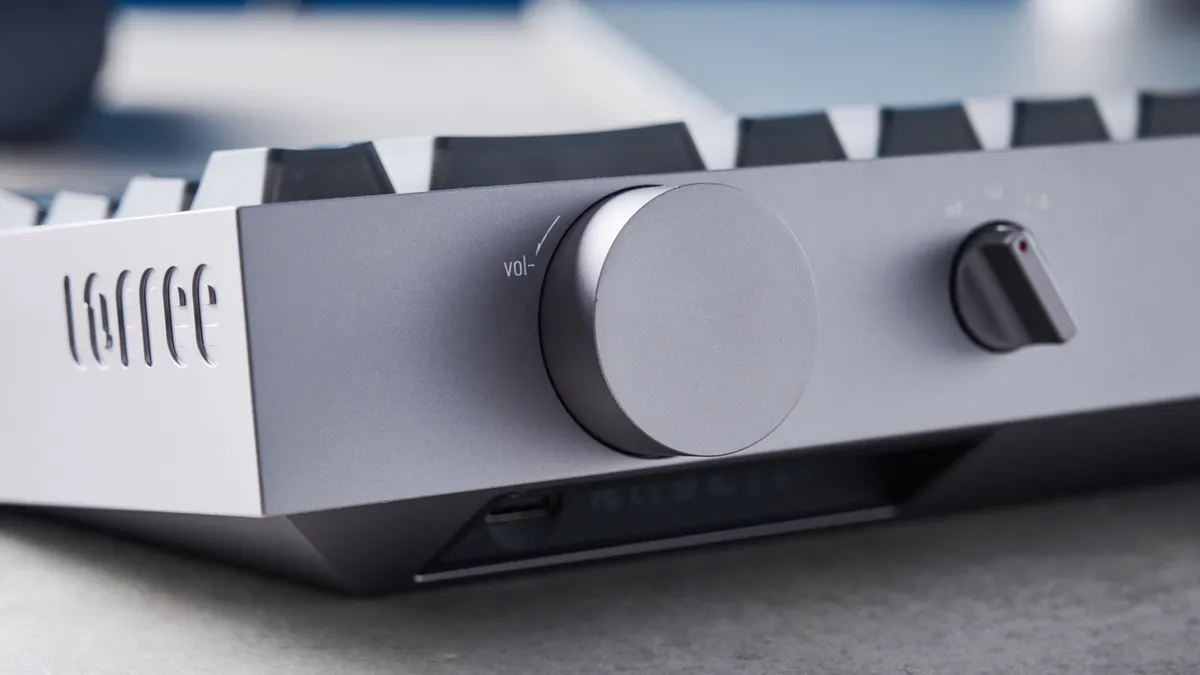
The keys have a very modest rake, but thanks to a 12-degree rearward pitch angle, the keyboard still feels very steep, and each row is noticeably tiered above the one below. I didn’t get on with this at first, as I’m not accustomed to such a stark difference in the upper- and lower-most key heights. But I got used to it, and it clearly didn’t negatively affect my speed or accuracy!
Captivating construction
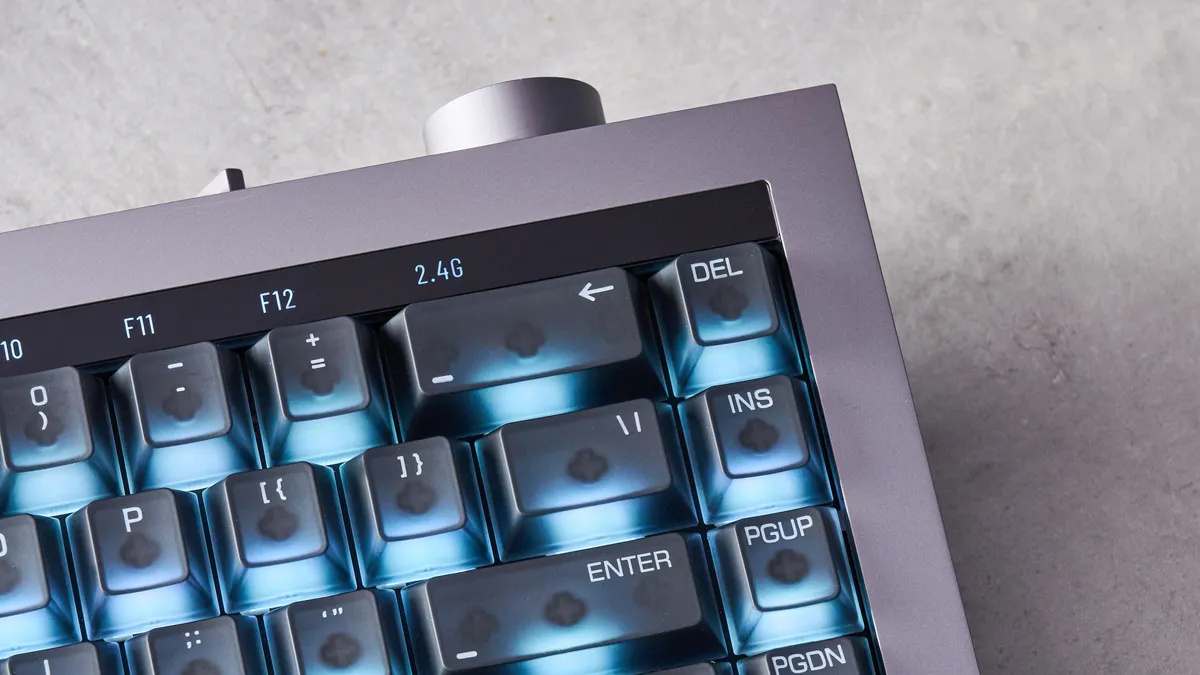
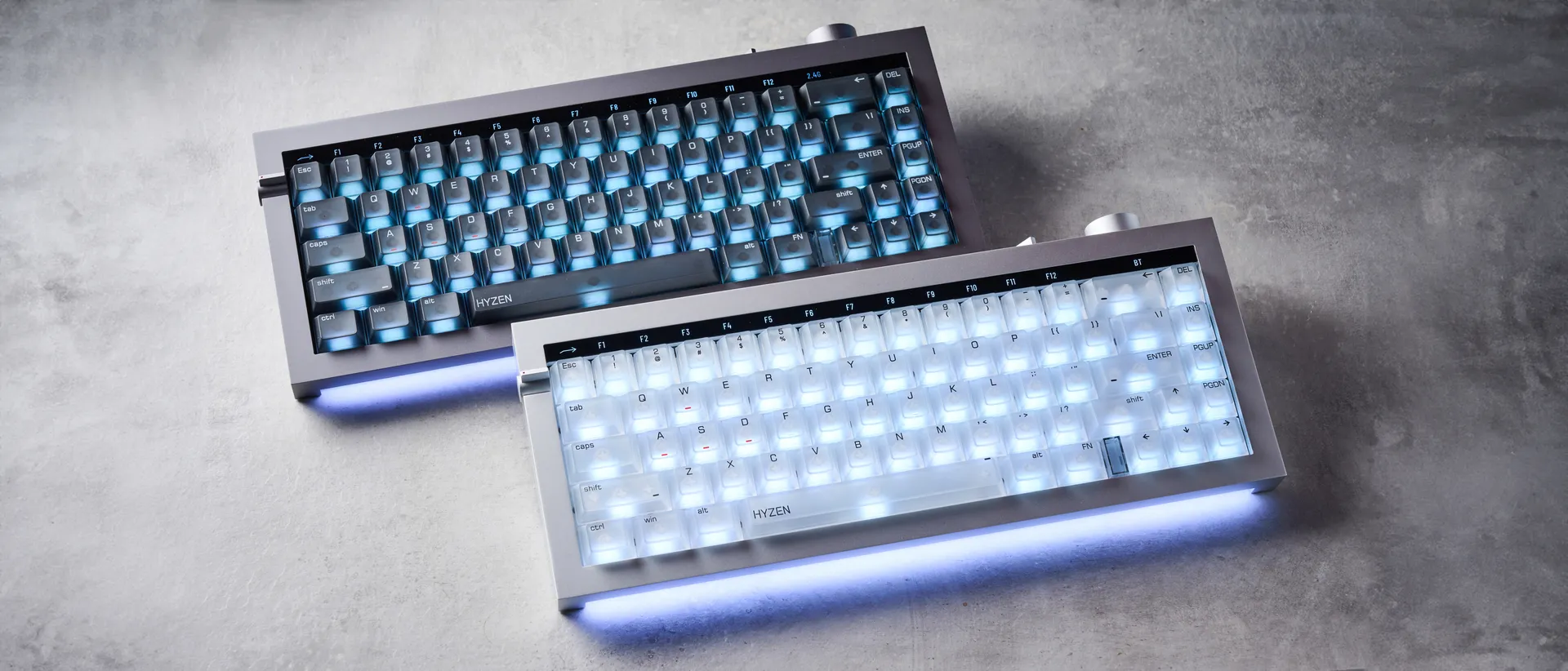
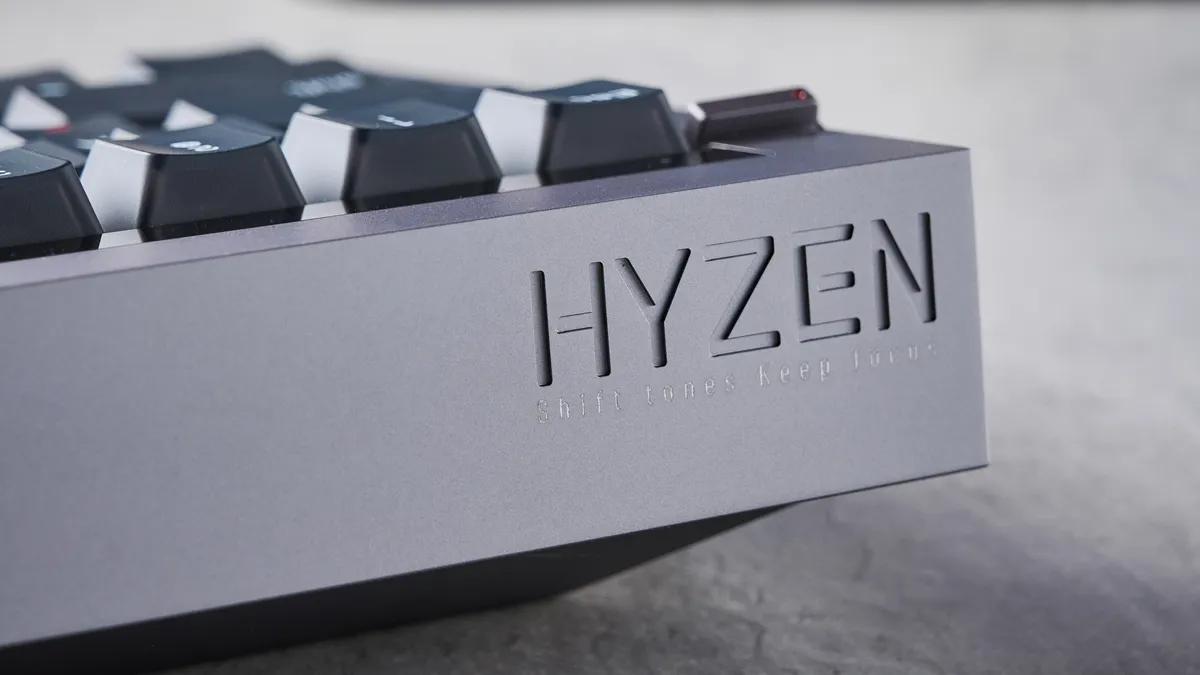
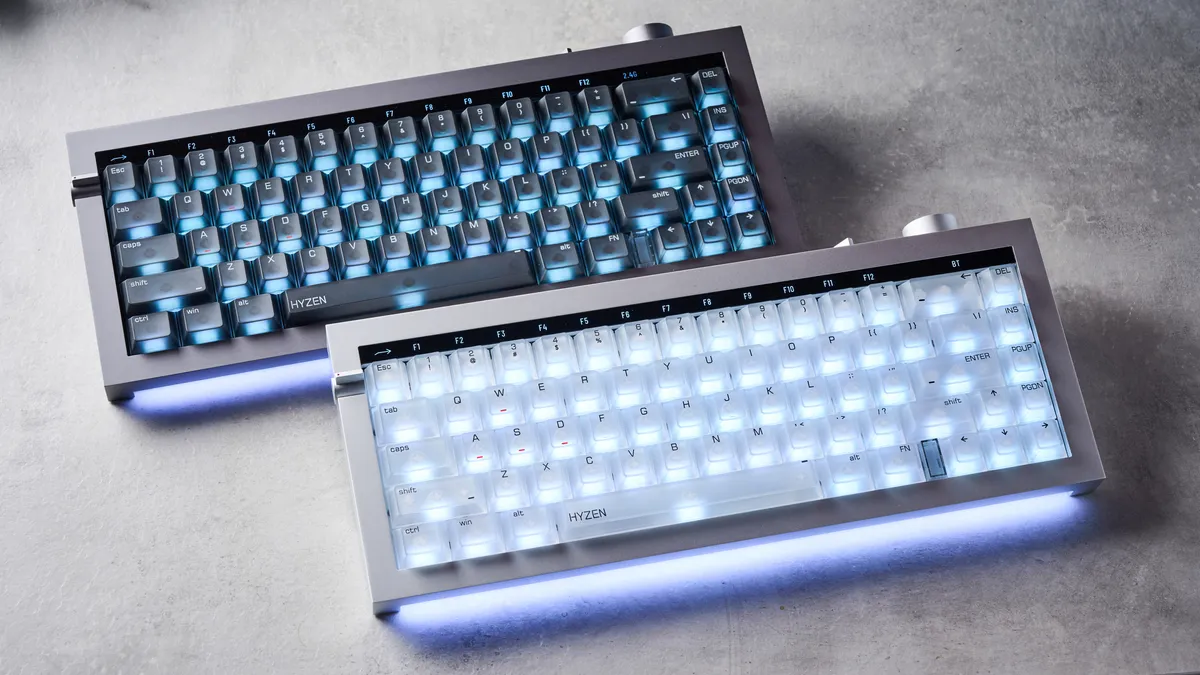
The Hyzen is utterly gorgeous to behold. Although I expect nothing else from Lofree. The clean, straight lines; the translucent keycaps; the backlight and desklight; the black digital Fn bar. It’s just so slick. Lofree sent me both the gray and white versions, and I’ve had a really hard time choosing which I prefer. Each look fantastic with the RGB backlighting set to a simplistic white, and the desklight set to red.
Like the Lofree Flow 2 ($149) and Lofree Flow ($159), the Hyzen utilizes a minimalist design ethos. Here, it’s a deliberate attempt to draw focus to the quality of materials used. And they are indeed high quality — thick, machined aluminum alloy for the case; doubleshot PBT keycaps; and an FR4 fiberglass plate. It feels like a premium product.
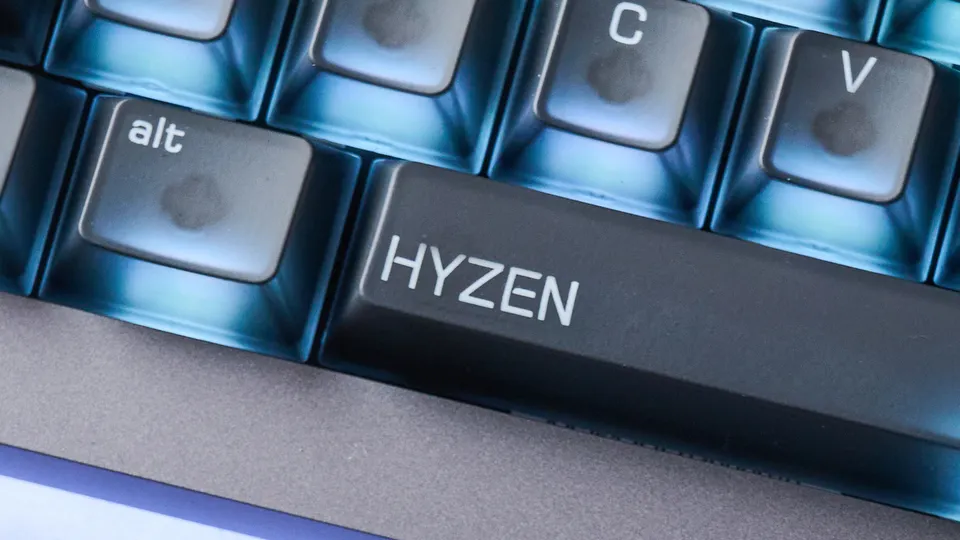
April 28th 2026: My units are both early production samples, and a few changes will be made to the appearance of final production units. These include the removal of the (ugly, wonkily-printed) “Hyzen” logo on the space bar; and the addition of macOS legends to keycaps, resulting in dual-labelled caps.
A more-ish muted clack
The Hyzen has a rather more-ish sound. Thanks to the FR4 plate and PBT caps, there’s a muted, plasticky-but-pleasing clack. It isn’t addictive as the poppy Wobkey Rainy 75 Pro ($139) or the thocky NuPhy Halo75 V2 ($129), but still rather pleasant.
Thanks to that heavy aluminum alloy case and a decent amount of internal damping, the Hyzen’s sound is nice and tight, with little in the way of echoes or ricochets.
Admittedly, my gray sample has an extremely noisy Space bar stabilizer, which generates a metallic ping each time you hit the key. But I’ll cover this more later on.
Lofree Hyzen review: The downs
Unfortunately, my review units demonstrated poor QC, janky software and switch issues. Then there’s the steep MSRP to consider. The Hyzen is too much of a risk right now for me to recommend.
Poor quality control
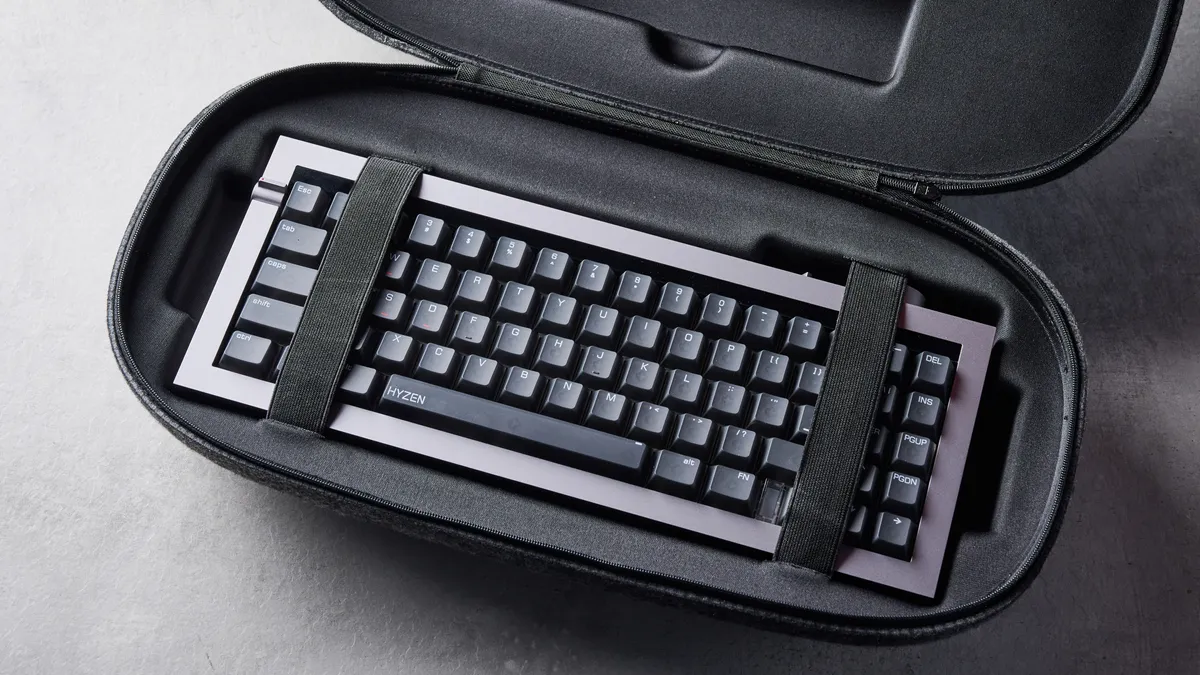
Unfortunately, my pre-production units suffer from poor quality control. One of my Hyzens likes to rattle — specifically, it has a very noisy, metallic ping from the Space bar stabilizers. It’s a shame because the other unit has a fairly nice sounding Space bar that Lofree has managed to sound-match fairly well with the rest of the keys (within reason, as it’s still a Space bar).
This isn’t surprising given Lofree’s recent form. Both of my Lofree Flow 2 testers, for example, demonstrated a truly vibe-killing metallic ricochet — a common problem that Lofree has acknowledged to me as QC-related.
A week or so into testing, and with the battery fully charged, one of my test samples then decided to randomly die... before turning back on 30 minutes later. Plus, the zips on both of my test unit cases were far too small, meaning they caught on the zip fabric and both broke — we had to cut one of the cases open to get to the keyboard (Lofree has confirmed it will revise the zips for production models).
Slightly janky software
With mechanical boards, you can get away with simple open source firmware/software like QMK/VIA. But with magnetic boards, whose core performance relies so much on software customization, the open source platforms just can’t cut it. That’s when you need a solid web app like Keychron’s/Lemokey’s Launcher or NuPhy.io.
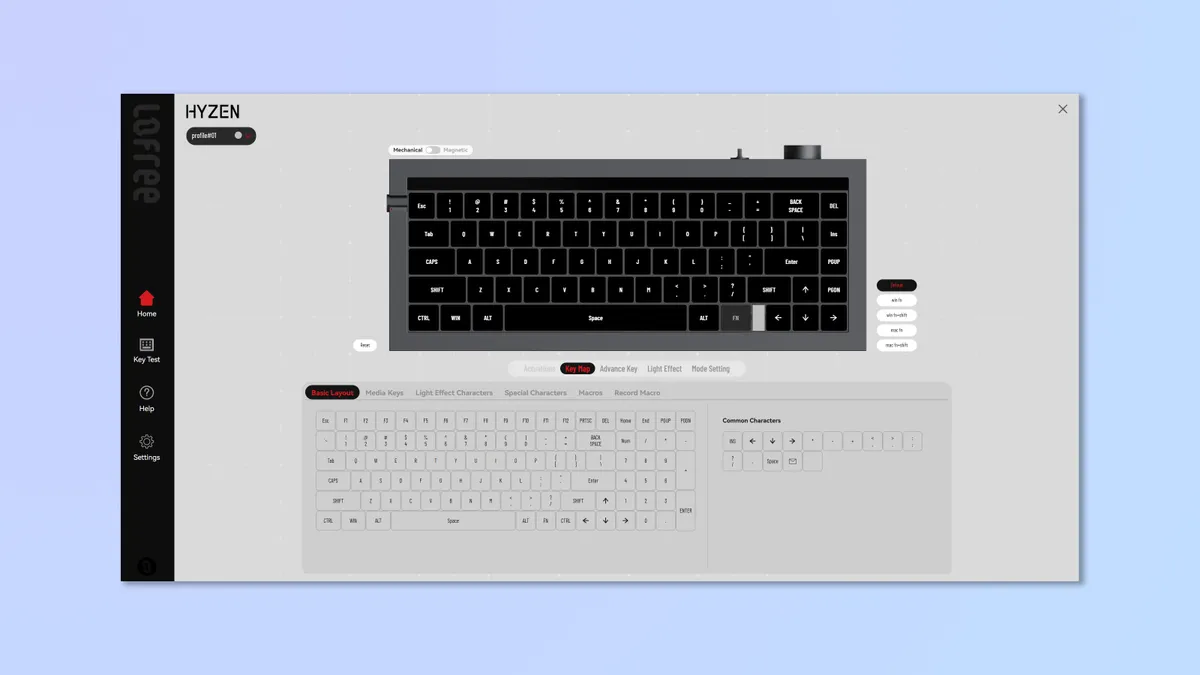
Lofree Hub will be Lofree’s version of those. Right now at least, it works, but it ain’t polished. My early access version was very janky, taking literal minutes to load the background image (like dial up) and buttons, then lagging in use.
Firmware updating was also pretty clunky, requiring me to download a standalone .EXE (so no updating on Mac) rather than simply updating through the web app, as with Keychron and NuPhy boards.
Hopefully, the final production software will be an improvement on this. But Lofree’s previous proprietary software platforms have been equally janky, and usually get canned by the manufacturer after one or two boards (see my Lofree Flow Lite review). So, again with Lofree's recent form in mind, forgive me if I’m not full of optimism here.
Dead zone required and no MX bounce control
I found the Nexus switches in MX mode difficult to use. Despite flawless performance in magnetic mode, almost setting my PBs, I could only just type 90 words per minute in MX mode at only 87% accuracy. I had repeated/double inputs all over the shop, even after recalibration. MX mode is just crying out for some bounce/debounce settings to iron this out, but the app gives no control over that. I’ve just left the thing in magnetic mode and have reached out to Lofree about the input issues.
In magnetic mode, there were a lot of accidental inputs at short actuation distances. This is normal (although I’ve never had as many issues as with the Hyzen/Nexus switches), and as I mentioned above, I just dialled in 0.3mm of dead zone to fix the issue at 0.4mm and 0.5mm actuation.
April 28th 2026: Lofree has confirmed to me that MX switch issues are known about in pre-production units.
Astronomically high price
Finally, there’s the Hyzen’s high price. There will be some deals for Kickstarter supporters, but the MSRP of the tri-mode variant will be $279. That’s crazy steep — even pricier than high-end magnetic boards like the Keychron Q6 8K HE ($239) and Lemokey L5 HE ($220).
Despite its promising features, given the number of issues I've experienced, I don't think this board warrants its price. If you're gonna charge that much for a deck, it better be polished. Again, the product is in Kickstarter, so the final production model may have these issues ironed out, but there's no guarantee of that, so I can only go on what I see in front of me.
Naturally, with Kickstarter there's always the possibility of rug pulls, too. Lofree is an established brand (why use Kickstarter, then?), so I doubt that will happen here, but I'll always advise extreme caution when it comes to crowdfunding projects — that's especially true here given the Hyzen is so clearly unfinished.
Lofree Hyzen review: Verdict
I love seeing keyboard manufacturers take risks and experiment. Which is why I was so excited about the Hyzen. A dual MX/Mag socket and switch combo has the potential to be the future default setup. In fact, I think it definitely will be. So kudos to Lofree for becoming an early adopter (I’ve no doubt the other big productivity brands will be following suit soon).
Unfortunately, I can’t recommend the Hyzen in its current form. It’s beautiful to behold, great to type on, sounds pretty good and offers a range of gaming features. But it’s let down by poor QC, plus janky software and switches. I’m really hoping Lofree can iron out these issues before launch. But then oh my lord there’s still that price.
Lofree: if you’re going to experiment, I’ll back you all the way. But don’t think you can get away with charging double finished-product prices while doing so, for a product that isn’t anywhere near ready for market.