





Tom's Guide Verdict
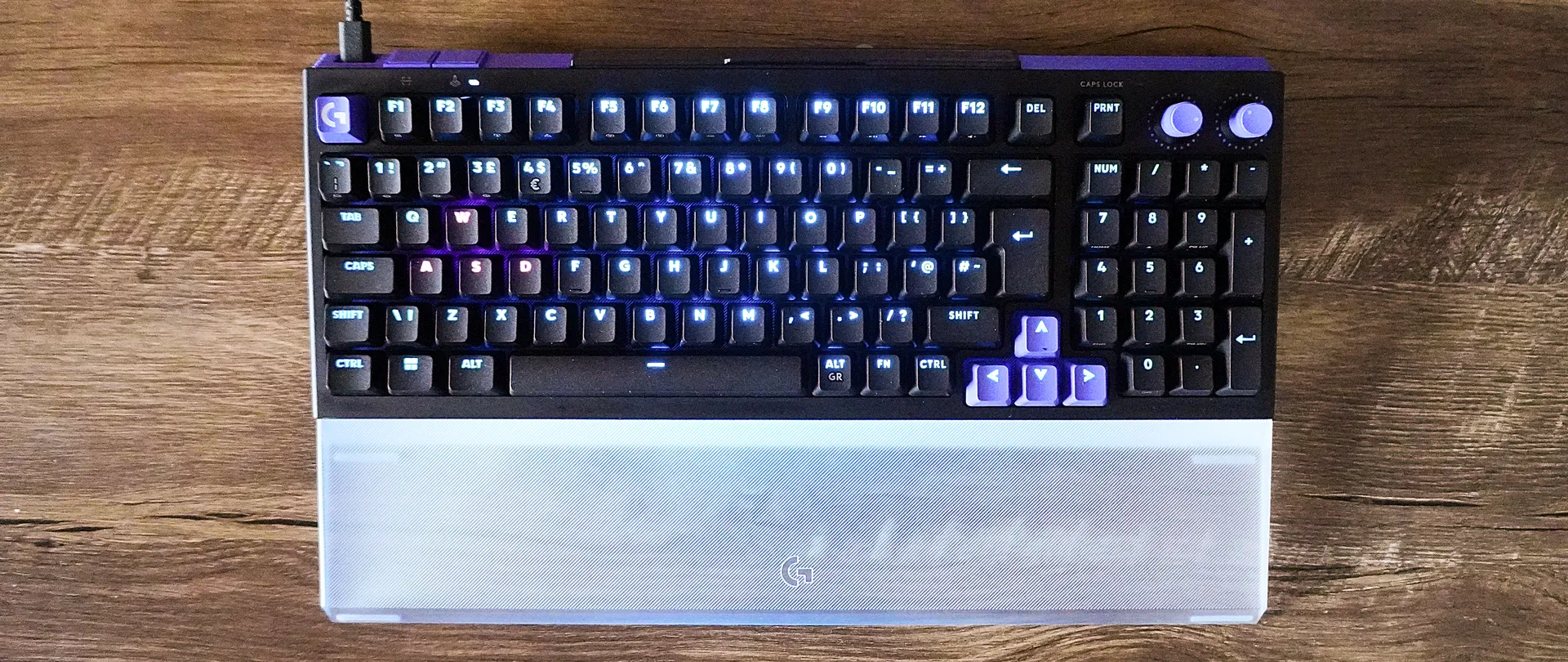
The Logitech G G512 X is a customizable analog gaming keyboard for the rest of us — building the versatility of play styles directly into the board itself with clever switch storage and feet that double up as keycap and switch pullers. And it does all this while giving you a great, tactile key press feel and a bold, vibrant design.
Reasons to buy
- +
Smart, bold design that’s quite a looker
- +
Customizability at its core
- +
Great typing experience
- +
Analog switches made me a better gamer
Reasons to avoid
- -
The whole keyboard isn't analog-compatible
- -
SAPP rings fall out easily
Why you can trust Tom's Guide Our writers and editors spend hours analyzing and reviewing products, services, and apps to help find what's best for you. Find out more about how we test, analyze, and rate.
I’ll be honest. I never got the point of overly-complicated keyboard tinkering. I know all the lingo like Tunnel Magnetoresistance (TMR) analog switches and I know the benefits of this stuff, but I’ve just stuck with my same familiar mechanical keyboard and called it a day. I mean just how much of a difference can all of this tweaking give you?
Well, as I found out with the Logitech G G512 X, the answer to that is a lot more than I wrongly assumed! I’ve been testing it for a week, and I’ve seen a material difference in my FPS kill/death ratio, reaction speeds and more — all while being a damn good keyboard to type on with a deep 4mm key travel and a satisfyingly tactile thock to each key.
What grabbed me most about the board is all the built in tinkering potential. The feet double as keycap and switch pullers, nine magnetic analog switches are stored directly on the board itself, and there are second actuation pressure point (SAPP) rings in a handy slot on the underside to add dual functions to a single analog key (like movement speed in an FPS).
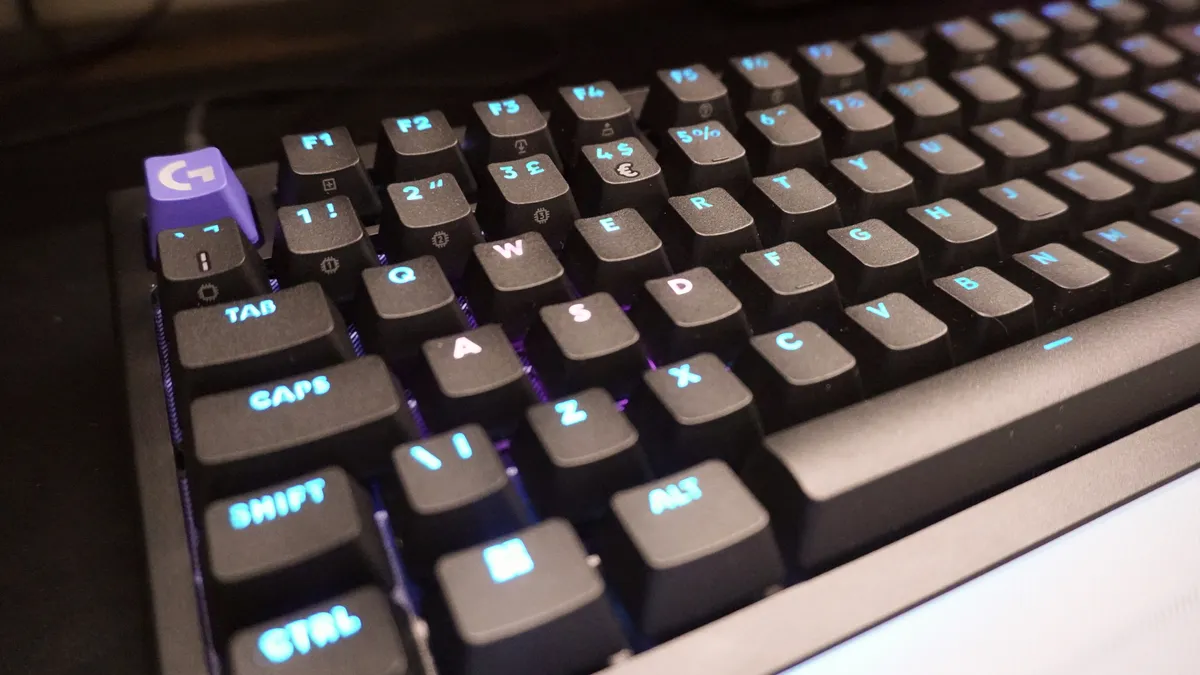
Over the course of the week I’ve spent testing this, it’s turned me into a maniac of a tinkerer — throw in the RGB customizability you get in G-Hub, and you can tailor the aesthetics and play style to exactly match your needs. And with a healthy chunk of the left-hand side of the board being analog compatible, I tinkered with this for RTS games, indies and more to get just the right upgrade for all genres.
There are a couple of frustrations, though. There are other similarly-priced boards (like the Keychron K2 HE) that give you analog switches across the entire board, rather than just on a particular portion like the G512 X — leading to a less consistent feel when mixing and matching switches for productivity. On top of that, that SAPP ring storage compartment on the back has a loose grip and you can often find yourself looking under your desk for where one rolled off to.
But for a keyboard that bridges the gap to analog switches and customization for people like me that just let this whole keyboard revolution pass me by, the G512 X is well-placed to level up the common folk.
Logitech G G512 X: Cheat Sheet
- What is it? It’s a 75 or 98-key gaming keyboard with customization built into its core.
- Who is it for? This is ideal for PC gaming enthusiasts and new-starters alike looking to get into the world of analog switch play.
- How much does it cost? You can pick up the 75-key model for $179/£169, and the 98-key for $199/£199. The palm rest you see is an add-on for $39 for the smaller keyboard and $45 for the bigger one.
- What’s good about it? The customizability built directly into the board makes this impressively versatile, the switch choices made here feel smooth and tactile, and the simplicity of tinkering makes it an addictive pastime.
- Any problems? A portion of the board is analog-compatible (whereas some of the competition has analog across the board), and the SAPP rings can fall out the back easily.
Logitech G G512 X: Specs
Specs |
Logitech G G512 X |
|---|---|
Price |
$179/169 (75-key) $199/£199 (98-key) |
Switches |
MX Mechanical switches + 9 Gateron KS-20 magnetic analog switches |
Keycaps |
PBT |
Mount |
Gasket |
Layout |
75 and 98-key layouts |
Operating system |
macOS, Windows |
Backlighting |
Per-key RGB |
Polling rate |
True 8Khz report rate |
Connectivity |
Wired |
Measurements |
13 x 5.9 x 1.9 inches (75-key) 15.2 x 5.9 x 1.9 inches (98-key) |
Weight |
1.9 pounds (75-key) 2.2 pounds (98-key) |
Logitech G G512 X: The ups
And so, the keyboard sprang to life and I got typing. Then I started tinkering, and tinkering some more, and more — to the point that I must admit the G512 X has made me a bit of a keyboard enthusiast.
Stand-out design that fits into any gaming setup
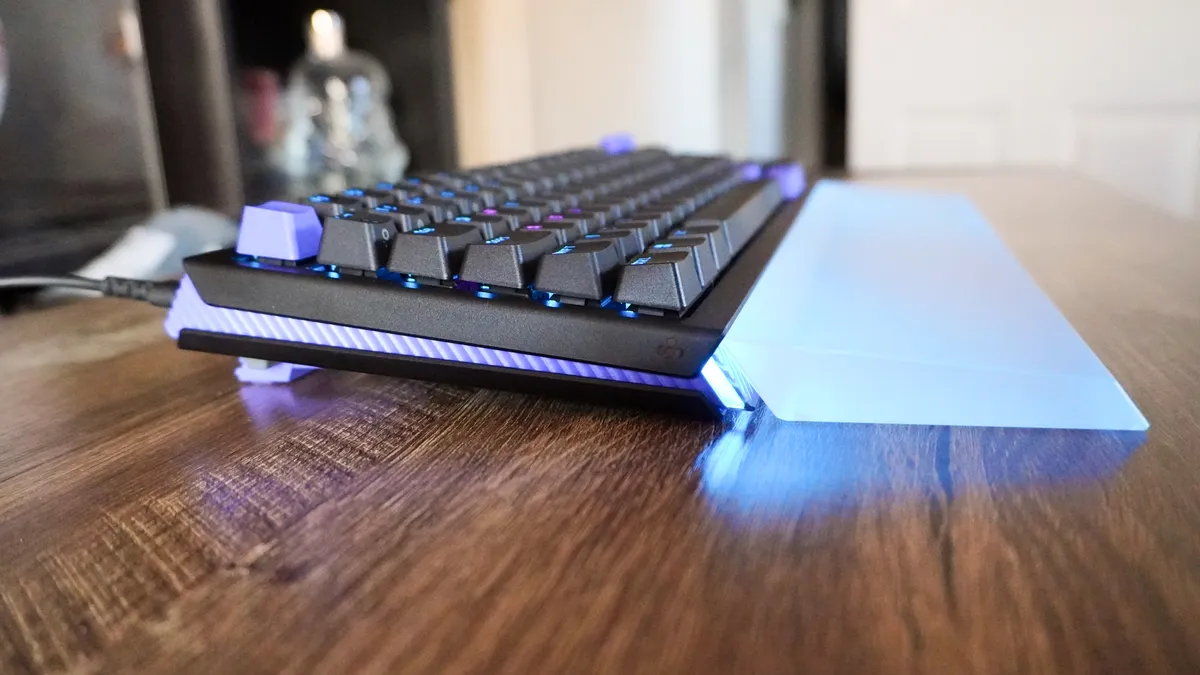
When talking to Logitech, the team spoke about inspirations of modern industrial architecture and a soul rooted in retro design. Born and raised in a working class miner’s town, a lot of this went right over my head, but the end result is a strikingly good-looking keyboard in my opinion.
The ridged edges give it some textural dynamism (that feels good for persistent fidgeters like me), all your means to customize the board (more on that later) are sensibly built into it, and the RGB emanates a nice surrounding glow. Throw in the use of up to 37% PCR plastics to build it, and you’re onto a winner.
Then there’s the typing experience itself — height adjustable between 4 and 8 degrees with those removable feet, and those PBT keycaps feel nice on the pads of your fingers with a nice 4mm depth and a tactile landing to make each press feel impactful.
I did manage to hit a solid 82 words per minute with a 95% accuracy on 10fastfingers.com, which is an improvement over my current board for sure! All in all, things are starting strong for productivity and gaming.
Customizability out the wazoo
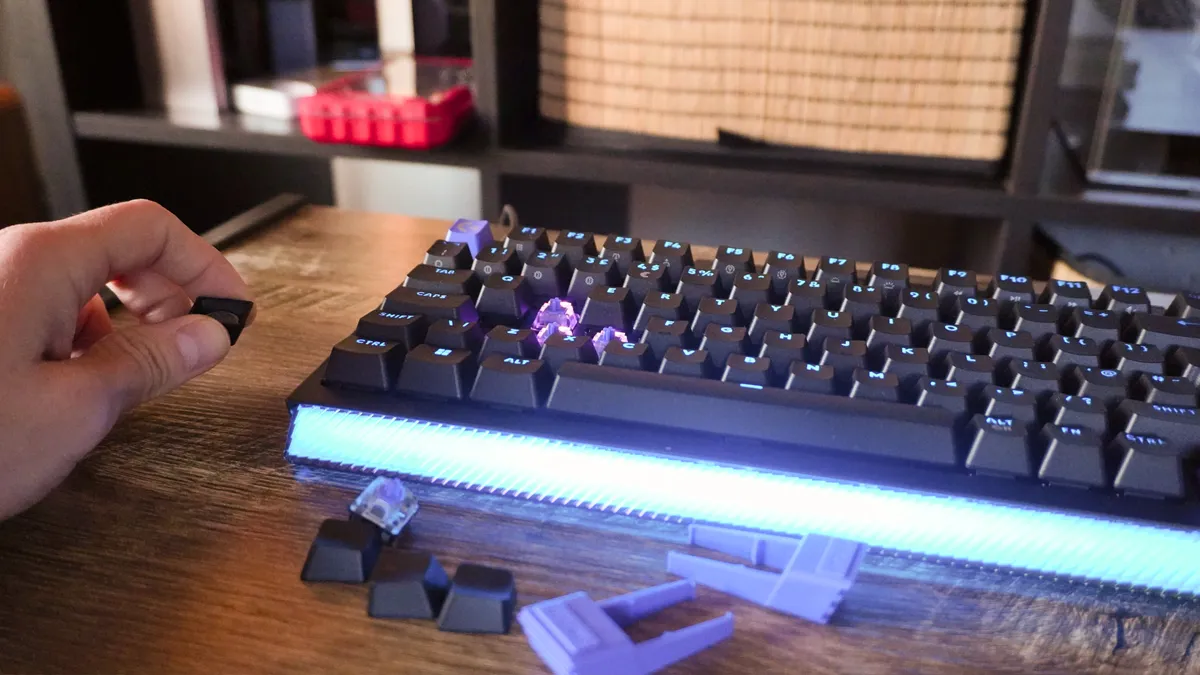
But this is where things get interesting. If you’re reading this, chances are you’re in one of two camps: you’ve never customized a keyboard before, or you have a box full of spare switches that you have to cart around with you.
The G512 X is kind of like the Goldilocks keyboard in that way — giving you large levels of customization, but doing it in just the right way that noobies can get on board with. You have keycap and switch pullers that double as keyboard feet, nine TMR analog switches are packed into their own enclosure on the top edge, and your SAPP rings are conveniently stashed in a slot on the underside.
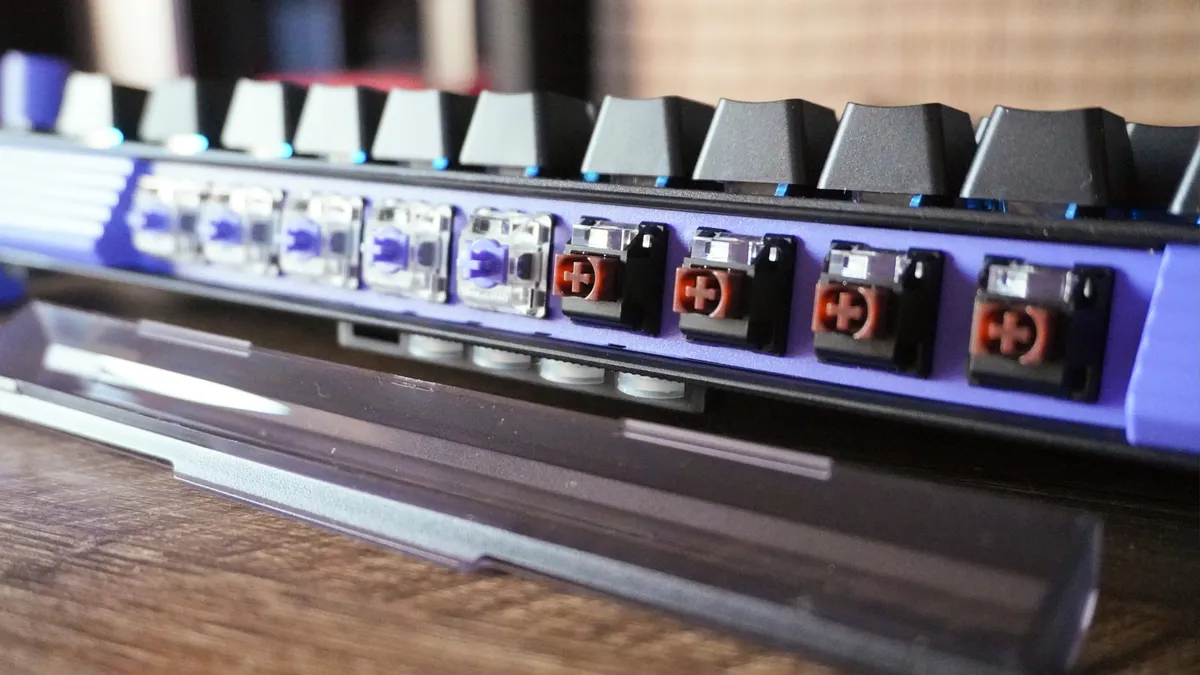
Put simply, it puts everything in one place for better organization of your tools, and I rather love that. The 39 analog switchable keys are clearly identified with a striped pattern across the bottom deck, so you’re never lost on where to put them, and the SAPP rings are a cinch to just stick inside the keys for two-step pressure sensitivity. Oh, and there’s a scan button on the back so you can clearly identify which keys have analog switches!
Throw in the G-Hub software giving you a range of preset RGB lighting sequences (shoutout to the 2001: A Space Odyssey reference for one of them), or full custom per-key lighting that you can paint onto your keyboard with a nice UI, and I promise you’ll catch that tinkering bug fast.
It actually improved my gaming performance
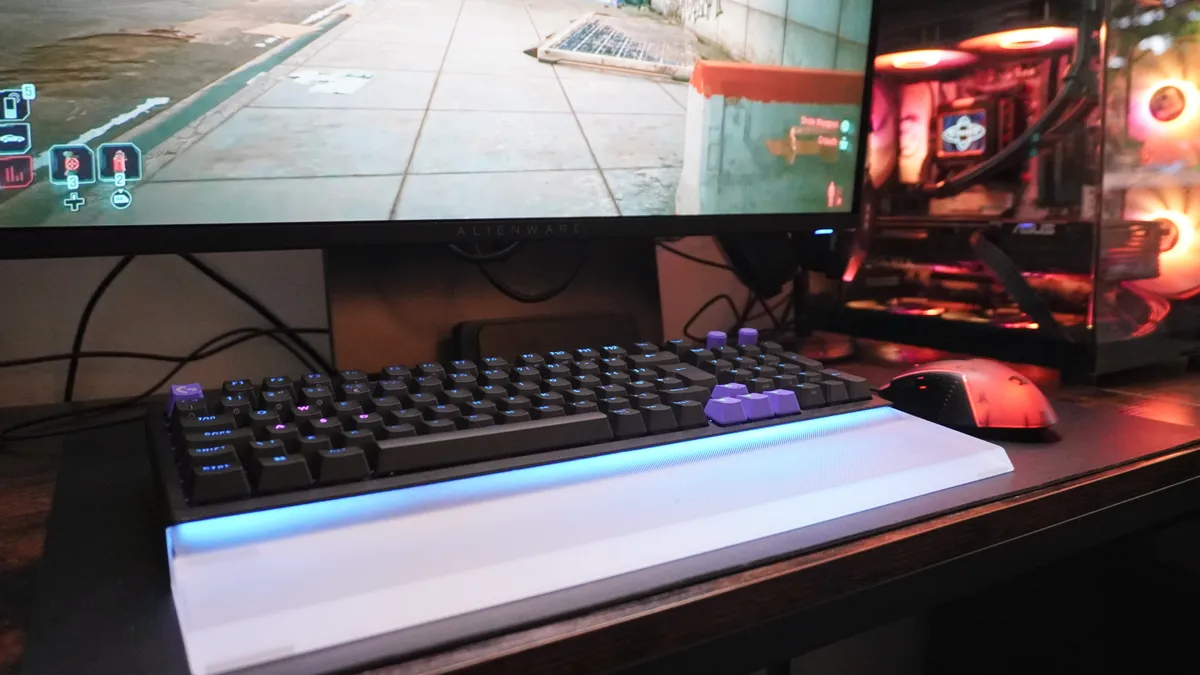
Of course, it can type well and look nice, but when it all comes together, I ended up with a board I felt made more competitive in online FPS multiplayer than usual! Normally, I’m absolute trash on Call of Duty — not necessarily thinking about the most effective ways I can use my board to be in sync with my play style.
With those TMR switches and SAPP rings, I was able to map run and sprint to two pressure points of the W key, and those high resolution sensors with a true 8KHz polling rate (as in throughout every part of a key registration) meant my responses were faster and play felt more intuitive for me to focus on navigating while moving.
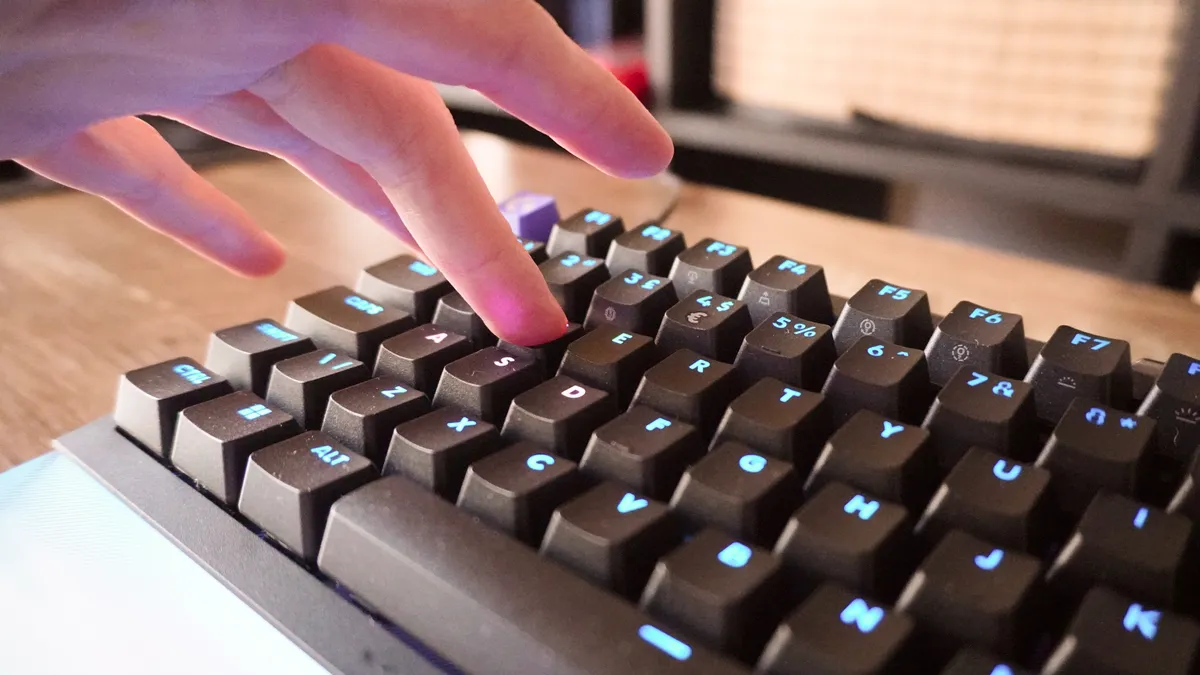
Add rapid trigger response for quicker strafes, per key actuation tweaking that allowed me to set the A and D keys to be feather light for said strafes, and key priority to prevent conflicting inputs, and I became quite a beast in the levelled lobbies I played in.
Did I go back to being terrible when I went up to a higher skill level lobby? Absolutely. I’m 35 — might as well have one foot in the grave compared to these cracked players. But this keyboard demonstrates that the technology can bring out the ability, and now I need to grind.
Logitech G G512 X: The downs
But while we’re off to a great start, not all is kosher with the G512 X. There’s a couple of frustrations that I had with the board while using it.
The runaway SAPP rings
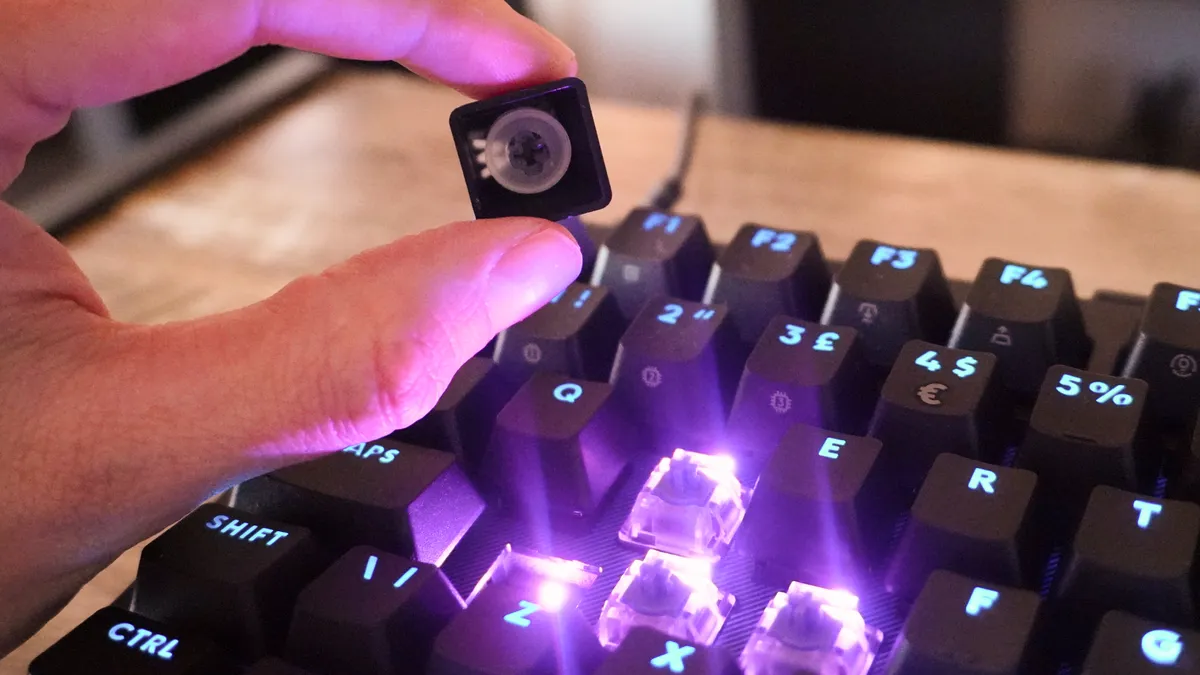
So on one hand, I applaud Logitech for going about keyboard modding in a fun, interesting way. By the way, those switch holes are compatible with most other switches you may buy aftermarket.
But that SAPP ring holster is not the best at…well…holstering the SAPP rings. Small movements or tilts can cause one or two to fall out, and you may be left crouching down and looking for these translucent rings hiding in the fibers of your carpet.
Provided you’re gentle moving it around, you’ll be fine. But would it kill logitech to add a door to this just like the container for the switches?
Not an entirely analog keyboard
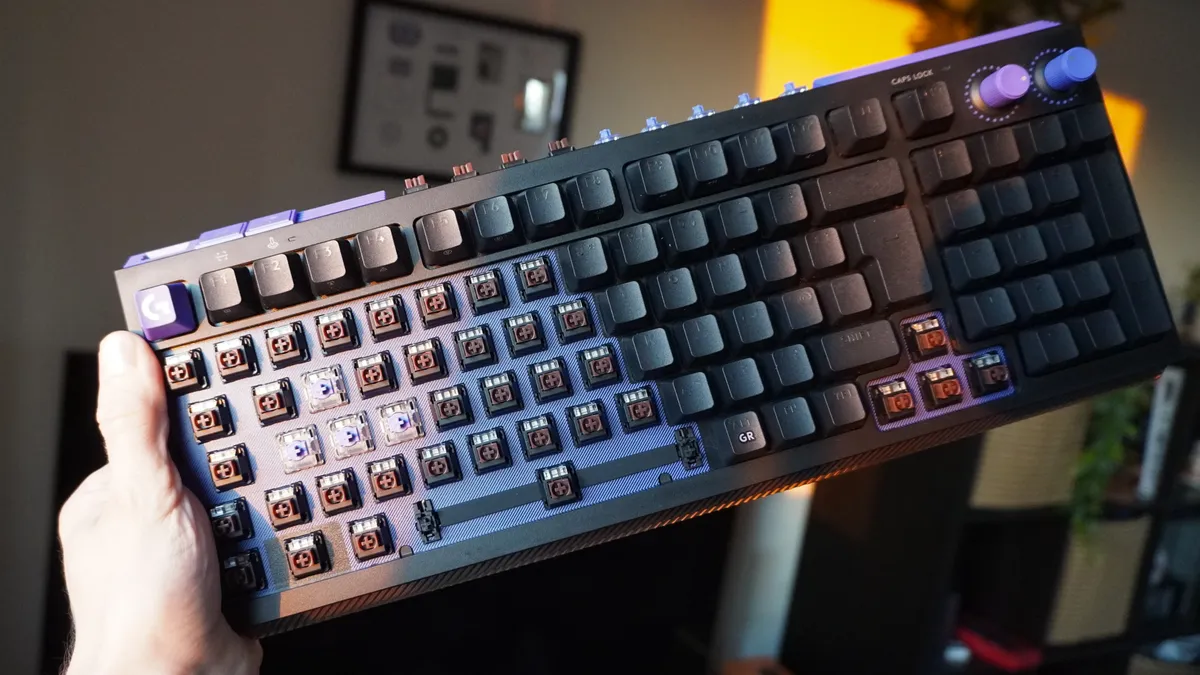
39 of the keys are analog TMR switch compatible on the G512 X, but on other keyboards like the Keychron K2 HE, you’ll find the entire board packs analog. For most play styles, not the worst thing in the world — Logitech has specifically picked the keys you’ll be using mostly with your left hand for navigating.
But that does mean lefties may struggle slightly, as the entire right half cannot be analog-ed.
Logitech G G512 X: Verdict
So I would recommend you think of this as a bridging gap for those who are ready to make the jump to the enthusiast level. If you’re pro-tier, there are other pro boards that are more worthwhile here. But for me specifically — the guy who is new to tinkering, this is a gateway drug to that.
The G512 X looks slick in my setup, has a really nice typing experience, and has genuinely helped me improve in gaming with its analog switches.

